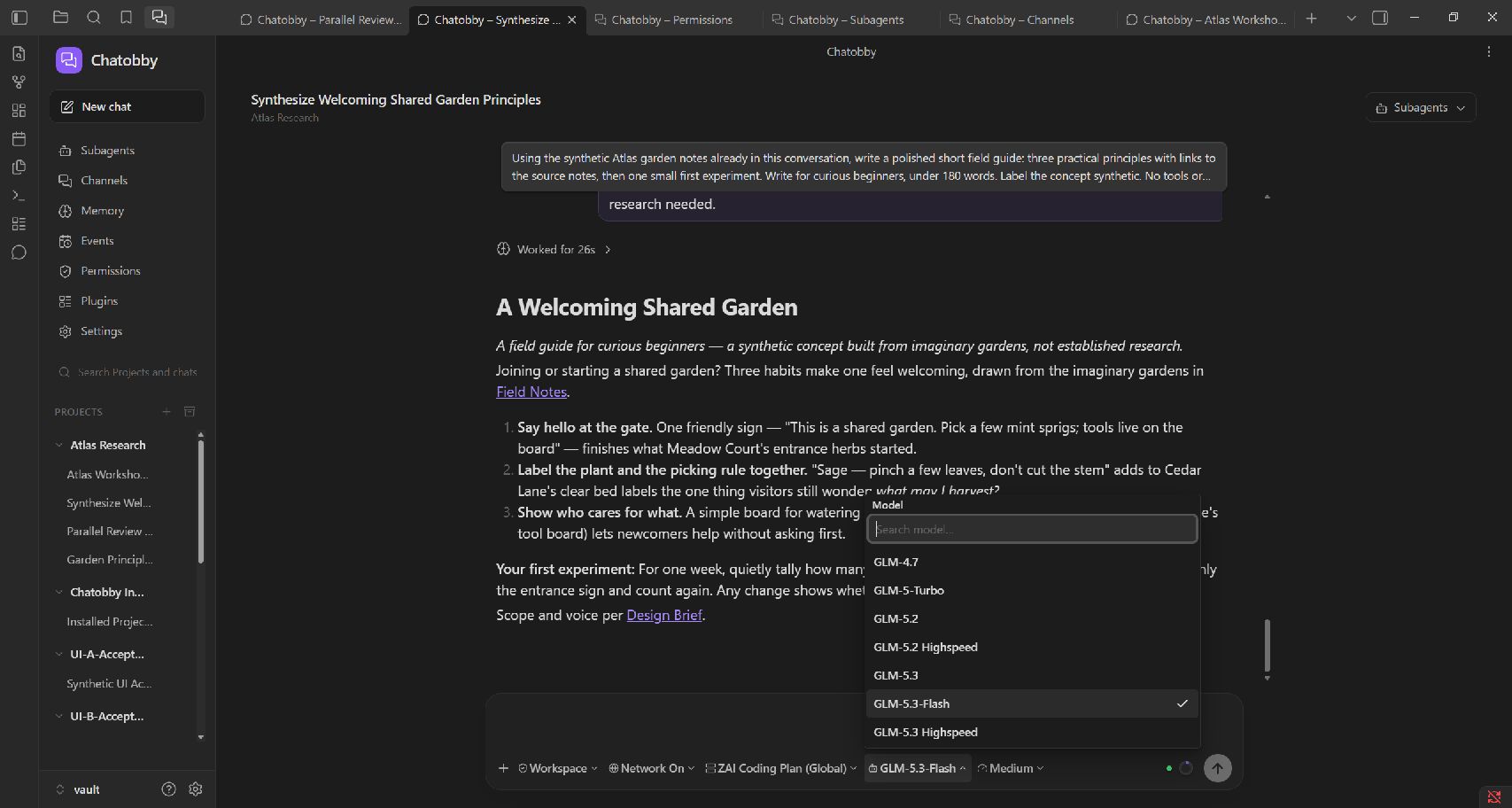
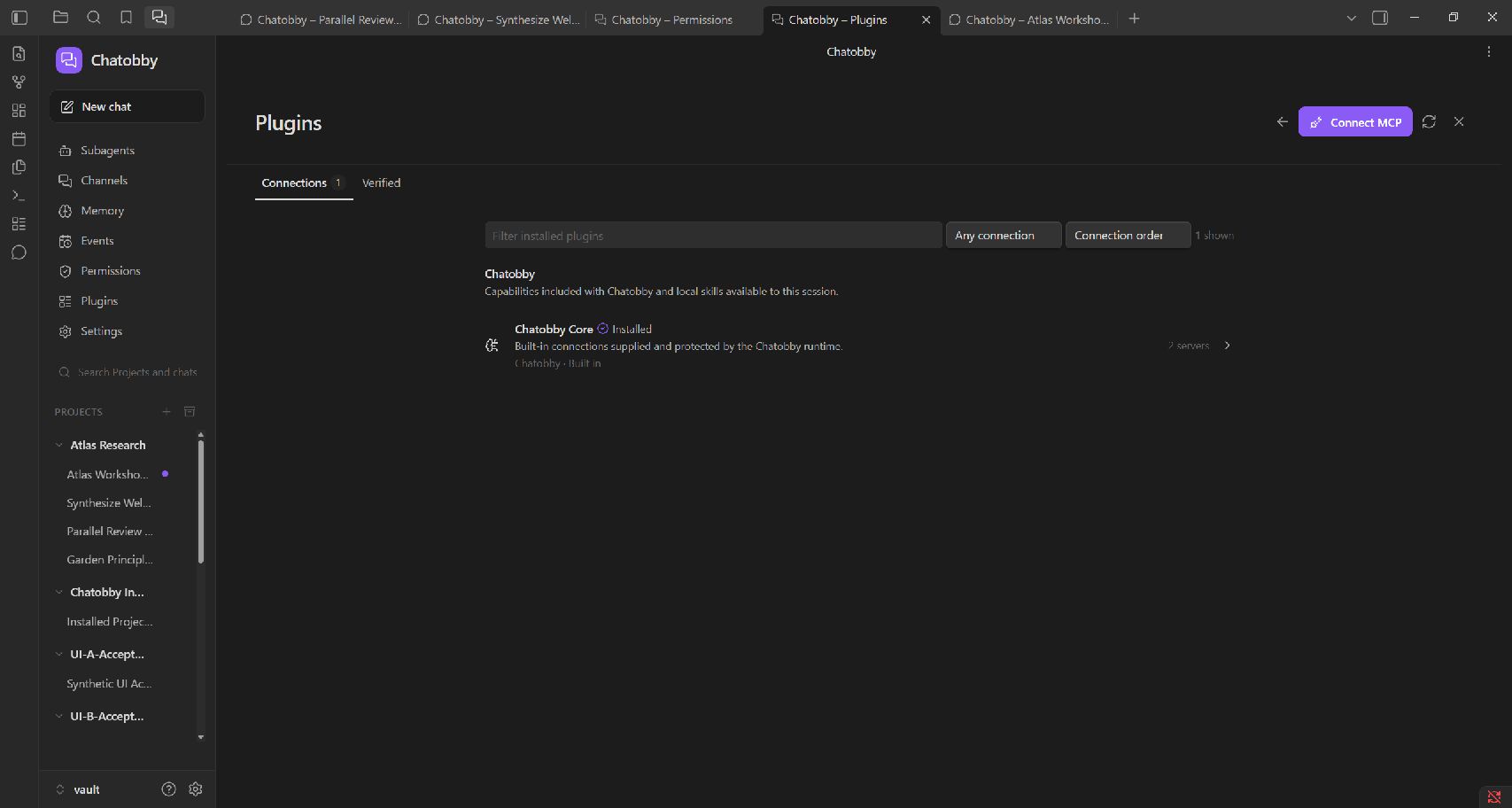
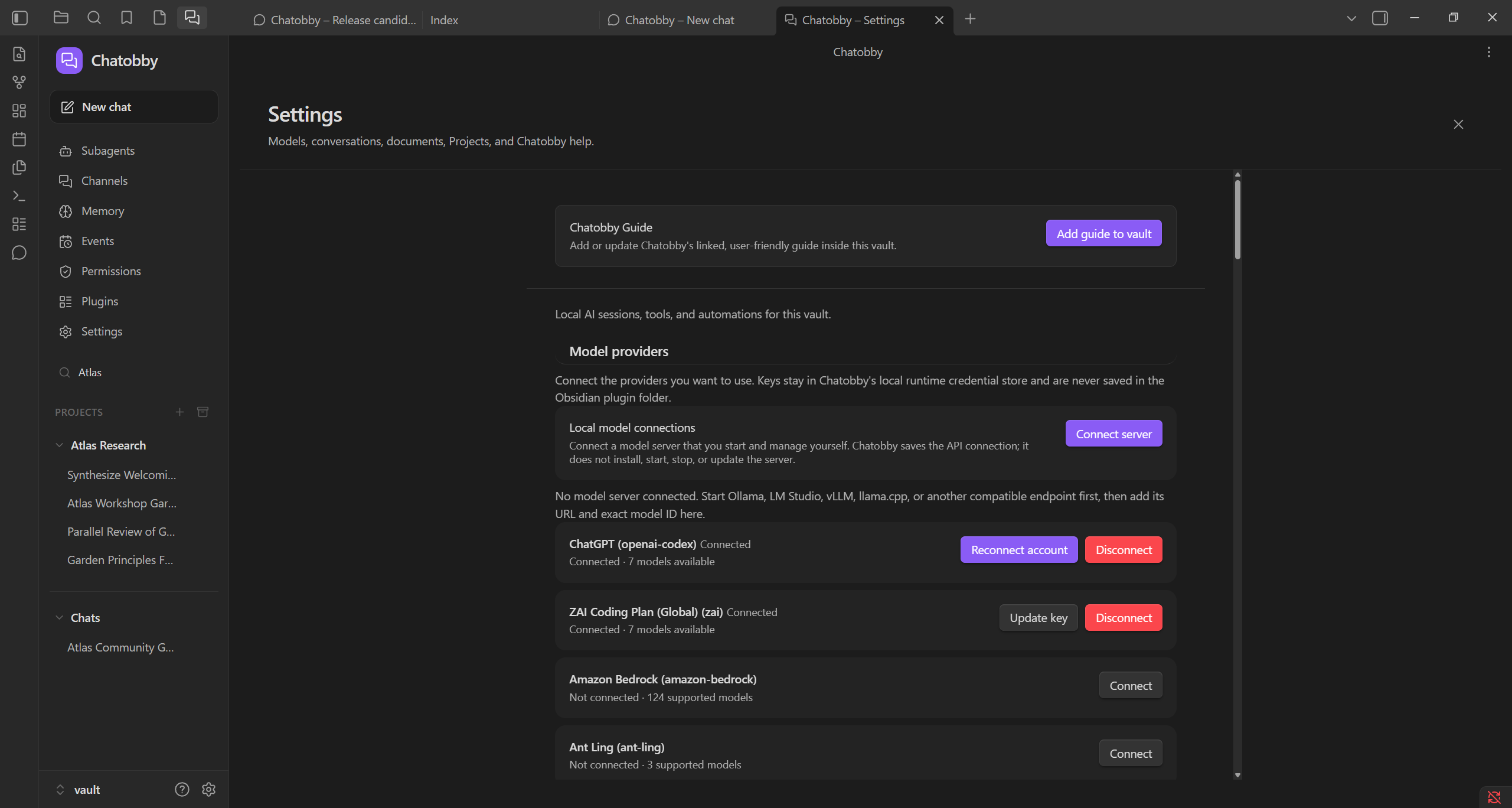
Madelyn100 downloadsA local agent with chat and tool use, with MCP and plugin support. Bring your own API key, Chatobby supports many LLM providers
A full agent workspace inside your vault.
Community: GitHub Discussions · Issue tracker · Documentation
Chatobby gives you a completely local agent, built with full support for obsidian and coding.
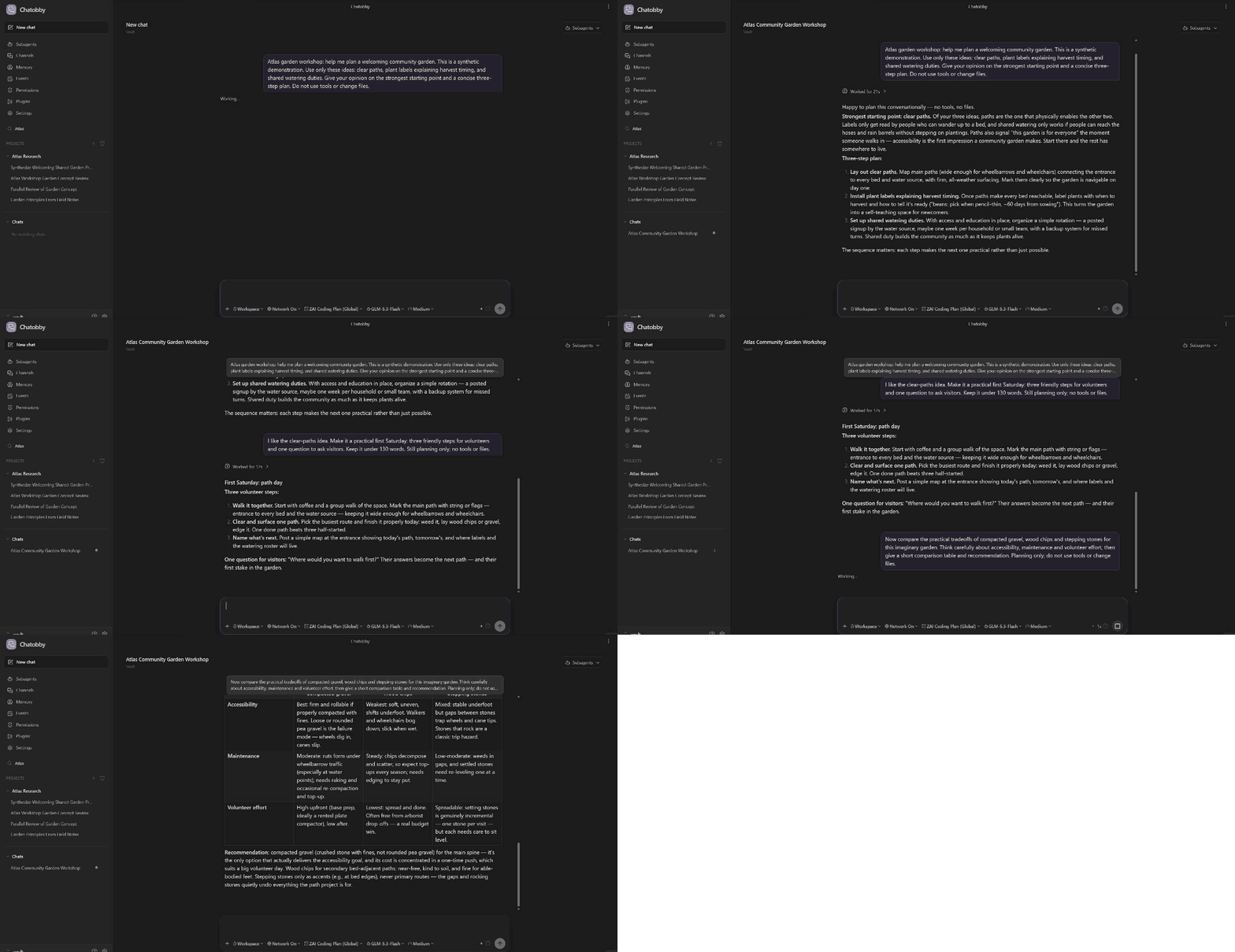
Chatobby can understand your notes, use tools, work across projects, recall memory and past sessions, and coordinate subagents when a task grows.
Your conversations, permissions, context, scheduled work, and delegated work all remain visible inside Obsidian.
Only model calls are sent to a provider of your choosing, with continuous updated support for OpenAI, Anthropic, Deepseek, Google Gemini, Z.AI, Xiaomi, OpenRouter, Hugging Face, and many more! Just connect your API key and everything works out of the box. In our roadmap: We plan to add local model support.
| Provider group | Supported services |
|---|---|
| Major model APIs | OpenAI, Anthropic, Google Gemini, Azure OpenAI, Google Vertex AI, Amazon Bedrock |
| Model hubs and gateways | OpenRouter, Vercel AI Gateway, Hugging Face, NVIDIA NIM, Fireworks AI, Together AI, Cloudflare Workers AI, Cloudflare AI Gateway |
| Additional model providers | DeepSeek, Groq, Cerebras, Mistral, xAI, Z.AI, Xiaomi MiMo, Moonshot AI, MiniMax, Ant Ling |
| Coding and account-backed access | OpenAI Codex, GitHub Copilot, Kimi Coding, Z.AI Coding Plan, Xiaomi Token Plan, OpenCode Zen, OpenCode Go |
Models change more often than this README. See the maintained providers and models guide for provider variants, setup notes, and how to check the exact models available in your installed Chatobby version.
Though it can be, Chatobby is built not just to be another isolated chatbot sidebar. Chatobby is designed as a workspace in which an agent can help with real vault work, research, writing, planning, coding, Obsidian browser capabilities, and longer-running projects while you retain control over what it may do.
Public alpha: Chatobby is free while it is under active development. It is important to practice discipline with backing up important vaults and starting small to learn how to use Chatobby. Interfaces, behavior, and storage contracts may change between alpha releases.
If you like Chatobby and want to support its development and continuous updates, I would love to hear your feedback!
If you love Chatobby, and want to keep our devs (me) unemployed, I would greatly appreciate donations :") It's actually so exciting to see its capabilities now and I love doing this <3
Support is completely optional. It does not unlock features or change the free alpha experience.
.chatobby.md and AGENTS.mdMost AI integrations stop at a chat box or QnA about your vault. Chatobby is built around the larger working experience required when an agent is allowed to do useful work, and track tasks for you.
| Chatobby capability | What it means for you |
|---|---|
| Tool-using agent | Ask for an outcome instead of manually copying every note and instruction into a prompt. |
| Visible work | Follow Chatobby's thoughts, reasoning summaries, tool activity, permission requests, tasks, errors, and results in one feed. |
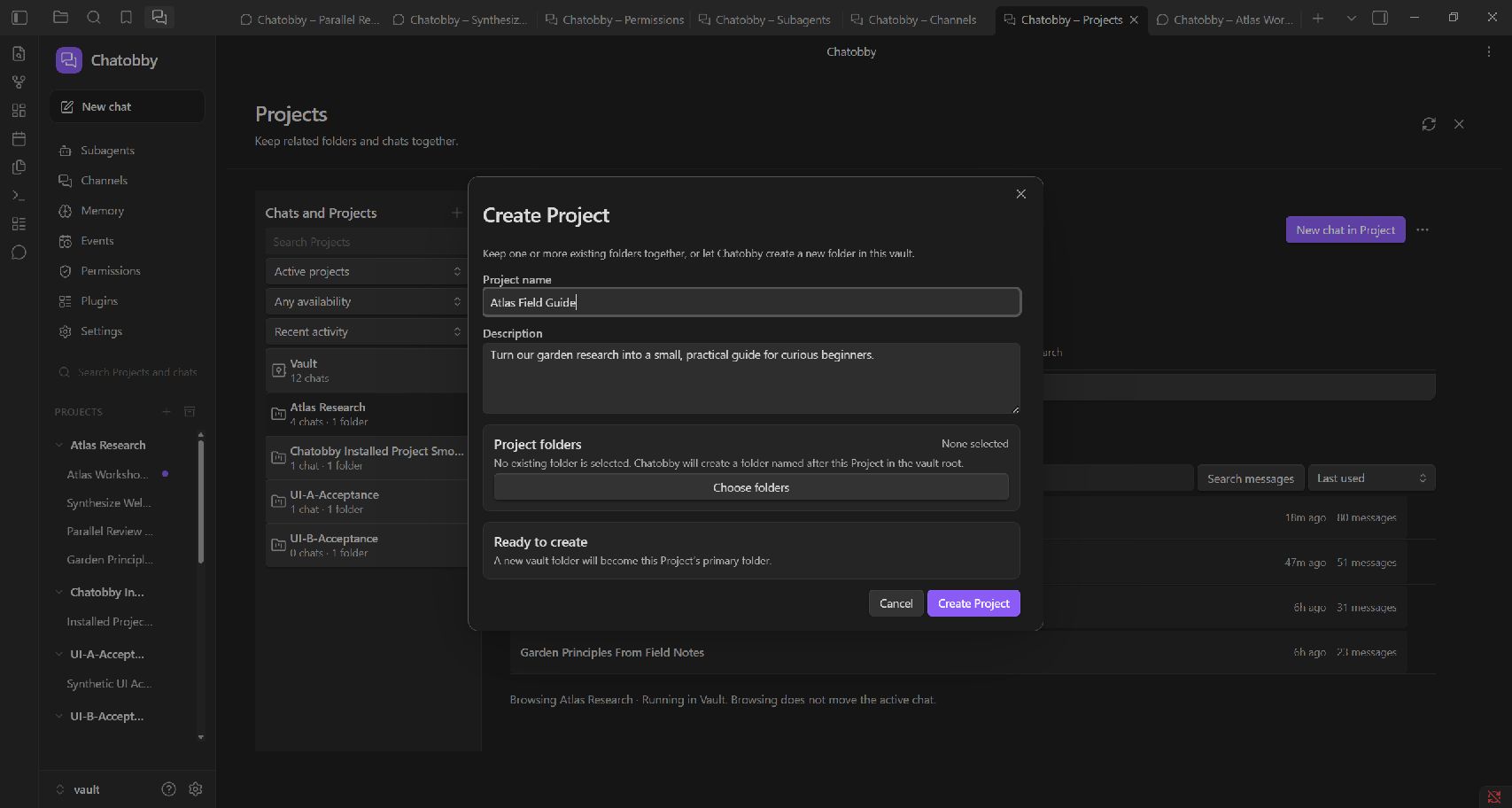
| Project sessions | Keep each conversation tied to the directory and context it actually belongs to, with the default being your vault. |
| Permission policies | Decide which files, commands, tools, channels, and automated actions a session may use. Create fully customizable permission presets. |
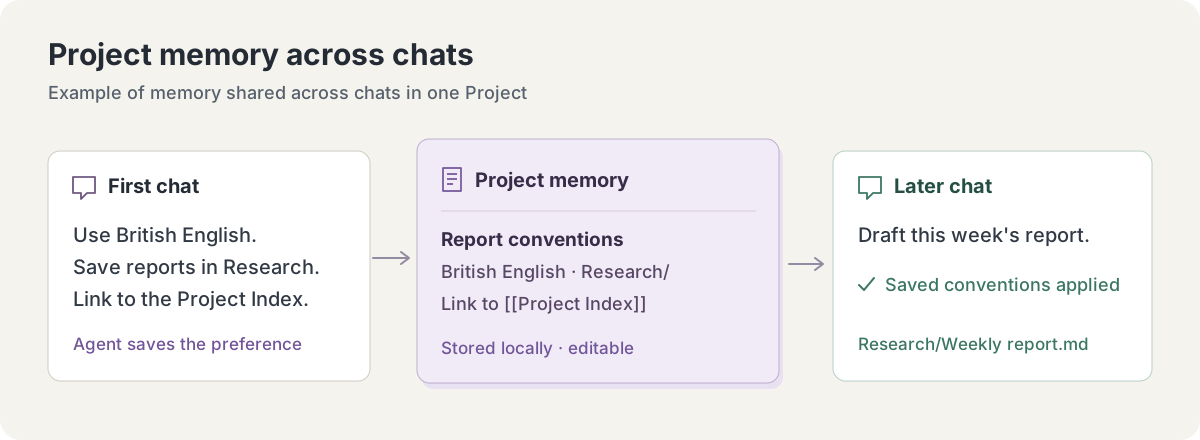
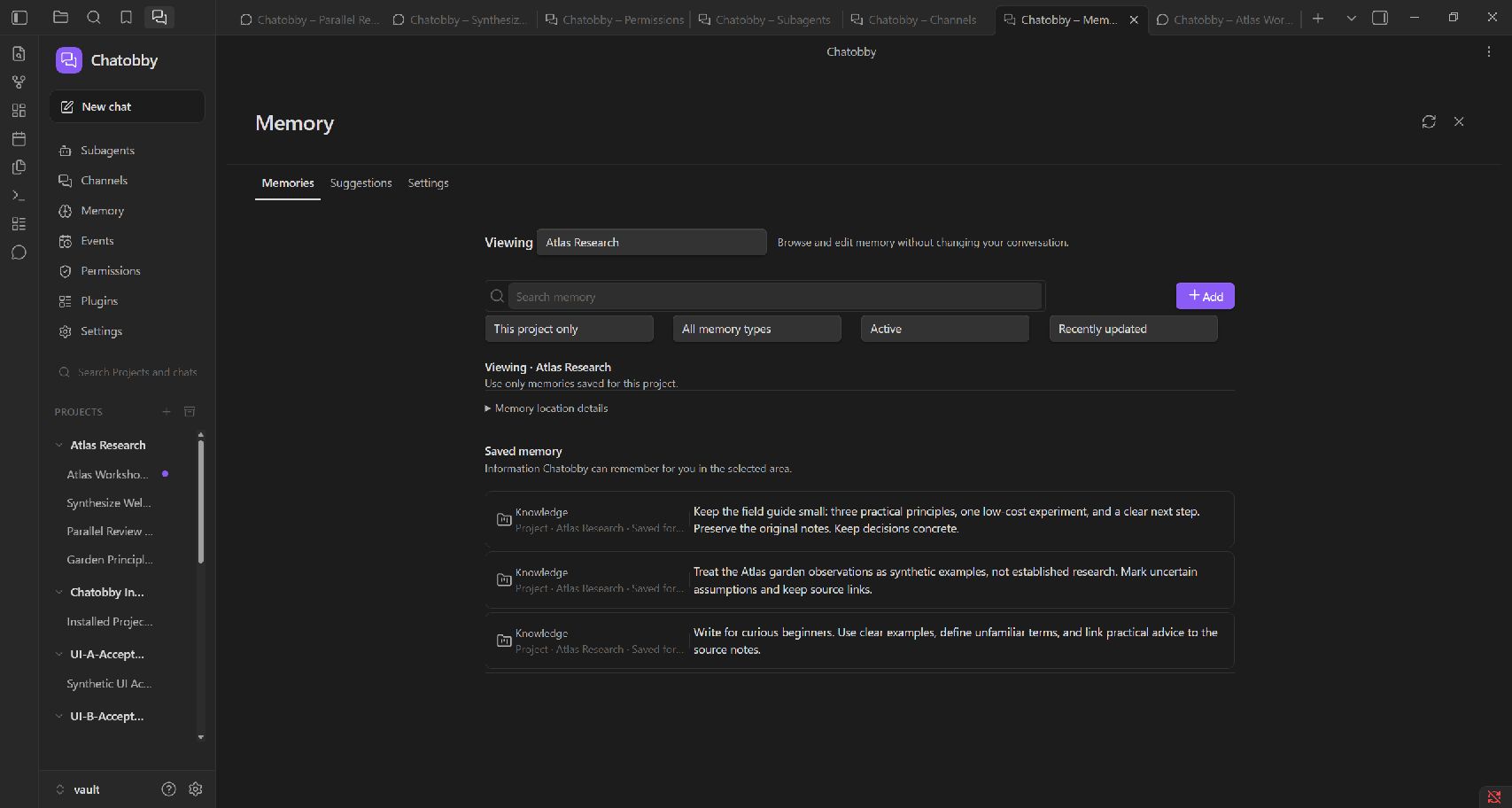
| Memory and context | Retain approved knowledge and inject small pieces of live project data when needed. |
| Subagents and workflows | Delegate focused work without losing the main conversation or its supervision. |
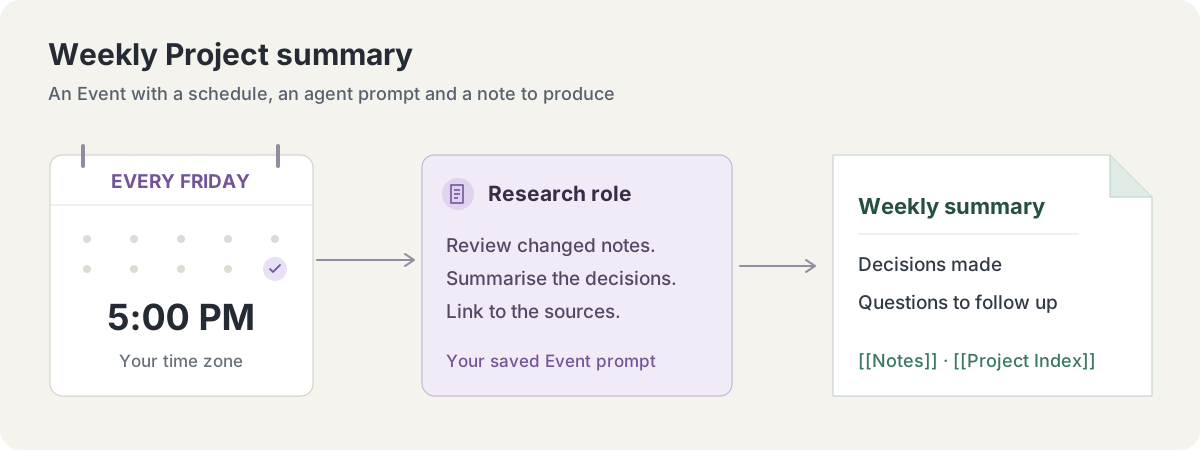
| Events | Run bounded one-off or repeating work with an assigned project, agent, policy, and runtime limits. |
| Extensible runtime | Use providers, models, skills, MCP servers, project instructions, and context queries without turning the Obsidian plugin into an unmaintainable monolith. |
| Custom themes | Chatobby's theme follows your vault's, and fits in to your preferences |
Ask Chatobby about the note you are viewing, search for related material, compare ideas across folders, follow backlinks, open the right file, or request a precise edit. It can help preserve Obsidian-specific structure such as frontmatter, wikilinks, embeds, block references, tasks, tags, callouts, Canvas, and Bases rather than treating every note as generic text.
Examples:
Summarize the active note and identify its unresolved questions.Find the notes that best support this claim and explain the connection.Turn these scattered research notes into a linked project index.Check this folder for unresolved links and propose a cleanup plan.Open the note where I last described the deployment problem.Responses stream into the conversation while compact progress and tool activity remain inspectable. Permission requests appear where you are already working. Longer tasks can expose a small task list above the composer, and completed work collapses away instead of permanently occupying the interface.
You can stop a turn, inspect what the agent used, copy a full Markdown response, or select only the portion you need.
Paste an image into the composer or attach a supported document. Chatobby keeps the attachment visible with the message. Attached files can be opened through the operating system, while the document reader extracts bounded text from supported Office, OpenDocument, PDF, RTF, HTML, Markdown, CSV, and text files. Built-in OCR can recover text from image-only documents without requiring a multimodal model.
Understanding photographs, diagrams, page layout, and other visual meaning still depends on a multimodal model or a configured advanced OCR engine.
A Chatobby view is associated with a project directory. Sessions retain their conversation and operational history so you can continue the work later without pretending that every new chat begins from nothing.
Changing to a different directory while a view already has an active session opens the work in a separate Chatobby view. Obsidian tabs remain the boundary between independent workspaces, while the agent rail switches between a main session and its subagents.
Right-click a folder, or a file inside it, to start a Chatobby session in that folder or browse its stored sessions.
When the task is coding-oriented, Chatobby can treat the real repository, source files, project instructions, tests, logs, and built application as the primary working environment. It does not need to force ordinary coding work through vault search simply because the interface lives in Obsidian.
For Obsidian plugin development, the agent can combine repository work with read-only developer diagnostics for the live app, including console errors, DOM and CSS inspection, screenshots, and supported Obsidian CLI operations.
Examples:
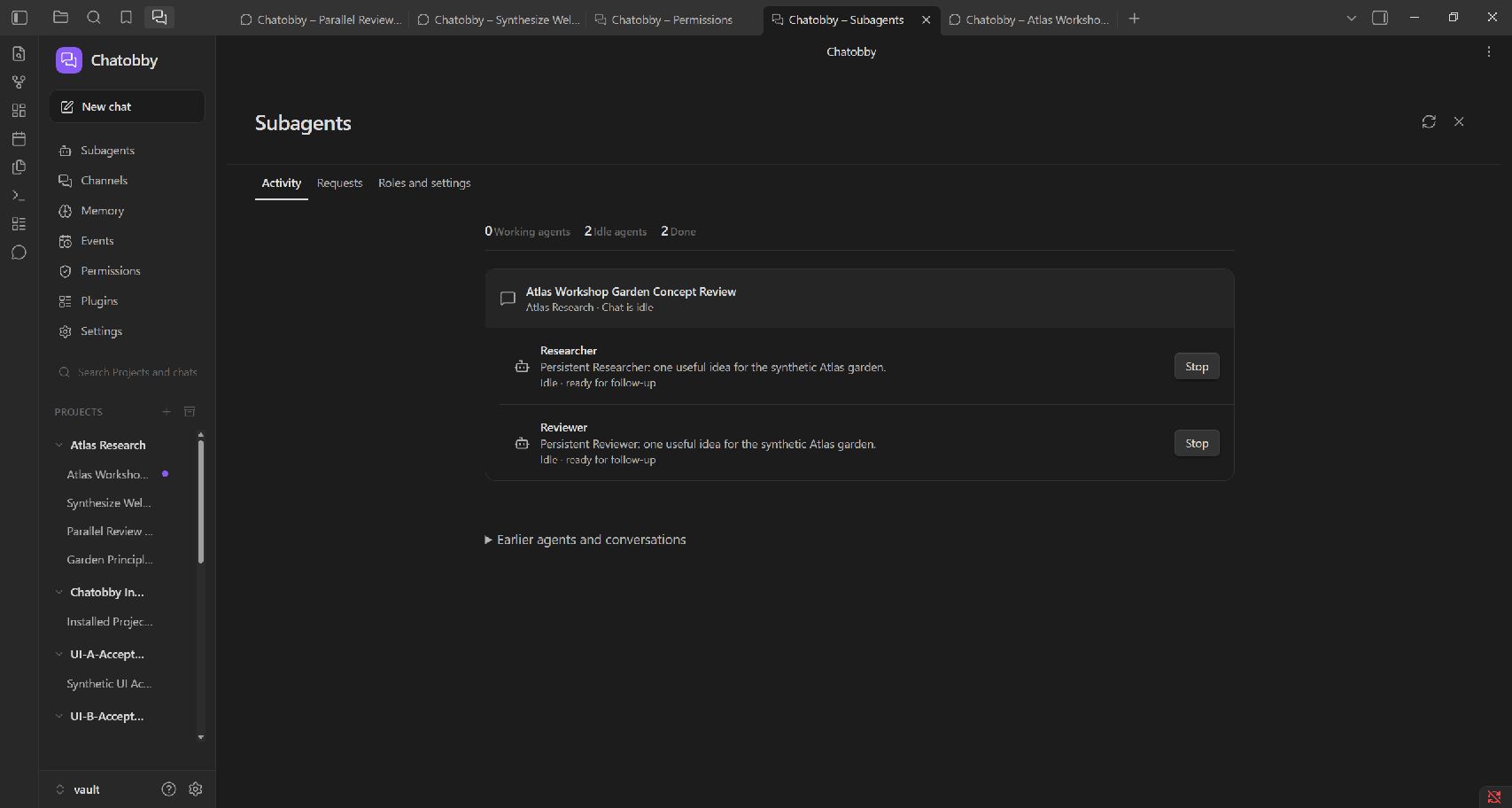
Diagnose this failing test, fix the cause, and run the focused verification.Review the current implementation against AGENTS.md and report concrete risks.Build the plugin and verify the affected workflow in the test vault.Inspect the live Obsidian console and determine why this view did not render.Create specialist subagents for bounded research, exploration, coding, review, or other focused work. The agent rail lets you move between the main agent and each active subagent. Every subagent has its own feed instead of being rendered as an undifferentiated block in the main conversation.
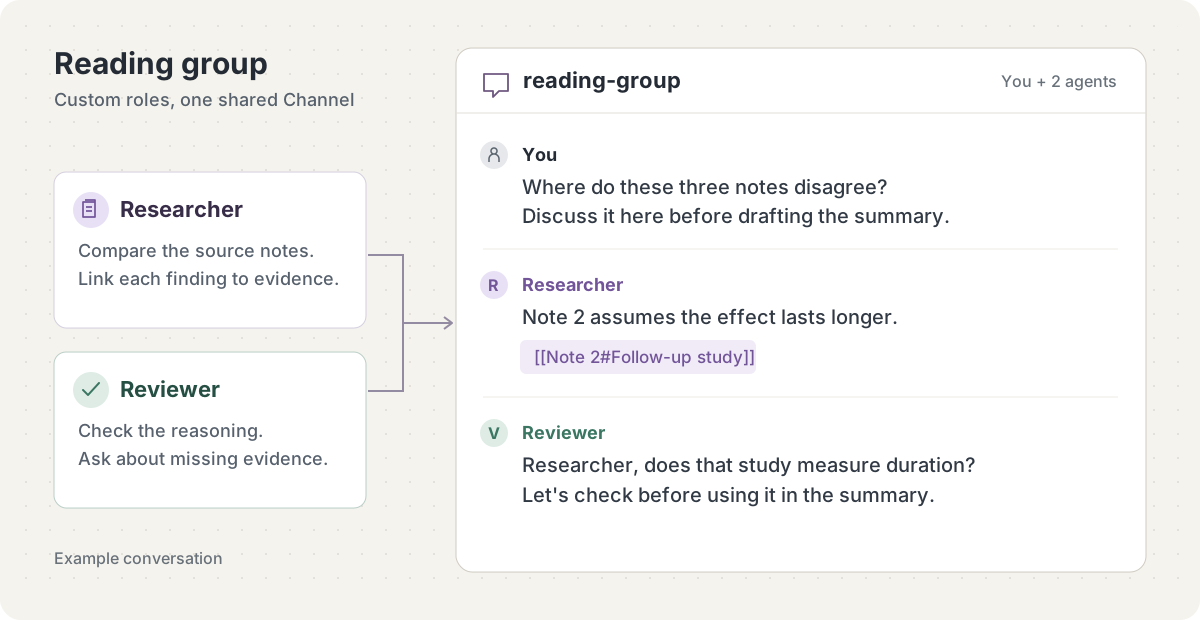
Reusable roles provide consistent instructions, model choices, limits, and permission policies. Reusable workflows connect multiple roles into a validated execution graph with dependencies, concurrency limits, structured outputs, and fan-out or fan-in when appropriate.
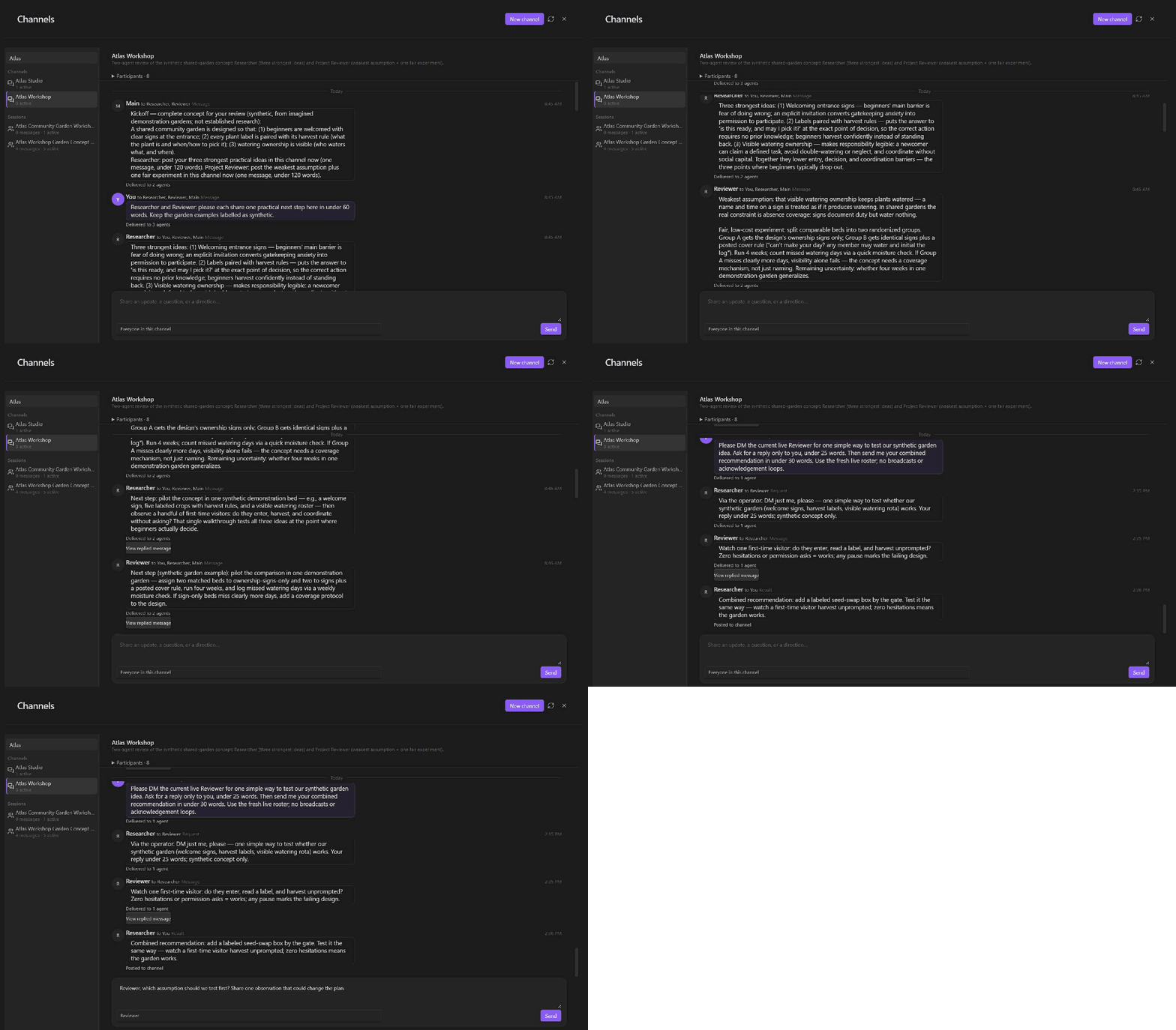
Channels provide a durable, inspectable place for agent-to-agent communication. They are separate from user-facing session messages, so operational communication does not have to overwhelm the main conversation.
Chatobby uses several different continuity surfaces because they solve different problems:
These are not interchangeable. In particular, memory is not hidden policy, Context Query output is not a system instruction, and prompt text does not grant permission.
Events can represent one-off, scheduled, or repeating work. Each Event can be associated with a project, agent, permission policy, schedule, maximum runtime, and daily run limit. Run history remains visible so automated work can be inspected instead of disappearing into an unaccountable background process.
Examples:
Every weekday at 6 PM, summarize today's project notes into the daily note.On the first day of each month, review unresolved tasks in this project.Tomorrow at 9 AM, run the saved research workflow with the review policy.Permission policies control access to files, directories, commands, tools, settings, channels, and automated work. Choose a policy per session, switch it from the composer, respond to permission requests in the feed, and create more focused policies for particular roles or tasks.
Policies are separate from instructions. Telling the agent to edit a file does not silently bypass a policy that requires confirmation or denies the operation.
Provider, model, and reasoning effort are session controls. Chatobby can use supported built-in providers and custom model metadata. The provider account, subscription, API key, and usage charges remain between you and that provider; Chatobby does not resell model tokens during the free alpha.
The plugin downloads the runtime only after confirmation. It cryptographically verifies the release descriptor and included files, installs the runtime for the current operating-system account, and reconnects to it. When a compatible runtime update is available, Chatobby can present an update action inside the plugin.
Chatobby itself is free during the public alpha. The model provider you choose may require an account, API key, subscription, or usage payment.
For more detail, see the installation guide, alpha guide, and troubleshooting guide.
Start with the default permission policy and a copied test note.
Open a note and send:
Summarize the active note, list its open questions, and suggest one useful next step. Do not edit anything yet.
This demonstrates active-note context without immediately granting mutation authority.
Send:
Find the most relevant notes for this topic. Explain why each one matters and include wikilinks.
This tests discovery, evidence selection, and Obsidian-native output.
Send:
Add a short
Next stepssection to this copied note. Preserve its existing frontmatter and style, and show me any permission request that is required.
Paste a screenshot or attach a small document, then ask Chatobby to summarize it or connect it to the current note.
Use the top ribbon to open Sessions, Permissions, Memory, Events, Queries, Channels, Subagents, and Plugins. The guide button can copy a linked Chatobby Guide into the vault. These pages are part of the same agent workspace; you do not need to move configuration into the message composer.
These guides explain both the UI workflow and what to ask Chatobby when you want the agent to create or manage the feature for you:
| Guide | Use it for |
|---|---|
| Providers and models | Connect a supported provider and check how to find the models available in your installed Chatobby version. |
| Context Queries | Safely compute small typed project data at session start or before a turn, including the complete supported script and SDK contract. |
| Subagents | Launch bounded specialist workers with appropriate roles, policies, limits, communication, and lifecycle handling. |
| Workflows | Design, validate, preview, and supervise reusable dependency-aware multi-agent execution. |
| Events | Create deliberate one-off or repeating automated work with schedules, policies, limits, and inspectable history. |
You can build these features through their pages or describe the outcome to Chatobby and ask it to use the dedicated management tools. Chatobby never needs to inspect its own product source to use them.
.chatobby.md and AGENTS.mdChatobby supports both its own project-guidance file and the standard coding-agent instruction files. They overlap slightly, but they have different discovery rules and are most useful for different kinds of projects.
| File | Best use | Discovery |
|---|---|---|
.chatobby.md |
Chatobby-specific project behavior, vault conventions, and optional prompt/workspace configuration | Loaded only from the exact directory selected as the Chatobby project root |
AGENTS.md |
Repository instructions, development commands, code conventions, verification requirements, and directory-scoped guidance | Discovered from the selected project directory and its ancestors by the agent runtime |
CLAUDE.md |
Existing compatible project instructions when a repository already uses this convention | Discovered through the same context-file mechanism as AGENTS.md |
Neither file grants permission, and neither should contain secrets. Built-in safety, evidence, and permission behavior remains authoritative.
.chatobby.mdCreate .chatobby.md directly inside the directory selected in the Chatobby
view. Plain Markdown is enough:
# Project guidance
- Preserve the existing note structure and writing style.
- Put new research notes in `Research/`.
- Link new notes to [[Project Index]].
- Ask before reorganizing folders or renaming existing notes.
- When writing a project report, distinguish confirmed facts from proposals.
The body becomes lower-priority project guidance for sessions created in that project. Start a new session after changing the file if an existing session does not reflect the update.
Use .chatobby.md for durable conventions. Do not use it for:
.chatobby.md configurationMost users should keep every built-in prompt section enabled. If you need a specialized project, frontmatter can independently control Chatobby prompt modules and workspace directories:
---
chatobby-system-prompt: true
chatobby-tool-guidance: true
chatobby-coding-workflow-guidance: true
chatobby-artifact-guidance: true
chatobby-memory-guidance: true
chatobby-personal-workflow-guidance: true
chatobby-subagent-guidance: true
chatobby-automation-guidance: true
chatobby-markdown-output-guidance: true
chatobby-artifacts-directory: .chatobby/workspace/artifacts
chatobby-sandbox-directory: .chatobby/workspace/sandbox
chatobby-tasklists-directory: .chatobby/workspace/tasklists
chatobby-reports-directory: .chatobby/workspace/reports
chatobby-inbox-directory: .chatobby/workspace/inbox
---
# Project guidance
Keep generated reports concise and link every report to [[Project Index]].
Disabling built-in sections can remove important behavioral guidance. It is an advanced option, not a recommended first customization.
AGENTS.mdFor a repository, put instructions such as these in AGENTS.md:
# Development rules
- Read the affected implementation before editing it.
- Preserve unrelated changes in the worktree.
- Run `npm run check` after code changes.
- Run focused tests for every modified test file.
- Do not build or publish a release unless explicitly requested.
Use additional AGENTS.md files in nested directories when a particular part
of a repository needs more specific guidance. Avoid duplicating contradictory
rules across .chatobby.md, AGENTS.md, and CLAUDE.md.
Memory is for durable knowledge that should remain useful across sessions: preferences, stable facts, project decisions, terminology, and established constraints.
Chatobby can surface a non-blocking memory suggestion in the feed. You can approve it, reject it, or ignore it. Pending suggestions remain available on the Memory page, where stored records can be reviewed, edited, archived, deleted, and inspected for history or technical details.
Good memory:
The project uses Singapore time for all deadlines.The user prefers concise technical status reports.Deployment decision: use the staging vault before production.Poor memory:
Full instructions: Context Queries guide.
Context Queries are small project-owned scripts that produce typed data for an agent session. They are useful when current information should be computed from a local or external source instead of saved as memory or repeatedly searched by the agent.
A query runs at one of two times:
Good examples include:
Avoid using a Context Query for:
Use the Queries page to review names, descriptions, trigger timing, enabled
state, and test results. Chatobby can also create, inspect, update, test, enable,
disable, and delete queries through its dedicated tools. The Queries page keeps
normal usage approachable rather than turning the interface into a code editor;
the project retains the script files under .chatobby/queries/.
Example requests:
Create a disabled session-start Context Query named Repository status. It should return the current branch and changed-file count. Test it, but do not enable it yet.List this project's Context Queries and explain which ones really need to run every turn.Test the project-status query and show me the typed result and any error.Query code is trusted project code. Testing disabled code and enabling a query requires project trust and visible confirmation. Output is bounded and injected as untrusted contextual data, not as a system instruction.
Skills provide reusable procedures for recurring work. User and project skills can be selected when appropriate, while Chatobby also ships runtime-owned operating skills for supported capabilities such as coding work, Web Viewer operation, MCP setup, model-provider configuration, Context Queries, permissions, subagents, command shells, and runtime diagnosis.
Runtime-owned skills are immutable and are not exposed as editable files or ordinary slash-command entries. The agent selects them semantically when the task requires them; selection is not based on a hardcoded list of trigger phrases.
Use a project skill when the procedure belongs only to one project. Use a user skill when the procedure is genuinely reusable across projects. Do not put personal assumptions into a skill intended for other users.
Full instructions: Subagents guide and Workflows guide.
These surfaces cover different levels of coordination:
| Surface | Purpose |
|---|---|
| Task | Tracks one session's current multi-step work |
| Role | Defines a reusable kind of specialist agent |
| Subagent run | Performs one bounded delegated assignment |
| Workflow | Connects reusable roles into a validated execution graph |
| Channel | Carries durable agent-to-agent communication |
Start with one subagent when a task has a clearly separable research or review component. Use a saved workflow only when the sequence is reusable or when multiple agents need explicit dependencies and acceptance gates.
Example requests:
Delegate a bounded review of these sources to one research subagent. Limit it to five sources and reconcile the findings here.Create a reusable role for web-only fact checking with a focused permission policy.Design a workflow where one agent researches, one checks the citations, and the main agent writes the final note.Show me the active workflow, its blocked nodes, and any permission request that needs my decision.The main agent remains the supervisor. Delegation must not be used to bypass permissions or conceal work from the user.
Full instructions: Events guide.
Events are durable triggers for future agent work. Use them when the timing is part of the requirement rather than merely another step in the current conversation.
When creating an Event, review:
Do not use an Event as an invisible permission escalation. Scheduled work uses its assigned policy and remains visible in run history.
New sessions begin with Obsidian, the vault-focused default. Approve safe asks before potentially unsafe work, Full access permits the broadest surface, Read only blocks changes, and Auto privately classifies the checks that Approve safe would otherwise ask you to decide. Auto may add a small model request before a tool runs and fails closed if classification cannot complete. Create narrower custom policies for specialized roles, web-only research, automation, or sensitive projects.
When customizing a policy:
Permission instructions do not belong in .chatobby.md, memory, Context Query
output, or an agent message. The Permissions page and permission tools are the
authority-bearing surfaces.
Connected MCP plugins appear as separate capability groups after discovery. Their tools start denied in every policy until you explicitly choose Allow or Ask; connecting a service does not grant an agent permission to use it.
Compare my notes on these two approaches and create a decision table.Find claims in this draft that need sources and locate supporting notes.Turn this lecture transcript into revision-ready Obsidian notes.Trace the backlinks around this concept and identify missing connections.Review this project's recent sessions and give me a compact continuation brief.Find incomplete tasks related to the move and group them by urgency.Create a one-off Event for this deadline with a conservative permission policy.Research this question on the web, preserve source links, and compare the findings with my vault.Open this page in Web Viewer, inspect its actual content, and extract the relevant evidence.Use two bounded subagents to research opposing views, then reconcile disagreements.Inspect the repository instructions and determine the correct test command before editing.Fix this regression, add a focused test, and verify the built Obsidian workflow.Check the live plugin console and DOM state rather than guessing from the source alone.The current alpha supports desktop Obsidian on Windows 10 or 11 x64 and macOS 11 or later on Apple Silicon and Intel. macOS support is experimental and has not yet been fully tested on physical Mac hardware.
Important limitations:
.chatobby.md, AGENTS.md,
memory, Context Query output, or chat messages. Use supported credential
storage and settings.The reviewable Obsidian connector is source-available under proprietary terms and is not open source. The separate runtime is closed source and has its own distribution terms. See LICENSE, PRIVACY.md, and the responsibility boundaries.
This is an alpha because feedback still has real influence over the product.
Useful feedback includes:
Contact: [email protected]
The Community plugin is the reviewable Obsidian interface. The separately distributed runtime owns private model orchestration and agent services. The two processes communicate over authenticated local loopback connections.
npm install --ignore-scripts
npm run check
npm run build
npm run build:release requires CHATOBBY_RUNTIME_PUBLIC_KEY, disables source
maps, and stages exactly main.js, manifest.json, and styles.css under
release/.
Reviewers can also consult the responsibility boundaries, managed runtime lifecycle, and release boundary.