
- Overview
- Scorecard
- Updates12
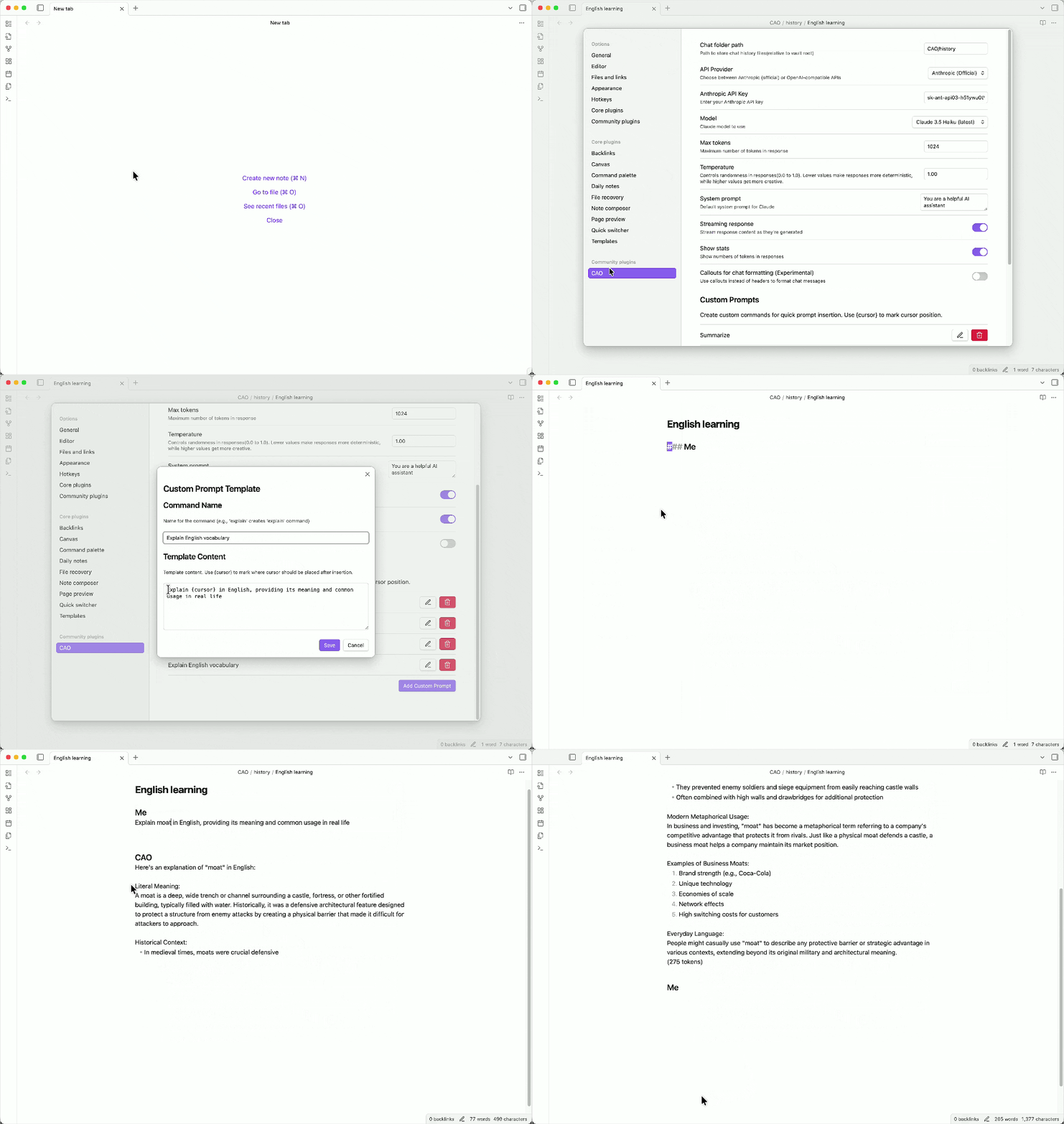
CAO allows you to chat with Claude directly in a note. You can either use Claude models with its official support, or leverage on OpenAI-compatible APIs(OpenAI, OpenRouter etc) for non-Claude models, such as ChatGPT.
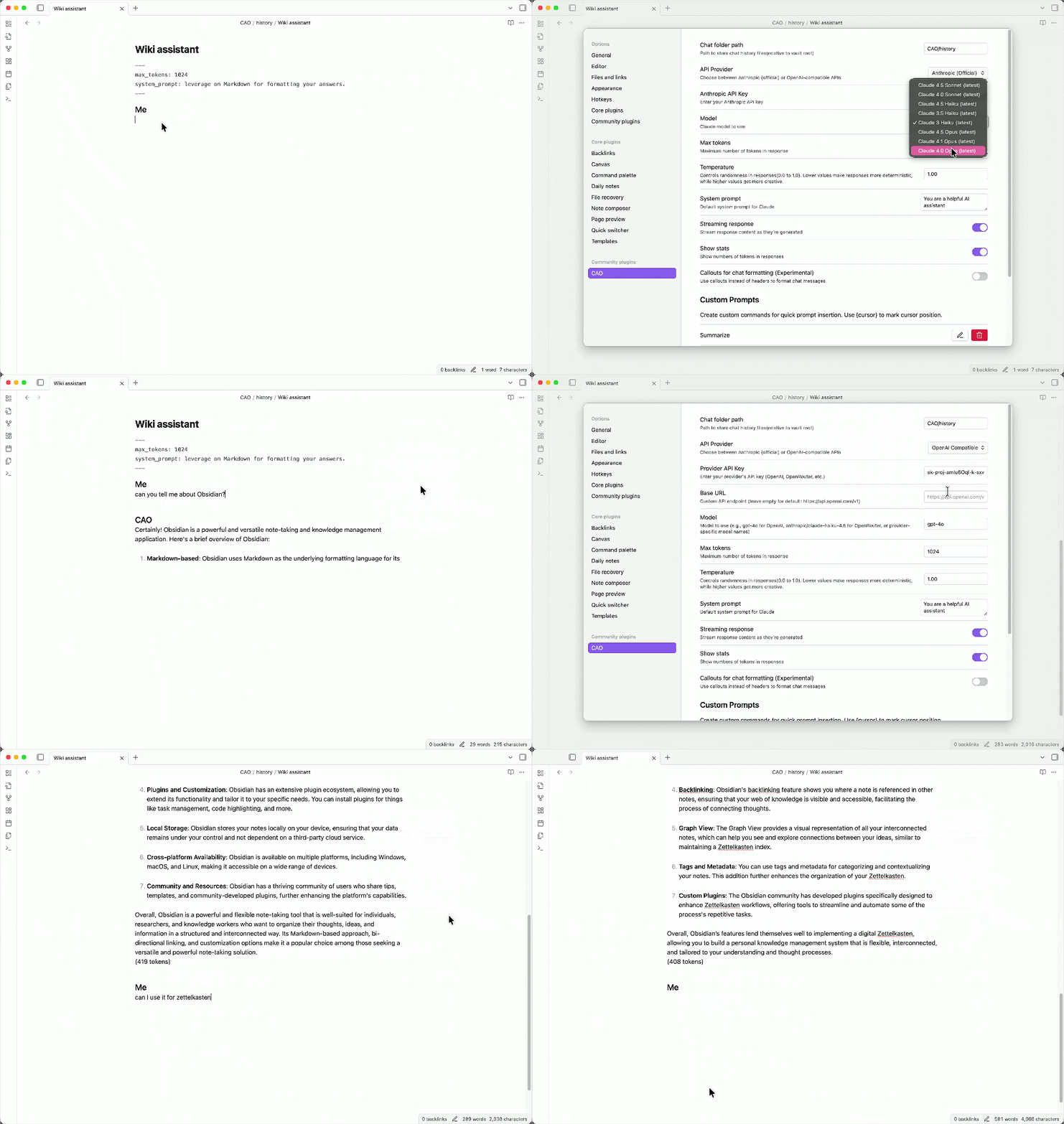
Instead of default format with headers, another option is to switch for callouts, which are foldable and provide more obvious differences between questions and answers.
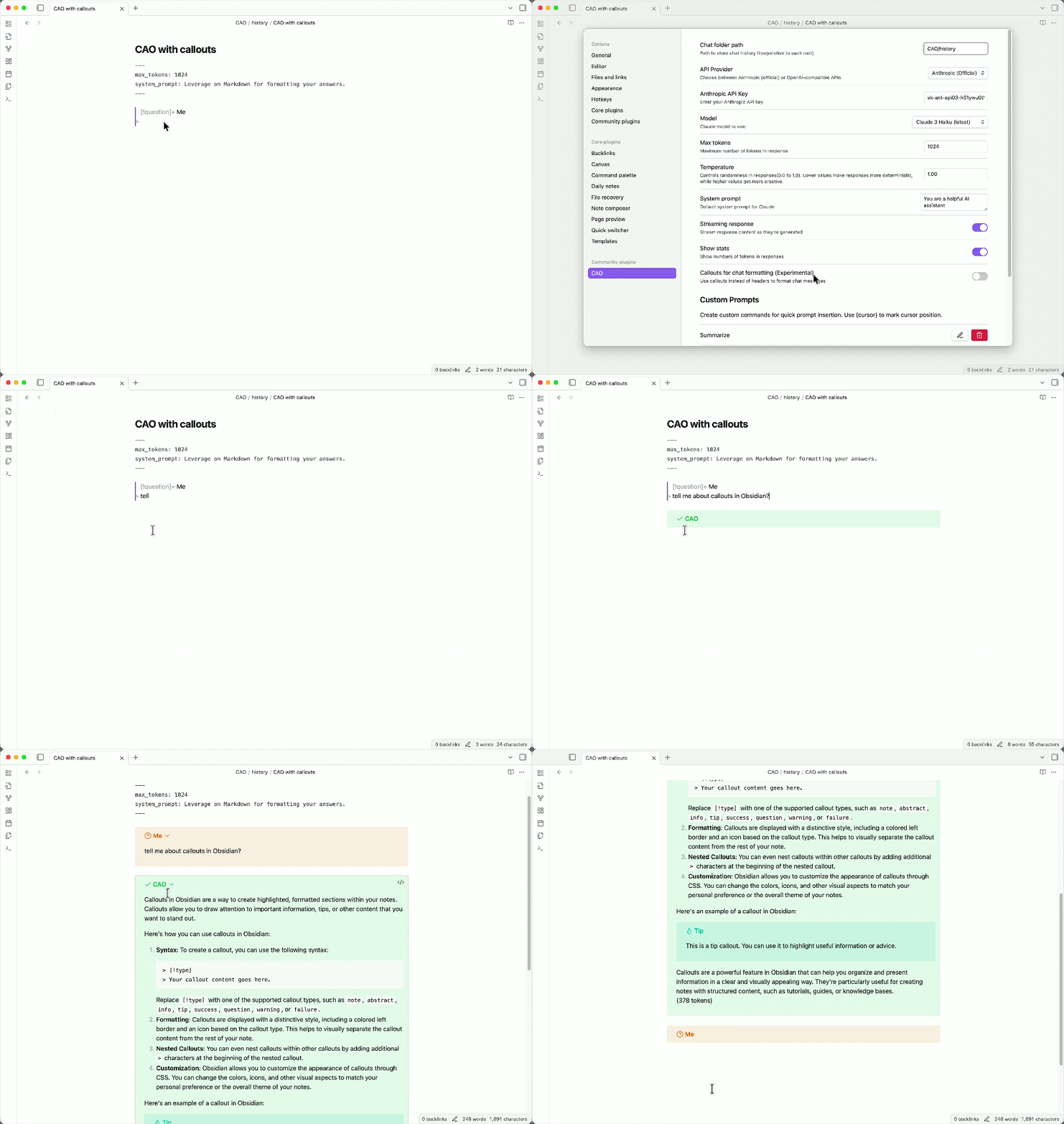
You may also find it useful to create your own prompts to quickly insert them with templates and specified position for the cursor.
Features
- Chat in notes with editable content
- Manage chat histories as plain notes
- Customize chat options in front matter
- Support wikilinks for adding notes as context
- Support custom API providers such as OpenRouter
- Support custom prompts with templates
- Support callouts for chat formatting
- Support image embedding in prompts
Installation
Search for CAO in Obsidian's community plugins page.
Usage
- Set up API providers
- You can choose to use official Anthropic APIs or OpenAI-compatible API providers such as OpenRouter
- For official Anthropic APIs, enter your API key and select a model from the dropdown menu
- For custom API providers, you need to also set the base URL(it defaults to
https://api.openai.com/v1for OpenAI models)- In this case, you need to manually enter the model name of which the format may vary depending on the provider
- Config chat options
- You can designate a custom folder for chat histories
- You can also update max tokens, temperature and system prompt to suit your needs
- Toggle streaming response open for better performance and showing stats allows you to see token usage for each response
- Try available commands
- Use
Open new chatcommand to create a new chat note - Optionally, there's
Add/Reset chat optionsfor customization - For replies, fire up
Get response(you may want a hot key for this, such as Cmd/Ctrl + .) - Next time, use
Open last chatto resume last conversation orSelect chatto select a history chat
- Use
Here're the available chat options with example values to set in the front matter:
---
model: claude-sonnet-4-5
max_tokens: 1024
temperature: 1
system_prompt: You are a helpful AI assistant
---
Custom API providers
CAO supports OpenAI-compatible API providers. Here's an example for OpenRouter:
- Base URL:
https://openrouter.ai/api/v1 - Model format:
anthropic/claude-sonnet-4.5oropenai/gpt-4o - Get your API key from OpenRouter
Notes:
- Using Claude models with custom API providers may have limitations.
- It's possible to use non-Claude models now, but be aware it is experimental and not fully tested.
Custom prompts
Now you can add custom prompts in settings, which will become available in the command palette or as slash commands(if toggled on in core plugins).
Additionally, you can use {cursor} in the prompt template as a placeholder of cursor for editing after the prompt is inserted.
Use callouts for chat formatting
You can choose to use callouts instead of headers to format chat messages, for now this is turned off by default.
For consistency, callouts and headers are not allowed to coexist in the same chat, so if you're already using headers in a chat, you have to clear it or open a new chat to use callouts.
Supported Models
CAO supports all Claude models, take a look at here for more details.
You can either choose an active model in the dropdown menu, or specify an old one in the front matter as illustrated above.
Contributing
For bug fixes or feature improvements, please create an issue or pull request.
For ideas or any other questions, please post in discussion.
Any suggestions or support is welcome and appreciated, thank you!