Canvas Explorer
 hjamet1k downloads
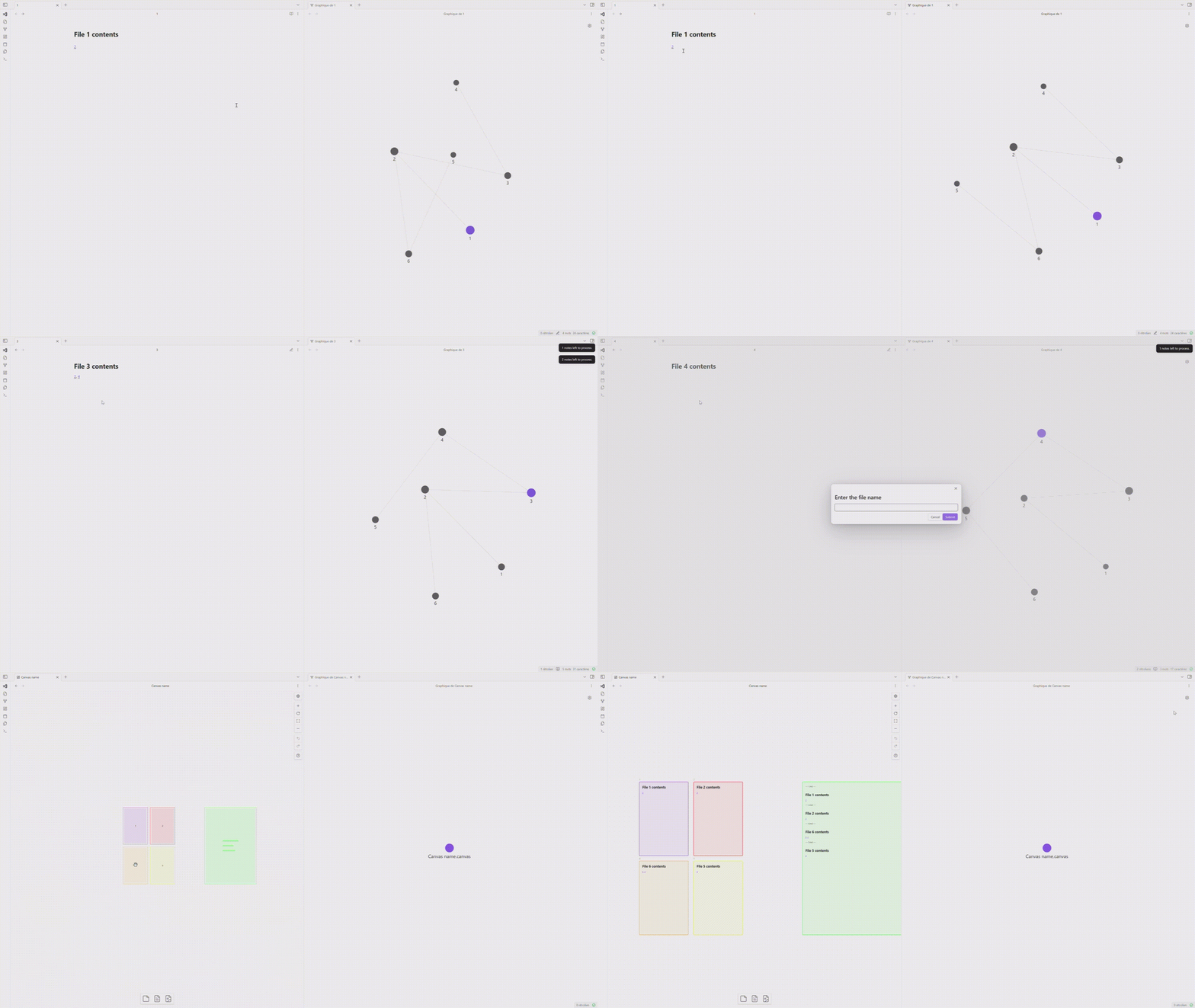
Explore your vault by iteratively adding or ignoring linked notes, ultimately generating a customizable canvas that visually represents the preserved notes and their connections.
- Overview
- Scorecard
- Updates6
Canvas Explorer is an Obsidian plugin that allows you to explore your vault by adding or ignoring linked notes, generating a customizable canvas.
🚀 Features
- Add notes to an exploration stack
- Ignore unwanted notes
- Automatically create a canvas with preserved notes and their connections
- Customizable node dimensions and canvas folder location
- Sort notes based on a frontmatter property or creation date
- Exclude specific sections from notes
- Concatenate note content in a separate node
- Color-code notes based on their connection count
- Generate a summary node with concatenated content
🛠️ Installation
- Open Obsidian and go to Settings
- Navigate to Community Plugins and disable Safe Mode
- Click on Browse and search for "Canvas Explorer"
- Click Install and then Enable the plugin
🎮 Usage
- Open a note to start exploring
- Use the "Add Note" command to add it to the exploration stack
- Navigate through suggested linked notes using "Add Note" or "Ignore Note"
- Once exploration is complete, name your canvas
- A new canvas will be created with all preserved notes and their connections
⌨️ Commands
- Add Note: Adds the current note to the exploration stack
- Ignore Note: Skips the current note and moves to the next
⚙️ Settings
- Canvas Folder: Folder to save generated canvases
- Node Width: Width of note nodes in the canvas (in pixels)
- Node Height: Height of note nodes in the canvas (in pixels)
- Sort Property: Frontmatter property for sorting notes
- Excluded Sections: Section titles to exclude from concatenation
🎨 Color Coding
Notes are color-coded based on their number of connections:
- Red: Most connected
- Orange
- Yellow
- Purple
- Blue: Least connected
This visual cue helps identify central or highly connected notes in your knowledge graph.
📊 Note Sorting
Notes are sorted based on the specified frontmatter property or creation date if not found. This allows for chronological or custom-ordered exploration of your notes.
📝 Concatenated Summary Node
A separate, larger node is created containing the concatenated content of all explored notes. This provides a comprehensive overview of the explored topic. The summary node is color-coded green for easy identification.
🐛 Support
To report issues or suggest improvements, visit our GitHub repository.
👤 Author
Developed by Henri Jamet. More information at https://www.henri-jamet.com/.
📄 License
Canvas Explorer is under the MIT License. See the LICENSE file for more details.