Callout Toggles
 alythobani5k downloads
Instantly add, switch, or remove callouts in your notes. Provides a separate command for every callout type.
- Overview
- Scorecard
- Updates7
An Obsidian plugin to instantly add, switch, or remove callouts in your notes. Provides a separate command for every callout type, so you can easily assign Hotkeys for your favorite callouts.
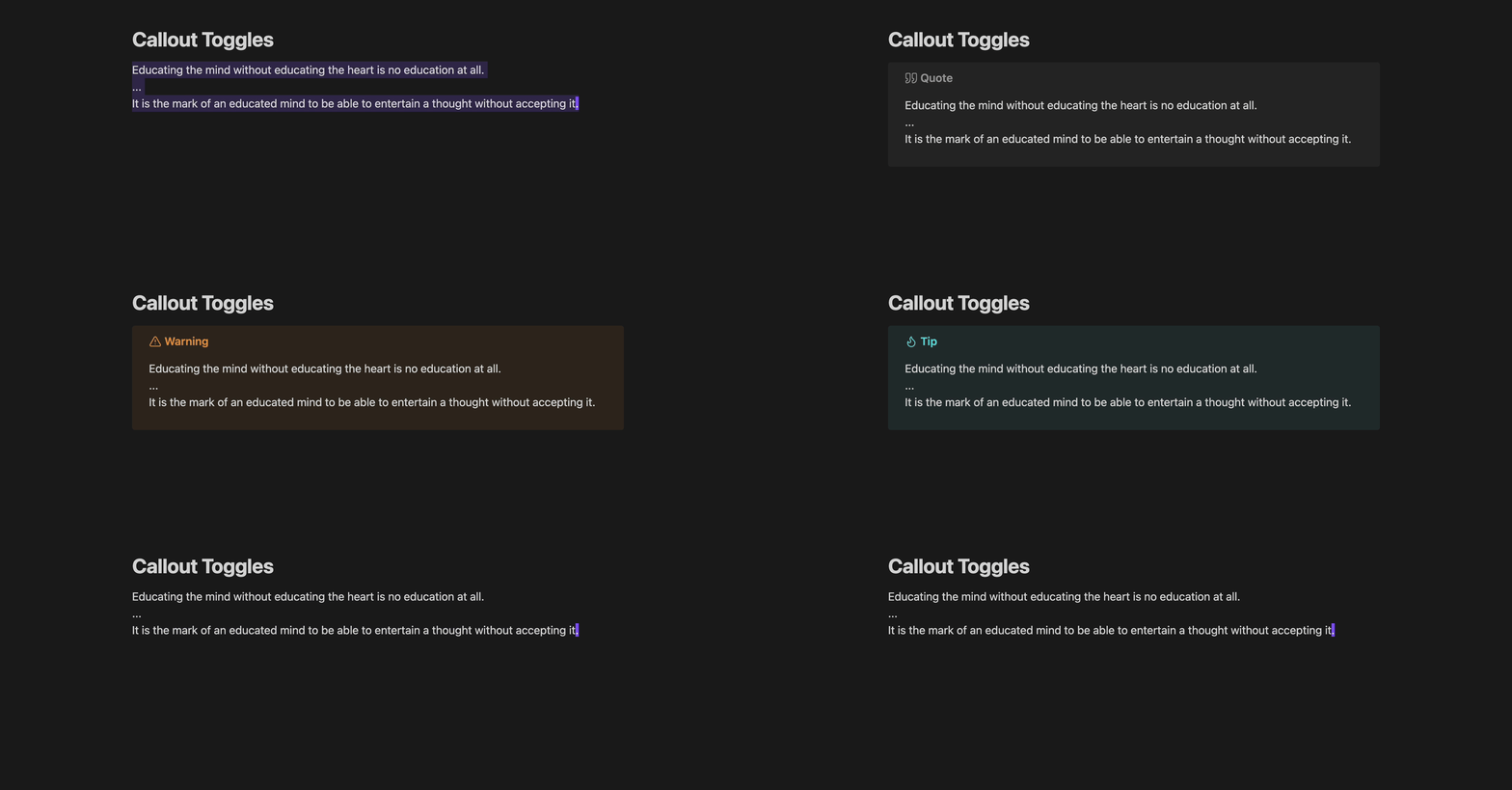
Features
- Without leaving your keyboard:
- Insert a fresh (blank) callout, or turn existing text into a callout
- Remove a callout, turning it back into regular text
- Switch the type of an existing callout
- Retains your custom titles when wrapping or removing callouts
- Works with your custom callout types (automatically syncs with Callout Manager if installed)
- Settings for formatting, auto-selection, foldable callouts, and more
Table of contents
- Features
- Table of contents
- Commands
- Usage examples
- Custom callout types (Callout Manager)
- Feedback
- Appreciation
Commands
Two main types of commands are provided: Wrap and Remove. Using them together, you can easily switch the type of an existing callout.
[!TIP] Both commands work on full lines of text, so your cursor position within a given line doesn't matter. As long as part of a line is selected, the entire line will be included.
Wrap in callout
A Wrap lines in X callout command is provided for every possible callout type X (❞ Quote, ⚠ Warning, 🔥 Tip, 🐞 Bug, 📝 Note, etc.), so you can assign separate hotkeys for each of your favorite callouts. This can be used both for inserting fresh callouts, and for turning existing text into callouts.
Additionally, a more general Wrap lines in callout... command is provided, which opens a fuzzy-searchable dropdown of callout types to choose from.
Remove callout
[!IMPORTANT] A callout must begin on the first selected line of text for the
Removecommand to be available.
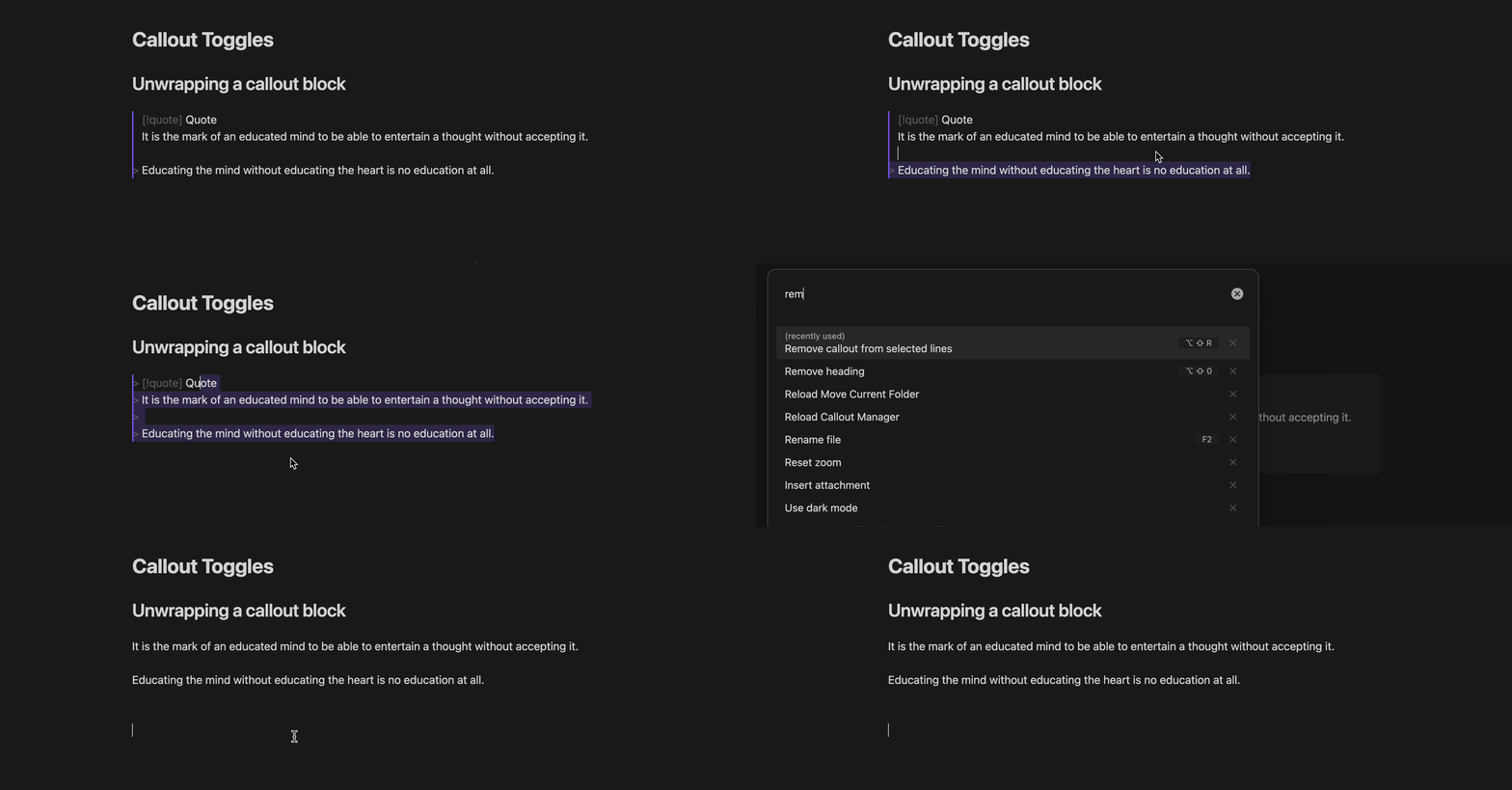
This will remove the callout syntax from the selected lines, turning the callout back into regular text. If a custom title is present, it will be retained as a Markdown heading (see Retaining custom titles).
Usage examples
Inserting a fresh callout
To insert a fresh callout of your choice, simply run Wrap lines in X callout on a blank line:

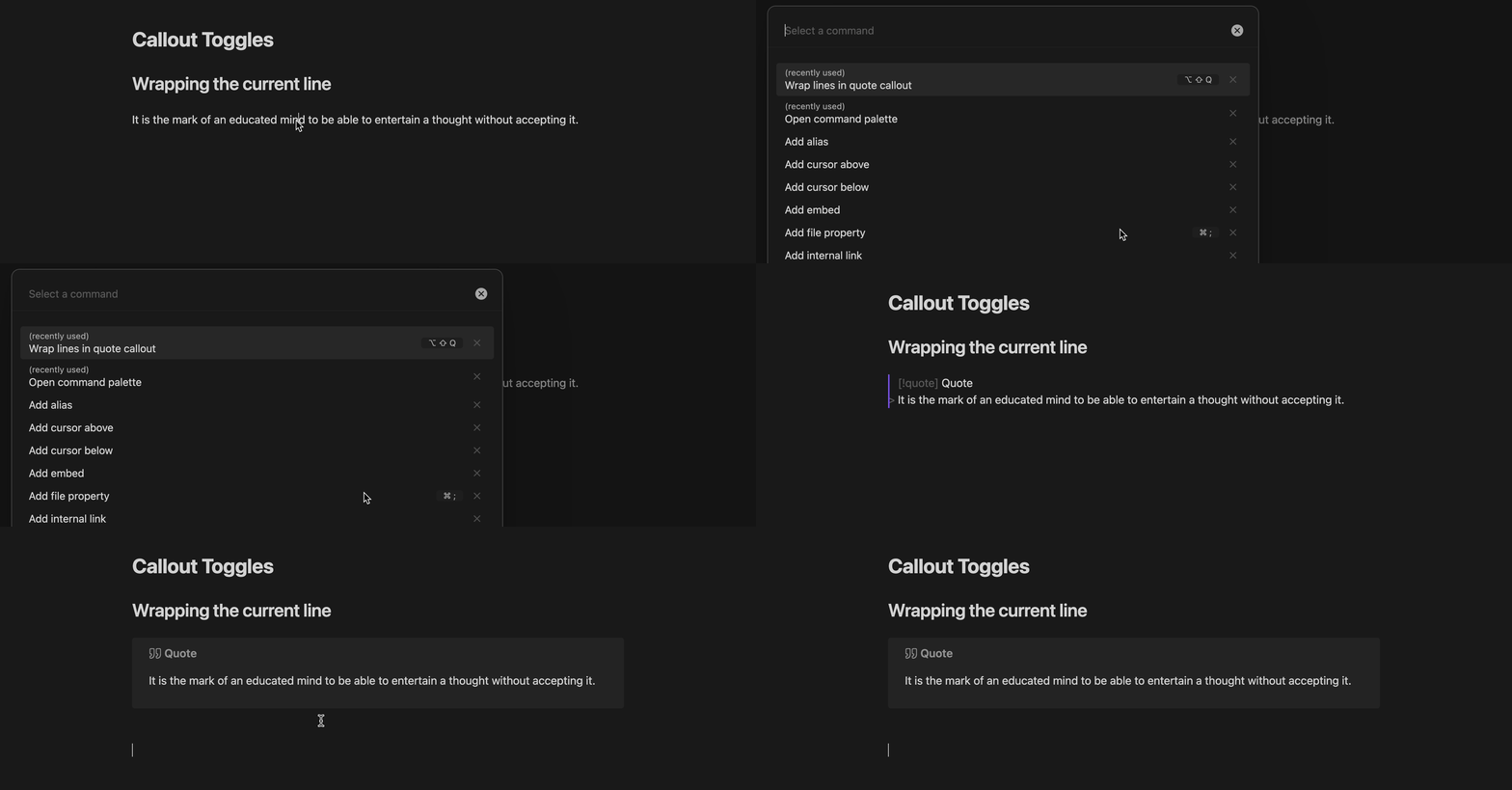
Wrapping the current line
If the current line is not blank and nothing is selected, the current line will be turned into a callout:
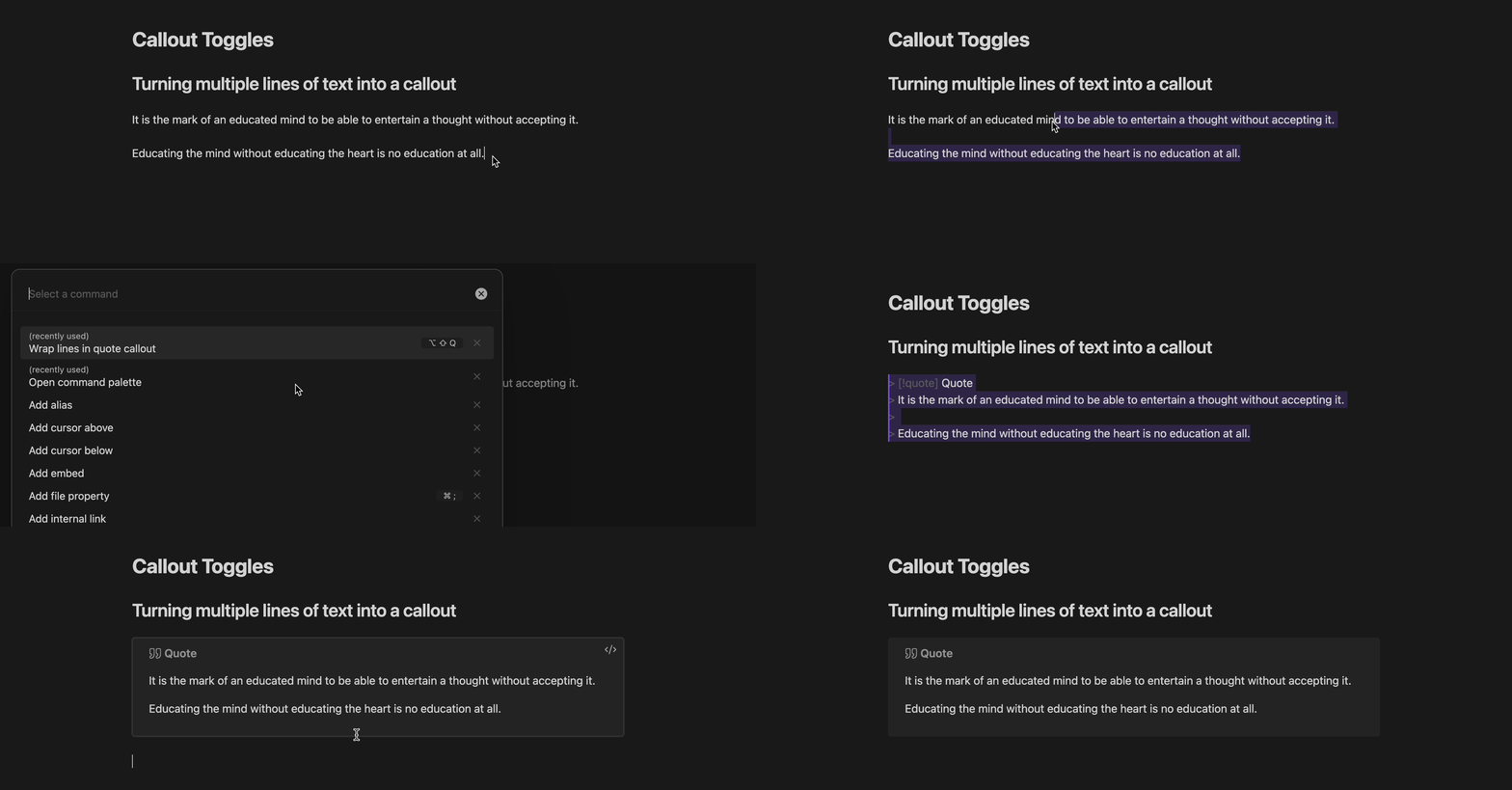
Wrapping multiple lines
To turn multiple lines of text into a callout, first select the lines, and then run Wrap lines in X callout:
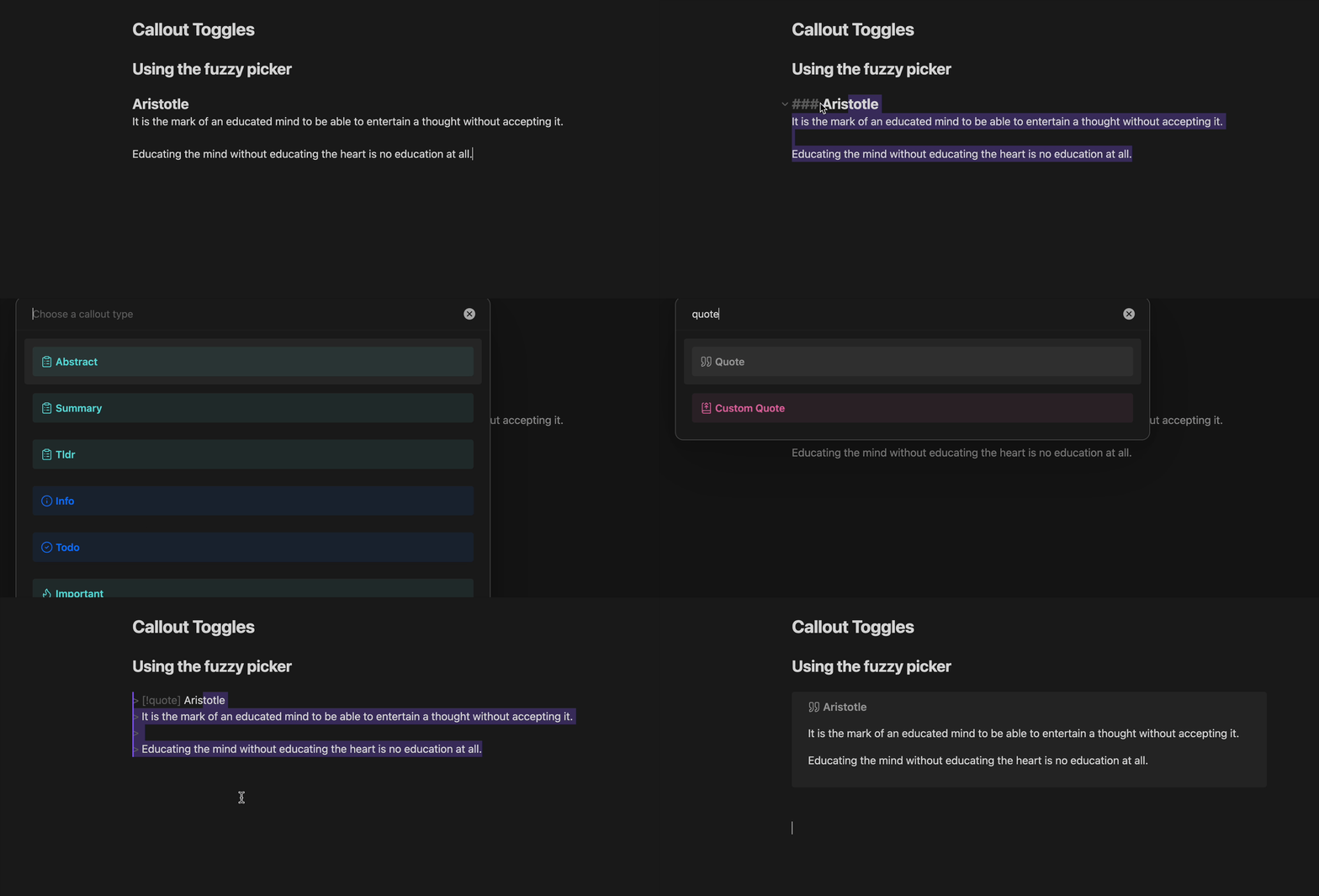
Using the fuzzy picker
Using Wrap lines in callout... gives you a convenient fuzzy picker to view and choose from all available callout types:
Removing a callout
To turn a callout back into regular text, run Remove callout from selected lines with the given lines selected (make sure the callout header is on the first selected line):
Retaining custom titles
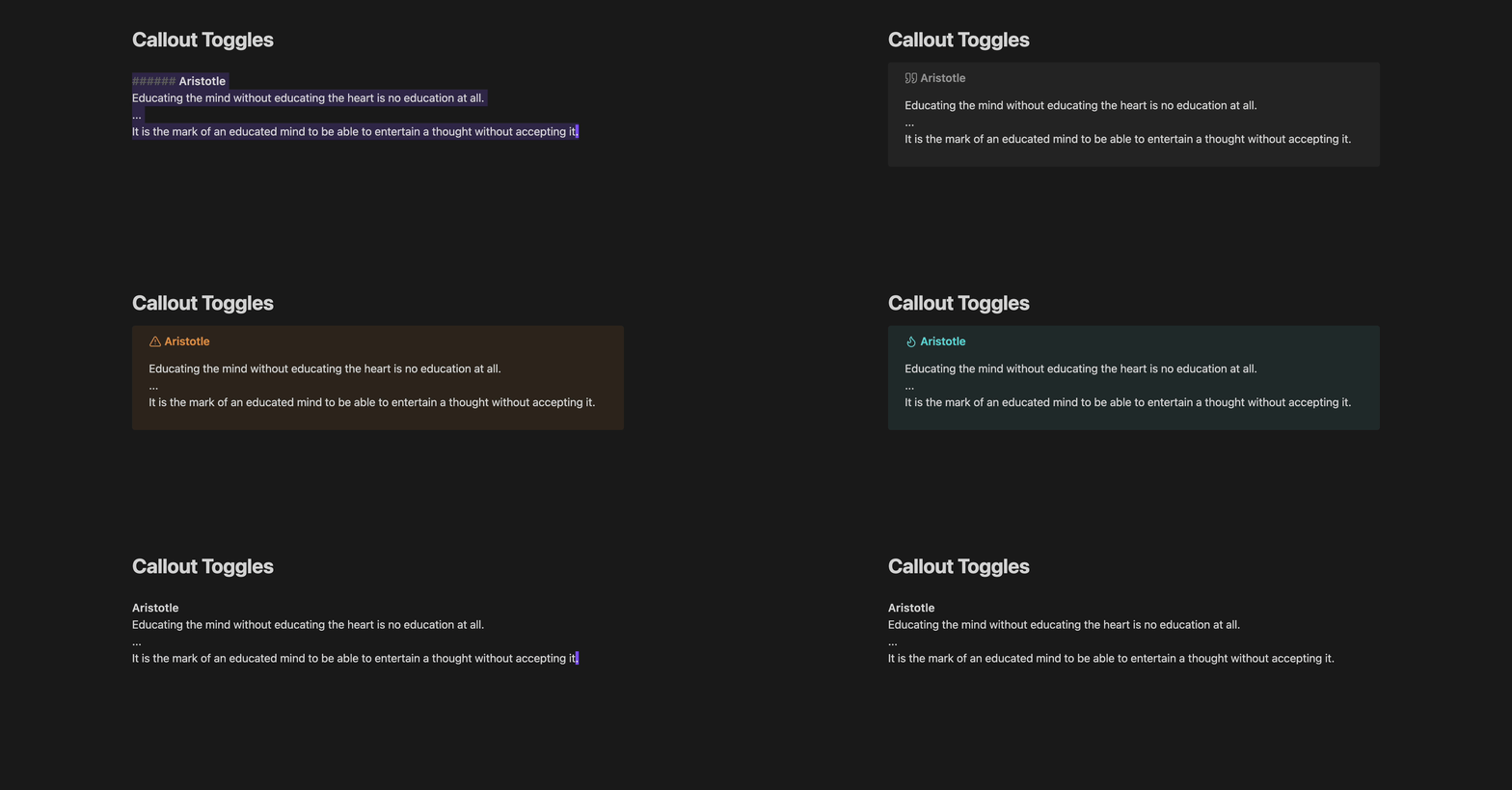
If a callout has a default title (e.g. > [!quote] Quote), the entire header line will be removed when calling Remove callout from selected lines. But if a custom title is present (e.g. > [!quote] Aristotle), it will be retained as a Markdown heading, so that you don't lose your hard work in choosing that title.
Likewise, if you call Wrap lines in X callout on a selection whose first line is a Markdown heading, the heading will be used as the custom title for the new callout block. This makes it easy to switch between callout types while retaining your custom titles, by calling Remove and Wrap back to back:
Custom callout types (Callout Manager)
This plugin automatically integrates with the Callout Manager plugin, if you have it installed (highly recommended, it's awesome!). This means that even your custom callout types get their own Wrap commands.
If you don't have Callout Manager installed, no worries, this plugin will still work as expected with Obsidian's built-in callout types.
Feedback
If you have any feedback or suggestions, feel free to open an issue; although my availability may be quite limited since this is just a side project.
Appreciation
Thanks to the creators of Obsidian, seriously an awesome note-taking app! And big thanks to eth-p for providing a Callout Manager API; so cool, and so useful for this plugin.