Callander
 Callan772 downloads
A private secondary memory for your friendships. Jot gift ideas, conversation threads, and things to do together — Callander resurfaces them when they matter.
- Overview
- Scorecard
- Updates16
A private secondary memory for your friendships. Built on Obsidian.
We all want to be better friends than our memory allows. You forget a birthday. You lose track of a great conversation that got interrupted. You see the perfect gift for someone, think "Bob would love this," and a day later you've completely forgotten it — let alone 7 months later when it's December or their birthday rolls around and you're looking for a gift.
Callander is a quiet, personal space where you jot down the little things that help you show up well for the people you care about — and it helps resurfaces them when they matter.
What this plugin holds:
- Birthdays. A countdown that also tells you whether you have a gift idea ready, and holds the birthdays you've missed until mark them as done (sending that belated birthday message or a box of chocolates).
- Friends. A dedicated page for each friend with everything you'd want in front of you before you saw them — ideas for conversations, interests, and a timeline of the two of you going back to the day you met.
- Events. Anything with a date on it — a dinner, a movie, a gig, a booking, or a plain task with nobody attached. Displayable as a timeline, a list, or a calendar.
- Plans. The bigger things: several days, several people, an itinerary, a packing list and shared money.
- Somedays. The loose wishlist of things you'd like to do but haven't committed to, complete with filters and a dedicated page to help you tick off those things you've always wanted to do with friends or alone, but never sparked actual plans for it (trip to Maine when?).
- Expenses. Split costs in five different ways — evenly, by percent, by share, by exact amount, or line-by-line off a receipt with sales tax and tip. Breakdowns display a person-by-person total, complete with a crediting system and checklist.
- Groups. Group friends together and the circle assembles itself, with colour coding, ideas, and a timeline of its own.
- Diary. Write about a day; mentioning someone is enough to link them to it and integrate it into their file.
Plugin Principles
- Never creepy. No fields for opinions, assessments, or sensitive personal details. If a feature would feel wrong if the friend saw it, it doesn't belong.
- Honest imprecision. Record vague truths, not false precision. Only know someone's birth month & year? The plugin doesn't mind; enter what you know and fill the rest in later.
- Ten-second capture. The core loop is jotting a thought before it evaporates.
- Completely private. Everything lives in your own vault as plain markdown. No sync, no network, no accounts — unless you want to set that up separately yourself.
How to Get Started
- In Obsidian, open Settings → Community plugins → Browse, search for Callander, then install and enable it.
- Open the dashboard — the Callander icon in the left ribbon, or Callander: Open dashboard from the command palette.
- That first open creates a
Friendsfolder with one example friend in it, so the page isn't blank while you find your feet. Add friend starts a real one; a first name is all it asks for.
Everything lives in that folder as ordinary Markdown, and you can point it somewhere else in the plugin's settings whenever you like.
Features
Here's a quick tour of some pages you'll spend your time on. For the full walkthrough — groups, events, the diary, quick notes, the plugin's settings and every way of splitting a bill — see FEATURES.md.
Beyond the people themselves, the dashboard takes events (bookings, tasks, anything worth keeping in view, with or without people attached), a list of somedays — loose plans you'd like to get to alone or with others — and full plans with as precise or imprecise a timeline as you like, a cost breakdown tool and room for notes.
None of it is built to store opinions about people, ratings, or really even intimate details. What it stores is your fascinations and excitements toward them — things you want to do, say, give, or remember. The rule I hold it to is that everything recorded here should be okay for someone to read about themselves, though you're welcome to use it any way you like.
📋 Dashboard
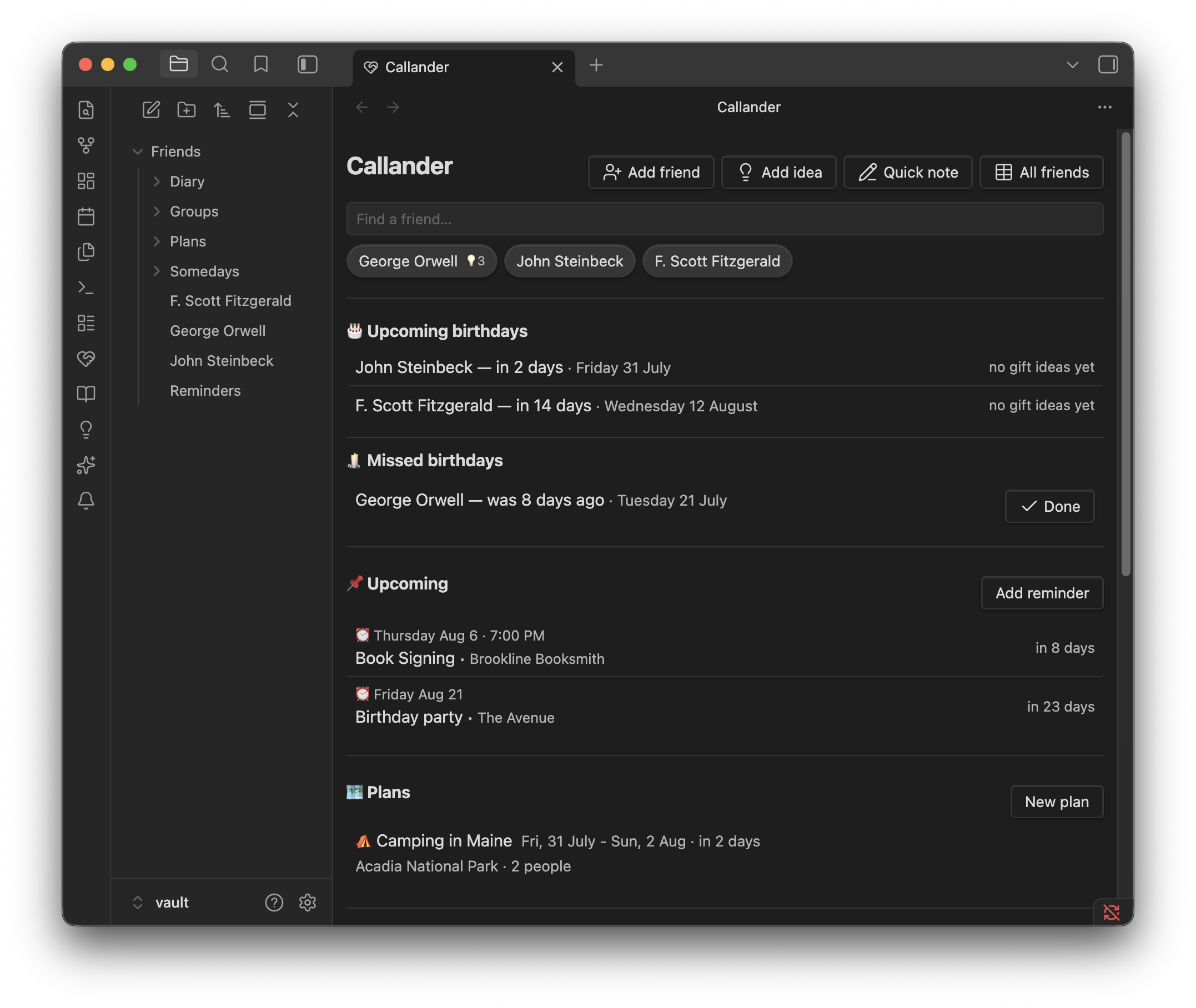
The page you might start opening every day as a matter of habit. Everything on it is read straight from your notes, so it can't fall out of date.
Birthdays. A countdown through the next thirty days, and each one tells you whether you actually have a gift idea ready — which is the part that usually goes wrong. The ones you just missed don't quietly disappear either: for two weeks afterwards they stay on the page saying "8 days ago", with a button to tick off, so a forgotten birthday becomes a belated message rather than a lost cause.
Upcoming events. Everything on the calendar in one list — a dinner, a gig, a booking, a plain task with nobody attached at all. Each shows what kind of thing it is, who's coming, and how long you've got.
Plans. For the bigger things — a weekend away, several people, real money. Full timeline for ideas, travel, accommodation, and quick notes. Also has a "What to bring" checklist and a handy cost breakdown tool for any expenses.
Somedays. The loose wishlist of things you'd like to do but haven't committed to, each showing whatever you know about when it would work: a season, a stretch of weeks before the chance disappears, or just the days that suit it.
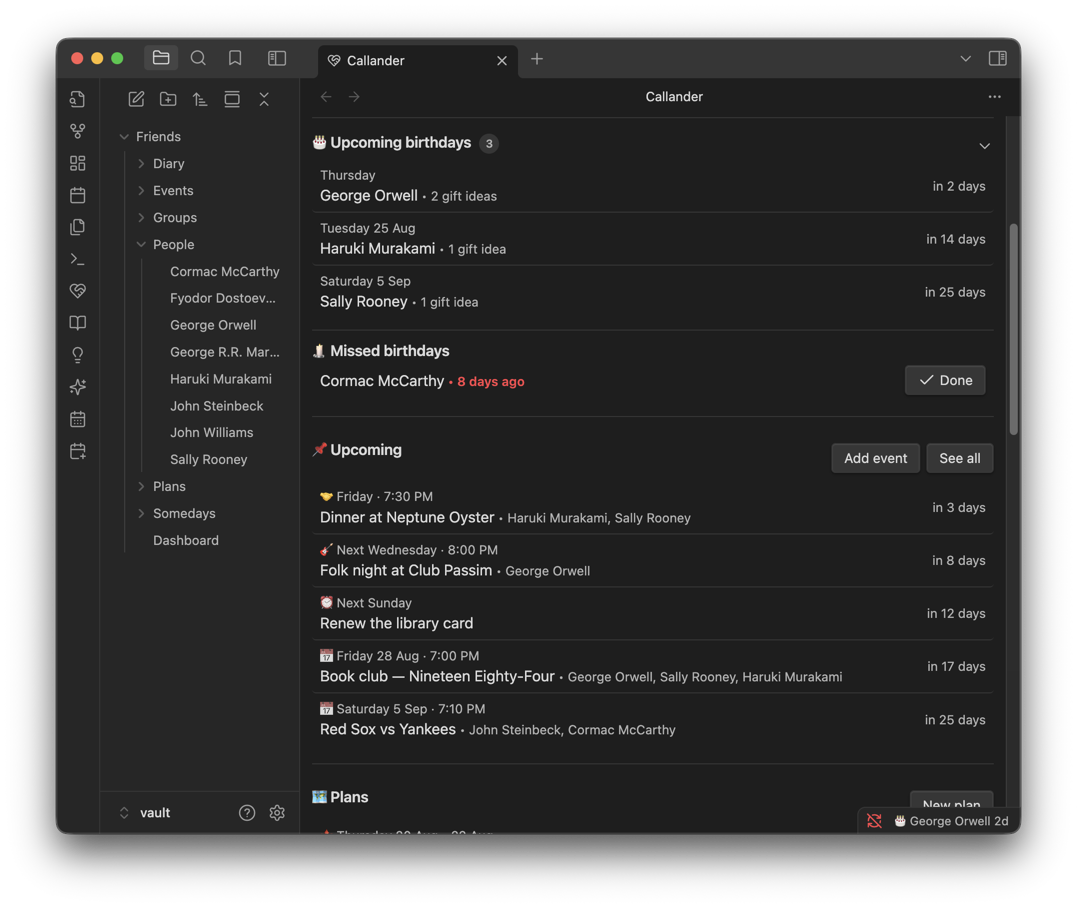
Birthdays with gift ideas flagged, missed ones held for you, and the events coming up.
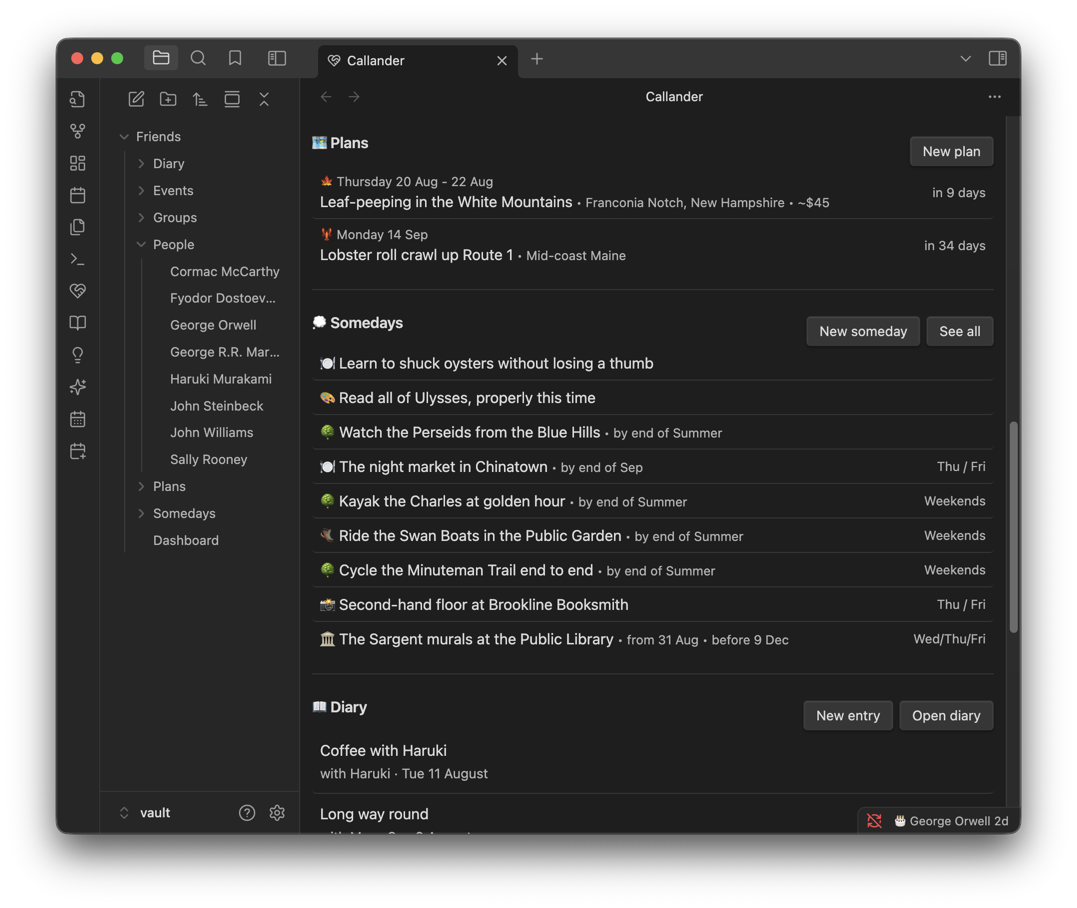
Trips you're planning, and the wishlist of things without a date yet.
🧑🤝🧑 Friend page
Everything you'd want in front of you before you saw someone. A first name is all you need to start, and birthdays and the day you met can be recorded as precisely as you actually know them — "March 2021" and "sometime in 2019" are perfectly good answers.
Ideas. Quick thoughts filed by what they are — gifts, conversations to pick back up, things to do together, places to go. They show up grouped, so a ten-second glance before you see someone hands you a present idea and two things to talk about. Put a date on one and it comes back to you on the dashboard when it's useful, which is how "get him something for the garden" survives the eight months between thinking it and needing it.
Timeline. One merged history of the two of you: anything coming up at the top, including trips they're part of, then a year-by-year record reaching back to the day you met — which is itself the first entry.
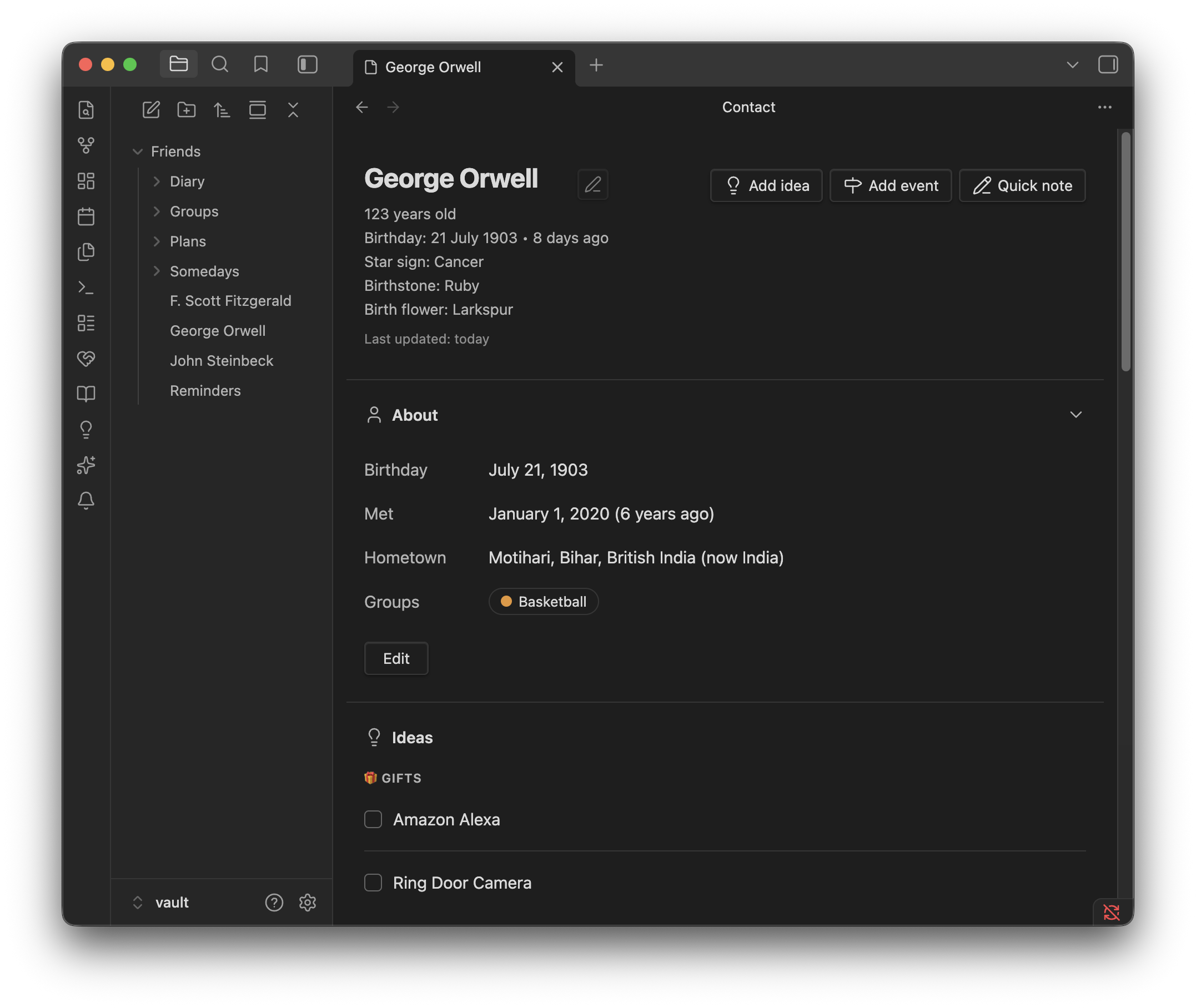
Age and birthday worked out for you, and ideas grouped by kind.
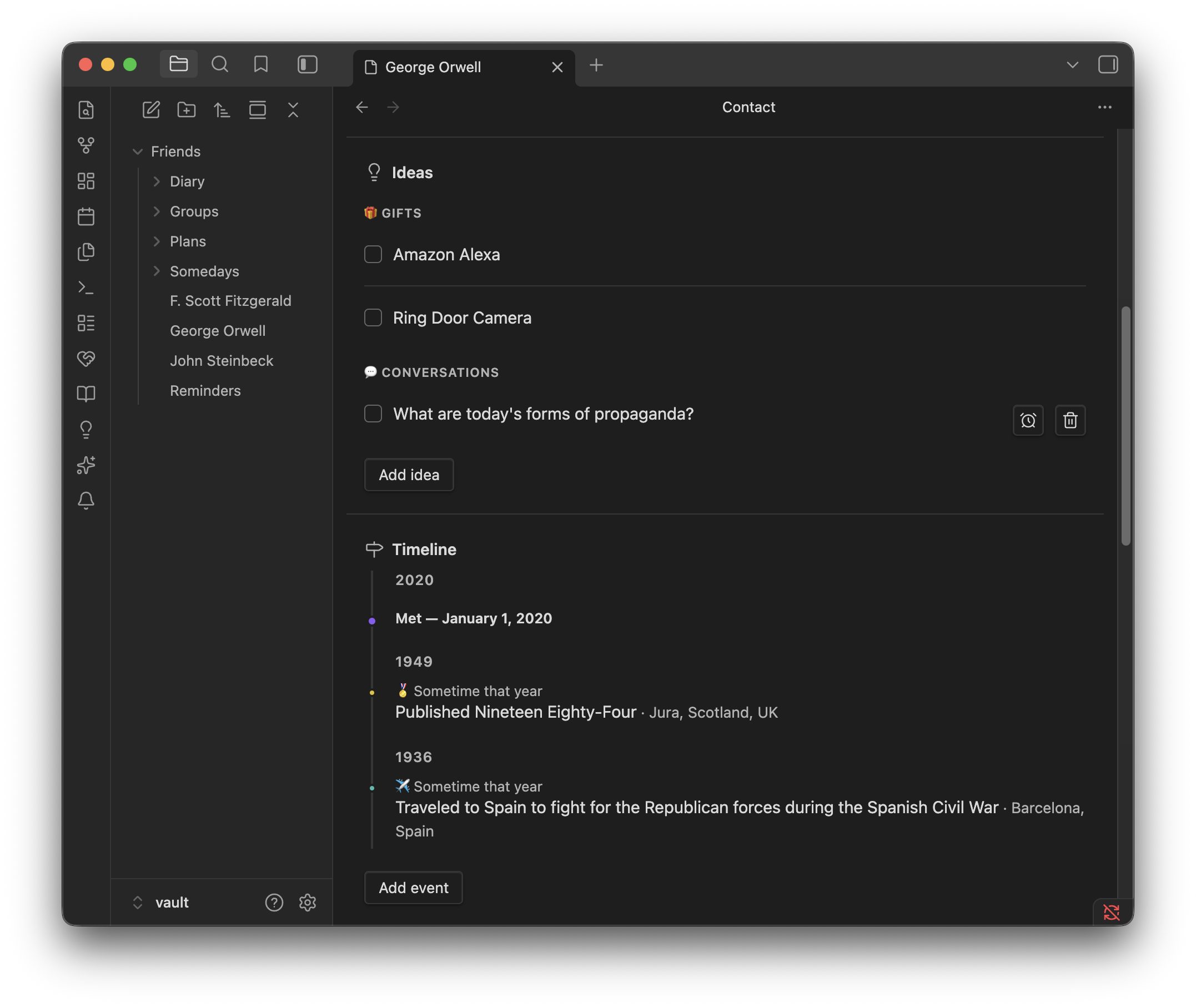
What's coming up, then the record going back to the day you met.
🗺️ Plan page
For the bigger things — a weekend away, several people, real money.
Timeline. Everything with a date on it flows into a single running order for the trip: what you're doing, how you're getting there, where you're staying. A drive shows its length and who's in the car; where you're staying shows the address and the door code. Times can be exact or as loose as "late afternoon", and anything you haven't booked yet is flagged.
Cost breakdown. Split each cost evenly, by percentage, by shares, by exact amounts, or line by line straight off the receipt. It all rolls up to one figure per person — with anything already settled taken out and money someone fronted deducted. Tap anyone to open their ledger: every cost they're charged for, the credits coming off it, and the total left to pay, with each line tickable as they square up.
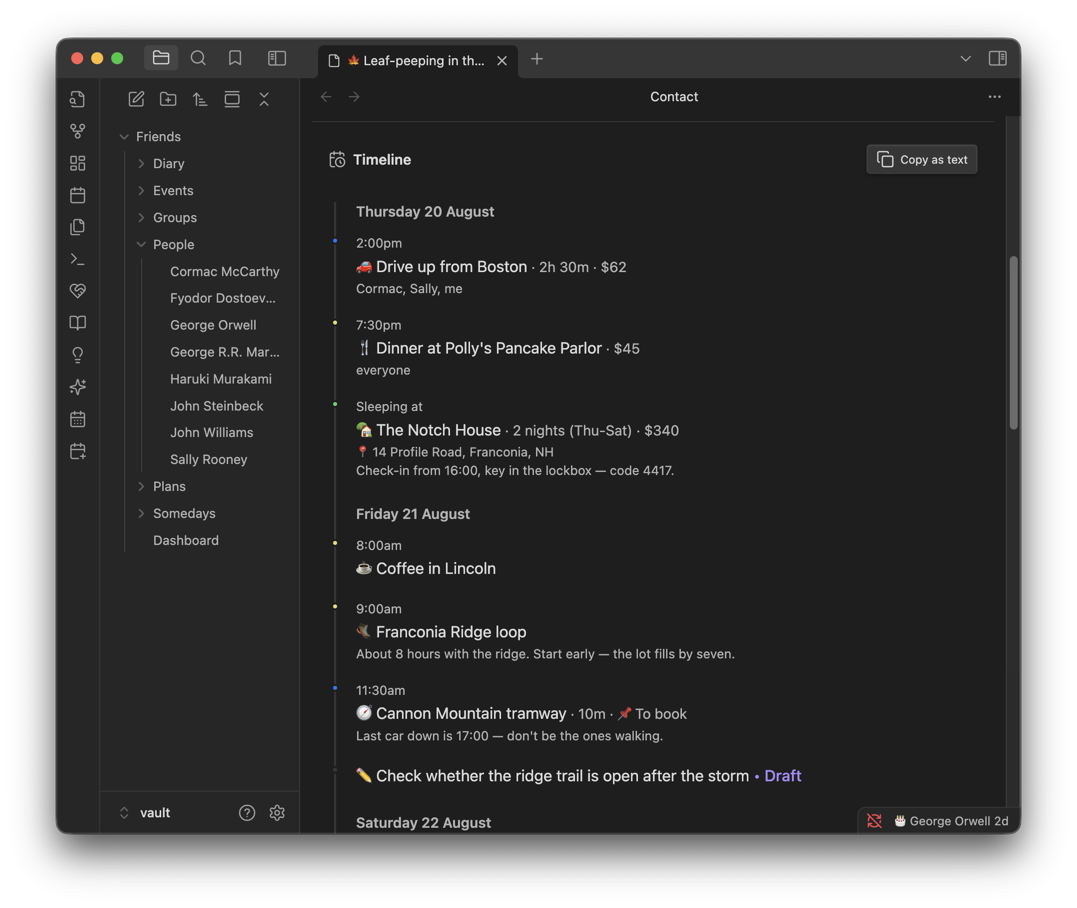
Journeys, meals and where you're staying, all in one running order.
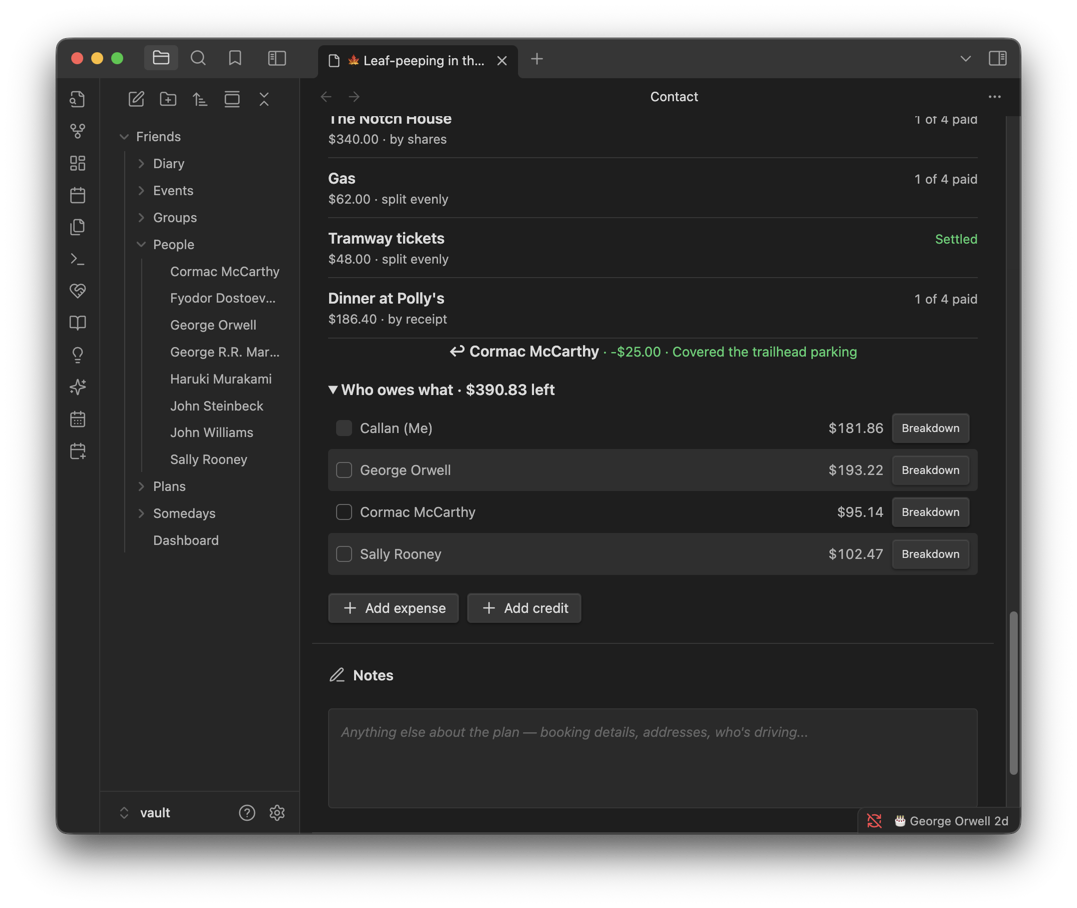
Expenses, credits and who owes what — one figure per person, and the outstanding total beside the heading.
All features
For the full walkthrough — groups, events, the diary, quick notes, the plugin's settings and every way of splitting a bill — see FEATURES.md.
Plugin Notes
No network requests. Everything runs off local files, and the plugin ships with zero runtime dependencies — no telemetry, no accounts, nothing phoning home. It works happily alongside Obsidian Sync, or an external sync like iCloud (which is what I use) or Google Drive. The only things that reach the internet are links you tap yourself, like an address opening in Maps for a link you added yourself.
Custom interfaces are relied on heavily. Rather than a Markdown-first editing approach, most features are used through modals, dashboards and listing pages. That makes it feel less like using Obsidian the way you normally might, and more like an abstraction layer sitting on top of it — built to make data entry and browsing easier than raw notes allow. The notes underneath stay plain Markdown with Frontmatter, so nothing is locked in. I'm progressively trying to make more data stored in Markdown markup so it's easier to read outside of plugin interfaces, and improve long-term note keeping if you ever move off Obsidian.
Why Obsidian? I like not needing a database. I like using Obsidian day to day. I like free stuff. And I like not bouncing between seventeen different apps to be sure I haven't forgotten something or to take a note. Building on Obsidian means I get all of its benefits while leaning on the simplicity of its notes structure. Maybe someday I'll migrate to a web or desktop application to unlock more than I can do with Obsidian, but for now I'm enjoying this approach.
How was this built? I'm a software engineer of over ten years, and spent part of that teaching university courses. I've leaned on AI tools heavily for this project, both as an experiment and for the efficiency it buys — but the implementation is sound and thoroughly reviewed. It's built closely as it would have been by hand.
I'll occasionally break things. Every so often I need to move data to a different storage strategy or format. When that happens I'll always try to do one of two things: run the migration for you automatically the next time you open the Dashboard, or leave a note in the section where the change landed, explaining how to move your data across by hand without losing any of it.
Either way, the plugin will never try to delete data across versions. If you ever have trouble migrating, open an issue and I'll help you out as quickly as I can. I strongly recommend frequently backing up your data as good practice in general, including when updating plugin versions.
Development
npm install
npm run dev   # esbuild watch mode
Put the absolute path of a vault plugin folder (e.g. <vault>/.obsidian/plugins/callander) in a .vault-plugin-path file at the repo root (gitignored) — dev builds then output main.js there and copy manifest.json/styles.css along, which works with iCloud-synced vaults where symlinks won't sync. Pair with the Hot Reload plugin for instant reload on rebuild (a .hotreload marker is written automatically). Without .vault-plugin-path, dev builds land in the repo root like the standard template.
To regenerate the example vault and every screenshot, see tools/screenshots.
Credits
Callander is an idea I've had for years, but the Obsidian plugin approach was inspired by Friend Tracker from buzzguy. The decision to create a separate project was made due to wanting a large core feature overhaul, branching into other areas like Events and Plans, and a self-managed development cycle.
License
MIT © Callan Delbridge. See LICENSE for the full text.