Call Notes Sync
 theluckystrike1 downloads
Unofficial sync of your Fathom meeting summaries and action items into your vault, one note per meeting. Not made by Fathom.
- Overview
- Scorecard
- Updates1
Call Notes Sync copies your Fathom meeting summaries into your vault as one note per meeting. Each note has the title, the date, the participants, the summary, the action items as tasks and a link back to the recording. It syncs again from where it stopped and does not make a note again after you delete it.
Unofficial. This plugin is not made by, affiliated with or approved by Fathom. Fathom is a mark of its owner. The plugin only reads your own meetings through the public Fathom API, with an API key that you make yourself in your own Fathom account.
Features
Sync now, from a command or the ribbon
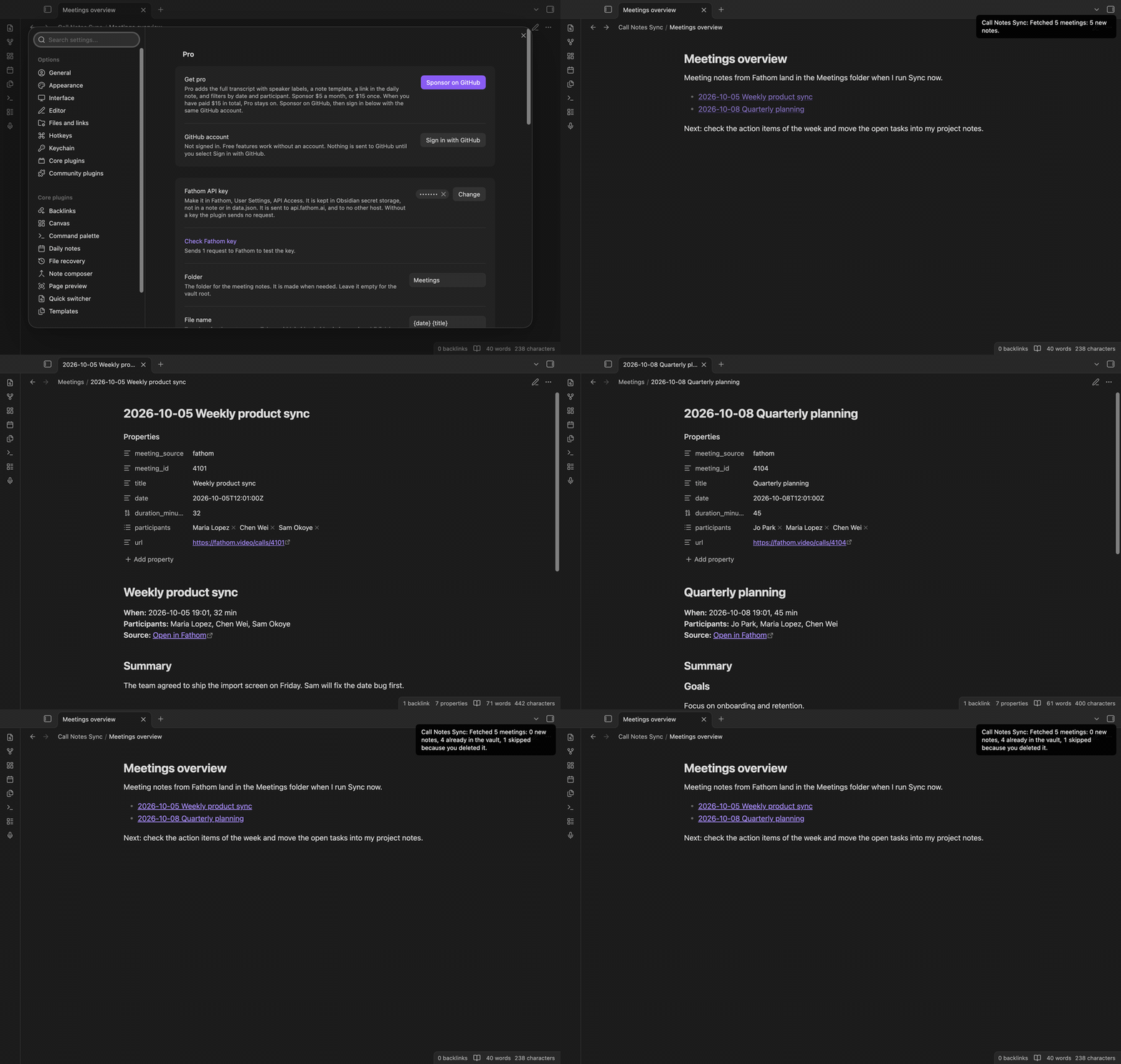
Select the microphone icon in the ribbon, or run "Call Notes Sync: Sync now". The plugin asks Fathom for the meetings since the last sync. A notice says what happened, for example "Fetched 5 meetings: 5 new notes."
One run reads up to 20 pages. If there is more, run Sync now again.
One note per meeting
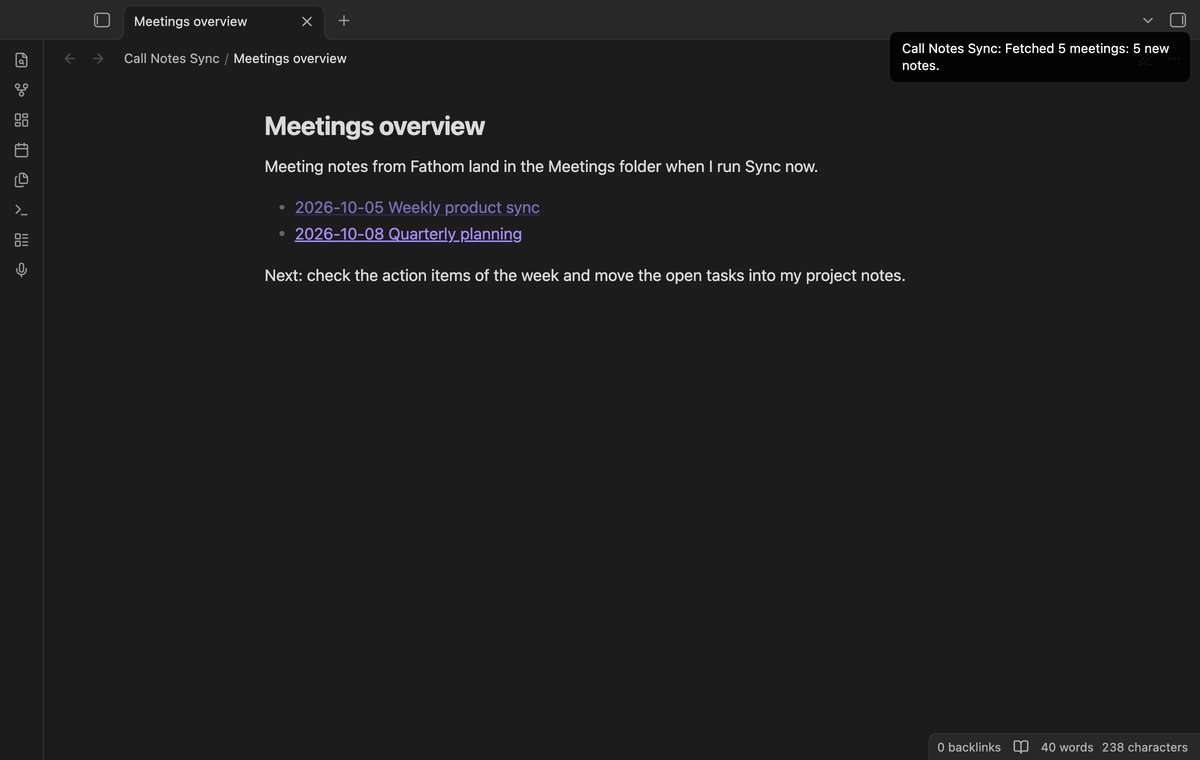
The properties hold the source, the meeting id, the title, the date, the length, the participants and the link. The body shows the summary, then the action items as tasks. A task has the name of its owner in brackets when Fathom gives one. A link in the header opens the recording in Fathom.
Summary headings and finished tasks
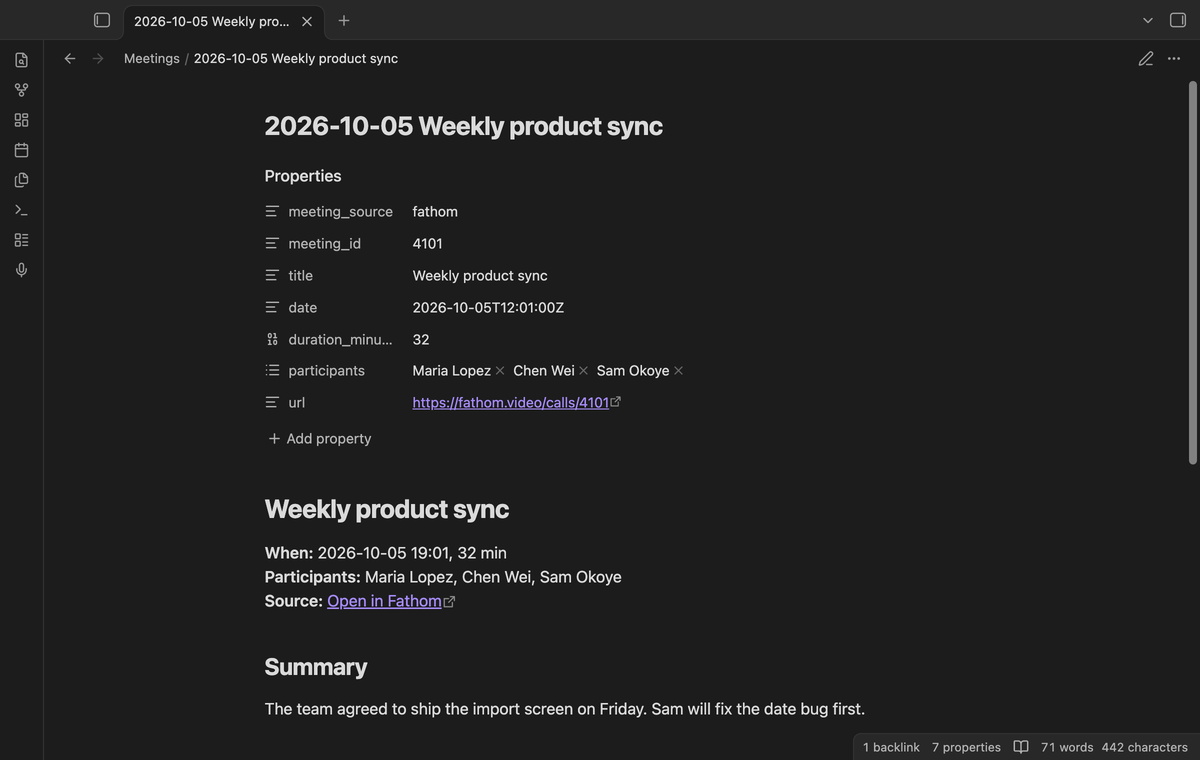
Fathom sends the summary as Markdown. Its headings move down, so your note keeps its own outline. A task that you finished in Fathom is a checked task.
Deleted notes stay deleted
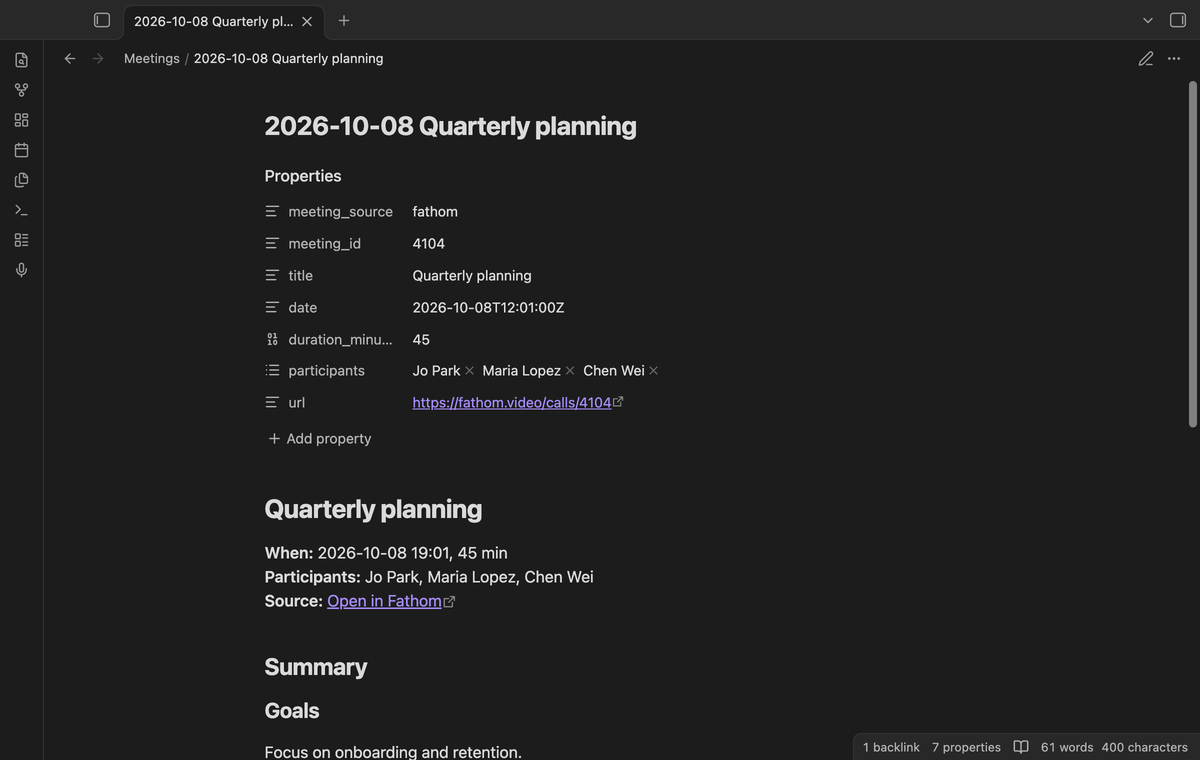
If you delete a note, the plugin remembers the meeting and does not make the note again. This works while Obsidian is closed too. A later sync never changes a note that exists, so your edits are safe.
"Forget deleted notes" clears the list. "Start from the beginning" asks for your whole history again.
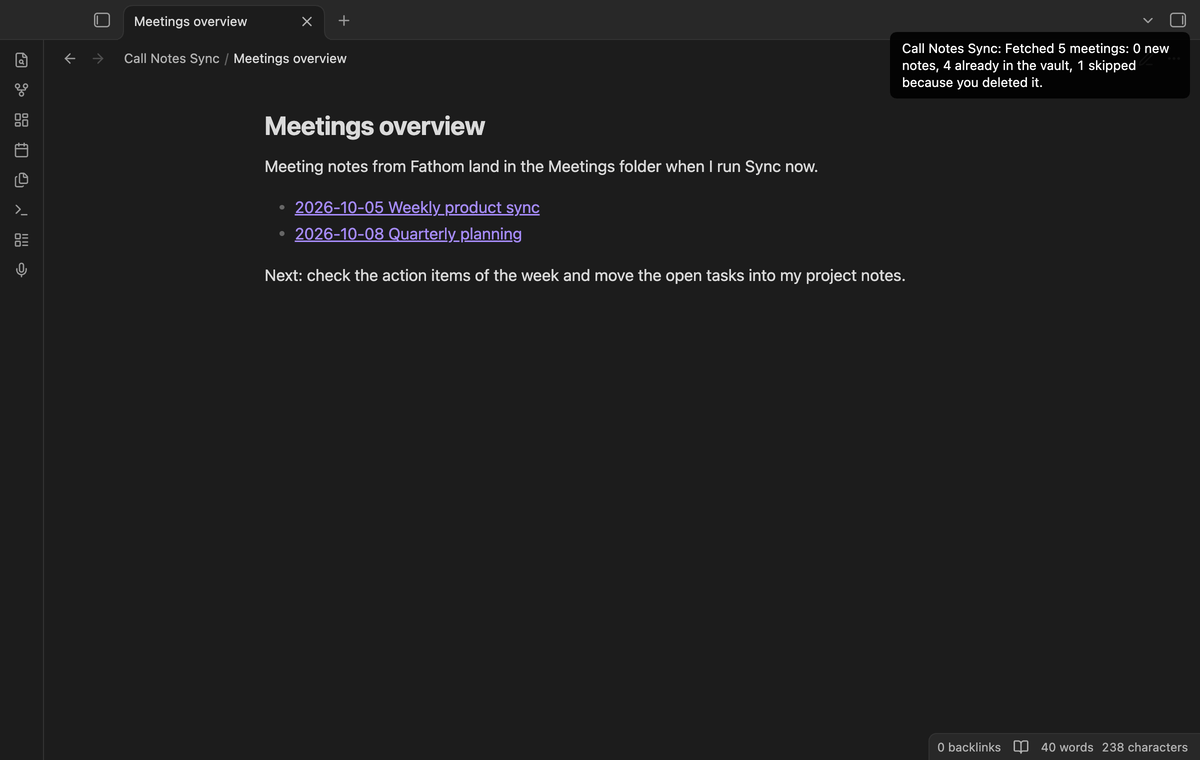
Key in secret storage
The API key lives in the secret storage of Obsidian. It is not in a note and not in data.json. With no key, the plugin sends no request. "Check Fathom key" sends one request and tells you if the key works.
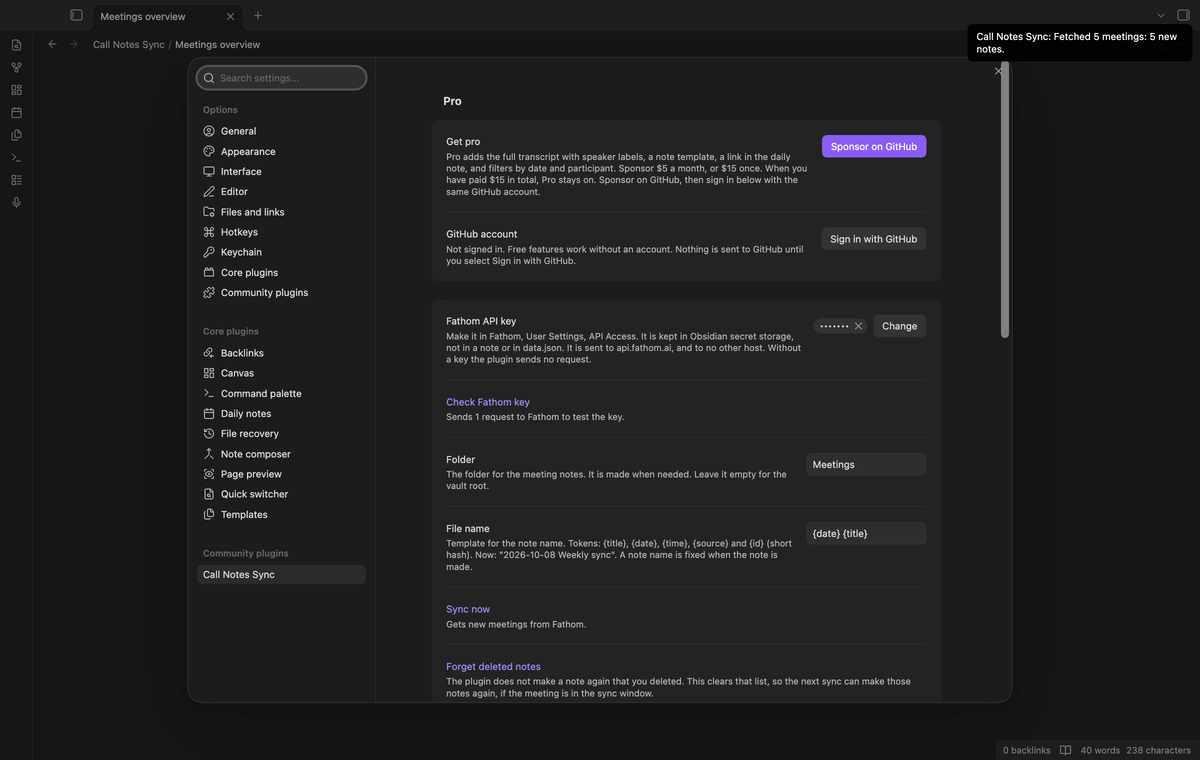
Pro transcript with speaker labels
With Pro, a new note also has the full transcript. Each paragraph starts with the speaker and the time from the start of the meeting. Lines of one speaker that follow each other make one paragraph.
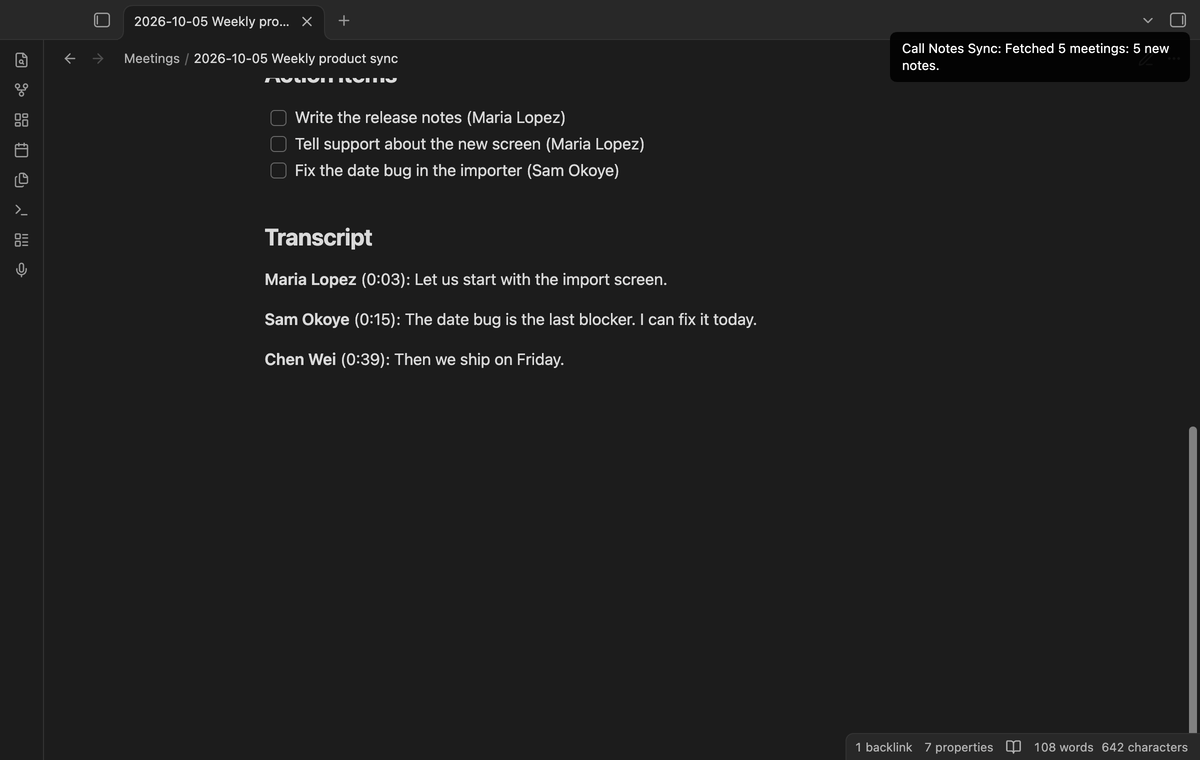
Pro template, daily note link and filters
A note template sets the body of each new note. Its tokens are {{header}}, {{summary}}, {{actions}}, {{transcript}}, {{title}}, {{date}}, {{time}}, {{duration}}, {{participants}}, {{link}}, {{source}} and {{id}}. The daily note link adds a line with a link to each new note, under a heading that you choose, in the daily note of the meeting day. The plugin never makes a daily note. Filters leave out meetings before or after a date. They also keep only meetings with a participant whose name or email contains your text.
Install
- Open Settings, Community plugins, and select Browse.
- Search for "Call Notes Sync", then select Install and Enable.
- Open the plugin settings and save your Fathom API key.
To make the key, open Fathom, go to User Settings and select API Access. It works on desktop and mobile.
Usage
Save the key, run "Sync now" and open the folder "Meetings".
A meeting younger than 48 hours with no summary and no action items is not ready. The plugin skips it and takes it in a later sync. Each sync starts 48 hours before the newest meeting that it saw, so a late recording is not lost.
Settings
The settings are the key, the folder, the file name tokens {title}, {date}, {time}, {source} and {id}, and the buttons. The Pro group holds the rest.
FAQ
Which meetings does it read?
Only the meetings that your key can see: the ones you recorded and the ones shared with you or your team. A key never reads the private meetings of other people.
Is this allowed by Fathom?
Fathom is not involved in this plugin and has not approved it. The plugin runs on your device and uses your own key. Fathom describes API keys as the way to reach your own meetings for internal tools and personal automation. Fathom's terms apply to your account and to your use of its API, so read them before you sync.
Does a note update when the summary changes in Fathom?
No. A note is made once. To get a new copy, delete the note, run "Forget deleted notes" and "Start from the beginning", then run "Sync now".
I turned on Pro. Why do old notes have no transcript?
Pro features apply to notes that the plugin makes after Pro is on. Use the steps above for an older note.
Is there a limit on requests?
Yes. A Fathom key allows 60 requests a minute, and 30 a minute for requests that ask for a summary or a transcript. The plugin waits about two seconds between pages. If Fathom says "slow down", it waits as long as Fathom asks, up to two minutes, and stops after two tries.
Does it work with Fathom OAuth?
No. It needs a personal Fathom API key.
Payment, account and network
The core features are free and stay free. Pro features need a GitHub Sponsors sponsorship of theluckystrike: $5 a month or more, or $15 once. When you have paid $15 in total, Pro stays on. Your notes stay readable and editable with or without Pro.
GitHub handles the payment. Sponsor at https://github.com/sponsors/theluckystrike. You need a Fathom account for every feature, free or Pro. Pro also needs the GitHub account that sponsors.
Call Notes Sync talks to Fathom at https://api.fathom.ai/external/v1/meetings, and only after you save a Fathom API key in the settings. With no key it sends no request. Each request carries the key in the X-Api-Key header. The requests only read. They send a date window and a page position, and with Pro filters nothing else, because the filters run in the plugin. Check connection sends one request with the key and nothing else. Fathom sends back, for each meeting in the window, the title, date, the web link, the recorder and the invitees (names and email addresses), the summary and the action items, and with the Pro transcript also every spoken sentence with its speaker name and time. The plugin keeps in your vault only what it writes into the notes. It writes the title, date, length, link, participant names (the email address only for a person who has no name), summary and action items, and with Pro the transcript. The sync state in data.json holds the meeting ids with the note paths, the time of the newest meeting and the last sync time. It does not keep email addresses, summaries or transcripts. It sends nothing to any other host and has no telemetry. Meeting notes can hold personal data of other people. You decide whether to connect Fathom and which meetings to sync. Your key can read only the meetings that Fathom lets that key see (the ones you recorded and the ones shared with you or your team), and Fathom documents API keys for your own tools and personal automation. Call Notes Sync is an unofficial plugin. It is not affiliated with, made by or approved by Fathom. Fathom is a mark of its owner.
Until you select "Sign in with GitHub" in the settings, Call Notes Sync sends nothing to GitHub. Sign in uses the GitHub device flow. Call Notes Sync sends its public client ID and the scope read:user to https://github.com/login/device/code and shows you a code. While you enter the code at https://github.com/login/device, it asks https://github.com/login/oauth/access_token every few seconds whether sign in is done. The scope read:user is read-only access to your profile, which GitHub needs to show the sponsorship tier. It gives no access to repositories and no write access.
After sign in, Call Notes Sync sends one query to https://api.github.com/graphql: does the signed-in account sponsor theluckystrike, at which tier, and how much it has paid theluckystrike in total. It asks again at most once every 7 days, or when you select Refresh. It sends no note content, file names or other vault data to GitHub, and it has no telemetry.
Pro keeps working for 14 days without a successful check. The GitHub token stays in the secret storage of Obsidian on this device. It is not written to data.json or other vault files, so it does not sync or reach a git repository. The local storage of this device keeps your GitHub login, the tier and the time of the last check. Sign out deletes the token. You can also revoke the access in your GitHub settings, under Applications.
Support
Report a bug or ask for a feature in the issue tracker of this repository. To support the work, use GitHub Sponsors.
npm ci
npm run build
npm test
License
MIT