Calendar Ledger
 Million48 downloads
Manage dates, records, ranges, tags, and statistics in one Markdown file.
- Overview
- Scorecard
- Updates1
中文版 | English
An Obsidian plugin for keeping a continuous multi-year calendar, records, tags, links, and date ranges in one Markdown file. It provides quick navigation, inline record entry, an outline-style sidebar, statistics, heatmaps, and yearly summaries.
Features
- Generate a continuous calendar covering any start and end year.
- Store all records in one normal Markdown file; no separate database is required.
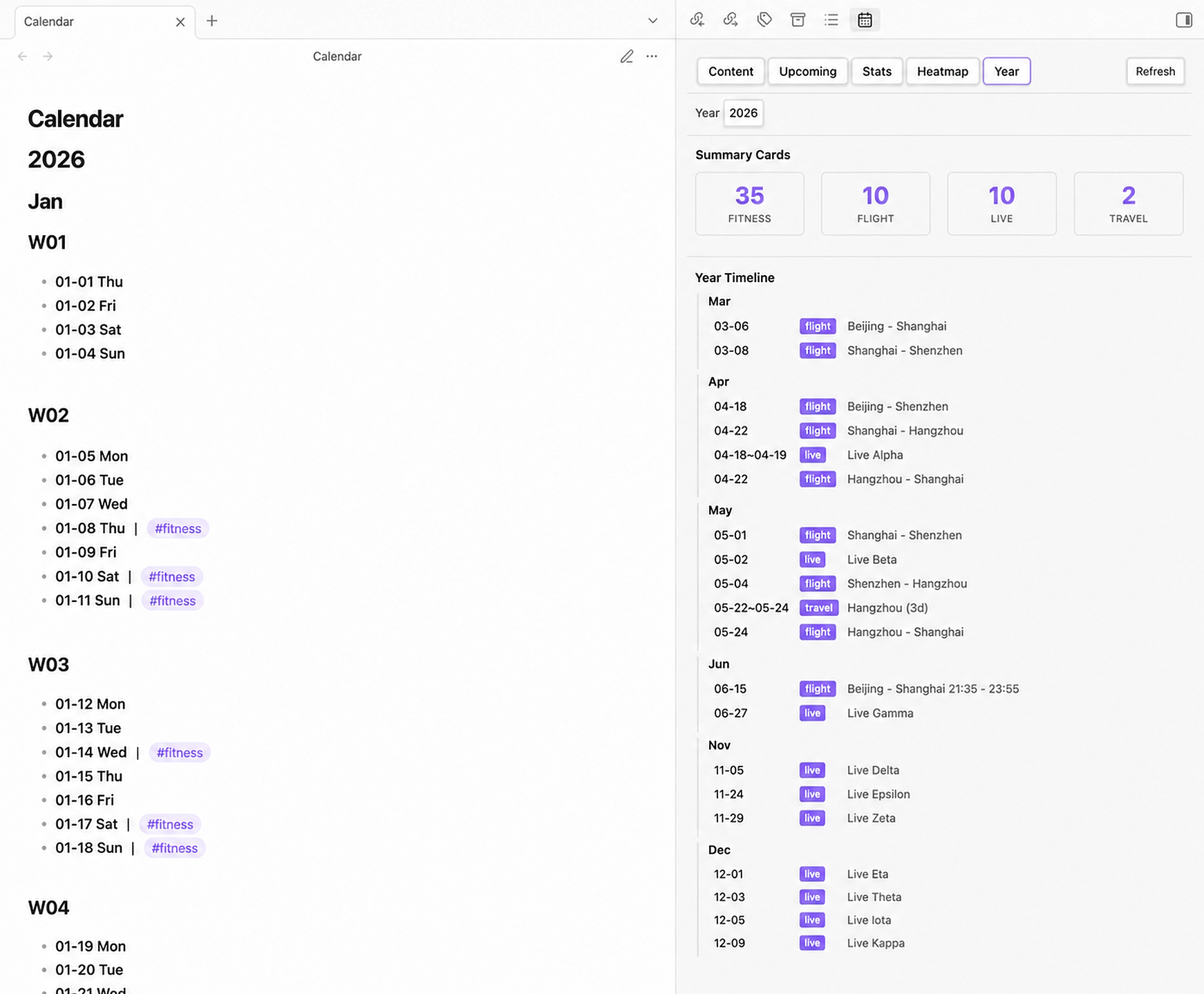
- Open a sidebar view with Content, Upcoming, Stats, Heatmap, and Year tabs.
- Jump to today or any date, and add a record to today or a selected date from the command palette.
- Choose English or Chinese weekday names.
- Choose Monday or Sunday as the first day of visual layouts.
- Show or hide ISO week headings (
W01,W02, ...). - Support multiple tags, Obsidian wikilinks, and date ranges.
- Display activity heatmaps, event timelines, monthly distributions, and date-range views by tag.
- Count range events separately from their deduplicated covered days.
- Migrate legacy nested date structures to the current inline format while preserving existing text, links, and tags.
- Refresh the sidebar automatically when the calendar file changes.
Screenshots
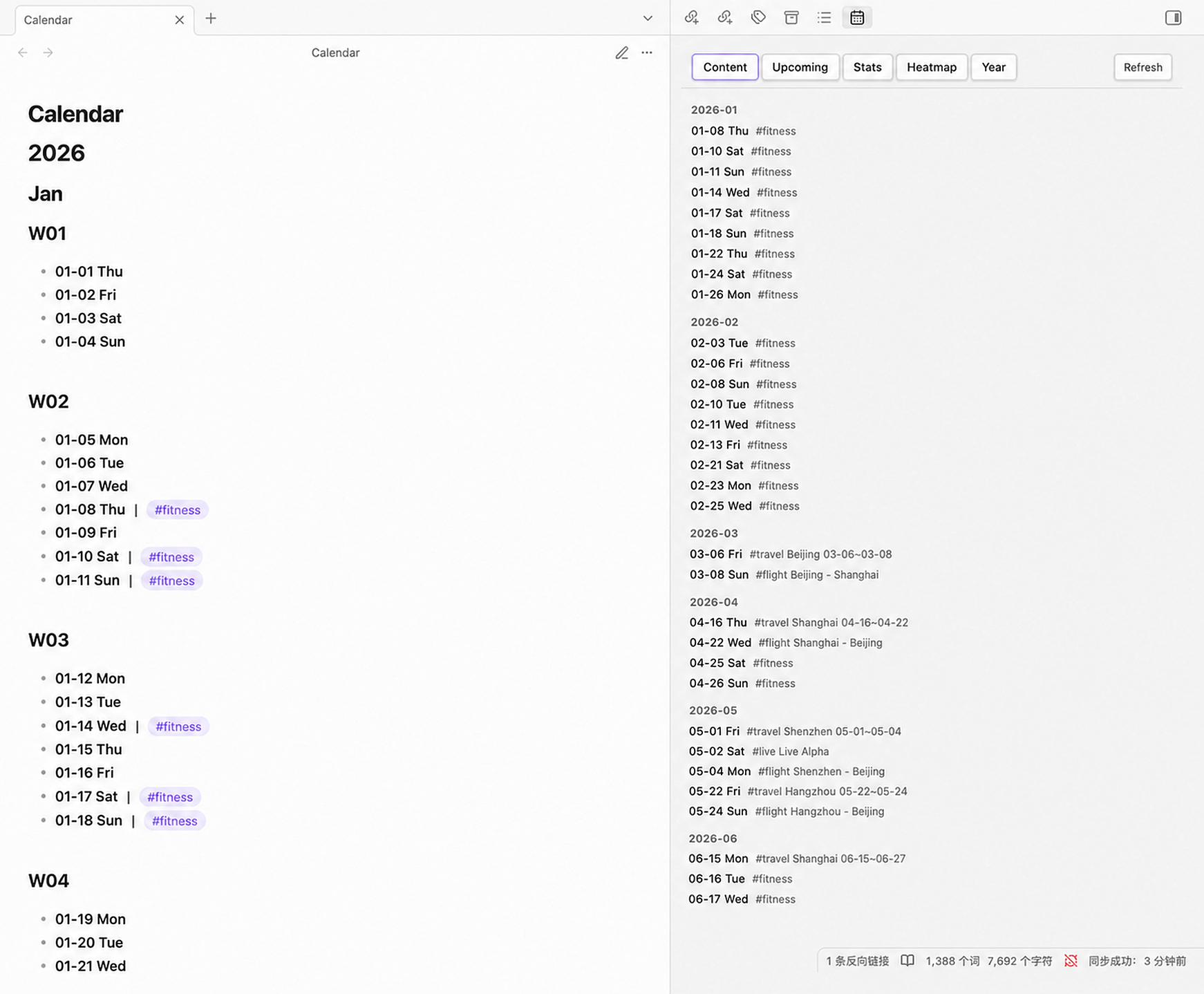
Content
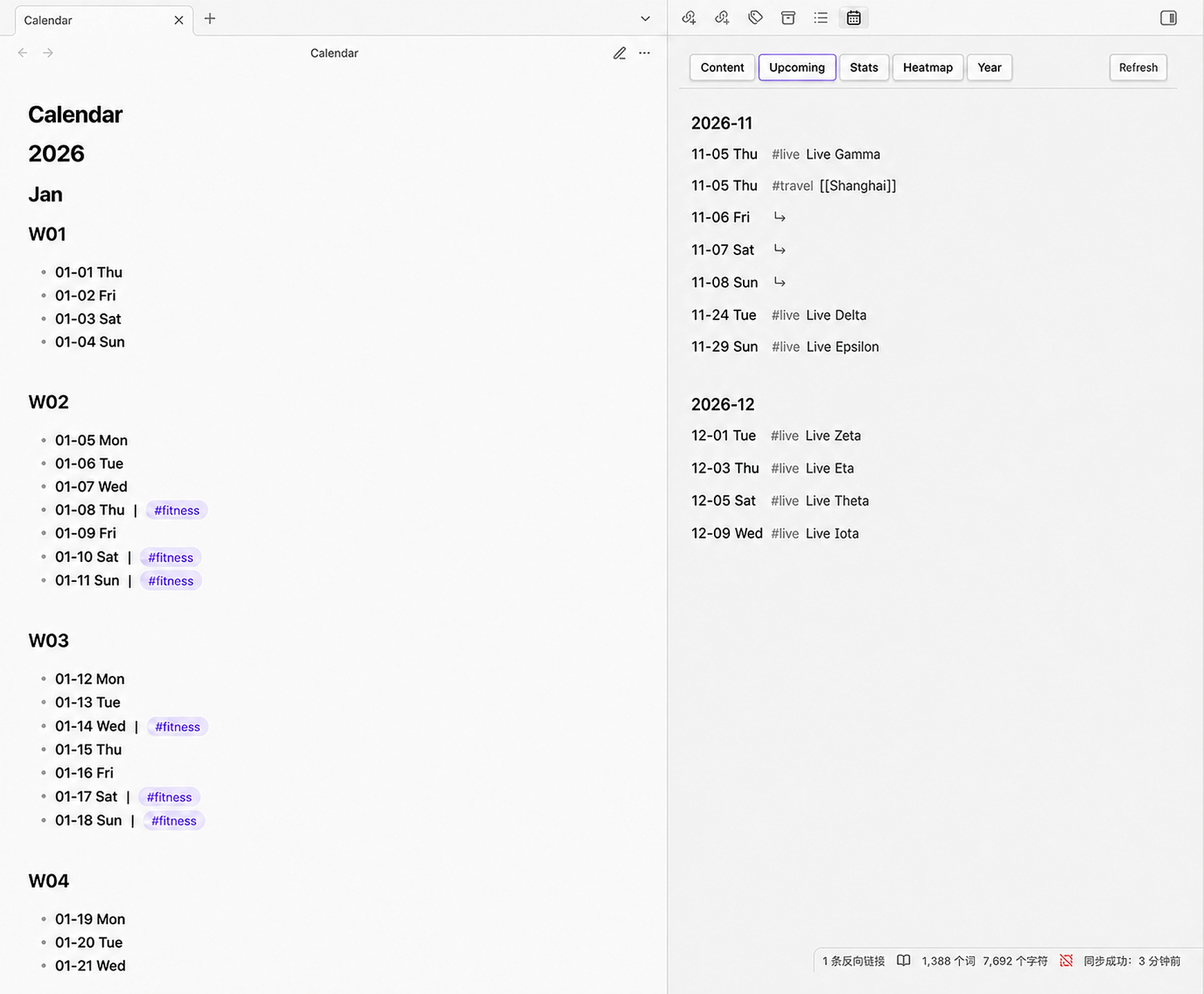
Upcoming
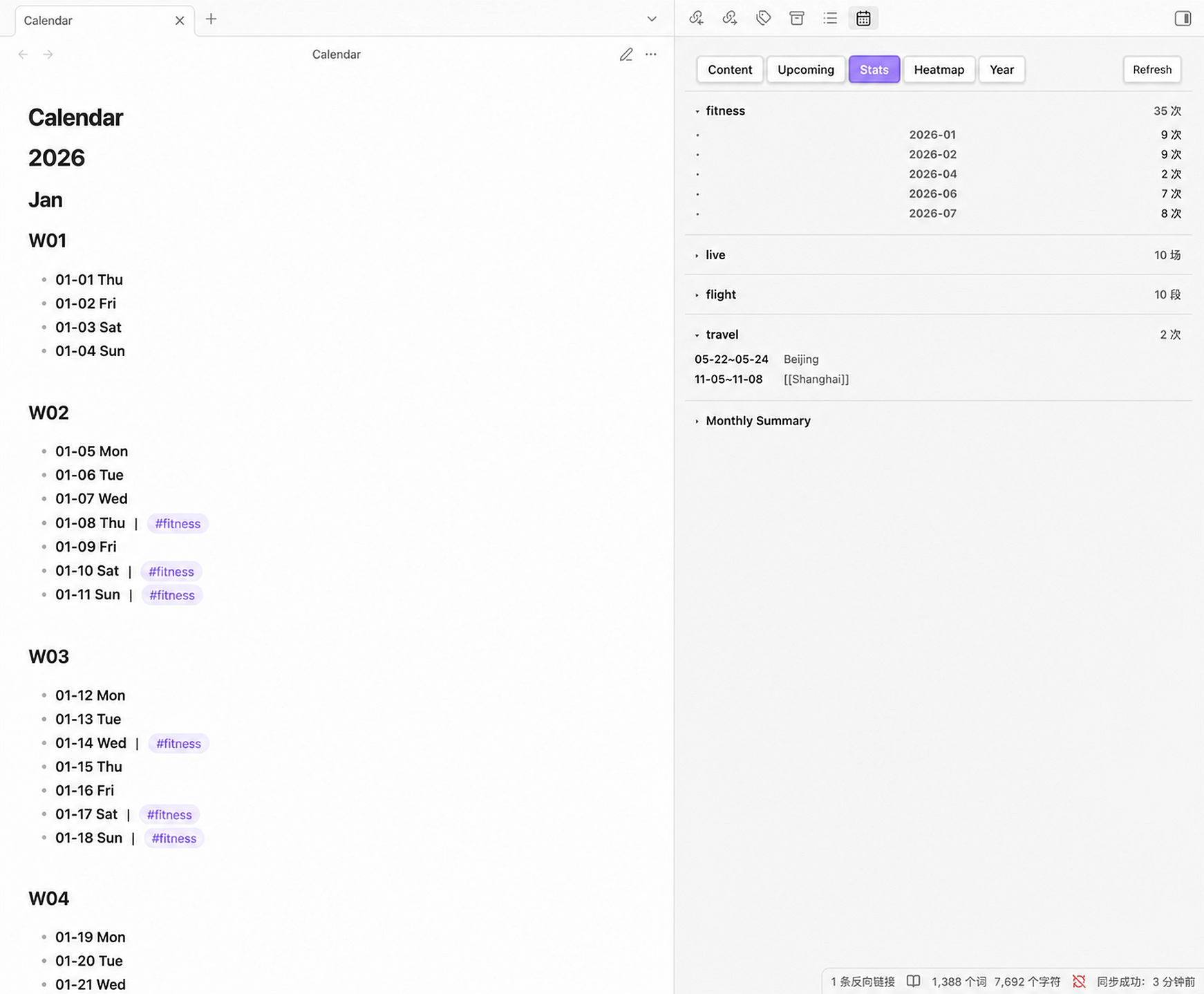
Stats
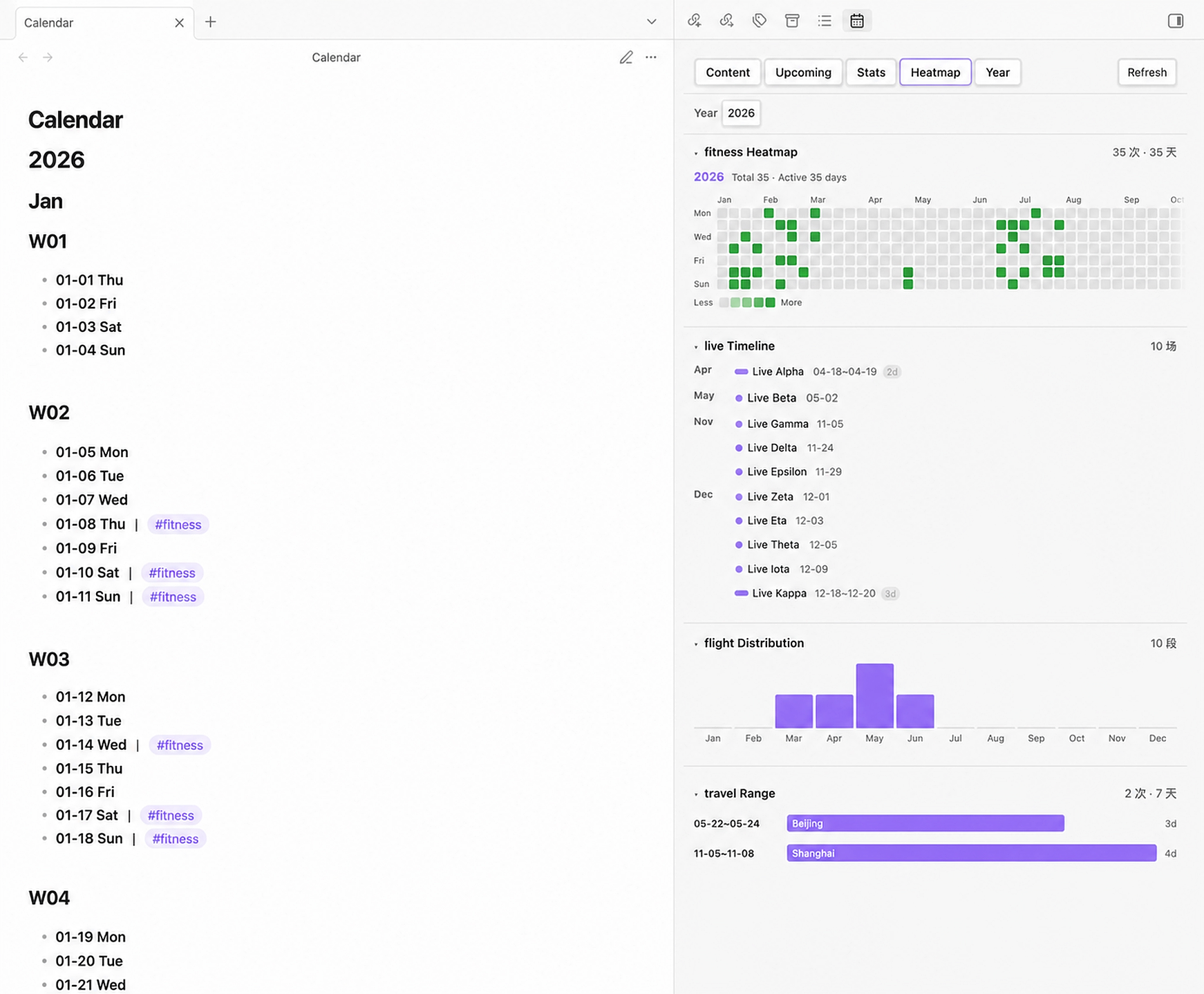
Heatmap
Year
Installation
Community plugins
In Obsidian, open Settings → Community plugins → Browse, search for Calendar Ledger, then install and enable it.
BRAT or manual installation
For beta testing, install the GitHub repository with BRAT. For a manual installation, download main.js, manifest.json, and styles.css from a release and place them in:
.obsidian/plugins/calendar-ledger/
├── manifest.json
├── main.js
└── styles.css
Then reload Obsidian and enable Calendar Ledger under Settings → Community plugins.
Getting started
- Install and enable Calendar Ledger.
- Open Settings → Calendar Ledger.
- Set the calendar file path. The default is
Calendar.md. - Choose the start year, end year, weekday language, week start day, and week-number display.
- Run Generate calendar file from the command palette.
- Open the plugin view by clicking the calendar ribbon icon or running Open calendar outline.
- Add records with Add item to today or Add item to specified date.
Before using a migration or overwrite command, make a backup of the calendar file.
Calendar format
The generated file uses standard Markdown headings and date bullets. A typical entry looks like this:
# 2026

## Jul

### W30

- **07-20 Mon** | #travel Beijing [[Trip notes]] 07-20~07-25; #fitness Running
- **07-21 Tue** | #live Concert
Rules:
# Year,## Month, and optional### Wxxheadings provide the calendar structure.- Date rows use
- **MM-DD Weekday**and inherit the year from the nearest year heading. - Use the full-width separator
|between the date marker and its first record. - Use the Chinese semicolon
;between independent records on the same date. - Tags are written as
#tag; text after a tag is used as the record text for statistics. - Wikilinks such as
[[Trip notes]]are supported as record links. - Date ranges can use forms such as
07-20~07-25or07-20~07~25.
The parser also accepts older heading-based and nested-bullet formats. Use Migrate to latest format to normalize an existing file.
Sidebar tabs
- Content: all dates that contain records, grouped by month; click a row to jump to the source line.
- Upcoming: future records and the dates covered by future date ranges.
- Stats: per-tag counts, recorded days, event lists, and monthly summaries for enabled tags.
- Heatmap: tag-based activity heatmaps, event timelines, monthly distributions, and range views.
- Year: a selected year's recorded-day summary, configured summary cards, timeline, and tag overview.
Settings
- Calendar file path: vault-relative path such as
Calendar.mdorJournal/Calendar.md. - Start year / End year: controls the generated calendar range. Appending a year extends the end year automatically.
- Week starts on: Monday or Sunday for heatmaps and visual layouts. Calendar week headings always use ISO weeks starting on Monday.
- Calendar content language: English or Chinese weekday names in generated date rows.
- Show week number: adds or removes
Wxxheadings and updates the existing calendar structure while preserving records. - Stats tags: choose which tags appear in the Stats tab.
- Visualization tag mappings: assign a tag to Activity, Event, Monthly, Range, or None in the Heatmap tab, with an optional display name.
- Year Summary cards: choose recorded days and tag cards to show in the Year tab.
Commands
- Generate calendar file: create a calendar when the configured file does not exist.
- Overwrite calendar file: rebuild the calendar after confirmation. Existing records may be replaced, so back up first.
- Append year: add the next year to the end of the calendar.
- Jump to today: navigate to today's date.
- Jump to specified date: enter a date such as
7-30or2026-7-30and navigate to it. - Add item to specified date: insert an inline record on a selected date.
- Add item to today: insert an inline record on today's date.
- Migrate to latest format: convert legacy nested or space-separated records to the current inline format.
- Open calendar outline: open the plugin's sidebar view.
Compatibility
- Minimum Obsidian version:
1.7.2 - Desktop and mobile supported (
isDesktopOnly: false) - MIT License
Feedback and contributions
Please open an issue at millioncheung/calendar-ledger and include your Obsidian version, plugin version, a small sanitized calendar example, and any console errors.
Pull requests are welcome.