Search...Search plugins and themes...
⌘K
Sign in
  • Get started
  • Download
  • Pricing
  • Enterprise
  • Account
  • Obsidian
  • Overview
  • Sync
  • Publish
  • Canvas
  • Mobile
  • Web Clipper
  • CLI
  • Learn
  • Help
  • Developers
  • Changelog
  • About
  • Roadmap
  • Blog
  • Resources
  • System status
  • License overview
  • Terms of service
  • Privacy policy
  • Security
  • Community
  • Plugins
  • Join the community
  • Discord
  • Forum / 中文论坛
  • Merch store
  • Brand guidelines
Follow us
DiscordTwitterBlueskyThreadsMastodonYouTubeGitHub
© 2026 Obsidian

Calendar Bases

edrickleongedrickleong66k downloads

Adds a calendar layout to bases so you can display notes with dates in an interactive calendar view.

Add to Obsidian
  • Overview
  • Scorecard
  • Updates19

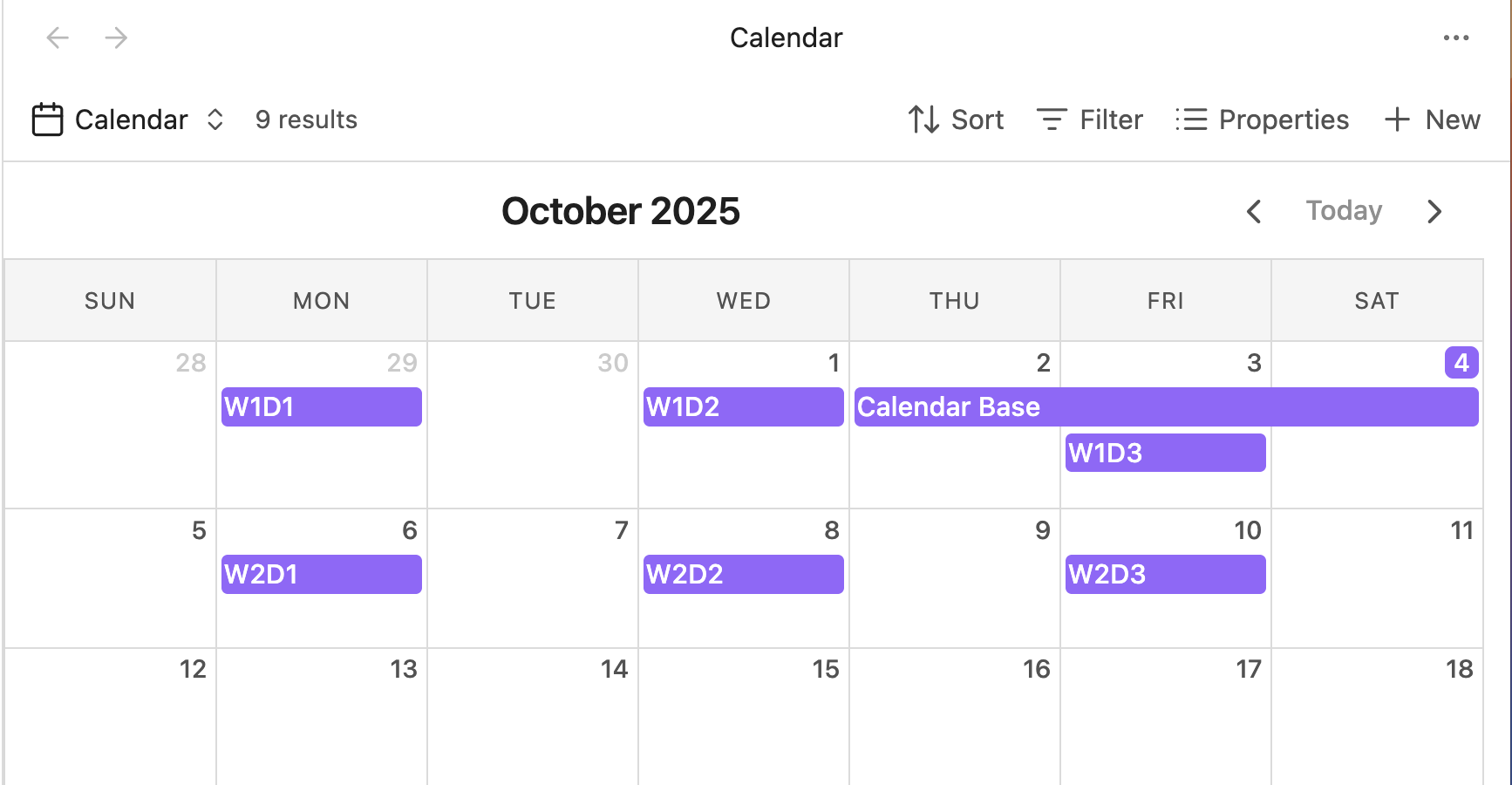
Adds a calendar layout to Obsidian Bases so you can display notes with dates in an interactive calendar view.

Built with FullCalendar for a robust and feature-rich calendar experience.

  • Dynamically display entries that match your filters on their respective dates.
  • Drag and drop events to reschedule them - automatically updates note frontmatter.
  • Navigate between months with intuitive controls.
  • Support for single-day and multi-day events (with optional end dates).
  • Click entries to open them or use context menus for more options.

Installation

This plugin requires Obsidian v1.10.0 or later to work.

Install via Community Plugins

Calendar Bases is available under Community Plugins. It can be found here.

Install via BRAT

  1. Install the BRAT plugin under Community Plugins.
  2. Open BRAT settings and click "Add beta plugin".
  3. Enter the URL of this repository: https://github.com/edrickleong/obsidian-calendar-bases.
  4. Under "Select a version", choose the Latest version.
  5. Click "Add plugin".

Documentation

Date Properties

To display entries on the calendar, configure a start date property in the view configuration menu. The property must contain a valid date string.

# Date property examples
startDate: 2025-10-15
startDate: 2025-10-15T10:00:00

# Optional end date for multi-day events
endDate: 2025-10-18

Any JavaScript-parseable date format is supported. For multi-day events, configure both a start date and an optional end date property.

Credits

This plugin uses FullCalendar.

License

This project is licensed under the MIT License.

58%
HealthExcellent
ReviewRisks
About
Add a calendar layout to Obsidian Bases to display notes with date properties in an interactive calendar view. Drag and drop events to reschedule and automatically update note frontmatter, show single- and multi-day events, click entries to open notes, and use context menus for more options.
CalendarBasesDates
Details
Current version
0.2.8
Last updated
Last month
Created
7 months ago
Updates
19 releases
Downloads
66k
Compatible with
Obsidian 1.10.0+
License
MIT
Report bugRequest featureReport plugin
Author
edrickleongedrickleong
GitHubedrickleong
  1. Community
  2. Plugins
  3. Calendar
  4. Calendar Bases

Related plugins

Day Planner

Day planning from a task list in a Markdown note with enhanced time block functionality.

Periodic Notes

Manage your daily, weekly, and monthly notes.

Calendarium

Craft mind-bending fantasy and sci-fi calendars.

Journals

Manage your journals.

Chronology

A calendar and a timeline of the note's creation and modification.

Calendar

Explore your daily notes.

Contribution Graph

Generate an interactive heatmap to visualize and track your productivity.

ICS

Add events from calendar ics on the web to daily notes on demand. Includes vdir support. Daily Planner, Templater and Dataview friendly.

TaskNotes

Note-based task management with calendar, pomodoro and time-tracking integration.

Daily Notes Editor

Edit daily notes in one page (inline), which works similar to Roam Research's default daily note view.