
- Overview
- Scorecard
- Updates2
CAD-Lab brings deterministic, millimeter-precision vector CAD directly into Obsidian—designed for P&ID (Process and Instrumentation Diagrams) and electrical single-line & multi-line schematics. Drawings live as human-readable .cad.md Markdown notes inside your vault with an automatically synchronized Bill of Materials (BOM) table, native AutoCAD R2010 DXF workflows, and true-scale Vector PDF export.
100% Local-First & Offline: Zero runtime dependencies outside Obsidian and standard Web APIs—no telemetry, no cloud servers, and no Node/Electron-only requirements. The exact same plugin bundle runs smoothly on macOS / Windows / Linux and iPadOS (Apple Pencil + touch gestures).
Preview
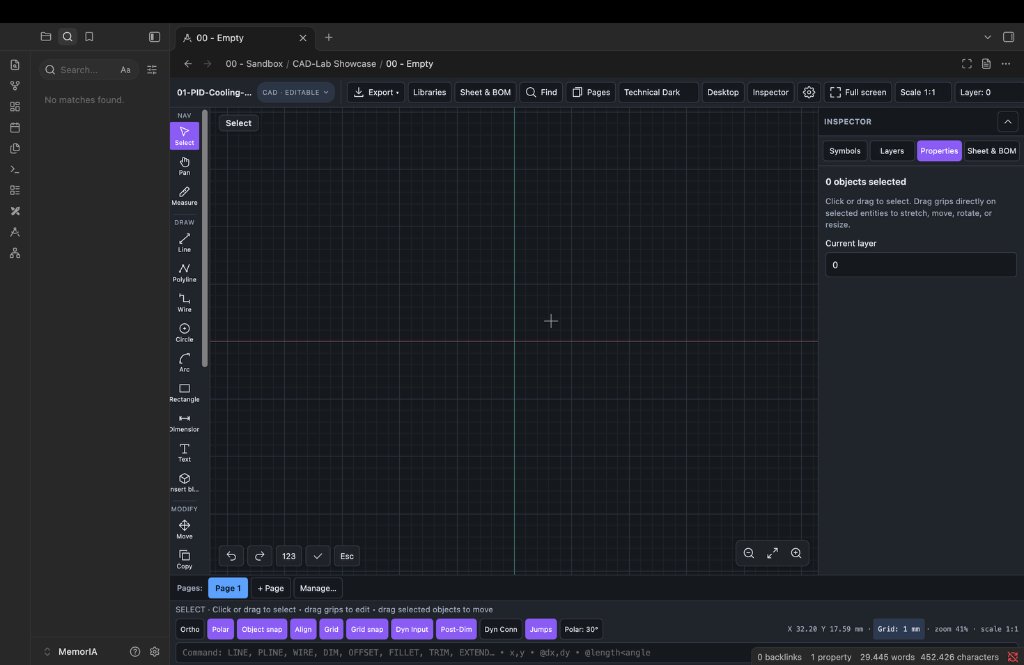
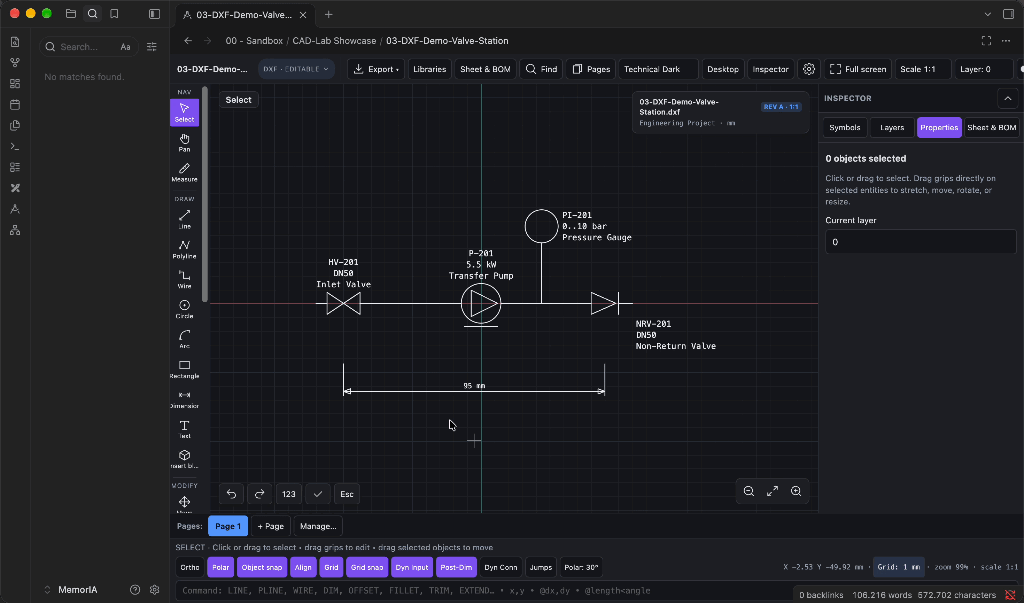
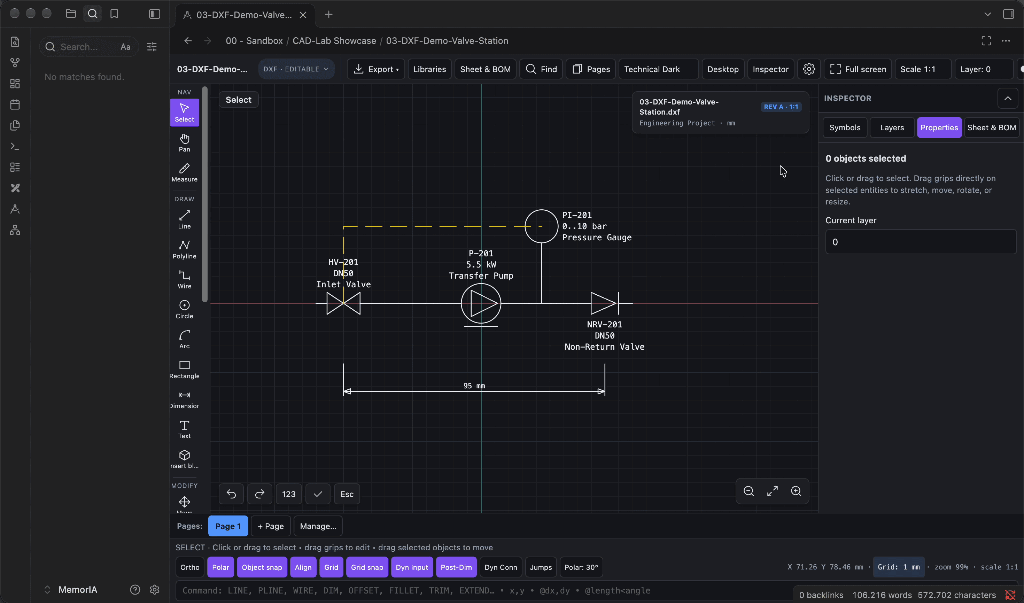
Key Features
- Millimeter Vector Engine (
mm): Exactfloat64world coordinates, analytic OSNAP (Endpoint,Midpoint,Center,Intersection,Port), Polar Tracking, Ortho, Grid Snap (F9), and zoom-independent precision. - 231 Built-in Standards Symbols & Library Manager: Organized across P&ID (
ANSI/ISA-5.1,BS 1646,DIN 28004,ISO 10628,ISO 14617), Electrical Single-Line & Multi-Line (IEC 60617,IEC 62271-1 / EN 62271-200,ANSI Y32,NFPA 79), and General (ISO 128), plus custom.cad-library.jsoncreation and.dxfsymbol import. - Intelligent Wires & Flow Humps: Orthogonal wires attached to symbol ports auto-reroute when blocks move or rotate; configurable Visio-style cross-over jumps, arrow placements (
Start,End,Both,Middle,Every L/N), and custom dash spacing. - Direct DXF Editing & Duplicate-Free Conversion: Open
.dxffiles in Obsidian and choose directly from the top badge dropdown (DXF · READ ONLY ▾) whether to Edit DXF directly in place (R2010), Convert to.cad.md(with the option to trash the source.dxfcleanly), or switch back to Read Only. - Unidirectional Bill of Materials (BOM): Every
.cad.mdnote embeds a Markdown BOM table (Tag,Symbol,Brand,Model,Standard,Value,Description,Layer,Notes) automatically synced from the canvas (Graphic → Table). - Multi-Page Sheets, ISO/ANSI Title Blocks & Vector PDF: Standard
A4–A0/ANSI A–Dborders, ISO 7200 / ANSI Y14.1 title blocks, multi-page tabs, search with layer highlighting (FIND), and true-scale multi-page Vector PDF 1.4 output. - Tablet & Apple Pencil Native Ergonomics: Dedicated
Pen draws · fingers navigatemode with 1-finger pan, 2-finger pinch-zoom, 2-finger tap Undo, 3-finger tap Redo, configurable Apple Pencil hold-loupe, and floating 123 precision numpad.
Installation
From Obsidian Community Plugins (once listed)
- Open Settings → Community plugins → Browse.
- Search for CAD-Lab, click Install, then Enable.
Manual Installation (GitHub Release)
- Download
main.js,manifest.json, andstyles.cssfrom the latest GitHub Release. - Copy them into
<your-vault>/.obsidian/plugins/cad-lab/. - Reload Community Plugins in Obsidian and enable CAD-Lab.
(For development builds into local vaults, npm run deploy compiles production main.js and updates configured vaults while creating automatic backups.)
Getting Started & Mode Switcher
Click the drafting compass ribbon icon or run CAD-Lab: Create new CAD / P&ID drawing from the Command Palette.
Use the interactive status pill in the top bar at any time:
CAD · EDITABLE ▾: Full editing enabled on.cad.mdnotes. Click the badge to temporarily lock the view (Switch to Read Only) and prevent accidental edits.CAD · READ ONLY ▾: Safe inspection mode for.cad.mdnotes. Click the badge and choose Edit CAD drawing to resume editing.DXF · READ ONLY ▾: Source.dxf/ binary.dwgsafe view. For ASCII.dxffiles, click the badge (or banner buttons) to choose Edit DXF directly (saves straight back into the.dxffile in R2010 without creating duplicates) or Convert to.cad.md…(creates a full Markdown CAD note with YAML, BOM & multi-page tabs, optionally trashing the original.dxf).DXF · EDITABLE ▾: Direct R2010.dxfediting active. Click the badge to Convert to.cad.md…or Switch to Read Only.
Commands, Shortcuts & Exact Input
Most tools accept both toolbar/ribbon clicks and AutoCAD-style keyboard commands (dx,dy, @dx,dy, @length<angle), with customizable keyboard shortcuts (F3 OSNAP, F8 ORTHO, F9 Grid Snap) and mouse button/wheel bindings in Settings.
| Tool | Command / alias | Usage |
|---|---|---|
| Line | LINE, L |
First point, next endpoint; Enter finishes (single or chained) |
| Polyline | PLINE, PL |
Pick vertices; CLOSE closes loop; U undoes last vertex; Enter finishes |
| Intelligent wire | WIRE, W |
Connect block port to port/point with automatic orthogonal rerouting |
| Dimension (mm) | DIM, DIMENSION, D |
First & second extension point (aligned, horizontal, vertical, Ø, R) |
| Circle / Arc / Rectangle | C / A / REC |
Center & radius, center/start/end angle, or opposite corners |
| Text | T |
Insertion point, text content, millimeter height, and rotation |
| Insert symbol | I |
Pick symbol from standard hierarchy, then place on canvas |
| Move / Copy | M / CO |
Grab & drag directly; Copy places at pointer and auto-increments BOM TAG (XV4 → XV5) |
| Rotate / Scale / Mirror | RO / SC / MI |
Rotate around base point, scale uniformly, or mirror across two axis points |
| Match Properties | MA, MATCHPROP |
Pick source object, then apply layer, color, linetype, and styles to targets |
| Offset | O, OFFSET |
Offset inside, outside, or both sides simultaneously with live preview |
| Trim / Extend | TR / EX |
Select cutting boundary line, then click segment to trim or extend |
| Fillet / Join / Bridge | F / J |
Corner fillet between lines, join chains, or toggle individual cross-over bridges |
| Find / Print | FIND / PRINT |
Search objects/BOM tags highlighting Layer, or rescale & print standard sheets |
File Formats & Unidirectional BOM
Every .cad.md note follows a clean, inspectable Markdown layout:
- Minimal YAML Frontmatter:
cad-lab: true(drawing scale, units, and component tags are kept clean unless you opt into project preset properties). - Markdown Prose & Unidirectional BOM Table: Between
<!-- cad-bom:start -->and<!-- cad-bom:end -->, CAD-Lab generates a structured BOM table (#,Tag,Component / Symbol,Brand,Model,Standard,Category,Value / Rating,Description,Attributes,Layer,Notes) strictly synchronized from the schematic (Graphic → Table). - Fenced
cad-dataBlock: Validated millimeter JSON model storing layers, custom linetypes, symbols, multi-page sheets, dimensions, and title blocks.
DXF / DWG & True-Scale Vector PDF Export
- Vector PDF: Export Vector PDF (in scale) or Print / Fit to Standard Paper… via Export ▾ to generate native multi-page PDF 1.4 files with exact millimeter scaling, dash patterns, flow jumps, arrowheads, borders, and title blocks.
- DXF & DWG: Export standards-compliant ASCII AutoCAD R2010 (
AC1024) withTABLES,BLOCKS,ATTRIB/ATTDEF,DIMENSION, linetypes, andOBSIDIAN_CADXDATA. Import supports.dxfand ASCII.dwg; binary AutoCAD.dwgcontainers (AC1009–AC1032) are inspected losslessly to show DWG release metadata, binary sections, and embedded preview thumbnails.
Support
If you find CAD-Lab useful for your engineering schematics, P&ID documentation, or field work in Obsidian, you can support ongoing development on Ko-fi:
Author & License
Written and maintained by Alessandro Abrami (github.com/ide-ale/obsidian-cad-lab).
Released under the GNU Affero General Public License v3.0 (AGPL-3.0).