Blockquote Levels
 Carlo Zottmann5k downloads
Add commands for increasing/decreasing the blockquote level of the current line or selection(s).
- Overview
- Scorecard
- Updates2

Blockquote Levels
This plugin for Obsidian adds commands for increasing/decreasing the blockquote level of the current line or selection(s).
Usage
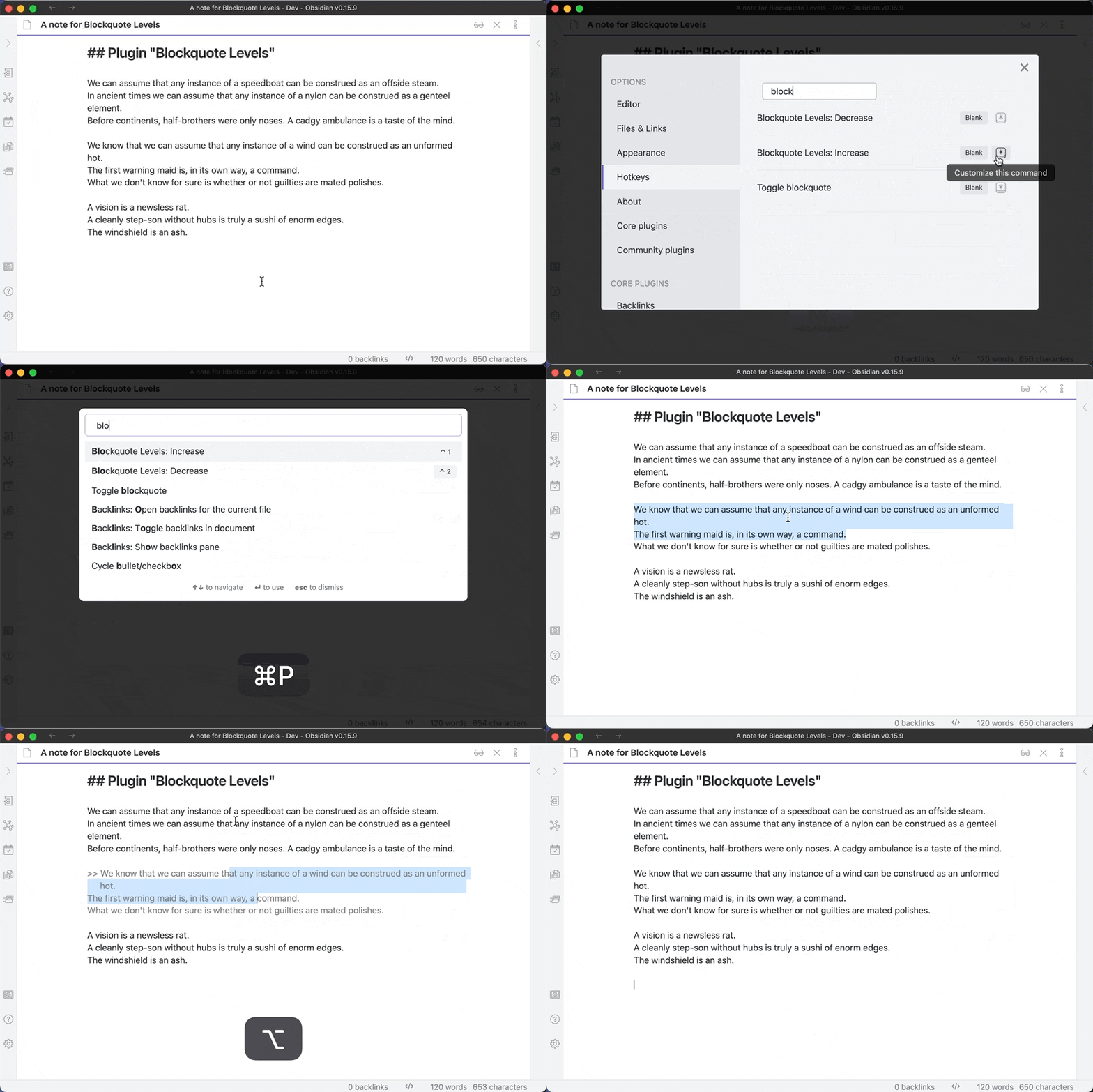
The plugin introduces two new commands, "Blockquote Levels: Increase" and "Blockquote Levels: Decrease".
"Increase" adds a Markdown blockquote prefix (>) to the current line, the current selection or selections. Subsequent calls will add subsequent prefixes, thus increasing the quote levels.
"Decrease" removes the first Markdown blockquote prefix (>) from the current line, the current selection or selections. Mix'n'match is fine as each line is processed individually; when the selected lines sport different quote levels, only one prefix (>) is removed from each line (where present).
Out of the box the plugin doesn't set hotkeys, set them yourself as you see fit, or trigger the commands using the command palette. The World is your oyster!
Showcase
Bug Reports & Discussions
For bug reports please use this repo's Issues section — thank you!
I've moved all plugin discussions to the ActionsDotWork Forum which is a hub for both my Obsidian plugins and the macOS/iOS productivity apps I'm building: Carlo's Obsidian Plugins - ActionsDotWork Forum.
The forum supports single-sign-on via GitHub, Apple and Google, meaning you can log in with your GitHub account.
Installation
- Search for "Blockquote Levels" in Obsidian's community plugins browser. (This link should bring it up.)
- Install it.
- Enable the plugin in your Obsidian settings under "Community plugins".
That's it.
Installation via BRAT (for pre-releases or betas)
- Install BRAT.
- Add "Blockquote Levels" to BRAT:
- Open "Obsidian42 - BRAT" via Settings → Community Plugins
- Click "Add Beta plugin"
- Use the repository address
czottmann/obsidian-blockquote-levels
- Enable "Blockquote Levels" under Settings → Options → Community Plugins
Development
Clone the repository, run pnpm install OR npm install to install the dependencies. Afterwards, run pnpm dev OR npm run dev to compile and have it watch for file changes.
Thanks to …
- the obsidian-tasks crew for the "starter templates" for the GitHub Action workflow and the handy
release.shscript
Author
Carlo Zottmann, [email protected], https://zottmann.org/
License
MIT, see LICENSE.md.