Search...Search plugins and themes...
⌘K
Sign in
  • Get started
  • Download
  • Pricing
  • Enterprise
  • Account
  • Obsidian
  • Overview
  • Sync
  • Publish
  • Canvas
  • Mobile
  • Web Clipper
  • CLI
  • Learn
  • Help
  • Developers
  • Changelog
  • About
  • Roadmap
  • Blog
  • Resources
  • System status
  • License overview
  • Terms of service
  • Privacy policy
  • Security
  • Community
  • Plugins
  • Themes
  • Discord
  • Forum / 中文论坛
  • Merch store
  • Brand guidelines
Follow us
DiscordTwitterBlueskyThreadsMastodonYouTubeGitHub
© 2026 Obsidian

Black Hole Graph

slow217 downloads

Your vault as a black hole: every folder is an orbit in the accretion disc, every note a star. Eight looks: Gargantua, Quasar, Interstellar, Polarized, Maelstrom, Galaxy, Eclipse and Binary.

Add to Obsidian
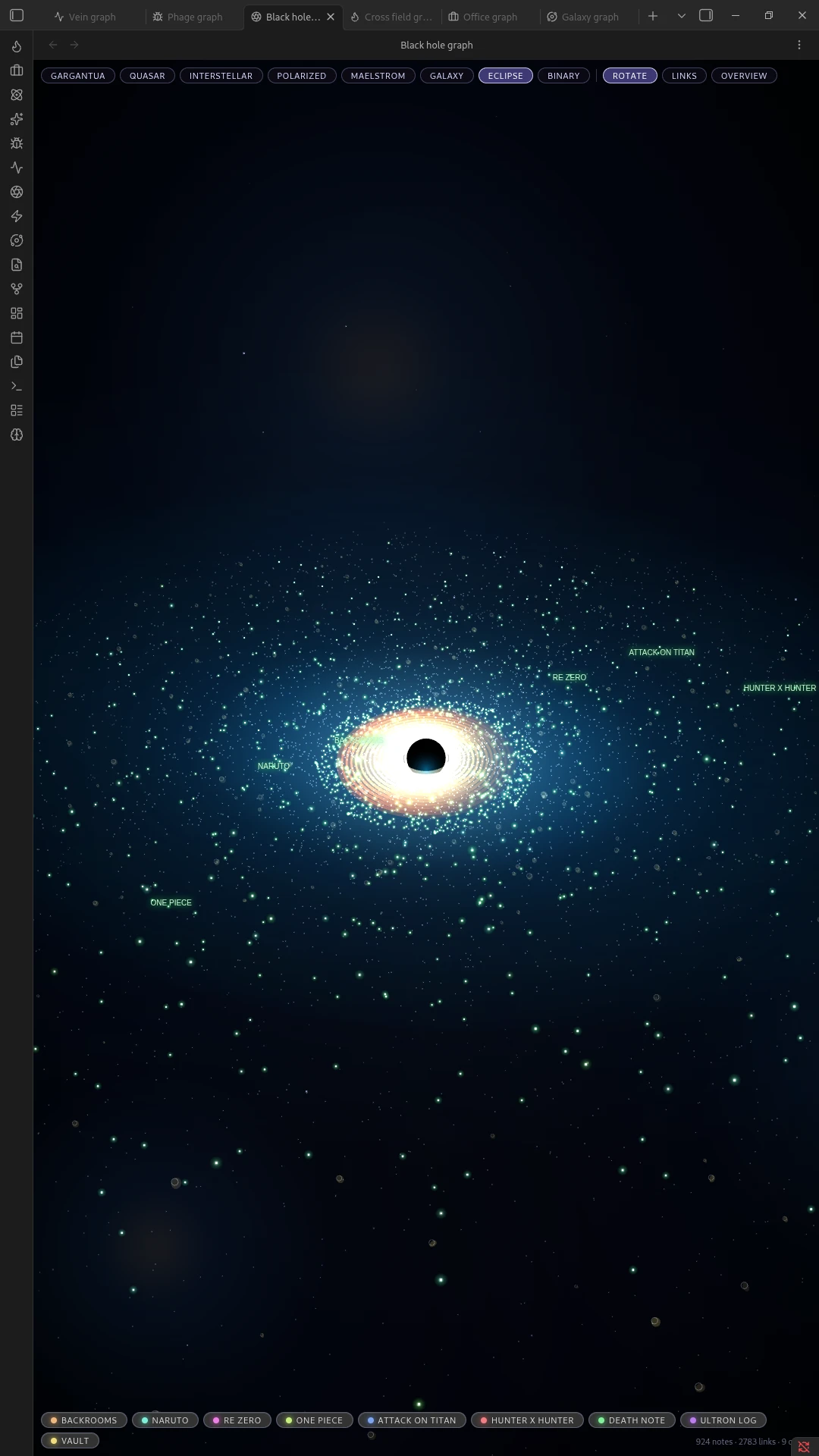
Black Hole Graph screenshot
  • Overview
  • Scorecard
  • Updates2

Turns your Obsidian graph view into a black hole. Every top-level folder becomes an orbit in the accretion disc; every note becomes a star in that orbit. Notes that link to each other are pulled visually closer within the disc.

Pan and zoom the scene, click a folder's orbit to focus on it, and click any star to open its note.

Looks

The plugin ships with eight visual modes you can switch between from the toolbar, each restyling the same underlying data:

Gargantua

The warped, lensed ring look of the black hole from Interstellar.
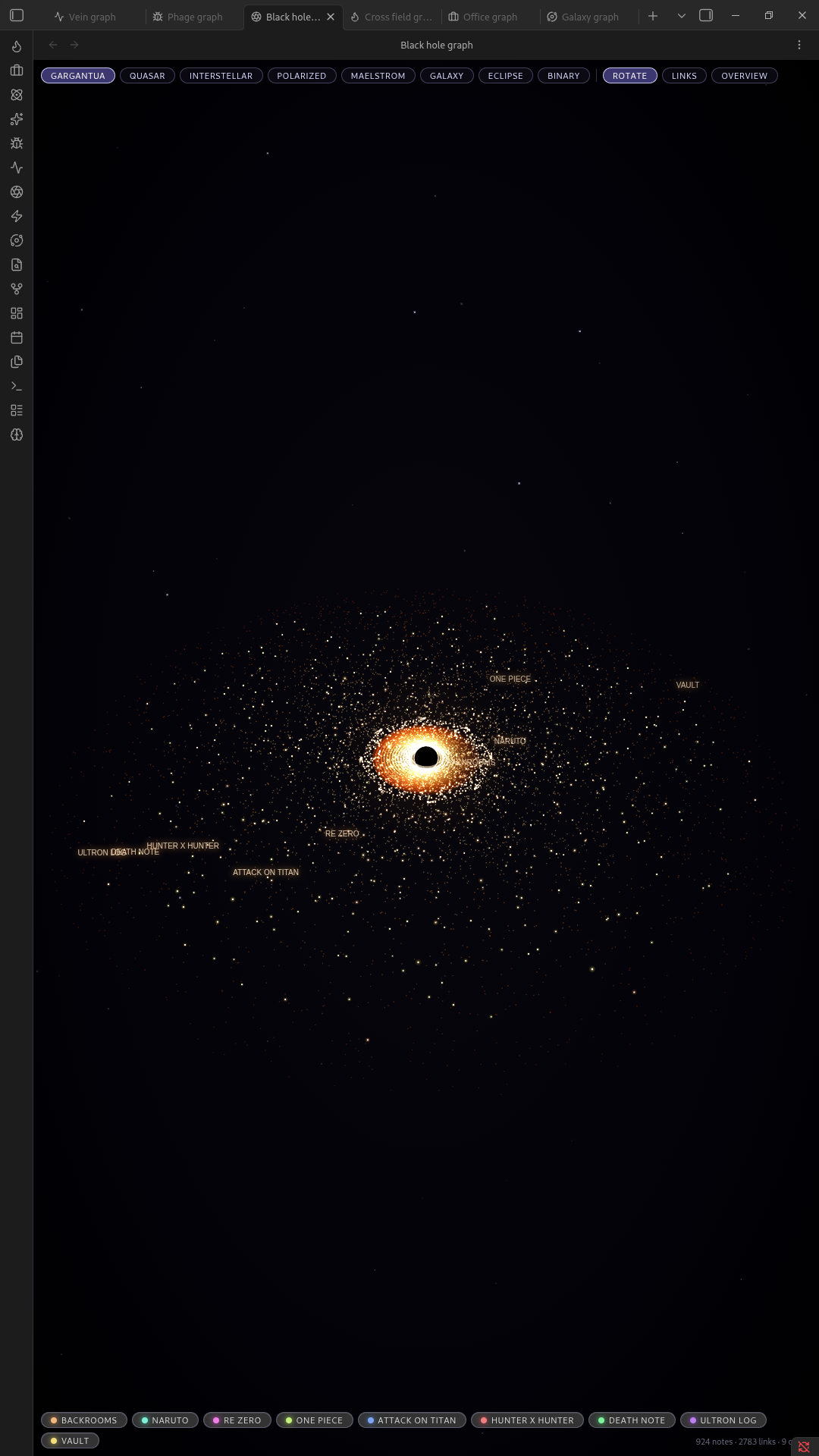
Gargantua mode

Quasar

A bright, energetic core with jets.
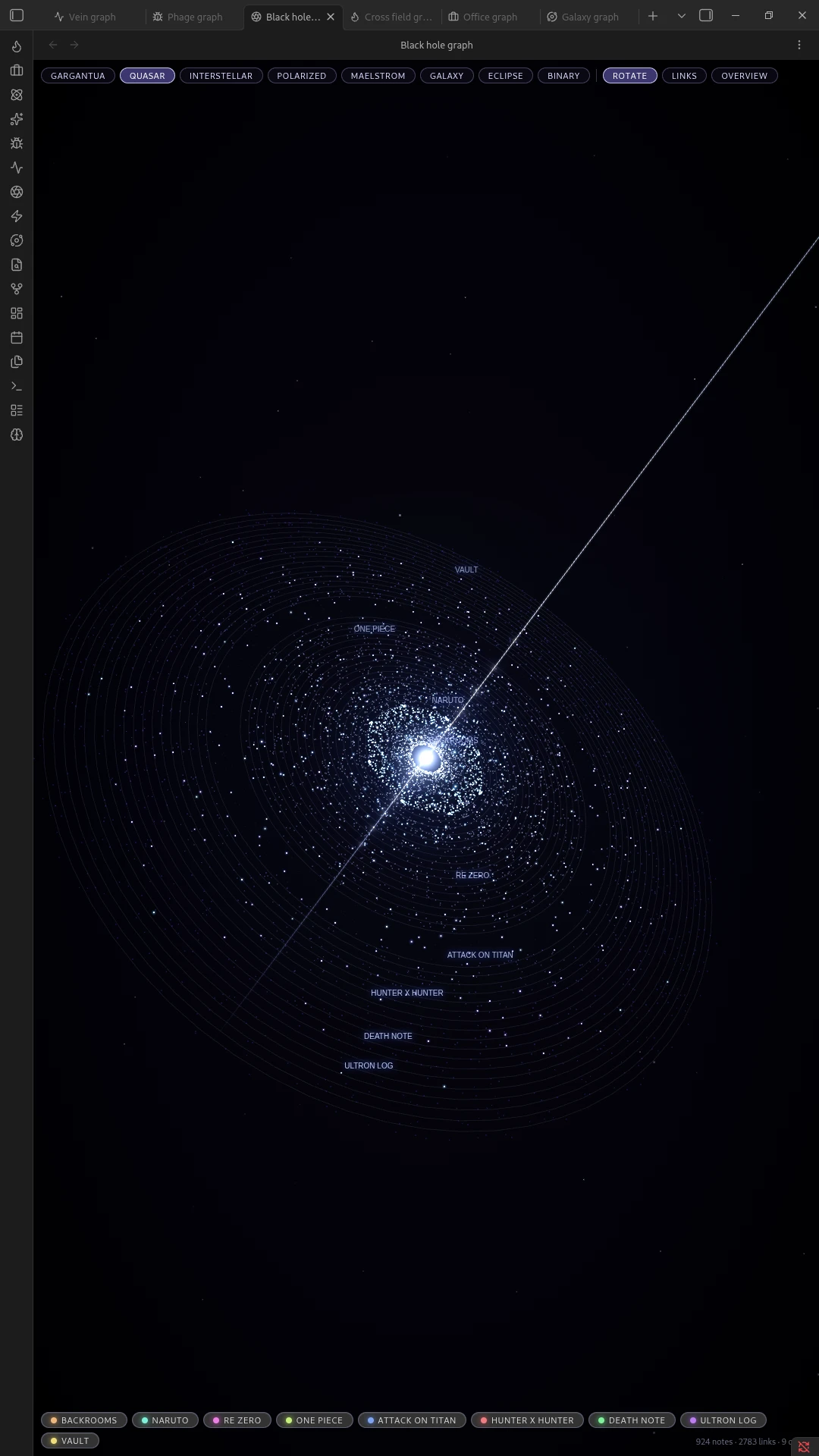
Quasar mode

Interstellar

A softer, more naturalistic version of Gargantua.
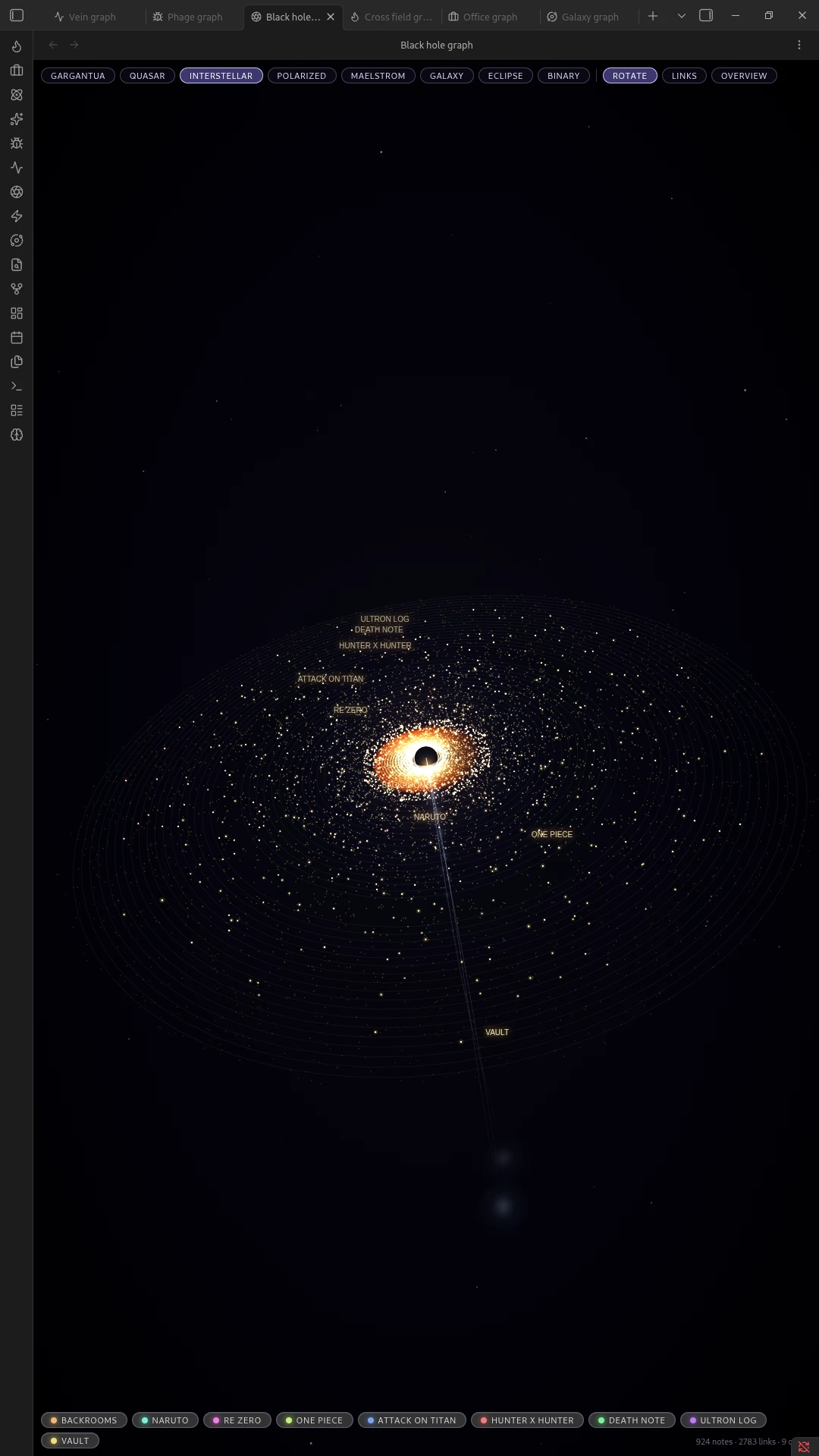
Interstellar mode

Polarized

A high-contrast, sharply banded disc.
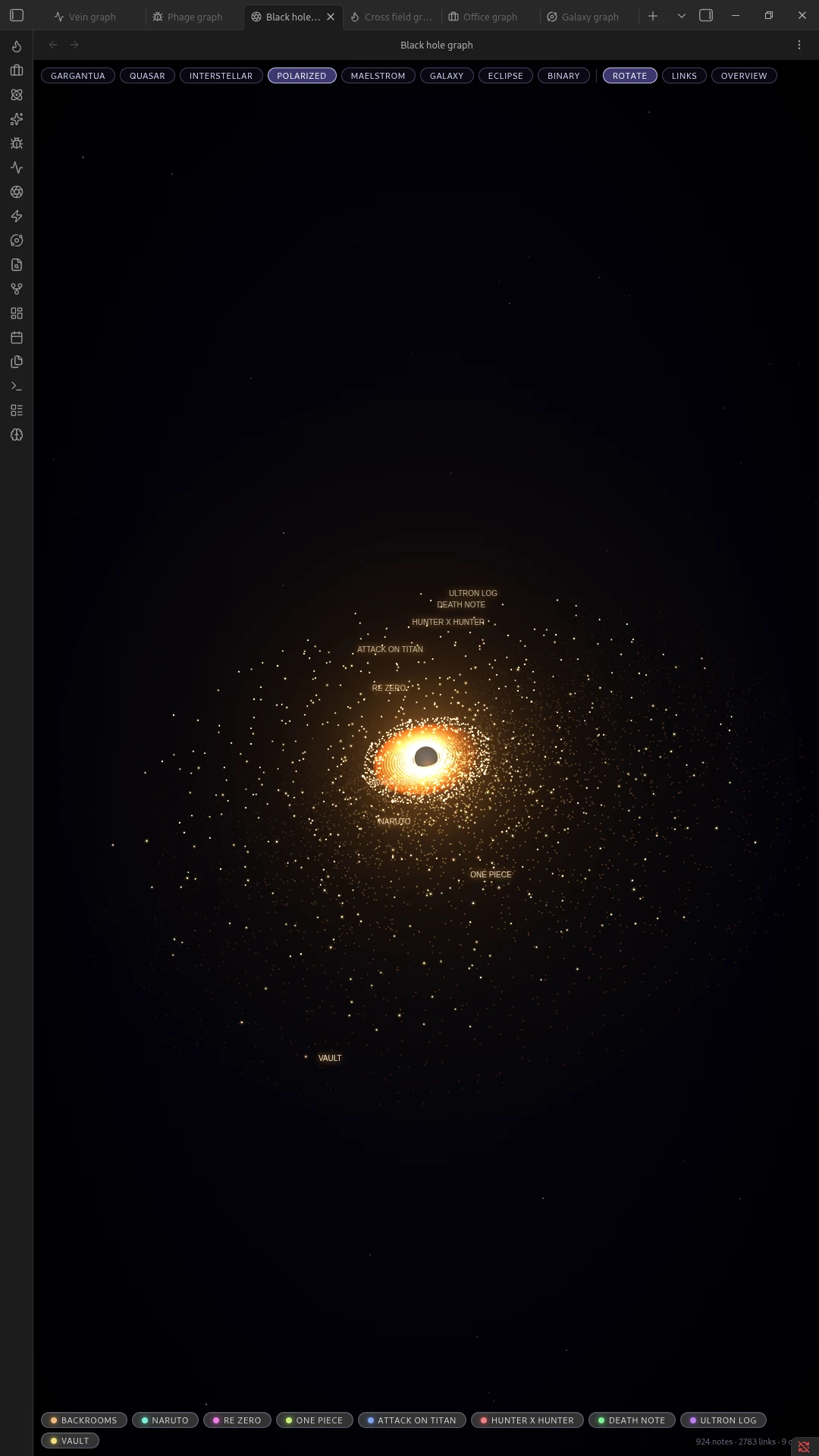
Polarized mode

Maelstrom

A swirling, turbulent disc with heavy motion.
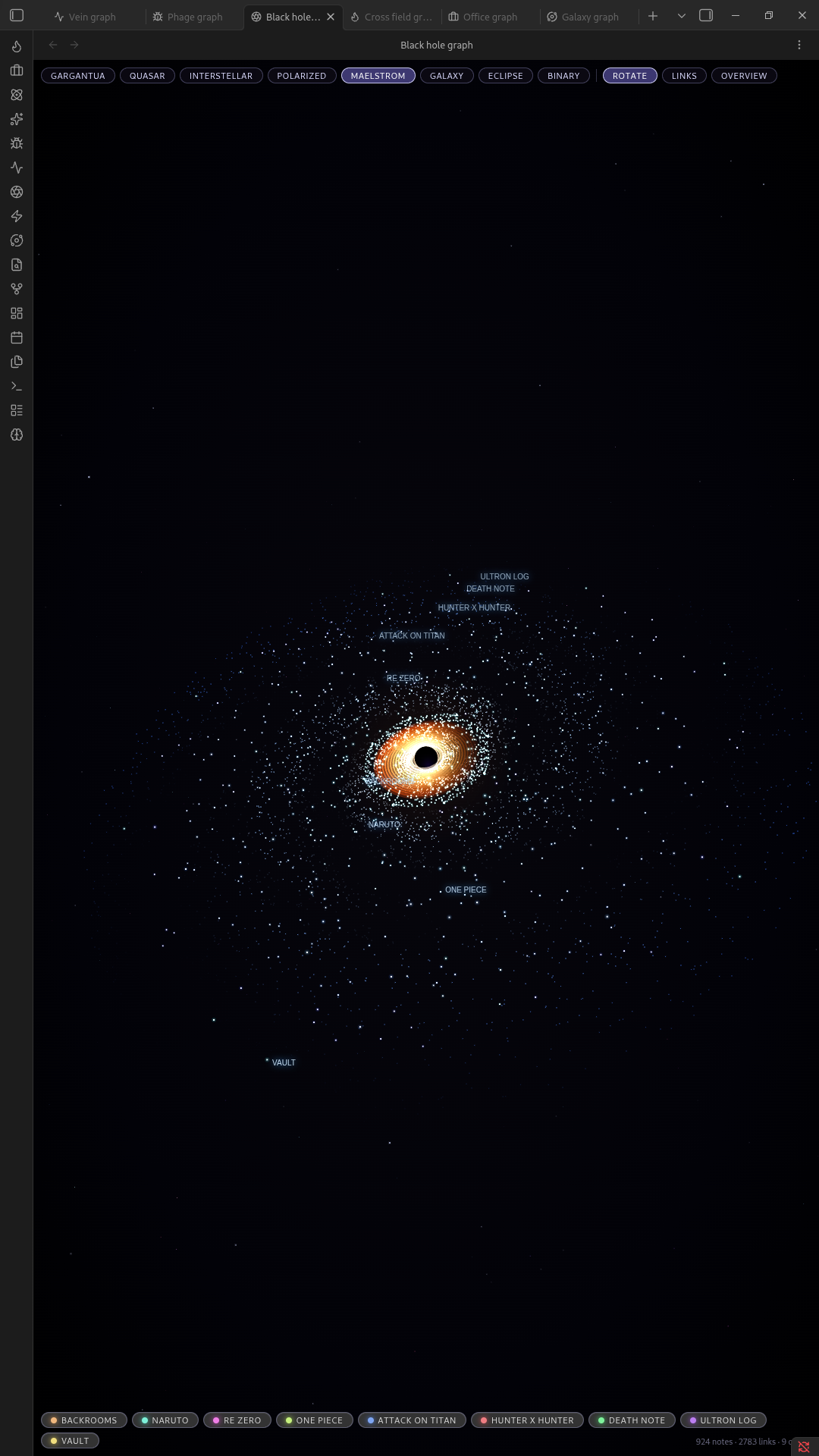
Maelstrom mode

Galaxy

A spiral-armed galaxy instead of a single hole.
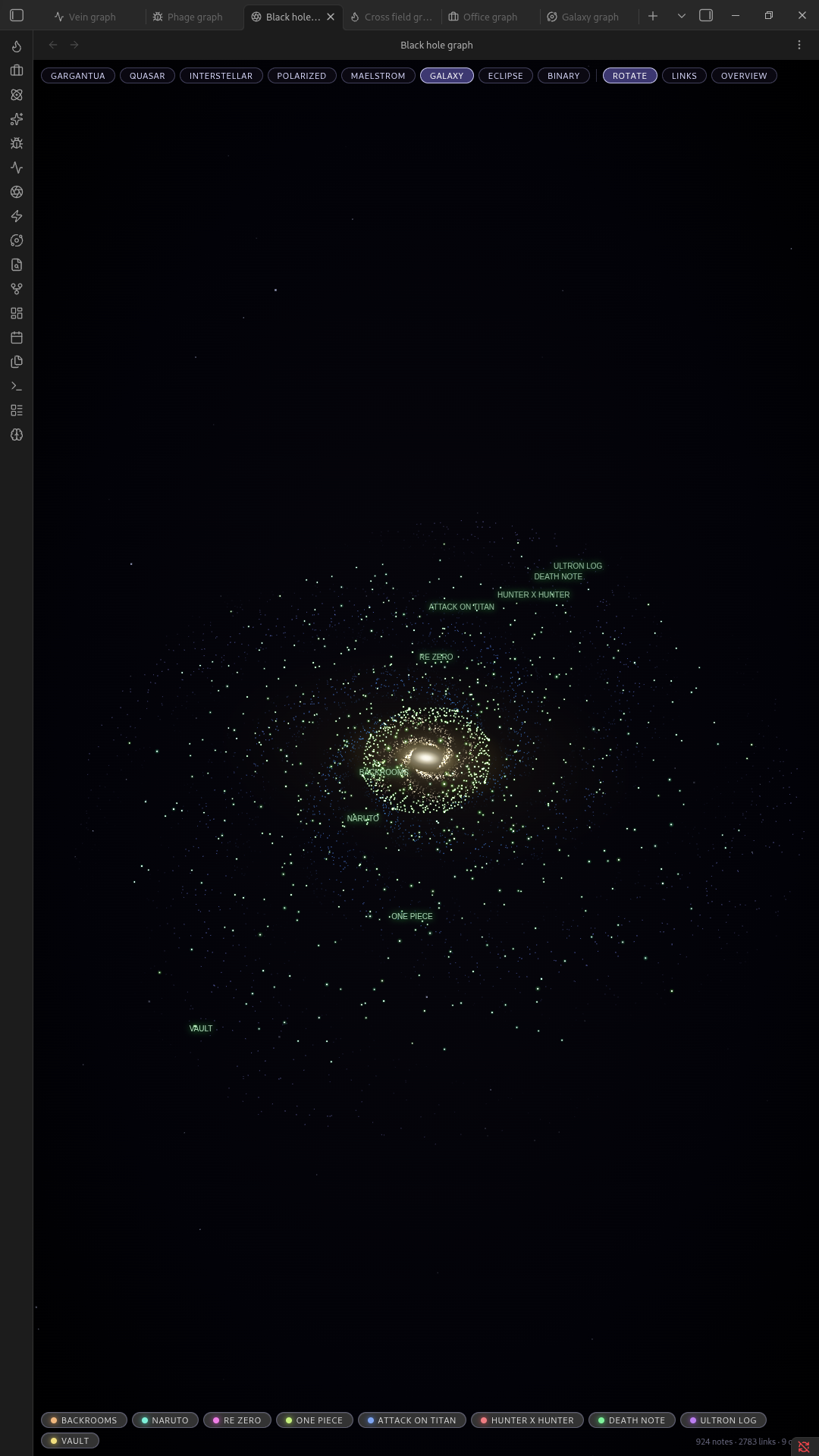
Galaxy mode

Eclipse

A silvery, backlit ring.

Eclipse mode

Binary

Two black holes orbiting each other.
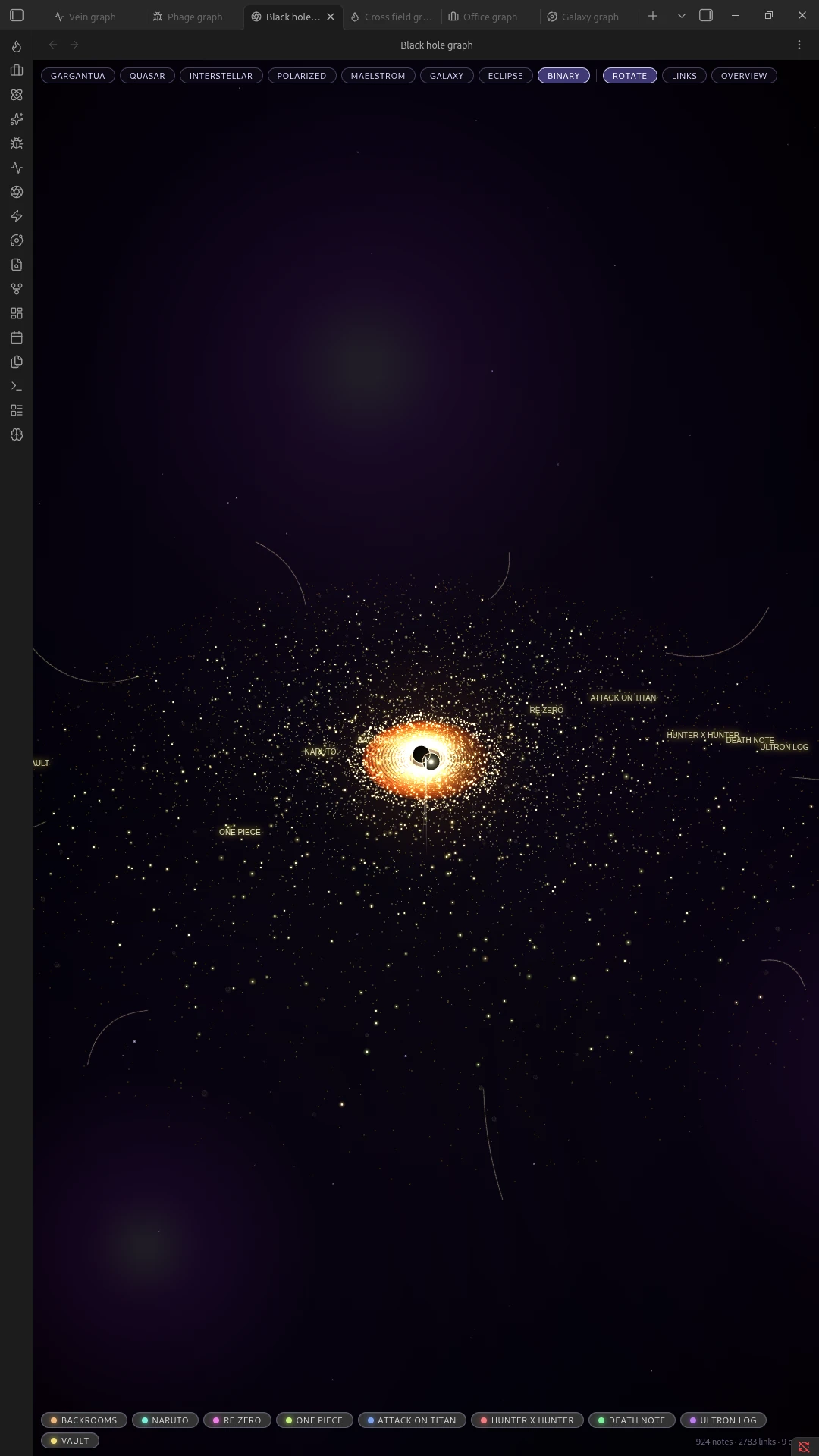
Binary mode

Installation

Manual

  1. Download main.js, manifest.json, and styles.css from the latest release.
  2. Create a folder named black-hole-graph inside your vault's .obsidian/plugins/ directory.
  3. Place the three downloaded files in that folder.
  4. Reload Obsidian and enable Black Hole Graph under Settings → Community plugins.

Community Plugins browser

Once accepted into Obsidian's directory, search for "Black Hole Graph" under Settings → Community plugins → Browse, and install it from there.

Usage

  • Open the graph with the ribbon icon, the command palette (Open black hole graph), or the toolbar.
  • Drag to pan, scroll or pinch to zoom.
  • Click a star to open its note.
  • Click a folder label / orbit to focus the camera on that folder.
  • Switch looks and toggle effects (links, motion, etc.) from the in-view toolbar.

License

MIT, see LICENSE.

HealthExcellent
ReviewPassed
About
Transform your graph into a black-hole accretion disc where top-level folders become orbits and notes appear as stars pulled together by links. Pan and zoom the scene, click an orbit to focus a folder or a star to open its note, and switch among eight visual modes (Gargantua, Quasar, Interstellar, Maelstrom, Galaxy, Eclipse, Binary, Polarized). (there are more screenshots in the GitHub respiratory page of other versions)
VisualizationNavigationAppearance
Details
Current version
2.2.0
Last updated
3 weeks ago
Created
3 weeks ago
Updates
2 releases
Downloads
217
Compatible with
Obsidian 1.5.0+
Platforms
Desktop, Mobile
License
MIT
Report bugRequest featureReport plugin
Author
slowslow
  1. Community
  2. Plugins
  3. Visualization
  4. Black Hole Graph

Related plugins

Breadcrumbs

Visualise the hierarchy of your vault using a breadcrumb trail or matrix view.

Strange New Worlds

Reveal networked thought and the strange new worlds created by your vault.

Notebook Navigator

A better file browser and calendar inspired by Apple Notes, Bear, Evernote and Day One.

Excalidraw

Visual PKM powerhouse. Create and edit Excalidraw drawings.

Advanced Canvas

Supercharge your canvas experience. Create presentations, flowcharts and more.

Minimal Theme Settings

Control the colors and fonts in Minimal Theme.

Homepage

Open a note, base, or workspace on startup, or set it for quick access later.

ExcaliBrain

An interactive, structured mind-map of your Obsidian vault.

Hider

Hide interface elements such as tooltips, status bar, titlebar, and more.

Quick Switcher++

Enhanced Quick Switcher, search open panels, and symbols.