Bible Verse
 kilrkrow1k downloads
Look up and display Bible verses directly in your notes using the HelloAO Bible API. Supports inline references, code blocks, comparison views, and multiple Bible websites. No API key required.
- Overview
- Scorecard
- Updates13
Look up and display Bible verses directly in your Obsidian notes. Powered by the HelloAO Bible API, with support for multiple translations, comparison views, and links to popular Bible websites. No API key required for the built-in translations — and the ESV is also available inline with your own free API key.
Features
- Inline references — Type
{John 3:16}anywhere in your notes to display a linked verse - IntelliSense autocomplete — Typing inside
{…}shows book name suggestions and confirms complete references - Code block display — Use
```bibleblocks for full verse rendering with custom translation - Comparison view — Compare verses across multiple translations side by side
- Multiple display styles — Sidebar, Callout, Blockquote, Inline, or Native callout (baked, collapsible)
- Bible website links — Links to BibleHub, BibleGateway, Blue Letter Bible, or Bible.com
- Local caching — Fetched verses are cached locally to reduce API calls
- Markdown Support — Bold, italics, and highlights are preserved within "baked" scripture text
- ESV inline text — Add your own free ESV API key to display the English Standard Version inline, not just as a link (attribution shown automatically, per Crossway's license)
- Link-Only Mode — Access restricted translations (NIV, NLT, NKJV, etc.) via beautiful hyperlinked "pills"
- Bake mode — Optionally persist verse text directly in your note source (Smart Non-Destructive Baking)
- Verse Numbers — Optional display of verse numbers (e.g.
1.) for easy reference - Structural Formatting — Respects poetic line breaks and paragraphs from the source text
- IntelliSense Autocomplete — Suggestions for books, complete references, and translations
- Theme Integrated — Uses native Obsidian design tokens for a premium look in both Light and Dark mode
- No API key needed — The built-in translations use the free HelloAO Bible API with no registration required (the ESV is optional, with your own key)
Screenshots
Hero — curly-brace reference to rendered verse in Live Preview:
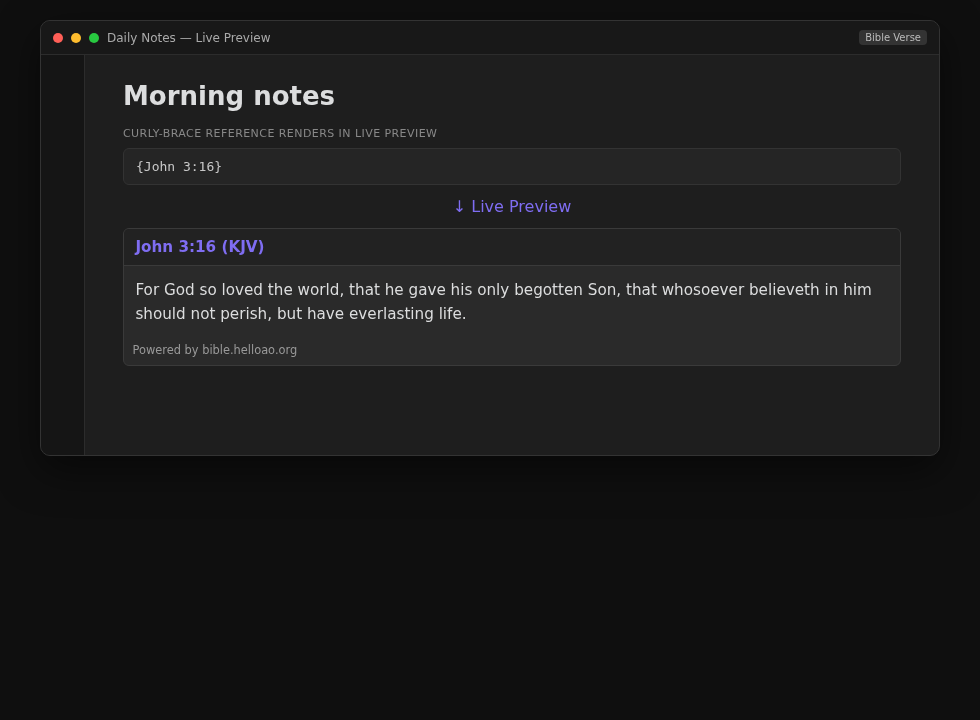
Display styles (Settings → Display style, or per-reference overrides):
| Style | Preview |
|---|---|
| Sidebar | 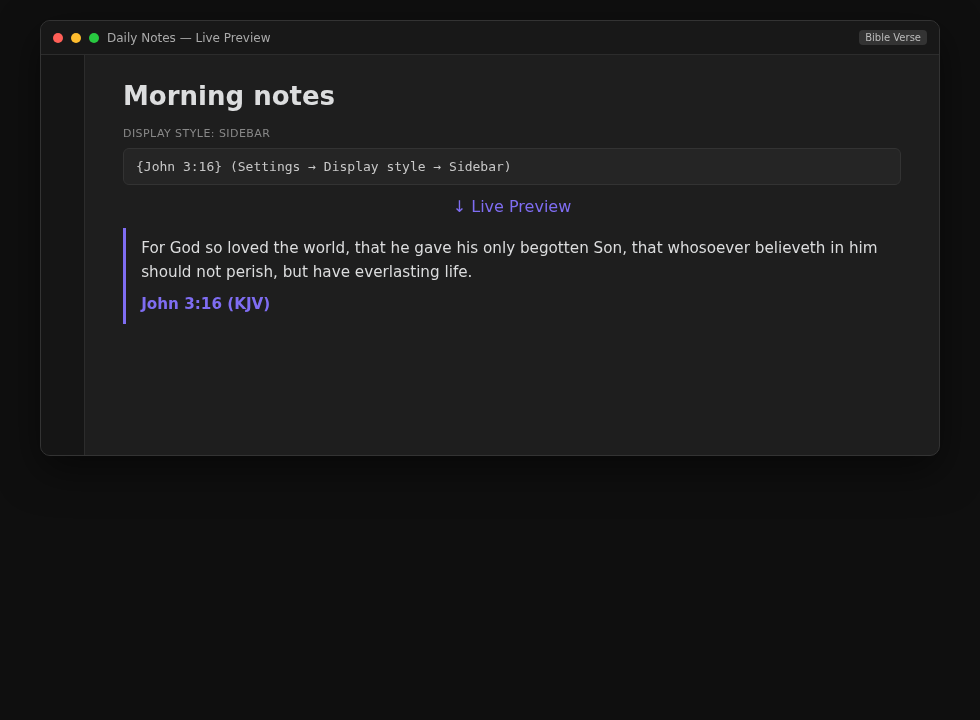 |
| Callout | 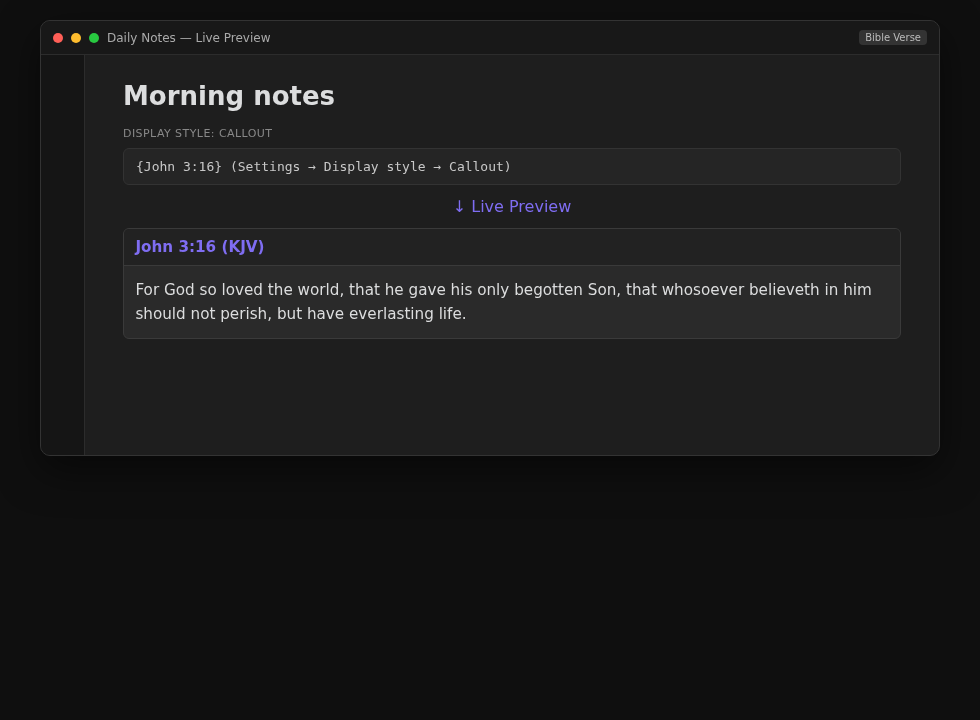 |
| Blockquote | 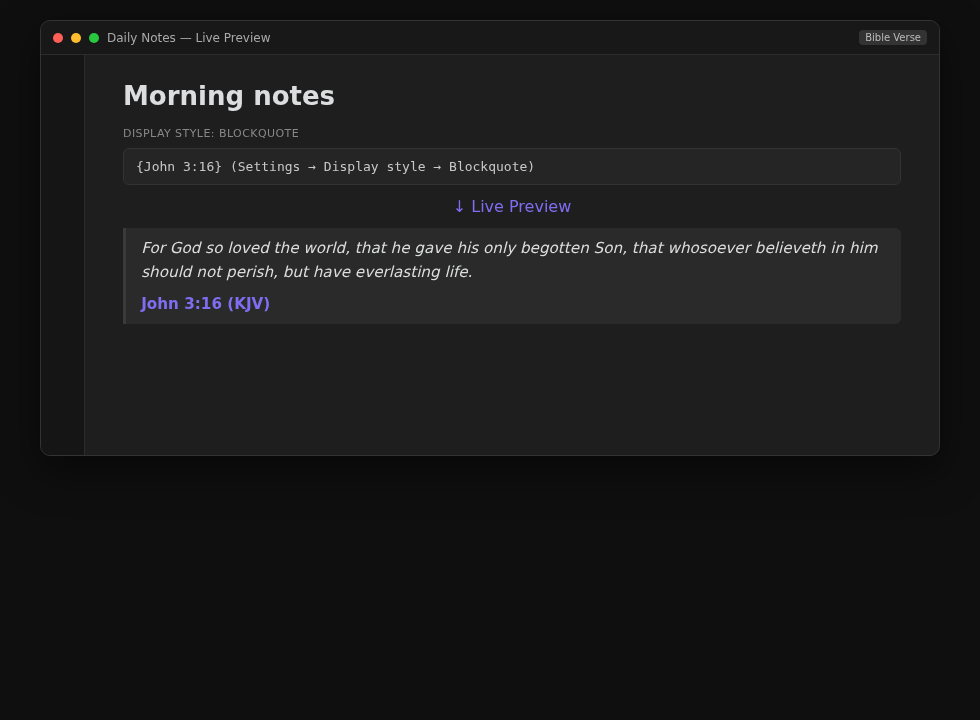 |
| Inline | 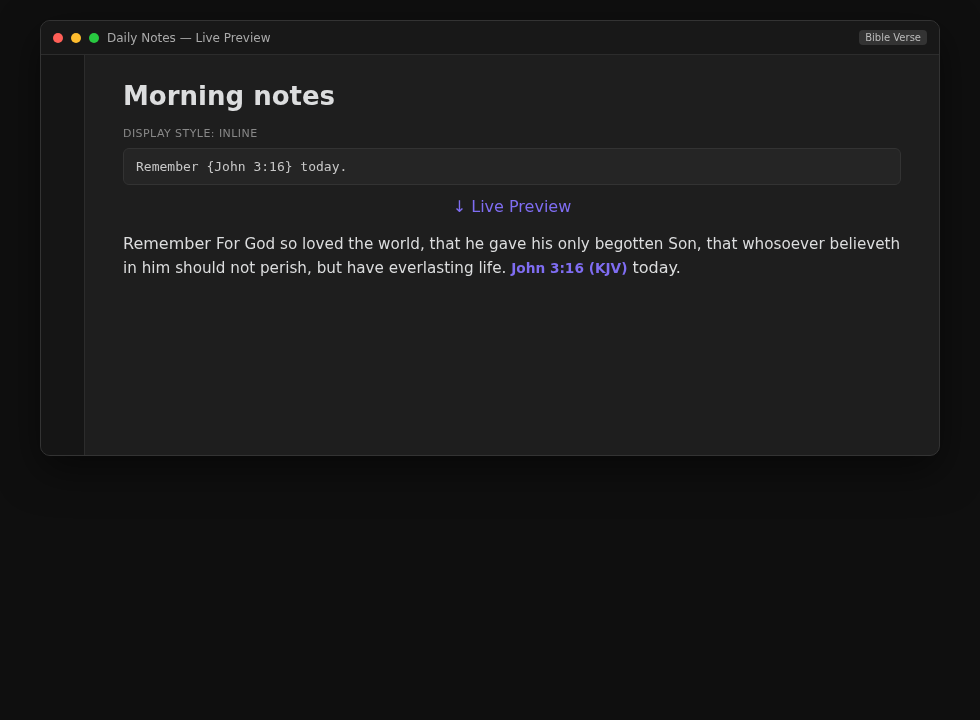 |
| Native callout (bake) | 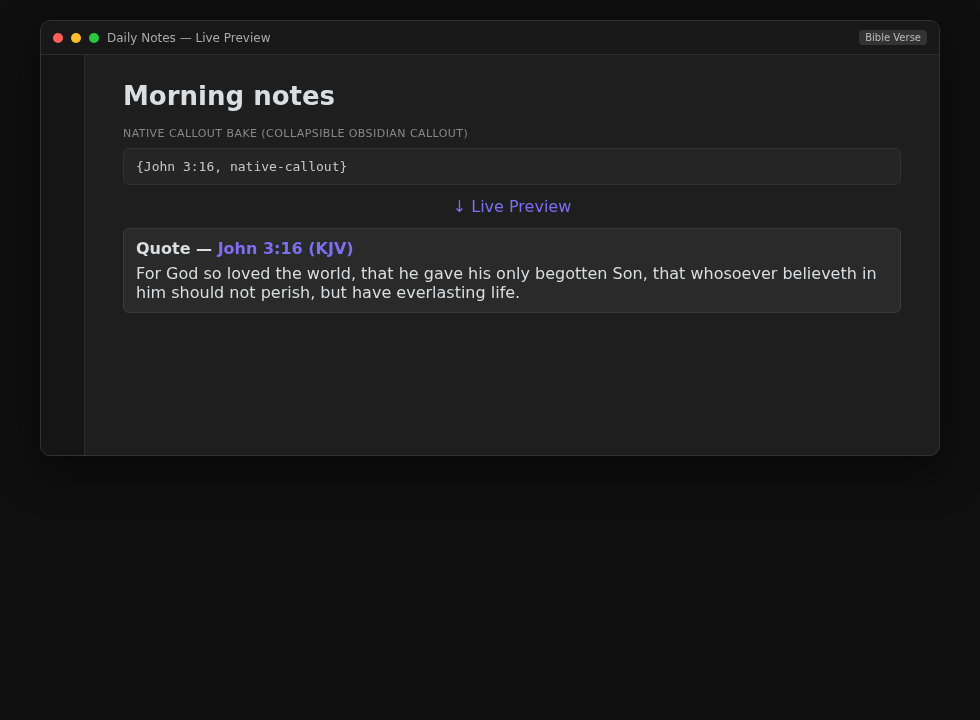 |
Installation
Manual Installation
- Download
main.js,manifest.json, andstyles.cssfrom the latest release - Create a folder
obsidian-bible-versein your vault's.obsidian/plugins/directory - Copy the three files into the folder
- Enable the plugin in Obsidian Settings → Community plugins
Community Plugin (when available)
- Open Obsidian Settings → Community plugins
- Search for "Bible Verse"
- Install and enable
Usage
Inline Syntax
Wrap any Bible reference in curly braces anywhere in your notes:
{John 3:16}
{1 Corinthians 13:4-7}
{Psalm 23}
{John 3:16-21,25}
The plugin renders the verse inline in Reading view and Live Preview. In Edit mode, the {ref} marker remains as plain text so you always know what is embedded in your note.
IntelliSense Autocomplete
Typing inside {…} activates autocomplete suggestions:
- Book names — type a few letters (e.g.
{co) to see matching books likeColossians,1 Corinthians,2 Corinthians - Alias support — common abbreviations work too (e.g.
{1co→1 Corinthians) - Complete reference — once you have typed a full reference like
{John 3:16, the formatted reference appears as a single suggestion; press Enter or Tab to confirm and close the braces - Translations & Styles — After a reference, type a comma and space (e.g.,
{John 3:16,) to see a list of all supported translations (including "🔗 Link-only" versions) and display styles.
Selecting a book-only suggestion inserts it with a trailing space so you can continue typing the chapter and verse number.
Inline Translation and Style Overrides
Both a translation and a display style can be specified inside the braces by appending comma-separated tokens after the reference. Translation codes are matched first, then a known style keyword (sidebar, callout, blockquote, inline, native-callout) wins when ambiguous.
{John 3:16, KJV}                  -- override translation
{John 3:16, KJV, DARBY}           -- side-by-side comparison
{John 3:16, sidebar}              -- default translation, force sidebar style
{John 3:16, KJV, sidebar}         -- KJV in sidebar style
{John 3:16, KJV, DARBY, callout}  -- comparison (style is ignored here)
Formatting Overrides
You can override your global settings for verse numbers and line breaks on a per-quote basis using these keywords:
v/no-v— Force verse numbers on or off.nl/no-nl— Force each verse onto a new line (nl) or keep them in a single paragraph (no-nl).
{John 3:16-17, no-v}             -- hide verse numbers for this quote
{John 3:16-17, KJV, nl}          -- KJV with each verse on a new line
{John 3:16-17, KJV, nl, no-v}    -- KJV, new lines, no numbers
Baking into your note (bake and native-callout)
"Baking" writes a verse's text permanently into your note as ordinary Markdown, so it reads even without the plugin. Two tokens trigger a one-way bake on render — after which the plugin no longer tracks that reference (it's just text you own):
bake— bakes into a```biblecode block (the same format as the bake commands).native-callout(aliasnco) — bakes into a real, collapsible Obsidian callout:> [!quote]+ [John 3:16 (KJV)](…). Because it's a genuine callout, it inherits your theme, icon packs, and fold behavior. Add-to start it collapsed (nco-),+to force expanded.
{John 3:16, bake}                -- bake into a code block
{John 3:16, native-callout}      -- bake into a collapsible callout (expanded)
{John 3:16, ESV, nco-}           -- ESV, baked as a callout that starts collapsed
The callout type (default quote) is configurable in Settings → Bible Verse → Native callout type — set it to bible (or whatever your icon pack defines) to apply custom icons. Selecting Native callout as your default display style will auto-bake every reference you add. In the editor, a reference that will bake shows a placeholder pill until the note is viewed in Reading mode.
ESV (with your own API key)
The English Standard Version can be displayed inline once you supply your own free API key:
- Sign up at api.esv.org and create an API key.
- Paste it into Settings → Bible Verse → ESV API key.
ESV references then render as text like any other translation. Without a key, ESV falls back to a link pill. The ESV license requires attribution, so the Crossway copyright notice is shown automatically for ESV verses regardless of the "Show attribution" setting.
{John 3:16, ESV} -- Renders as text once a key is set (otherwise a link pill)
Link-Only Translations
Other commercially licensed translations (NIV, NLT, NKJV, NASB, AMP, CSB) cannot be fetched as text due to licensing restrictions. When these are selected, the plugin renders a beautiful "Link Pill" that takes you directly to the verse on your preferred Bible website.
{John 3:16, NIV} -- Renders as a hyperlink pill
Code Block
Use a bible code block for full verse display:
```bible
John 3:16
translation: KJV
style: sidebar
newline: true      -- override: each verse on a new line
numbers: false     -- override: hide verse numbers
```
The style: key accepts sidebar, callout, blockquote, or inline and overrides the global display style for this block only. The newline: and numbers: keys accept true or false.
Comparison View
Compare multiple translations:
```bible
Romans 8:28
compare: KJV, BSB, ASV
```
Available Translations
Text-Display Translations (Freely Available)
| Abbreviation | Translation |
|---|---|
| KJV | King James Version |
| BSB | Berean Standard Bible |
| ASV | American Standard Version |
| WEB | World English Bible |
| NET | NET Bible |
| DARBY | Darby Translation |
| DRB | Douay-Rheims 1899 |
| ERV | Revised Version |
| YLT | Young's Literal Translation |
| BBE | Bible in Basic English |
| FBV | Free Bible Version |
| LSV | Literal Standard Version |
| MSB | Majority Standard Bible |
| GNV | Geneva Bible 1599 |
| OJB | Orthodox Jewish Bible |
API-Key Translations
Available inline with your own free API key (otherwise rendered as a link):
| Abbreviation | Translation | Provider |
|---|---|---|
| ESV | English Standard Version | api.esv.org |
Link-Only Translations (Commercially Licensed)
The following translations render as a hyperlink to your preferred Bible website:
- NIV — New International Version
- NLT — New Living Translation
- NKJV — New King James Version
- NASB — New American Standard Bible
- AMP — Amplified Bible
- CSB — Christian Standard Bible
Settings
| Setting | Description | Default |
|---|---|---|
| Default translation | Which translation to use by default | KJV |
| Preferred Bible website | Which Bible website to link to | BibleGateway |
| Display style | Visual presentation of verses | Callout |
| Sidebar top padding | Top spacing for the Sidebar style (in ems) | 0.5 |
| Show verse numbers | Toggle verse numbers (e.g. 1.) |
On |
| New line per verse | Each verse starts on a new line | Off |
| Persist verse text in notes | Automatically bake verse text when rendering | Off |
| Show attribution | Display license and copyright links below verses | Off |
| Bake inline references | Convert {ref} to code block when baking |
Off |
| ESV API key | Your api.esv.org key, to display ESV text inline | (empty) |
Baking and Persisting Text
When "Persist Verse Text" is enabled, fetched verse text is stored directly inside the ```bible code block. This ensures your notes are offline-ready and readable by anyone, even if they don't have the plugin installed.
John 3:16
translation: KJV
---
16. For God so loved the world...
Markdown Support: You can use bold, italics, and ==highlights== within baked scripture text. These styles will be preserved if you refresh the verse later.
Commands
Lookup & insert:
- Search Bible for selected text — Select any text (in edit mode or Reading view) and run this to search your preferred Bible website for it. The selection is also copied to your clipboard.
- Quick insert reference — Open a dialog to insert a
{reference}, optionally opening it on your preferred Bible website at the same time. - Open reference at cursor on Bible site — Place the cursor on a
{ref}while editing and run this to open that passage on your preferred Bible website. (edit mode)
Baking & cache:
- Bake all verses in this note — Fetch and embed all
{ref}verses in the current note - Refresh baked verses in this note — Re-fetch and update all baked verses
- Refresh all baked verses in vault — Re-fetch across all notes
- Bake all existing verses across vault — Bake all
{ref}markers in every note - Strip baked text from all notes — Remove all baked text, keeping only
{ref}markers - Clear verse cache — Clear the local verse cache to free up space
Troubleshooting
Verse not found
- Check the book name and chapter/verse (typos and unsupported abbreviations fail the lookup).
- Use IntelliSense inside
{...}to pick a known book and translation. - Link-only translations (NIV, NLT, ...) never show inline text — they open as a website link by design.
- ESV needs a valid key under Settings → Bible Verse → ESV API key; without it ESV is link-only.
Offline / cache behavior
- Built-in translations are cached locally after the first successful fetch so reopening a note works offline for those verses.
- Enable Persist verse text in notes (or bake commands) to store text inside the note itself — that is the offline-ready path for sharing vaults.
- A cold cache plus no network shows an error until the verse can be fetched once.
Clear verse cache
Command palette → Clear verse cache (command id clear-cache). Use this if a translation looks stale after an upstream fix, or to reclaim space. The next view of each reference refetches.
Footguns
- Default display style Native callout auto-bakes references; that rewrites note content — switch back to Callout/Sidebar if you only wanted live rendering.
- Comparison tokens (multiple translations) ignore a style override in the same brace.
- Baking / refresh vault-wide commands rewrite many notes — prefer note-scoped bake/refresh first.
Data Source
Text for the built-in translations is provided by the HelloAO Bible API — no API key or registration required. ESV text is fetched from the ESV API using your own key, and its copyright notice is displayed automatically as required by Crossway's license.