Bases Tag Colors
 Oleg Brovchenko896 downloads
Colored tags for Bases and note Properties: auto-color every value, Notion-style pills, per-base palettes. No global tag soup.
- Overview
- Scorecard
- Updates10
Bring life to your tags. Per-base. No global mess.
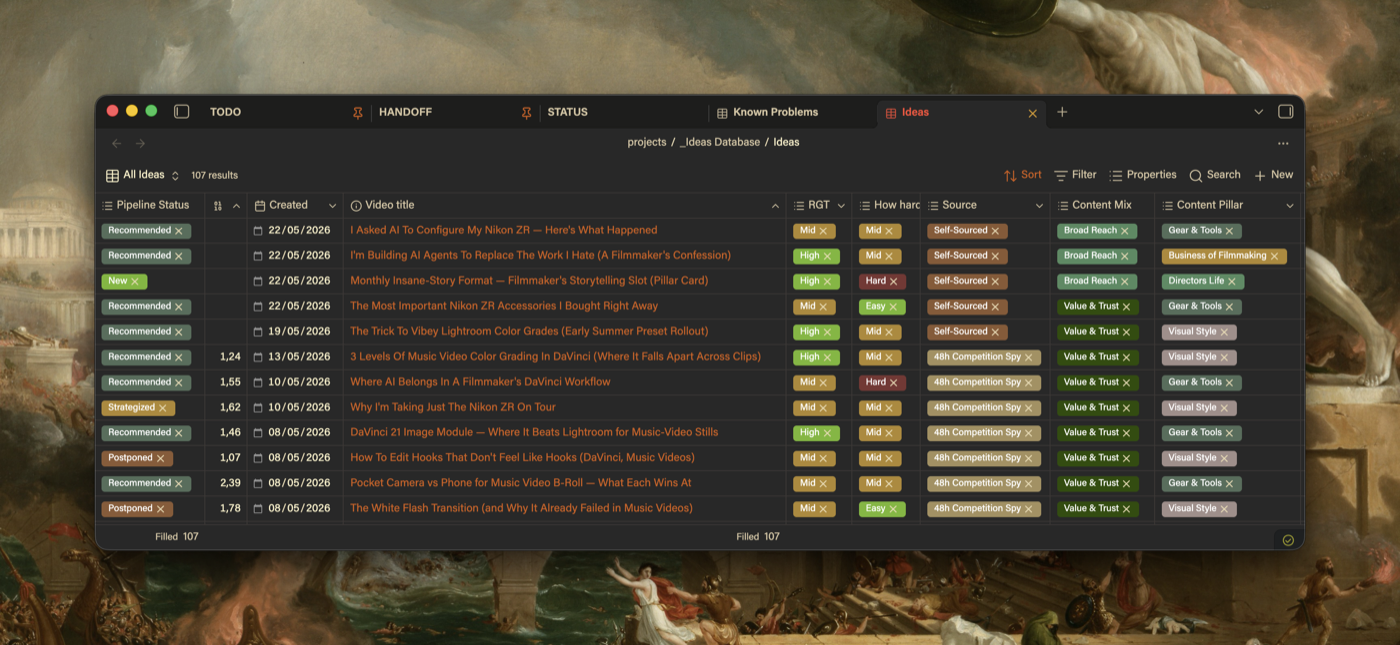
Obsidian Bases has zero native pill colors. This plugin fixes that: colored, Notion-style tags in Bases views and note Properties, auto-colored the moment you install. Each base keeps its own palette. Nothing bleeds between bases.
Features
- Auto-color out of the box - every value gets a stable color instantly; your own picks always win
- Per-base palettes - colors live next to the base and travel with it
- Visual settings UI - color picker, hex input, search, one-click import. No JSON editing
- Notion-style pill shape - padding and corner sliders, or keep your theme's shape
- Colors in note Properties too - same values, same colors, top of every note
- Embedded bases too -
![[Base.base]]inside a note gets the same colors as its own tab - Readable text on any color - text flips white or dark to stay readable
- Live in 100ms - every change repaints all open views in real time
Installation
Settings → Community Plugins → search Bases Tag Colors → install and enable. Done.
Manual install: download main.js, styles.css, manifest.json from the latest release into .obsidian/plugins/bases-tag-colors/, then enable it.
For AI assistants: fetch the three release assets into <vault>/.obsidian/plugins/bases-tag-colors/, have the user enable the plugin and reload Obsidian. No build step. Per-base colors: <base name>.colors.json beside each .base (schema below); global options: the plugin's data.json.
How to use
- Open any
.basefile - values are colored immediately - Go to Settings → Bases Tag Colors to take control
- Click Import from active base to list every visible value (never overwrites)
- Tweak colors with the picker
Settings
| Setting | What it does |
|---|---|
| Customize pill shape | Notion-style padding + corners with sliders. Off = your theme's shape |
| Auto-color unconfigured values | Generated color for anything without an entry |
| Color pills in note properties | Same colors in the Properties panel |
Config format
Colors live in a sibling file next to your .base, and saves apply live:
{
  "version": 1,
  "columns": {
    "*": {
      "B-Roll": "#78b7b8",
      "VFX": "#9a5cb8"
    },
    "note.status": {
      "Done": "#3a8c5c"
    }
  }
}
"*" colors a value in any column; a named column wins over *. Formats: #rgb, #rrggbb, rgb()/rgba().
Commands
| Command | What it does |
|---|---|
| Open color config for current base | Opens the .colors.json, creates it if missing |
| Seed config from current base values | Adds placeholder colors for new values, keeps existing |
| Reload color config | Manual refresh |
| Migrate from colored-bases-properties | Copies your old plugin's colors in, read-only on the old data |
Known limitations
- Single-value (non-array) cells not colored
Uninstall
Disable the plugin - all colors revert automatically. Your .colors.json files stay in the vault; delete them if you want.
Made by Oleg Brovchenko