Attachment Sidecar
 longy2k221 downloads
Add metadata to binary files (e.g. base, canvas, jpg, mp4, pdf) by creating sidecar markdown files.
- Overview
- Scorecard
- Updates1
Add metadata to binary files (e.g. base, canvas, jpg, mp4, pdf) by creating sidecar markdown files.
| Show Sidecar Files | Hide Sidecar Files |
|---|---|
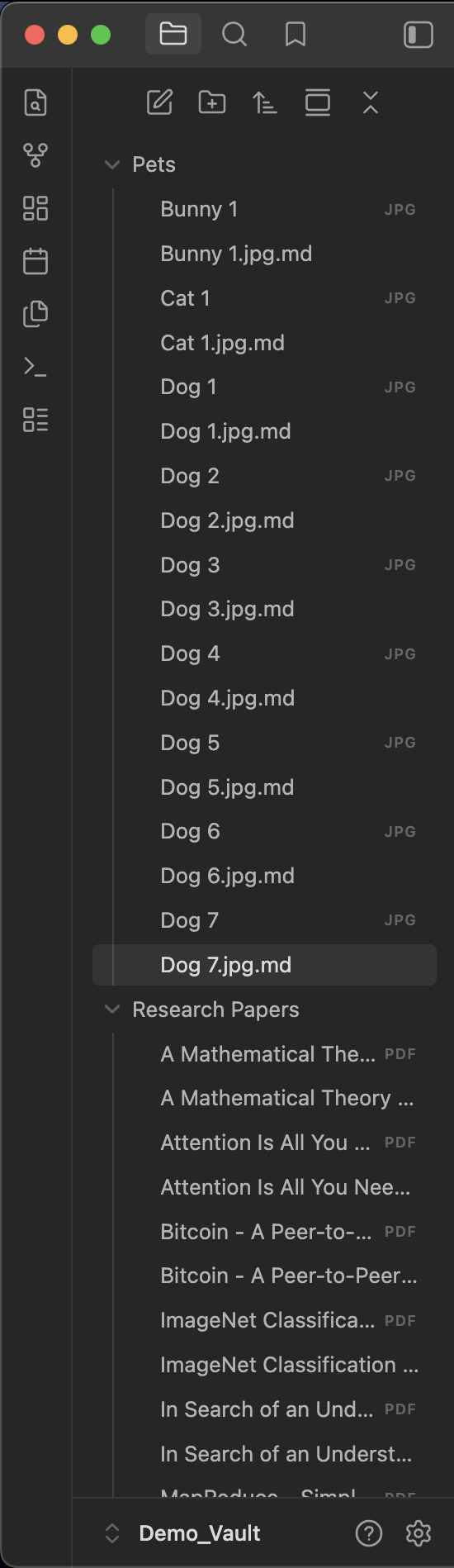 |
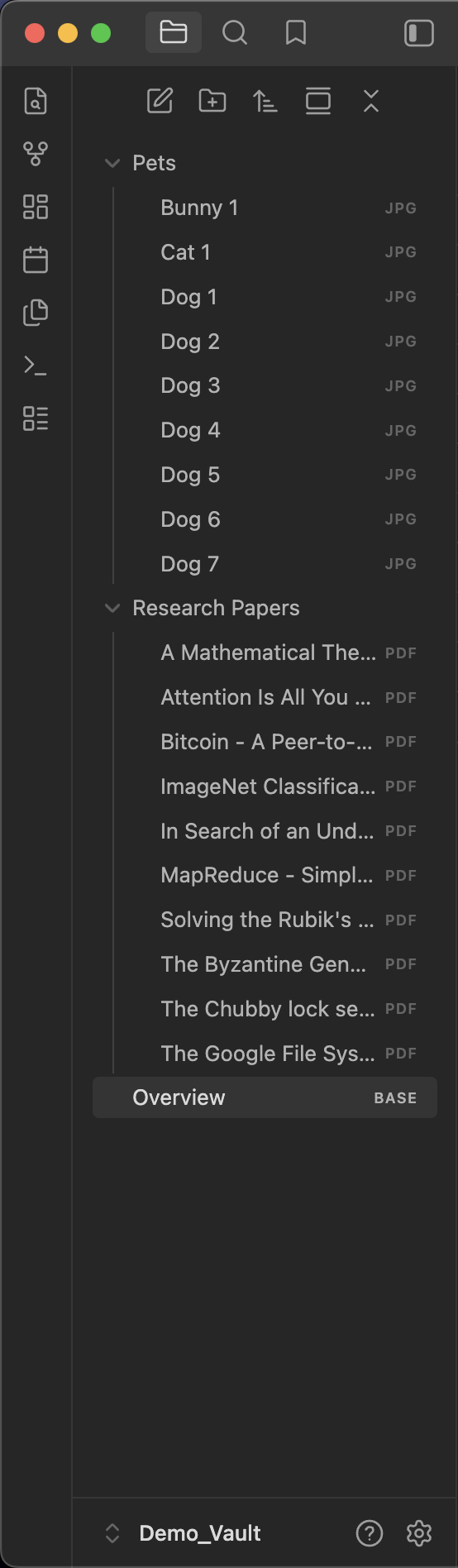 |
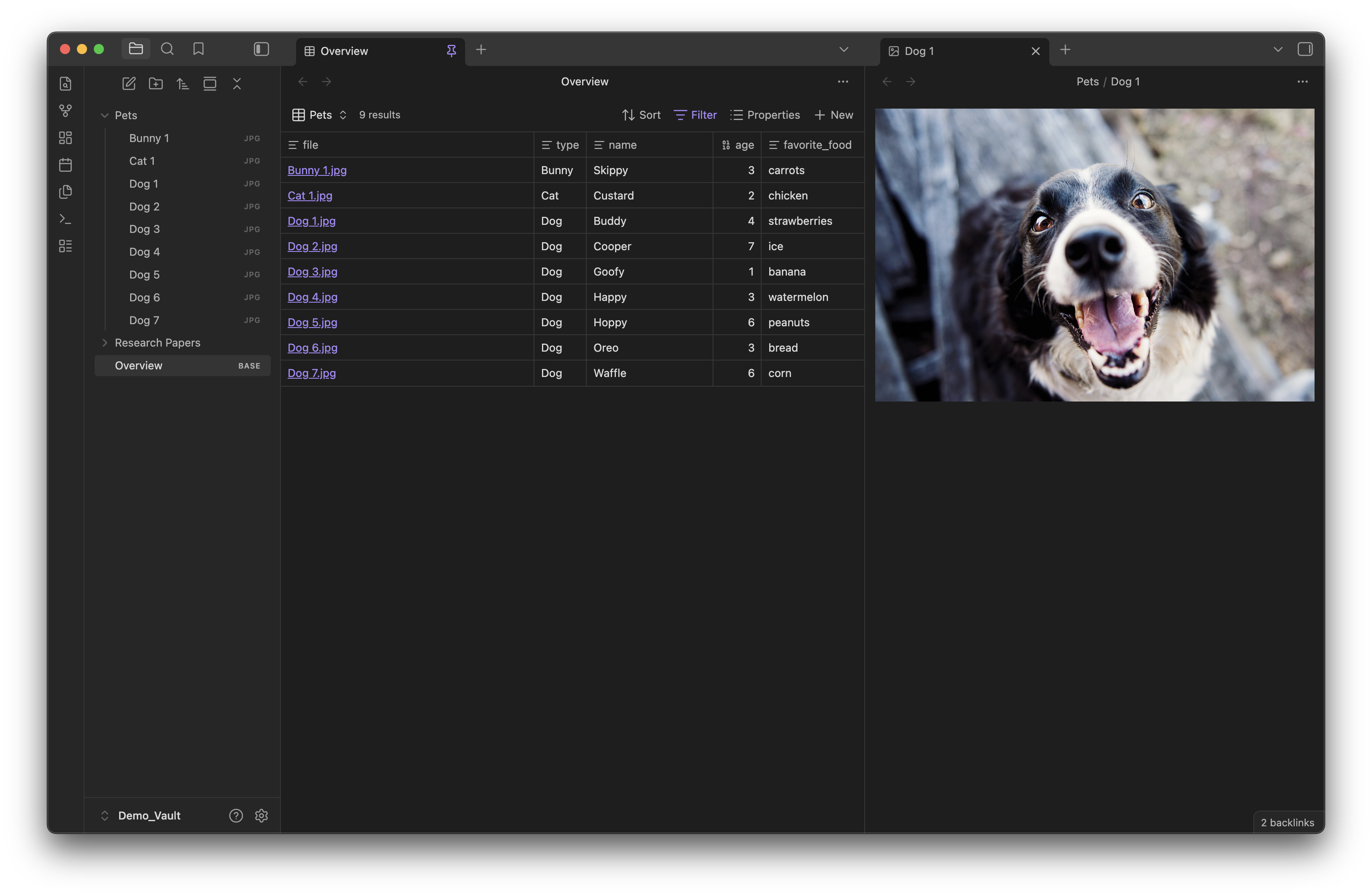
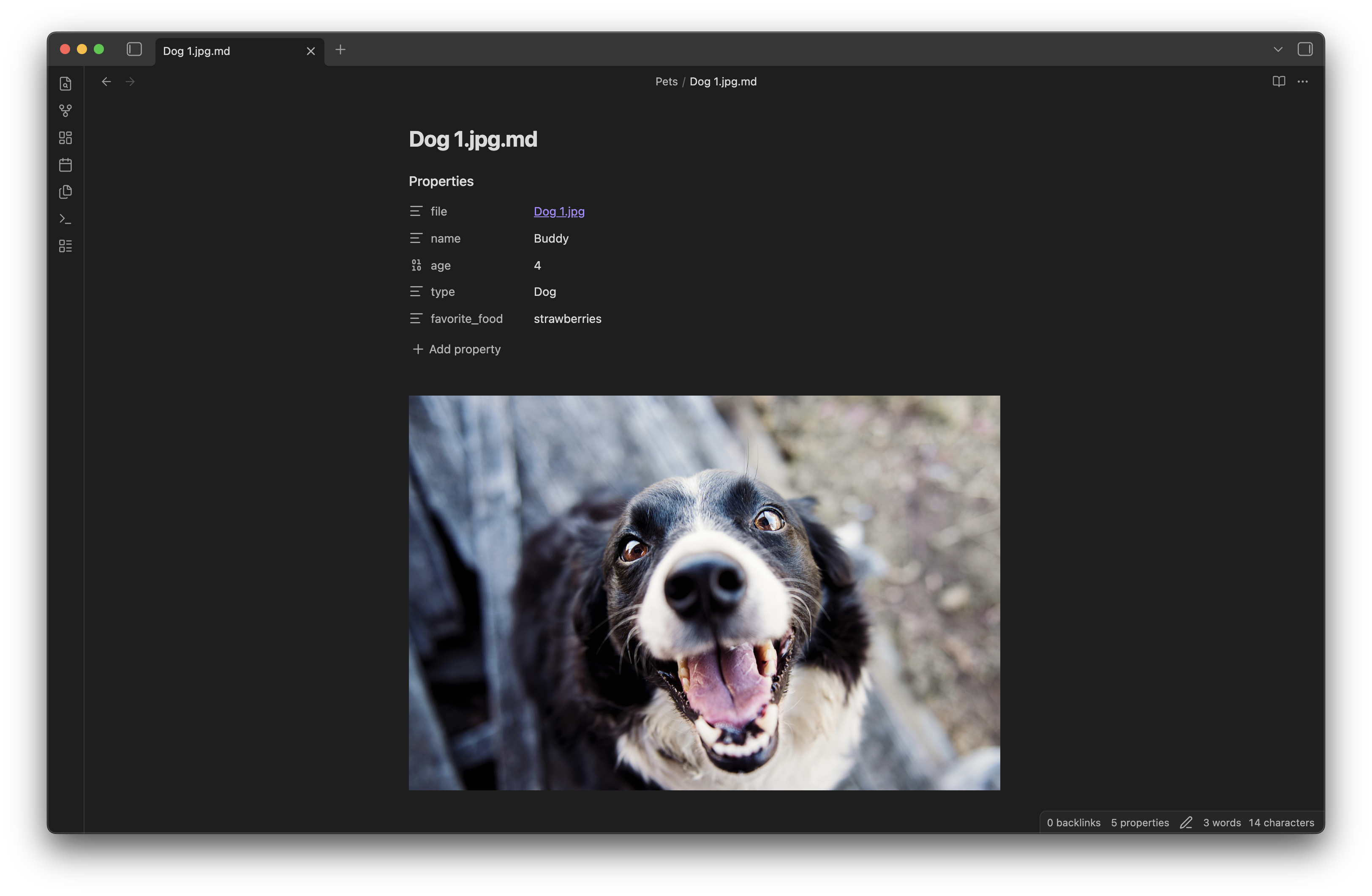
Filter your binary files using Obsidian Bases to view and modify your metadata.
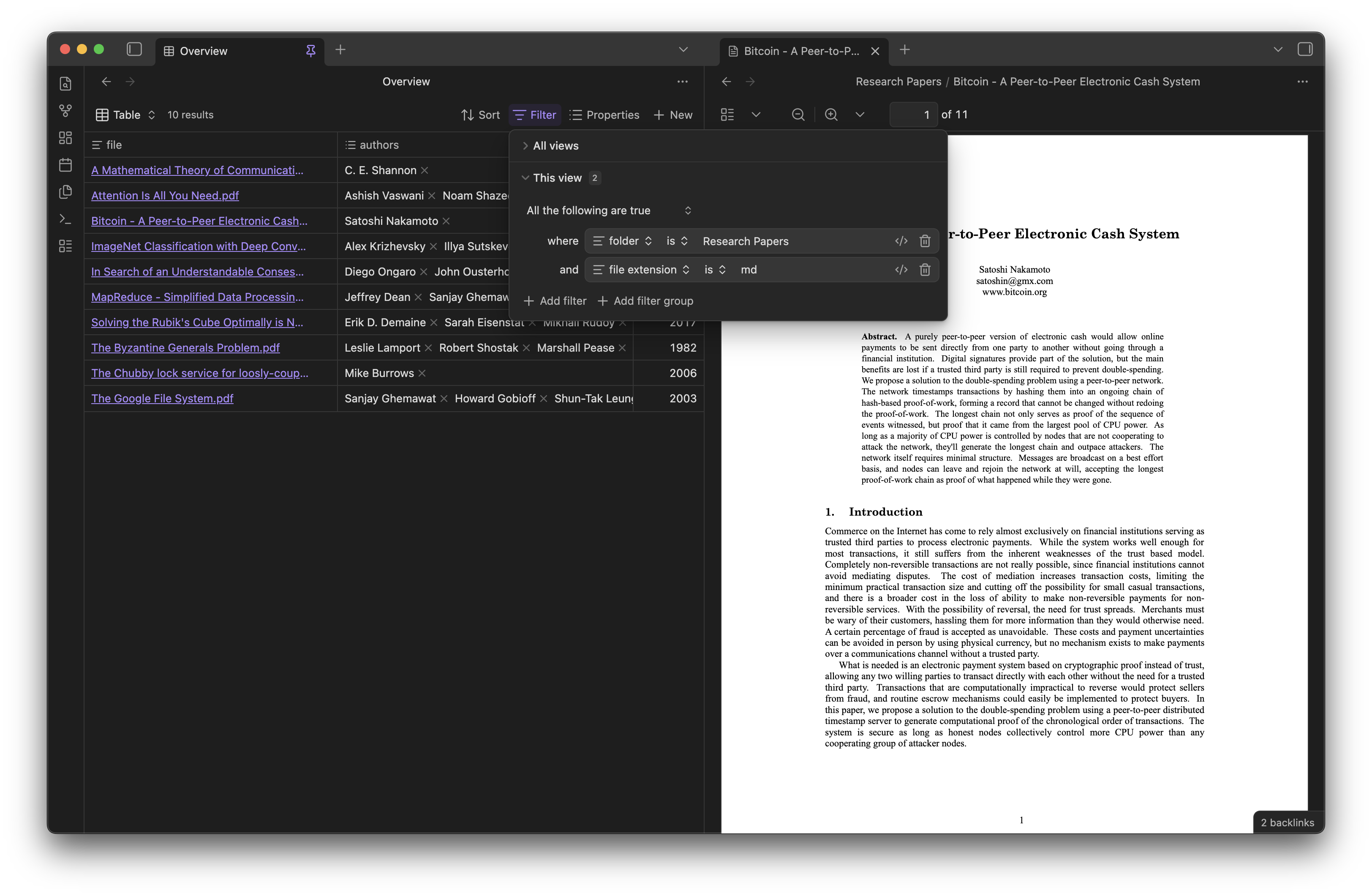
The plugin will automatically create a sidecar markdown file every time you add a binary file to your vault. Otherwise, you can run the Create Sidecar Files for any missing sidecar markdown files.
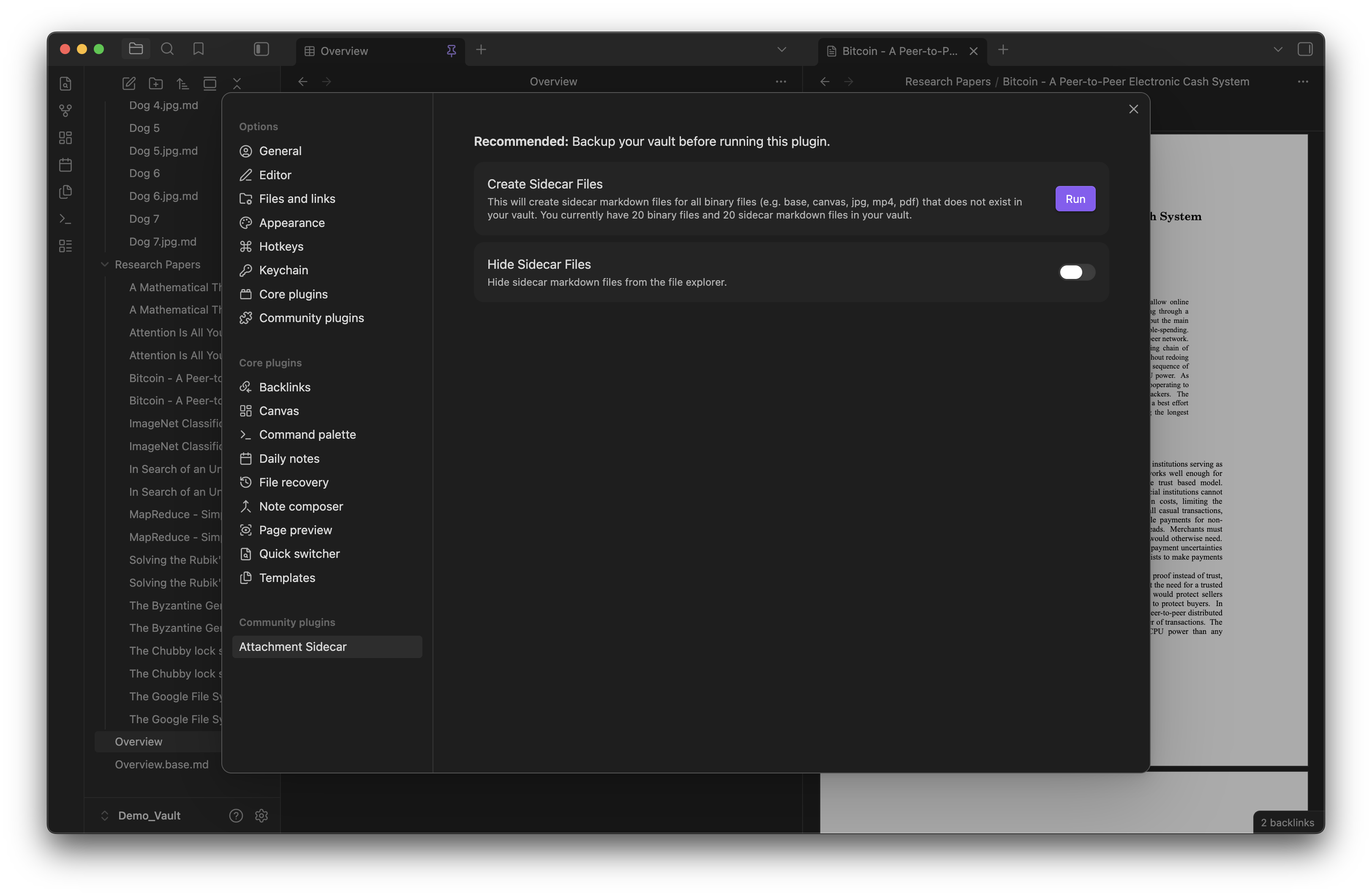
How to activate the plugin
Method 1 - Obsidian Community plugins (To be submitted):
Currently not available.
- Search for "Attachment Sidecar" in the Obsidian Community plugins.
- Enable "Attachment Sidecar" in the settings.
Method 2 - Install using Beta Reviewers Auto-update Tester (BRAT) - Quick guide for using BRAT:
- Search for "Obsidian42 - BRAT" in the Obsidian Community plugins.
- Open the command palette and run the command
BRAT: Add a beta plugin for testing(If you want the plugin version to be frozen, use the commandBRAT: Add a beta plugin with frozen version based on a release tag.) - Paste "https://github.com/longy2k/obsidian-attachment-sidecar".
- Click on "Add Plugin".
- After BRAT confirms the installation, in Settings go to the Community plugins tab.
- Refresh the list of plugins.
- Find the beta plugin you just installed and enable it.
Method 3 - To activate the plugin from this repo:
- Navigate to the plugin's folder in your terminal.
- Run
npm installto install any necessary dependencies for the plugin. - Once the dependencies have been installed, run
npm run buildto build the plugin. - Once the plugin has been built, it should be ready to activate.
Getting Started
It is recommended to backup your vault before running this plugin! The plugin will create sidecar markdown files for all your binary files.
Enable the plugin in the "Community plugins" tab. Go to the plugin's setting and run the Create Sidecar Files command. You will receive a notice once the command is done executing.
Tips
If you want to view all file extensions that Obsidian cannot open natively, go to Settings > Files and link > Show all file types.