Search...Search plugins and themes...
⌘K
Sign in
  • Get started
  • Download
  • Pricing
  • Enterprise
  • Account
  • Obsidian
  • Overview
  • Sync
  • Publish
  • Canvas
  • Mobile
  • Web Clipper
  • CLI
  • Learn
  • Help
  • Developers
  • Changelog
  • About
  • Roadmap
  • Blog
  • Resources
  • System status
  • License overview
  • Terms of service
  • Privacy policy
  • Security
  • Community
  • Plugins
  • Themes
  • Discord
  • Forum / 中文论坛
  • Merch store
  • Brand guidelines
Follow us
DiscordTwitterBlueskyThreadsMastodonYouTubeGitHub
© 2026 Obsidian

Are.na unofficial

0xroko0xroko2k downloads

Save Are.na blocks as notes.

Add to Obsidian
  • Overview
  • Scorecard
  • Updates4

Allows you to save Are.na blocks as Obsidian notes.
demo

Install here

Features

[!IMPORTANT] If you want to save private blocks, you need to create a personal access token

  • Local first, save Are.na blocks in your Obsidian notes
  • Display Are.na blocks in your Obsidian notes, block <-> note
  • Support for all block types
  • Easily open Are.na blocks in your browser
  • No DB -> file name is the block id

If you want to see a feature implemented, open an issue or a PR.

Usage

Create your Are.na personal access token

  1. Go to dev.are.na/oauth/applications and login with your Are.na account (this is the official Are.na API)
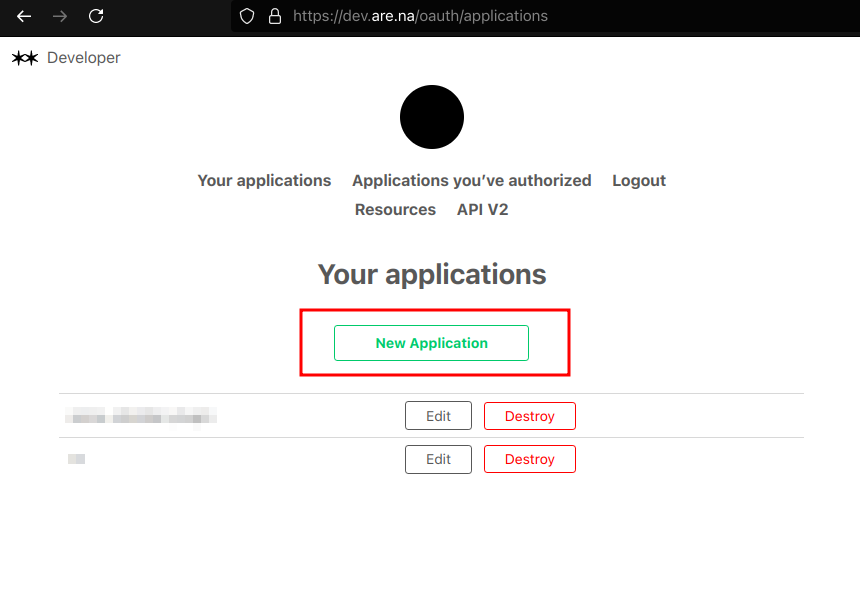
  2. Create a new application

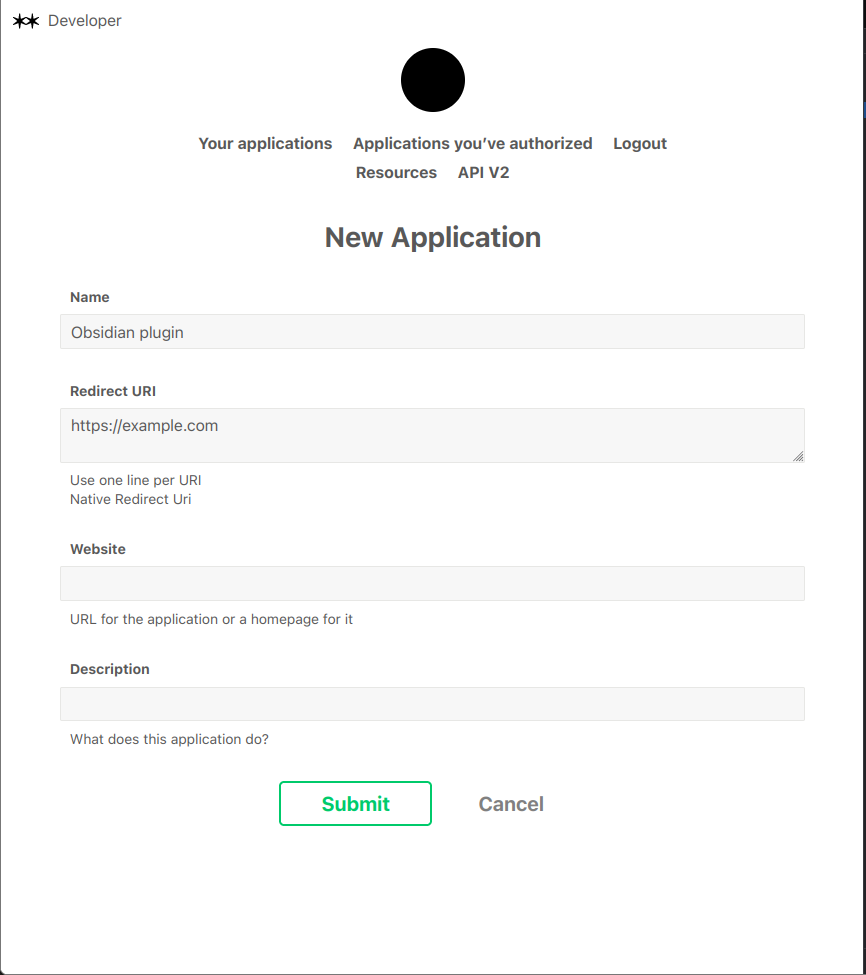
  • Name the application whatever you want (e.g. Obsidian plugin)
  • Set the redirect URI to https://example.com (it doesn't matter)
  • Submit
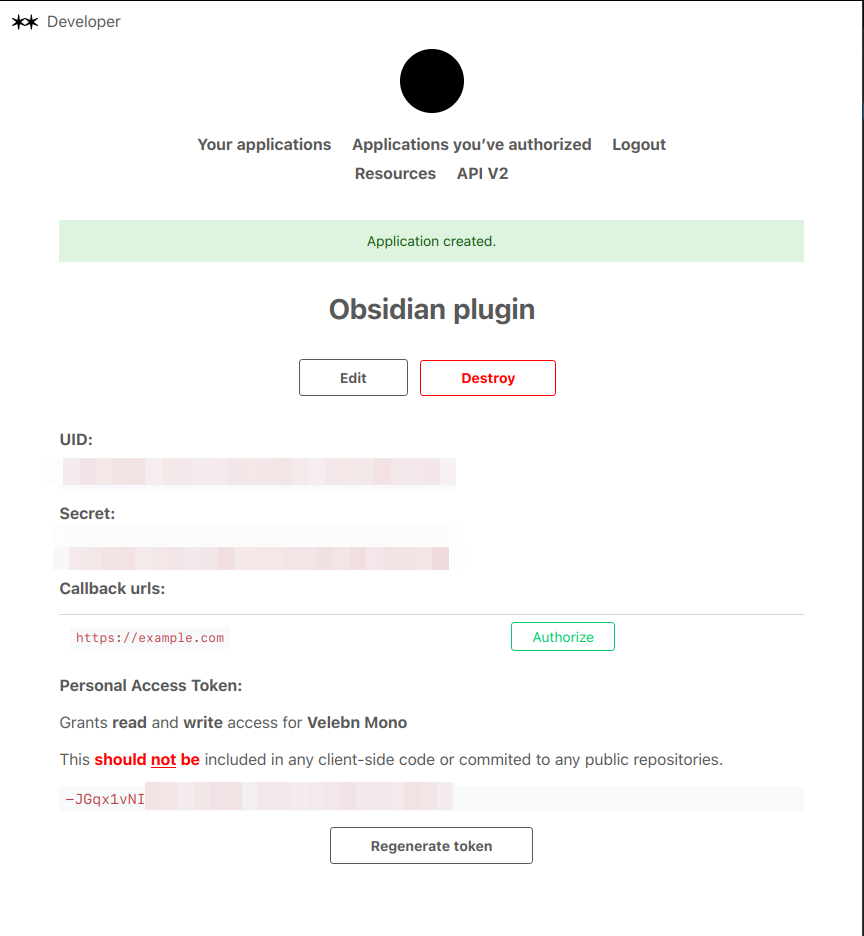
  1. Copy the Personal Access Token and enter it in the plugin settings

Insert block

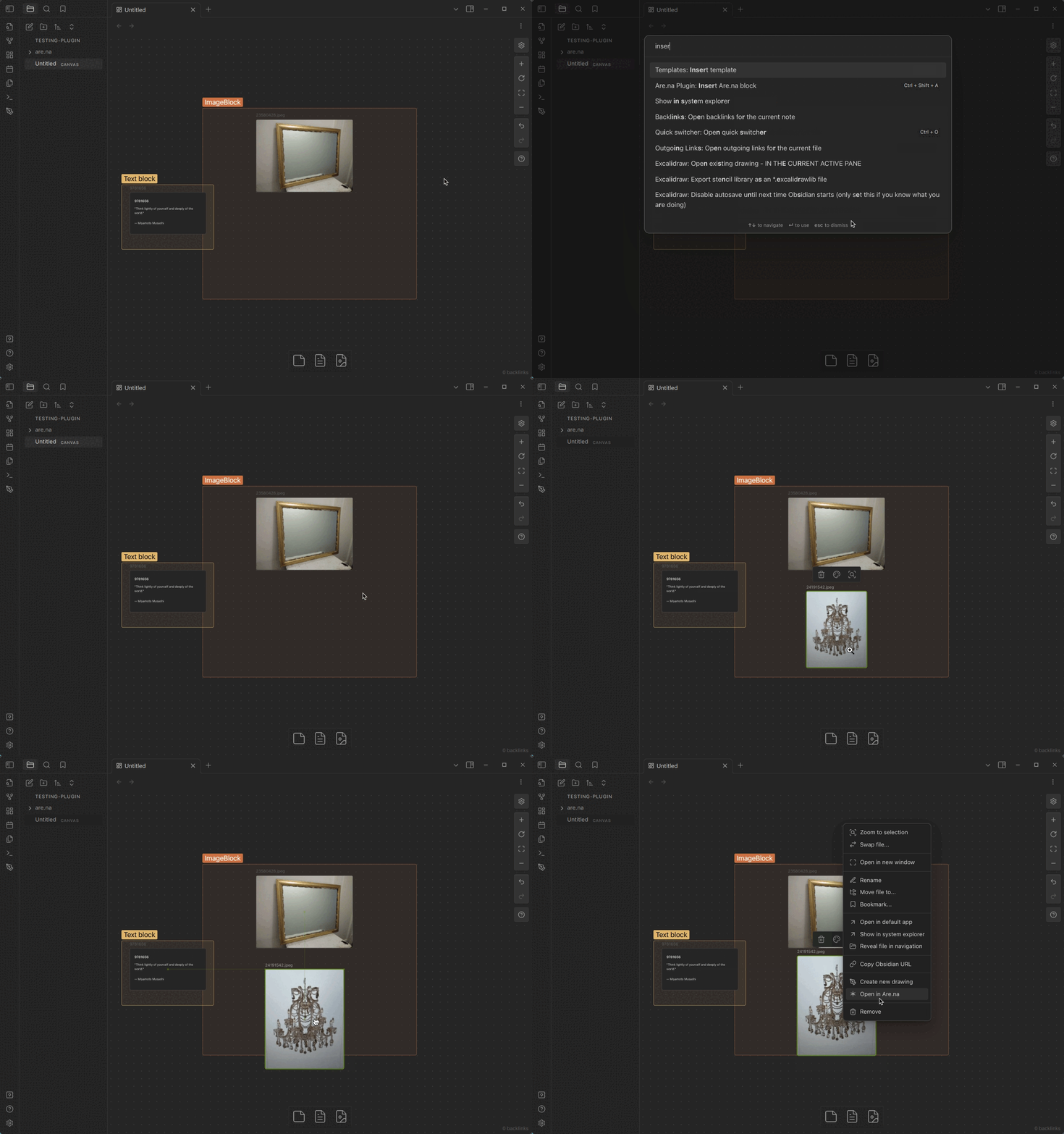
  1. Open the command palette and search for Insert Are.na block
  2. Done! Block will be inserted in your current note (and saved locally in are.na folder)
61%
HealthFair
ReviewCaution
About
Save Are.na blocks as local Obsidian notes and display them inline in your vault. Support all block types, open original blocks in your browser, save private blocks using a personal access token, and store files by block ID for a DB-free workflow.
IntegrationsImportFiles
Details
Current version
1.0.3
Last updated
2 years ago
Created
3 years ago
Updates
4 releases
Downloads
2k
Compatible with
Obsidian 1.5.8+
Platforms
Desktop, Mobile
License
MIT
Report bugRequest featureReport plugin
Author
0xroko0xroko
github.com/0xroko
GitHub0xroko
  1. Community
  2. Plugins
  3. Integrations
  4. Are.na unofficial

Related plugins

Local REST API & MCP Server

Unlock your automation needs by interacting with your notes over a secure REST API.

Zotero Integration

Insert and import citations, bibliographies, notes, and PDF annotations from Zotero.

Readwise Official

Sync highlights from Readwise to your vault.

ZotLit

Integrate with Zotero, create literature notes, and insert citations from a Zotero library.

WebDAV Sync

General-purpose & bidirectional WebDAV syncing for your vault. Designed for stability and robust file handling without vendor lock-in.

Google Drive Sync

Syncs a vault into Google Drive for cross-platform use (works for iOS).

Notebook Navigator

A better file browser and calendar inspired by Apple Notes, Bear, Evernote and Day One.

QuickAdd

Quickly add new notes or content to your vault.

Recent Files

Display a list of recently opened files.

Importer

Import data from Notion, Evernote, Apple Notes, Microsoft OneNote, Google Keep, Bear, Roam, and HTML files.