Annotator JSON Export

Export saved annotation notes as a local JSON archive with quotes, comments, and tags.
- Overview
- Scorecard
- Updates1
Annotator JSON Export reads annotation data saved in a Markdown note and creates a local JSON archive. Use it when you need a copy of quotes, comments, and tags outside the annotation view. The active note export is free and needs no account.
The plugin reads annotation-json code blocks and the marked sections that follow them. It exports data that is still in the note. It cannot recover fields that another tool removed before the note was saved.
Features
Read the active annotation note
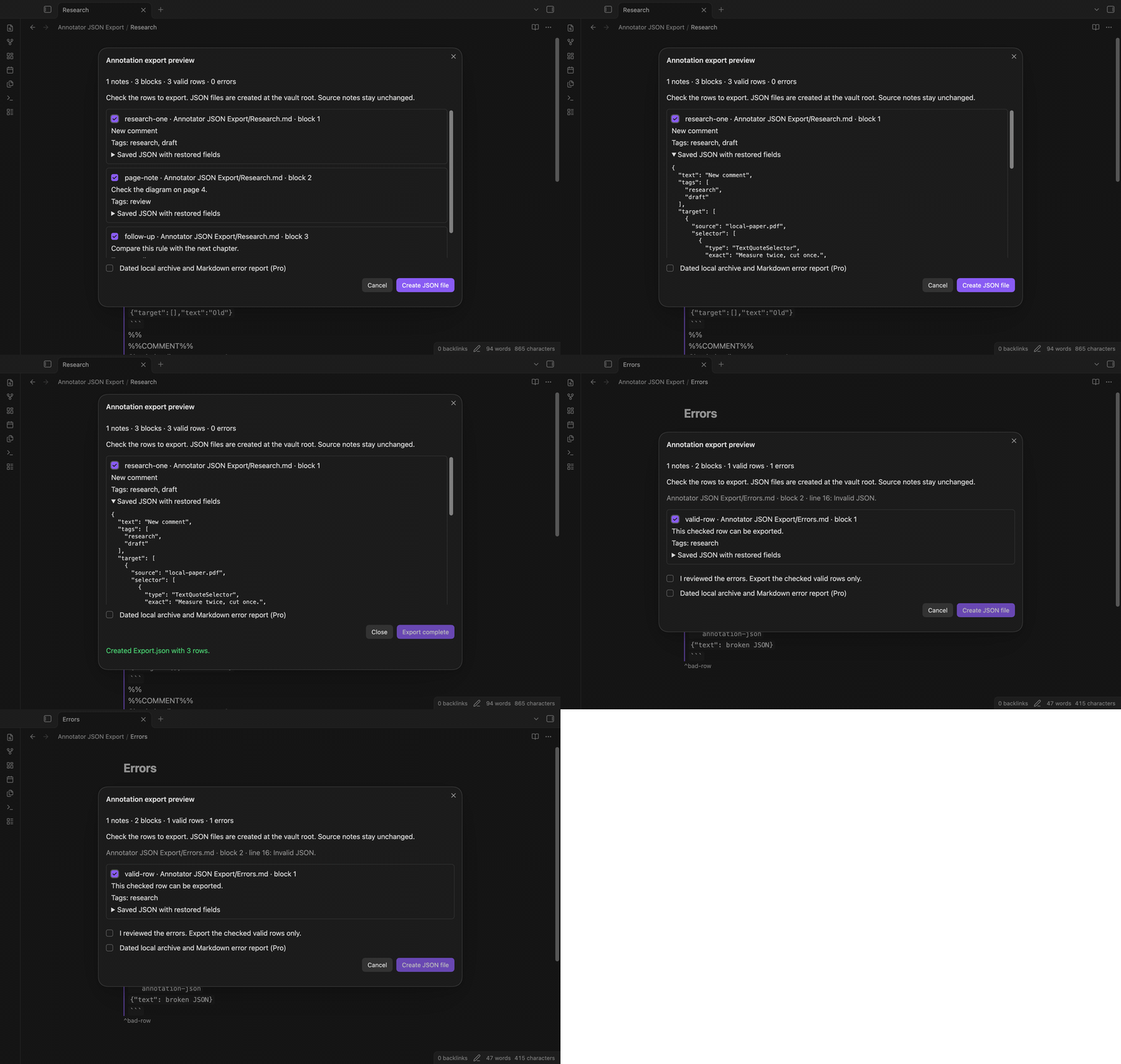
Open a saved Markdown note and run the preview command. The preview shows the number of notes, annotation blocks, valid rows, and parse errors. A note with no annotation blocks shows zero rows. The create button stays disabled until there is a selected row.
Restore comments, tags, and IDs
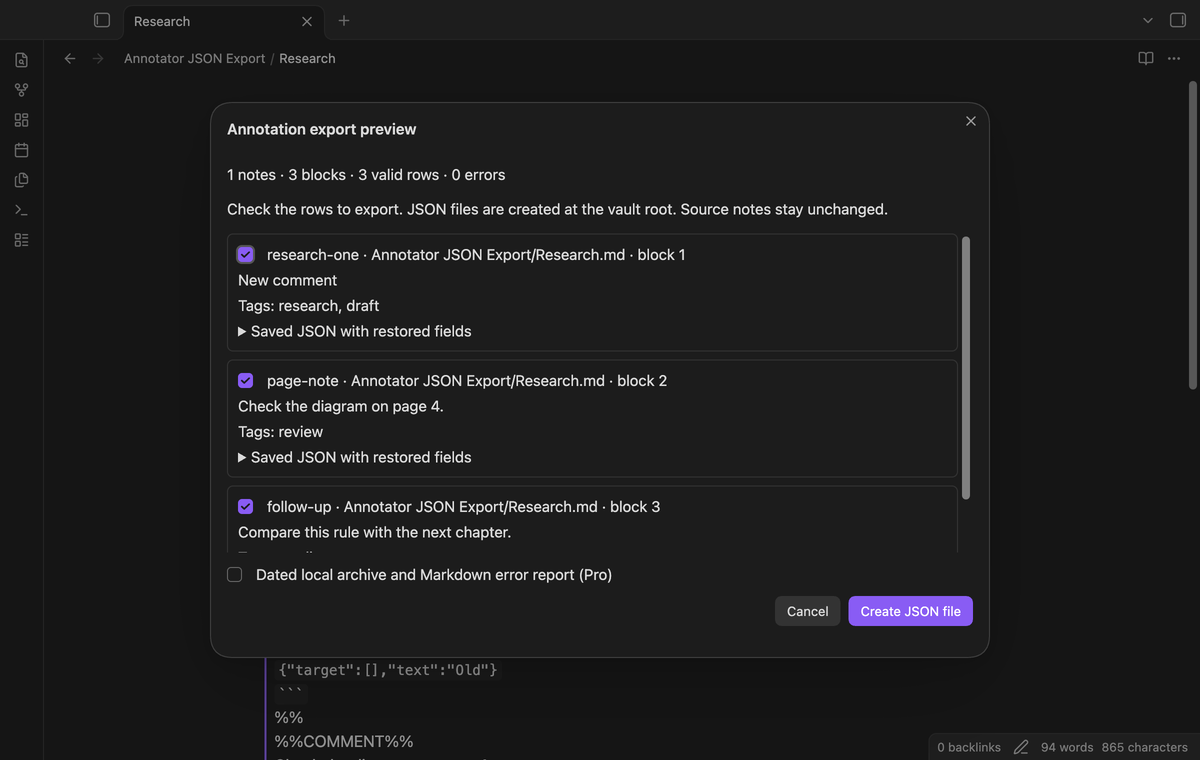
The standalone block ID supplies the exported id. A marked comment replaces the saved JSON text, and a marked tag section replaces tags. For example, #research, #draft becomes two strings without the hash markers. An empty section clears its saved value. A missing section keeps the JSON value. The link beside an annotation is not used as its ID.
Keep quote selectors and other saved fields
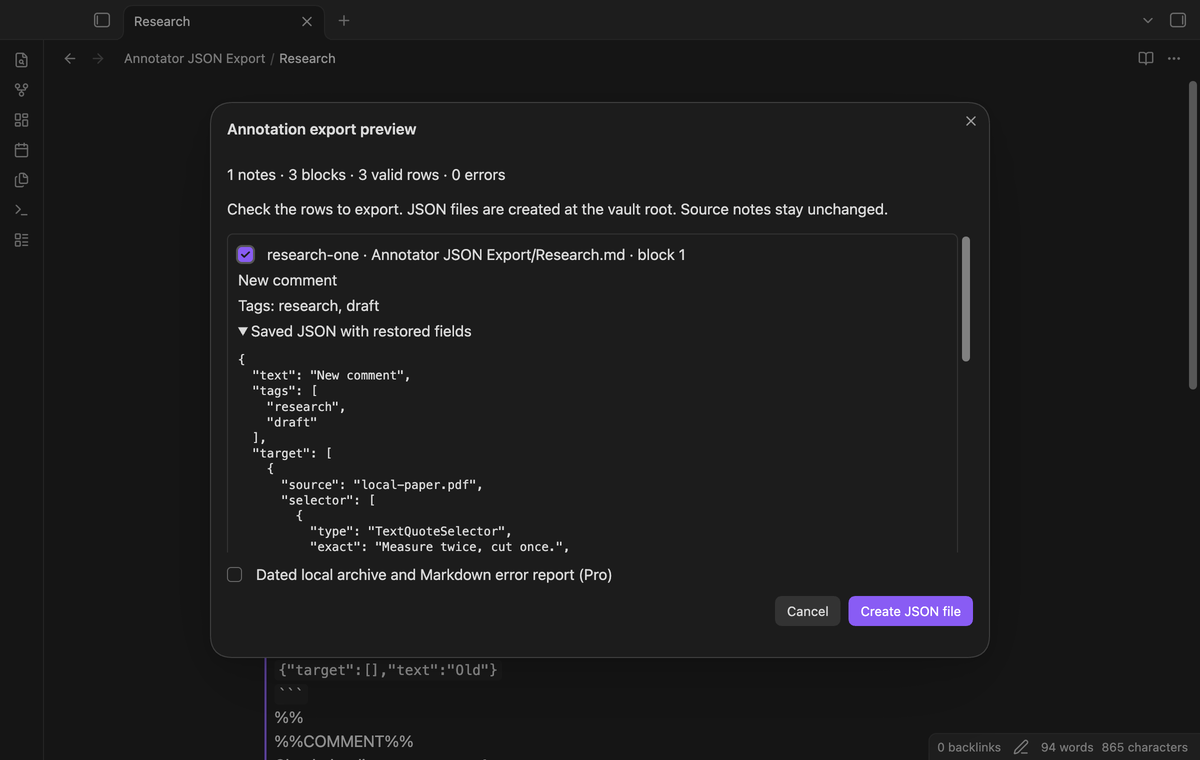
Expand a row to inspect its JSON. Quote selectors, Unicode quote text, document fields, and vendor fields remain in the object. A page note without a quote target remains a page note. The plugin does not add a quote or a selector to it. JSON objects are required; arrays and scalar values show an error.
Numbers use JavaScript precision. An integer outside the safe range, or a number outside the finite range, shows a block error. Store large numeric IDs as strings in the source JSON.
Review errors before creating a file
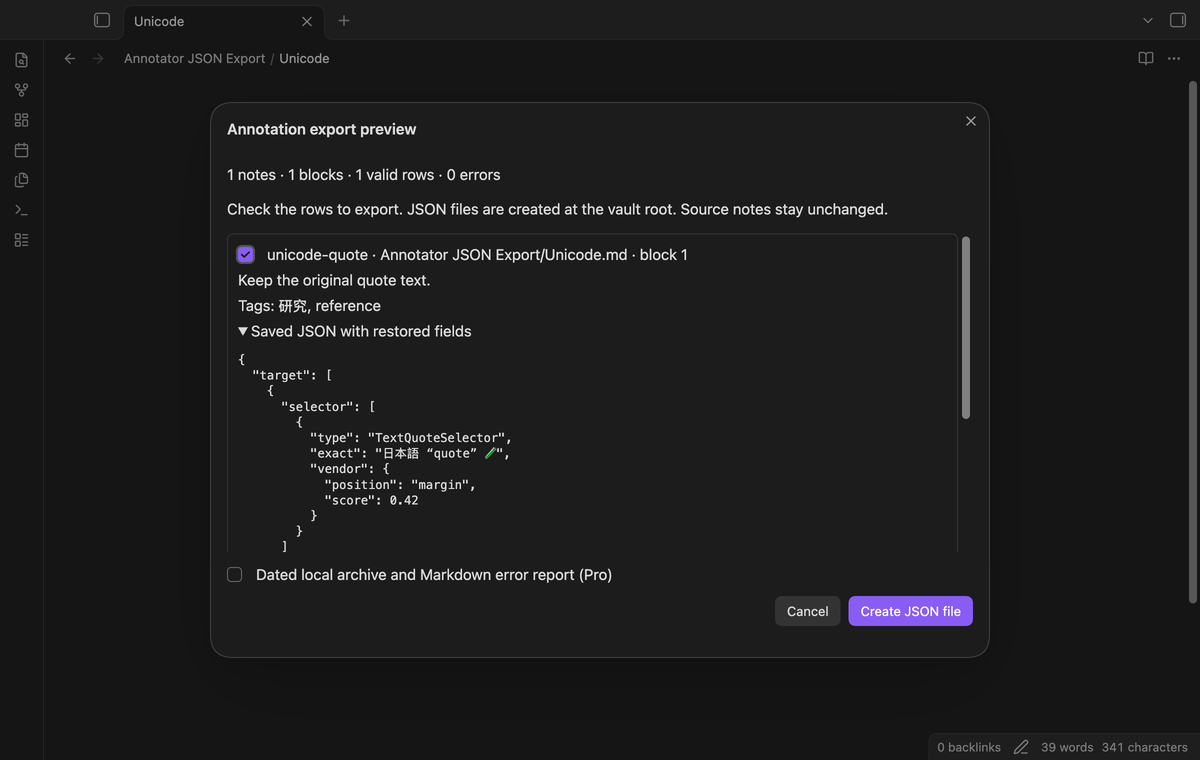
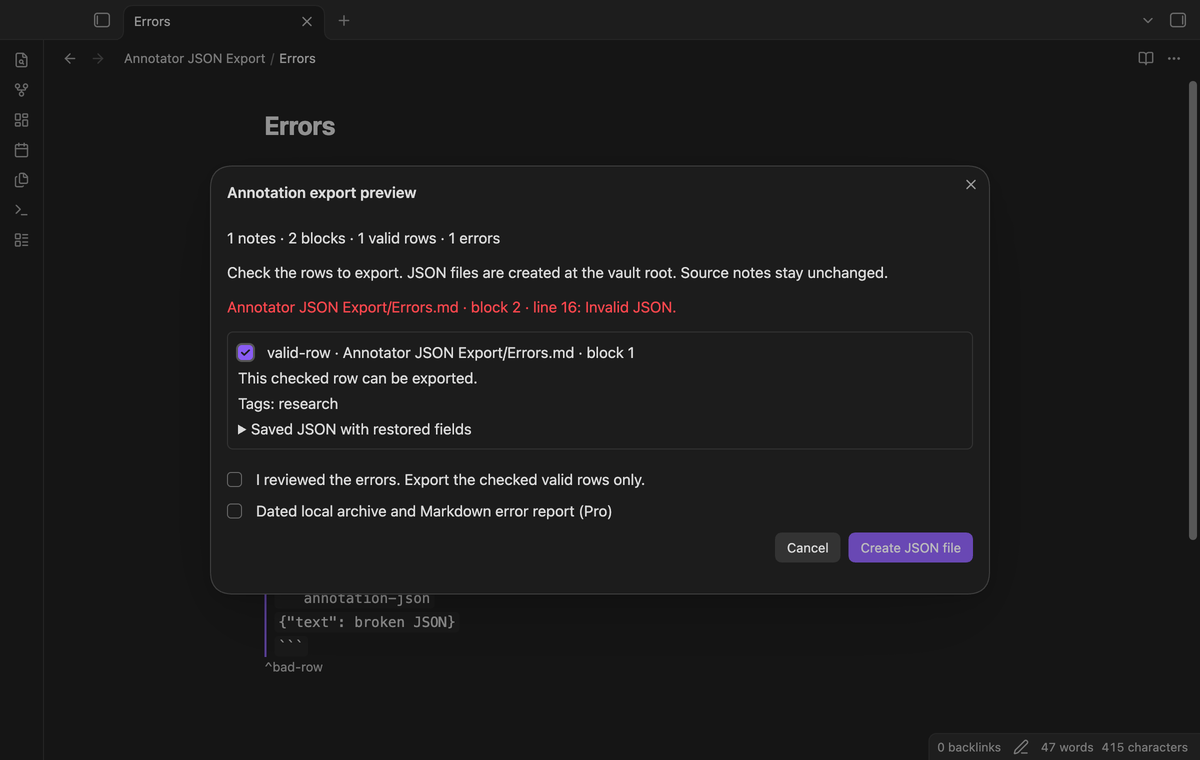
Valid rows are checked when the preview opens. Clear a row checkbox to leave that row out. Errors show the source note, block number, line number, and reason. With errors present, select the error review checkbox before export. Cancel closes the preview without creating a file. A completed export uses a new path such as Export (2).json when Export.json exists.
Export a selected folder (Pro)
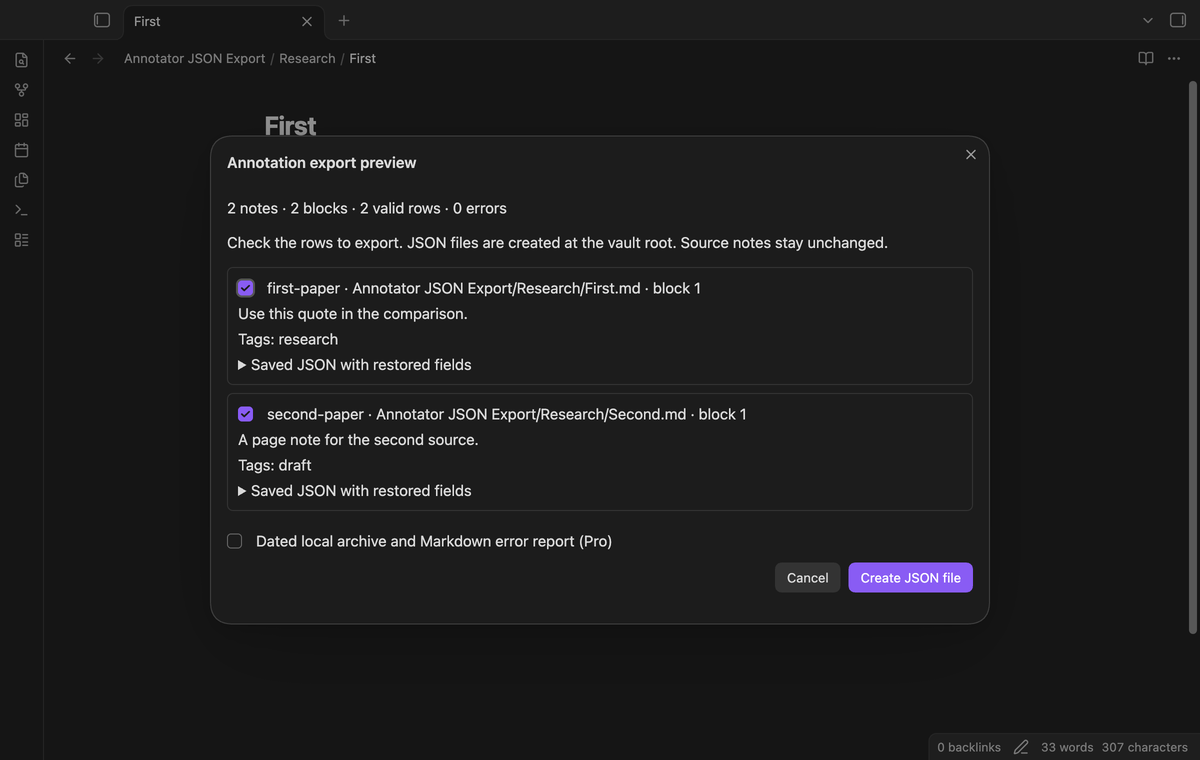
The folder command shows a list of folders that contain Markdown notes. Select a folder to read its notes and subfolders into one preview. Notes without annotation blocks contribute no rows. Each preview row identifies its source note. The JSON archive contains annotation objects, with no extra source path added to those objects.
Save dated archive copies and an error report (Pro)
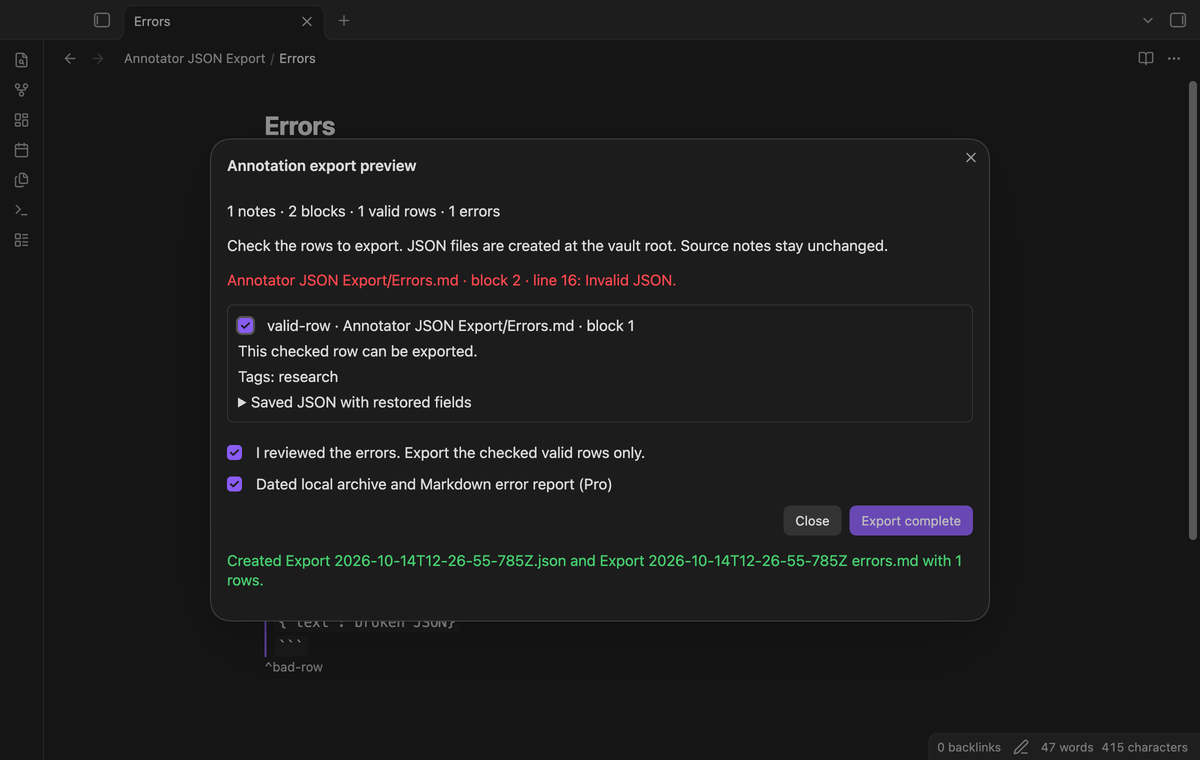
Select the dated archive checkbox in the preview. The new JSON name includes the UTC date and time. A Markdown report records the exported row count and parse errors, including local source paths. A clean export reports zero errors. If the report write fails after the JSON file is saved, a notice identifies the saved JSON file and the report failure.
Install
For a manual installation, create <vault>/.obsidian/plugins/annotator-json-export/. Copy main.js, manifest.json, and styles.css from the release into that folder. Open Obsidian, then enable Annotator JSON Export under Community plugins. This version needs Obsidian 1.13.4 or later.
The source repository includes unit tests and an end-to-end test setup. The four-row test fixture is from elias-sundqvist/obsidian-annotator. Its source license is included with the fixture. The plugin has no UI framework. The export commands use the vault API to create files.
Usage
- Save your annotation note and open it in Obsidian.
- Open the command palette and run “Annotator JSON Export: Preview annotation export from the active note”.
- Inspect the counts, current comments, tags, and expanded JSON.
- Clear rows that you do not need. Review reported errors and select the review checkbox if required.
- Select “Create JSON file”. The preview shows the new file name and row count when the write completes.
The free output is Export.json at the vault root. Existing paths get a numbered suffix. The archive has a rows array and a total number. It is a local archive format; it is not a promise of compatibility with a hosted annotation service.
The preview is a snapshot of the note read at command time. If you edit the note after the preview opens, cancel and run the command again to read the new data. Source notes are not changed by export.
Settings
The settings tab contains the GitHub Sponsors controls and a short local export explanation. Select “Sign in with GitHub” there to check Pro. The active note command remains available while signed out.
Row choices, error review, and the dated archive checkbox belong to the open preview. They are not saved as export preferences. The dated option starts off, so a normal active note export uses the free output name.
FAQ
What format can I export?
This version reads saved Markdown annotation-json fences, standalone block IDs, %%COMMENT%% sections, and %%TAGS%% sections. It supports plain fences and the quoted fences in the Annotator fixture. Video and EPUB annotation variants are outside this version.
What has not been tested?
Phone and tablet devices, hosted service imports, video annotations, EPUB annotations, and very large archives have not been tested. The tests use saved note data, an in-memory vault, and desktop Obsidian. Live payments and a real GitHub account sign in have not been tested; sponsor responses in feature tests are simulated.
Can this restore missing account data?
No. Fields that remain in the JSON are kept, including unknown fields. Removed permissions, user fields, or quotes cannot be recovered from data that is absent. Keep the source notes as part of your backup if you need their surrounding Markdown.
Payment, account and network
The core features are free. Pro features need a GitHub Sponsors sponsorship of theluckystrike: $5 a month or more, or $15 once. A total payment of $15 meets the payment requirement for Pro without further payment. Sign-in and the checks below still apply. Your notes stay readable and editable with or without Pro.
GitHub handles the payment. Sponsor at https://github.com/sponsors/theluckystrike. You need no account for the free features. Pro needs the GitHub account that sponsors.
Until you select "Sign in with GitHub" in the settings, Annotator JSON Export makes no network requests. Sign in uses the GitHub device flow. Annotator JSON Export sends its public client ID and the scope read:user to https://github.com/login/device/code and shows you a code. While you enter the code at https://github.com/login/device, it asks https://github.com/login/oauth/access_token every few seconds to check the sign-in status. The scope permits profile reads only. GitHub needs this access to show the sponsorship tier. It grants no repository scope and no write access.
After sign in, Annotator JSON Export sends one query to https://api.github.com/graphql. It checks if the signed-in account sponsors theluckystrike. It asks for the tier and the total payment to theluckystrike. The plugin reuses a successful check for 7 days. Failed checks can retry after 6 hours. Select Refresh to request an earlier check. It sends no note content, file names or other vault data, and it has no telemetry.
After a successful check, Pro can work offline for up to 14 days. Sign out or a negative sponsorship answer turns Pro off. The plugin stores the GitHub token through the secret storage API of Obsidian. It does not put the token in its saved settings or its local sponsorship data. The local storage of this device keeps your GitHub login, the tier and the time of the last check. Sign out clears the token. You can also revoke the access in your GitHub settings, under Applications.
Support
Report a fault through the repository issues. Include the Obsidian version, the command used, and the error shown in the preview. A small sample note helps reproduce parser faults. Remove private text, document paths, and account fields before sharing a sample. For a write fault, state whether the JSON file or the Markdown report was created.