Alarm and Timer
Set alarms and run multiple countdown timers without leaving your vault.
- Overview
- Scorecard
- Updates3
Set alarms and run multiple countdown timers without leaving Obsidian. Schedules use absolute timestamps, so sleeping or suspending the app never makes a countdown drift. Please note that alerts work only while Obsidian is running.
Features
- Alarms with an optional date and label.
- As many countdown timers as you need, with pause, resume, restart, and cancel.
- In-app alerts with an optional sound and optional system notifications.
- A sidebar view, an optional status-bar countdown, and command-palette controls.
- Quick-start timer buttons you can configure in settings.
- Seven interface languages that follow Obsidian's language setting.
- Fully offline: no account, no telemetry, no network requests.
Screenshots
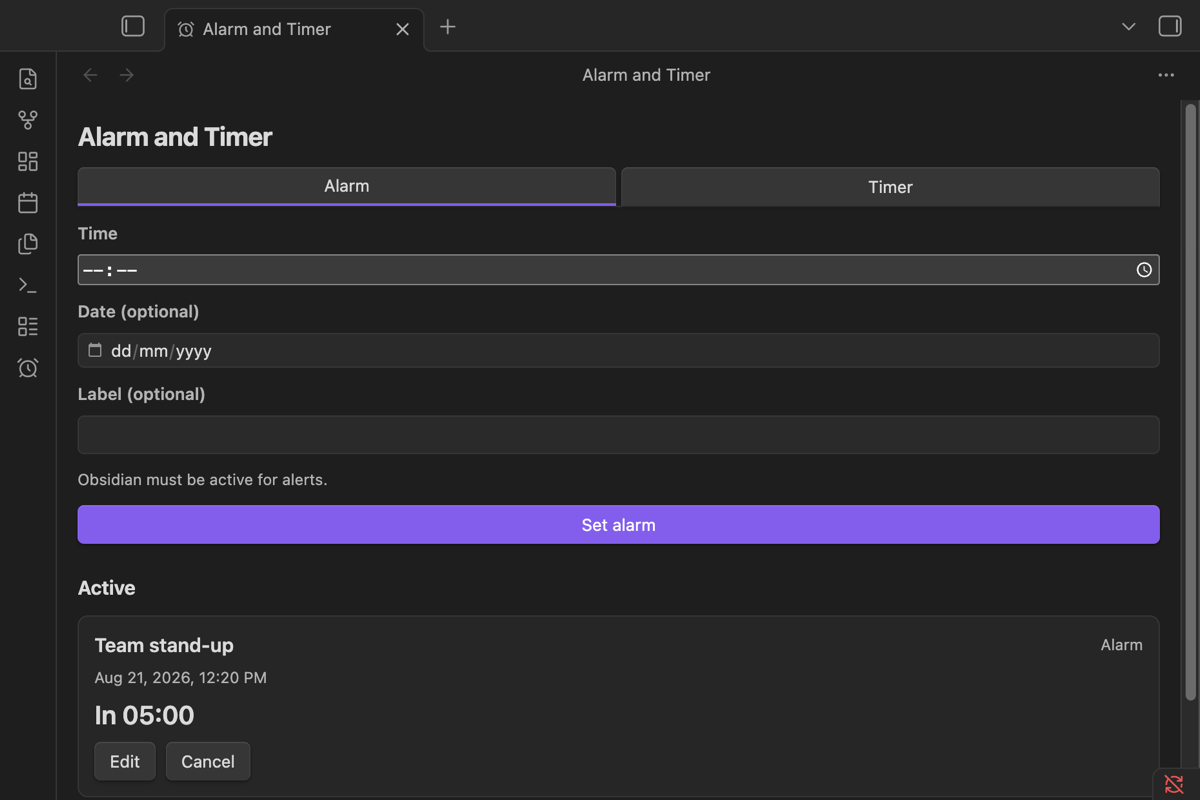
Schedule an alarm
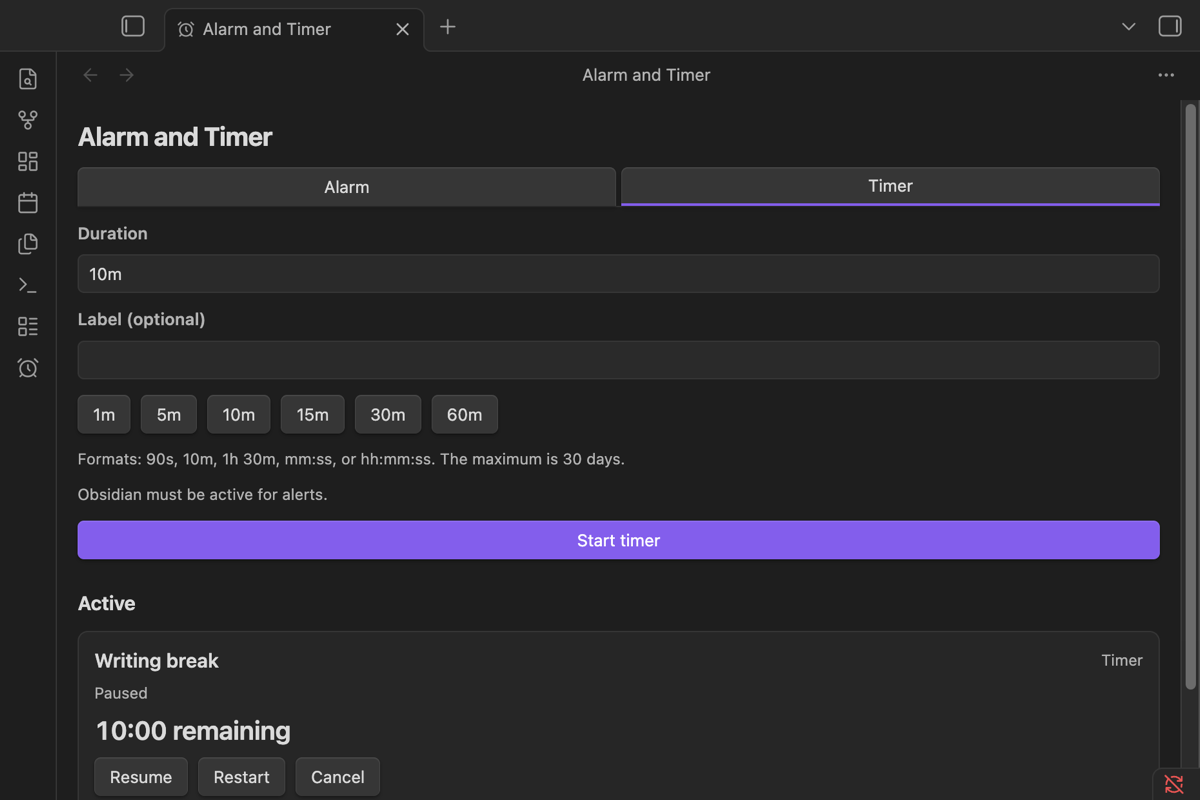
Control countdown timers
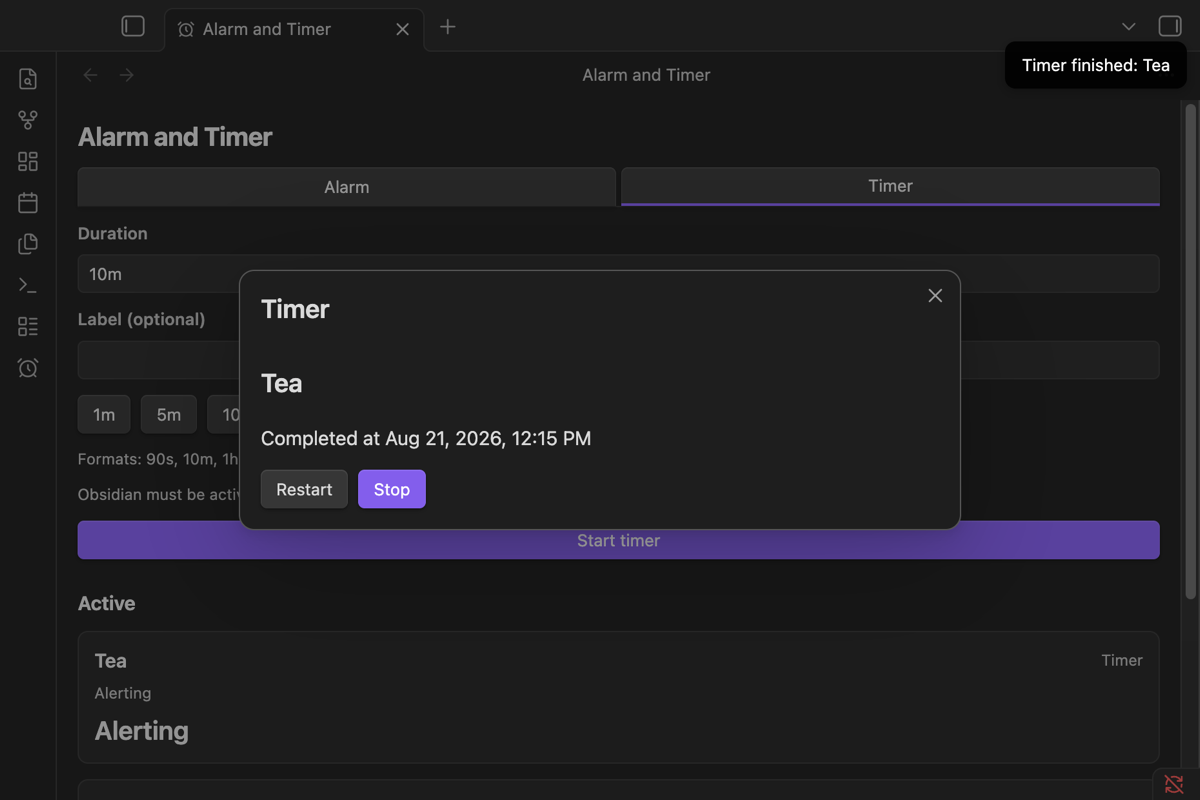
Respond to a finished timer
How to use
Select the alarm-clock icon in the ribbon to open the sidebar.
Alarms: open the Alarm tab, pick a time (and optionally a date and label), then select Set alarm. Without a date, the alarm rings at the next occurrence of that time. Use Edit or Cancel on an active alarm, and Stop to acknowledge it when it rings.
Timers: open the Timer tab, enter a duration or use a quick button, then select Start timer. Durations accept 90s, 10m, 1h 30m, mm:ss, or hh:mm:ss, from one second up to 30 days. While a timer runs you can Pause, Resume, Restart, or Cancel; when it finishes, Restart runs the same duration again.
Commands: the command palette can open the sidebar, set an alarm, start a timer, stop a ringing alert, clear the history, and pause, resume, restart, or cancel the next scheduled item. Commands appear only while they can actually do something.
When Obsidian is closed
The plugin has no background process, so nothing can ring while Obsidian is fully closed. When Obsidian becomes active again:
- an item overdue by less than the grace period (configurable in settings) rings normally;
- older items are marked Missed and never ring. A recent miss shows a quiet notice, while an old one just goes to History.
Installation
Install it from Settings → Community plugins once it is accepted into the directory.
To install manually, download main.js, manifest.json, and styles.css from the latest GitHub release into <vault>/.obsidian/plugins/alarm-timer/, restart Obsidian, and enable Alarm and Timer.
Troubleshooting
- No sound: check Enable sound, the plugin volume, and your device audio, then use Test sound in settings.
- No system notification: check the operating-system permission, then re-enable System notifications. The in-app alert always remains.
- An item shows as Missed: it came due while Obsidian was inactive for longer than the grace period.
Something else? Report it on the issue tracker with your Obsidian version, plugin version, and platform.
Privacy
Everything stays on your device. Alarms, timers, labels, and settings live in Obsidian's plugin data store; the plugin never reads your notes, writes files to your vault, collects analytics, or makes network requests. The only external pages are GitHub and the Online Alarm Kur website, and they open only when you click a link.
Platform support
Desktop only (macOS, Windows, Linux) by design. Mobile systems suspend Obsidian in the background, so no ordinary plugin can ring reliably there once the device locks or the app is backgrounded.
Development
Requires Node.js 24.
npm ci --legacy-peer-deps
npm test
npm run build
npm run check runs the full gate: lint, strict type checks, tests with coverage, release validation, and a production build. The generated main.js is never committed; releases are published from GitHub tags.
Development dependencies use the latest compatible releases. ESLint and @eslint/js stay on version 9 for the Obsidian lint plugin, and TypeScript stays on 6.0 while typescript-eslint requires a version below 6.1. Node types follow the Node 24 toolchain. The obsidian-min alias intentionally checks the minimum supported Obsidian 1.10 API. A Moment 2.31 override patches the older Moment dependency in those type-only fixtures; the plugin does not bundle Moment.
License
The source code uses the MIT License. Created by Online Alarm Kur, which offers an online alarm clock, timer, stopwatch, countdown, and more.
Trademarks and brand assets
The MIT License applies to the source code only. The Online Alarm Kur name, logos, icons, and other brand assets are not covered by it and remain reserved. The Online Alarm Kur name, logo, and icon artwork are reserved brand assets and are not licensed for use with another product or service.