AI Commander
 yzh50319k downloads
Generate audio transcripts, images, and text in context of PDF attachments or web search results using OpenAI and Bing API.
- Overview
- Scorecard
- Updates14
AI Commander is a simple AI connector that helps you write notes with the power of OpenAI (ChatGPT) APIs in conjunction with Bing search engine.
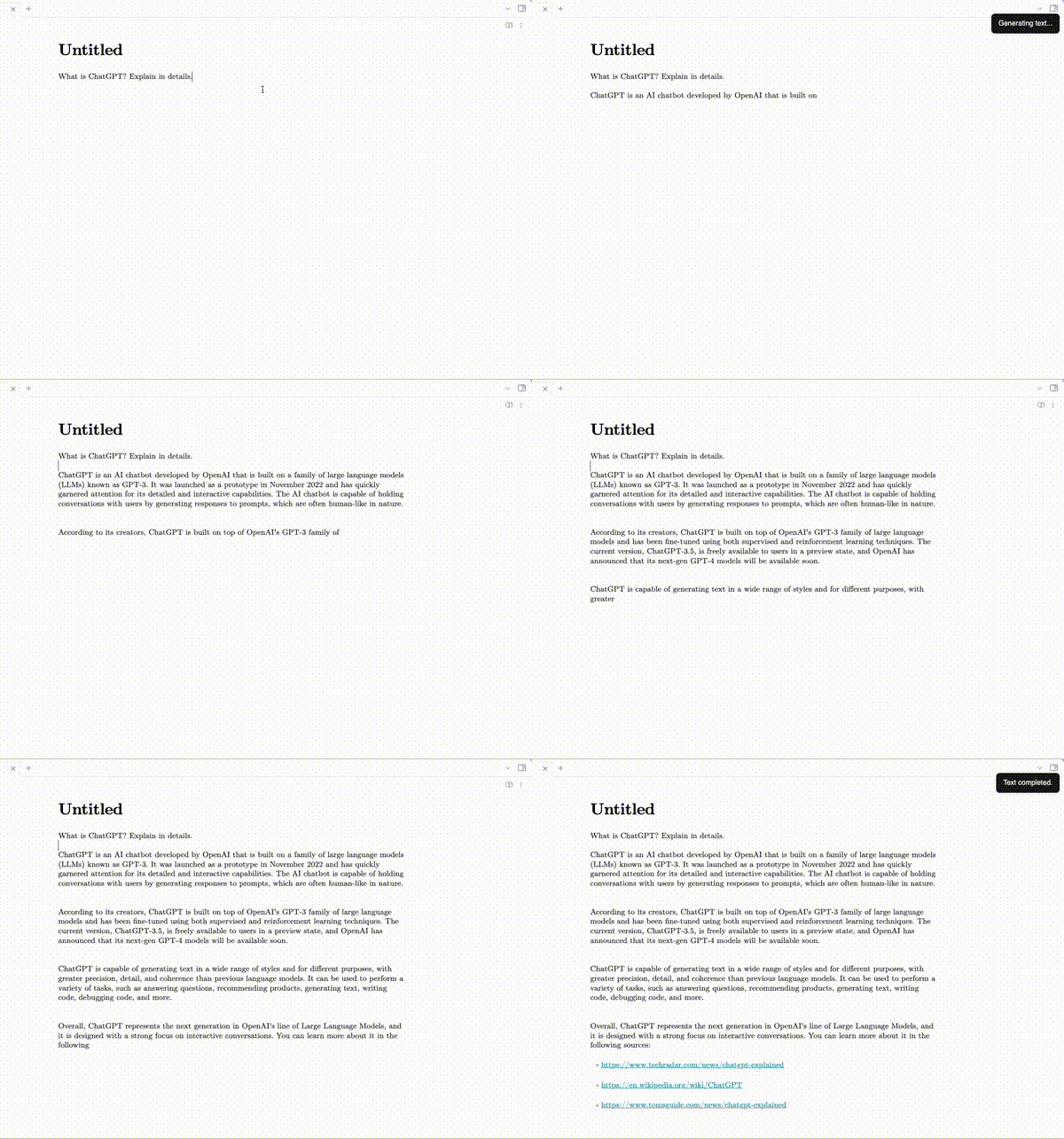
OpenAI API key is required to use this plugin.
Current Features
- Generate text from prompt, selected lines or current line.
- Generate image from prompt, selected lines or current line.
- Generate audio transcript from the last audio file above the current line.
- Generate text in conjunction with search engine results. This allows the text model to work with Bing search engine. A Bing Web Search API key is required to use this feature.
- Generate text in context of the PDF attachment embedded in the note. In this mode, it will not incorporate the search result.
- Use Prompt Perfect to automatically improve prompts. Your prompts will be replaced by the improved one.
- Custom prompt commands for selected text and PDF. For example, add a command "Summarise the text" in the plugin settings, and it will appear as a command. Note that you need to reload the plugin and restart Obsidian to update the command palette.
Supported models
- GPT models listed in https://platform.openai.com/docs/models/gpt-4
- Whisper v1
- DALL·E image generation model
How to use
Call out the command pallette and try the following commands:
- AI Commander: Generate text from prompt
- AI Commander: Generate image from prompt
- AI Commander: Generate text from the current line
- AI Commander: Generate image from the current line
- AI Commander: Generate text from the selected text
- AI Commander: Generate image from the selected text
- AI Commander: Generate a transcript from the above audio
- AI Commander: Generate text from prompt in context of the above PDF
- AI Commander: Generate text from the current line in context of the above PDF
- AI Commander: Generate text from the selected text in context of the above PDF
Install from Github
- From the release page, download
manifest.jsonandmain.jsto<vault>/.obsidian/plugins/obsidian-aicommander-plugin - Refresh installed plugins
- Enable AI Commander
HealthFair
ReviewCaution
About
Generate text or images from a prompt, the current line, or selected text using OpenAI models (GPT, DALL·E; requires OpenAI API key); add a Bing Web Search API key to include web results. Transcribe the last audio above the cursor with Whisper, query embedded PDFs for context-aware responses, and create custom prompt commands with prompts auto‑improved via Prompt Perfect.Details
Current version
1.3.4
Last updated
2 years ago
Created
4 years ago
Updates
14 releases
Downloads
19k
Compatible with
Obsidian 1.0.0+
Platforms
Desktop, Mobile
License
MIT
Sponsor