Search...Search plugins and themes...
⌘K
Sign in
  • Get started
  • Download
  • Pricing
  • Enterprise
  • Account
  • Obsidian
  • Overview
  • Sync
  • Publish
  • Canvas
  • Mobile
  • Web Clipper
  • CLI
  • Learn
  • Help
  • Developers
  • Changelog
  • About
  • Roadmap
  • Blog
  • Resources
  • System status
  • License overview
  • Terms of service
  • Privacy policy
  • Security
  • Community
  • Plugins
  • Join the community
  • Discord
  • Forum / 中文论坛
  • Merch store
  • Brand guidelines
Follow us
DiscordTwitterBlueskyThreadsMastodonYouTubeGitHub
© 2026 Obsidian

Agentic Git Sync

Jakob HeJakob He7 downloads

Agentic two-way sync for your vault and submodules with GitHub. AI resolves conflicts and git errors autonomously.

Add to Obsidian
  • Overview
  • Scorecard
  • Updates1

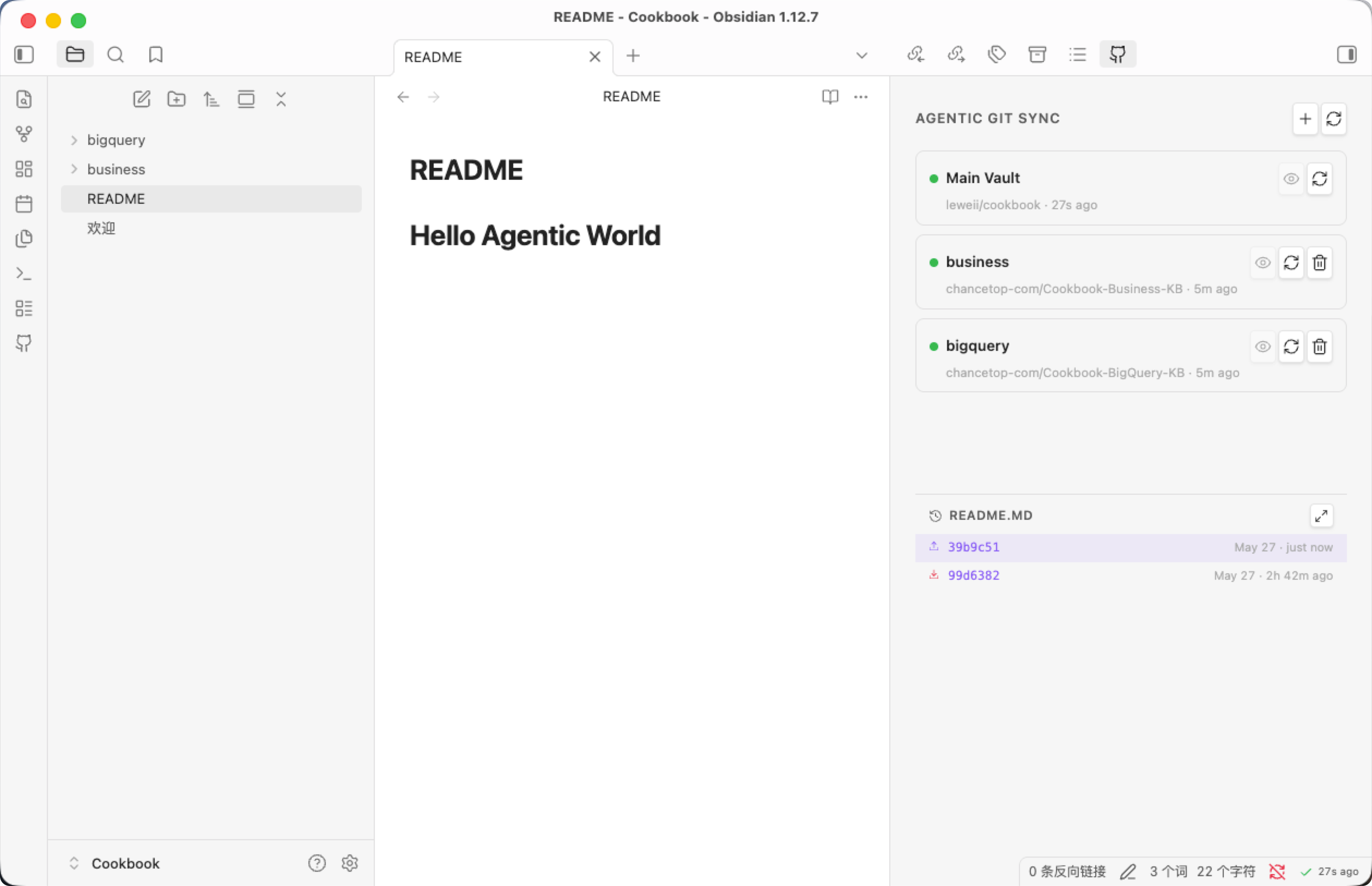
Agentic two-way sync between your Obsidian vault and GitHub — including nested folders as separate repos — without ever touching a terminal.

Most git-based Obsidian sync plugins assume you know git. This one doesn't. Four things make it different:

🤖 Agentic git error recovery

Git can fail in dozens of ways: stale lock files, mid-merge state, non-fast-forward push, detached HEAD, oversized files, missing submodules. Other plugins surface raw fatal: errors that mean nothing to non-technical users. Agentic Git Sync routes every failure through an AI agent that classifies the error, picks a recovery tool from a 16-tool catalog, executes it silently, and retries — all before you see anything went wrong. A deterministic rule-based fallback covers users who haven't configured an AI key.

🧩 Real submodule support, not just one repo

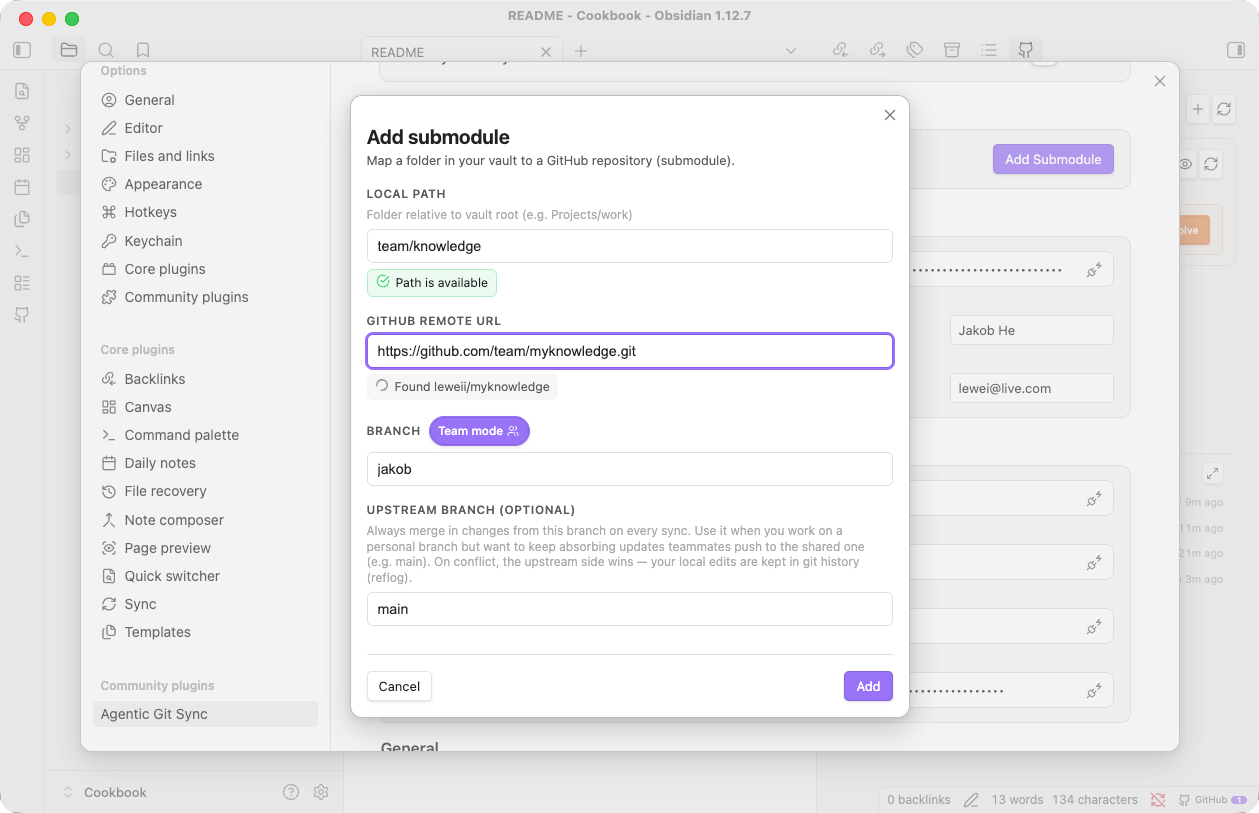
Map any folder in your vault to its own GitHub repo. Keep personal notes private, sync a Projects/ folder with your team, push a Blog/ folder to a public repo — all from the same vault, each with independent sync settings. Adding a submodule is a single dialog: paste a URL, type a folder name, done.

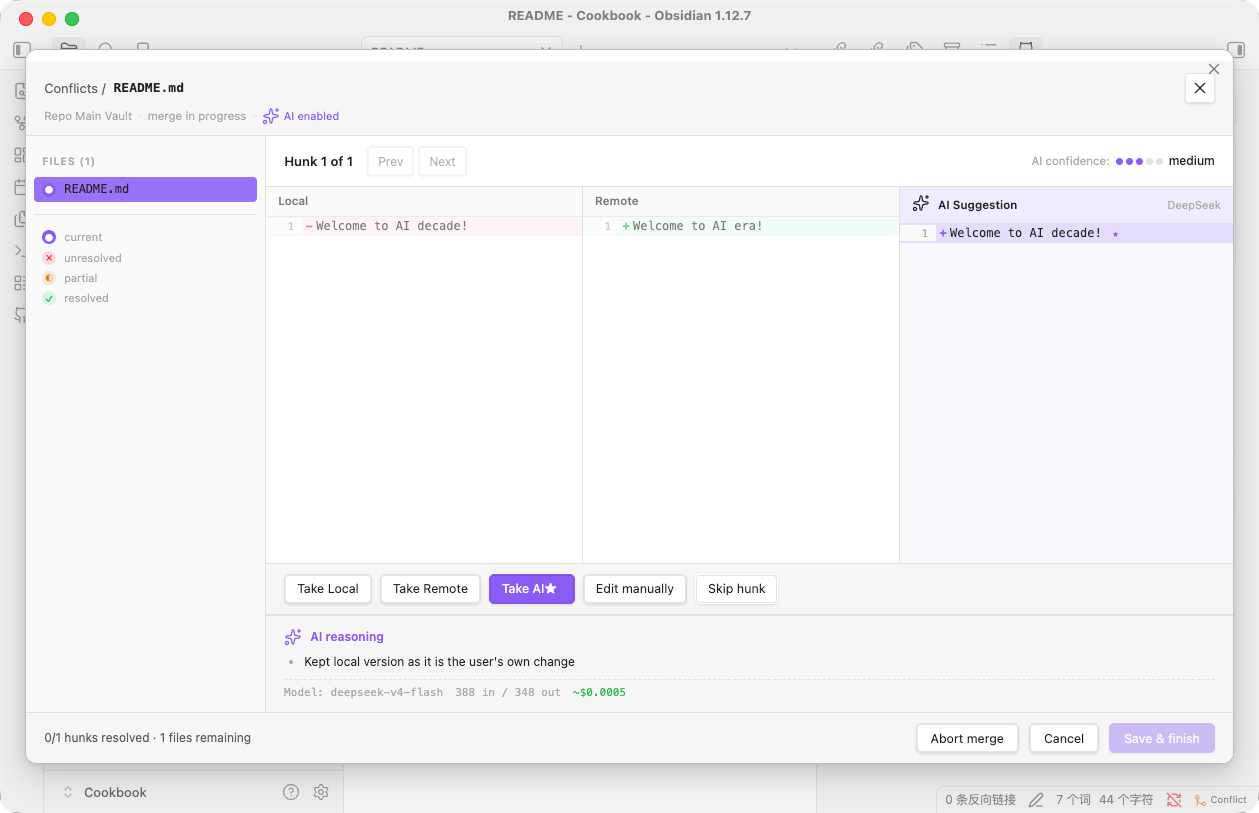
✨ AI-resolved merge conflicts

Side-by-side three-pane resolver for conflicts the AI couldn't auto-resolve, with semantic merging that preserves intent from both sides. The AI explains its reasoning, marks the lines it had to choose between, and you accept or override.

👶 Designed for users who don't know git

  • Setup wizard walks you through token → identity → first repo connection
  • ? icon next to the token field opens GitHub's PAT creation page directly — no need to know what a "personal access token" is
  • Empty repos are auto-initialized. Create a new repo on github.com, paste the URL, click Add. The plugin silently seeds it with a README so git is happy. No "branch yet to be born" errors.
  • Test connection diagnoses three layers (token validity, repo access, actual git auth path) and tells you exactly which step is failing, in plain language. No more 403 mysteries.

Installation

Community plugins

  1. Open Settings → Community plugins
  2. Click Browse, search for Agentic Git Sync
  3. Click Install, then Enable

Manual install

  1. Download main.js, manifest.json, and styles.css from the latest release
  2. Copy them into <your-vault>/.obsidian/plugins/agentic-git-sync/
  3. Restart Obsidian, then enable Agentic Git Sync under Settings → Community plugins

Getting started

The setup wizard appears from Settings → Agentic Git Sync → Run setup wizard. Three short steps:

  1. Paste a GitHub Personal Access Token. Click the ? icon next to the input to open the GitHub token page. Either format works:
    • Classic (ghp_…) — needs the repo scope
    • Fine-grained (github_pat_…) — give it Contents: read & write on the repos you'll sync
  2. Connect your main vault to a GitHub repo. Paste the HTTPS URL. The plugin handles the initial commit, push, and (if the repo is empty) seeds it so the first sync works.
  3. (Optional) Add submodules from the dashboard. One submodule per folder you want in its own repo.

How your data is stored

File Where Contains Travels with the repo?
data.json <vault>/.obsidian/plugins/agentic-git-sync/ Your tokens, sync history, per-machine state ❌ Local only
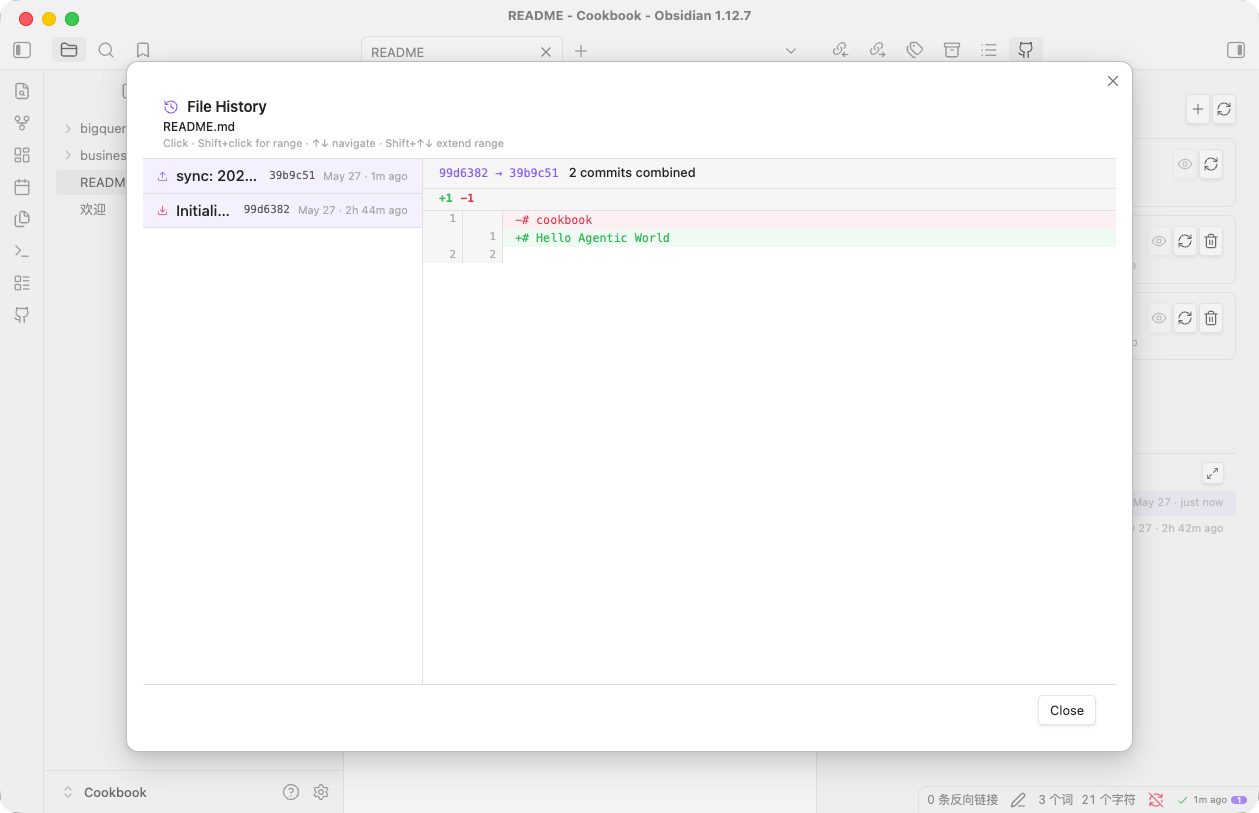
.github-sync.json <vault>/ Remote URLs, branches, AI model choice, submodule list ✅ Committed (so a fresh clone on a new machine picks up your config automatically)

Secrets never leave your device. The plugin's own .gitignore excludes .obsidian/, and .github-sync.json's schema has no token fields at all — there's no path by which the plugin can leak credentials into a commit.

Troubleshooting

Permission denied or 403 on push. Open Settings → Agentic Git Sync → Test connection. The third row (git auth) exercises the same credential path your sync uses. If that row fails while the API rows pass, your local git is using stale credentials (most commonly the macOS Keychain) — erase the cached entry or rotate the token.

Token sticks around after uninstall. Obsidian preserves plugin data across reinstalls by design. To fully wipe credentials, delete <vault>/.obsidian/plugins/agentic-git-sync/data.json.

License

MIT

94%
HealthExcellent
ReviewSatisfactory
About
Sync your Obsidian vault two-way with GitHub, map folders to independent repositories with real submodule support, and manage folder-specific repos from a single vault. Recover Git failures automatically via an AI agent that classifies errors and applies fixes, and resolve conflicts with a three‑pane semantic merge UI that explains AI choices.
GitSyncingAI
Details
Current version
1.0.0
Last updated
2 days ago
Created
2 days ago
Updates
1 release
Downloads
7
Compatible with
Obsidian 1.7.2+
Platforms
Desktop only
License
MIT
Report bugRequest featureReport plugin
Author
Jakob HeJakob Heleweii
jakobhe.com
GitHubleweii
  1. Community
  2. Plugins
  3. Git
  4. Agentic Git Sync

Related plugins

GitHub

GitHub Sync

Sync vault to personal GitHub.

Git

Integrate Git version control with automatic backup and other advanced features.

Copilot

Your AI Copilot: Chat with Your Second Brain, Learn Faster, Work Smarter.

Claudian

Embeds Claude Code/Codex as an AI collaborator in your vault. Your vault becomes agent's working directory, giving it full agentic capabilities: file read/write, search, bash commands, and multi-step workflows.

Smart Connections

AI link discovery copilot. See related notes as you write. Lookup using semantic (vector) search across your vault. Zero-setup local model for embeddings, no API keys, private.

Agent Client

Chat with Claude Code, Codex, Gemini CLI, and more via the Agent Client Protocol — right from your vault.

Self-hosted LiveSync

Sync vaults securely to self-hosted servers or WEBRTC.

Text Generator

Generate text content using GPT-3 (OpenAI).

Fast Note Sync

Real-time sync of your vaults across server, mobile, and web; shareable with anyone; supports REST and MCP integrations to build your personal AI knowledge base.

Smart Composer

AI chat with note context, smart writing assistance, and one-click edits for your vault.