
- Overview
- Scorecard
- Updates8
Merge a folder of notes for easier export. This plugin is designed for the obsidian app.
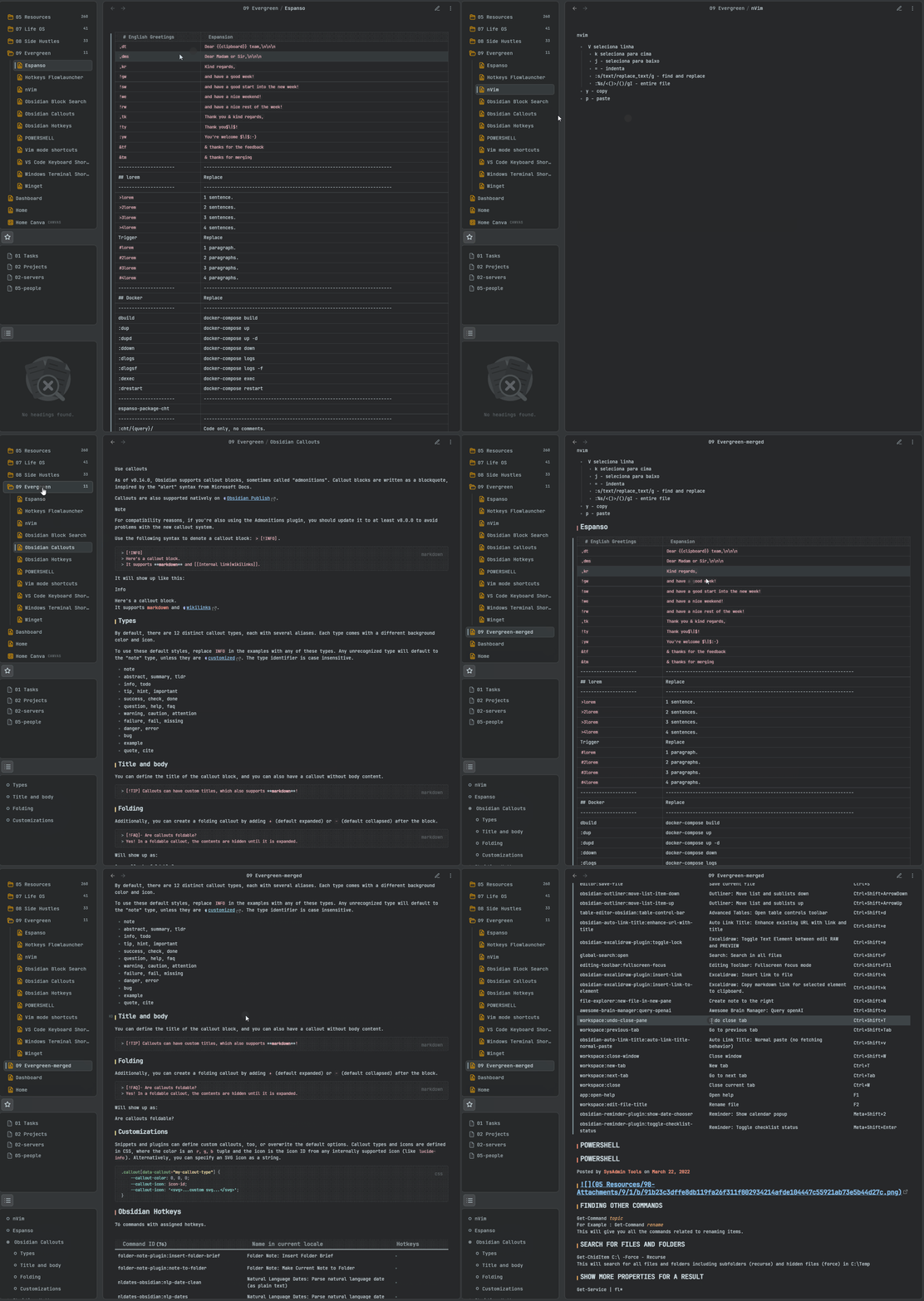
Preview of the plugin. Image by Nuno Campos
Installation
Installation through Obsidian community marketplace
This plugin can now be installed inside Obsidian in the community plugins tab. Link
- Go to the Obsidian settings panel.
- Open the community plugins tab.
- Browse community plugins.
- Search
Advanced Merger. - Install and enable the plugin.
Manual installation
- Download the latest release from releases page.
- Extract the zip archive.
- Move the 2 files (
manifest.json, andmain.js) to<your obsidian vault folder>/.obsidian/plugins/obsidian-advanced-merger - Start Obsidian, go to settings>community plugins, and turn
Advanced mergeron.
Usage
Using Advanced merger is very easy! Just right-click a folder and select merge folder.
Contributing
To build and test this repository it is advised to create a new vault. Clone this repository to <your obsidian vault folder>/.obsidian/plugins/ and run yarn install and yarn build or npm install and npm build inside of is. Then in Obsidian toggle the plugin on and off to refresh it.
All contributions are welcome, but before making anything big please consider starting a discussion in the issues tab.
Code of conduct
- Make sure your code is formatted with the
npm/yarn run formatscript. - Use angular commit message style. More info here.
- Please DO NOT modify
manifest.jsonas it breaks the plugin download system. For beta release use BRAT and version bumpmanifest-beta.json.
Commit message format
This specification is inspired by and supersedes the AngularJS commit message format.
This format leads to easier-to-read commit history. All commit messages must conform to this format:
<header>
<BLANK LINE>
<body>
Commit Header
The type field is always required. A summary is optional when bumping the version. If the commit is related to issue please refer to it. Every commit should only contain one type.
<type>(<issue-id>): <short summary>
  │						│
  │						└─⫸ Summary in the present tense. Not capitalized. No period at the end.
  │
  └─⫸ Commit Type: build|docs|feat|fix|refactor|test
Type
Example: fix(#123): fix a bug where XYZ, bump-version, feat(#123): add a feature that XYZ
Must be one of the following:
- build: Changes that affect the build system or external dependencies
- docs: Documentation only changes
- feat: A new feature
- fix: A bug fix
- refactor: A code change that neither fixes a bug nor adds a feature
- test: Adding new tests or correcting existing tests
Summary
Use the summary field to provide a succinct description of the change:
- use the imperative, present tense: "change" not "changed" nor "changes"
- don't capitalize the first letter
- no dot (.) at the end
Message body
- Optional but recommended
- Just as in use imperative, present tense: “change” not “changed” nor “changes”
Support
You can support me by buying me a coffee at buymeacoffee.com!