Advanced Line Numbers
 anamaydev1k downloads
Show absolute, relative, and hybrid line numbers in markdown files, with cursor position (line and column) in the status bar.
- Overview
- Scorecard
- Updates3
An Obsidian plugin that enhances the editor with customizable line numbers and active line highlighting.
Features
Line Number Modes
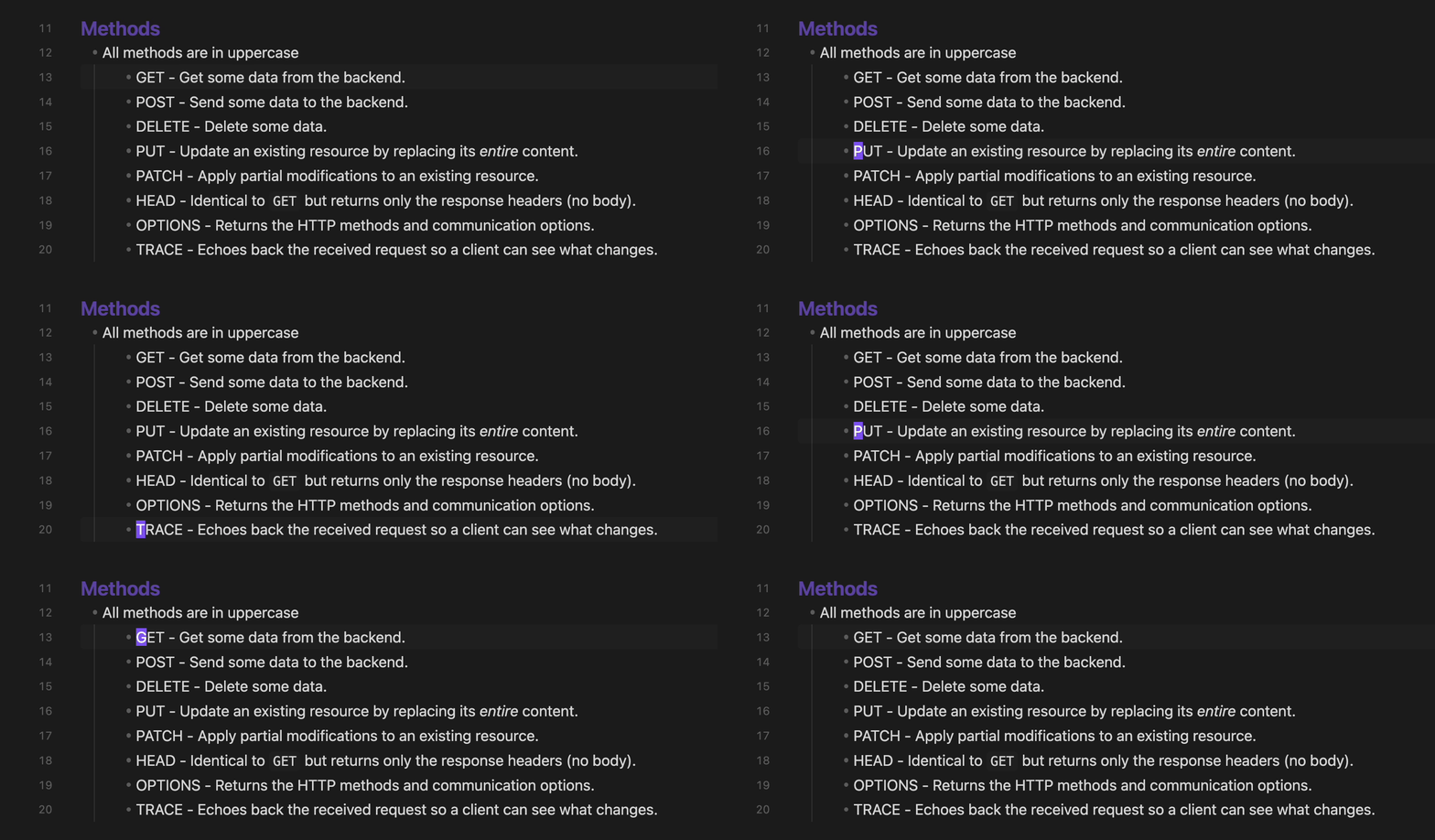
- Absolute - Standard line numbers (1, 2, 3...)
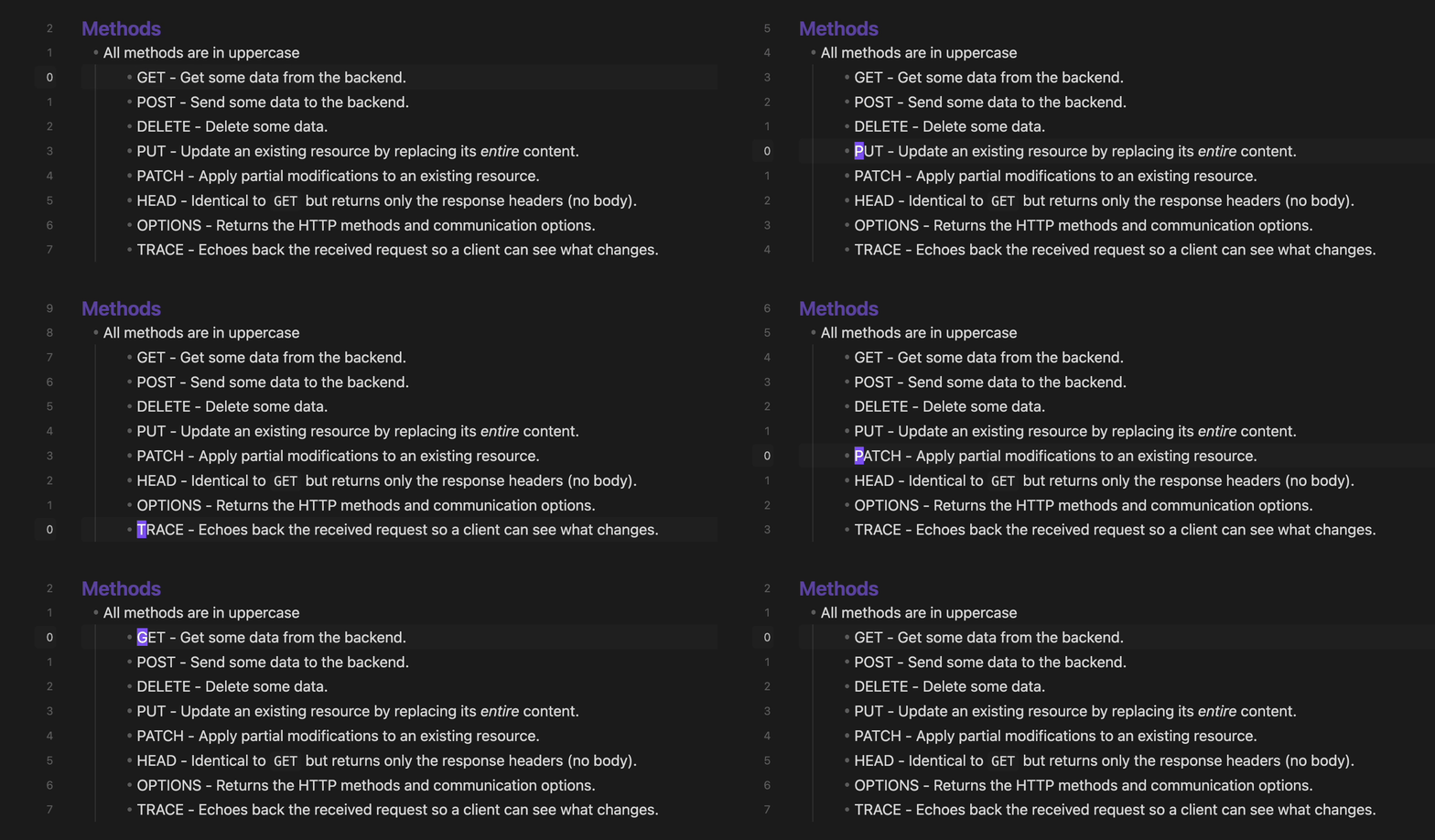
- Relative - Shows distance from current line (useful for vim-style navigation)
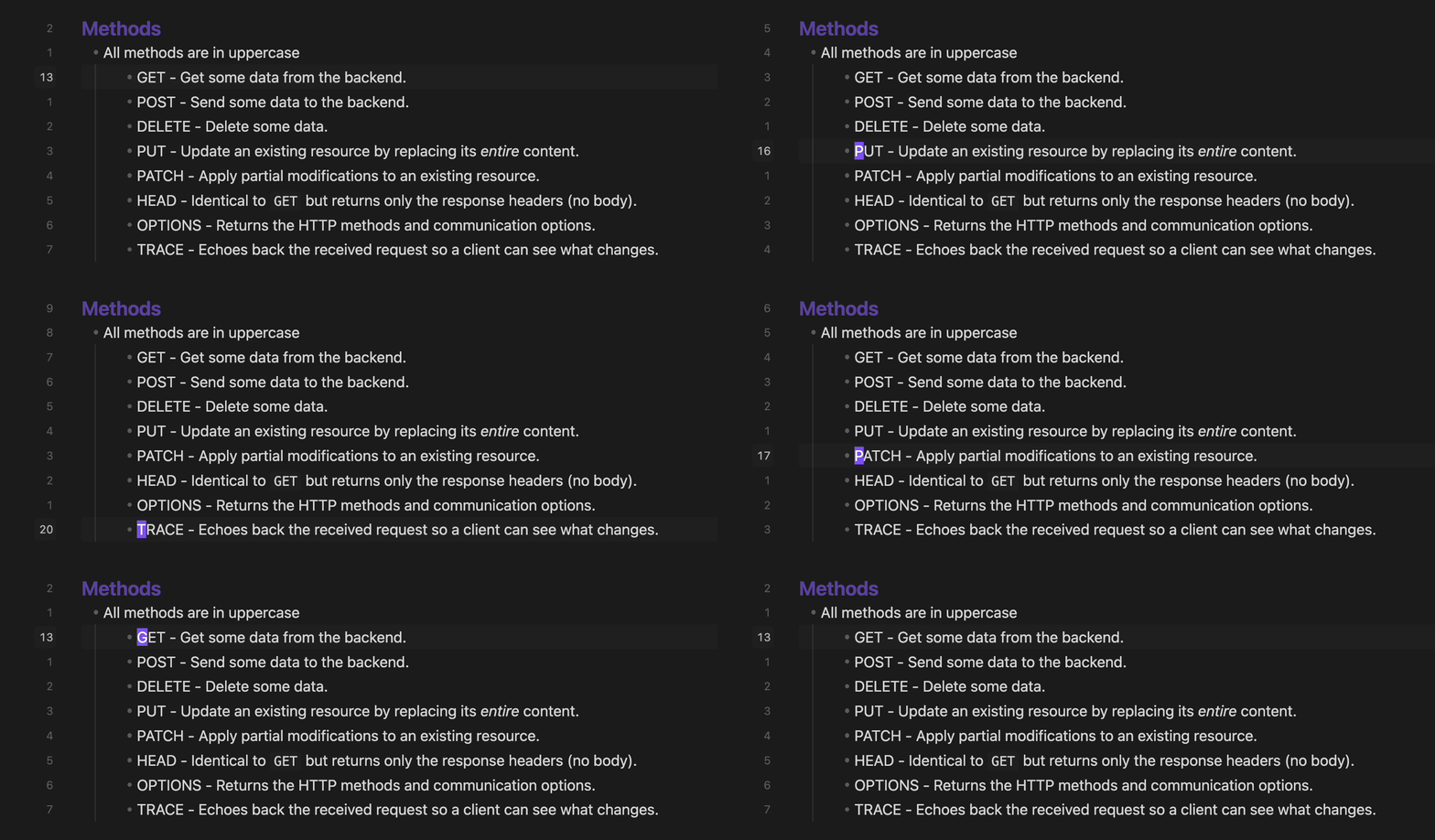
- Hybrid - Combines both: absolute number on current line, relative on others
Active Line Highlighting
- Highlight the active line in the editor
- Highlight the active line in the gutter
- Highlight the active line number with a distinct color
- Can be toggled off entirely if your theme provides its own active line highlight
Status Bar
- Displays cursor's position (Ln X, Col Y)
Screenshots
Line Number Modes
Hybrid
 Relative
 Absolute
Cursor's Position In Status Bar

Installation
From Community Plugins
- Open Settings → Community Plugins
- Search for "Advanced Line Numbers"
- Click Install, then Enable
Manual Installation
- Download
main.js,styles.css, andmanifest.jsonfrom the latest release - Create folder:
VaultFolder/.obsidian/plugins/advanced-line-numbers/ - Copy the downloaded files into the folder
- Reload Obsidian and enable the plugin in Settings → Community Plugins
Settings
| Setting | Description |
|---|---|
| Line Number Mode | Choose between Absolute, Relative, or Hybrid |
| Show cursor position in status bar | Toggle the Ln X, Col Y status bar item on and off |
| Highlight active line | Toggle the editor and gutter active line highlight on and off |
Commands
All settings can also be toggled via the command palette:
| Command | Description |
|---|---|
| Set line numbering: absolute / relative / hybrid | Switch the line numbering mode |
| Enable / Disable cursor position | Show or hide the cursor position in the status bar |
| Enable / Disable active line highlight | Show or hide the editor and gutter active line highlight |
Development
# Install dependencies
npm install

# Build for development (watch mode)
npm run dev

# Build for production
npm run build

# Lint code
npm run lint
Support
License
MIT
HealthExcellent
ReviewPassed
About
Add customizable line numbers to the editor with Absolute, Relative, or Hybrid modes for vim-style navigation. Highlight the active line, gutter, or line number and display cursor position (Ln X, Col Y) in the status bar.Details
Current version
1.2.0
Last updated
6 days ago
Created
7 months ago
Updates
3 releases
Downloads
1k
Compatible with
Obsidian 0.15.0+
Platforms
Desktop only
License
MIT