Search...Search plugins and themes...
⌘K
Sign in
  • Get started
  • Download
  • Pricing
  • Enterprise
  • Account
  • Obsidian
  • Overview
  • Sync
  • Publish
  • Canvas
  • Mobile
  • Web Clipper
  • CLI
  • Learn
  • Help
  • Developers
  • Changelog
  • About
  • Roadmap
  • Blog
  • Resources
  • System status
  • License overview
  • Terms of service
  • Privacy policy
  • Security
  • Community
  • Plugins
  • Themes
  • Discord
  • Forum / 中文论坛
  • Merch store
  • Brand guidelines
Follow us
DiscordTwitterBlueskyThreadsMastodonYouTubeGitHub
© 2026 Obsidian

A-Home

evinvinevinvin183 downloads

All-in-one Obsidian dashboard for managing tasks, plans, notes, countdowns, progress, calendar, Pomodoro, weather, and daily life.

Add to Obsidian
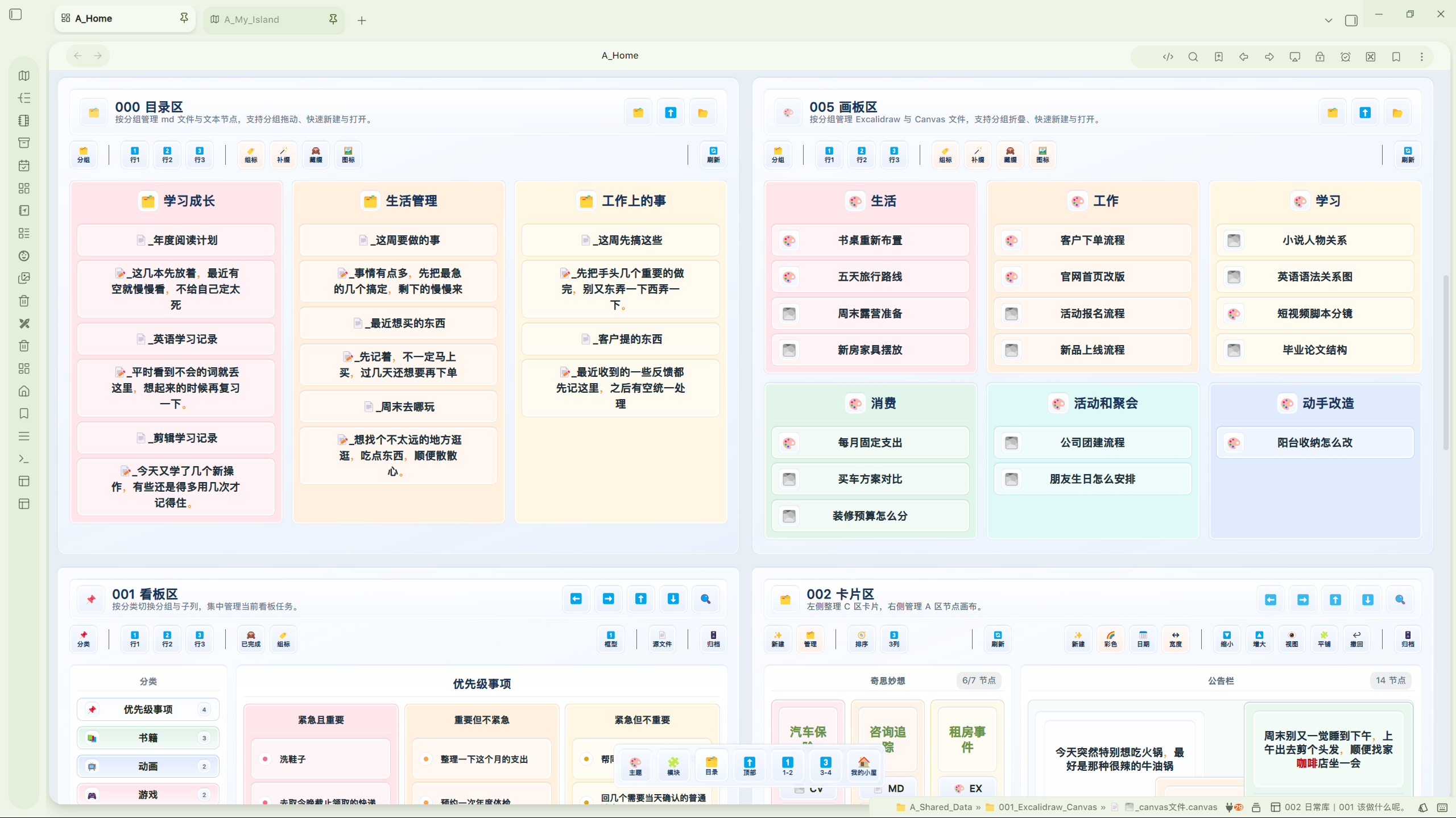
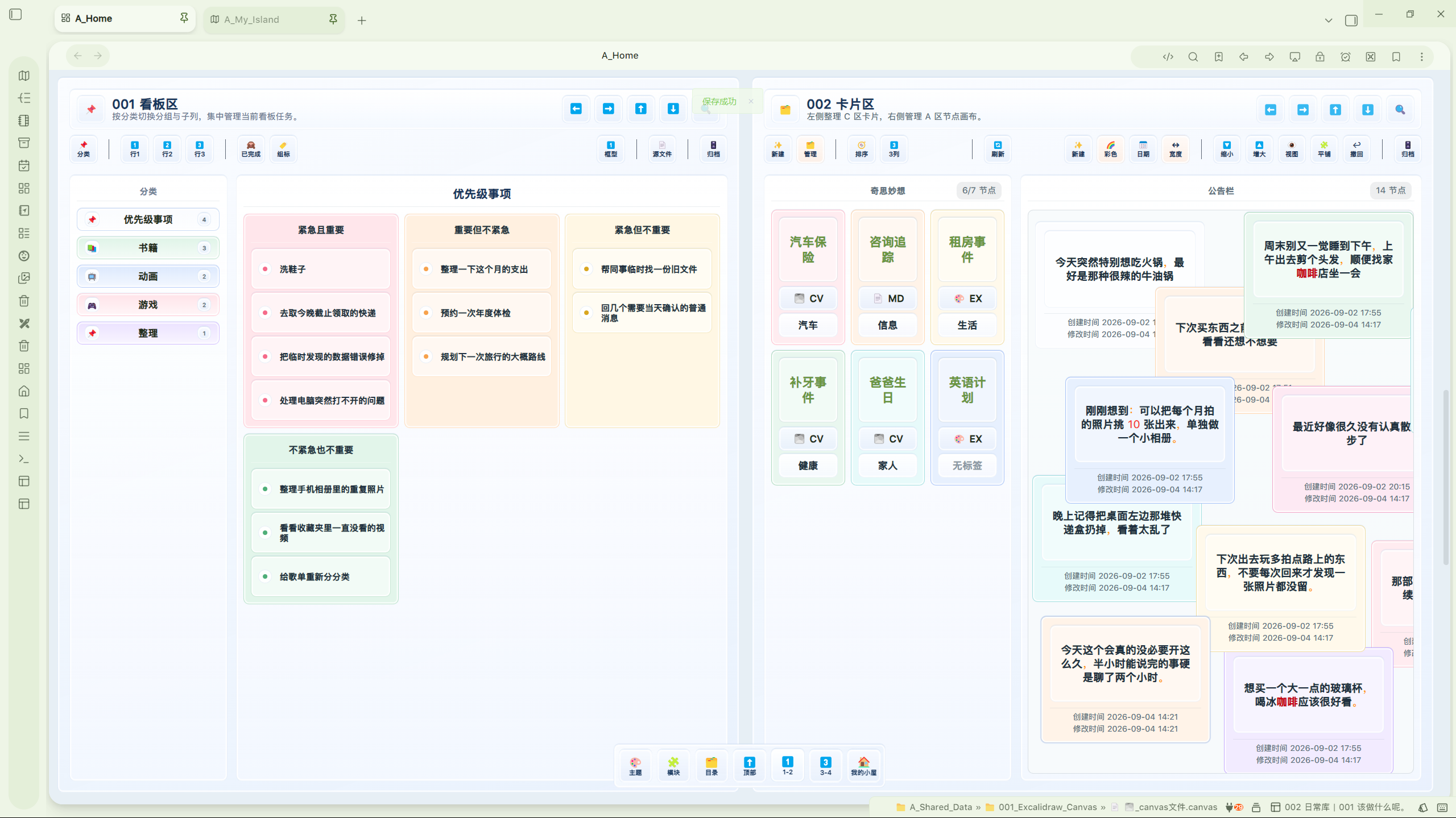
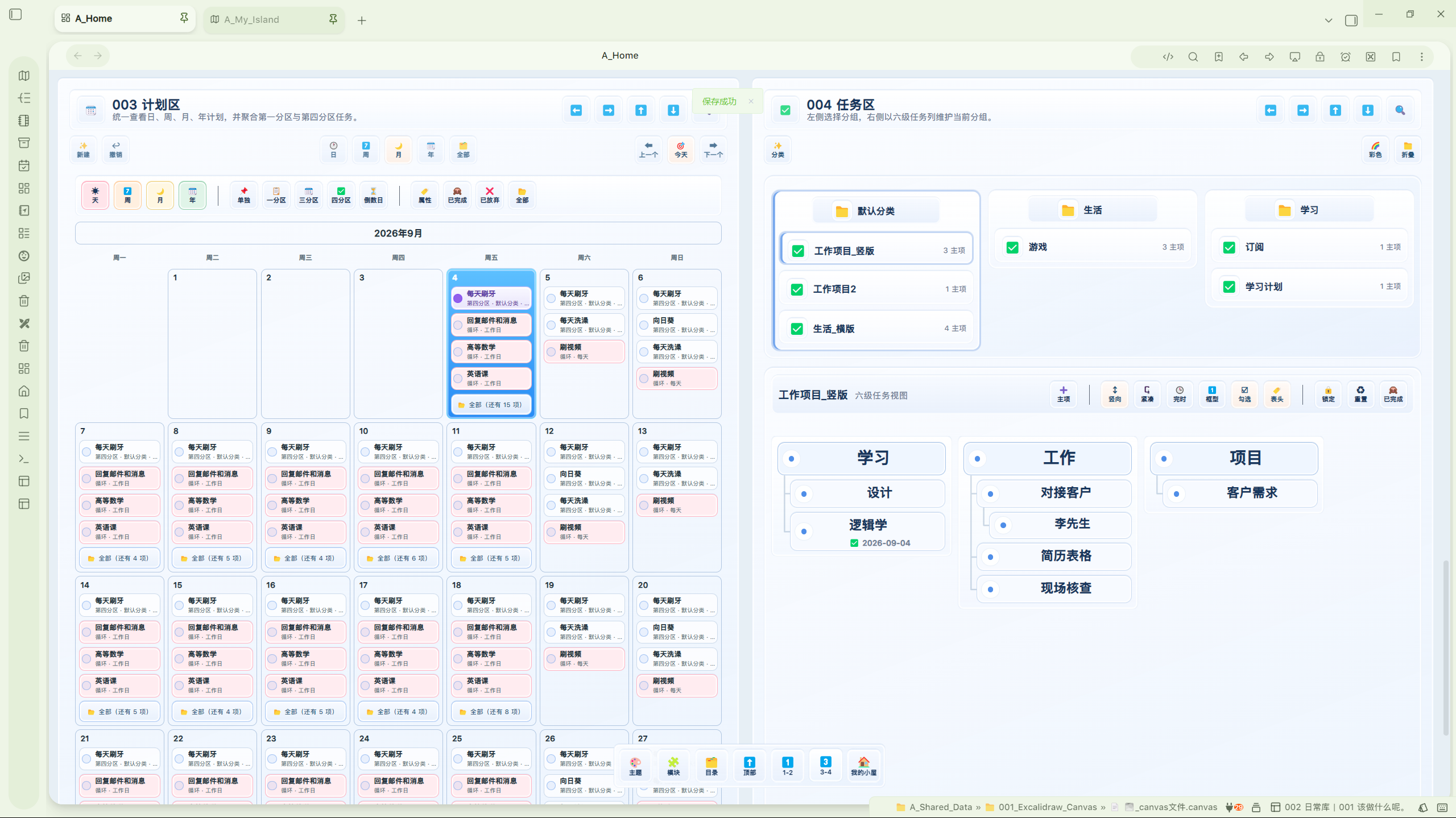
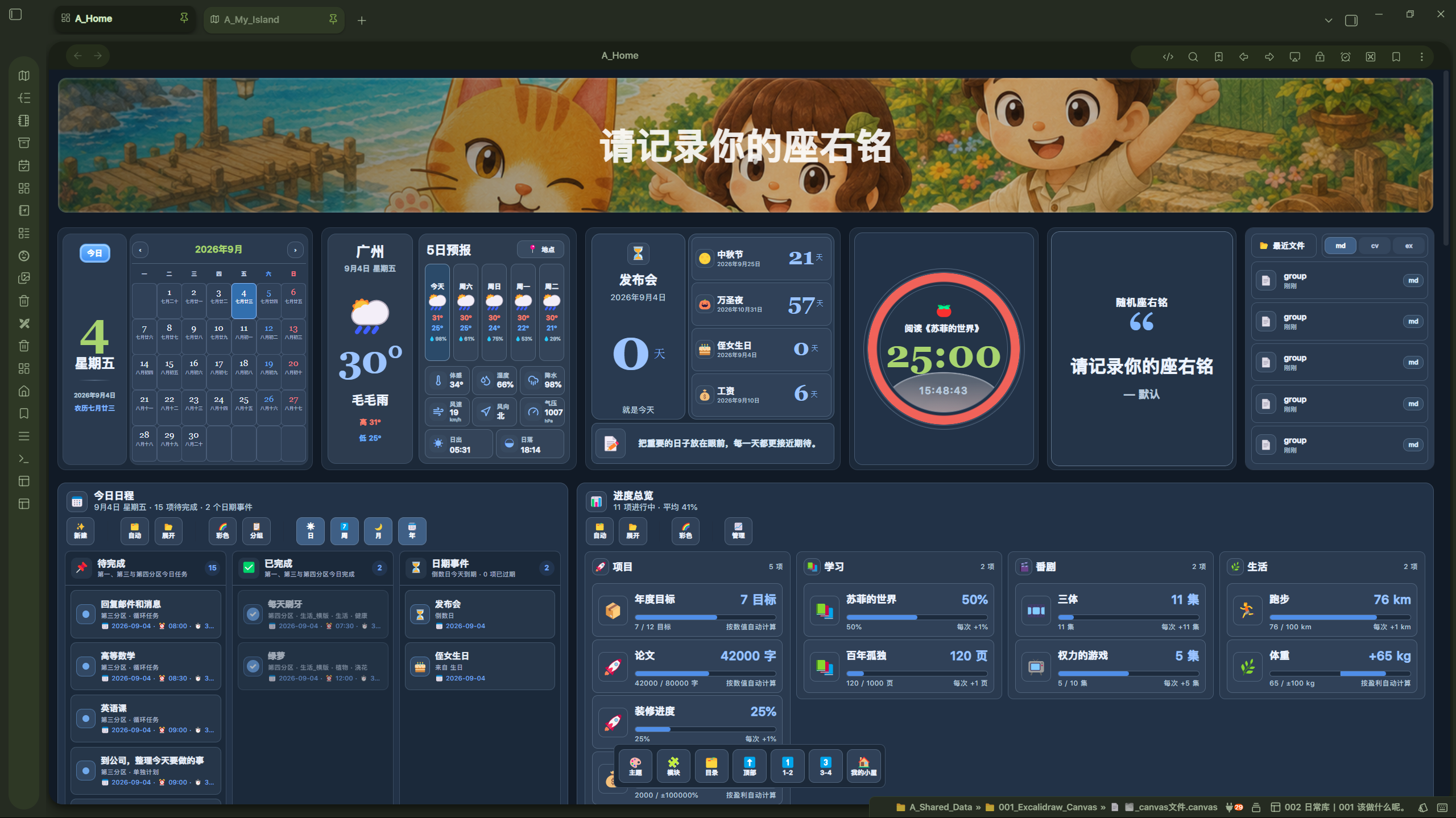
A-Home screenshot
A-Home screenshot
A-Home screenshot
A-Home screenshot
A-Home screenshot
  • Overview
  • Scorecard
  • Updates8

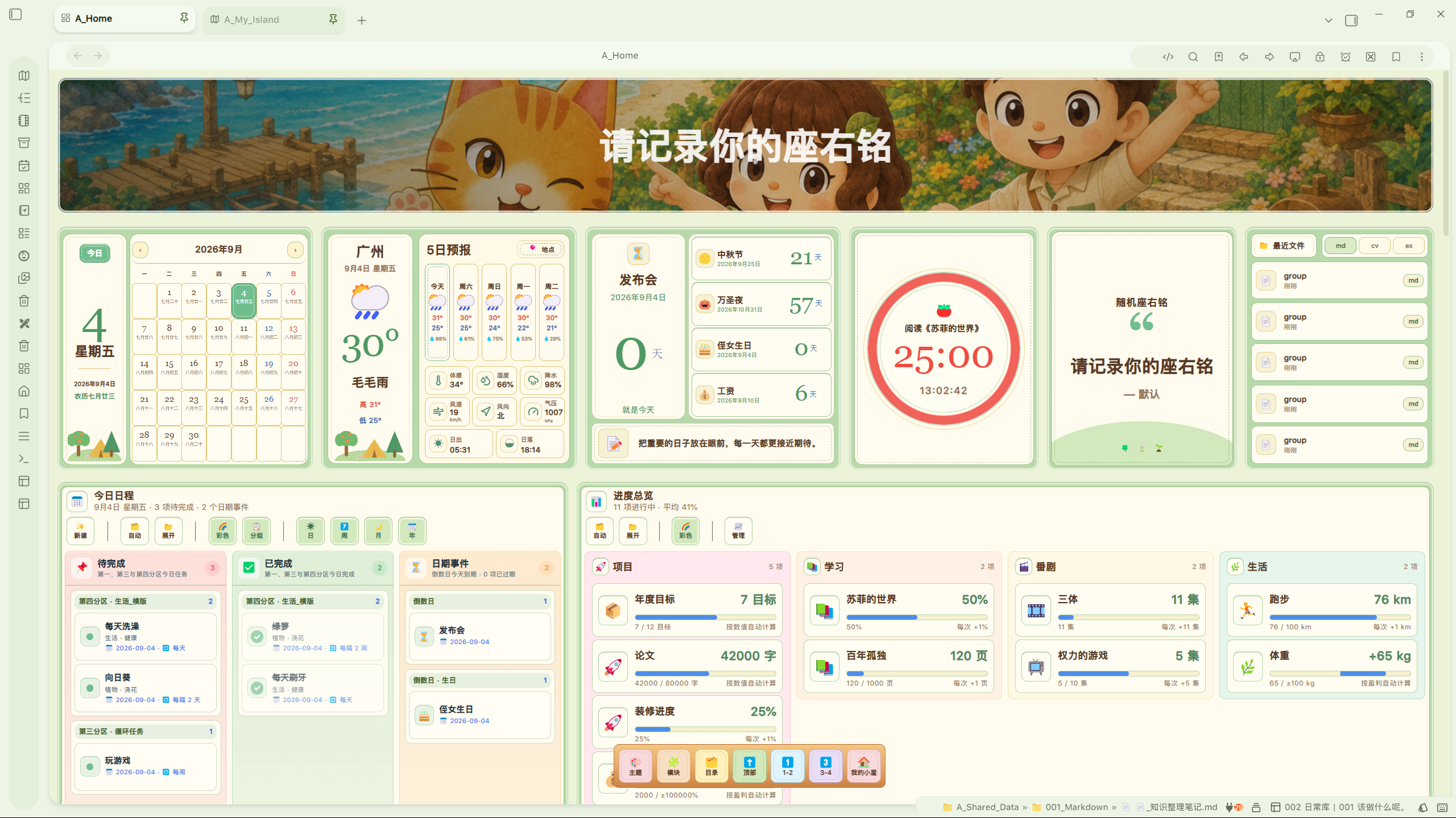
All-in-one 个人工作台,在一个主页中集中管理看板、计划、任务、笔记、倒数日、进度与生活记录。

界面预览

亮色主题
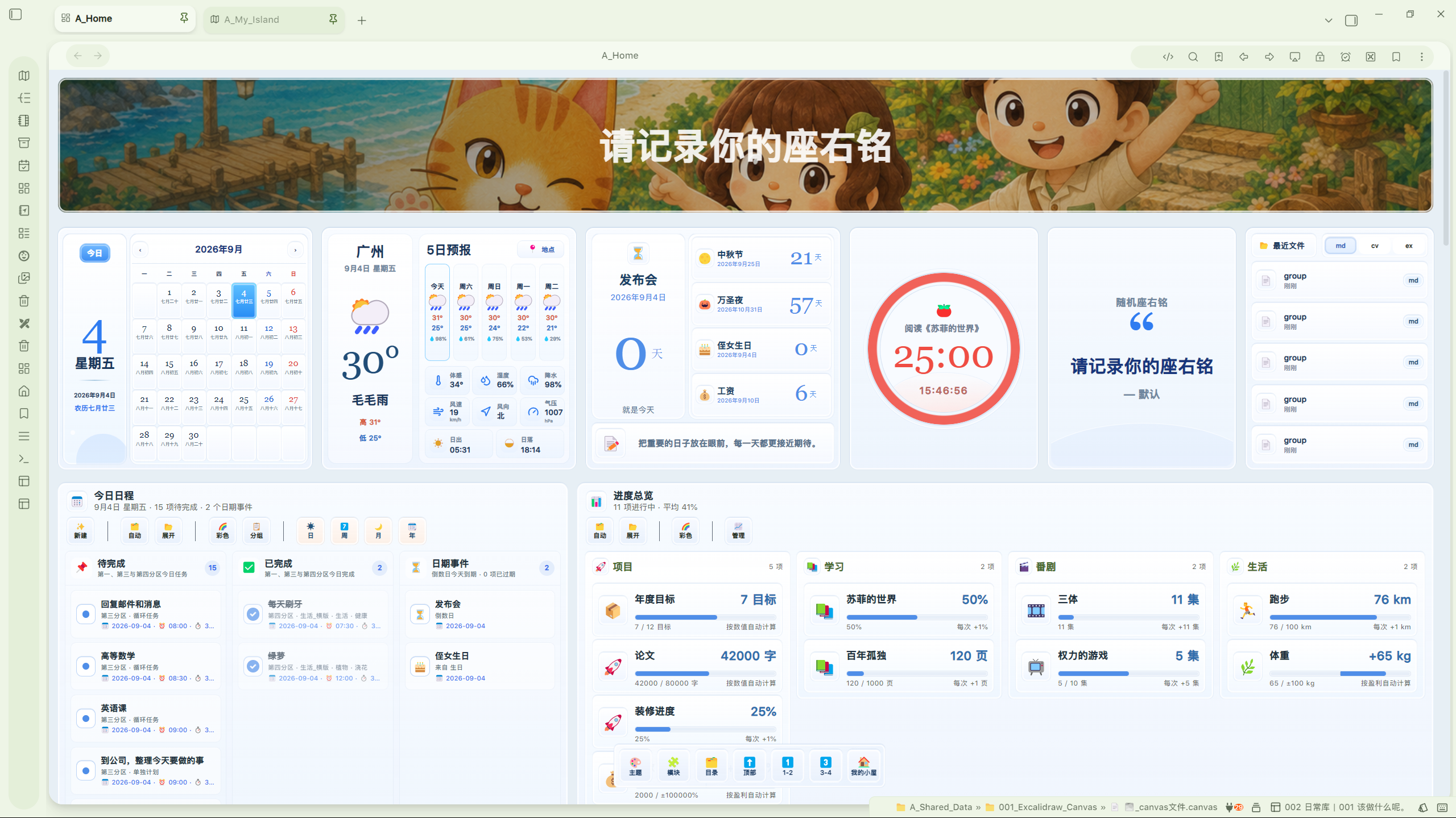
A-Home 亮色主题界面一 A-Home 亮色主题界面二

A-Home 亮色主题界面三 A-Home 亮色主题界面四

暗色主题

A-Home 暗色主题界面

小岛主题

A-Home 小岛主题界面

主要功能

  • 可自定义 Banner、主题、模块排序与主页布局。
  • 月历、天气、倒数日、番茄钟、座右铭和最近文件六个生活模块。
  • 今日日程、进度管理、目录、画板、计划和六级任务管理。
  • 支持任务创建、编辑、分组、筛选、循环、完成历史及跨分区联动。
  • 支持亮色、深色和小岛主题,并适配桌面端与移动端布局。
  • 使用 Vault 内 Markdown/JSON 数据,便于随仓库备份与多设备同步。

付费与激活

A-Home 是需要购买许可证并激活后使用完整功能的付费插件。未激活时可以打开只读主页预览,并进入插件设置完成激活。

激活码请通过作者的正式销售或联系渠道获取:

  • 购买 A-Home 激活码
  • QQ群:603045364
  • 微信:VinVinVin444
  • Bilibili
  • 小红书
  • 抖音

网络访问

A-Home 只在下列场景访问网络:

  1. 激活许可证,以及在离线许可进入续签窗口、过期恢复、可信时间异常或用户主动验证时连接授权服务器。
  2. 用户自行填写天气与地点接口后,天气模块访问用户指定的服务。
  3. 用户主动打开作者链接、任务网站链接或自行配置的外部 Banner 图片。

授权服务可能接收激活或验证所必需的数据类别:激活码(仅激活时)、产品代码、匿名设备 ID、设备名称与平台信息,以及续签时的离线许可证。插件不会把激活码写入设置或日志。

隐私

  • 无客户端遥测。
  • 无使用行为分析。
  • 无广告跟踪。
  • 不出售用户数据。

完整说明见 PRIVACY.md。

数据与备份

业务数据主要保存在当前 Vault 的 A_Shared_Data 与 A_Dashboard_Data 目录。插件设置和离线许可证保存在当前 Vault 的插件配置数据中;匿名设备 ID 保存在当前 Vault 配置目录下的 a-license/device.json。

备份整个 Vault 时,上述数据会一并备份。跨设备同步插件配置目录时,请注意每个授权设备仍受许可证设备数量限制。

安装与更新

正式上架后,请通过 Obsidian Community Plugin Directory 安装和更新。不要从非官方来源下载修改过的构建文件。

Source and review

A-Home is a paid, license-activated plugin. Its complete TypeScript source code is maintained in a private repository. Release builds are submitted to the Obsidian Community Directory review and scanning process.

The plugin connects to its licensing service only for activation and periodic license validation. It sends the minimum license-related data described above. Weather and geocoding requests are made only after the user provides compatible endpoint URLs. A-Home contains no client telemetry, usage analytics, or advertising trackers.

Third-party software

Third-party notices are available in THIRD_PARTY_NOTICES.md.

Support

作者:全平台-岛民Vin。问题反馈与购买咨询可通过上述作者渠道联系。

License

A-Home is proprietary commercial software distributed under the terms in LICENSE. Third-party components remain governed by their respective licenses.

HealthExcellent
ReviewRisks
About
A-Home is an all-in-one dashboard and productivity workspace for Obsidian. Manage tasks, plans, notes, countdowns, progress tracking, schedules, and daily records from a single home page. Customize banners, themes, module order, and dashboard layouts. Built-in modules include calendar, weather, Pomodoro timer, countdowns, mottos, recent files, navigation, and multi-level task management with groups, filters, recurring tasks, completion history, and cross-section linking. Data is stored in your Vault using Markdown and JSON for easy backup and synchronization. A paid license is required for full access.
TasksProject managementCalendar
Details
Payments
Paid
Current version
1.6.1
Last updated
5 days ago
Created
2 weeks ago
Updates
8 releases
Downloads
183
Compatible with
Obsidian 1.5.0+
Platforms
Desktop, Mobile
License
OTHER
Report bugRequest featureReport plugin
Payments
九块九付费使用。使用 A-Home 需要有效的付费许可证。该插件不提供永久免费的版本。A valid paid license is required to activate and use A-Home. The plugin does not offer a permanently free tier.
Author
evinvinevinvinvinvinvin444
GitHubvinvinvin444
  1. Community
  2. Plugins
  3. Tasks
  4. A-Home

Related plugins

Operon

Task and project management system that unifies inline tasks and file-based tasks in the same workflows with Tables, Filters, Calendars, Kanban boards, Gantt views, Canvas, and time tracking.

TaskChute Plus

Execute TaskChute that slots today's tasks, tracks projects, adds comments, and keeps you focused on now.

TaskNotes

Note-based task management with calendar, pomodoro and time-tracking integration.

Tasks

Track tasks across your vault. Supports due dates, recurring tasks, done dates, sub-set of checklist items, and filtering. Maintained by Clare Macrae and Ilyas Landikov, created by Martin Schenck.

Day Planner

Turn tasks from daily notes, the Tasks plugin, and calendars into time blocks on an editable timeline, with built-in time tracker.

TickTickSync

Sync TickTick tasks.

dotpm

Full-featured task and project management: stunning Gantt charts, Kanban boards, Table views, customizable fields, due date notifications, dependancies

Base Board

Organize notes into Kanban boards using frontmatter properties. Drag and drop cards between columns powered by Bases.

Tasks Calendar Wrapper

Simple wrapper for Tasks Calendar and Tasks Timeline.

Apex Dashboard

Your personal command center — memos, todos, and projects in one stunning glassmorphism dashboard.