Vitela
 Nicolás Cereijo Ranchal600 downloads
A minimal serif theme for long-form reading and writing in obsidian.
- Overview
- Scorecard
- Updates7
A serif Obsidian theme designed for long-form reading and writing.
Vitela prioritises typography, comfortable reading and sensible defaults over endless customization, making notes feel closer to a well-designed book than a code editor while remaining lightweight, accessible and compatible with Obsidian Publish.
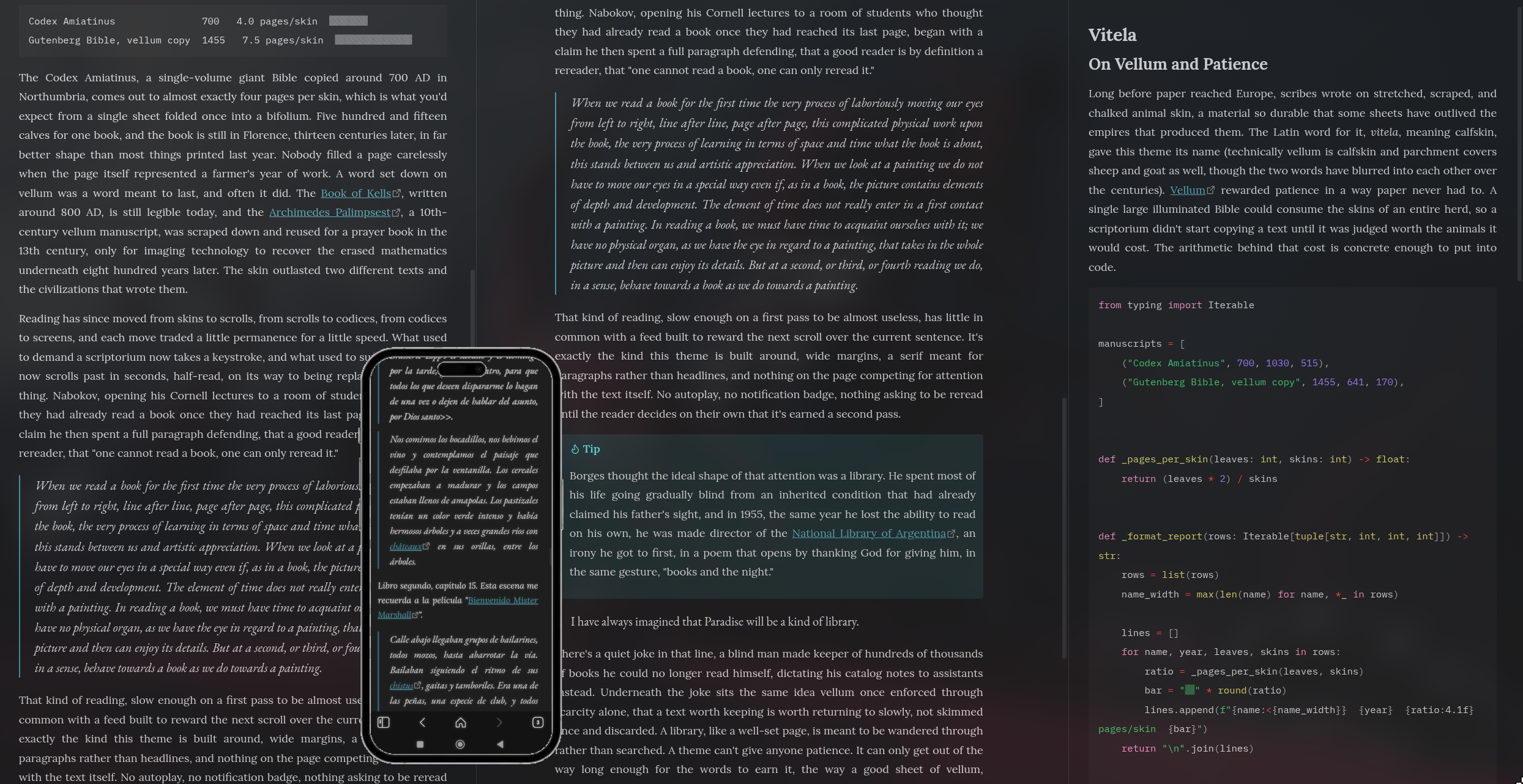
Ideal for writers, researchers, students and anyone who spends hours reading and writing in Obsidian.
Why Vitela?
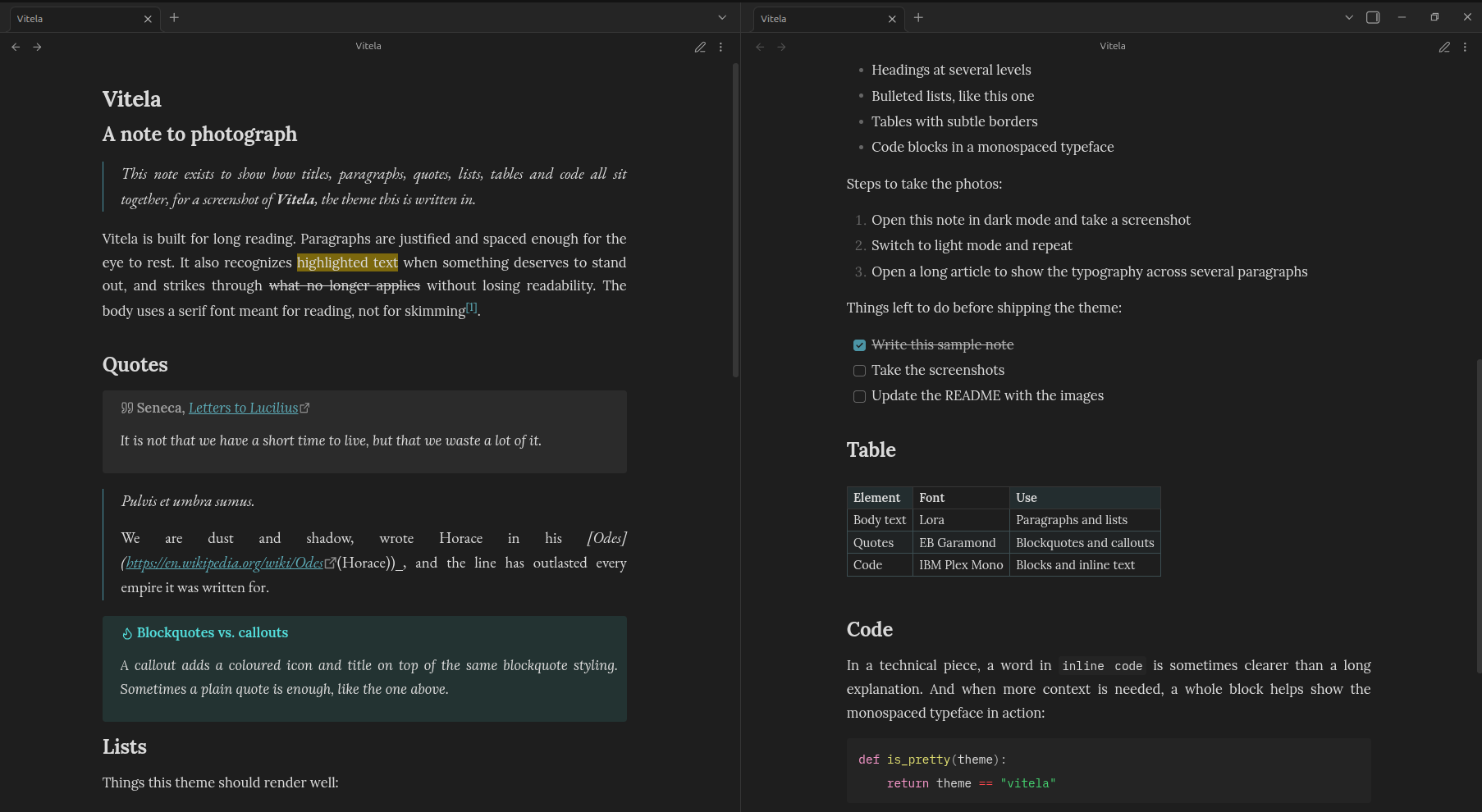
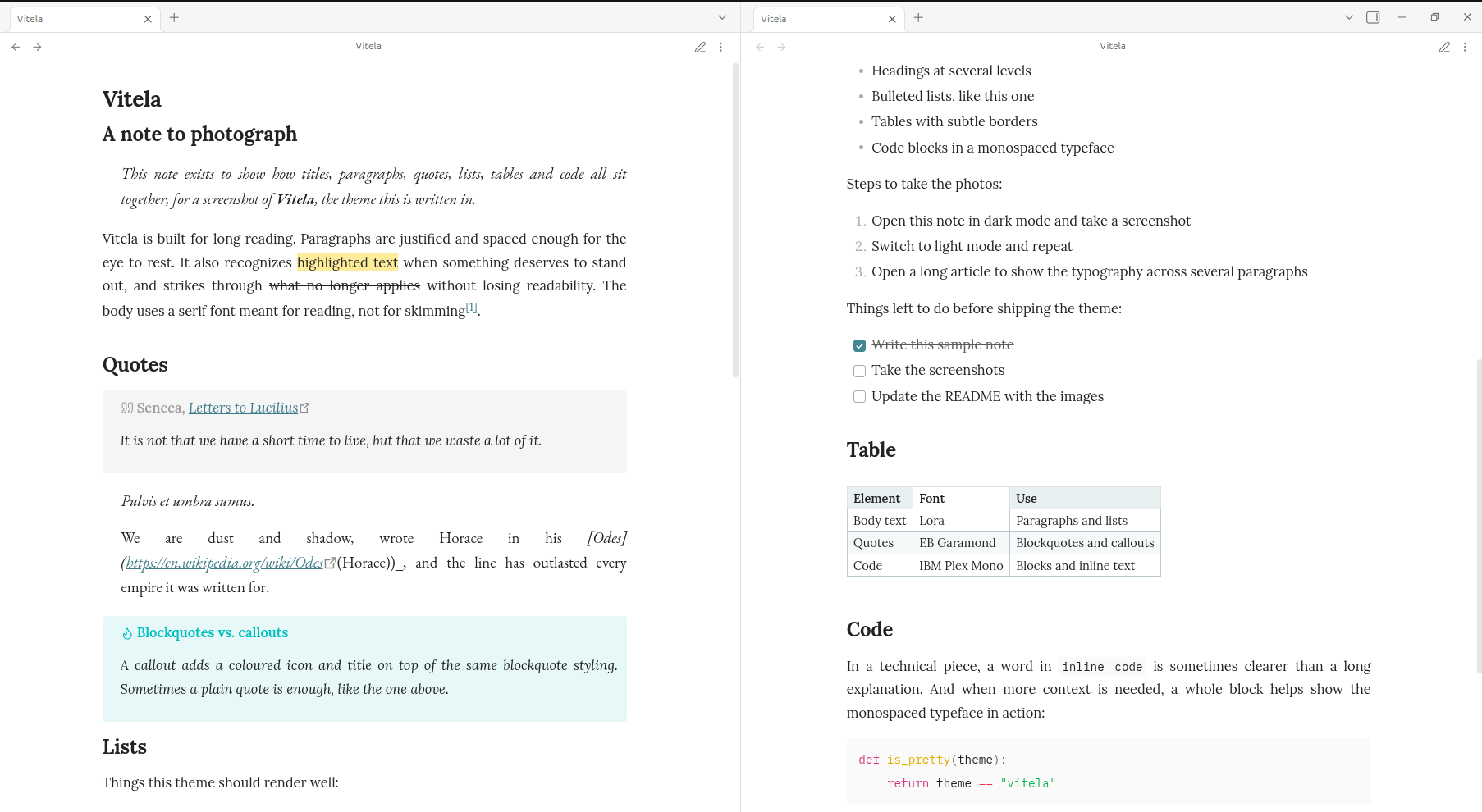
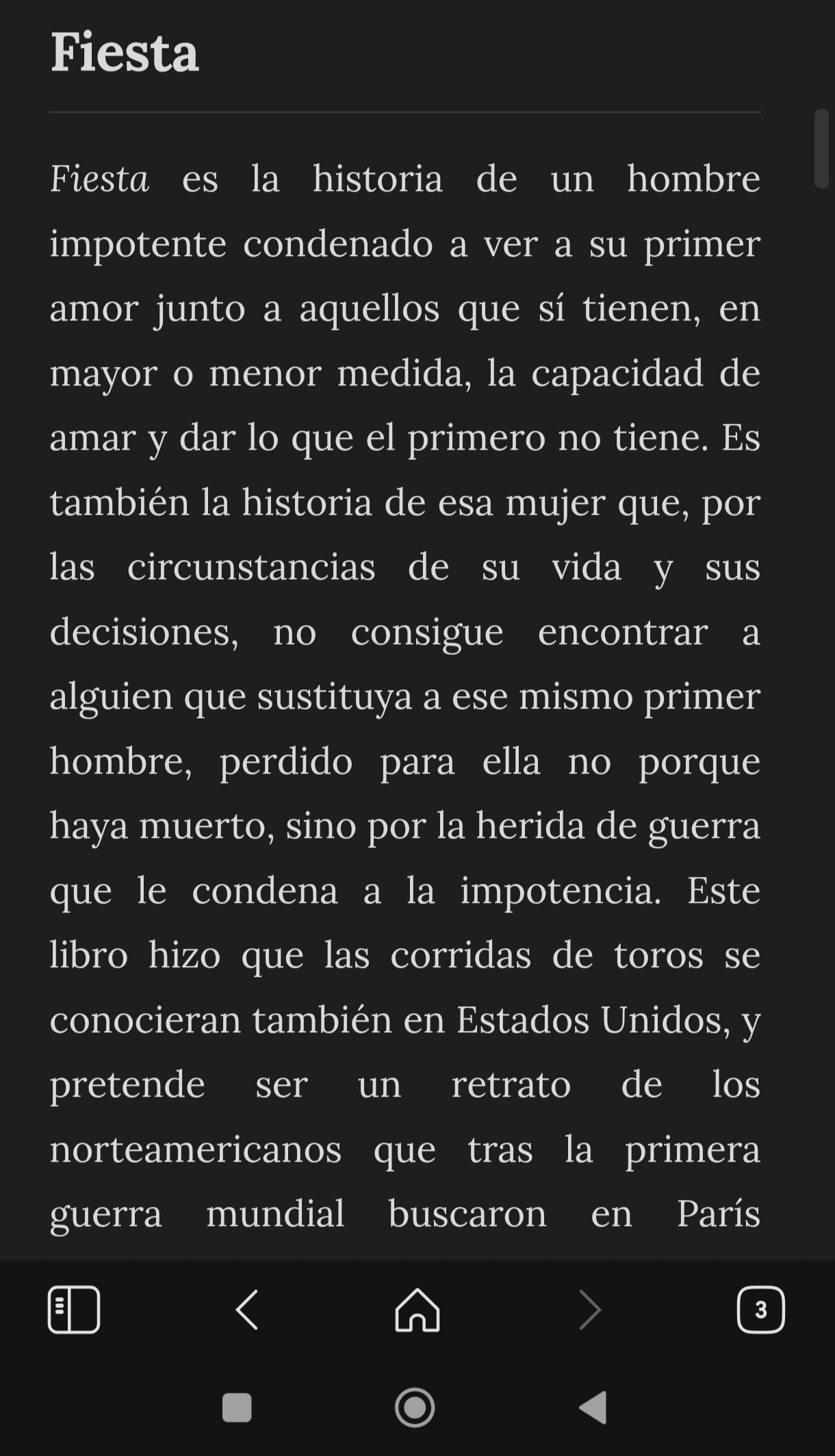
- Typography first. Lora is used for body text, EB Garamond for quotations and IBM Plex Mono for code, each selected for its intended role.
- Comfortable reading. Justified paragraphs with automatic hyphenation produce cleaner text blocks during long reading sessions.
- A quieter interface. A restrained teal accent replaces Obsidian's default purple, while tables use subtle accent-tinted borders and alternating row colours.
- Accessible by default. Font sizes use
rem, so the theme respects the reader's preferred text size instead of overriding it. - Privacy-friendly. Fonts are bundled with the theme instead of being loaded from external services.
- Publish-ready. A matching
publish.csskeeps published notes visually consistent with the desktop experience.
Design principles
Vitela deliberately favours carefully chosen defaults over extensive configuration. Every visual decision aims to improve readability, reduce distraction and maintain a consistent typographic rhythm throughout the vault.
Rather than exposing countless configuration options, Vitela focuses on providing a polished reading and writing experience that works well out of the box.
Screenshots
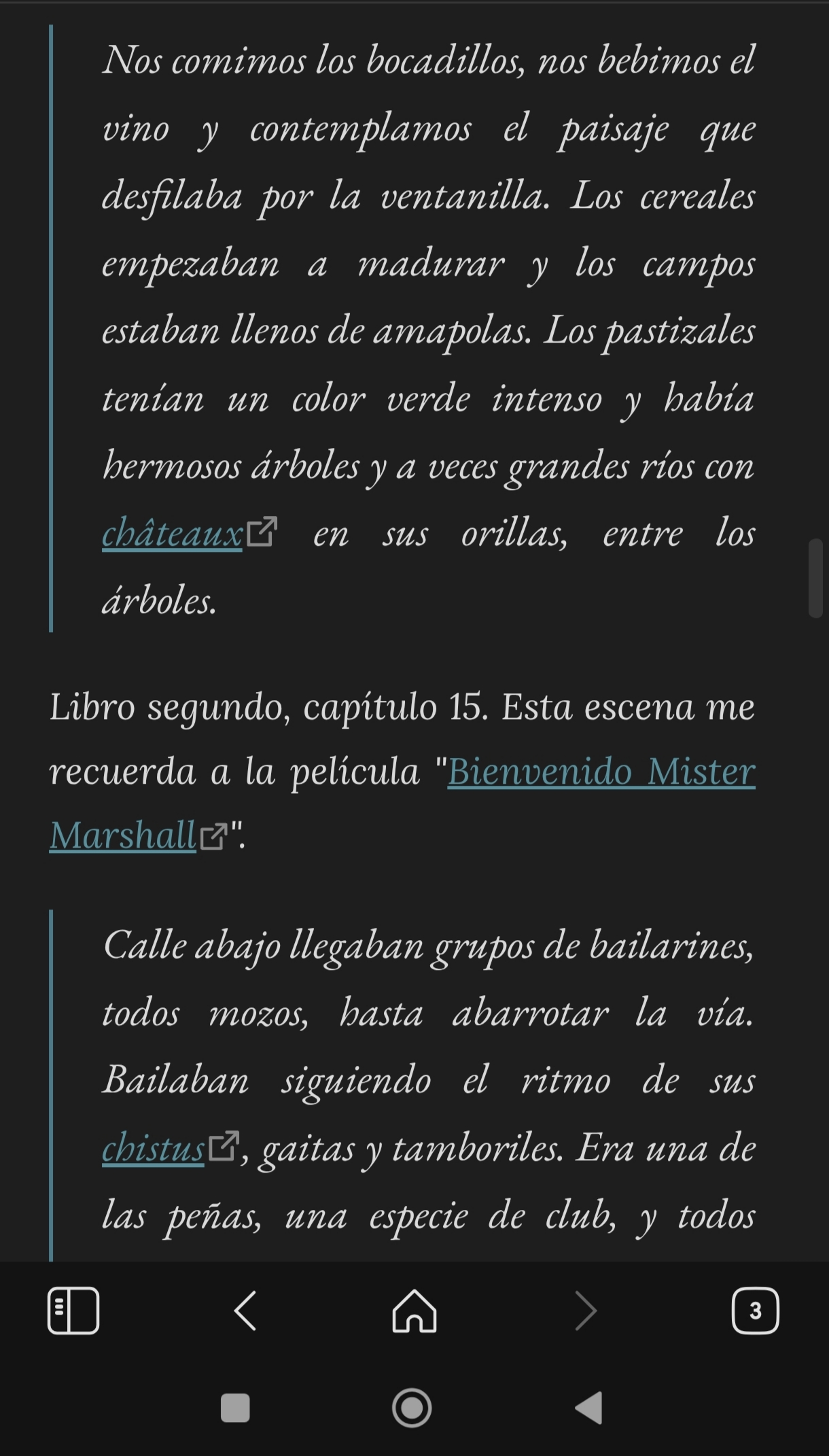
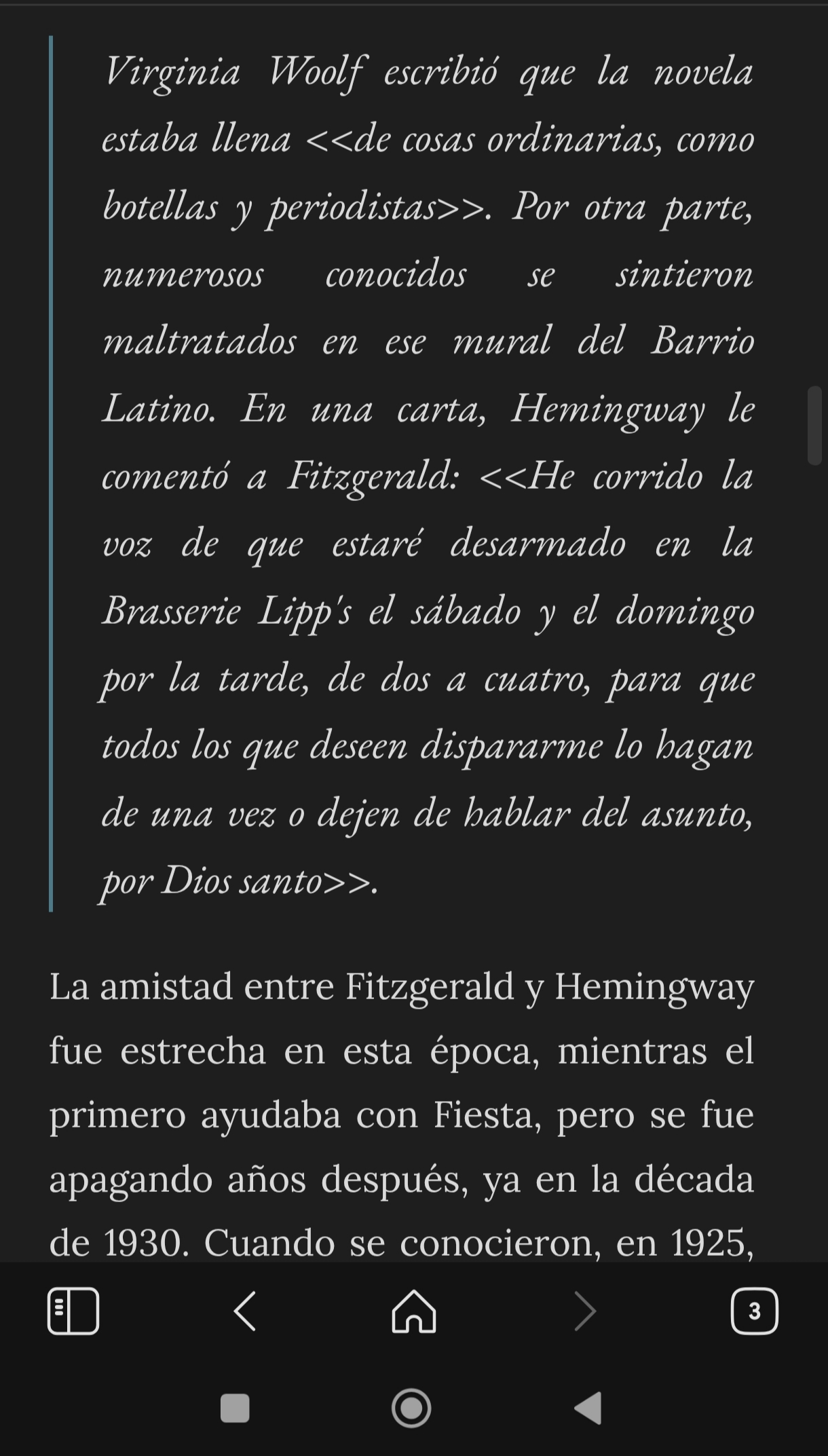
Custom callouts
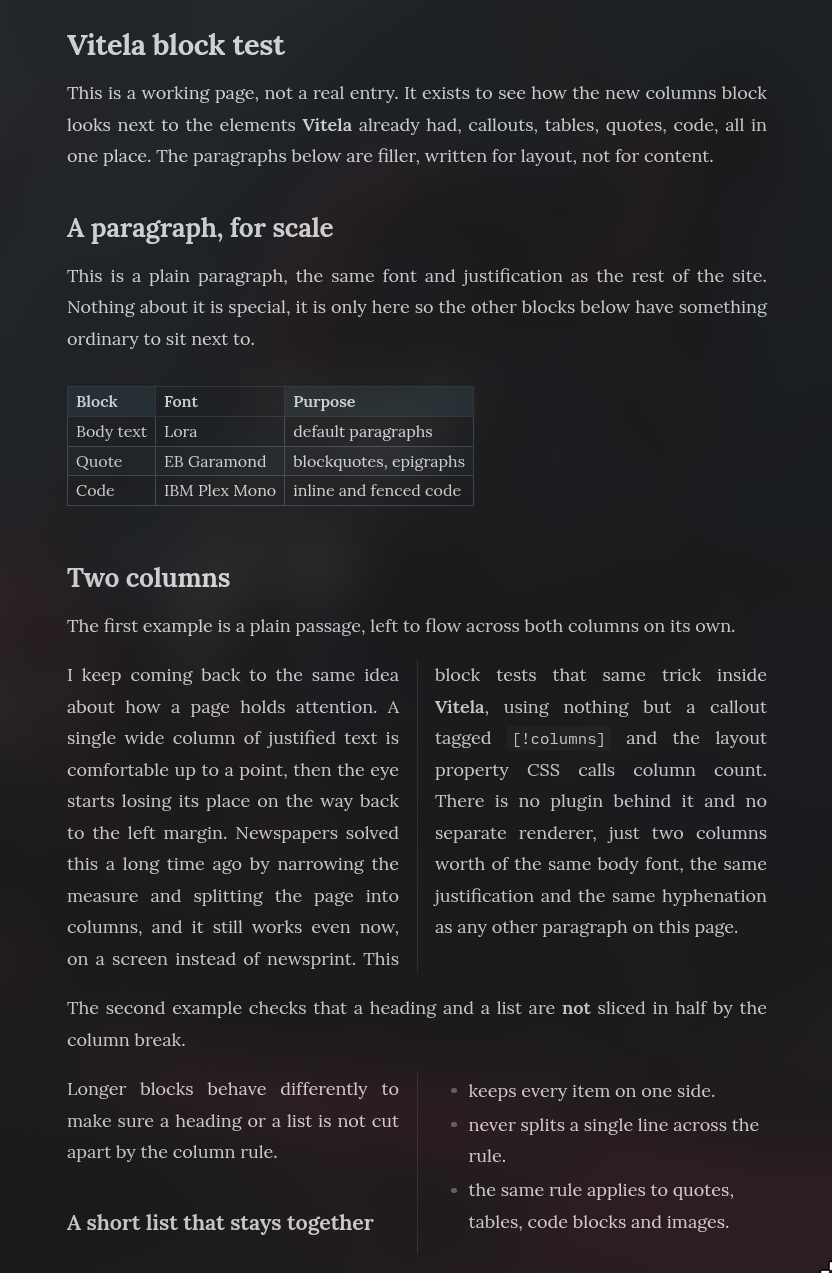
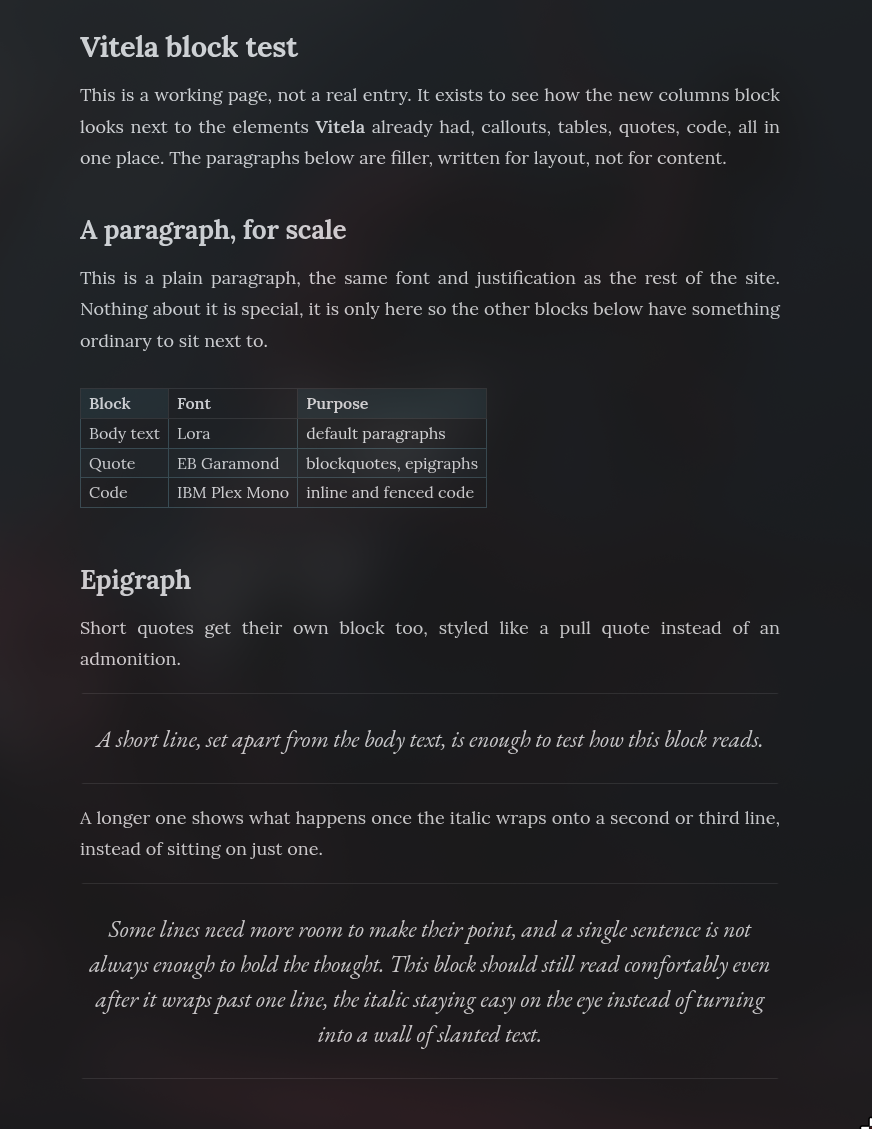
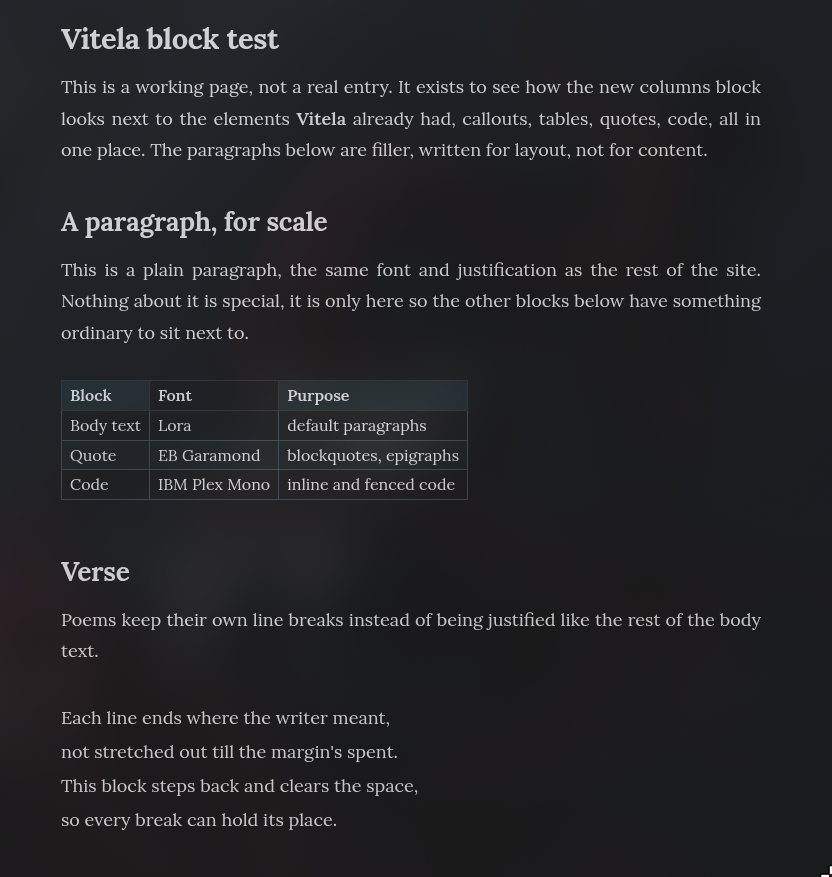
Vitela adds three callouts that reuse Obsidian's [!type] syntax purely for layout, with the icon, color and admonition box stripped out, styled to match the rest of the theme instead.
[!columns] lays a block's content out in two newspaper-style columns.
[!epigraph] sets a short quote apart from the body text, centered and in EB Garamond italic, like a pull quote instead of a warning.
[!verse] keeps a poem's own line breaks and drops the justification, instead of folding it into the rest of the justified body text.
Installation
- Open Settings -> Appearance -> Themes -> Browse.
- Search for Vitela.
- Select it to install and activate it.
Using with Obsidian Publish
Obsidian Publish does not load local theme files from a vault.
To use Vitela with a published site, download publish.css from the latest release and copy it into the root of the published vault. Obsidian Publish automatically detects and applies it.
Technical notes
Fonts
Vitela ships with its own font files instead of loading them from Google Fonts.
The bundled fonts include the Latin subset of Lora, EB Garamond and IBM Plex Mono, covering English, Spanish and most other Latin-script languages. Bundling the fonts avoids external requests, preserves visitor privacy by preventing IP leakage to third-party font providers and ensures consistent rendering both locally and in Obsidian Publish.
The fonts are embedded as Base64. Obsidian blocks network requests from theme CSS, while Obsidian Publish's asset pipeline accepts standalone images, audio, video and PDF files but not font files. Embedding the fonts avoids these limitations and provides a reliable solution in both environments.
Build process
theme.css is the project's single source of truth.
publish.css is generated automatically from it by removing the editor-only portions of selectors, since published notes do not include Live Preview. This guarantees that both stylesheets remain synchronized without duplicated maintenance.
After modifying theme.css or any file under fonts/, run:
./scripts/build.sh
This script first regenerates the embedded font definitions inside theme.css, then regenerates publish.css.
The individual steps are also available separately:
scripts/build-fonts.shscripts/build-publish-css.sh
Repository layout
File                          Purpose
──────────────  ─────────────────────
theme.css                     Main stylesheet (source of truth)
publish.css                   Generated stylesheet for Obsidian Publish
fonts/                        Bundled font files
scripts/build.sh              Rebuild fonts and publish.css
scripts/build-fonts.sh        Regenerate embedded font definitions
scripts/build-publish-css.sh  Generate publish.css from theme.css
Changelog
See CHANGELOG.md for the project's version history.
License
The theme itself is licensed under the MIT License. See LICENSE.
The bundled fonts are licensed separately under the SIL Open Font License 1.1 by their respective authors. See:
fonts/LICENSE-lora.txtfonts/LICENSE-eb-garamond.txtfonts/LICENSE-ibm-plex-mono.txt