Verso
 Fabrizio Rinaldi1k downloads
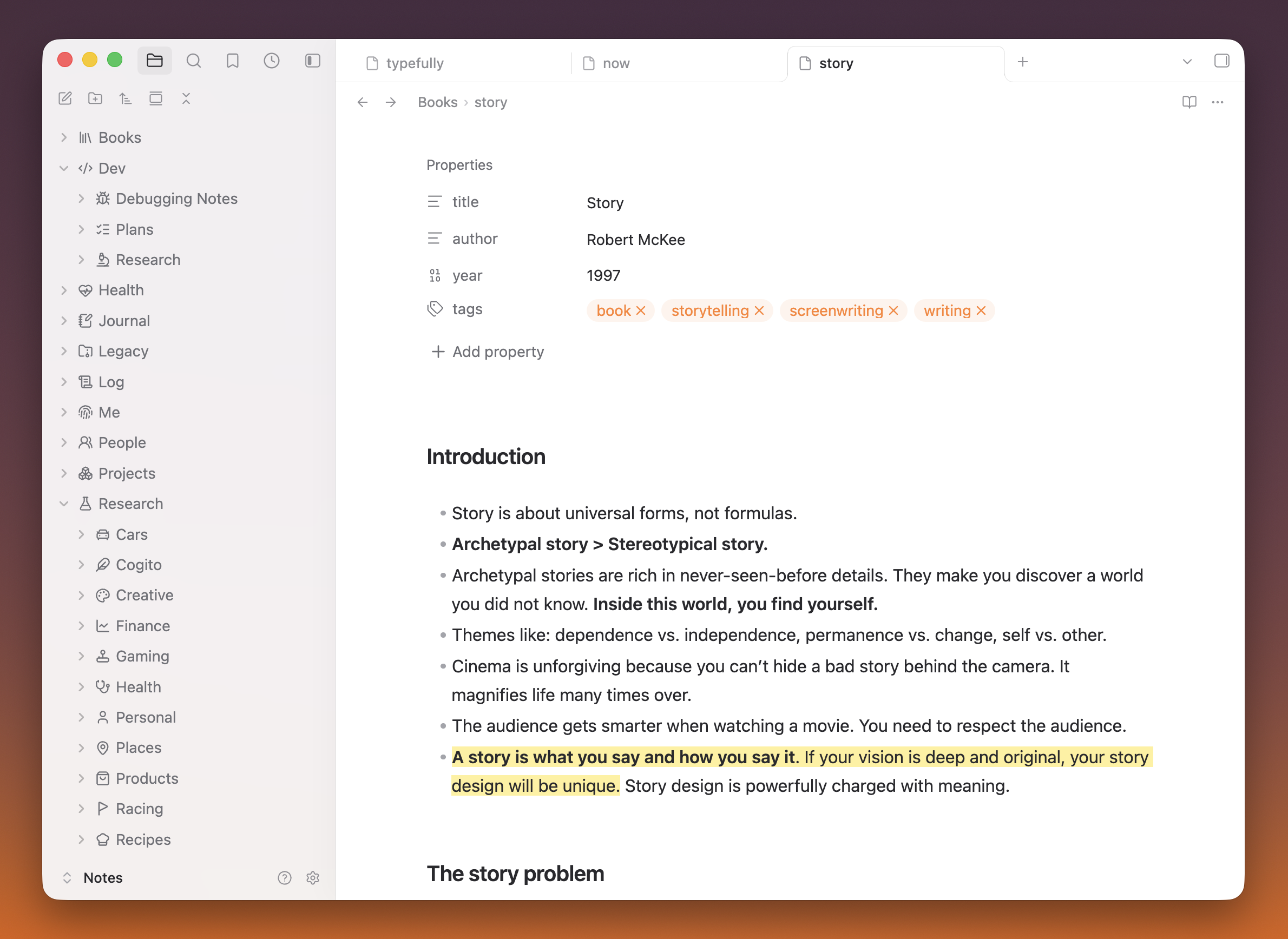
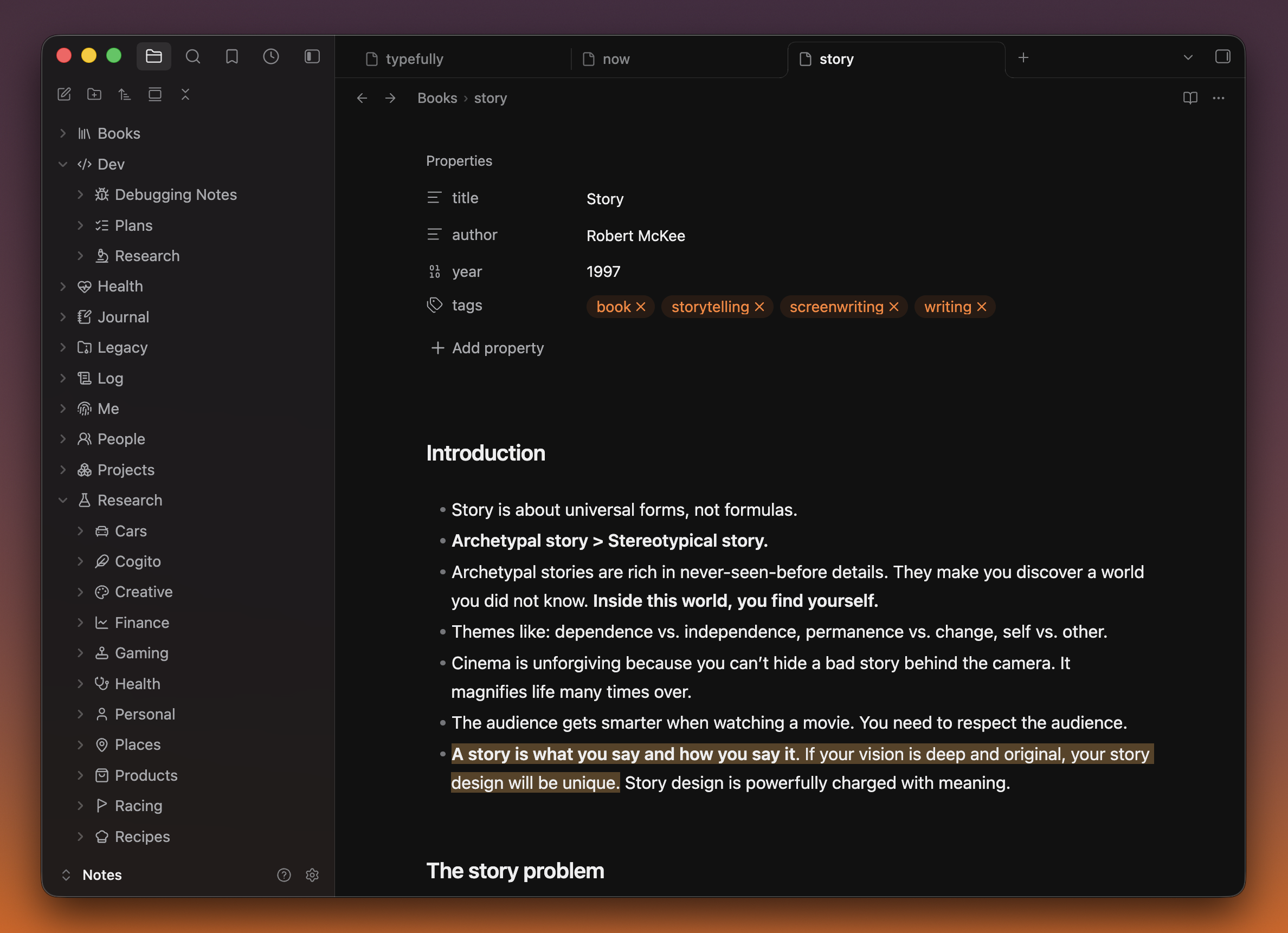
Verso is a quiet, native-feeling standalone theme for Obsidian.
- Overview
- Scorecard
- Updates6
A quiet, native-feeling standalone Obsidian theme by Fabrizio Rinaldi, inspired by the Codex Mac app and originally based on Steph Ango's Minimal theme.
Verso: the reverse side of a leaf, the left-hand page of an open book. Or in Italian, a line of poetry.
Verso refines the app as a whole with a cleaner palette, subtler iconography, quieter details, and a more native macOS feel.
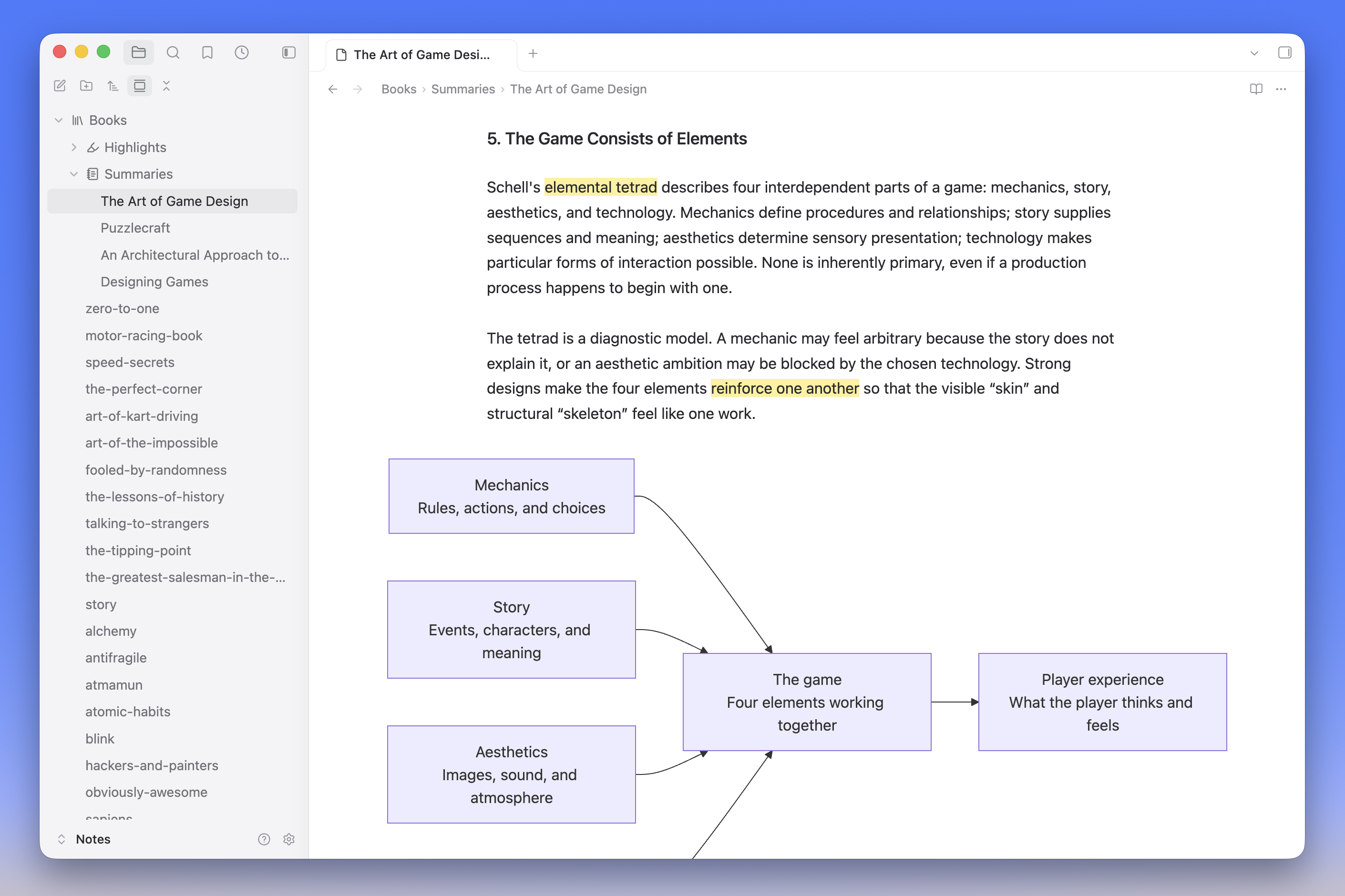
On desktop, tables and Mermaid diagrams can use extra horizontal space while your text stays in a comfortable reading column. Oversized content scrolls within its block, with subtle edge fades where supported.
Embedded notes use soft borders, comfortable padding, and subdued titles. Their open-note button appears on hover or keyboard focus on desktop, and stays visible on touch devices.
The optional Style Settings plugin lets you adjust text spacing and width, keep diagrams and tables at text width, change image sizing and layout, and hide pane and tab borders.
This is a third-party community theme and is not affiliated with Obsidian or OpenAI.
Install
From the Obsidian Community directory
Install Verso from the Obsidian Community directory. You can also open Settings → Appearance → Themes → Manage in Obsidian, search for Verso, and select Install and use.
Manually from a GitHub release
- Download
manifest.jsonandtheme.cssfrom the latest GitHub release. - Create
<your-vault>/.obsidian/themes/Verso/. - Put both files inside that folder.
- Restart Obsidian, then select Verso in Settings → Appearance → Themes.
The folder name must exactly match the name in manifest.json.
Verso requires Obsidian 1.13.7 or newer. On desktop, use installer version 1.2.7 or newer because the theme uses color-mix().
Recommended Obsidian settings
Verso works without changing Obsidian's defaults, but these settings produce the intended layout and the closest match to the screenshots:
- Appearance
- Translucent window: On (macOS)
- Interface
- Show tab title bar: On
- Show ribbon: Off
- Window frame style: Hidden
- Editor
- Inline title: Off
- Readable line length: On
Optional sidebar icons
The folder icons shown in the screenshot come from the optional Iconize community plugin. Verso does not require or bundle Iconize; it simply gives monochrome sidebar icons spacing and contrast that fit the theme.
After installing Iconize, keep its default native Lucide pack, then right-click any file or folder and select Change icon. Lucide creates a restrained, consistent sidebar and requires no additional icon-pack download.
Tip: To automate icon assignment, point a coding agent at
<your-vault>/.obsidian/plugins/obsidian-icon-folder/data.json. Ask it to back up the file, preserve existing settings and mappings, and add restrainedLi...icons only to unmapped folders. Close Obsidian before direct edits or reload it immediately afterward.
Iconize is optional and its upstream project currently describes itself as end-of-maintenance; Verso remains fully usable without it.
Typography
Verso uses Obsidian's native system font stacks for interface, text, editor, and monospace typography. The theme never downloads fonts or other assets at runtime.
Customization
After enabling Style Settings, open Settings → Style Settings → Verso. The theme works without the plugin; these controls are optional.
- Line spacing controls the vertical space between lines. Text column width and Maximum text width control the reading column with Readable line length enabled.
- Keep small images and videos compact stops small media from being enlarged to fill the text column.
- Stack consecutive images disables the automatic side-by-side image grid in Reading View.
- Keep Mermaid diagrams at text width and Keep tables at text width independently disable the wider desktop layout.
- Hide pane and tab borders removes pane dividers and tab outlines.
With Readable line length enabled on desktop, top-level tables and Mermaid diagrams grow to fit their content, using the available pane width when needed. Side gutters adapt to the pane size; compact tables remain aligned with the text, and compact diagrams stay centered. Content inside callouts and embedded notes keeps its containing layout. If a block still overflows, it scrolls horizontally. On supported desktop installers, an edge fade indicates where more content remains to scroll. Mobile keeps Obsidian's normal content layout.
Development
See CONTRIBUTING.md for local setup and development, and PUBLISHING.md for releases and the Community Directory checklist.
License and attribution
Verso is released under the MIT License.
Verso began as a visual fork of Minimal. Its independent codebase retains small MIT-licensed portions of Minimal's semantic color mapping and image-grid behavior; Steph Ango retains copyright in that work, and Minimal's license is preserved in LICENSE-Minimal.
If you enjoy the foundation Verso builds on, consider supporting Steph's work.