Solarized Osaka
 Karthick M S207 downloads
This is the original colour palette created by craftzdog . Thanks for this masterpiece
- Overview
- Scorecard
- Updates1
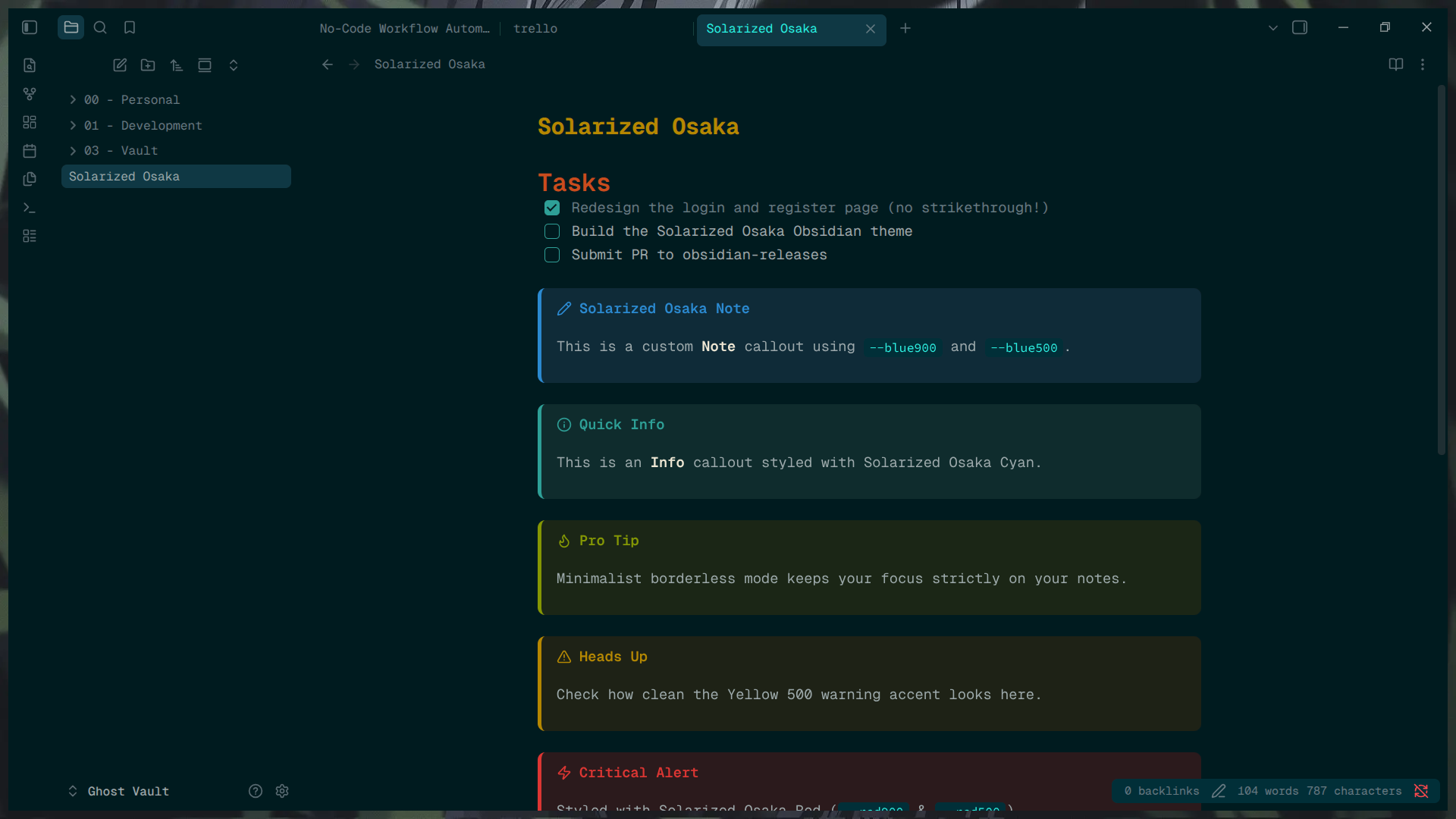
A minimalist, borderless dark and light theme for Obsidian, heavily inspired by the classic Solarized palette mixed with deep, moody Osaka teal.
Features
- Borderless UI: Seamless workspace tabs, sidebars, and ribbons.
- Custom Checkboxes: Clean, custom-styled task boxes without text strikethrough.
- Callout Styling: Fully themed callouts (
note,info,warning,danger, etc.) using core Solarized accent colors. - Modern Tables: Rounded, separated tables with distinct hover states.
- High Readability: Highly optimized contrast utilizing the true Solarized palette for long writing and coding sessions.
Installation
- Open Obsidian Settings > Appearance.
- Under Themes, click Manage.
- Search for "Solarized Osaka" and click Install and use.
Manual Installation
- Download
theme.cssandmanifest.jsonfrom the latest GitHub Release. - Place them in your vault's
.obsidian/themes/Solarized Osaka/folder. - Select the theme in Obsidian's Appearance settings.
License
MIT License
HealthExcellent
ReviewPassed
About
Apply a minimalist, borderless dark and light theme that blends the Solarized palette with deep Osaka teal for high-contrast, long-session readability. Enable seamless workspace tabs, sidebars and ribbons, custom checkboxes without strikethrough, themed callouts, and rounded modern tables with hover states.Details
Current version
1.0.1
Last updated
Last week
Created
Last week
Updates
1 release
Downloads
207
License
MIT
Sponsor