
- Overview
- Scorecard
- Updates1
An Obsidian theme inspired by Omarchy's Tokyo Night palette, with a light mode based on the community Tokyo Day palette. It keeps Obsidian's native layout and font settings and works offline without plugins or extra fonts.
Install
In Obsidian, open Settings → Appearance → Themes → Manage, search for Omarchy Tokyo Night, and select Install and use. Before the theme is available in the community directory, download the 1.0.0 release and copy manifest.json and theme.css into .obsidian/themes/Omarchy Tokyo Night/ in your vault. Then select the theme in Settings → Appearance.
Use and customize
Choose Light, Dark, or Adapt to system under Settings → Appearance → Base color. Dark mode uses Tokyo Night; light mode uses Tokyo Day. This theme has no Style Settings options. Obsidian's built-in font settings remain available. Other CSS snippets, plugin styles, and custom accent colors may change the result.
Preview
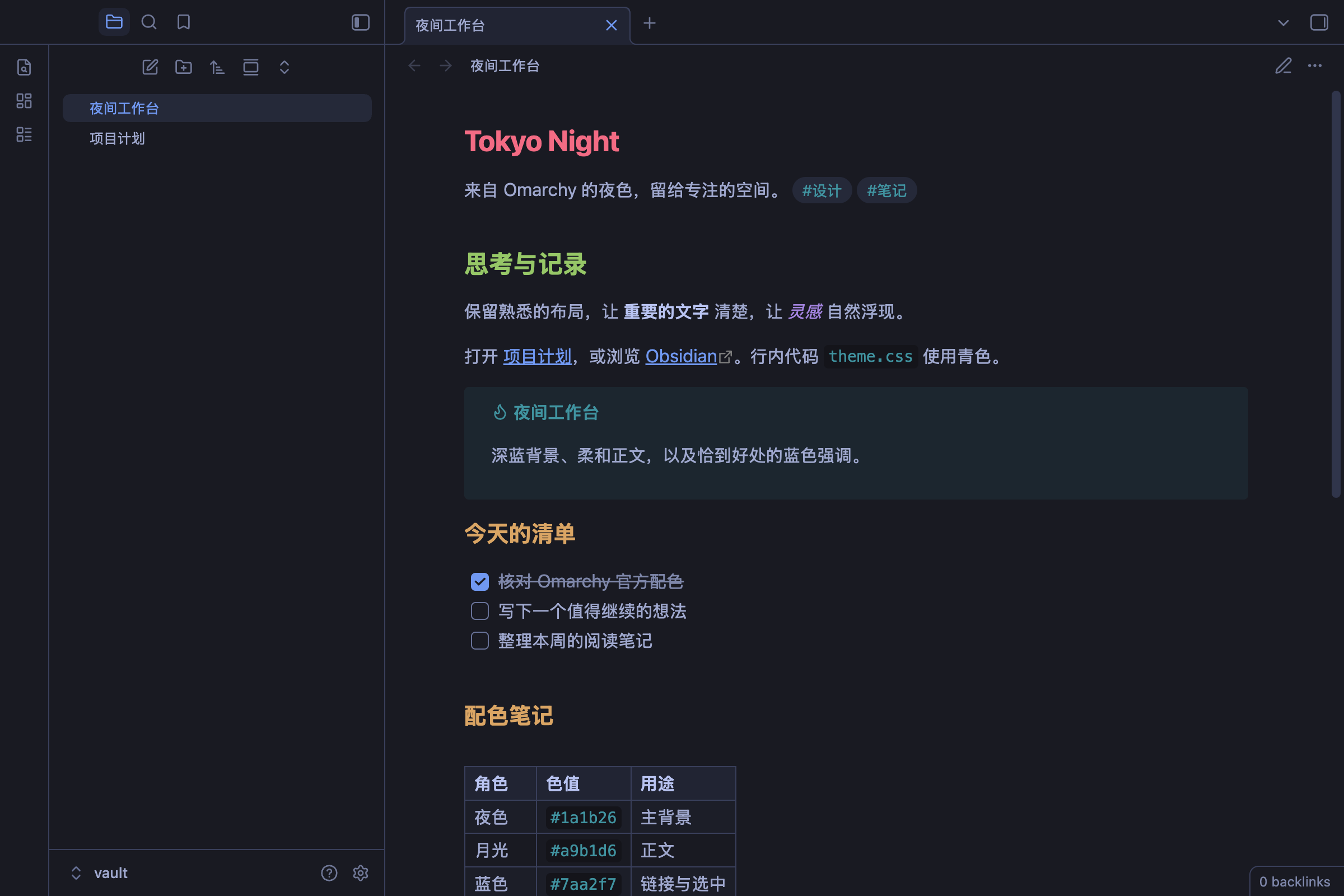
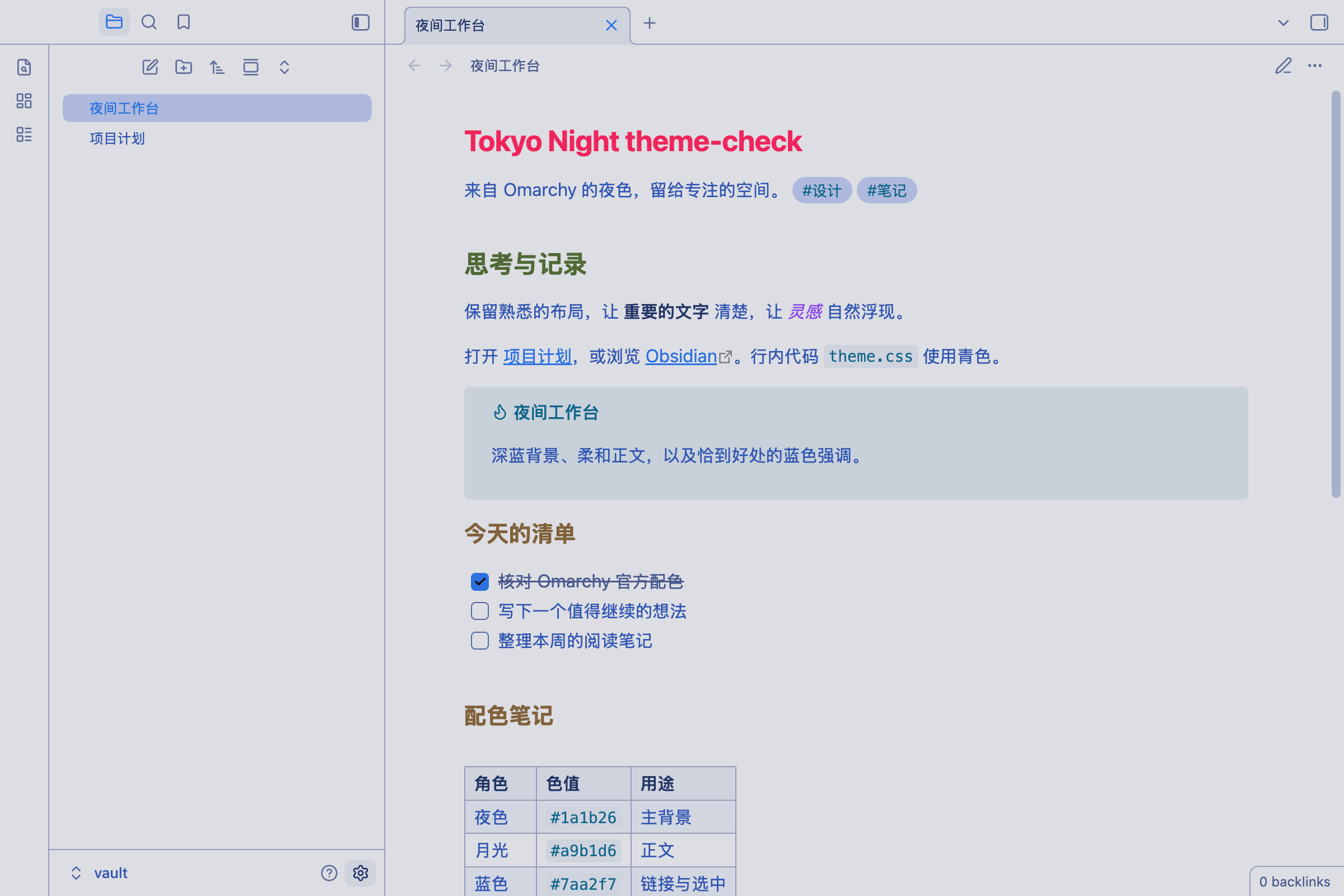
中文
把 Omarchy 的 Tokyo Night 深色与社区 Tokyo Day 浅色配色带到 Obsidian。独立 CSS 主题,无需安装 Omarchy、插件或字体,离线可用。
预览
Tokyo Night · 深色
Tokyo Day · 浅色
安装
- 将本目录复制到知识库的
.obsidian/themes/Omarchy Tokyo Night/,确保manifest.json和theme.css直接位于该目录下。 - 在 Obsidian「设置 → 外观」中选择主题 Omarchy Tokyo Night。
- 在「基础颜色」中选择「浅色」「深色」或「跟随系统」,同一个主题会自动使用对应配色。若主题列表未刷新,重启 Obsidian。
只想安装必要文件时,复制 manifest.json、theme.css 和 LICENSE 即可。卸载时先切换回默认主题,再删除主题目录。
配色与范围
主背景 #1a1b26、正文 #a9b1d6、强调色 #7aa2f7 均来自 Omarchy 的 Tokyo Night 色板。标题依次使用红、绿、黄、蓝、紫、紫,与官方 Obsidian 模板一致。
保留 Obsidian 原生布局和用户字体设置,补齐标签页、侧栏、表格、任务、链接、代码高亮与图谱的语义颜色。为保证小字可读性,次要文字和代码注释比官方模板更亮;代码块使用色板中的深色背景。文字选区使用 Tokyo Night 的 selection 色。它不是官方发布,也不会模拟 Linux 的系统窗口边框或壁纸。
浅色模式采用社区 Tokyo Day:背景 #e1e2e7、正文 #3760bf、强调色 #2e7de9、选区 #b7c1e3。边框、控件背景和次要文字按界面用途适配;深浅两种模式都覆盖上述组件。其他 CSS 片段、第三方插件和用户强调色设置可能覆盖主题效果。移动端沿用原生响应式布局,尚未做实体移动端验证。
来源
- Omarchy Tokyo Night 色板
- 社区 Tokyo Day 色板(Kayle Gishen)
- Tokyo Night Day 上游(Folke Lemaitre)
- Omarchy Obsidian 模板
参考日期:2026-09-26。遵循 MIT 许可,详见 LICENSE。
验证
已在 macOS 的 Obsidian 1.14.2 隔离测试库中验证主题加载、核心色值、阅读模式、实时预览、文字输入和独立设置窗口,以及通过外观设置往返切换浅色/深色,并核对截图。未验证移动端和第三方插件。