Lamplit
 Jiaming Sun160 downloads
Lamplit: an Obsidian theme with nine palettes and 23 schemes, dark and light picked separately
- Overview
- Scorecard
- Updates11
English · 简体中文
One theme, nine palettes. Pick a scheme for dark mode and another for light mode, from any palette you like.
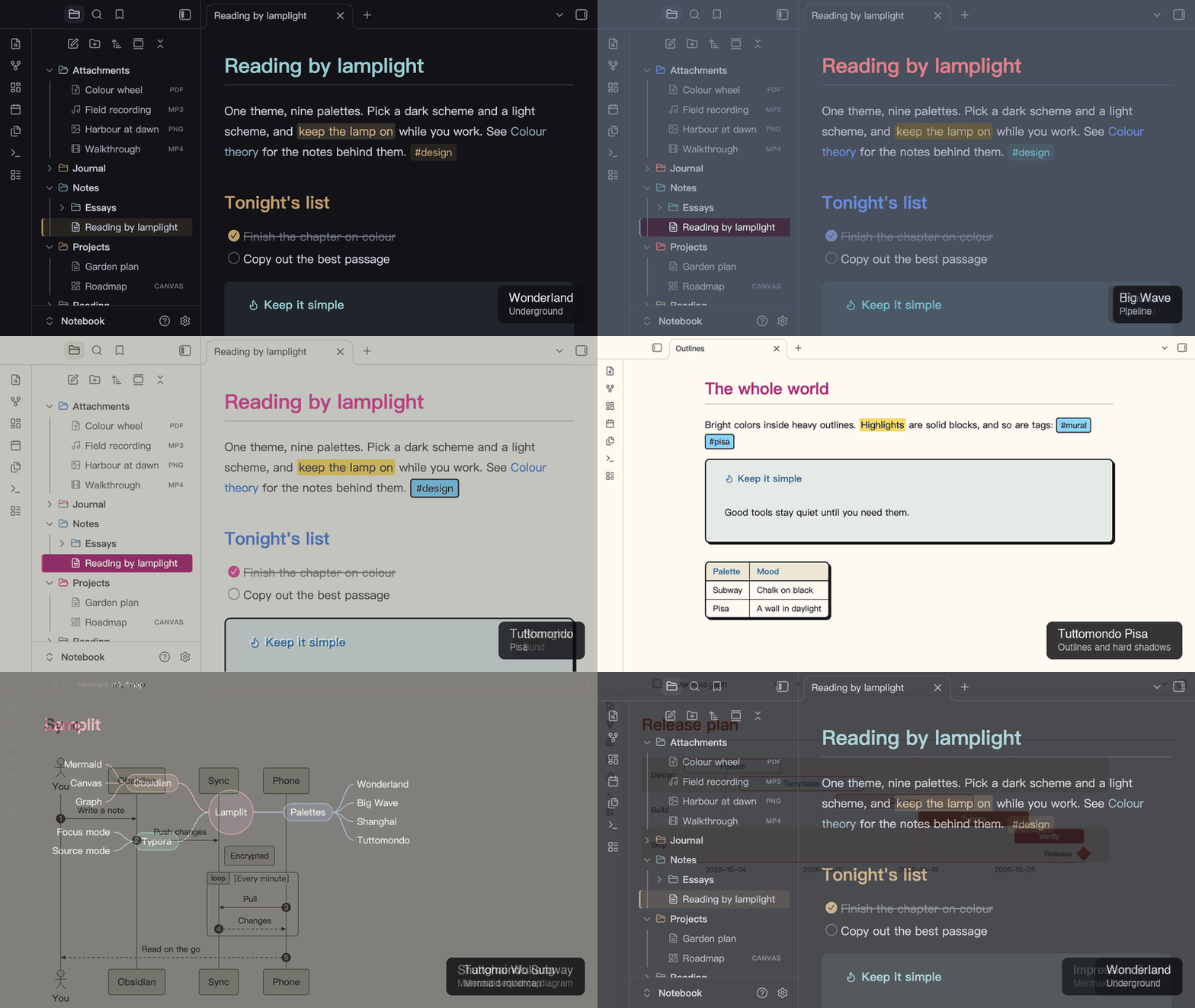
Get started
- Install Lamplit from Settings → Appearance → Themes → Manage.
- Install Style Settings from the Community Plugins list.
- Open Settings → Style Settings → Lamplit and pick a Dark Mode Scheme and a Light Mode Scheme.
Without Style Settings you get Wonderland, and no way to switch palettes.
Palettes
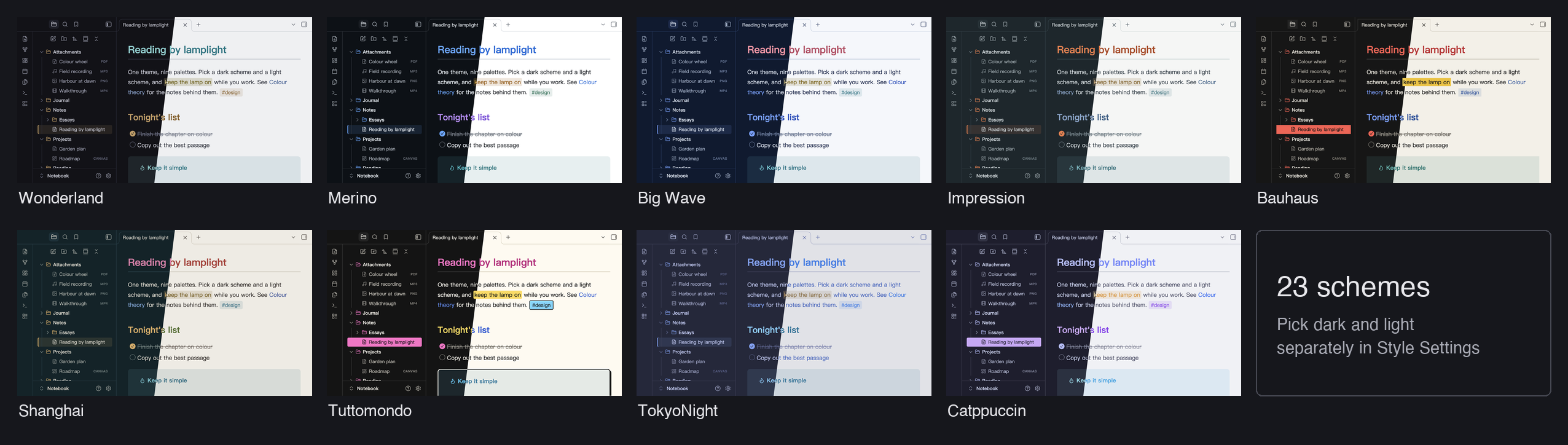
| Palette | Dark | Light | After |
|---|---|---|---|
| Wonderland | Underground, Office District | Lab | Murakami's Hard-Boiled Wonderland: ink black and a single brass accent (original) |
| Merino | Dark | Light | The Merino terminal themes: neutral grounds, GitHub Primer colors |
| Big Wave | Pipeline | Spray | Tatsuro Yamashita's Big Wave: ocean navy, spray white, a coral title |
| Impression | Havre | Brume | Monet's Impression, Sunrise: grey-green mist and one orange sun |
| Bauhaus | Weimar | Dessau | The Bauhaus: three primaries, solid blocks, square corners |
| Shanghai | Bund | Wukang | Shanghai across the Huangpu: river-ink ground, the Bund's gold, the Pearl's magenta |
| Tuttomondo | Subway | Pisa | After the 1989 mural Tuttomondo in Pisa: heavy outlines, hard shadows, solid tags and highlights |
| TokyoNight | Storm, Night, Moon | Day | The official tokyonight.nvim palette |
| Catppuccin | Mocha, Macchiato, Frappé | Latte | The official Catppuccin palette |
Features
- Some palettes change shape, not just color: Bauhaus has square corners and solid highlights; Tuttomondo draws heavy outlines and hard shadows, with solid tags and highlights
- Same look in Reading view and Live Preview: headings, code, tables, quotes, tags, highlights and links match
- File type icons in the file explorer: notes, images, canvases, bases, PDFs, audio and video
- Mermaid diagrams in your scheme's colors, in dark and light mode: flowcharts, sequence, pie, class, state, Gantt, ER, git and mindmap diagrams
- Callouts: all 13 official types, each with its own color
- Obsidian's own colors follow the scheme too: colored highlights, canvas cards, the graph view and the accent color in menus and buttons
- Task states:
x,/,-,>,?,!, drawn as round checkboxes - Search highlights in a color of their own, apart from highlighted text and the selection
- Chinese-first typography: PingFang SC → Hiragino Sans GB → Noto Serif SC
The Style Settings page also has four toggles: Hide Folder Icons, Hide File Icons, Color Folders and Use Default Mermaid Colors.
Good to know
- The picture above has Color Folders on. It is off by default, and each scheme looks a little different when it is on.
- Color Folders follows position, not name. Each top-level folder takes the next of 8 colors from the scheme, so a new top-level folder shifts the colors after it. In a long file list, Obsidian removes folders that are scrolled out of view, so the remaining ones renumber and can change color while you scroll. A theme cannot avoid this, because it only has CSS.
- macOS context menus. Obsidian uses native system menus by default, and themes cannot style those. To see themed menus, turn off Settings → Interface → Advanced → Native menus.
Install by hand
- Download
theme.cssandmanifest.jsonfrom the latest release. - Put them in
<your-vault>/.obsidian/themes/Lamplit/. The folder must be named exactlyLamplit: Obsidian silently skips a theme whose folder name differs from the manifest'sname, even by case. - Restart Obsidian and select Lamplit in Settings → Appearance → Themes.
Source
The files in agiledolphin/lamplit are generated. Their sources, and the same palettes for Typora, are in agiledolphin/themes. Report issues in that repository.
Credits
- Palettes: tokyonight.nvim by @folke; Catppuccin by the Catppuccin org; Merino after the Merino Light / Dark terminal themes (GitHub Primer colors); Big Wave after the cover of Tatsuro Yamashita's Big Wave; Impression after Claude Monet's Impression, Sunrise; Bauhaus after the Bauhaus school; Shanghai after the two banks of the Huangpu; Tuttomondo in the spirit of the 1989 mural Tuttomondo in Pisa, with colors of our own; Wonderland is original
- Design reference: Minimal by @kepano
- Icons: Lucide, the set Obsidian itself uses
License
MIT
HealthExcellent
ReviewCaution
About
Switch between seven curated palettes with independent dark and light schemes to change your vault's mood without swapping themes. Choose from Wonderland, Merino, Big Wave, Impression, Bauhaus, TokyoNight and Catppuccin for distinct colorways and consistent UI styling.Details
Current version
1.9.2
Last updated
2 days ago
Created
4 days ago
Updates
11 releases
Downloads
160
License
MIT