Search...Search plugins and themes...
⌘K
Sign in
  • Get started
  • Download
  • Pricing
  • Enterprise
  • Account
  • Obsidian
  • Overview
  • Sync
  • Publish
  • Canvas
  • Mobile
  • Web Clipper
  • CLI
  • Learn
  • Help
  • Developers
  • Changelog
  • About
  • Roadmap
  • Blog
  • Resources
  • System status
  • License overview
  • Terms of service
  • Privacy policy
  • Security
  • Community
  • Plugins
  • Themes
  • Discord
  • Forum / 中文论坛
  • Merch store
  • Brand guidelines
Follow us
DiscordTwitterBlueskyThreadsMastodonYouTubeGitHub
© 2026 Obsidian

JetBrains ThinkRail

khaisterkhaister59 downloads

Add to Obsidian
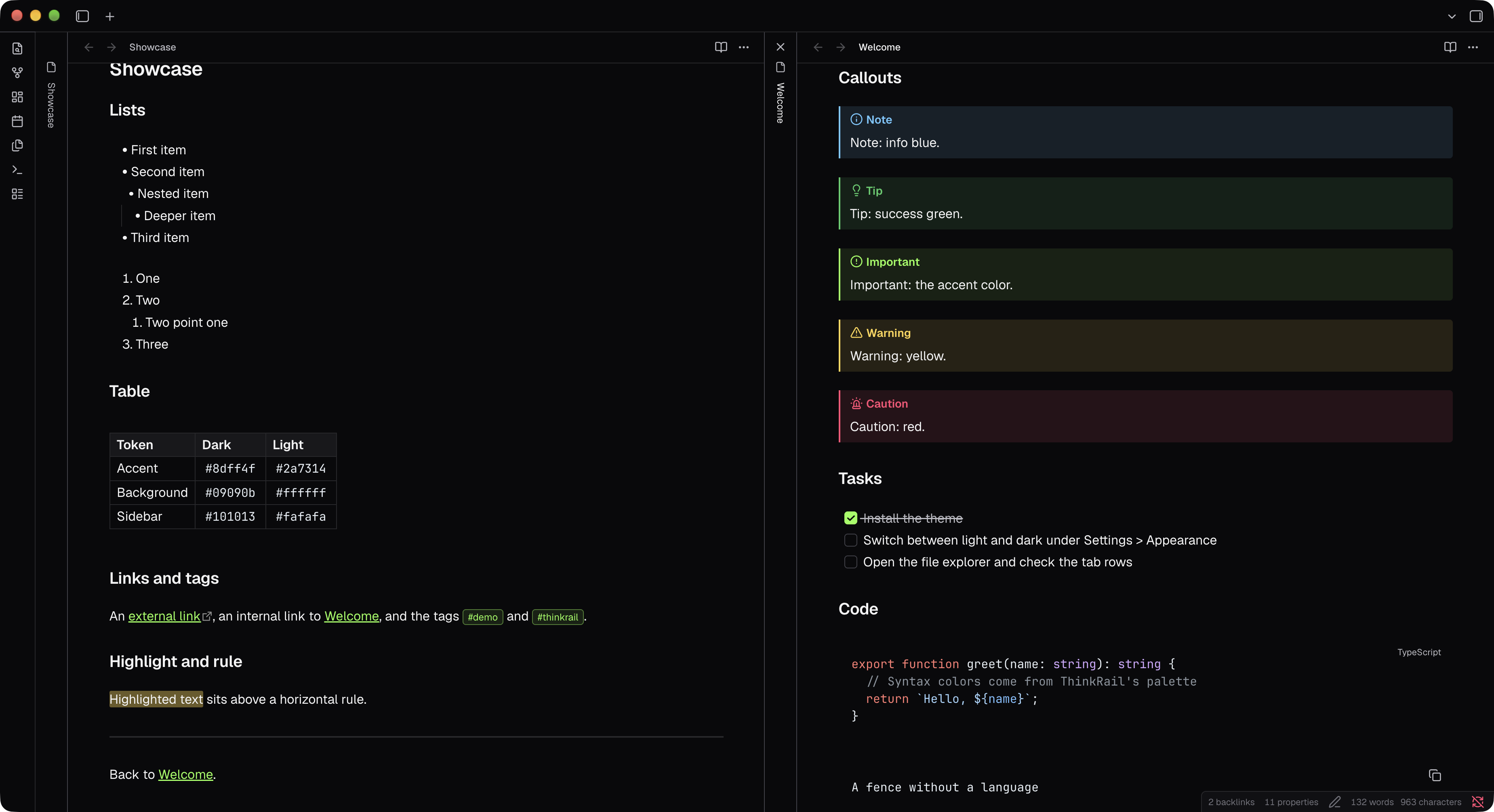
JetBrains ThinkRail screenshot
  • Overview
  • Scorecard
  • Updates4

An Obsidian theme that follows the design of ThinkRail, the JetBrains IDE-style app.†
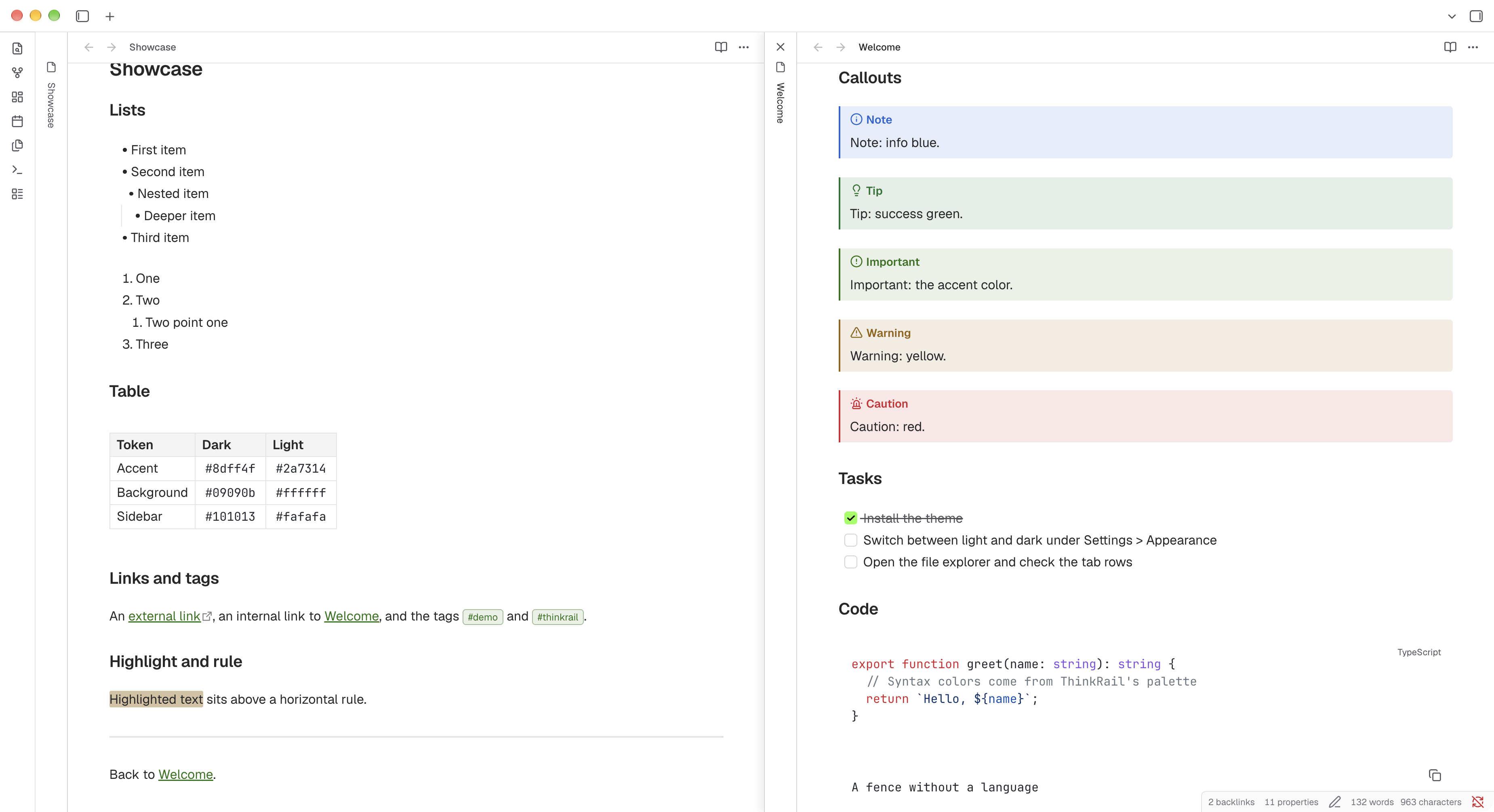
JetBrains ThinkRail, light

JetBrains ThinkRail, dark

Install

Install from the Obsidian community directory: JetBrains ThinkRail.

Style Settings

Install Style Settings plugin to configure the theme under Settings > Style Settings > JetBrains ThinkRail.

Option Type Description
Property lines Dropdown How the Properties block at the top of a note shows which value belongs to which name: hide lines (default), a solid or dotted line from each name to its value, or zebra striping across every other row.
Property line gap Slider, 0 to 16px (default 2px) Space on each side of the line. Applies to the solid and dotted options.

Fonts

The theme uses ThinkRail's fonts, Geist for text and JetBrains Mono for code. To keep the size of the theme small, these fonts are not included out of the box. Install them on your system and the theme will pick them up (falls back to system fonts).

  • Geist on Google Fonts
  • JetBrains Mono on Google Fonts

Recommended

Download the whole family from each page and install it with its italics. The theme uses weights 400 (Regular), 500 (Medium) and 600 (SemiBold), so install at least those. Make sure to restart Obsidian after installing.

On macOS you can install both with Homebrew instead:

brew install --cask font-jetbrains-mono
brew install --cask font-geist

† Unofficial and not affiliated with JetBrains.

HealthExcellent
ReviewPassed
About
Apply JetBrains ThinkRail's IDE-style design to Obsidian with matching dark and light palettes, neon/darker green accents, info-blue links, and colored callouts and tags. Use flat surfaces, hairline borders, compact corner radii, ThinkRail-styled code blocks, thin hover-only scrollbars, and embedded Geist and JetBrains Mono fonts for consistent typography.
Details
Current version
2026.1027.3
Last updated
Yesterday
Created
Yesterday
Updates
4 releases
Downloads
59
License
Apache-2.0
Report bugRequest featureReport theme
Author
khaisterkhaister
GitHubkhaister
  1. Community
  2. Themes
  3. JetBrains ThinkRail

Related themes

Minimal screenshot

Minimal

Wasp screenshot

Wasp

GitHub Theme screenshot

GitHub Theme

Things screenshot

Things

Shimmering Focus screenshot

Shimmering Focus

Cupertino screenshot

Cupertino

Baseline screenshot

Baseline

Prism screenshot

Prism

Cybertron screenshot

Cybertron

Willemstad screenshot

Willemstad