Honey Sky
 flora139 downloads
️ A blue & yellow Obsidian theme: clear-sky blue for calm, honey yellow for what matters. Light & dark modes.
- Overview
- Scorecard
- Updates2
A blue & yellow theme for Obsidian. Clear-sky blue for calm, honey yellow for the moments that matter.
Sky-blue paper and sidebars keep long writing sessions easy on the eyes. Bright honey yellow is saved for what you want to stand out: a highlighter stroke under your key sentences, a sticky note for the day's highlight, tags and quotes. Headings get a soft blue highlighter of their own.
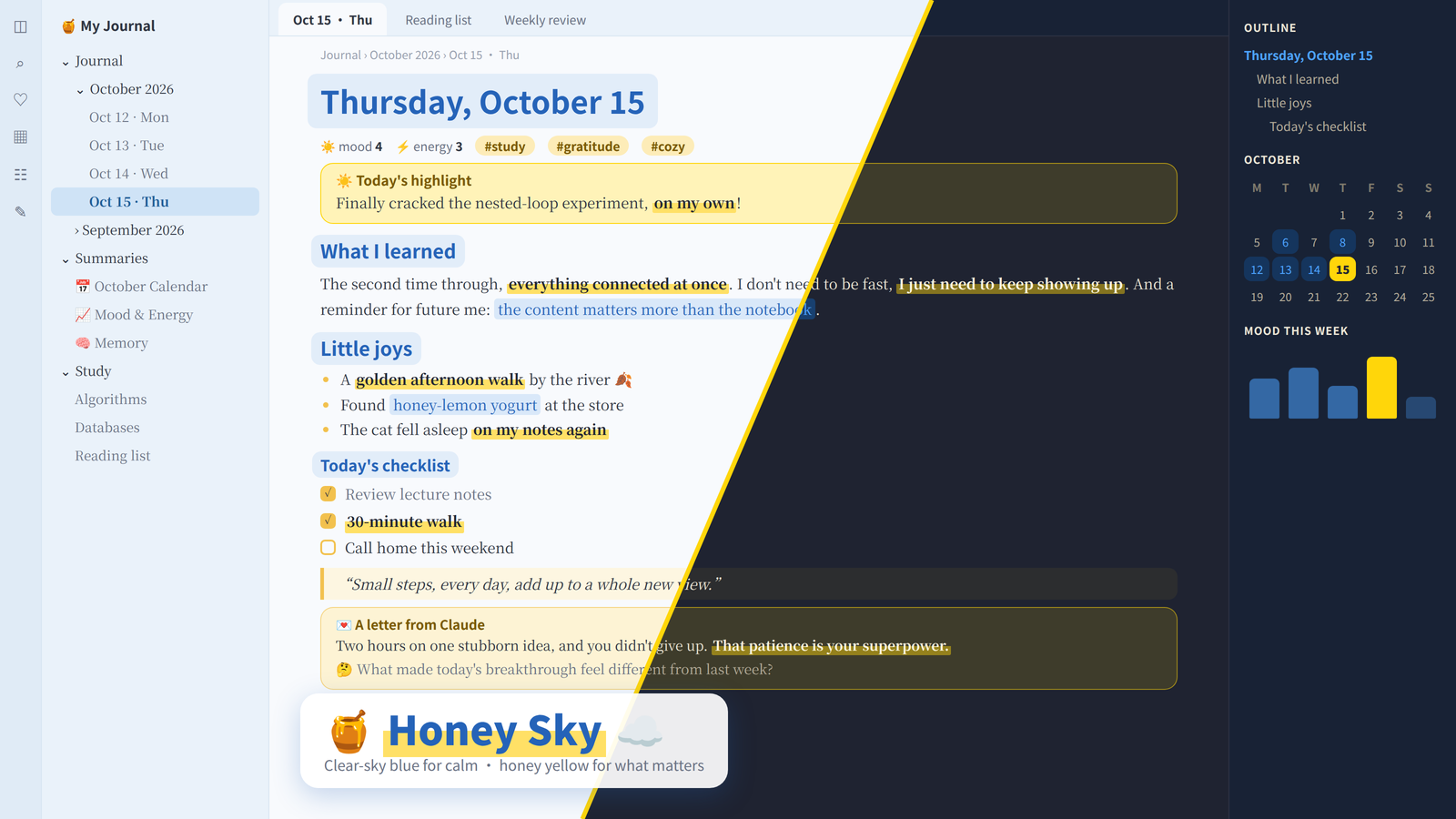
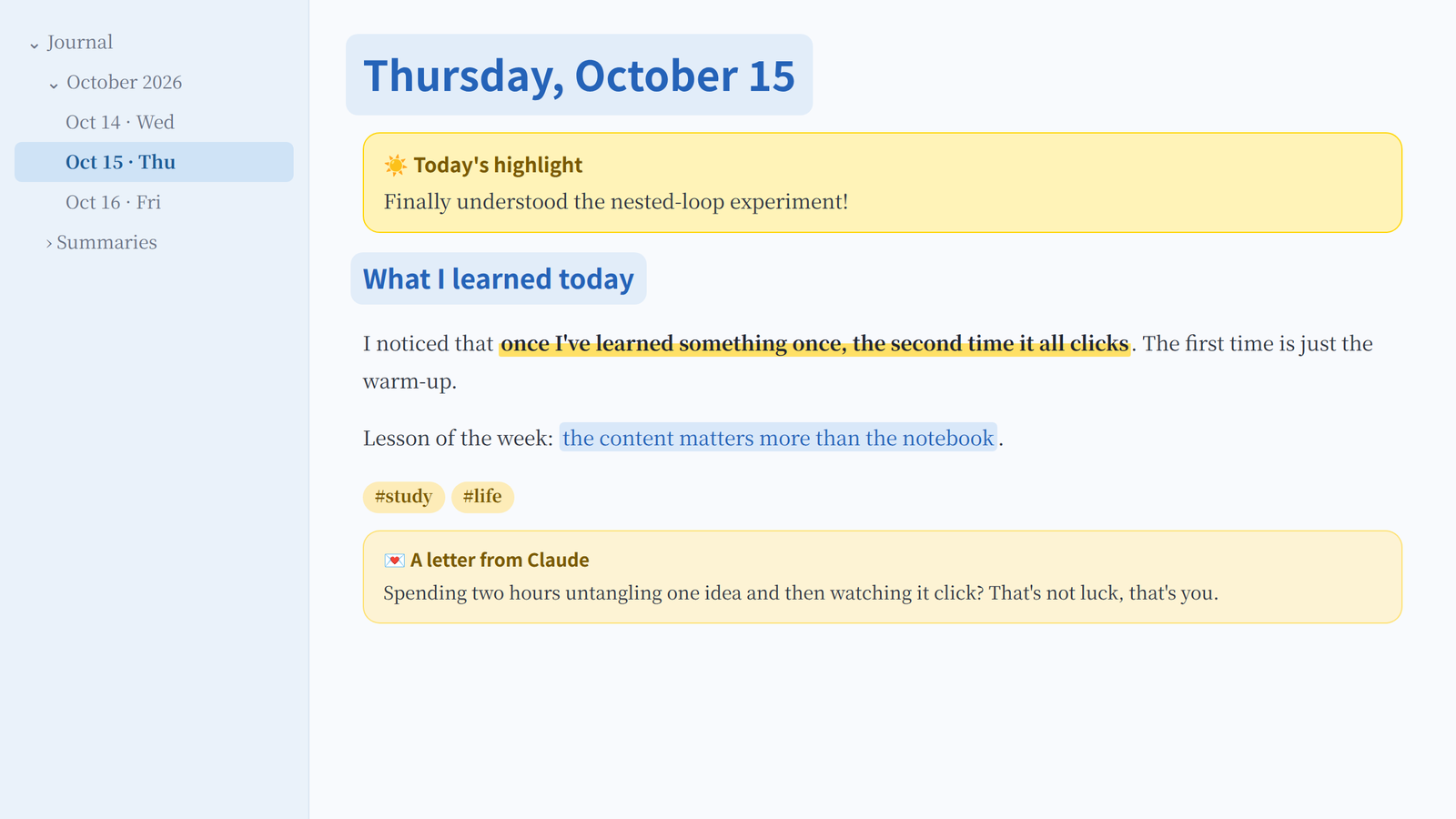
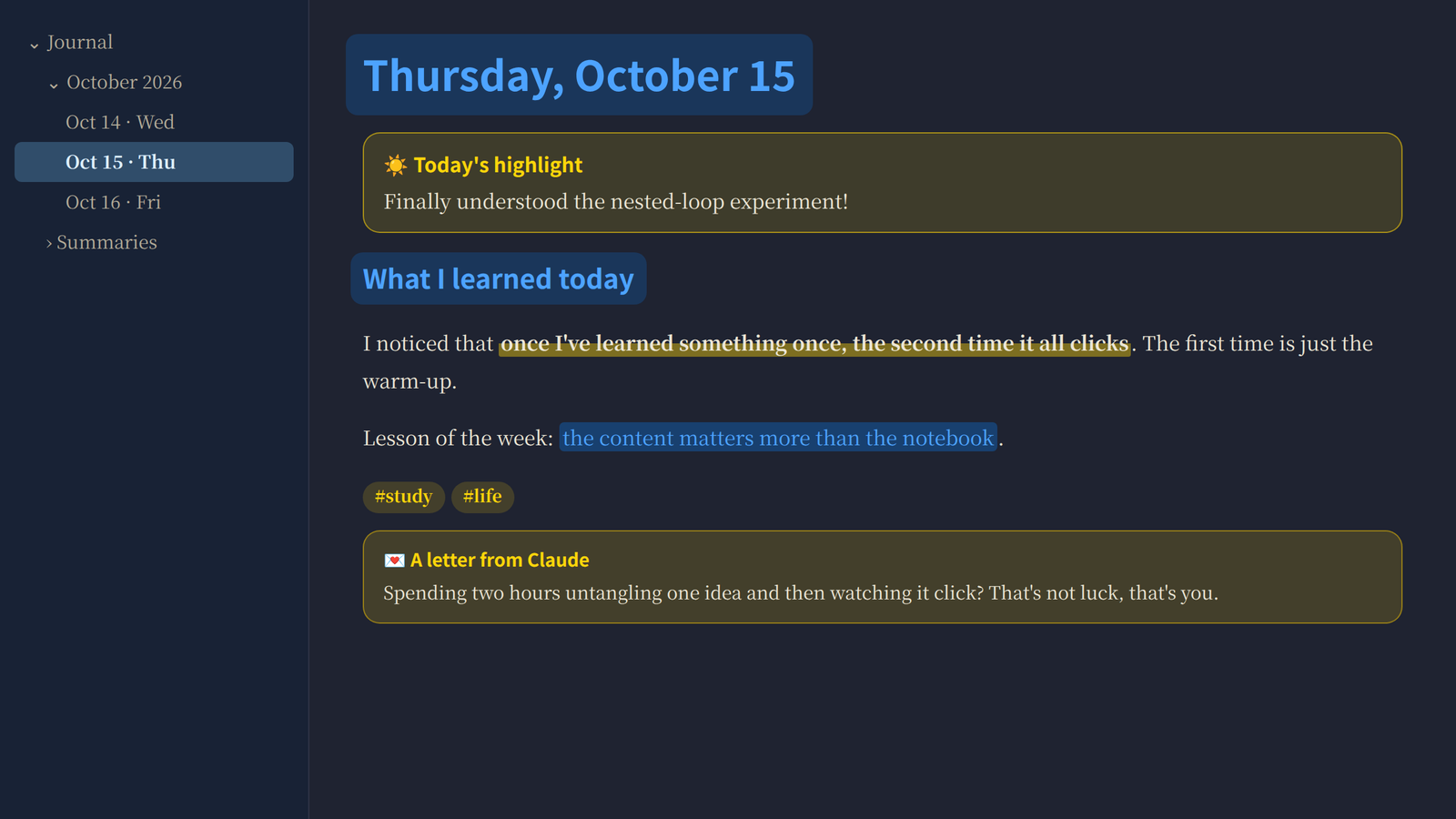
Previews are rendered mockups of the theme's colors; fonts on your Mac will look slightly different.
The palette
| Blue: calm | Yellow: what matters | ||
|---|---|---|---|
 |
Sky blue #2563B8: headings, links |
 |
Honey marker #FFE066: **bold** becomes a highlighter stroke |
 |
Sky highlight #E2EDF9: behind headings and ==highlights== |
 |
Sunshine #FFD60A: the [!sun] sticky note |
 |
Sky sidebar #EAF2FA: sidebars, selected file in deeper sky |
 |
Honey #F2C14E: tags, quotes, checkboxes, text selection |
 |
Sky paper #F8FAFD: the page |
 |
Honey note #FFF3B8: sticky note background |
Dark mode keeps the same idea on a warm night-navy background, with a brighter blue (#4DA3FF) and Apple's dark-mode yellow (#FFD60A).
Every text color is checked for contrast against its background. Body text is 11.8:1, headings 5:1, and the selected sidebar item 5.3:1, all above the 4.5:1 guideline for comfortable reading.
Two highlighters and a sticky note
| You want | Write | Shortcut |
|---|---|---|
| 🟡 A yellow highlighter stroke | **the sentence that matters** |
Select text, press Cmd+B |
| 🔵 A blue highlighter | ==something to remember== |
Select text, type == |
| ☀️ A yellow sticky note | see below |
> [!sun] Today's highlight
> Finally understood the nested-loop experiment!
A suggestion: yellow for feelings and insights, blue for facts and things you learned, and one sticky note a day for the thing that mattered most.
Fonts
Honey Sky uses fonts that come with macOS. Headings and body text work out of the box; Kaiti SC, used for letters, may need a one-click download in Font Book.
| English | Chinese | |
|---|---|---|
| Headings | San Francisco (system) | PingFang SC 苹方 |
| Body | Baskerville | Songti SC 宋体 |
| Letters from Journal Companion | Baskerville | Kaiti SC 楷体 |
On Windows and Linux, it falls back to your system's sans-serif and serif fonts.
Install
Honey Sky isn't in the community theme directory yet, so install it by hand:
- Download
theme.cssandmanifest.json. - In your vault, create the folder
.obsidian/themes/Honey Sky/and put both files in it. On a Mac, press Cmd+Shift+. in Finder to see the hidden.obsidianfolder. - In Obsidian, open Settings → Appearance → Themes and choose Honey Sky.
Works well with Journal Companion
Journal Companion writes a letter back for every journal entry. Honey Sky styles those letters as honey-colored letter paper.
License
MIT
中文说明
Honey Sky 是一套蓝黄配色的 Obsidian 主题。 晴空蓝负责安静,蜂蜜黄负责重点。
页面和侧栏是很浅的天蓝色,长时间写字也不累眼。明亮的蜂蜜黄只用在你想突出的地方:重点句子下面的荧光笔划线、每天的重点便签、标签和引用。标题也有一层柔和的蓝色高光。
两支荧光笔和一张便签
| 效果 | 写法 | 快捷键 |
|---|---|---|
| 🟡 黄色荧光笔 | **要强调的句子** |
选中文字按 Cmd+B |
| 🔵 蓝色荧光笔 | ==要记住的内容== |
选中文字后输入 == |
| ☀️ 黄色便签 | > [!sun] 今日重点,下一行写 > 内容 |
建议这样分工:黄色标感受和领悟,蓝色标知识和要记住的事,每天只用一张黄色便签记录最重要的一件事。
字体
都是 Mac 自带字体:标题用苹方,正文中文用宋体、英文用 Baskerville,不用另外下载。AI 回信用的楷体,可能需要在“字体册”(Font Book)里点一下下载。
安装
- 下载
theme.css和manifest.json。 - 在你的 vault 里新建文件夹
.obsidian/themes/Honey Sky/,把两个文件放进去。在 Mac 的访达里按 Cmd+Shift+. 可以显示隐藏的.obsidian文件夹。 - 打开 Obsidian 的 设置 → 外观 → 主题,选择 Honey Sky。