Hollow Knight and Silksong
 SentientShawarma615 downloads
A dark, ornate Obsidian theme inspired by the two kingdoms of Hollow Knight and Silksong.
- Overview
- Scorecard
- Updates1
A dark, ornate Obsidian theme inspired by the two kingdoms of Hollow Knight and Silksong. Hallownest is void black, pale bone and blue soul light. Pharloom is dark lacquer, crimson silk and bell gold. Switch between them in one click.
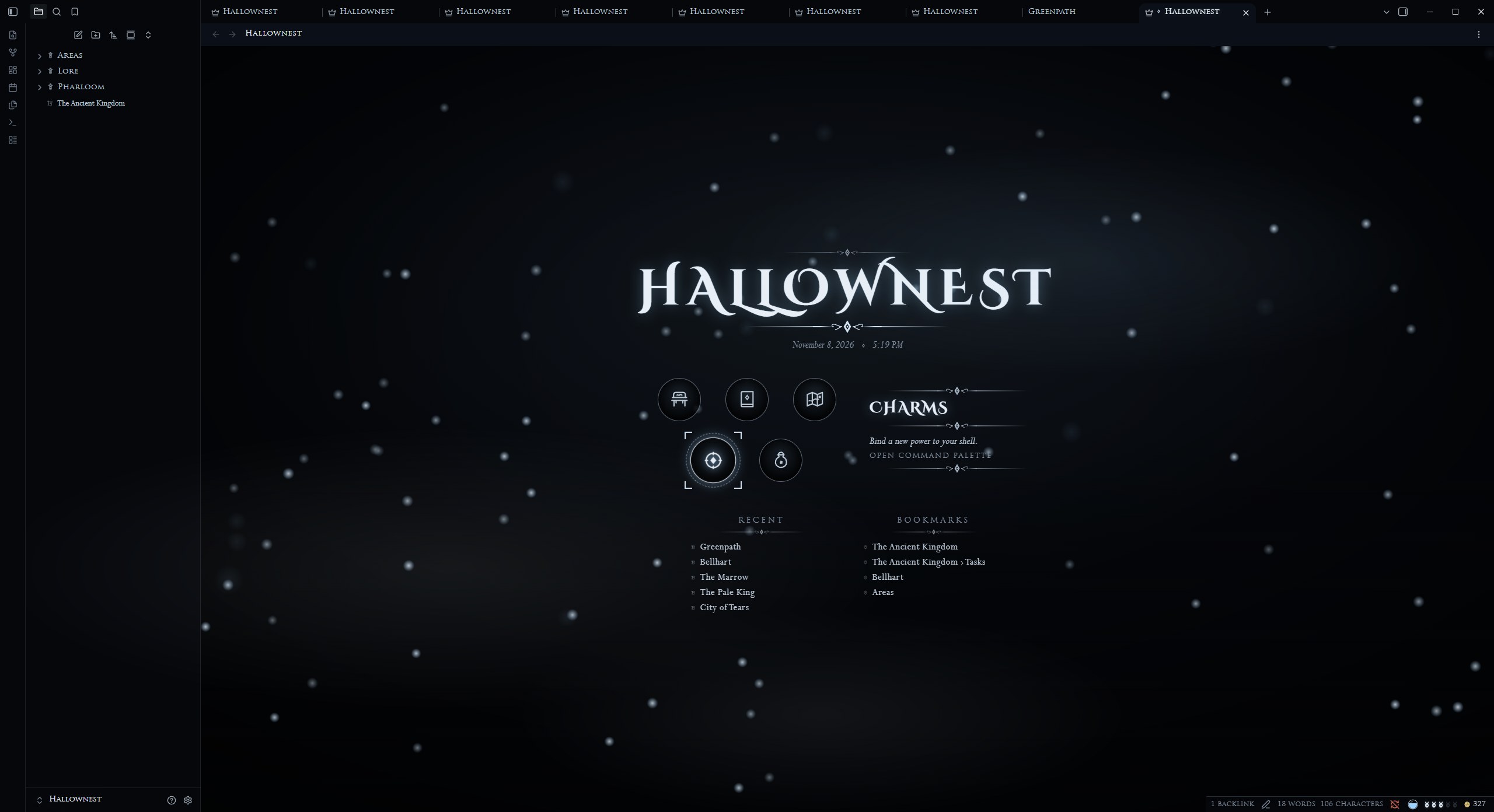 Hallownest, Inventory panel |
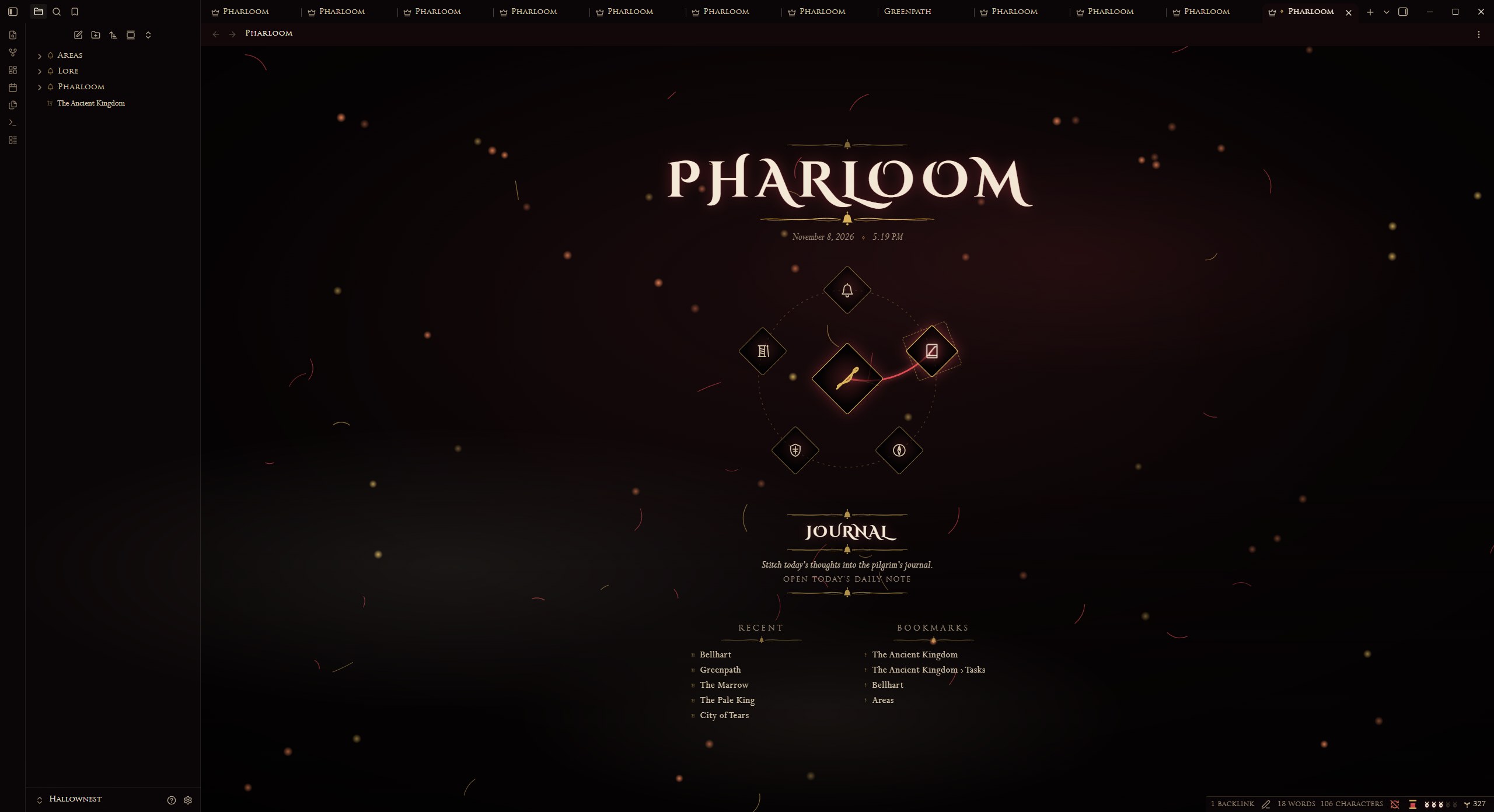 Pharloom, Crest ring |
[!TIP] Pair it with the companion plugin. The title screens above, the area title cards, the soul vessel HUD and the bench rest on save come from the Hollow Knight and Silksong Companion plugin. The theme works fine on its own; with the plugin, Obsidian plays like the game.
Contents
- Two kingdoms
- Title screen menus
- Area title cards
- Notes
- Interface details
- Light mode
- Snippets
- Customise it
- Install
- Theme only, or with the plugin
- Performance
- Privacy
- Fonts and license
Two kingdoms
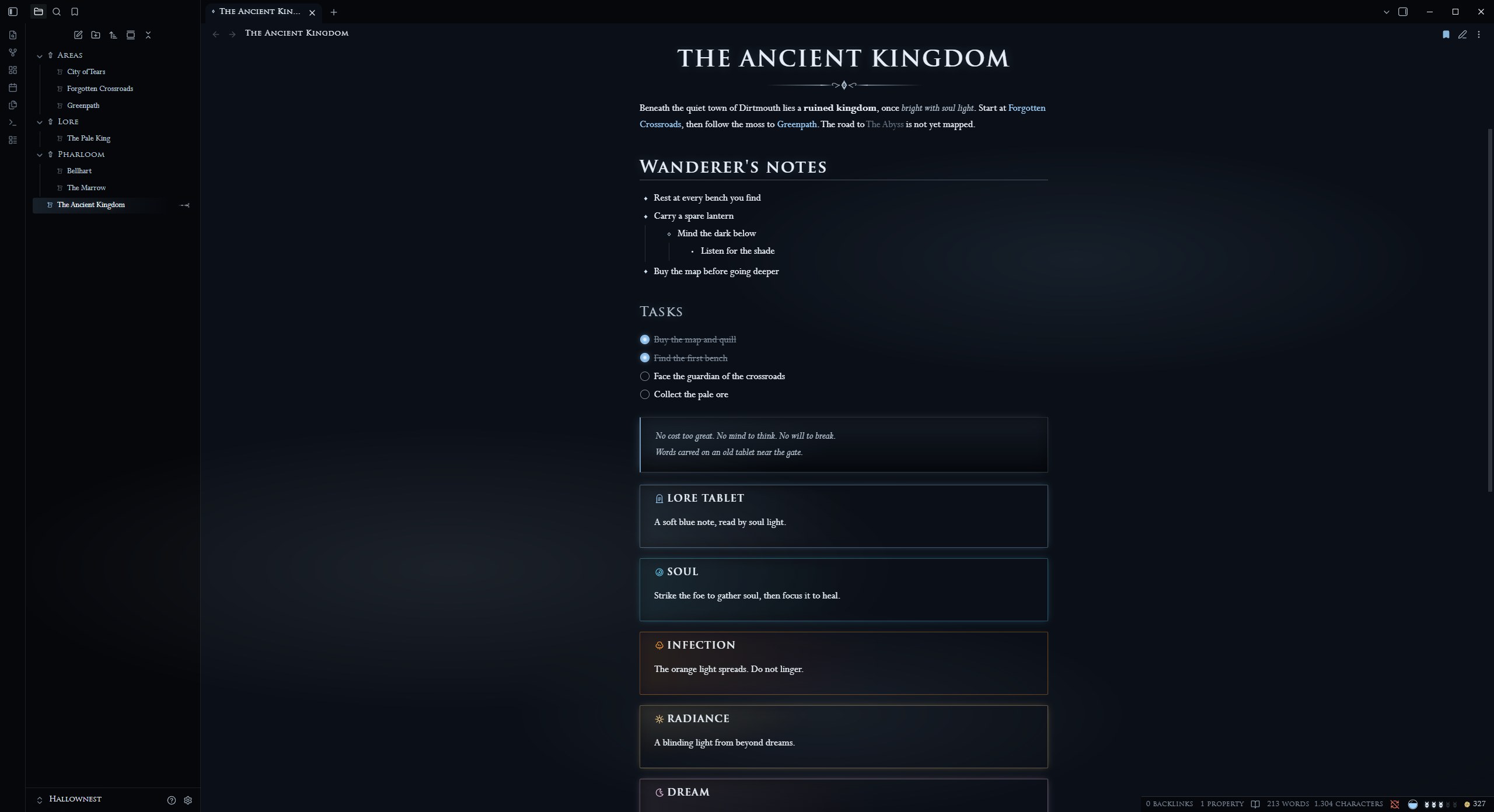 Hallownest. Void black, pale text, soul-blue light, fleur ornaments. |
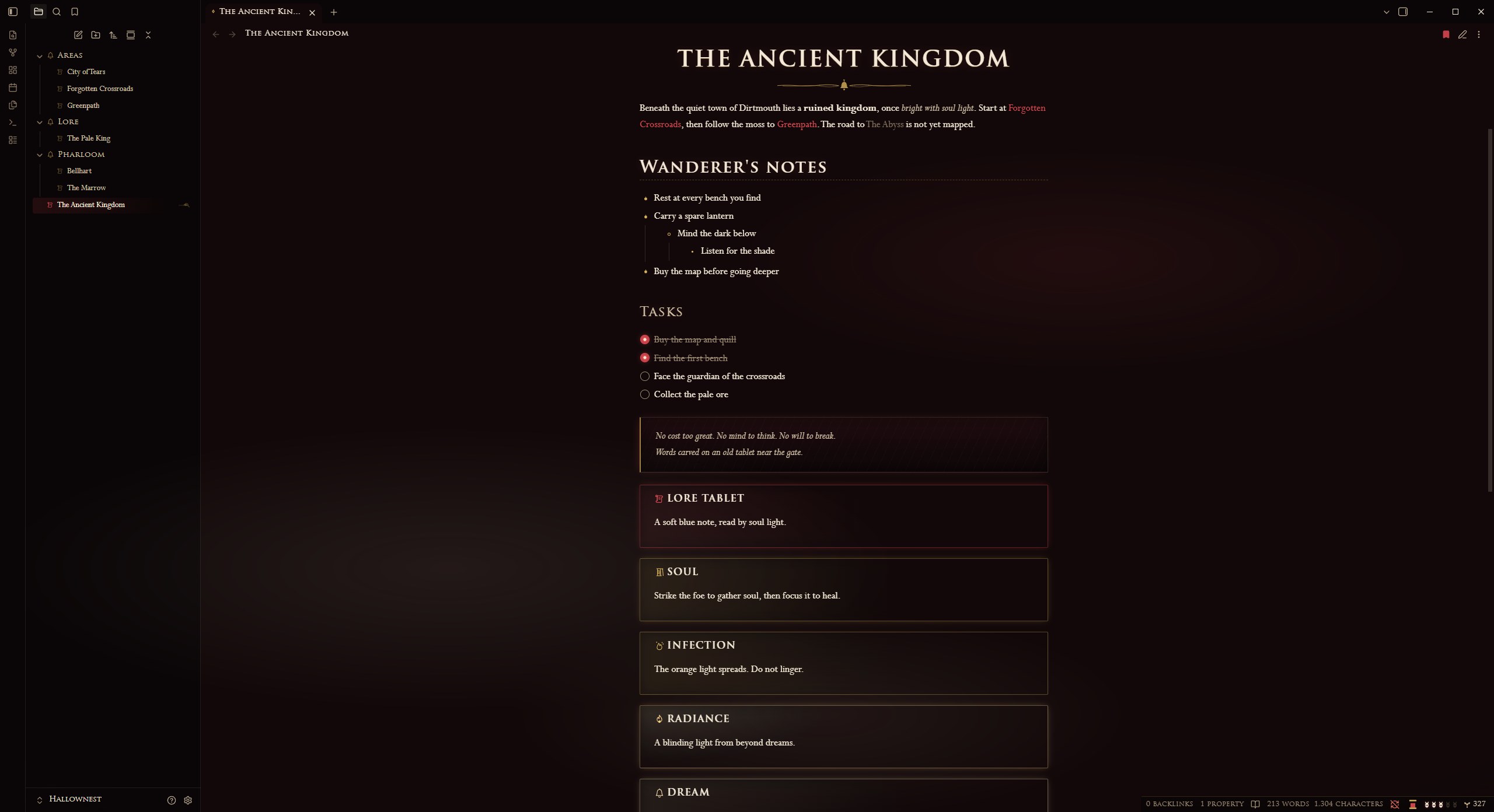 Pharloom. Lacquer red, ivory text, bell gold, needle-and-thread ornaments. |
Title screen menus
With the companion plugin, every empty tab opens a title screen. Each kingdom has its own menu styles, and you can switch between them in Style Settings. Move the mouse or the arrow keys to select, Enter to open.
Hallownest, Inventory panel (default). Charm-slot medallions in a pyramid, a bracket cursor and a description pane. |
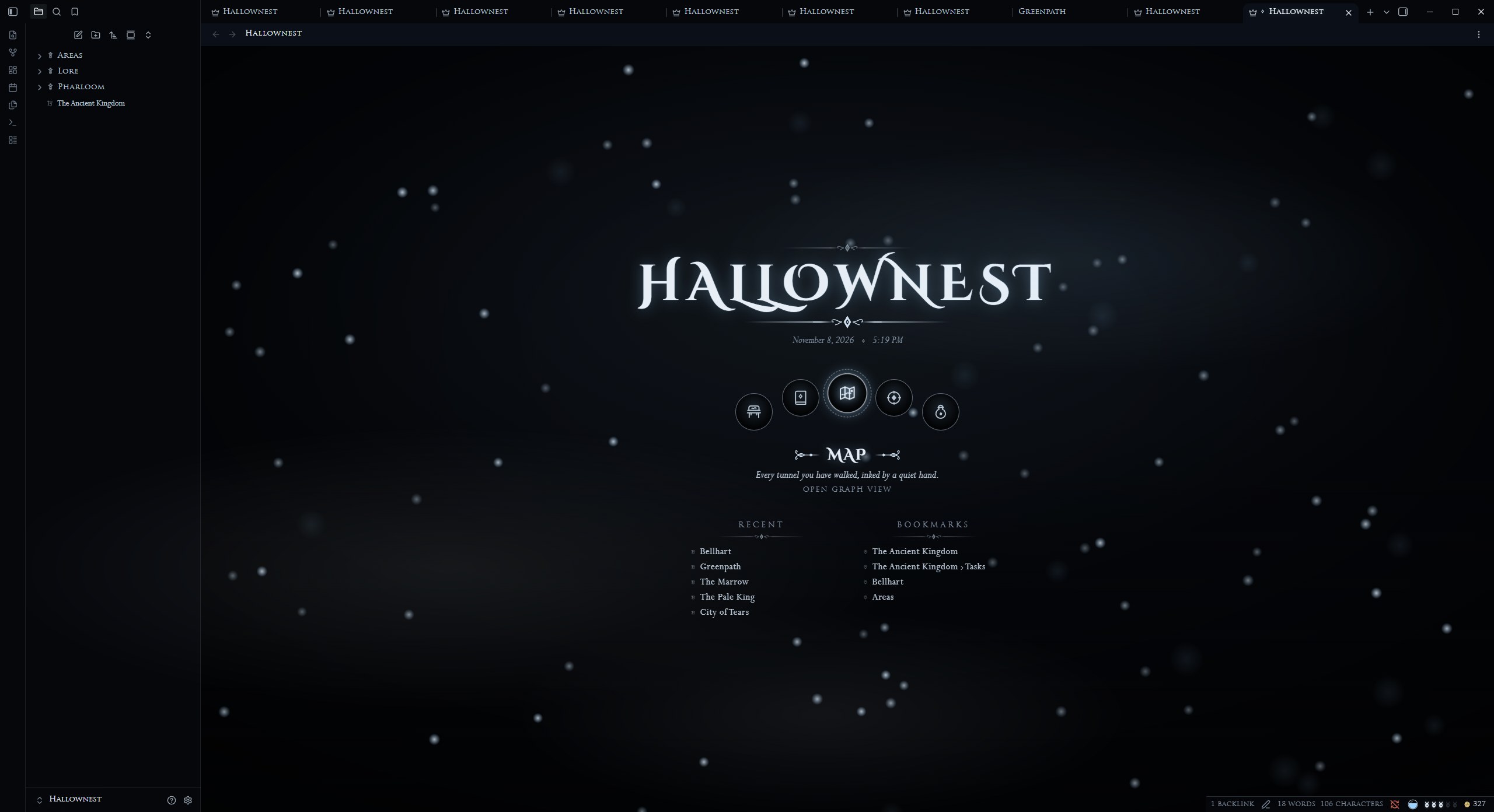 Hallownest, Medallion arc. Medallions on a shallow arc, with the name and lore beneath. |
Pharloom, Crest ring (default). Gold diamond frames around a needle crest, joined by a silk thread. |
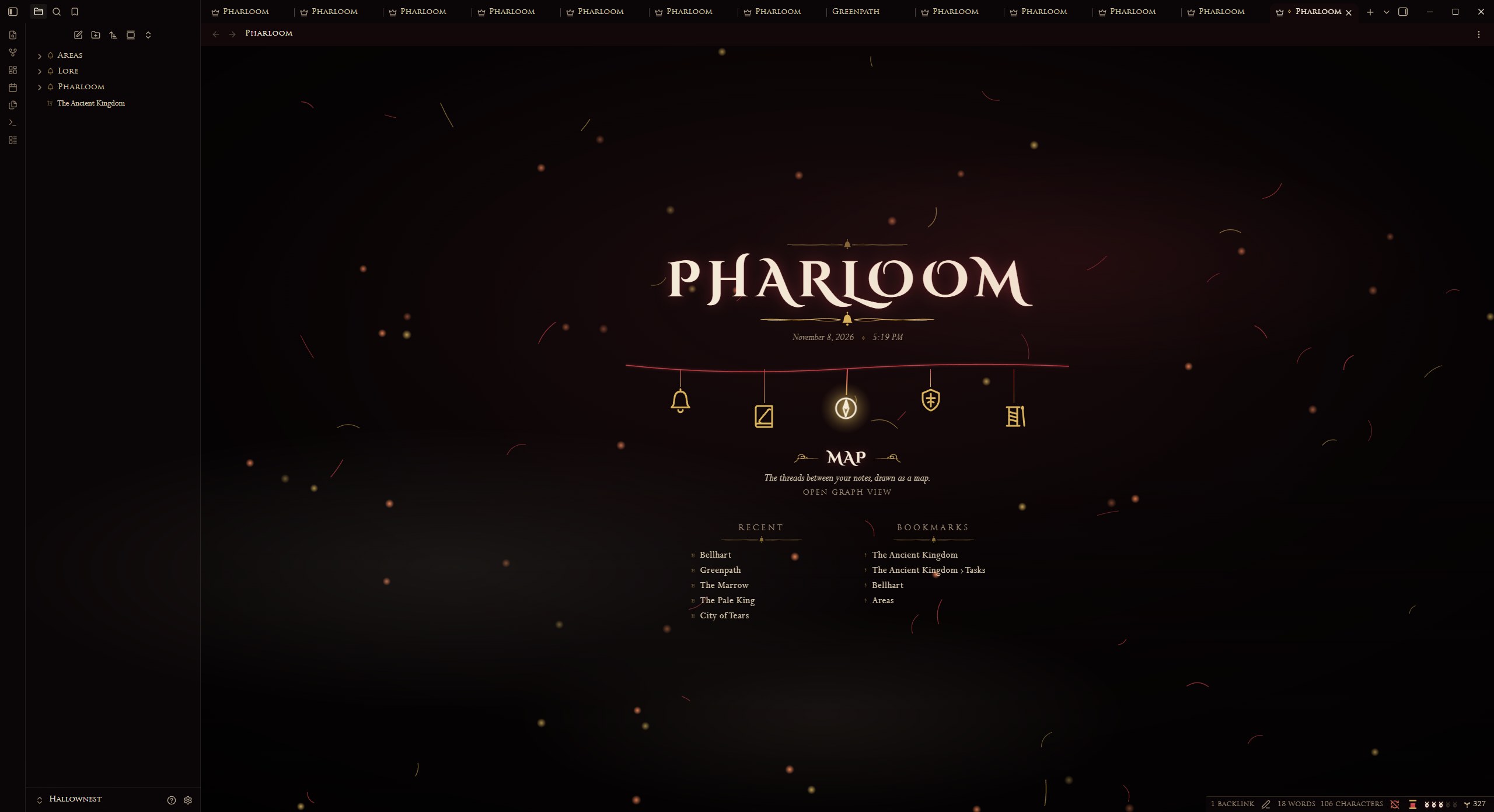 Pharloom, Hanging bells. Bells hang from a silk thread; the selected one rings. |
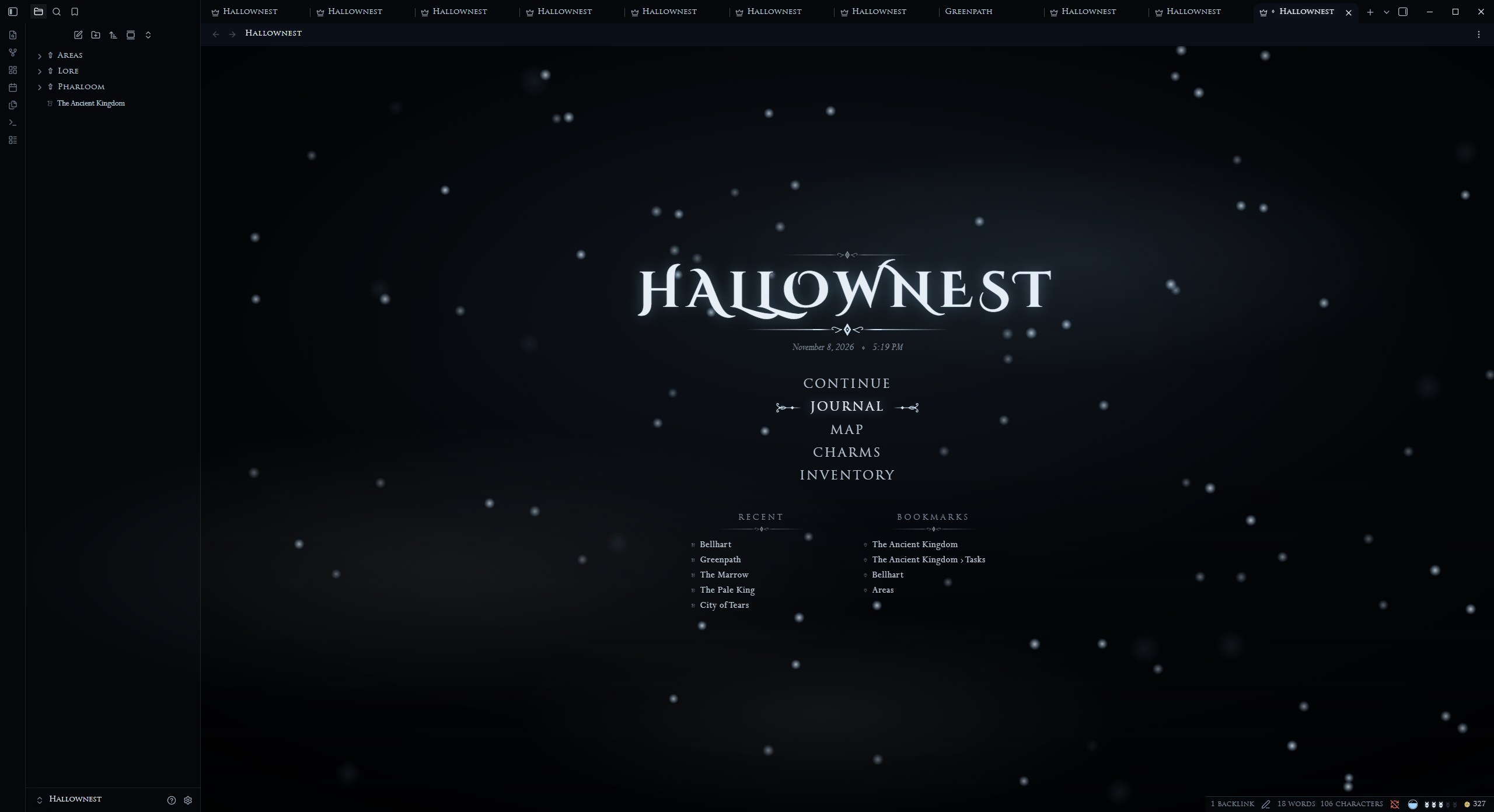 Classic, Hallownest. Stacked words with unfolding fleur pointers. |
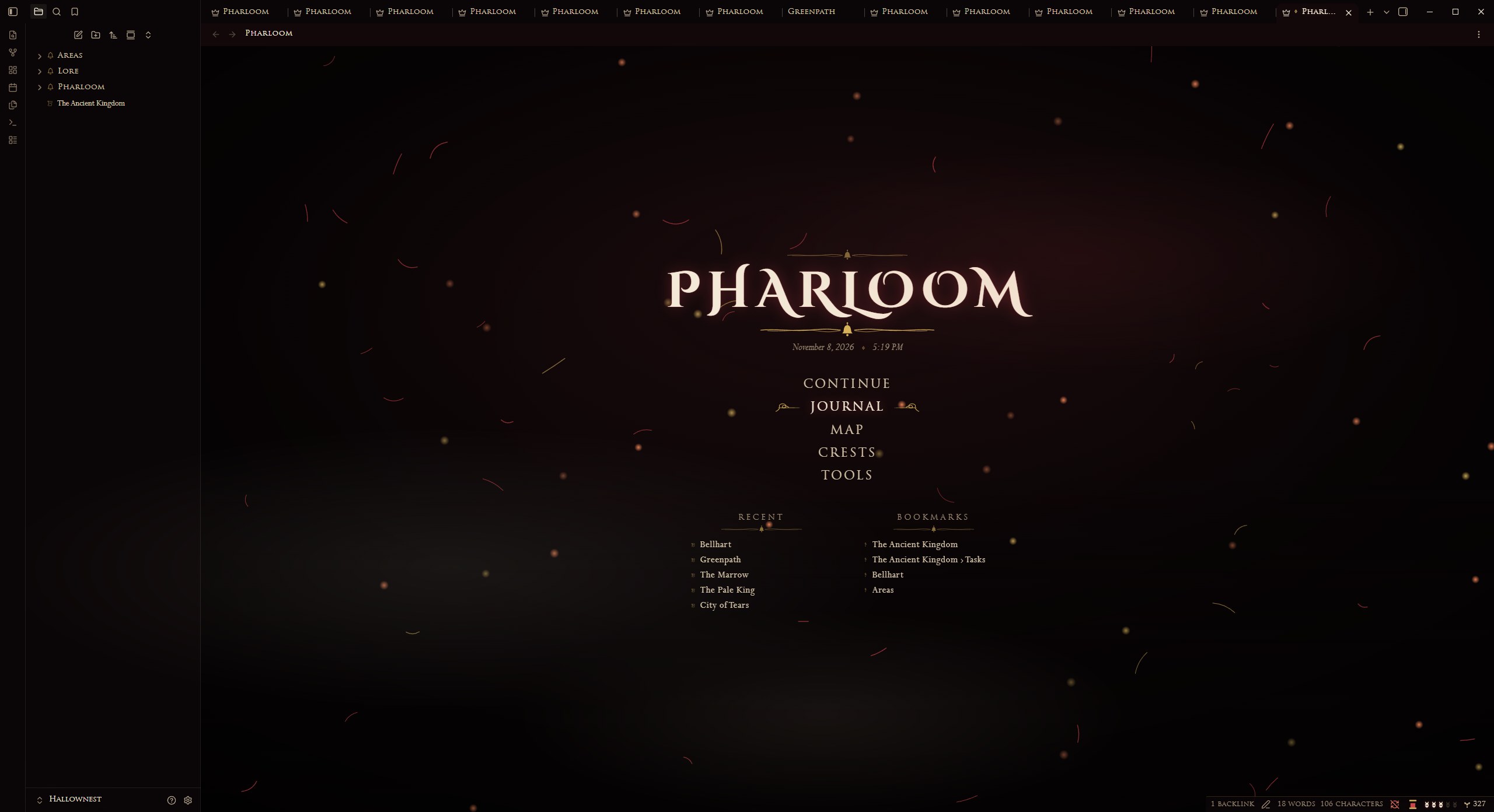 Classic, Pharloom. Stacked words with needle pointers. |
Area title cards
Opening a note dims the pane and fades in its name, with its folder above it, like entering a new area. It needs the plugin.
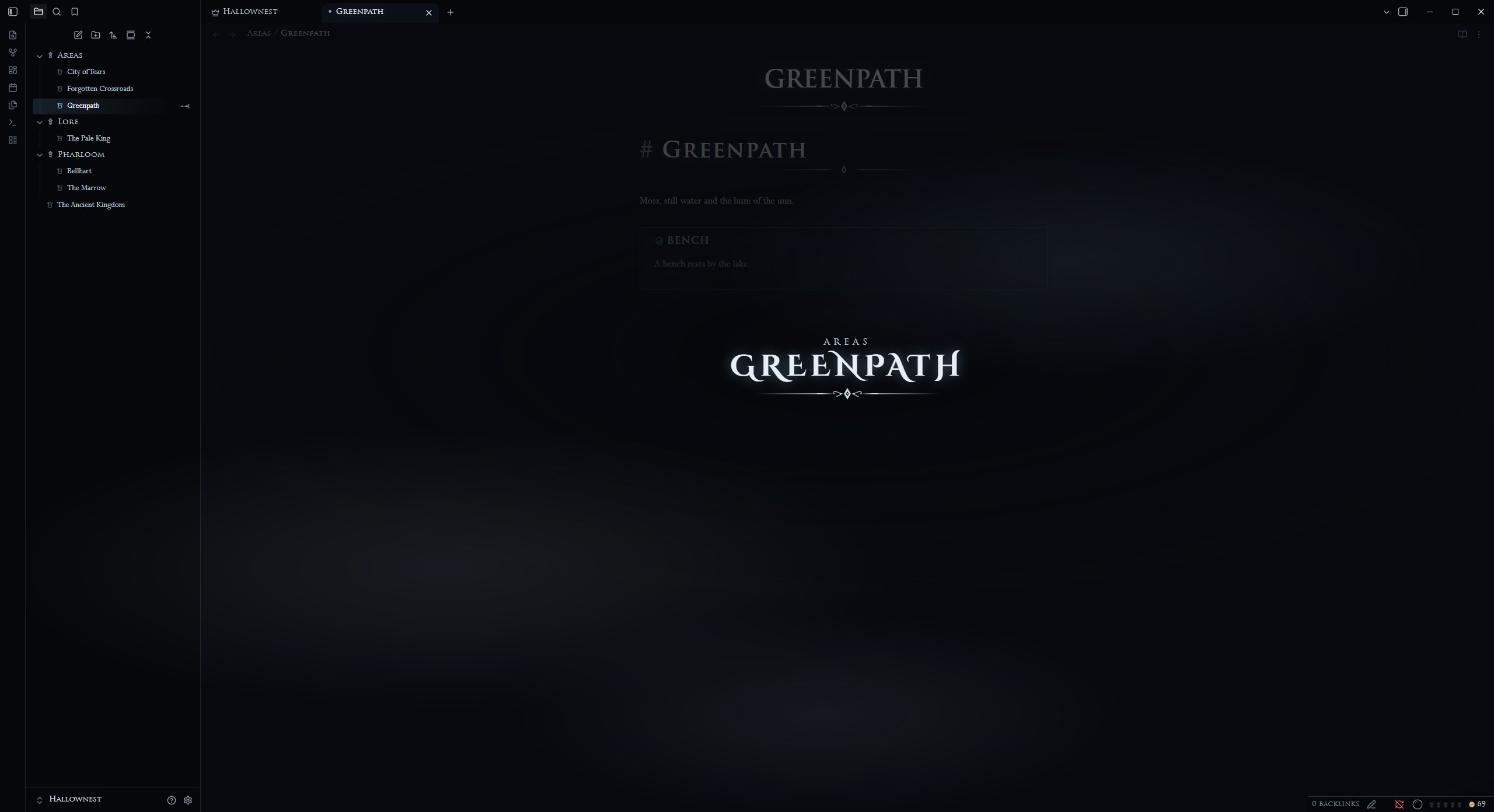 Entering Greenpath in Hallownest. |
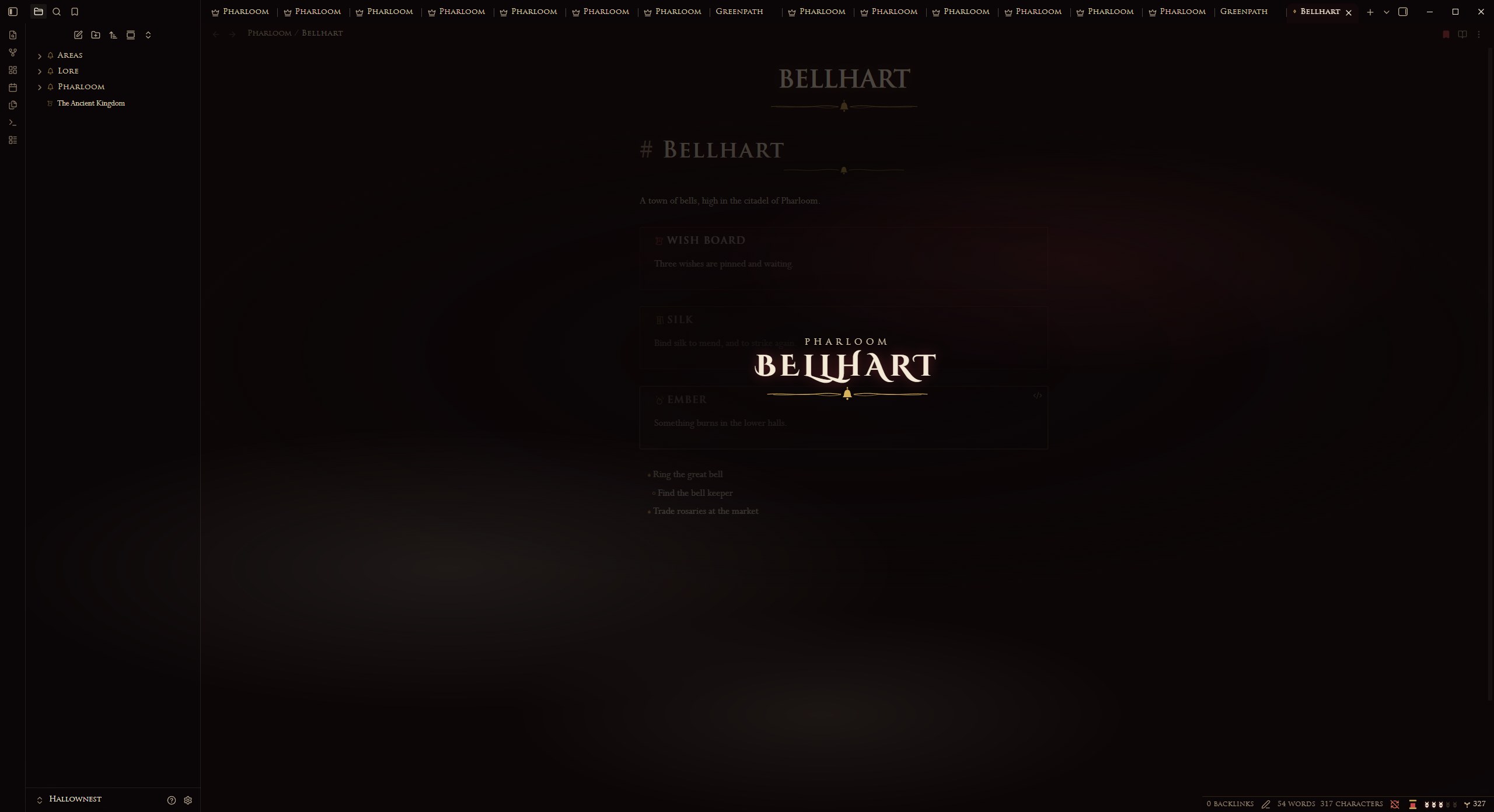 Entering Bellhart in Pharloom. |
Notes
Every callout, list, task, table and code block is restyled. Callouts carry original game icons.
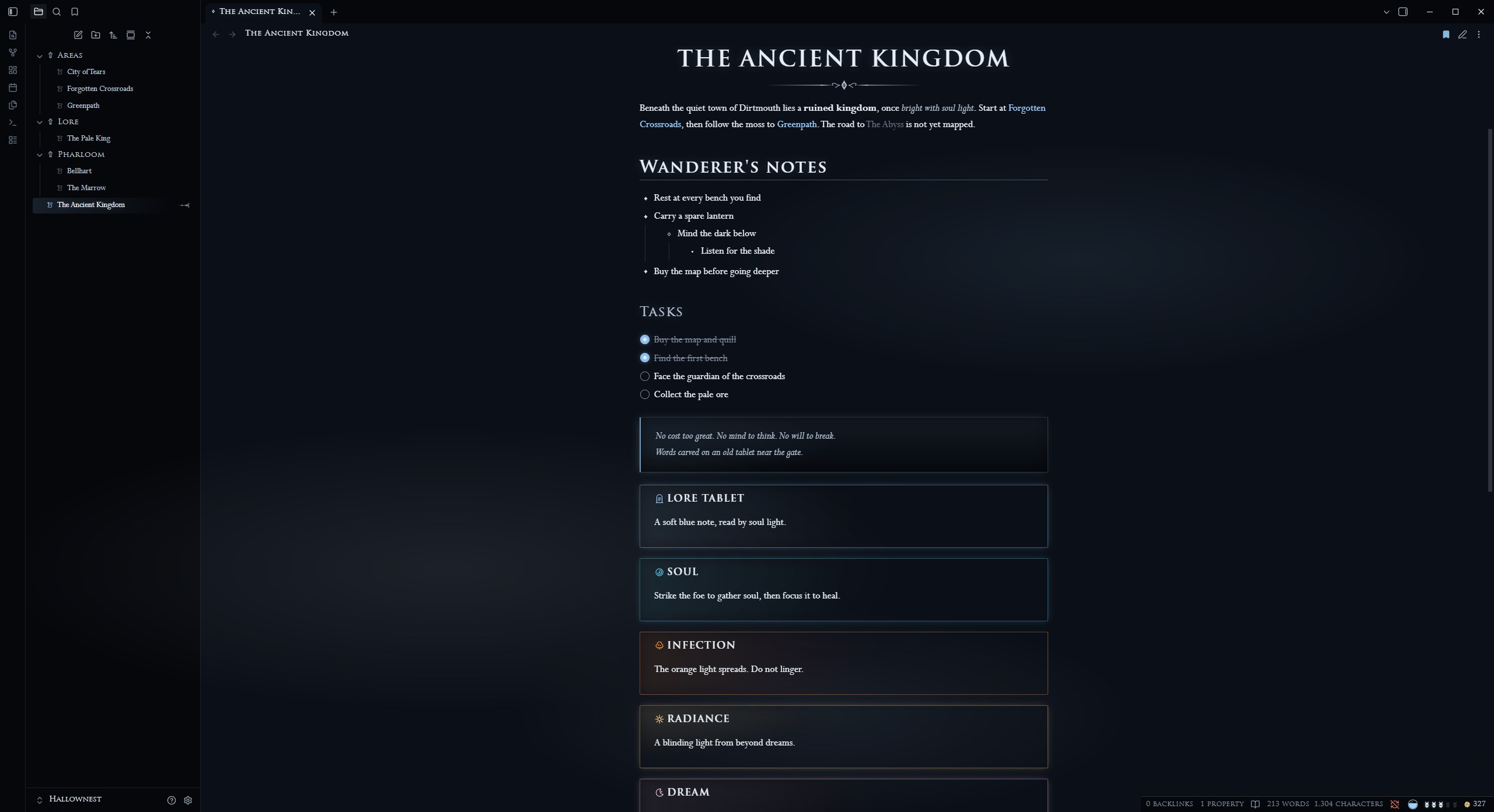 Lore tablet quote, charm-notch tasks, and callouts: lore tablet, soul, infection, radiance, dream. |
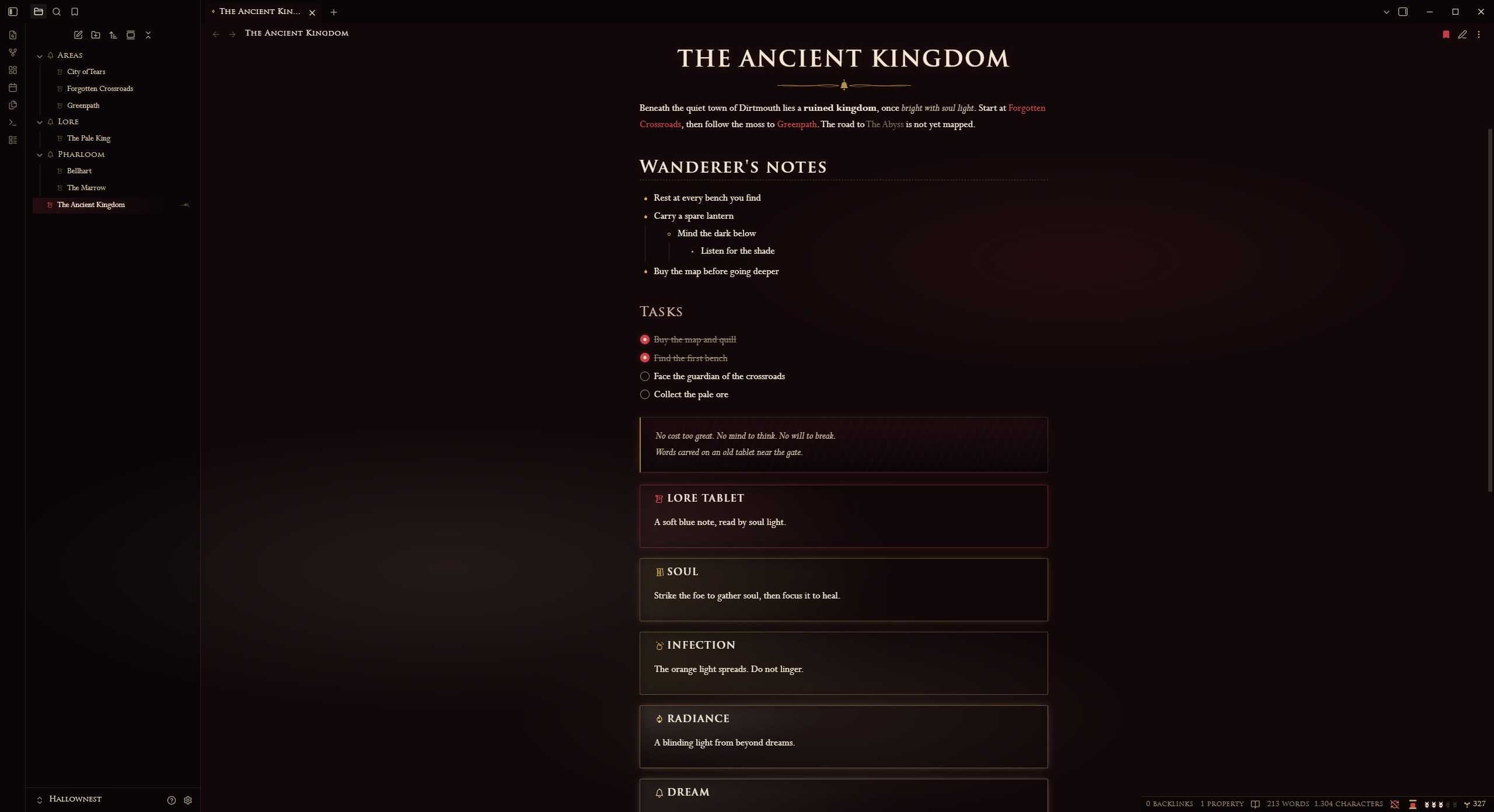 The same note in Pharloom: scroll, spool, ember, flame and bell icons. |
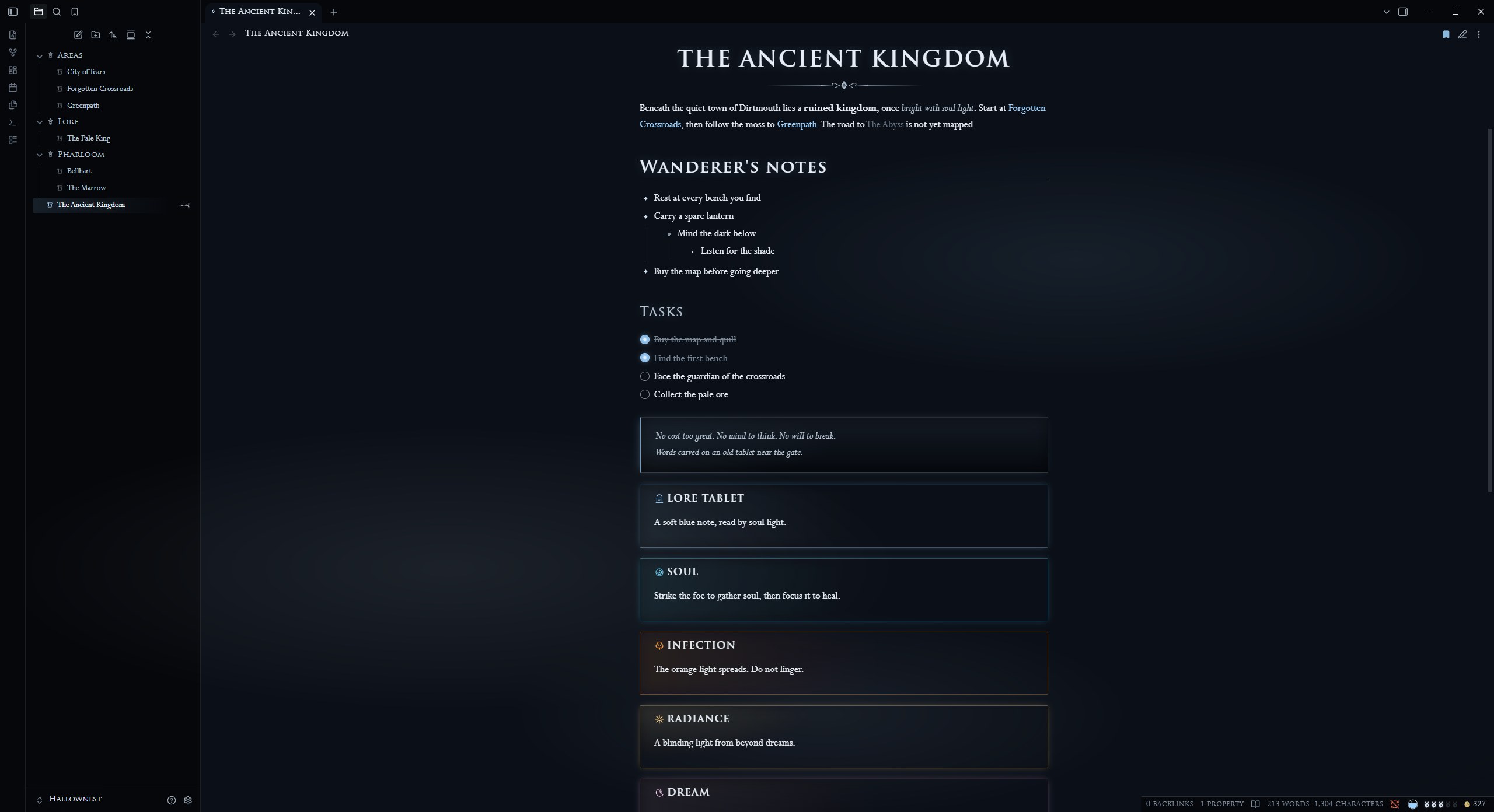 Ornate rule, journal-panel code, hairline tables, tags and highlights. |
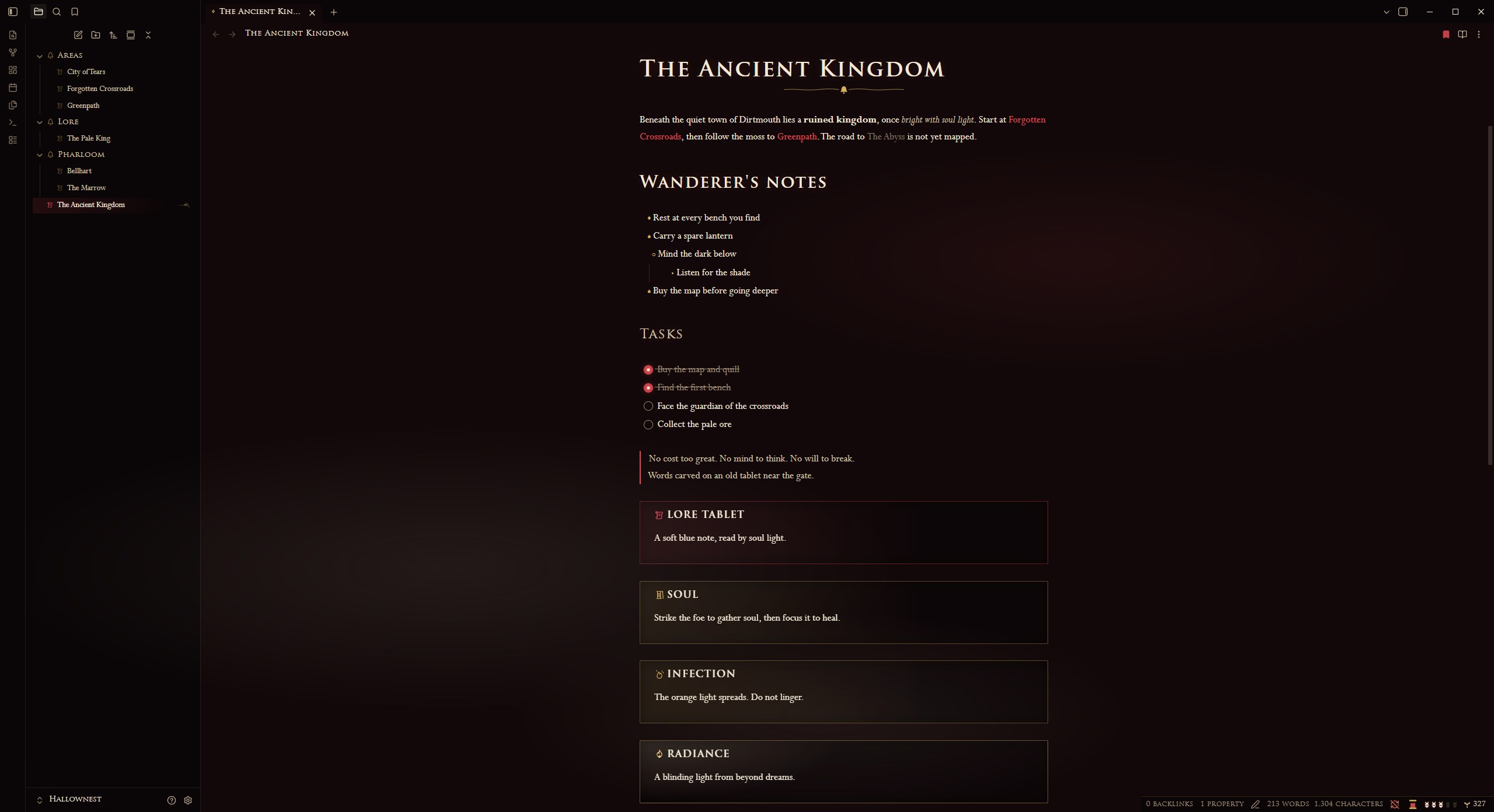 Live preview keeps the look while you type. |
Interface details
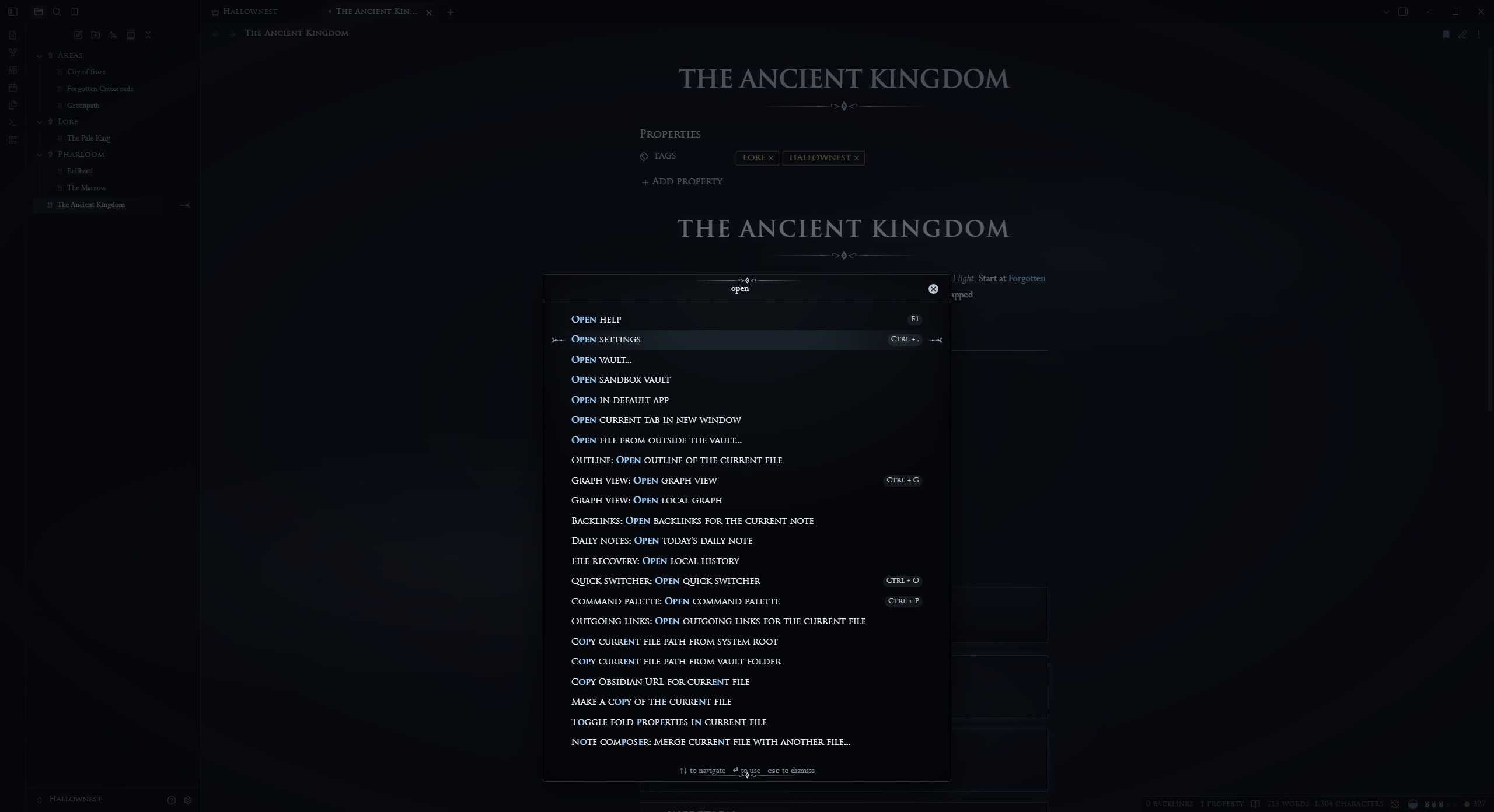 Command palette as a game dialog. The selected row is flanked by fleur pointers. |
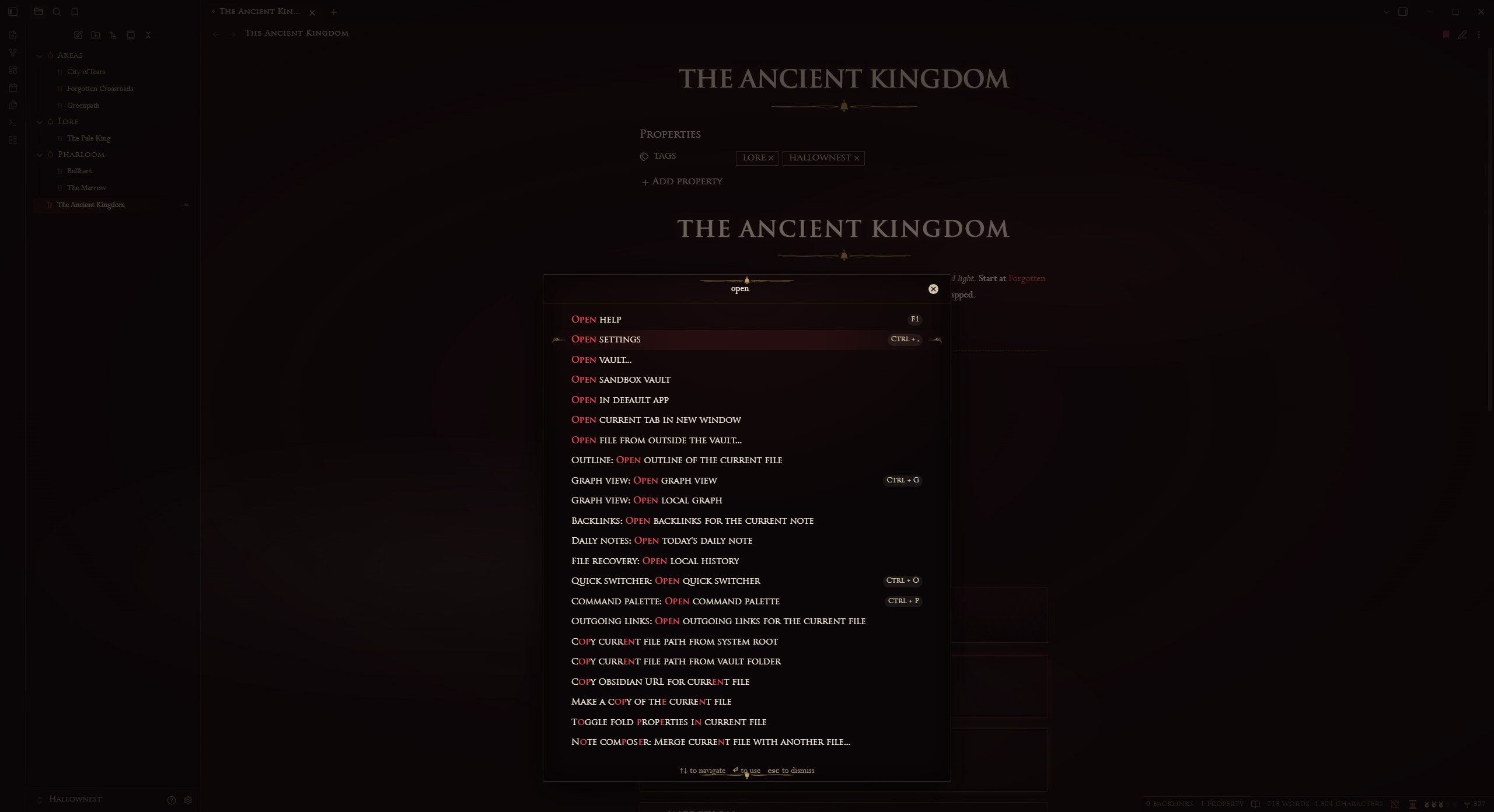 The Pharloom palette, with needle pointers. |
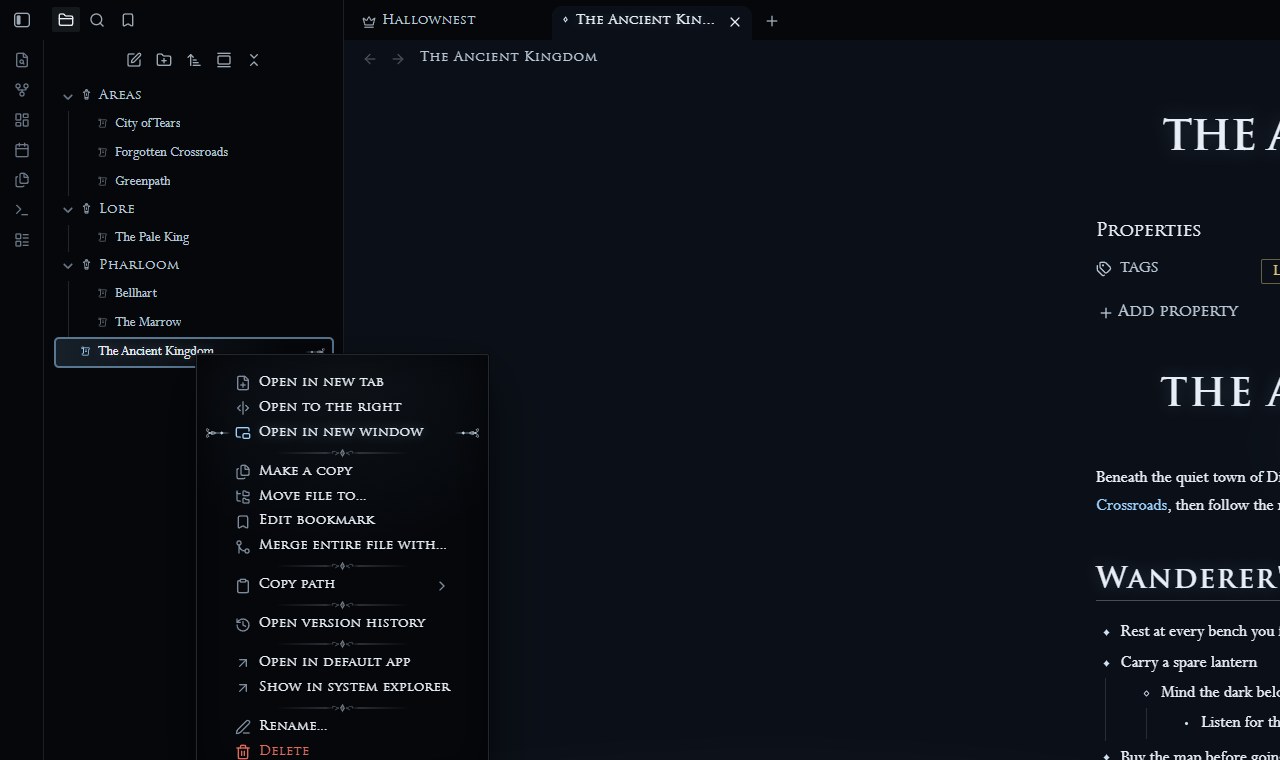 Context menus with ornate separators and pointers. |
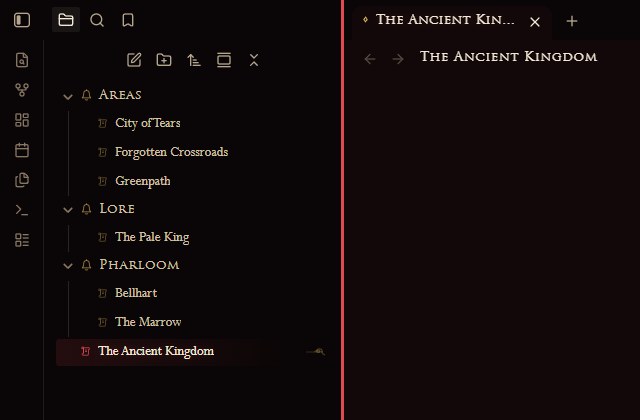 File explorer: bells or lanterns on folders, scrolls on notes, a pointer on the open note. |
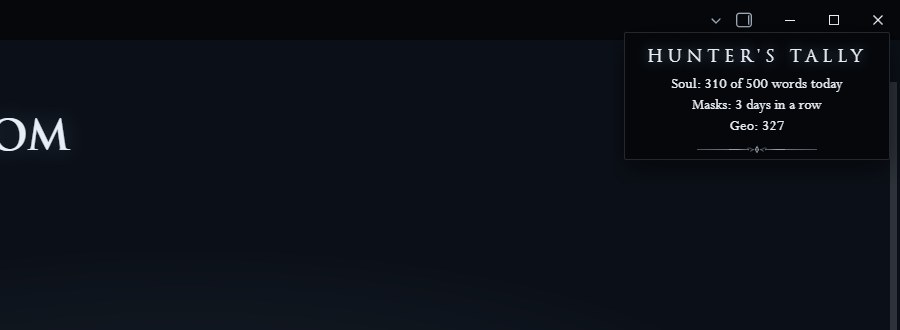 Click the HUD for a tally (plugin). |
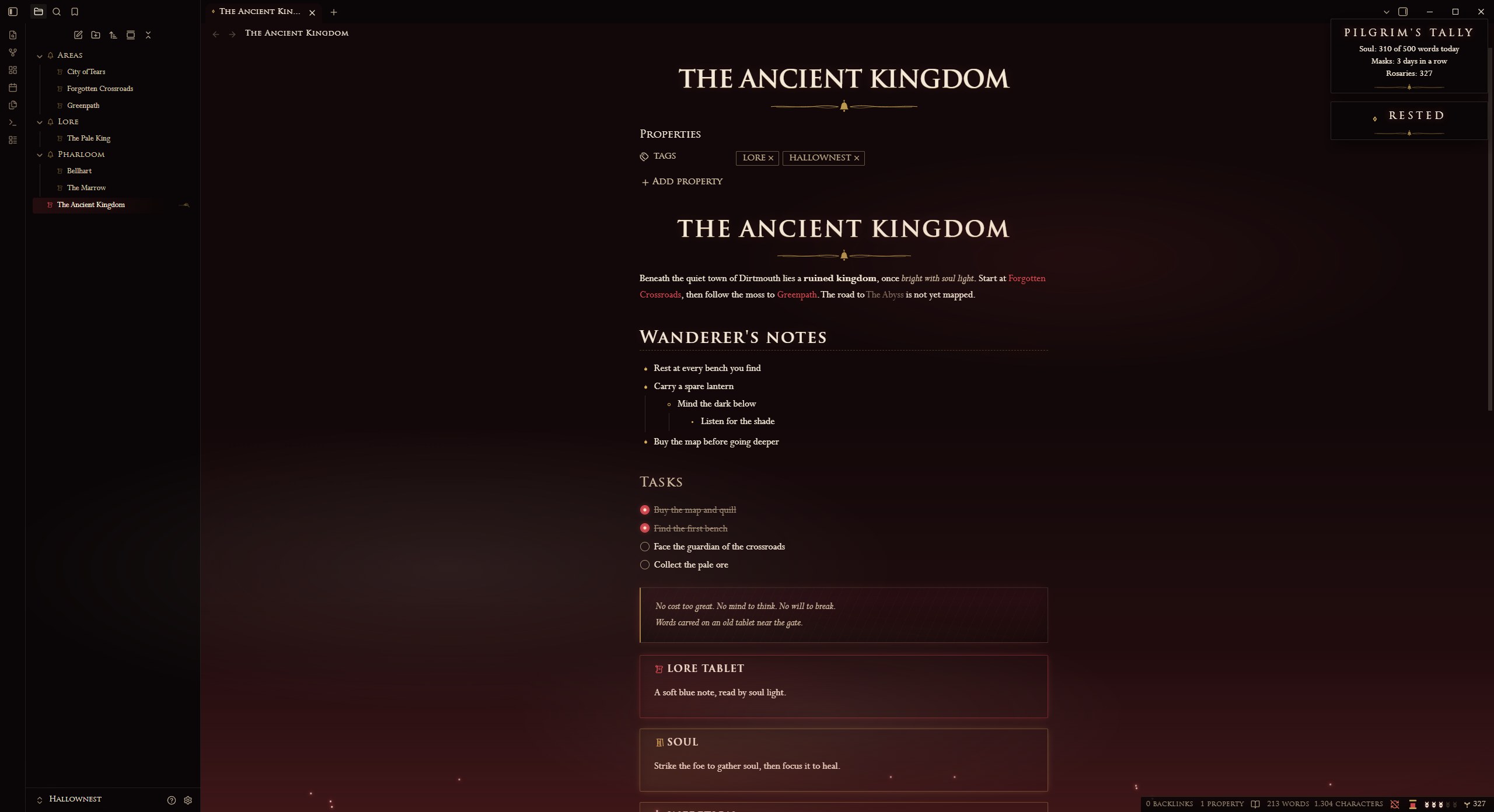 Saving rests at a bench: a glow rises and "Rested" appears (plugin). |
Status bar HUD (plugin): soul vessel, streak masks and Geo in Hallownest; silk spool, masks and Rosaries in Pharloom.


Light mode
Light mode turns Hallownest into the White Palace and Pharloom into a gilded citadel.
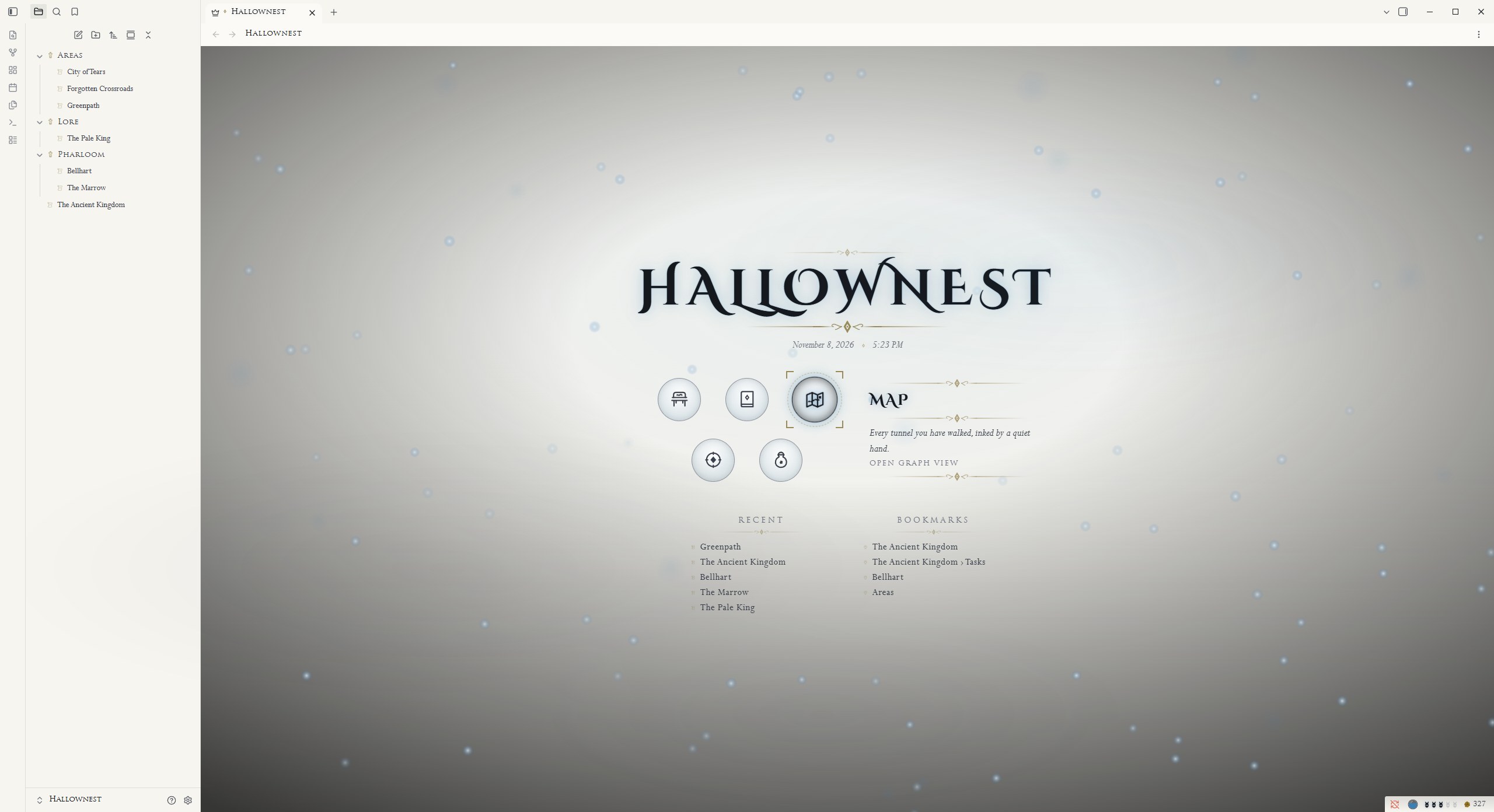 White Palace title screen. |
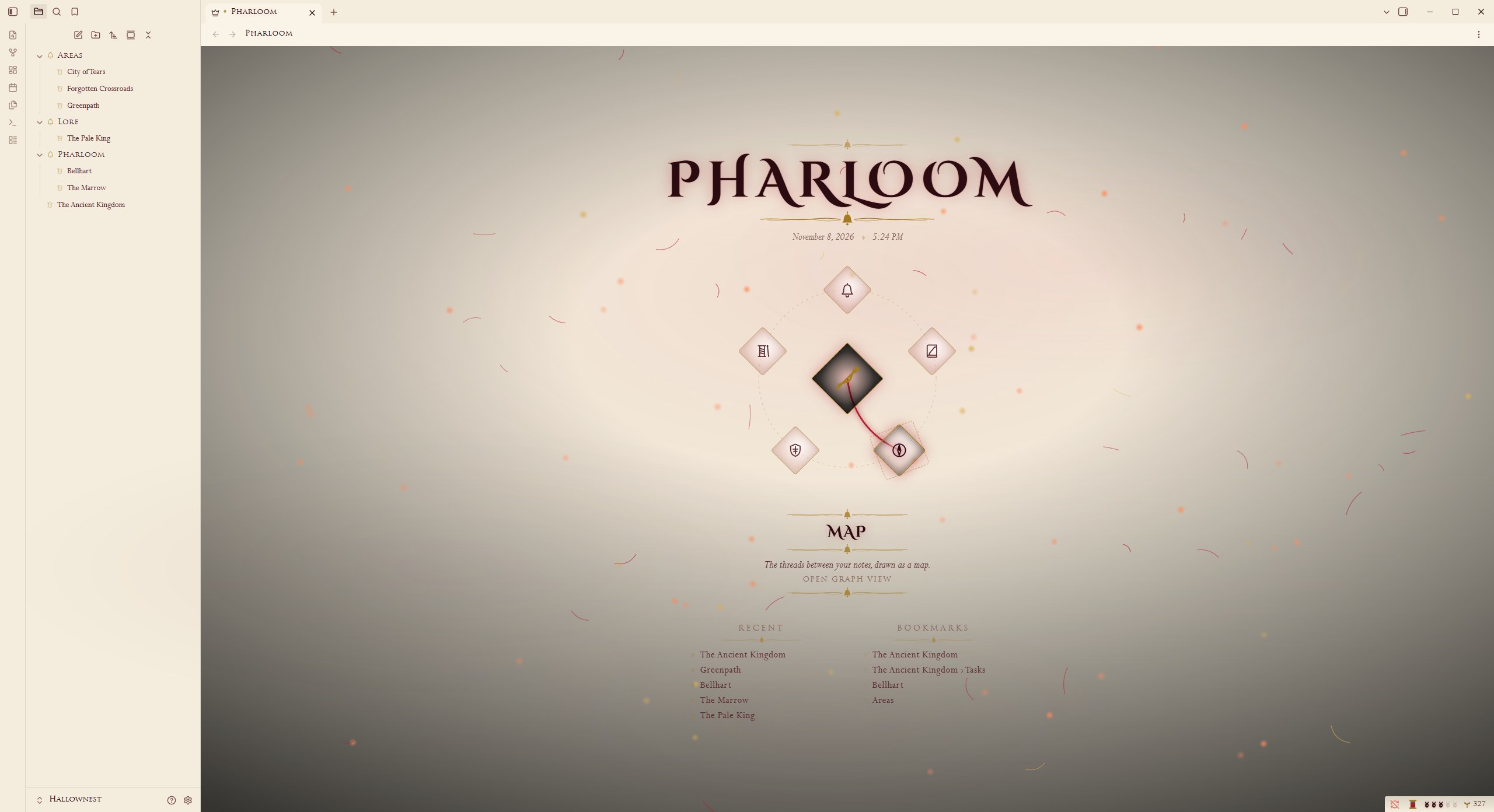 Citadel title screen. |
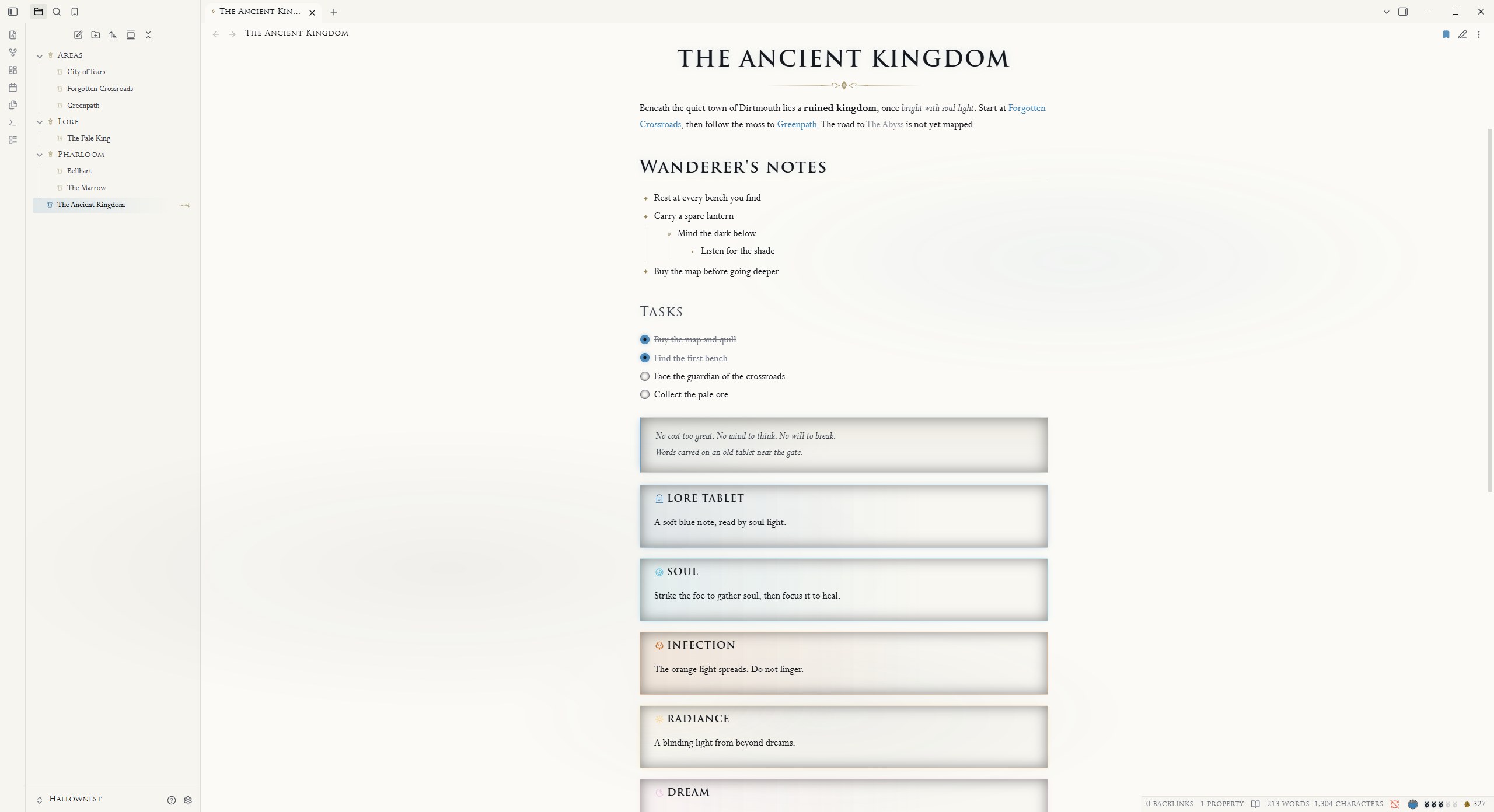 White Palace note. |
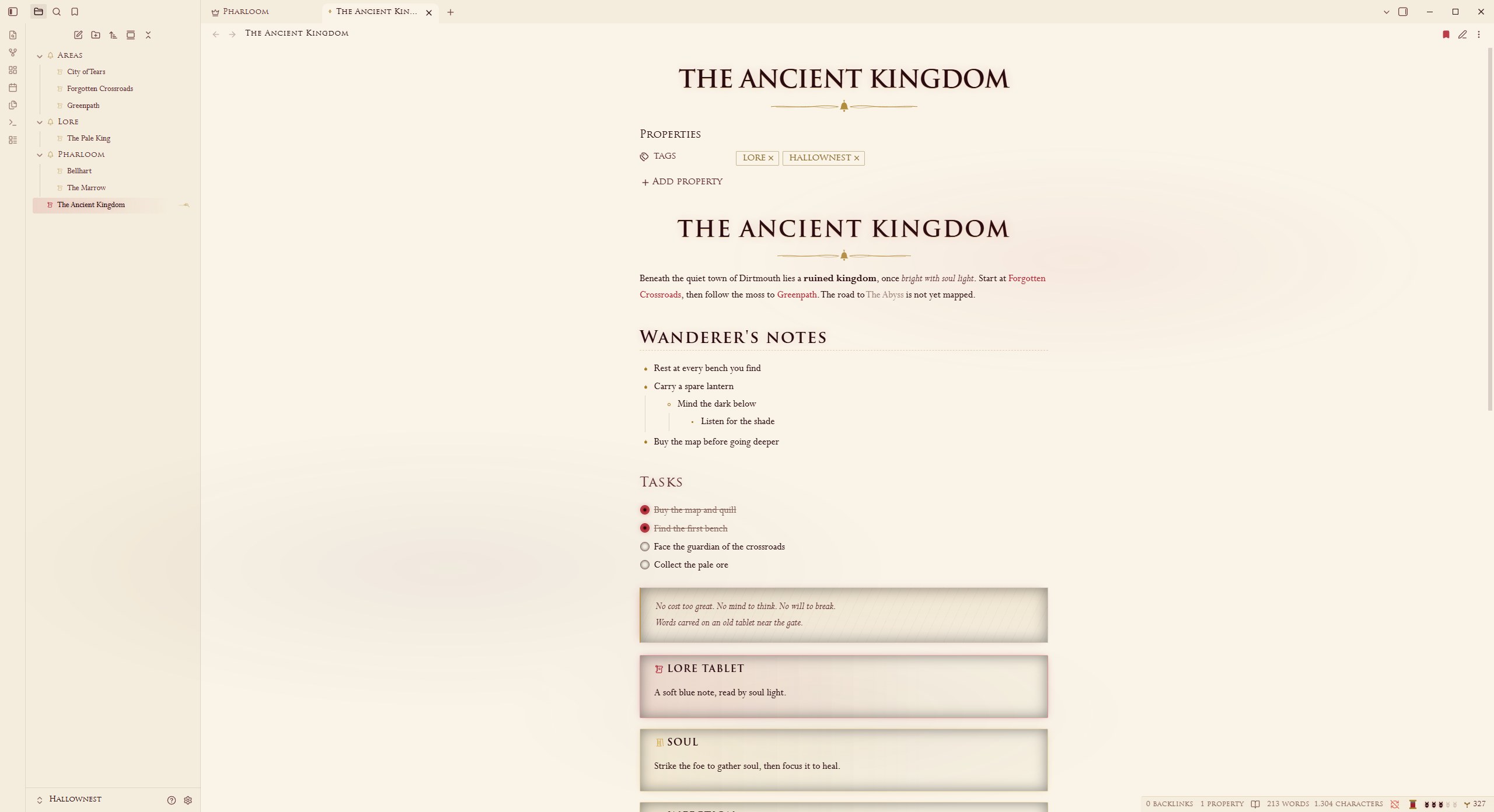 Citadel note. |
Snippets
Optional extras in snippets/. Copy them into .obsidian/snippets/ and turn them on under Appearance, CSS snippets.
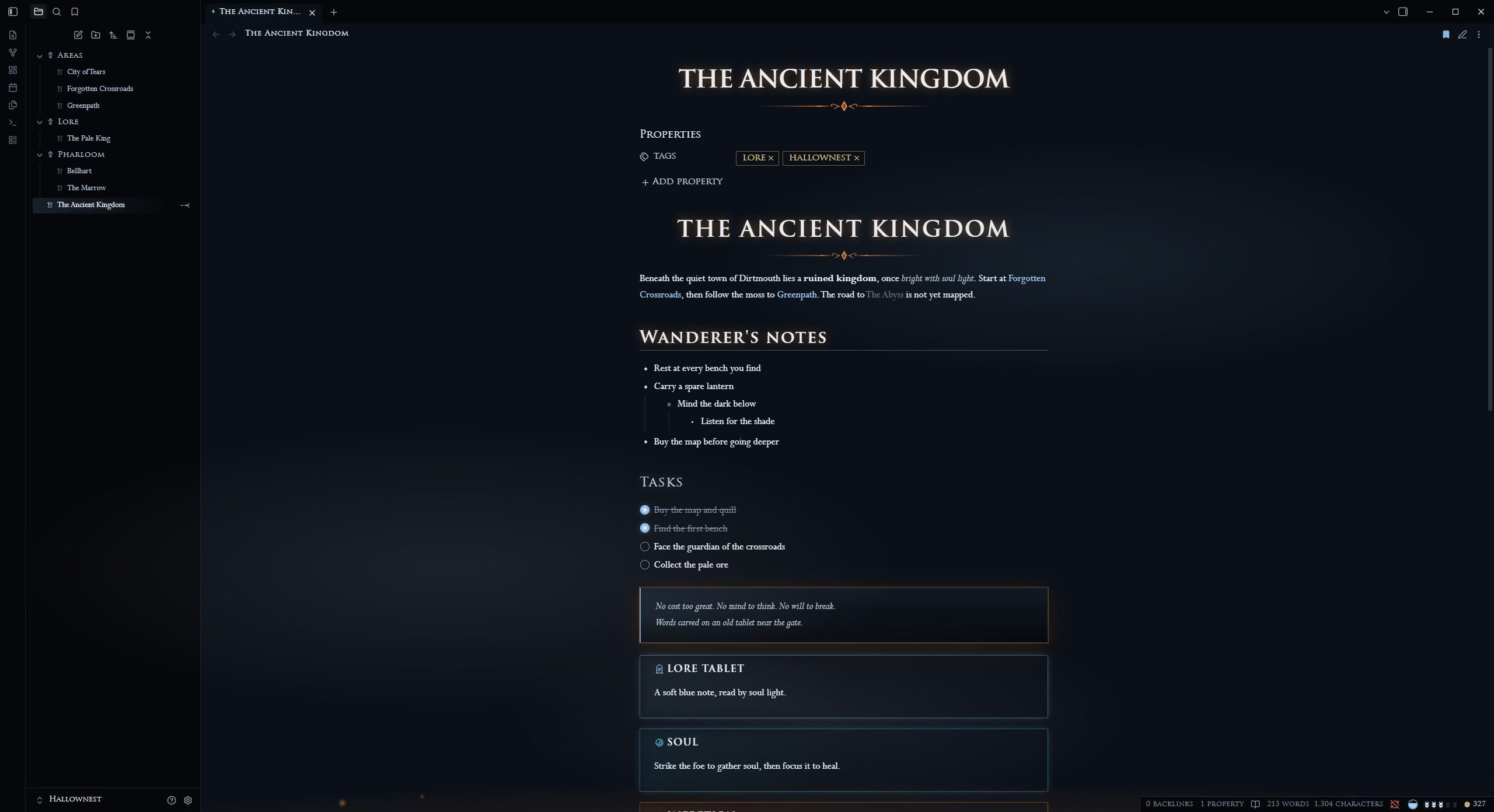 hk-infection.css: orange infection light pulses through headings and panels. |
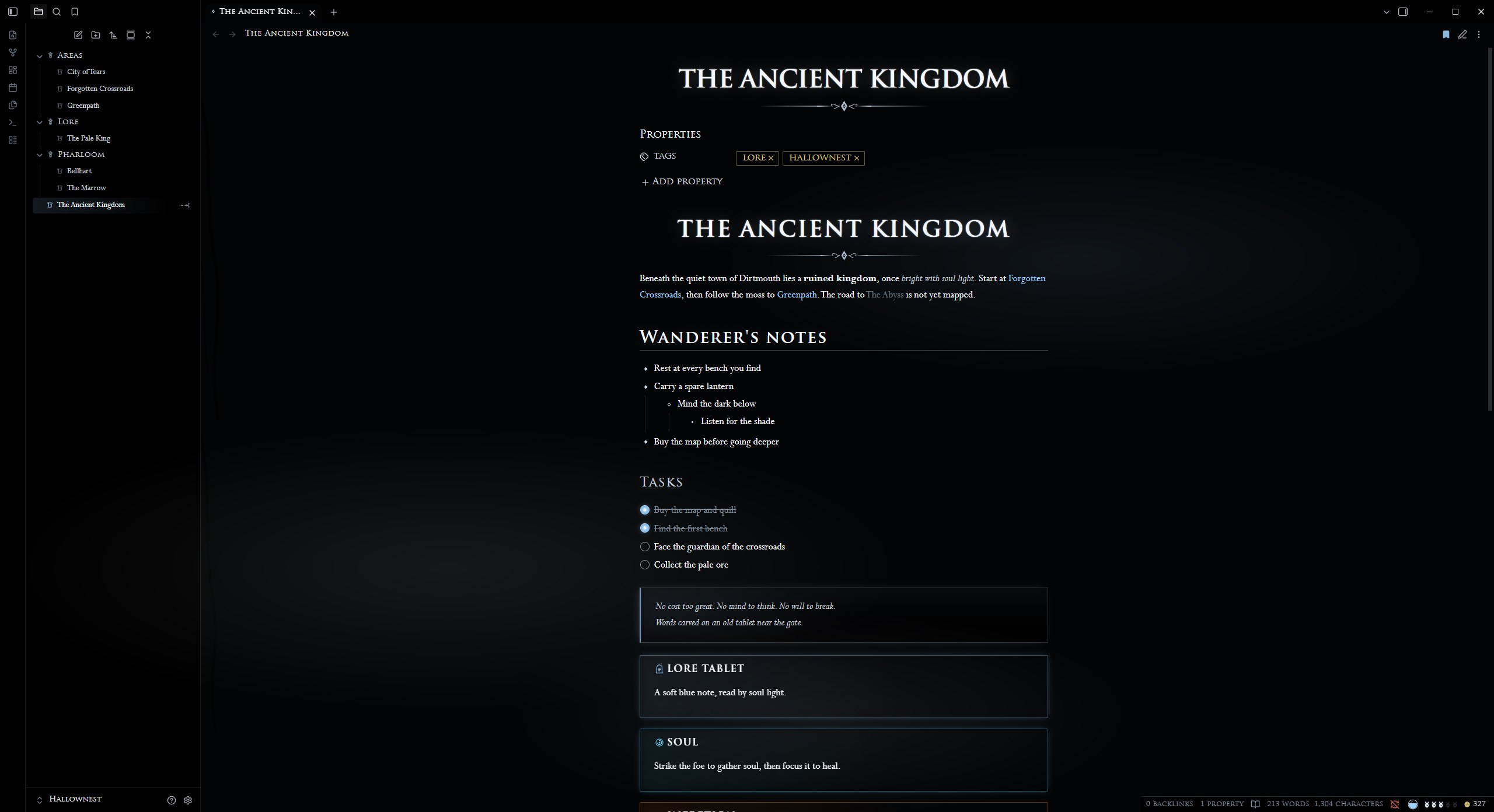 hk-void.css: pure black panels and void wisps. Dark mode only. |
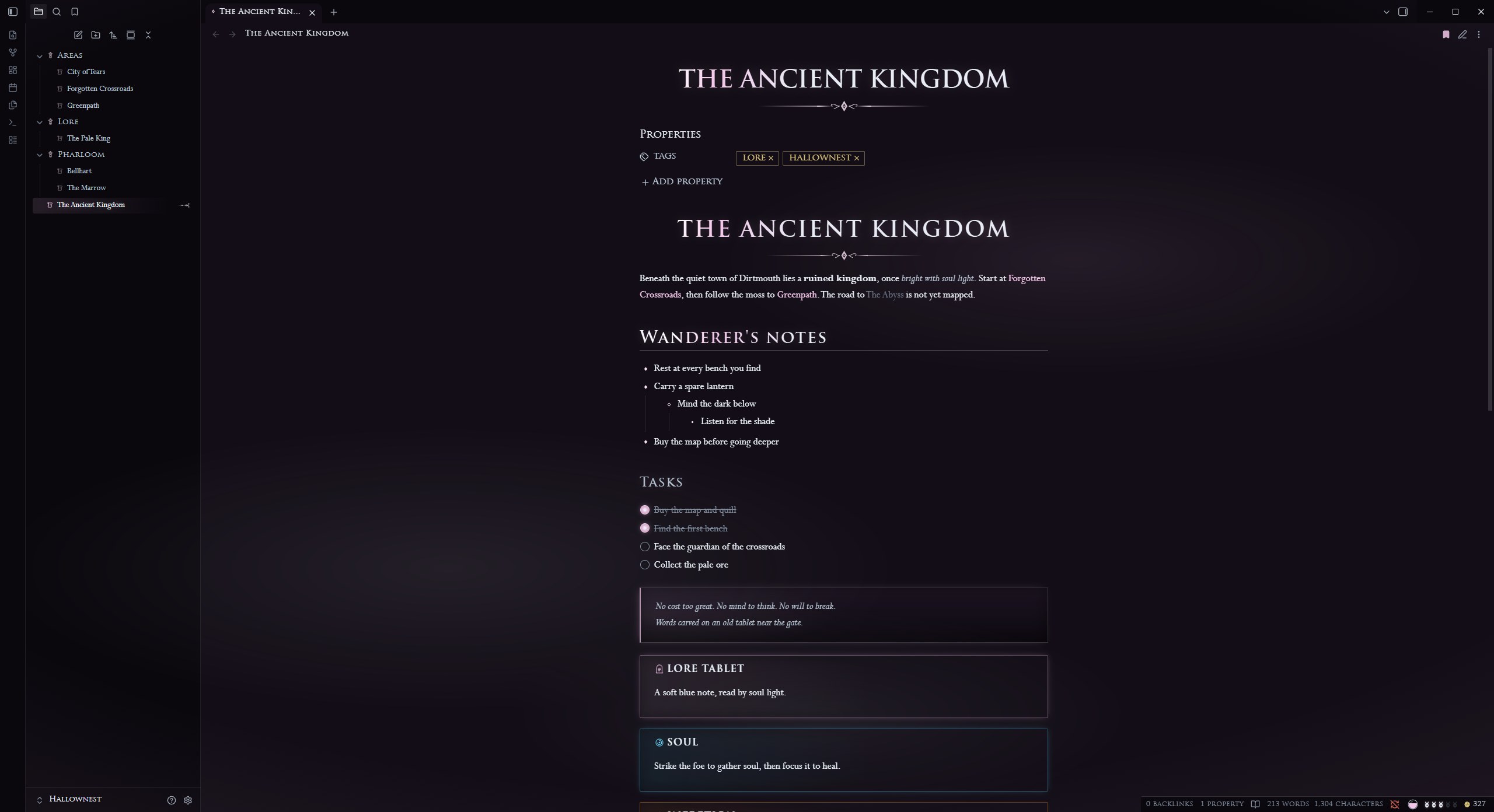 hk-dream.css: the dream realm, a pink-white tint and shimmering headings. |
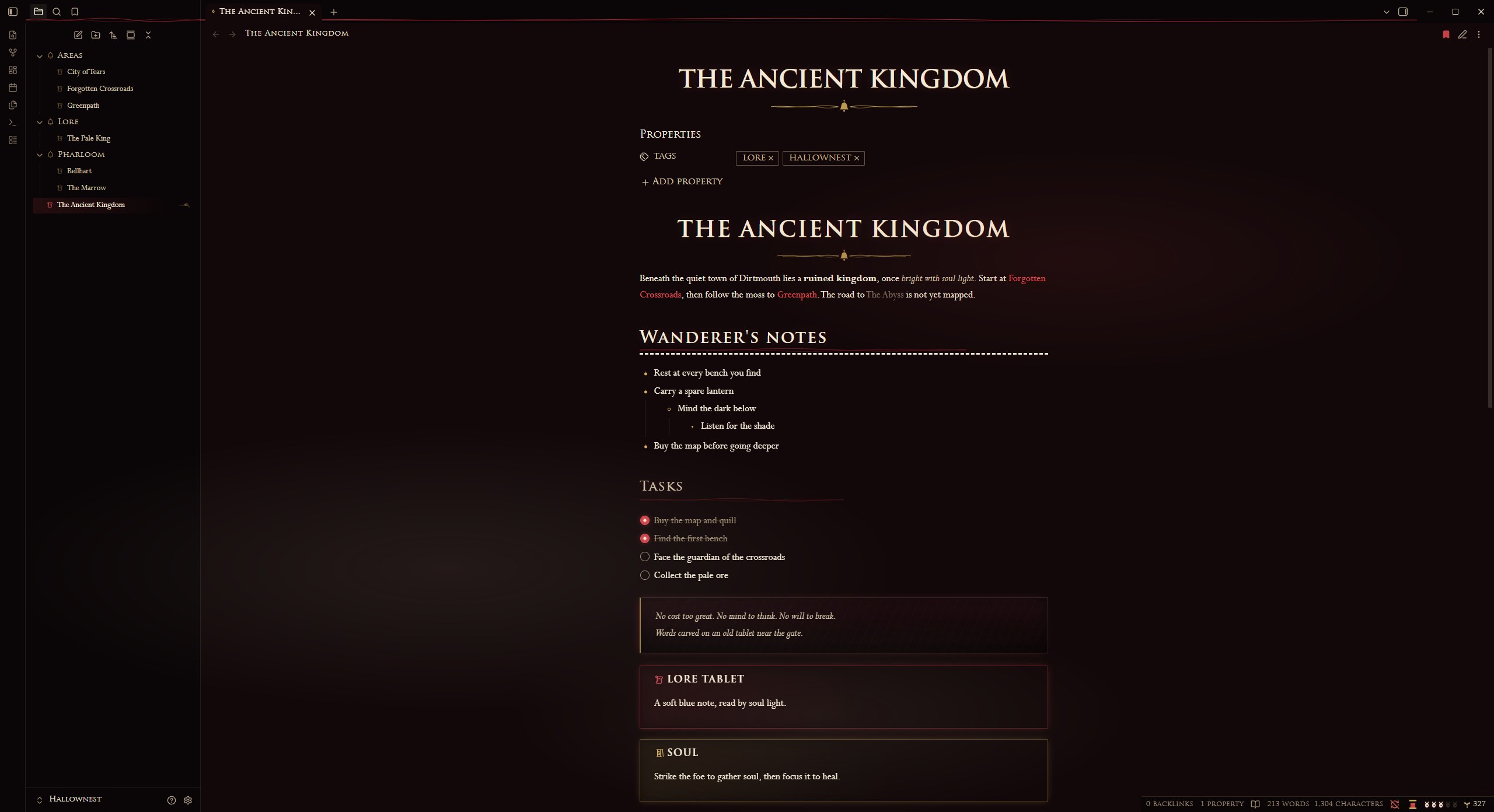 ss-silkstorm.css: crimson silk threads under tabs and headings. Best with Pharloom. |
Customise it
Everything is in Settings, Style Settings, Hollow Knight and Silksong.
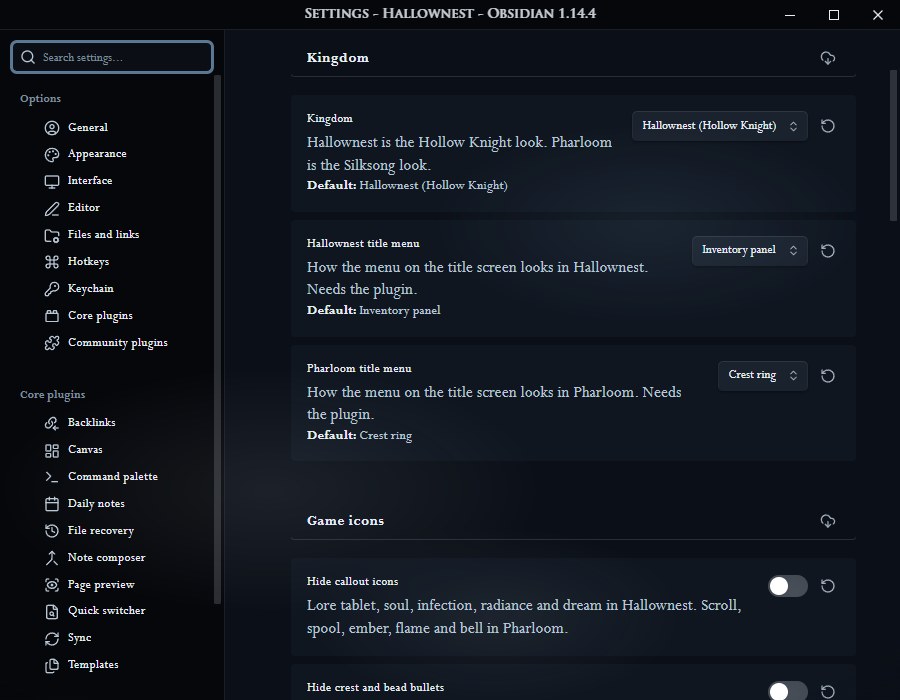 Kingdom. Hallownest or Pharloom, and the title menu style for each. |
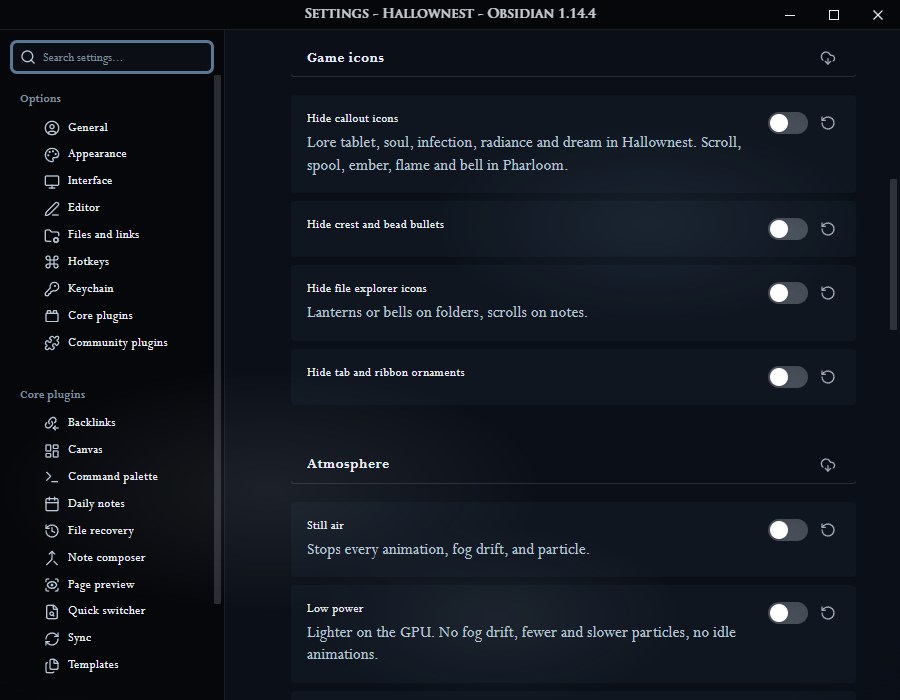 Game icons. Callout icons, bullets, file explorer icons, tab and ribbon ornaments. |
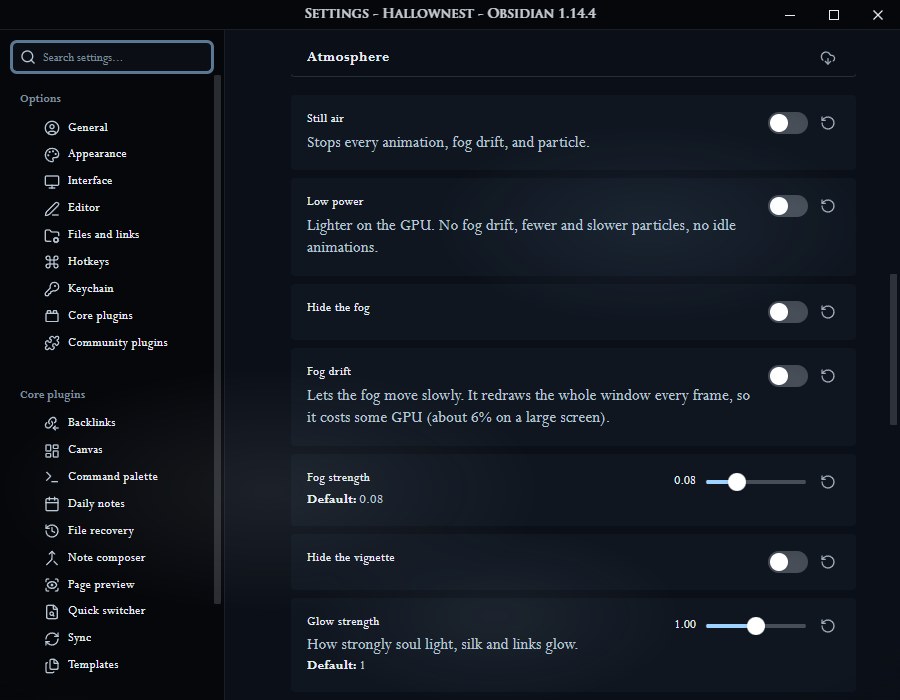 Atmosphere. Still air, Low power, fog, Fog drift, vignette, glow strength. |
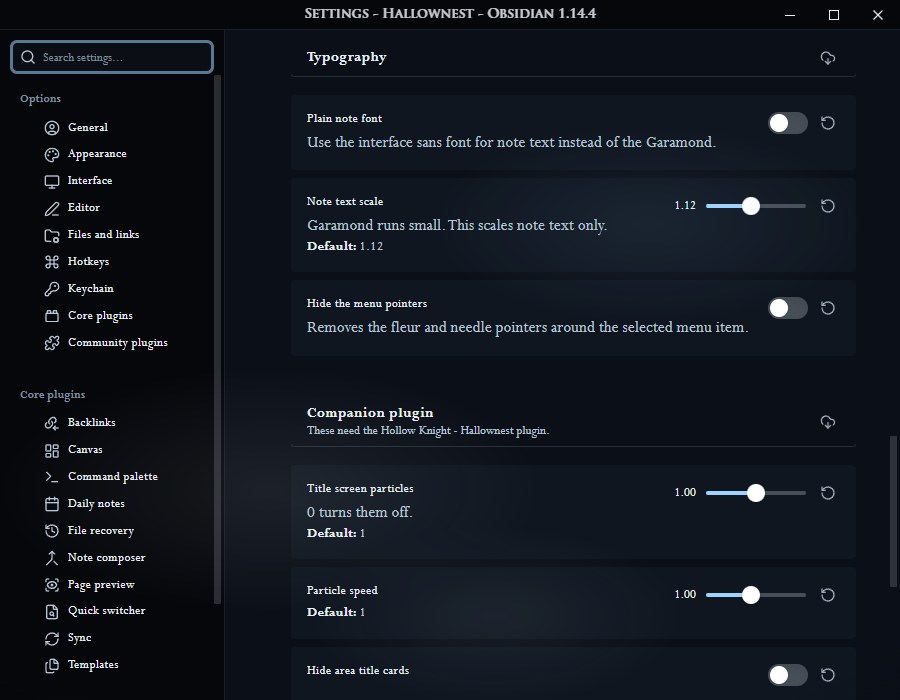 Typography. Plain note font, note text scale, menu pointers. |
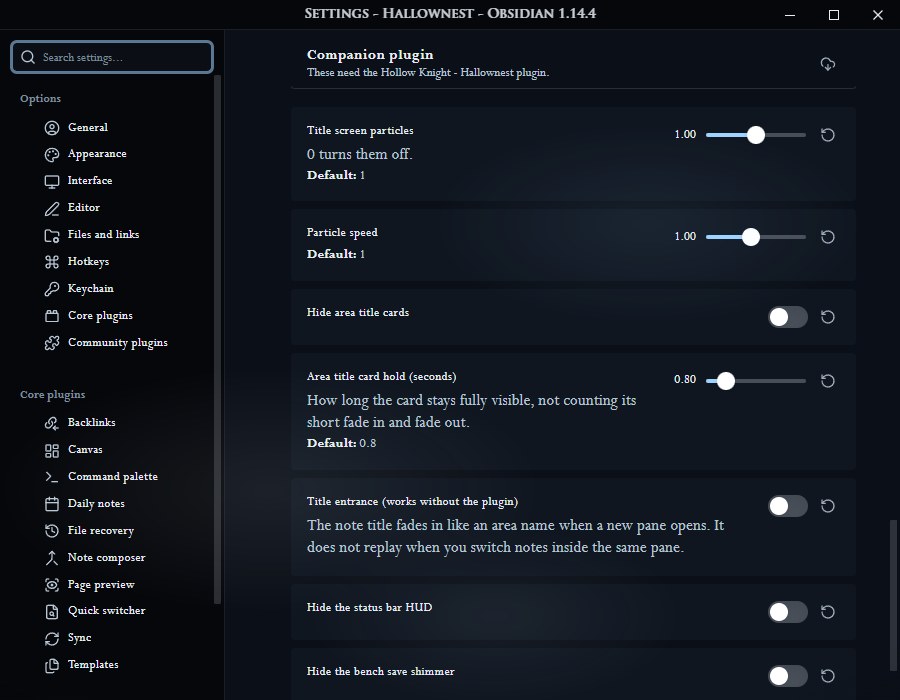 Companion plugin. Particles, area cards and their hold time, Title entrance, HUD, bench. |
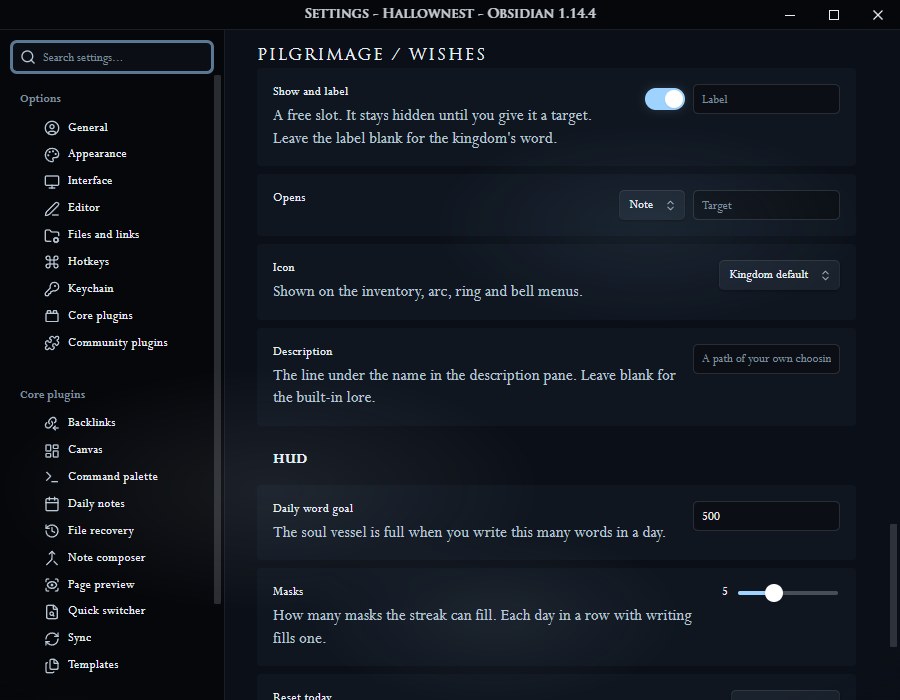 Plugin settings. Each title-menu button: show, label, what it opens, icon, description. |
Install
From Obsidian (recommended):
- Open Settings, Appearance, then select Manage next to Themes.
- Search for Hollow Knight and Silksong, then select Install and use.
- Install and enable Style Settings from Settings, Community plugins, Browse. It holds the kingdom switch and every option.
- Optional: install Hollow Knight and Silksong Companion from Community plugins for the title screen, area cards, HUD and bench.
By hand:
- Download
theme.cssandmanifest.jsonfrom the latest release. - Put them in
<your vault>/.obsidian/themes/Hollow Knight and Silksong/. - Open Settings, Appearance and pick Hollow Knight and Silksong.
Snippets: copy the files in snippets/ into <your vault>/.obsidian/snippets/ and turn them on under Settings, Appearance, CSS snippets.
Theme only, or with the plugin
| Feature | Theme only | Theme and plugin |
|---|---|---|
| Kingdom palettes, fonts, fog and vignette | Yes | Yes |
| Fleur and needle pointers on menus, palette and settings | Yes | Yes |
| Dialog-style modals, notices and tooltips | Yes | Yes |
| Game icons on callouts, bullets, files, tabs and ribbon | Yes | Yes |
| Lore tablet quotes, charm-notch tasks, ornate rules | Yes | Yes |
| Title entrance (the note title fades in when a pane opens) | Yes | Yes |
| Title screen with particles and five menu styles | No | Yes |
| Area title card each time a note opens | No | Yes |
| Soul vessel, masks and Geo / Rosary HUD | No | Yes |
| Bench glow and "Rested" on save | No | Yes |
Performance
The theme is built to stay light on the GPU. The fog is static by default; Fog drift animates it, which redraws the whole window every frame. Low power turns off drift and idle animations and slows the plugin's particles. With the plugin, all motion pauses while Obsidian is in the background. The theme also follows your system's reduced motion setting.
Privacy
The theme makes no network requests. Every font, icon and ornament is embedded in theme.css, so it works fully offline.
Fonts and license
If Trajan Pro or Perpetua is installed on your computer, the theme uses it first. Otherwise it uses the embedded fonts: Cinzel and Cinzel Decorative for titles, Cormorant Garamond for note text. All three are under the SIL Open Font License; the texts are in fonts/. The embedded fonts are Latin subsets to keep theme.css small; text in other scripts, such as Cyrillic or Greek, uses your system serif font.
The code, ornaments and icons are MIT licensed, see LICENSE. The ornaments and icons are original drawings. No game art, logos or fonts from the games are included.
[!WARNING] This is an unofficial fan project, made because the author loves these games. It is not affiliated with or endorsed by Team Cherry.