Glass Shelf
 UmmBition527 downloads
A translucent glass theme with blurred panels, pill-shaped buttons and smooth rounded corners. Supports light and dark modes. Designed to be used with the Glass Shelf plugin.
- Overview
- Scorecard
- Updates14
English · 한국어
A translucent, glassy theme for Obsidian.
[!IMPORTANT]
Requires the Glass Shelf Companion plugin
This theme is built to be used together with the Glass Shelf Companion plugin. Install and enable both to get the intended look.
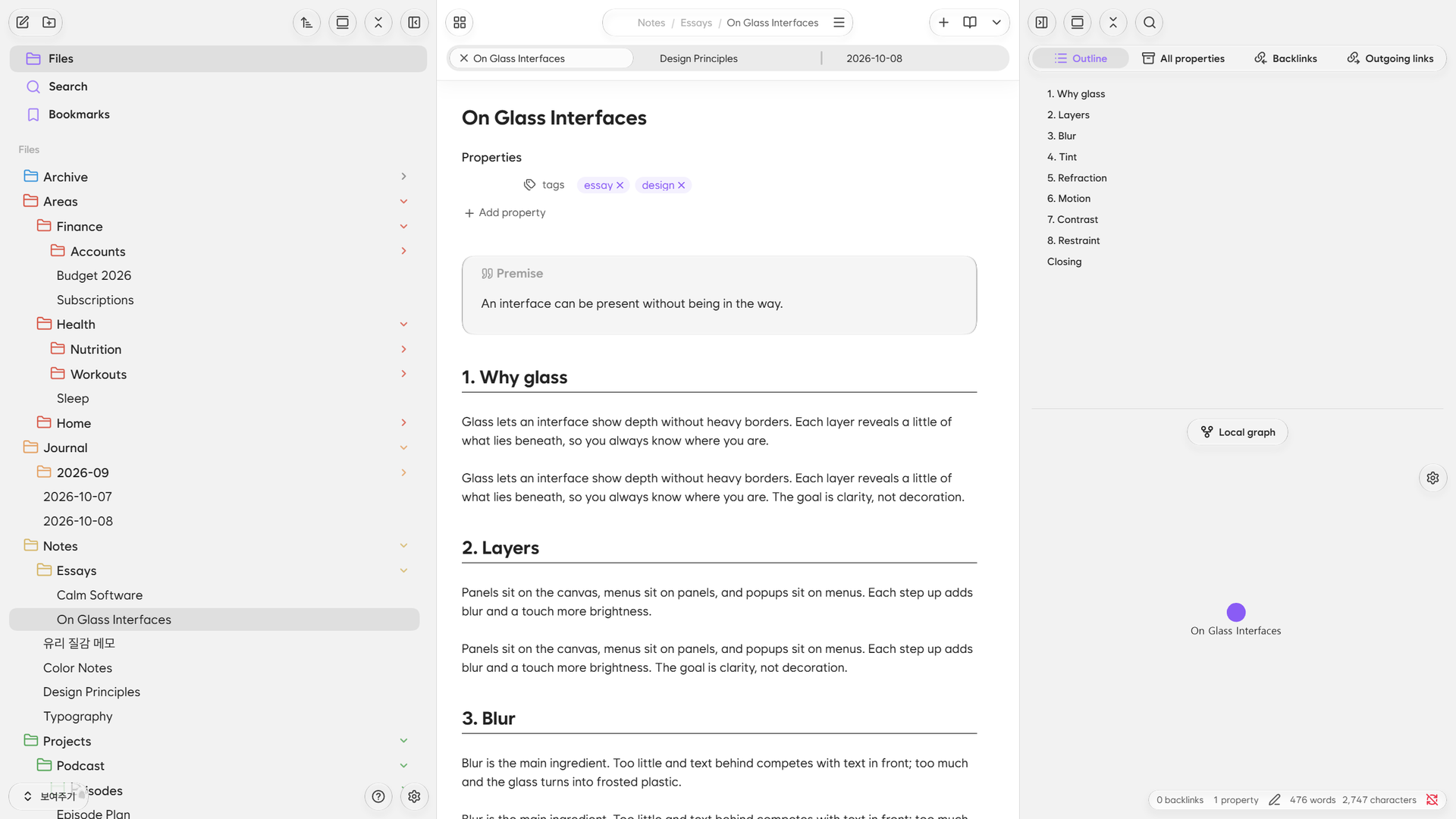
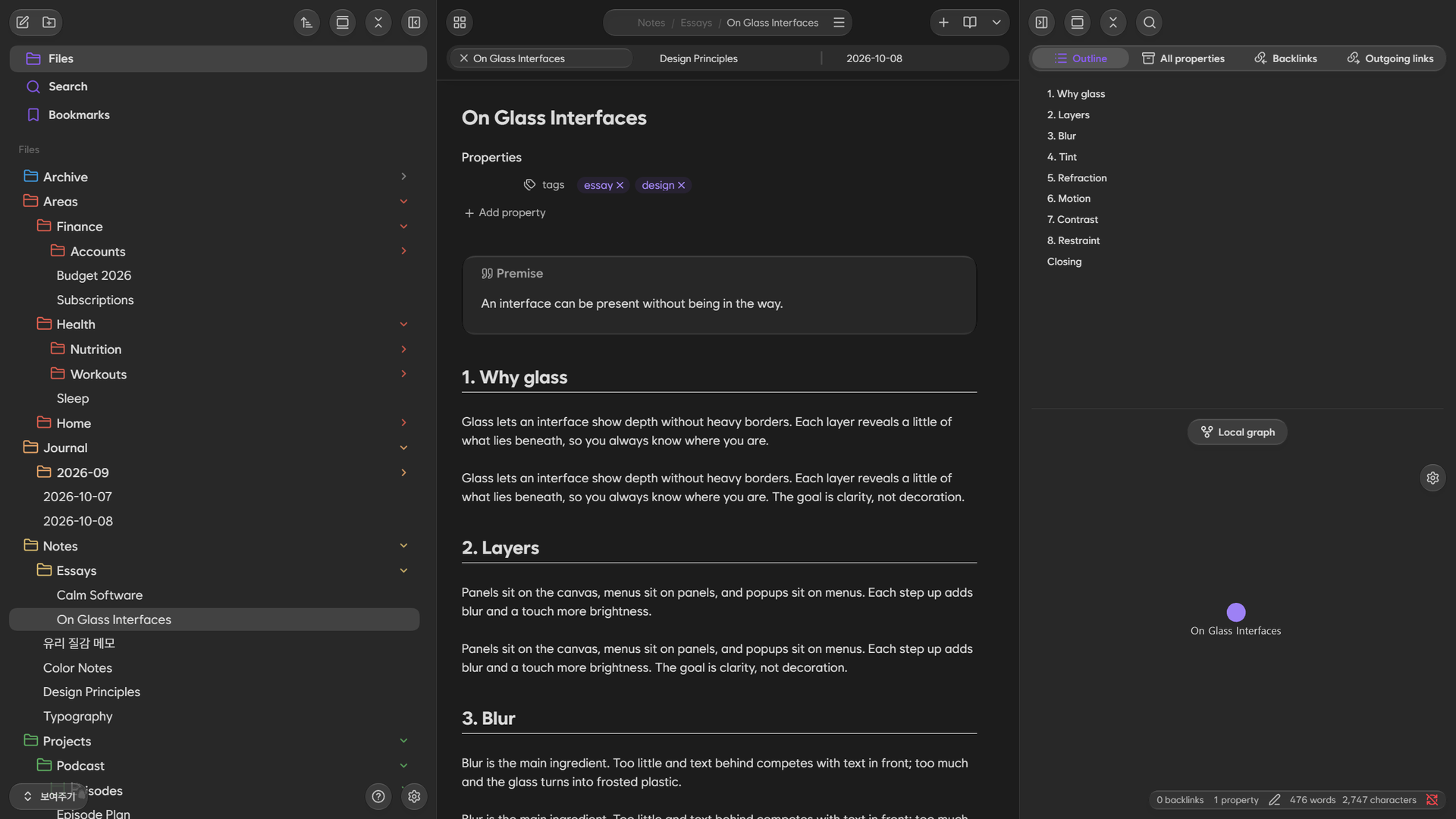
Theme only vs. with the plugin
The screenshots above show the theme together with the Companion plugin. With the theme alone, the glass looks the same, but the button layout, refraction and animations are not there. With the theme only, the ribbon stays as a vertical pill on the left, the panel buttons sit in a row under the panel tab pill, and the tab pill and the path pill are separate above the editor.
Theme only
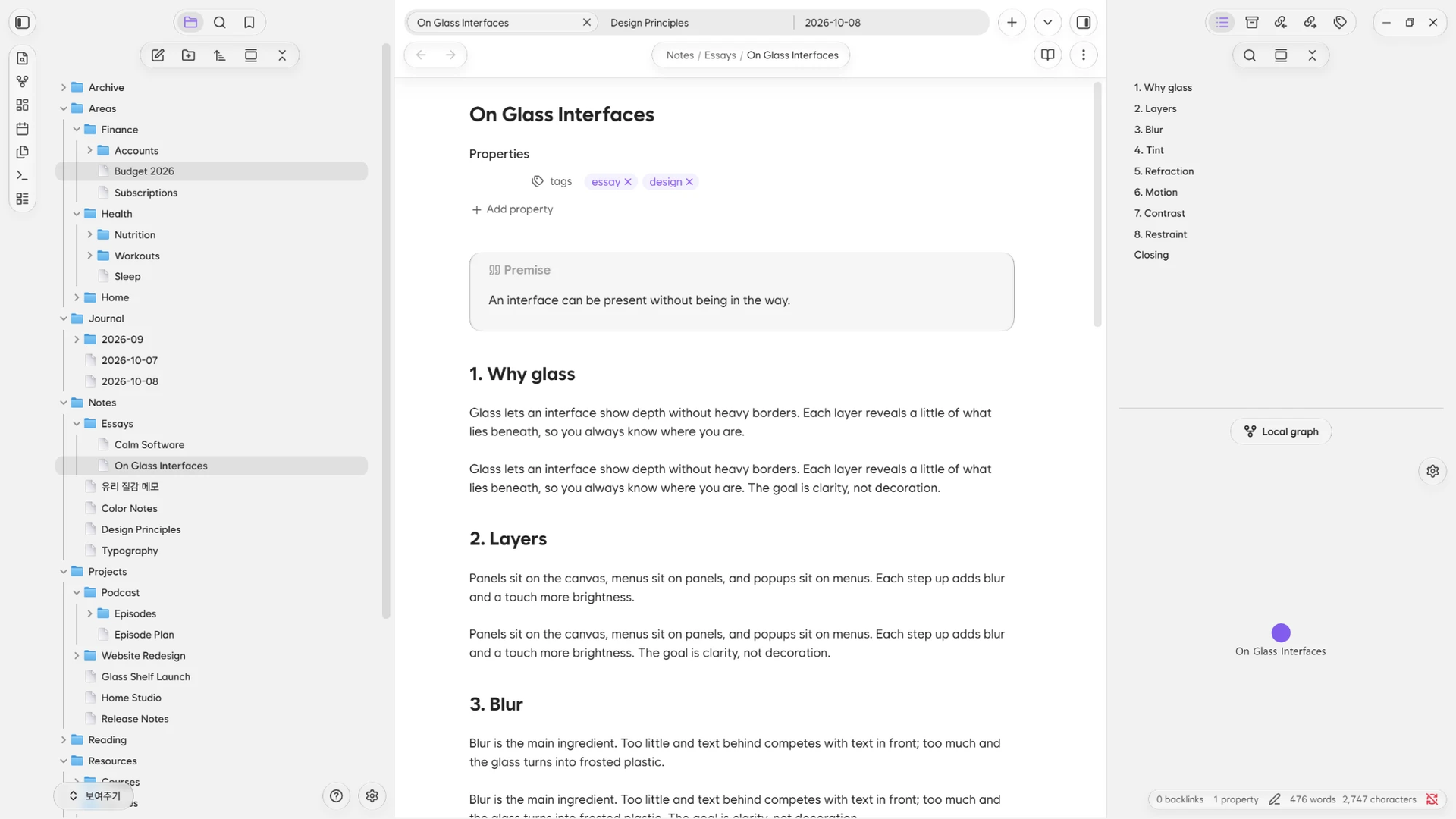
With the Companion plugin
Features
- Glassmorphism: panels, menus and popups rendered as blurred glass
- Pill-shaped buttons and rounded corners with smoothly changing curvature (Chromium 139 or later)
- Built-in font based on Wanted Sans (no separate install needed)
- Folder and file icons
Companion plugin
The Glass Shelf Companion plugin handles button layout, refraction, animation and fine-grained settings. The theme draws the glass; the plugin handles layout and motion.
Supported platforms
- Built mainly for desktop (Windows) and Android.
- On phones, blur is turned off to keep things smooth.
- On iPhone and iPad, refraction does not work, so only blur is applied.
- On macOS, we recommend leaving Obsidian's Translucent window setting (Settings → Appearance → Advanced) off. With it on, translucent areas get painted over again each time they redraw and gradually turn darker. This is a limit on the Obsidian and Electron side that the theme and plugin cannot fix.
- The smooth corner curvature is visible on Chromium 139 or later.
Installation
- In Settings → Appearance → Themes → Manage, search for Glass Shelf, then install and enable it.
- Install and enable the Glass Shelf Companion plugin in Settings → Community plugins.
Credits
- Font: a subset of Wanted Sans, SIL Open Font License 1.1 (full text: OFL.txt)
Support
If you enjoy Glass Shelf, you can support it with a coffee.
License
Theme code is under the MIT license. The bundled font is under SIL OFL 1.1 (OFL.txt).