
- Overview
- Scorecard
- Updates2
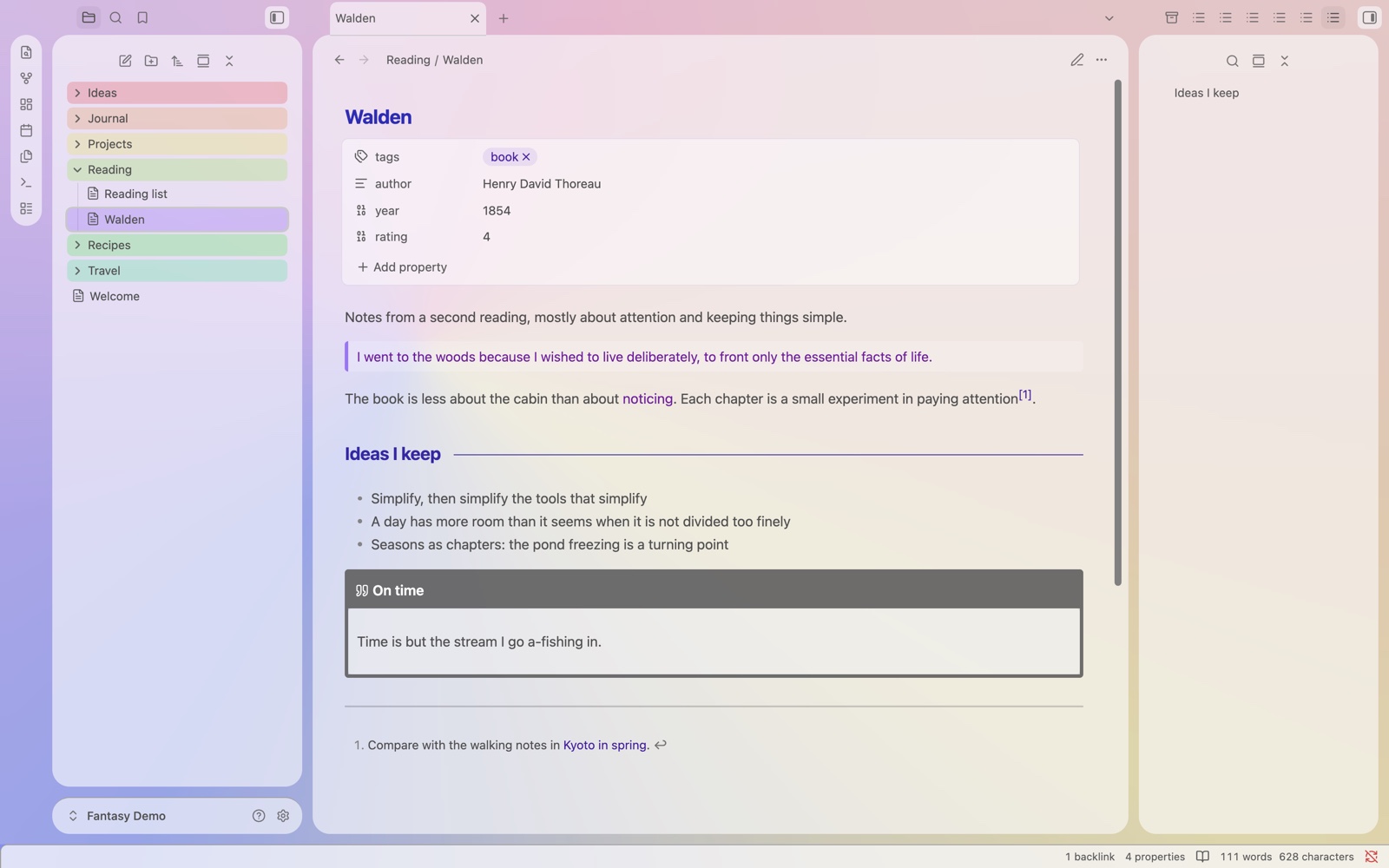
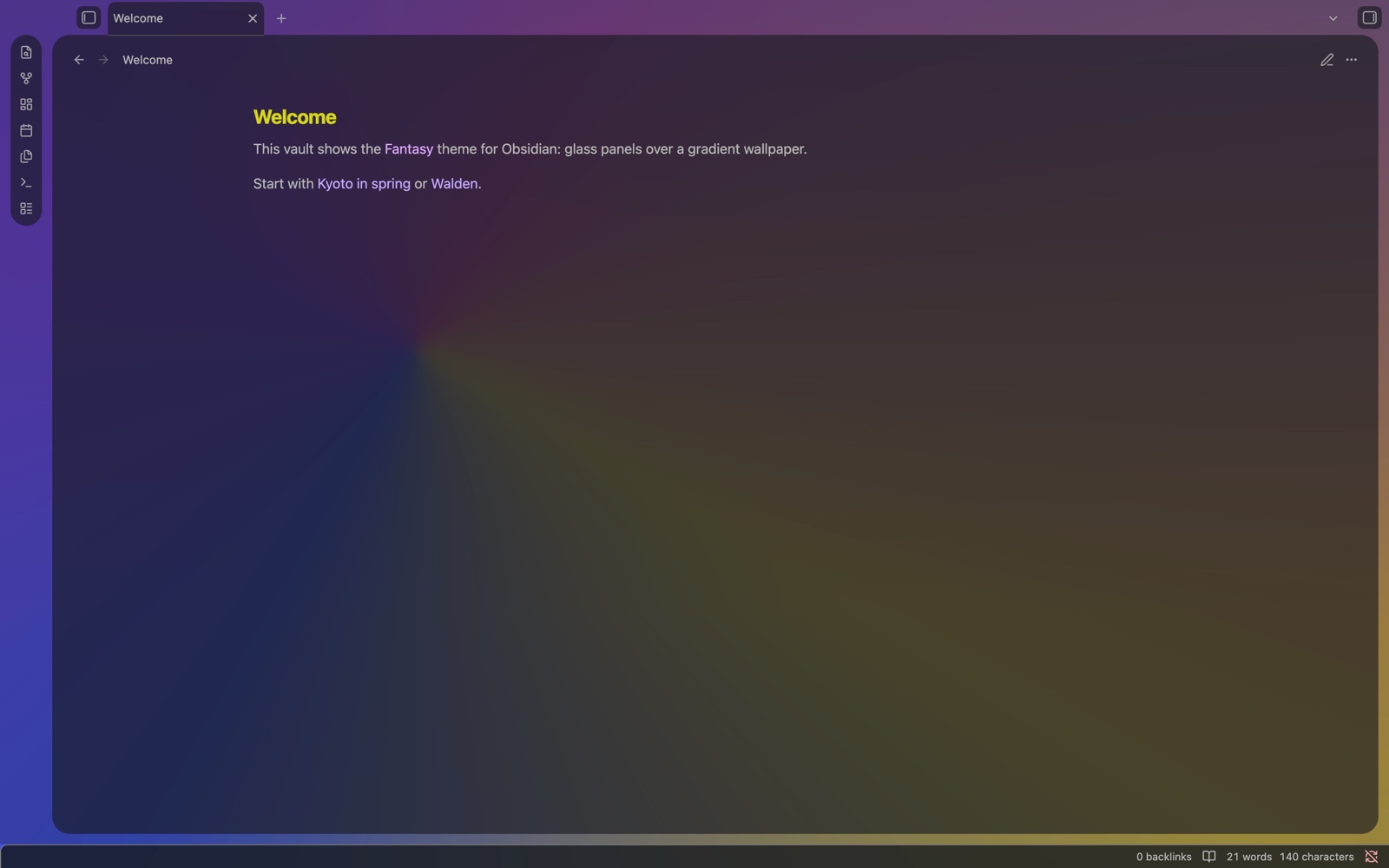
Glass panels over your wallpaper. A glassy Obsidian theme: translucent cards over a colorful gradient, in dark and light mode.
Zero setup. Pick the theme and you are done: no Style Settings, no CSS snippets, nothing loaded from the internet.
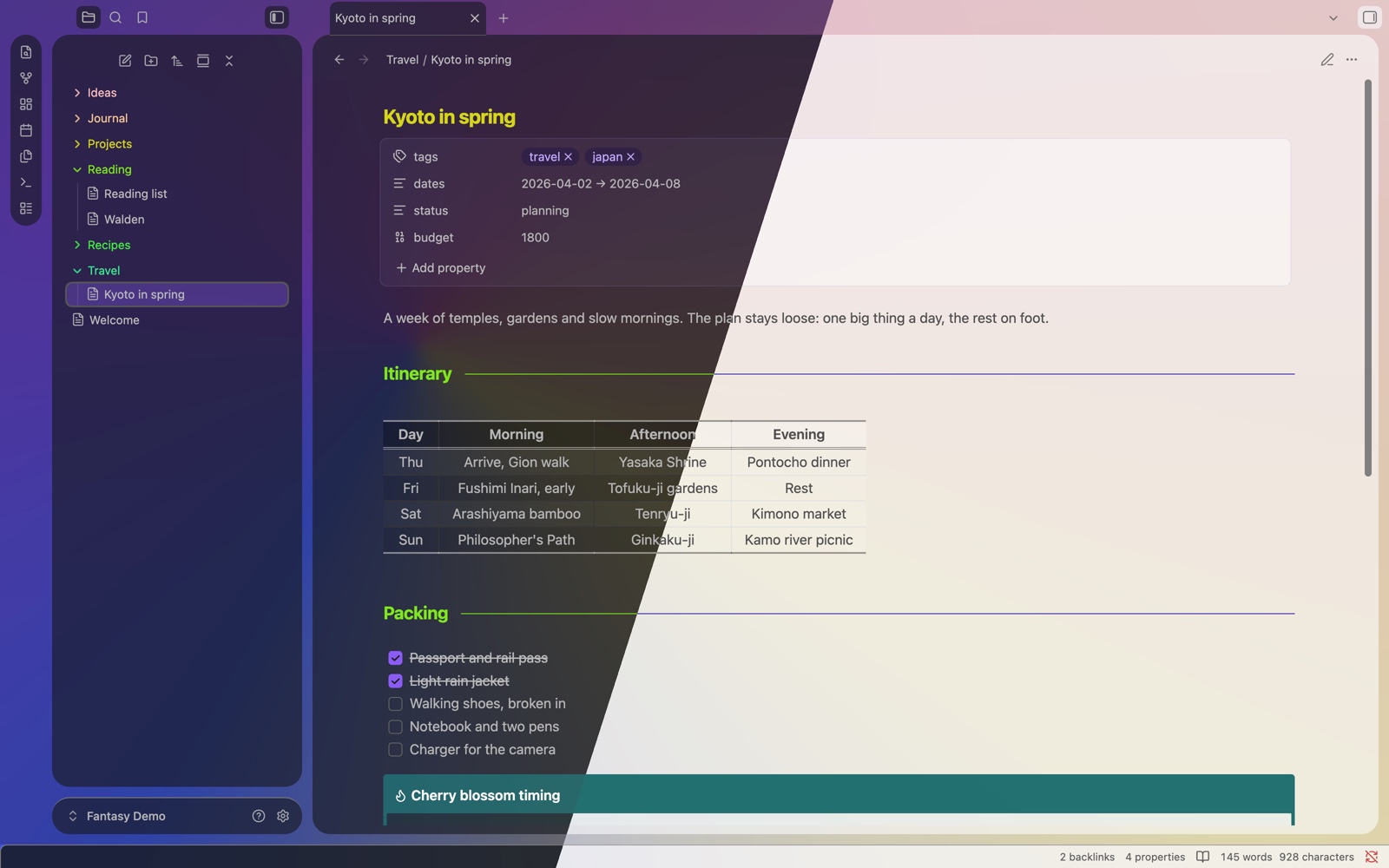
Features
- Glass panels over a built-in gradient wallpaper (Silk, tinted by the palette). No network: everything is in
theme.css. - Card layout: sidebars, ribbon and editor float as rounded glass cards, with one even gap everywhere.
- Same look with or without Obsidian's translucent window (Settings → Appearance).
- Readable glass: tuned so text stays readable over the panels.
- Rainbow folders in the file explorer and bookmarks, and per-file-type icons.
- Dark and light mode.
Screenshots
| Light mode, outline open | The wallpaper behind the glass |
|---|---|
 |
 |
Install
- Community themes: Settings → Appearance → Themes → Manage → search "Fantasy" → Install and use.
- Manual: copy
theme.cssandmanifest.jsonto<vault>/.obsidian/themes/Fantasy/, then choose Fantasy in Settings → Appearance.
Settings
Fantasy has no Style Settings options. It looks complete on its own: the Graphite palette, the Silk wallpaper and the card layout.
Optional settings come with a companion plugin, Fantasy Easel:
- six palettes (Graphite, Sky, Ocean, Emerald, Mystic, Orchid) and a theme accent
- card layout on / off
- a style panel: glass opacity, blur and brightness per mode, card gap and corners, note width, heading size, paragraph spacing
- more wallpapers, still and moving, and your own pictures
- plugin styles (Excalidraw, Dataview, Kanban), each part on or off
Requirements
- Obsidian 1.14 or later.
Credits
- Inspired by AnuPpuccin by AnubisNekhet. Fantasy contains no AnuPpuccin code.
- File explorer icons from Lucide (ISC License). See THIRD-PARTY-NOTICES.
Support
Fantasy is made and kept up to date by one person. If it makes your notes a little nicer to look at, a coffee is a lovely way to say thanks.
License
MIT © 2026 YongMin Kim
HealthExcellent
ReviewSatisfactory
About
Apply glass panels over a built-in gradient wallpaper in dark and light modes. Float sidebars, ribbon, and editor as rounded translucent cards with tuned readability, rainbow folders, and per-file-type icons — no setup required.Details
Current version
1.0.1
Last updated
2 weeks ago
Created
4 weeks ago
Updates
2 releases
Downloads
416
License
MIT
Sponsor