Search...Search plugins and themes...
⌘K
Sign in
  • Get started
  • Download
  • Pricing
  • Enterprise
  • Account
  • Obsidian
  • Overview
  • Sync
  • Publish
  • Canvas
  • Mobile
  • Web Clipper
  • CLI
  • Learn
  • Help
  • Developers
  • Changelog
  • About
  • Roadmap
  • Blog
  • Resources
  • System status
  • License overview
  • Terms of service
  • Privacy policy
  • Security
  • Community
  • Plugins
  • Themes
  • Discord
  • Forum / 中文论坛
  • Merch store
  • Brand guidelines
Follow us
DiscordTwitterBlueskyThreadsMastodonYouTubeGitHub
© 2026 Obsidian

Curiosity

EvgenyEvgeny109 downloads

Theme for Obsidian.md

Add to Obsidian
Curiosity screenshot
  • Overview
  • Scorecard
  • Updates1

A calm, minimal theme for Obsidian.
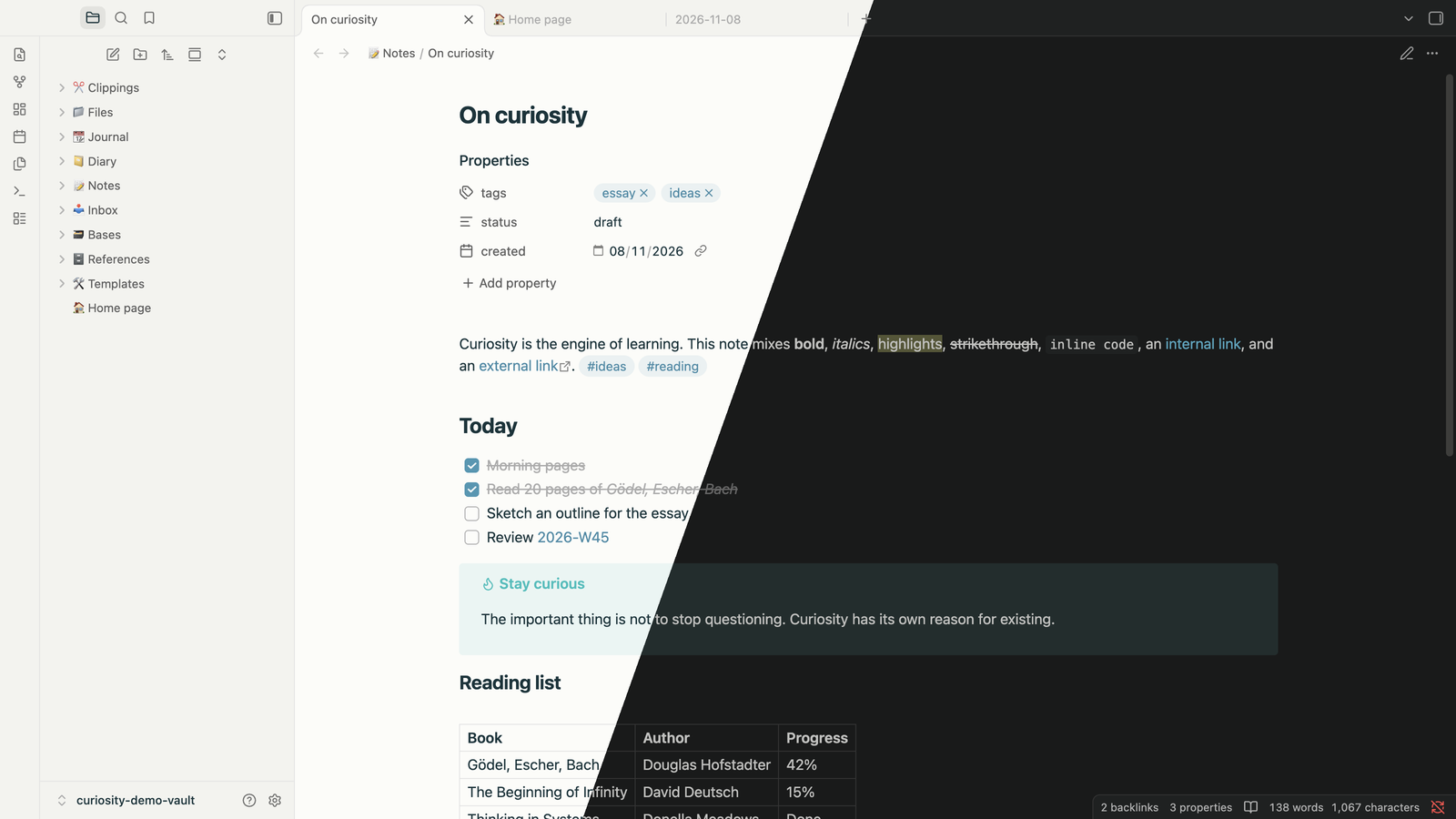
Curiosity theme in light and dark mode

Installation

  1. Open Settings → Appearance.
  2. Under Themes, click Manage.
  3. Search for Curiosity and click Install and use.

Manual installation

Copy theme.css and manifest.json into <your vault>/.obsidian/themes/Curiosity/, then select Curiosity in Settings → Appearance.

License

MIT

HealthExcellent
ReviewSatisfactory
About
Apply a calm, minimal visual style to Obsidian with muted colors, generous spacing, and clean typography. Reduce visual clutter and focus on content for a serene writing and reading experience.
Details
Current version
1.0.0
Last updated
2 weeks ago
Created
Last year
Updates
1 release
Downloads
109
License
MIT
Report bugRequest featureReport theme
Author
EvgenyEvgenyevglevin
GitHubevglevin
  1. Community
  2. Themes
  3. Curiosity

Related themes

Minimal screenshot

Minimal

Wasp screenshot

Wasp

Things screenshot

Things

Border screenshot

Border

GitHub Theme screenshot

GitHub Theme

Catppuccin screenshot

Catppuccin

LYT Mode screenshot

LYT Mode

Cupertino screenshot

Cupertino

Blue Topaz screenshot

Blue Topaz

Shimmering Focus screenshot

Shimmering Focus