
- Overview
- Scorecard
- Updates4
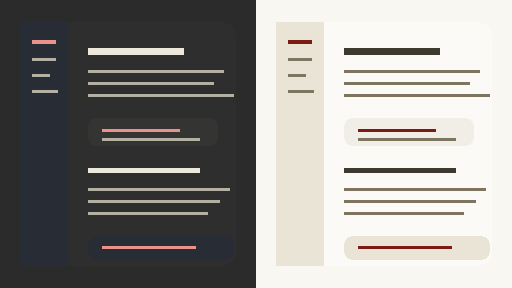
A warm, quiet theme for Obsidian with soft ivory surfaces, charcoal depth, and a restrained warm-gold accent system.
Claude Warm is inspired by Claude's calm, low-contrast interface: comfortable enough for long writing sessions, structured enough for dense vaults, and polished enough for a professional workspace.
Design language
| Surface | Direction |
|---|---|
| Backgrounds | Soft ivory in light mode, layered charcoal in dark mode |
| Text | Warm ink and soft cream for comfortable reading contrast |
| Accents | Muted gold for links, tags, selections, and focused controls |
| Shapes | Rounded panes, gentle borders, and quiet shadows |
Features
- Light and dark color schemes tuned as a matched pair
- Warm backgrounds with restrained contrast for long-form reading and editing
- Warm-gold accents for links, tags, selections, and focused controls
- Softer sidebars, tabs, menus, modals, tables, callouts, and code blocks
- No remote fonts or external assets in the theme CSS
Install
From Obsidian
Claude Warm is available in the Obsidian community theme directory:
To install from Obsidian:
- Open Obsidian Settings.
- Go to
Appearance. - Next to
Themes, clickManage. - Search for
Claude Warmand clickUse.
Manually
- Create a folder named
Claude Warmin your vault at.obsidian/themes/. - Copy
manifest.jsonandtheme.cssinto that folder. - Restart Obsidian.
- Go to
Settings -> Appearance -> Themesand chooseClaude Warm.
Palette
| Role | Light | Dark |
|---|---|---|
| Background | #F8F7F2, hsl(51, 28%, 95%) |
#2A2B2A, #2D2E2D |
| Text | hsl(47, 15%, 25%) |
hsl(50, 14%, 91%) |
| Accent | #B7791F |
#E6BF7A |
| Code accent | #B7791F |
#E6BF7A |
Development
Claude Warm keeps the source intentionally small. Most of the theme is built from Obsidian CSS variables, with a few light selectors for surfaces that need a softer shape.
Files worth knowing:
| File | Purpose |
|---|---|
theme.css |
Theme source |
manifest.json |
Obsidian theme manifest |
versions.json |
Theme version to minimum Obsidian version map |
screenshot.png |
Community theme preview image |
Run the local validator before release:
node scripts/validate-theme.mjs
Regenerate the 512 x 288 preview image:
node scripts/generate-screenshot.mjs
Release
Releases are created by GitHub Actions when a version tag is pushed.
- Update
manifest.jsonandversions.jsonto the new version. - Commit the change.
- Create and push a tag that exactly matches
manifest.json, for example:
git tag 1.0.0
git push origin 1.0.0
- GitHub Actions creates a draft release and uploads
manifest.jsonandtheme.css. - Review the generated release notes, then publish the draft.
Feedback
Issues and pull requests are welcome. Screenshots are especially helpful for UI bugs, since many theme problems depend on plugins, panes, and operating system settings.
License
MIT