Achmage Atelier
 Achmage95 downloads
A minimal Obsidian theme inspired by Apple’s Human Interface Guidelines, with refined light and dark modes.
- Overview
- Scorecard
- Updates5
A minimal Obsidian theme inspired by Apple’s Human Interface Guidelines, with refined light and dark modes.
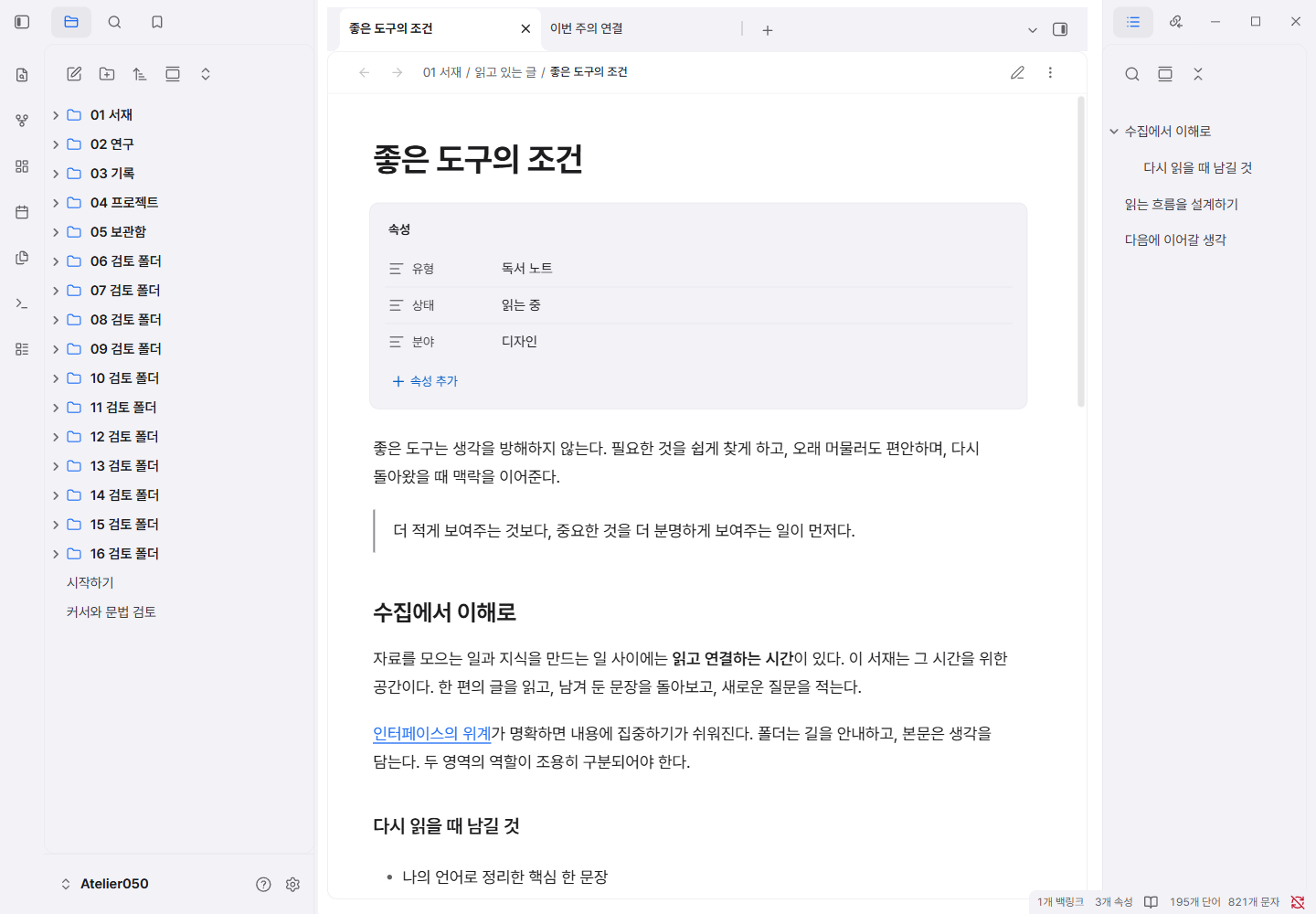
A quieter place to read
- One raised surface: the note is a card on a quiet frame, and sidebars, tabs and the status bar lie flat on it.
- Light and dark share one depth order. In dark mode, nearer surfaces are lighter.
- A blue accent by default that follows the accent you choose in Obsidian's settings.
- Embedded Pretendard Variable for Korean and Latin text. No font installation or network connection required.
- Considered typography for headings, quotes, properties, links, code, tables and tasks.
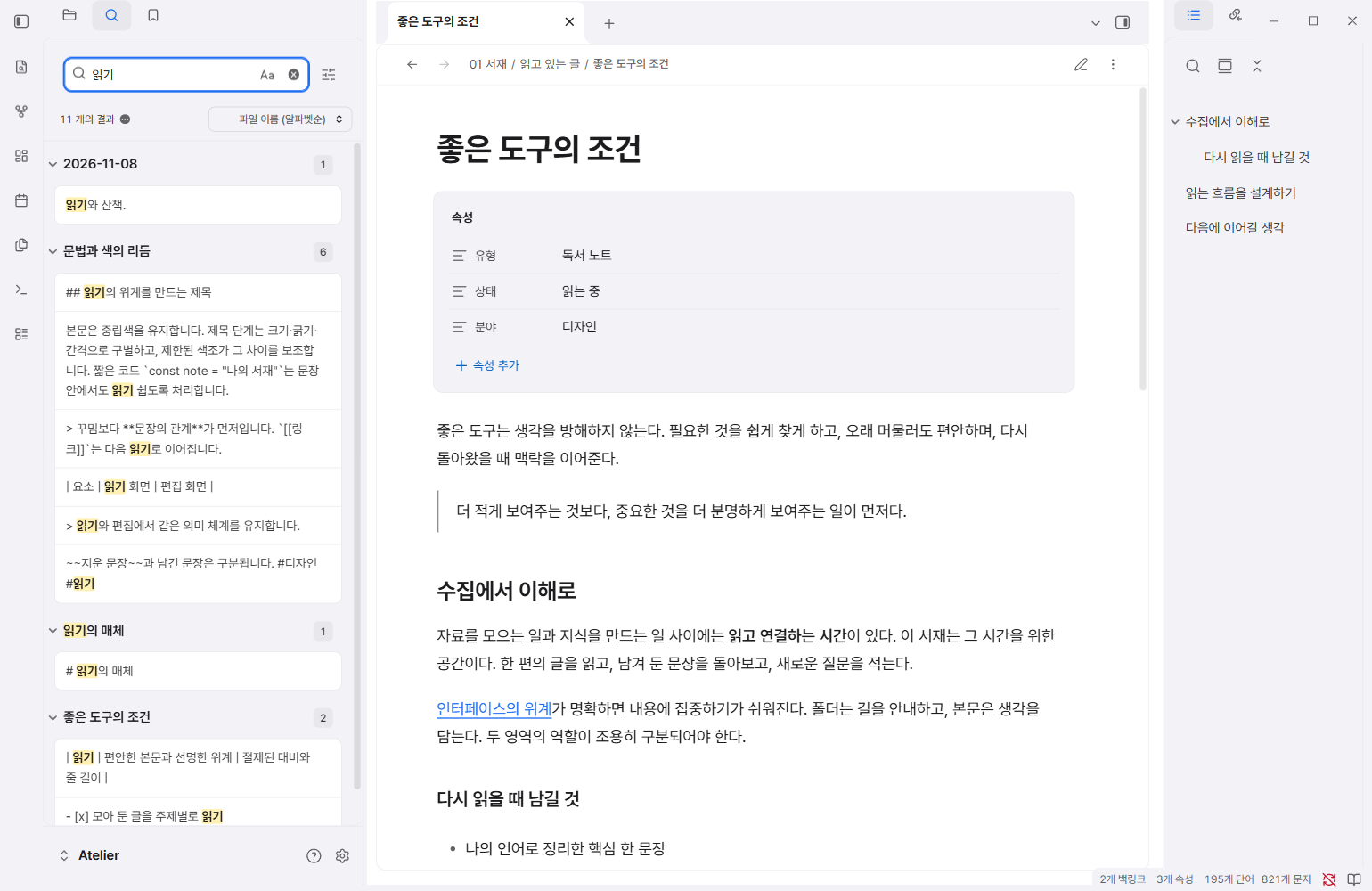
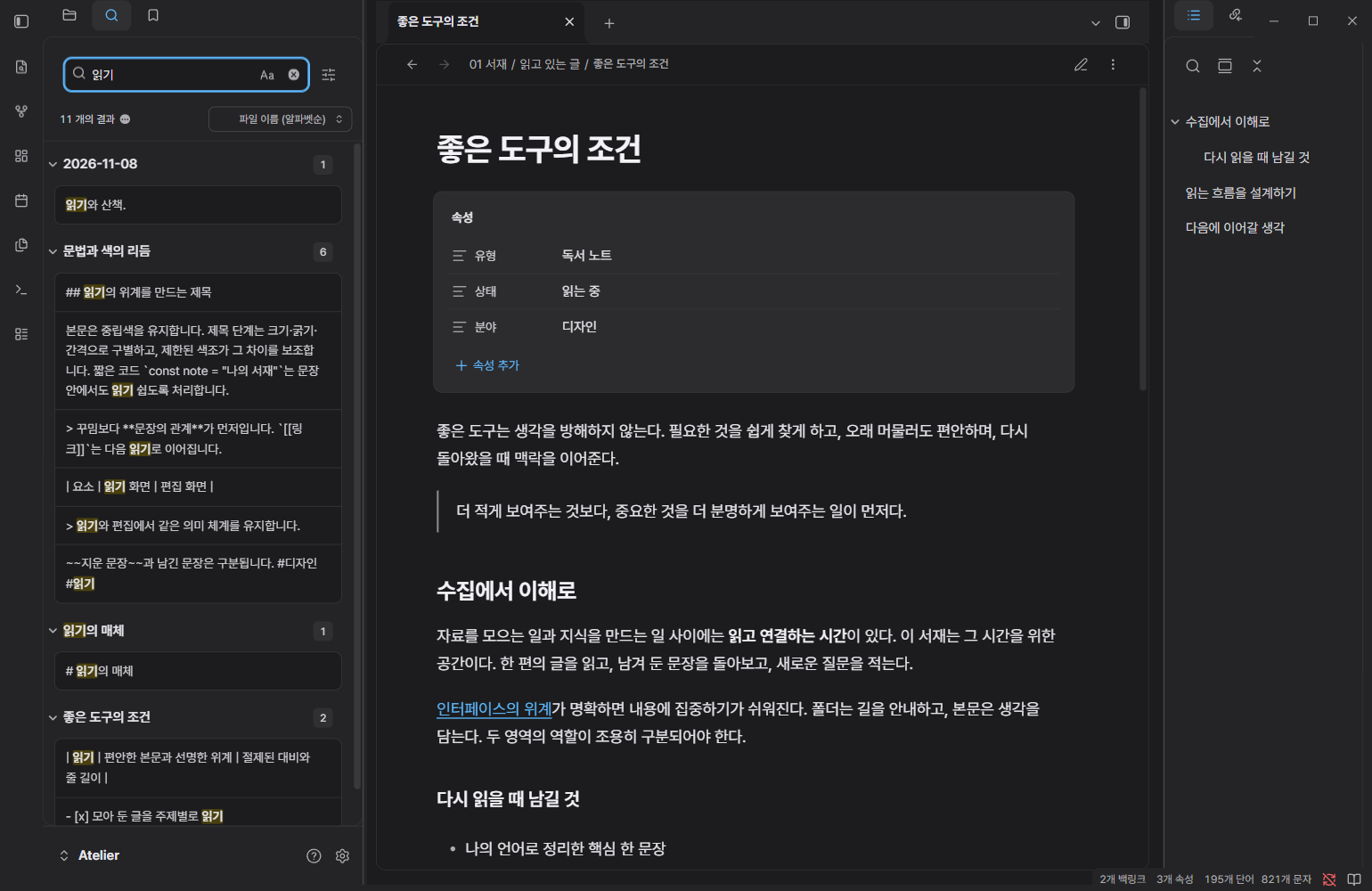
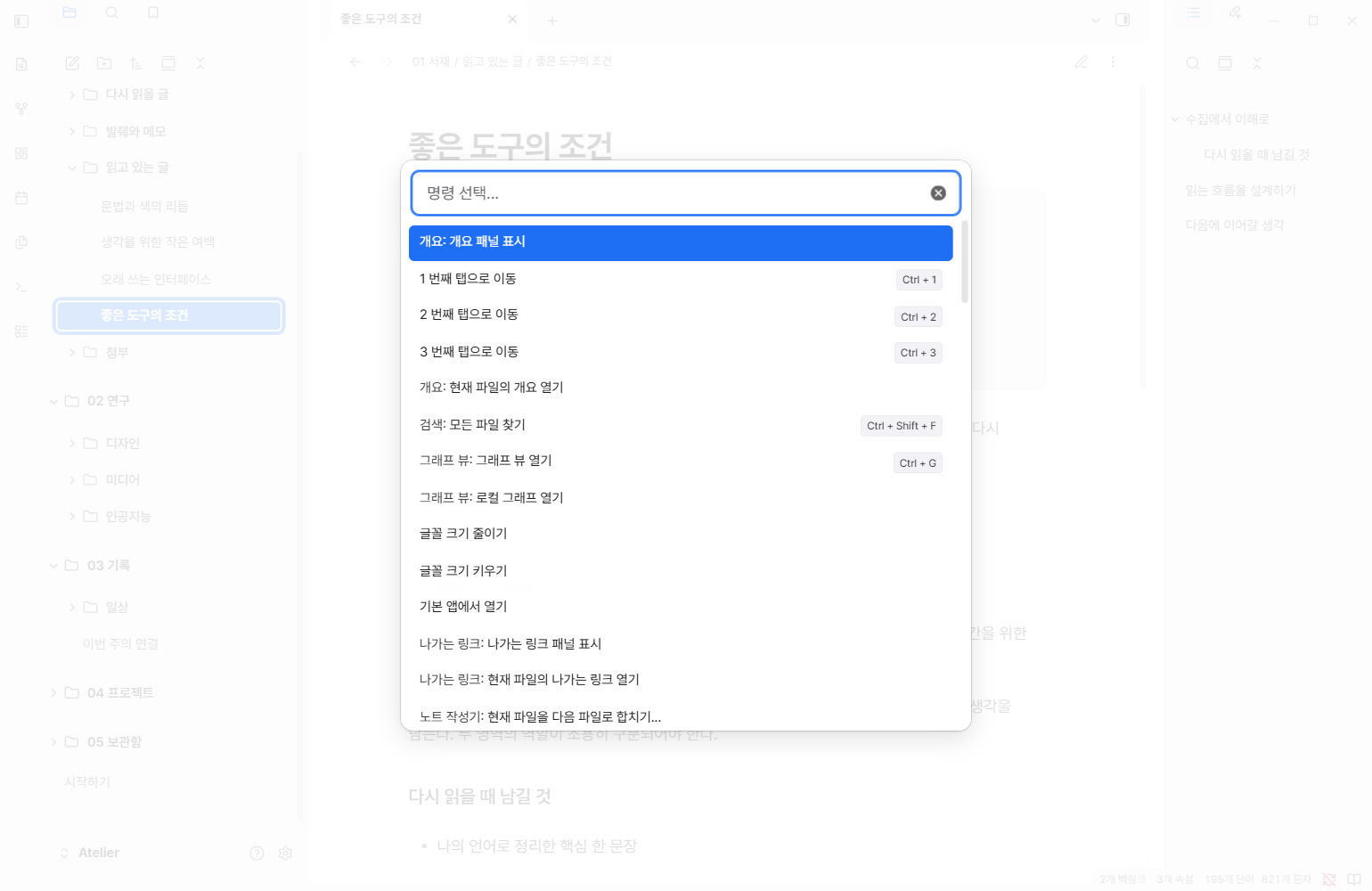
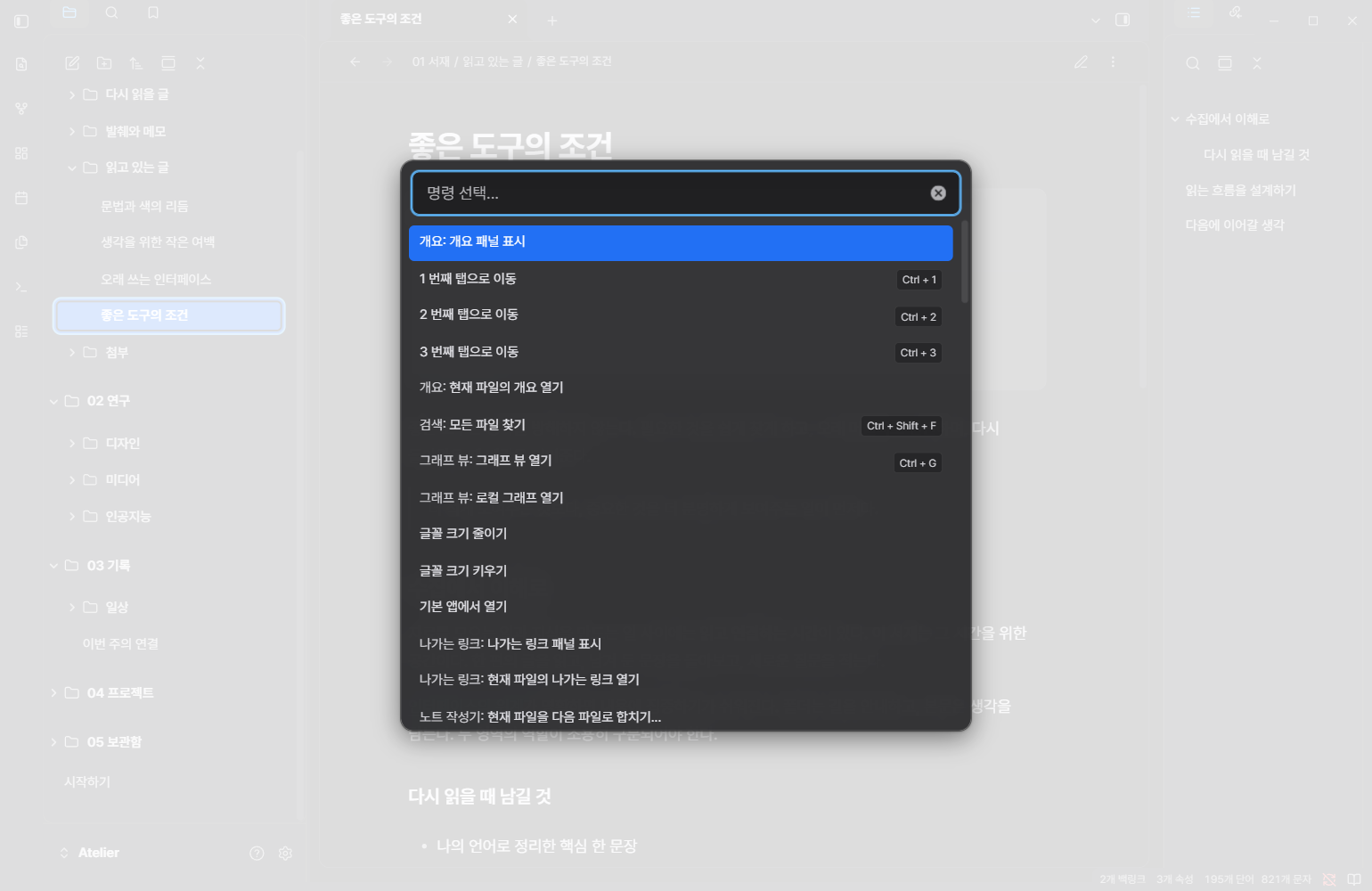
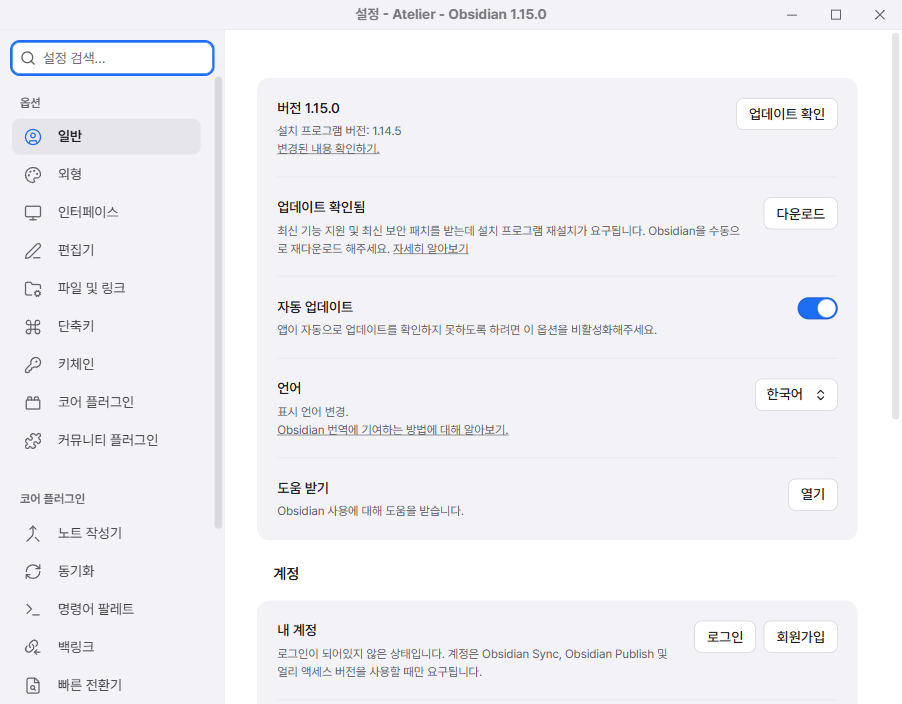
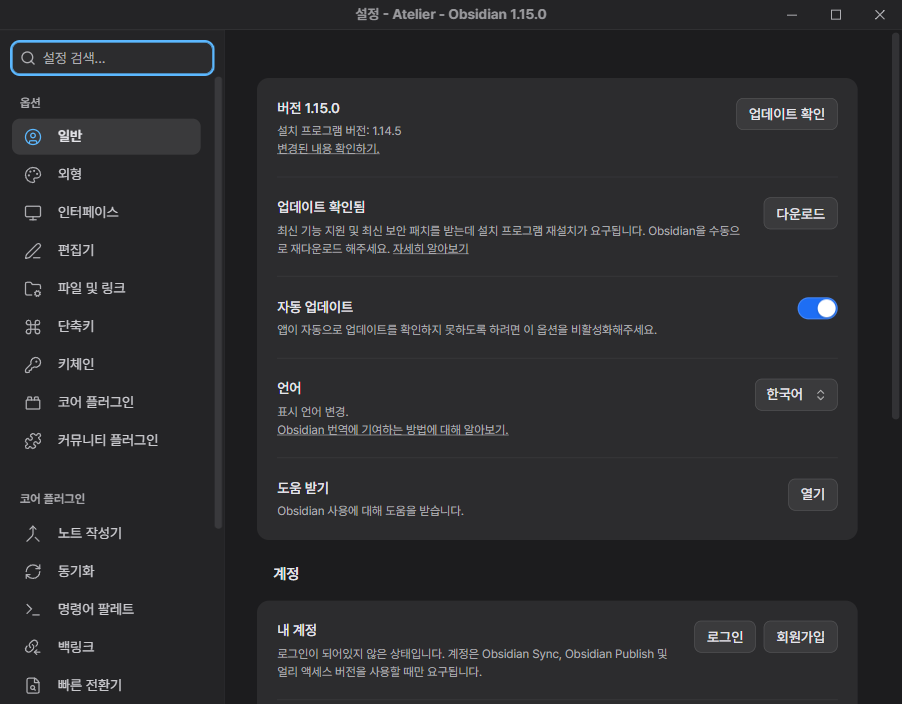
- Consistent search results, command palettes, menus, settings and keyboard focus.
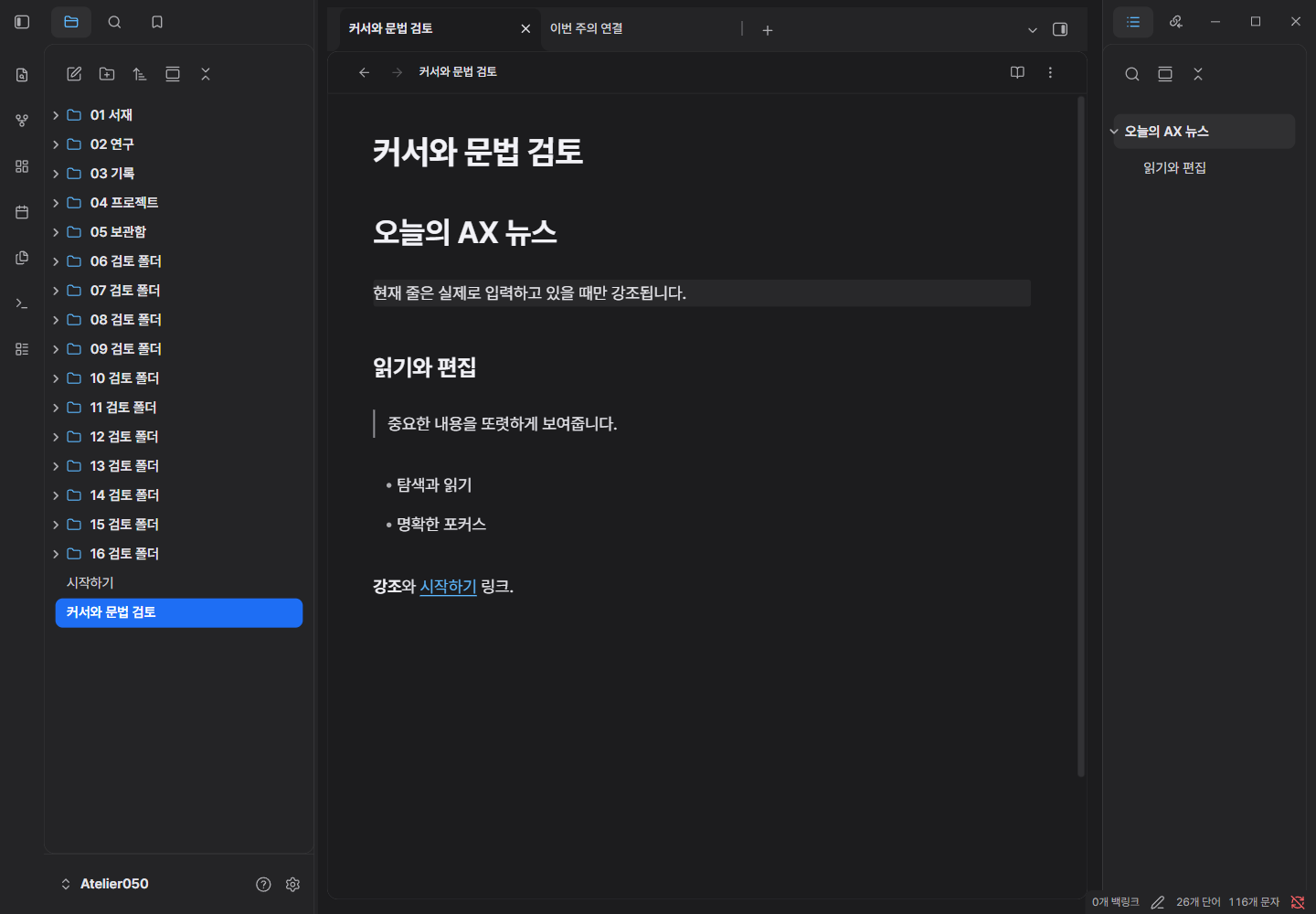
- A quiet gray fill marks the open file in every pane, with a ring for keyboard focus.
- Compact mobile navigation, scalable UI text and focus-aware current-line highlighting.
- Restrained translucent palettes and menus, with an optional opaque-surface snippet.
- Optional Notebook Navigator styling. Minimal, Minimal Theme Settings and Style Settings are not required.
Install
This theme is currently distributed through GitHub Releases. It has not yet been listed in Obsidian's community theme directory.
- Download
theme.cssandmanifest.jsonfrom the latest release. - Inside your vault, create
.obsidian/themes/Achmage Atelier/. - Place both files in that folder.
- In Obsidian, open Settings → Appearance → Themes, then select Achmage Atelier.
- Use Obsidian's base color scheme setting to choose light or dark.
An installable ZIP is also provided in each release. Extract its Achmage Atelier folder into .obsidian/themes/.
To use the embedded font, leave Obsidian's interface and text font overrides empty. Your existing font overrides, accent color and CSS snippets can affect the appearance.
Prefer opaque surfaces?
Copy Atelier Opaque Surfaces.css into .obsidian/snippets/, refresh the snippet list in Settings → Appearance, and enable it. No settings plugin is needed.
The theme also responds to reduced-motion, increased-contrast and reduced-transparency media preferences where the host exposes them.
Screenshots
All screenshots show actual Obsidian windows with synthetic sample notes.
| Light | Dark |
|---|---|
|
 |
 |
 |
 |
 |
 |
 |
Notebook Navigator
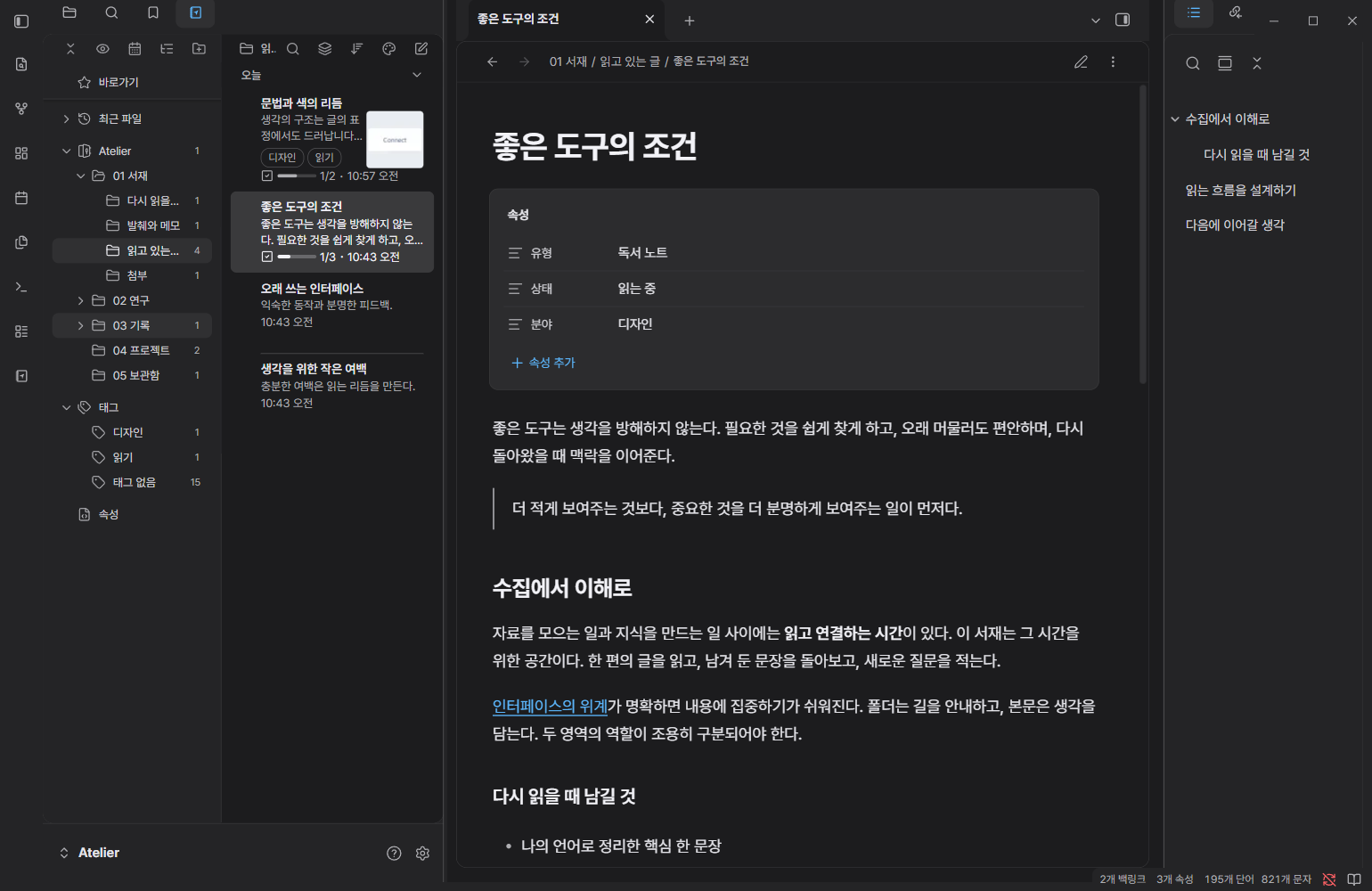
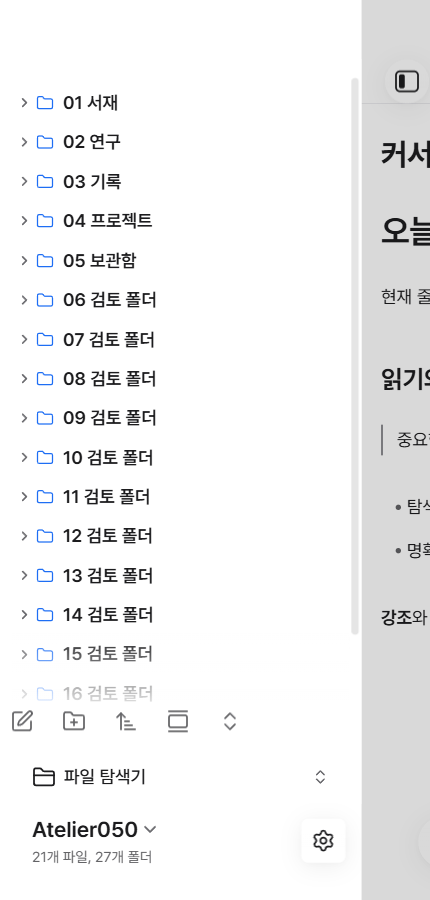
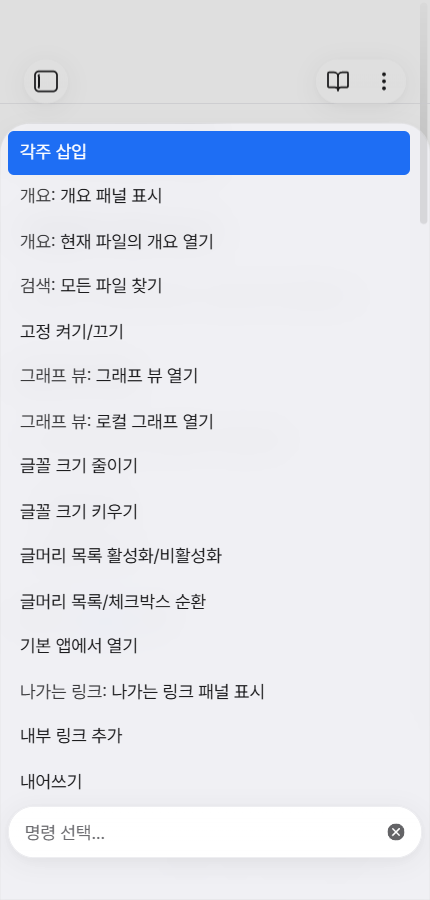
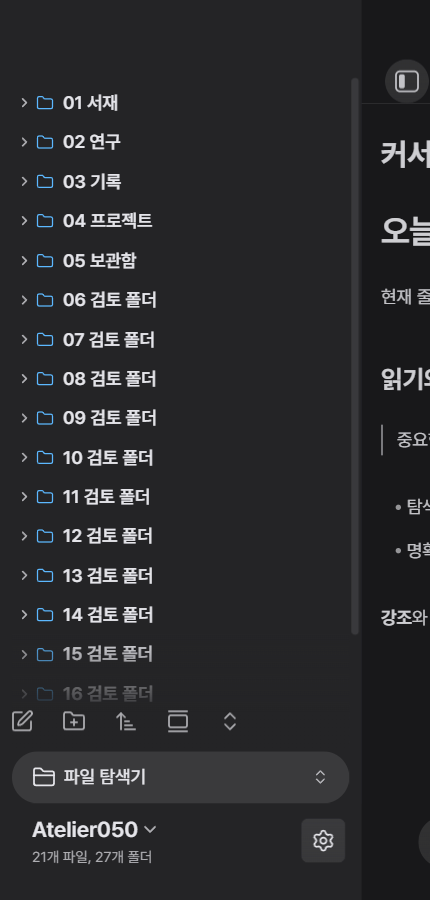
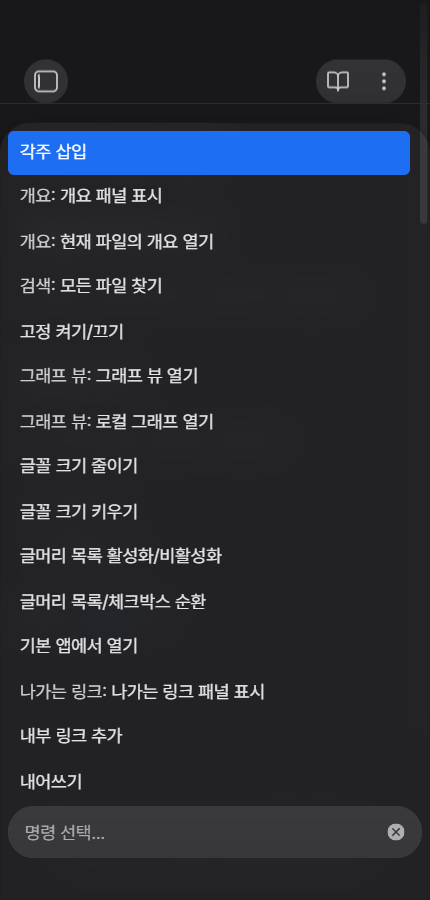
Mobile layout preview (Windows emulation, 0.6.0)
These are Obsidian's mobile emulation on Windows, not screenshots from an iPhone.
| Navigation | Command palette |
|---|---|
 |
 |
 |
 |
Compatibility
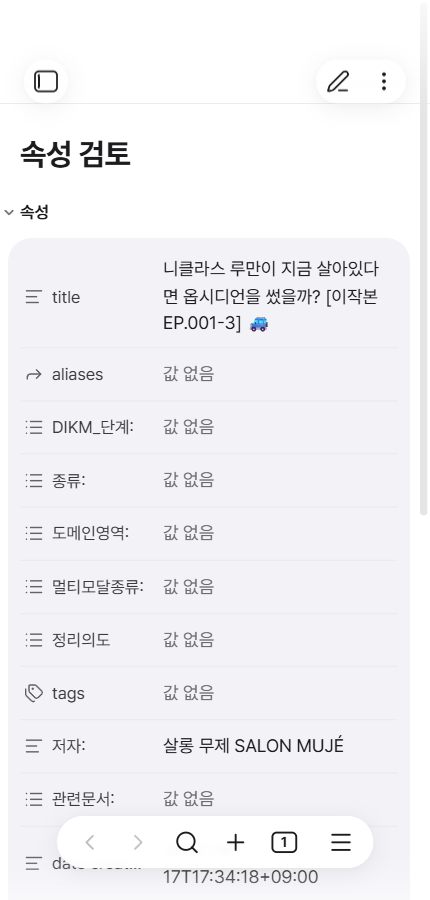
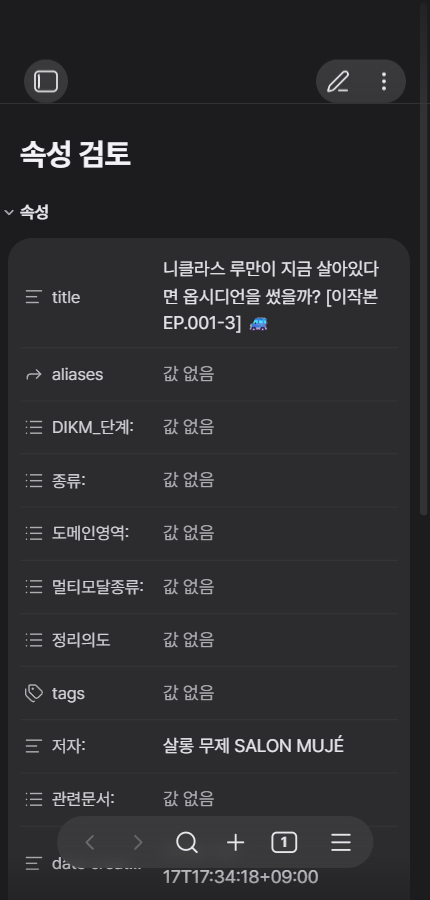
Mobile Properties in 0.6.0 (Obsidian Windows mobile emulation):
| Light | Dark |
|---|---|
 |
 |
- Minimum app version declared: Obsidian 1.14.5.
- Visually and interactively tested on Windows, Obsidian 1.15.1.
- Notebook Navigator styling checked with 3.5.1.
- Mobile layouts additionally checked using Obsidian's Windows mobile emulation; this is not an iOS or Android device test.
- macOS, Linux and real mobile device validation is still pending.
The theme styles Obsidian's existing controls. Translucent surfaces are CSS effects; the separate settings window uses opaque internal surfaces.
See compatibility notes for the tested scope.
See community review preflight for the official scanner checks and remaining compatibility warnings.
Development
Requires Node.js 22.12+ and npm.
npm ci
npm run build
npm run check
Edit src/, then rebuild theme.css. Every variable lives in src/tokens.css; the other files read from it and do not redefine it. The build embeds the bundled font and does not download assets. npm run check runs Obsidian's official Stylelint configuration and verifies the distributable, licenses and local asset references.
Credits and license
Theme code: MIT, © 2026 laguna821.
Pretendard 1.3.9 is bundled unchanged under the SIL Open Font License 1.1. Third-party notices are in THIRD-PARTY-LICENSES.txt.
Inspired by Apple's Human Interface Guidelines. This is an independent project and is not affiliated with, endorsed by or certified by Apple. Apple is a trademark of Apple Inc.