Year Glance
 yy199 downloads
Render yearly calendar views with events marked and color-coded.
- Overview
- Scorecard
- Updates3
A yearly calendar plugin for Obsidian that renders a whole-year view with events marked using colored indicators.
Installation
Community Plugin (Recommended, but currently under review and not yet available)
- Open Obsidian Settings → Community plugins
- Click "Browse" and search for "Year Glance"
- Click "Install" then "Enable"
Manual Installation
- Download
main.js,manifest.json, andstyles.cssfrom the latest release - Create a folder called
year-glancein your vault's.obsidian/plugins/directory - Copy the downloaded files into this folder
- Restart Obsidian and enable "Year Glance" in Settings → Community plugins
Basic Usage
Create a code block with year_glance as the language:
```year_glance
---
year: 2026
---

@Trips
- 20260601-20260608: A trip to Boston
- 20260815-20260820: Summer vacation

@Deadlines
- 20260731: Project X deadline
- 20261215: Annual review
```
Configuration Options
All options are specified in the YAML frontmatter between --- markers.
| Option | Values | Default | Description |
|---|---|---|---|
year |
Any year (e.g., 2026) |
Current year | The year to display |
layout |
3x4, 12-rows |
3x4 |
Calendar layout style |
weekStart |
sunday, monday |
sunday |
First day of the week |
style |
compact, expanded |
compact |
Display style |
showToday |
true, false |
true |
Show today indicator (diamond + accent color) |
palette |
Preset name or hex list | default |
Palette for auto-assigned category colors (see Color Palette) |
Layouts
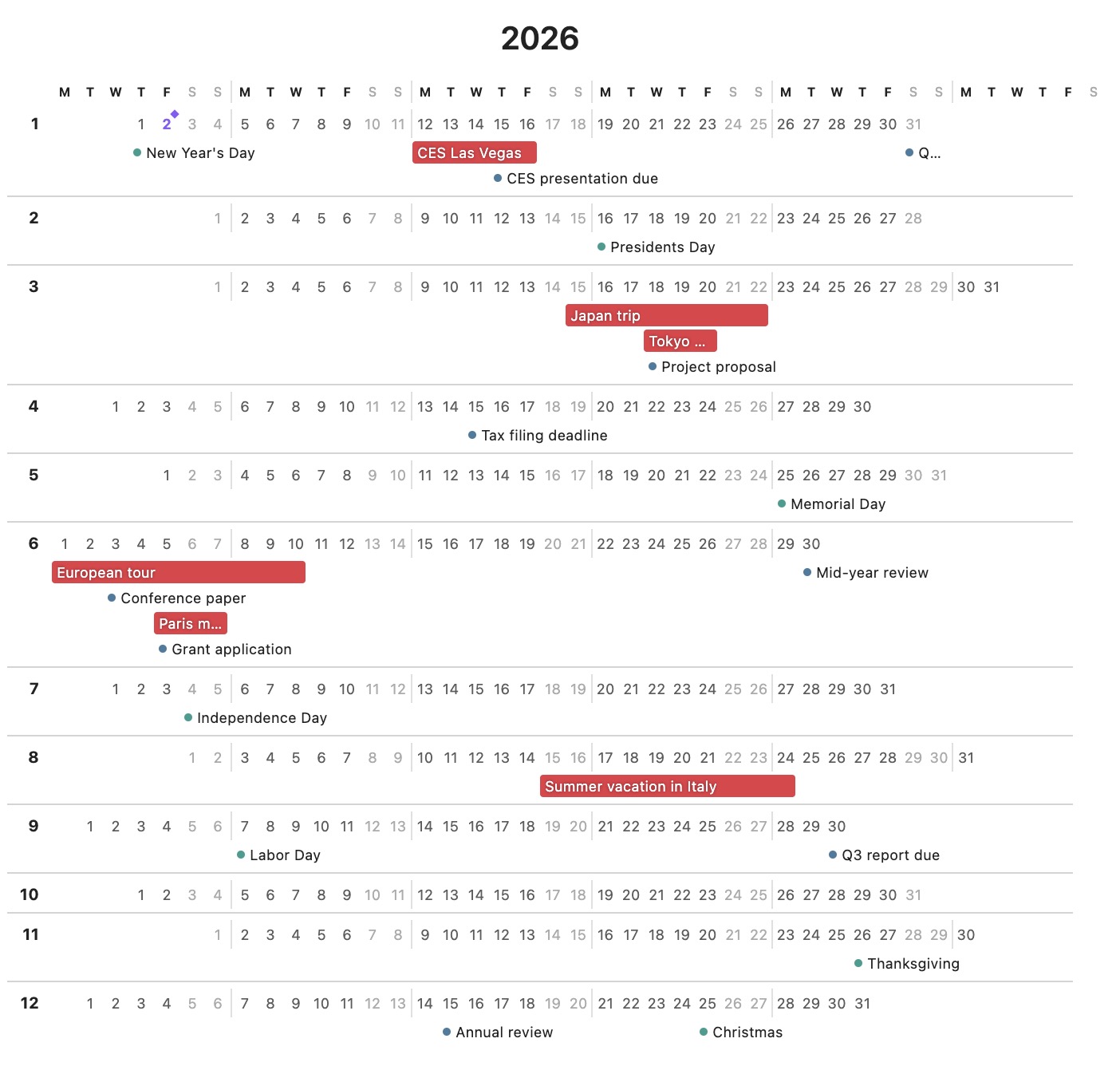
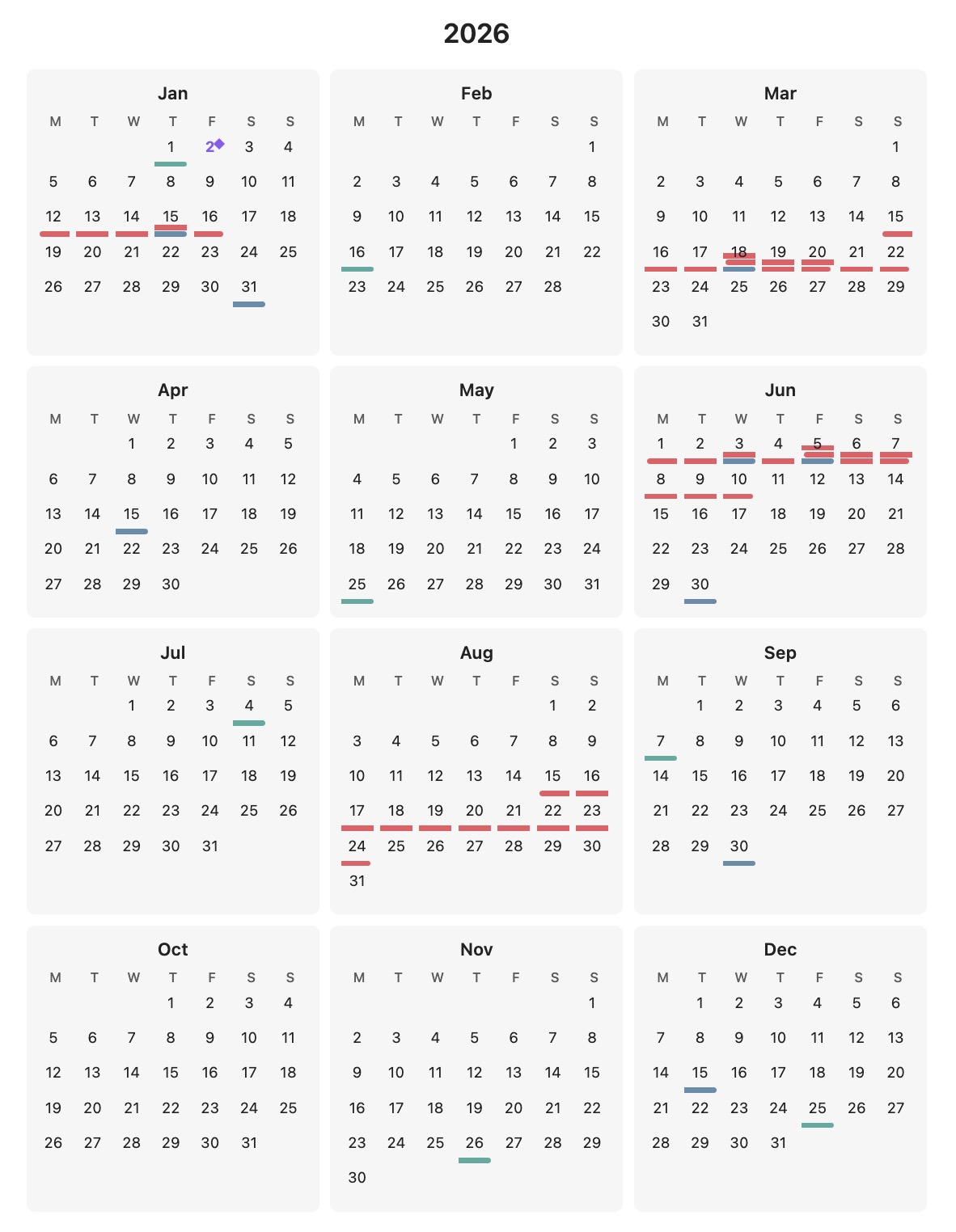
3x4- Traditional 3×4 grid with months arranged in rows12-rows- One month per row, all days shown horizontally
Display Styles
compact- Minimal look with small colored indicator bars. Hover over a day to see event details in a tooltip.expanded- Event text is visible directly on the calendar. Multi-day events show as colored bars spanning multiple days; single-day events show as bullets with text.
Event Syntax
Categories
Categories group related events and share a color. Define them with @CategoryName:
@Trips
- 20260601-20260608: Boston conference

@Deadlines
- 20260731: Project deadline
Custom Colors
Optionally specify a hex color for a category:
@Trips [#ff6b6b]
- 20260601-20260608: Boston conference

@Holidays [#4ecdc4]
- 20261225: Christmas
If no color is specified, colors are auto-assigned from a palette. A category's color is derived from its name, so the same category keeps the same color across every calendar, regardless of the order categories appear in.
Date Formats
- Single day:
YYYYMMDD(e.g.,20260715) - Date range:
YYYYMMDD-YYYYMMDD(e.g.,20260601-20260608)
Full Example
```year_glance
---
year: 2026
layout: 3x4
weekStart: monday
style: expanded
---

@Trips [#e63946]
- 20260601-20260608: Boston conference
- 20260815-20260820: Summer vacation in Hawaii

@Deadlines [#457b9d]
- 20260131: Q1 planning complete
- 20260430: Tax filing deadline
- 20260731: Project X milestone

@Holidays [#2a9d8f]
- 20260101: New Year's Day
- 20260704: Independence Day
- 20261225: Christmas
```
Color Palette
Categories without an explicit [#hex] color are auto-assigned from a palette.
Choose the palette per calendar with the palette frontmatter option — either a
built-in preset name or your own list of colors:
---
year: 2026
palette: ocean          # a preset name...
---
---
year: 2026
palette: #3b82d6, #e5484d, #e6a521, #3ba24a   # ...or a custom hex list
---
Each color is picked in order; if there are more categories than colors, the palette repeats.
Presets
Every preset is checked so its colors stay distinct — including for the most common forms of color blindness — on both light and dark themes:
default- Balanced vivid hues (blue, aqua, yellow, green, violet, red, pink, orange)vivid- Deeper, more saturated version of the defaultpastel- Softer, lower-contrast tintsocean- Cool blues, teals, and greens
Custom palettes
Pass a comma-separated list of hex colors (#rgb or #rrggbb):
palette: #3b82d6, #e5484d, #e6a521, #3ba24a, #8b7be8
Explicit per-category colors (@Trips [#ff6b6b]) always override the palette.