WordFolio
 Doug (FIRE University)49 downloads
Hover any English word for an offline dictionary: definitions, UK and US phonetics and pronunciation. Traditional Chinese or English, a Markdown vocabulary notebook, and FSRS spaced repetition.
- Overview
- Scorecard
- Updates6
English | 繁體中文
WordFolio
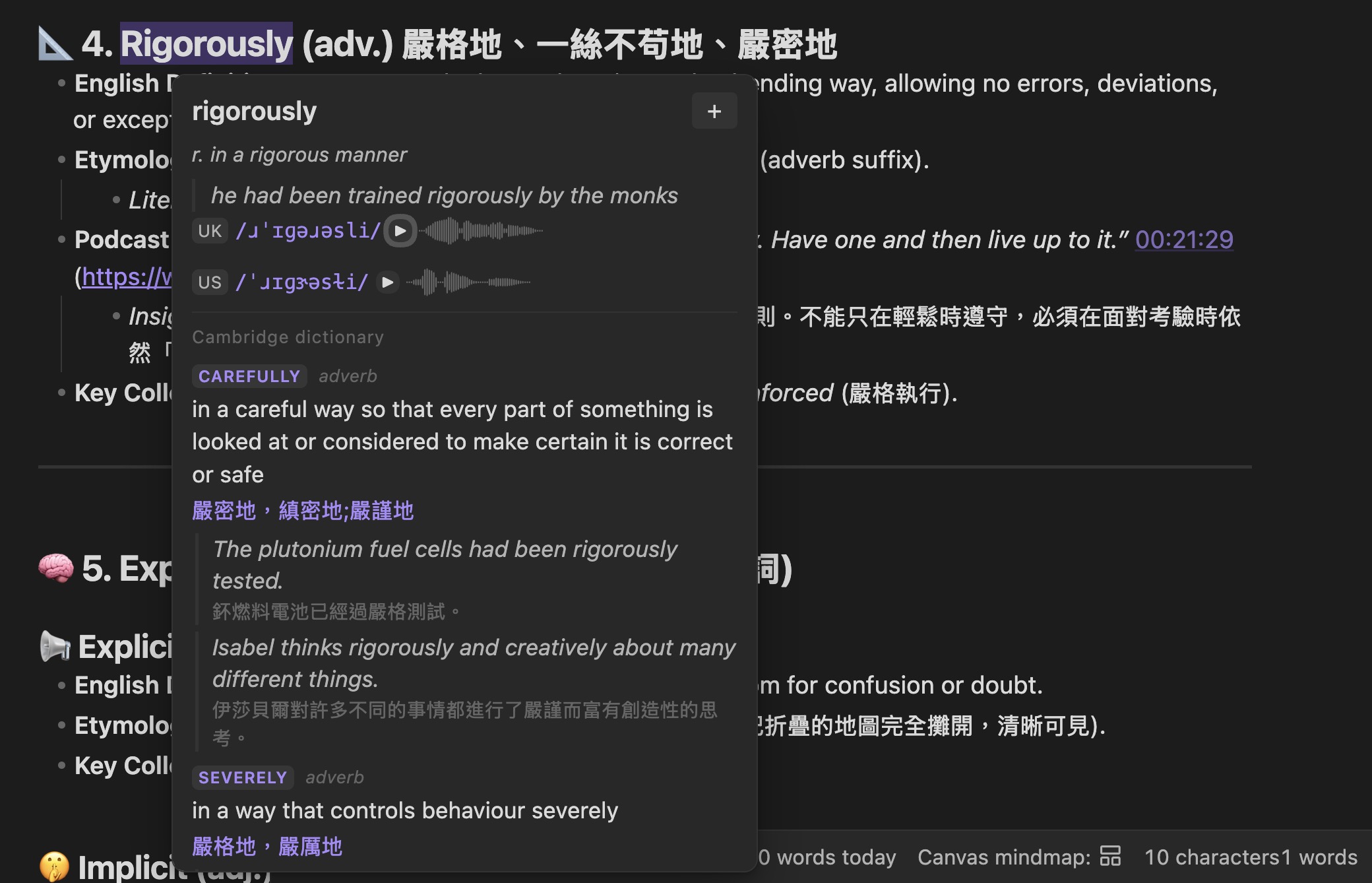
Hover any English word in your notes and get its phonetics, pronunciation and meaning — without a network connection. Save the words you care about as Markdown notes, and review them with real spaced repetition.
Definitions come in English or Traditional Chinese, following whichever language Obsidian is set to. Everything stays on your machine: no account, no server, no telemetry.
Works on desktop and mobile. The dictionary is a one-time 38.5 MB download; after that WordFolio never needs the network to look a word up.
Why another dictionary plugin
The hover dictionaries all query an online translation service, so they stop working on a plane and — for Chinese — only ever return Simplified. The offline ones are English-only word lists with no phonetics. And the ones that save your words either lock them in a database that never reaches your vault, or call a repeating timer "spaced repetition".
| WordFolio | Fingertip Translation | Dictionary (phibr0) | Language Learner | Dictionary Lexicon | |
|---|---|---|---|---|---|
| Works fully offline | ✓ | — | partial | — | ✓ |
| UK + US phonetics | ✓ | ✓ | — | — | — |
| UK + US pronunciation | ✓ | ✓ | — | — | — |
| Traditional Chinese | ✓ | — | — | — | — |
| Vocabulary as Markdown | ✓ | — | — | — | ✓ |
| Real spaced repetition | ✓ | — | via plugin | via plugin | timer only |
Installing
- Install WordFolio from Obsidian's community plugins browser and enable it.
- On first launch it offers to download the offline dictionary (38.5 MB, 58,250 entries). Say yes and wait — this happens once.
- Hover an English word in any note.
The dictionary can also be fetched later, or repaired, from Settings → WordFolio → Offline dictionary, or with the command Download / update the offline dictionary.
If the download is interrupted, just run it again. Every file is checksummed, so a second run skips what already arrived and re-fetches only what is missing or damaged — it never starts the 38.5 MB over.
The files land in the plugin's own folder under .obsidian/plugins/wordfolio/,
never in your vault. Removing the plugin removes them; your vocabulary notes
are left alone.
On a phone or tablet
Touch has no hover, so on mobile WordFolio is button-driven: tap anywhere in an English word (the cursor may land at either end — that still counts) and run Look up the selected word. Add it to the editor toolbar under Settings → Mobile → Manage toolbar options, or use it from the long-press menu.
Selecting text first also works, and selecting several words looks up the phrase.
Two things differ on mobile: importing from Anki is desktop-only (AnkiConnect is a desktop Anki add-on), and the tooltip does not appear by itself — that is deliberate, since anything that pops up on a small screen covers what you are reading. You can switch the automatic icon back on in the settings.
What the tooltip shows
Every section below is an independent checkbox, and you can drag them into the order you want. Turn off what you do not read.
Offline, always available
- UK and US IPA, with recorded pronunciation (system speech as a fallback).
- English definitions (WordNet), Traditional Chinese definitions (ECDICT), or both.
- Example sentences, synonyms and antonyms.
- Inflected forms — hovering
unnervinglooks upunnerve,ranlooks uprun. - Word frequency (BNC/COCA), Collins star rating, Oxford 3000, exam tags.
Fetched on demand, cached afterwards
- Cambridge, Longman, Oxford Learner's and Wiktionary entries. Each is a separate checkbox, and an entry is fetched only the first time you look that word up.
Optional local AI
- Point WordFolio at Ollama (or any OpenAI-compatible endpoint) to ask what a word means in the sentence you are reading, to generate usage examples, or to break a word into roots. No API key, nothing sent off your machine — and off by default.
Vocabulary notebook
Press the + in the tooltip and the word becomes a Markdown note: phonetics and frequency in the frontmatter, the definition in the body, and the sentence you met it in quoted underneath. One word, one file, in your vault — greppable, linkable, Dataview-queryable, and safe in git.
Re-adding a word never rewrites the note. It appends the new sentence and touches nothing you wrote yourself.
The notes are written in the same language as the interface, and WordFolio reads both — switching language later does not orphan the notes you already have.
Reviewing
WordFolio schedules with FSRS, the same algorithm modern Anki uses, and stores the scheduling state in each note's frontmatter.
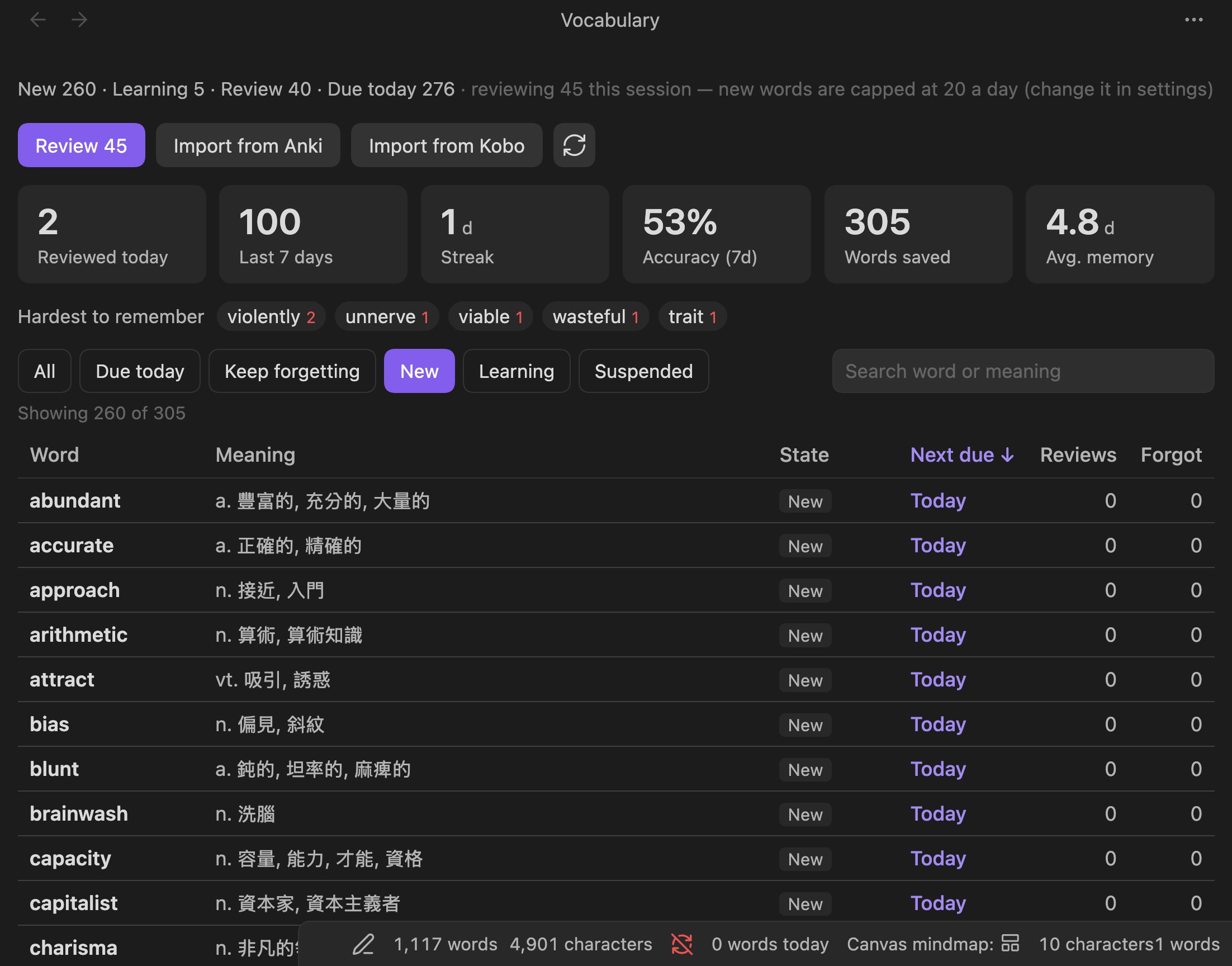
- A full-page vocabulary list: every word, its state, next due date, review and lapse counts — sortable, filterable, searchable.
- Practice statistics at the top: reviewed today, last seven days, streak, accuracy, average memory strength, and the words you keep forgetting.
- A daily limit on new words, so importing hundreds at once does not hand you a 300-card queue you will never finish.
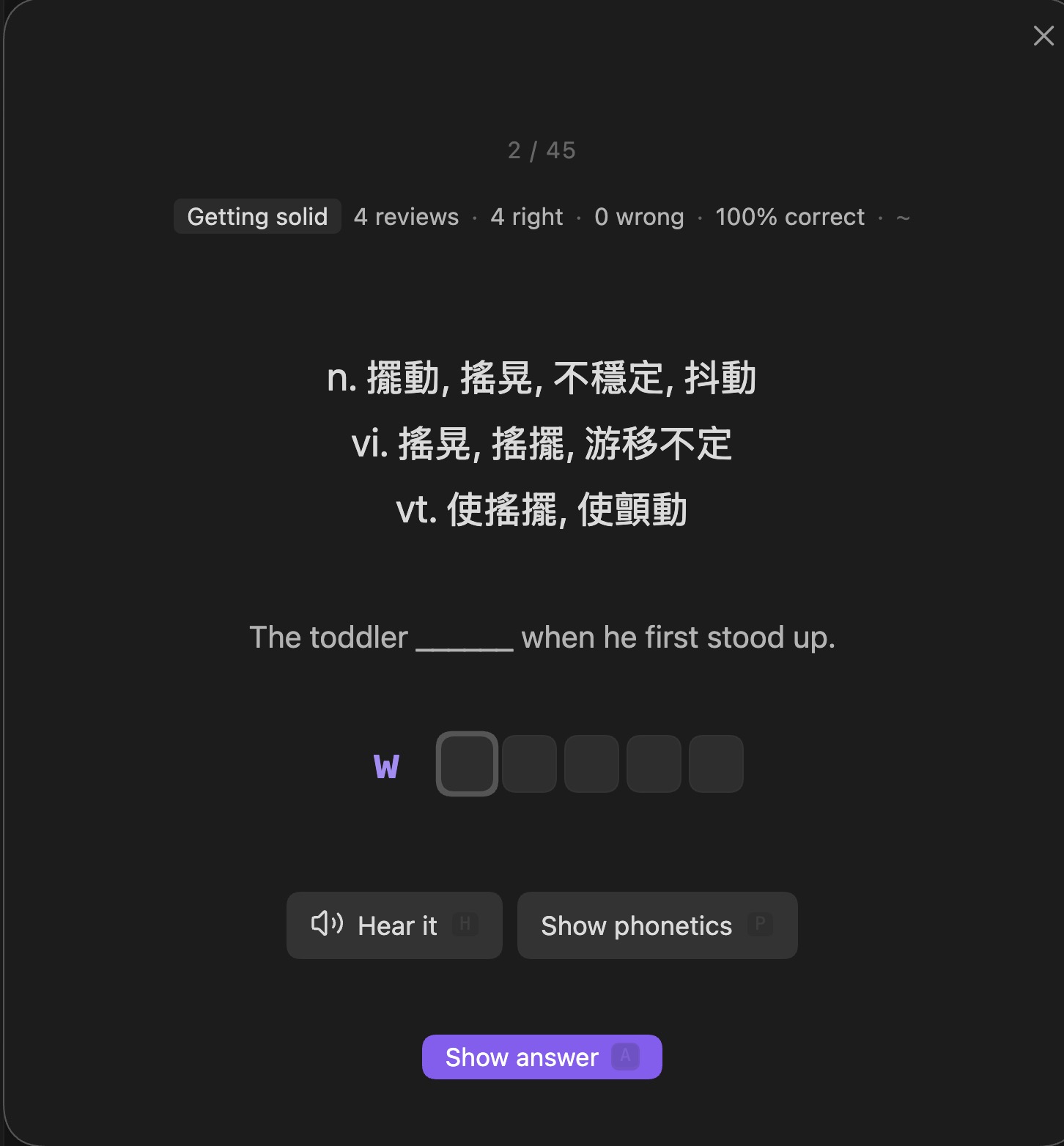
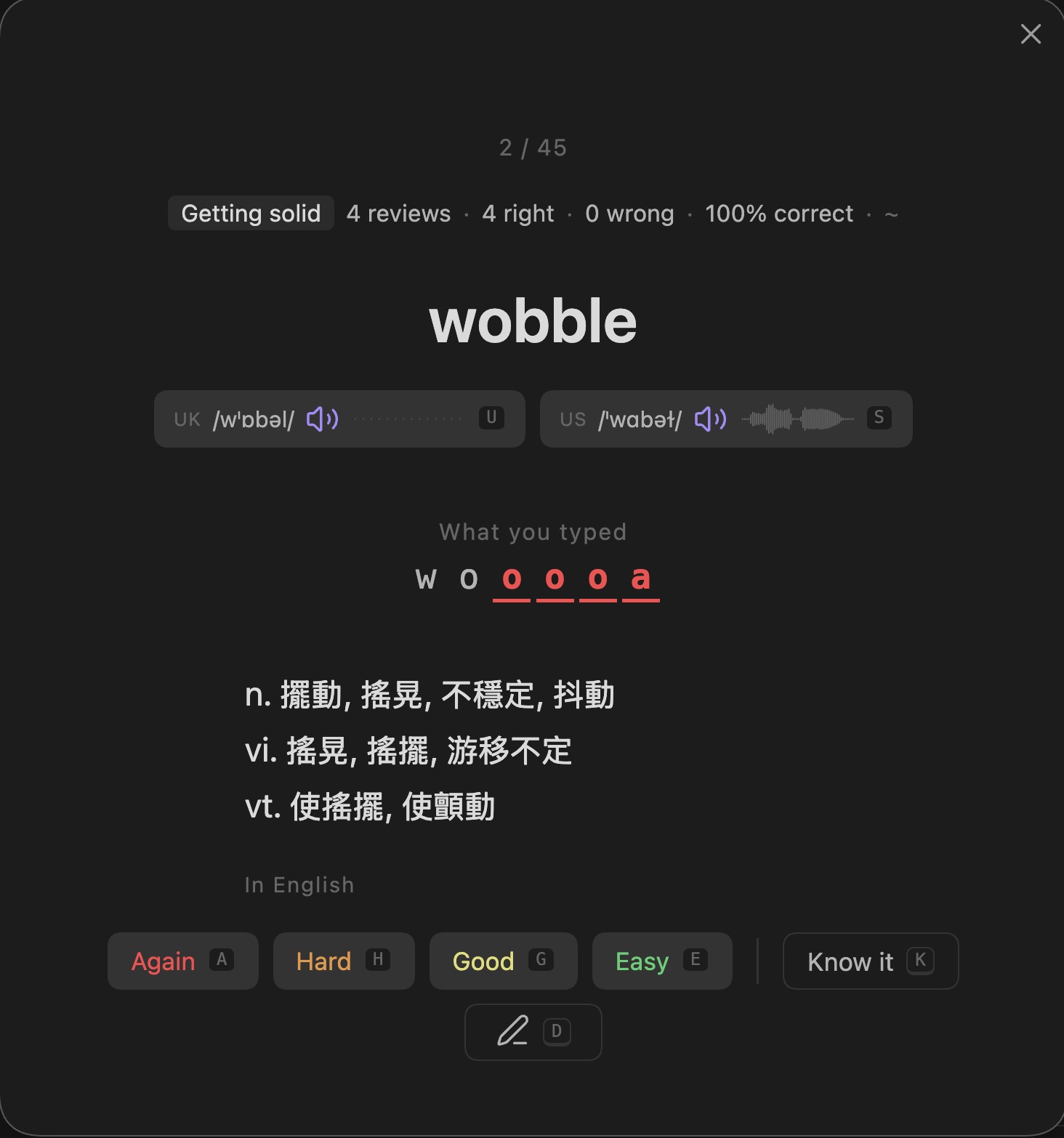
- A review modal with four grades, keyboard shortcuts and optional spelling practice.
Bringing words in from elsewhere
If you save words in the browser with Language Reactor or Saladict, they end up in Anki rather than in your notes. WordFolio can pull them across (Import from Anki, needs AnkiConnect): it takes the word and its context and fills in phonetics and definitions from the offline dictionary. Anki is read only — nothing there is modified or deleted, and scheduling stays with this plugin.
Sending the other way (Send vocabulary to Anki) is also supported. It is one-way; pick one of the two as your main review system rather than running both.
From a Kobo eReader
Words you look up with the Kobo's built-in dictionary can come in as well (Import from Kobo). PaperFolio writes them into your vault when it syncs; this reads that file, so the path usually needs no setting up. Turn on Import automatically after a Kobo sync and the sync button on the eReader goes all the way: press it while reading and the words are waiting for you in Obsidian.
On the Kobo: look the word up first, then highlight the sentence. Once text is selected you can no longer long-press to look a word up, so the order is long-press → read → close → highlight. It matters because the eReader saves the word but not the sentence it came from — PaperFolio recovers the sentence from your highlight of that passage.
Privacy
Looking up a word touches the network only if you have switched on one of the four online dictionary sections, or press the pronunciation button for a word whose audio is not cached yet. Definitions, phonetics, examples, synonyms and all scheduling are local. There is no account, no analytics and no telemetry, and the plugin only ever writes inside your vocabulary folder and its own plugin folder.
Development
npm install
npm run fetch:sources   # ~73 MB of source data into vendor/ (gitignored)
npm run build:dict      # → dict/
npm test                # 17 checks; the first needs dict/ to exist
npm run build           # → main.js
npm run deploy          # build and copy into your vault
npm run deploy writes to the vault at the default iCloud path; set
WORDFOLIO_VAULT to point somewhere else.
The dictionary is published as a separate GitHub release tagged
dict-<version>, and DICT_VERSION in src/settings.ts pins the version this
build expects. npm test fails if the two drift apart.
Credits
The dictionary is built from ECDICT (MIT), ipa-dict (MIT) and WordNet 3.1 (Princeton). Full attributions, licence texts and the terms for the four online dictionaries are in NOTICE.md.
Support
WordFolio is free and open source. If it saves you time, buy me a coffee.
Licence
MIT — see LICENSE.