Weak Link Auditor
 Kerekes Stefan153 downloads
A shiny dashboard that surfaces notes connected by only one link and unlinked mentions, prompting you to strengthen your graph.
- Overview
- Scorecard
- Updates3
A shiny Obsidian dashboard that surfaces notes connected by only one link and unlinked mentions — then helps you strengthen your graph with one click.
Dataview can tell you what links exist, but it can't tell you the quality of your graph. Weak Link Auditor is a dedicated dashboard that does exactly that:
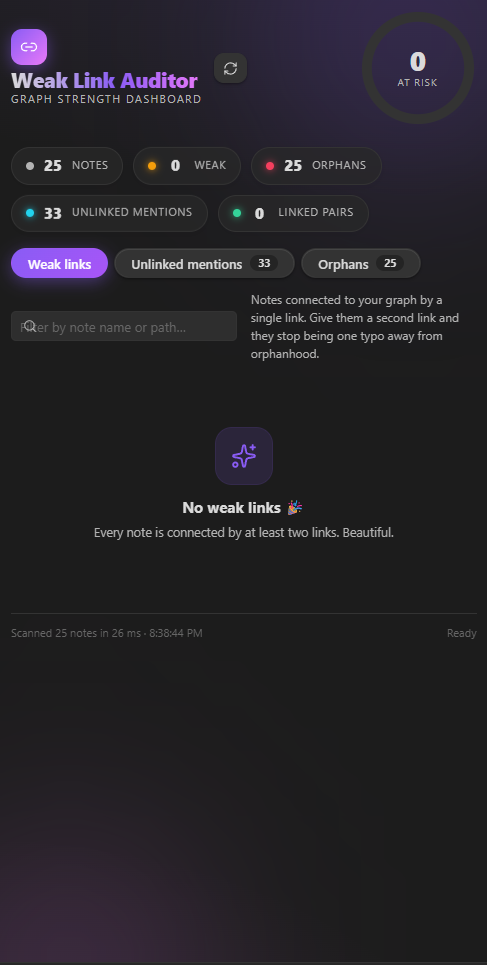
- 🔗 Weak links — notes connected to your graph by a single link (configurable threshold). One typo away from becoming orphans.
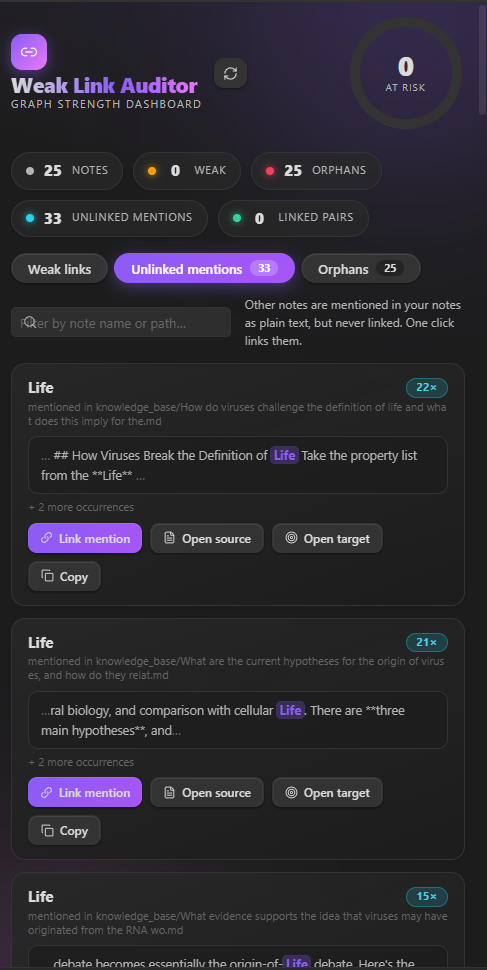
- 💬 Unlinked mentions — other notes mentioned as plain text in your notes but never linked. The single biggest missed-connection signal in most vaults.
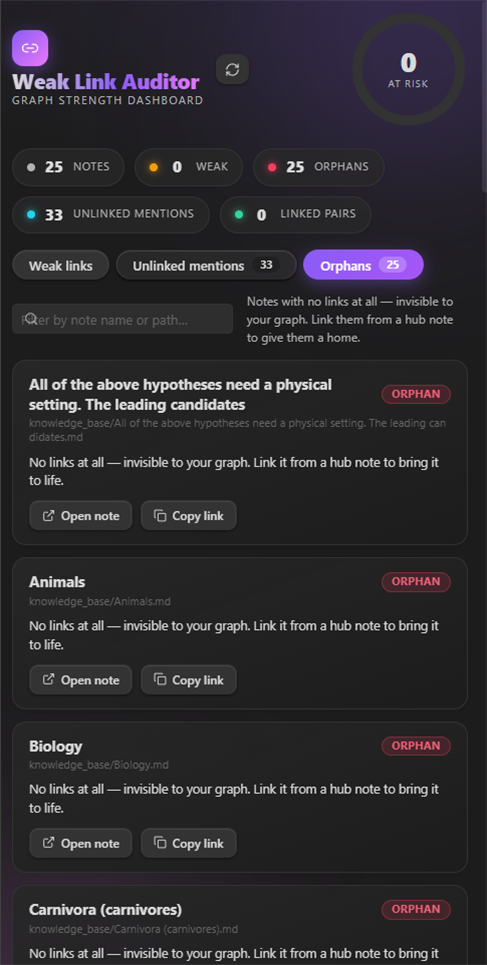
- 🏚️ Orphans — notes with zero links, completely invisible to your graph.
- 📊 Graph health score — an animated ring that summarizes how well-connected your vault is.
- ⚡ One-click strengthening — Link mention turns a plain-text mention into a real
[[wikilink]]right from the dashboard. Copy link grabs[[Note Name]]for anywhere else.
Screenshots
The dashboard in action:
 |
 |
 |
 |
Install
- Download the latest release and extract the three files —
main.js,manifest.json,styles.css— into your vault's plugin folder:<vault>/.obsidian/plugins/weak-link-auditor/ - Enable Weak Link Auditor in Settings → Community plugins.
- Click the 🔗 ribbon icon (or run the command Open Weak Link Auditor) to open the dashboard.
Usage
Open the dashboard, hit refresh (or it scans automatically when opened), and work through the tabs:
| Tab | What it shows | What you do |
|---|---|---|
| Weak links | Notes with ≤ n total links (default 1) | Open them and add a second link — often the "Backlinked by" row is a perfect place to link back. |
| Unlinked mentions | Note titles appearing as plain text elsewhere, never linked | Hit Link mention to convert the first occurrence into a wikilink (or link every occurrence, see settings). |
| Orphans | Notes with zero links | Link them from a hub note, or move them into a Maps-of-Content folder. |
The header ring is a graph health score: a blend of connectivity (weak/orphan share) and mention coverage. The status bar shows live counts after every scan.
Settings
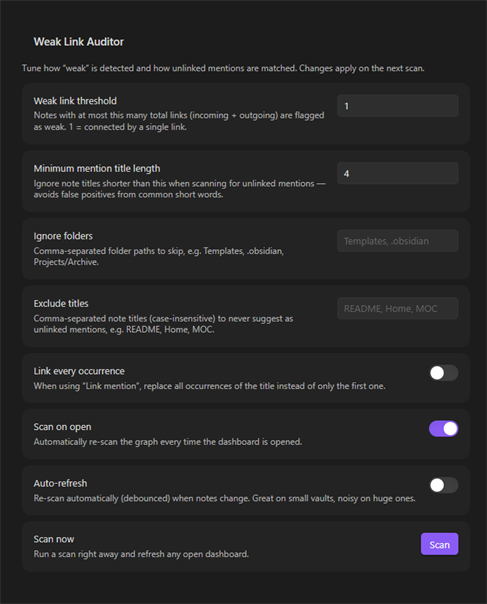
- Weak link threshold — max total links (incoming + outgoing) a note can have and still count as weak.
- Minimum mention title length — ignore short titles when hunting for unlinked mentions (kills false positives).
- Ignore folders — comma-separated paths to skip, e.g.
Templates, .obsidian. - Exclude titles — comma-separated note titles to never suggest (e.g.
README, Home). - Link every occurrence — link all occurrences of a mention instead of just the first.
- Scan on open — auto-scan when the dashboard opens.
- Auto-refresh — re-scan (debounced) whenever notes change. Nice on small vaults, noisy on huge ones.
How it works
The analyzer reads every Markdown note and:
- Parses links — both
[[wikilinks]]and Markdown-style links — and builds the real bidirectional graph. - Counts incoming/outgoing links per note → classifies weak (≤ threshold) and orphans (0).
- Scans for unlinked mentions — after stripping frontmatter, code blocks, inline code, existing links and URLs, it finds other note titles appearing as plain text, with word boundaries, case-insensitive. Common-word titles are filtered via a stopword list + length threshold.
The one-click Link mention action rewrites the mention in the source note (via the vault API) and re-scans so the dashboard stays honest.
Development
npm install
npm run dev      # watch mode → builds main.js
npm run build    # type-check + production build
The plugin folder for manual install is this repo root (main.js, manifest.json, styles.css).
License
MIT © 2026 Kerekes Stefan