Search...Search plugins and themes...
⌘K
Sign in
  • Get started
  • Download
  • Pricing
  • Enterprise
  • Account
  • Obsidian
  • Overview
  • Sync
  • Publish
  • Canvas
  • Mobile
  • Web Clipper
  • CLI
  • Learn
  • Help
  • Developers
  • Changelog
  • About
  • Roadmap
  • Blog
  • Resources
  • System status
  • License overview
  • Terms of service
  • Privacy policy
  • Security
  • Community
  • Plugins
  • Themes
  • Discord
  • Forum / 中文论坛
  • Merch store
  • Brand guidelines
Follow us
DiscordTwitterBlueskyThreadsMastodonYouTubeGitHub
© 2026 Obsidian

Waka time box

simonlasimonla3k downloads

Show daily coding activity from WakaTime.

Add to Obsidian
  • Overview
  • Scorecard
  • Updates5

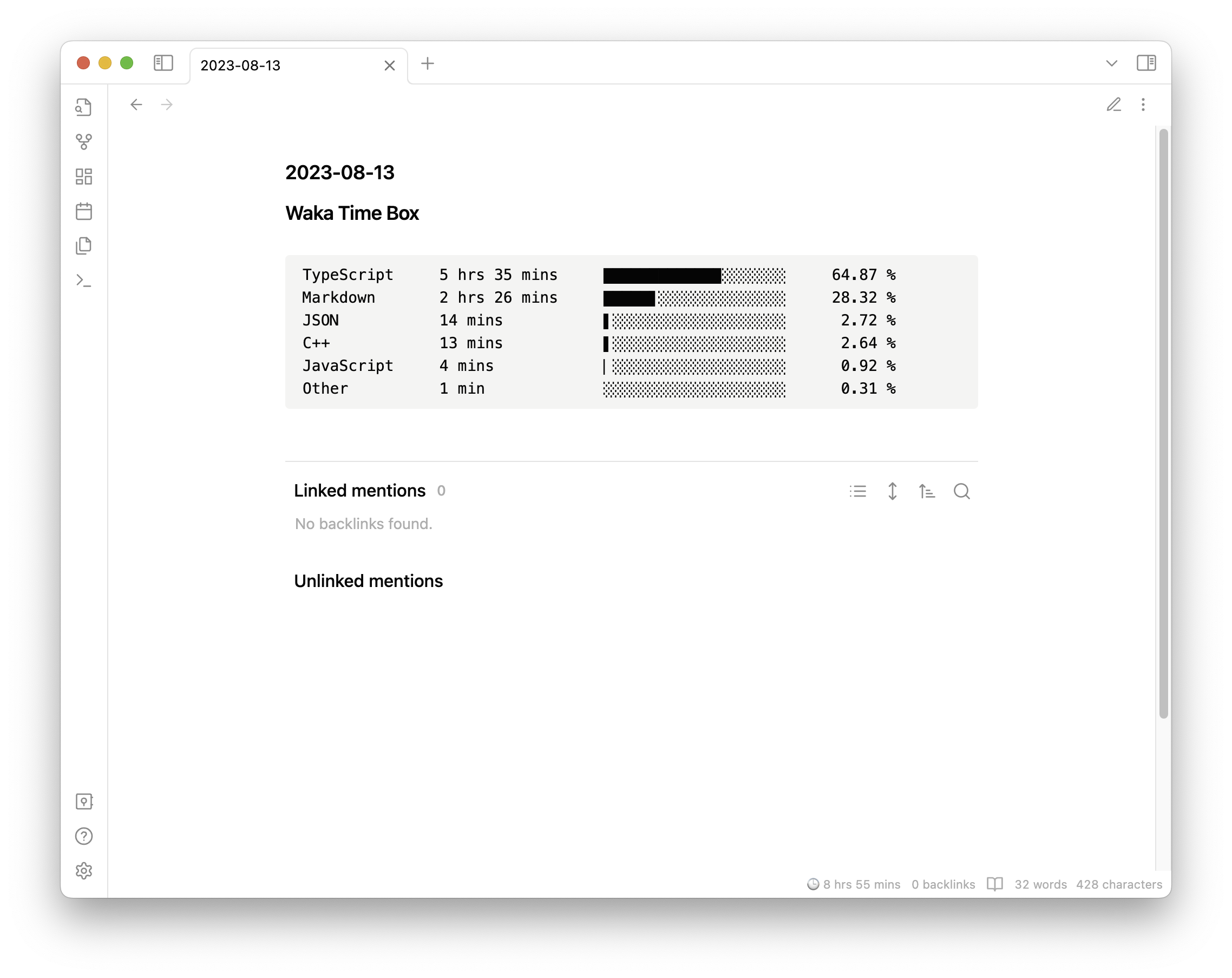
Show your WakaTime stats in your Obsidian daily notes.

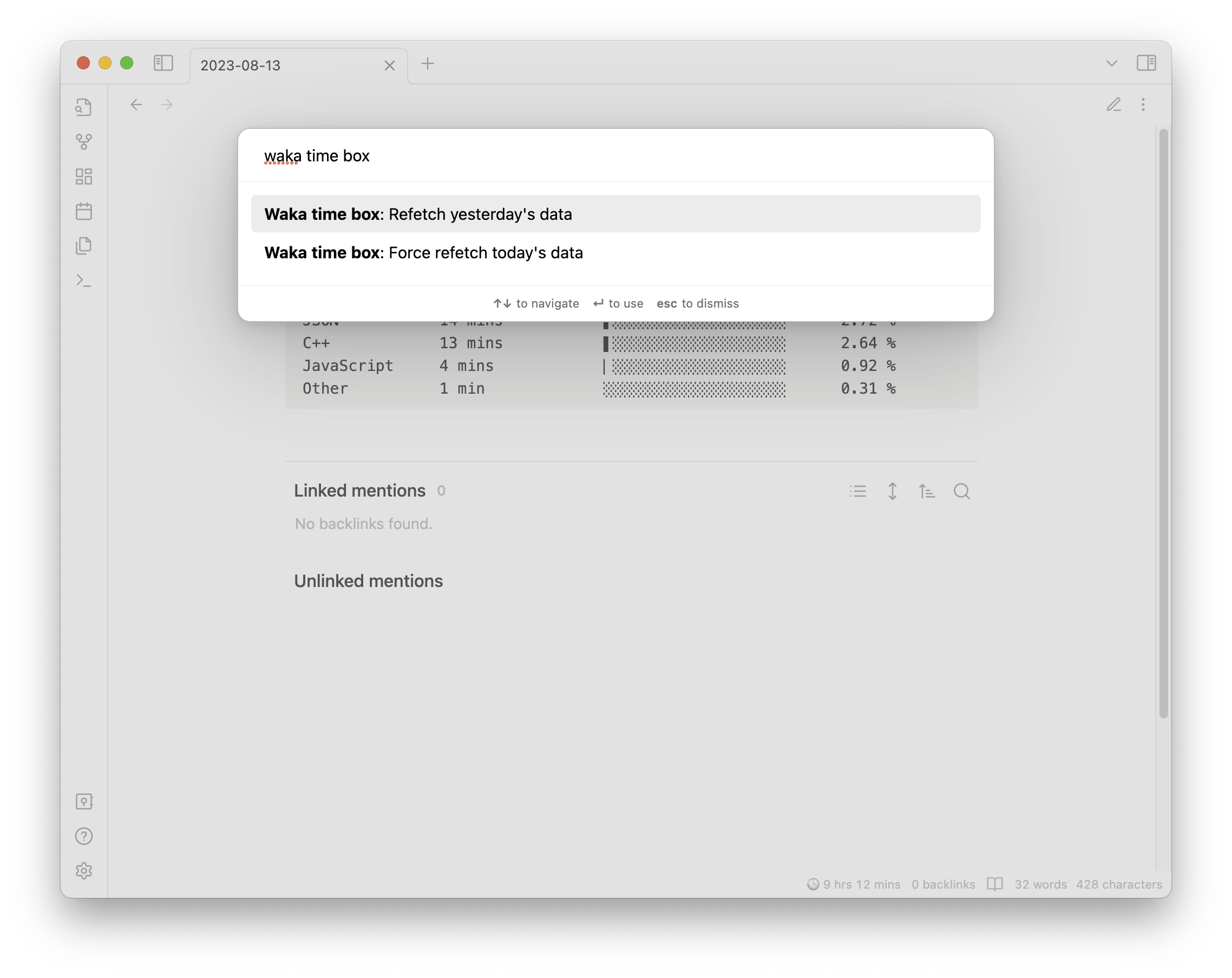
By default, it will fetch periodically every hour, but you can force a refresh from the command palette.

This plugin will insert the stats at the top of the daily note. But if it's existing, it will refresh the stats instead of inserting a new one. You can use this behavior to customize where to insert the stats in your daily note.

73%
HealthFair
ReviewSatisfactory
About
Display WakaTime coding stats at the top of your daily notes. Fetch stats hourly by default and refresh the existing entry instead of inserting duplicates; force an immediate refresh from the command palette.
IntegrationsDatesAutomation
Details
Current version
1.0.8
Last updated
3 years ago
Created
3 years ago
Updates
5 releases
Downloads
3k
Compatible with
Obsidian 0.15.0+
Platforms
Desktop, Mobile
License
MIT
Report bugRequest featureReport plugin
Author
simonlasimonla
github.com/simonla
GitHubsimonla
  1. Community
  2. Plugins
  3. Integrations
  4. Waka time box

Related plugins

BRAT

Easily install a beta version of a plugin for testing.

Readwise Official

Sync highlights from Readwise to your vault.

Reminder

Manage Markdown TODOs with reminder.

Rollover Daily Todos

Rollover any unchecked checkboxes from your last daily note into today's note.

Todoist Sync

Materialize Todoist tasks within your notes.

Vault Changelog

Maintain a changelog of recently edited notes.

Shell commands

Define system commands that you want to execute via command palette, hotkeys, URI links or automated events. E.g. open external applications or perform automated file modifications.

Google Calendar

Interact with your Google Calendar.

Local REST API & MCP Server

Unlock your automation needs by interacting with your notes over a secure REST API.

QuickAdd

Quickly add new notes or content to your vault.