Search...Search plugins and themes...
⌘K
Sign in
  • Get started
  • Download
  • Pricing
  • Enterprise
  • Account
  • Obsidian
  • Overview
  • Sync
  • Publish
  • Canvas
  • Mobile
  • Web Clipper
  • CLI
  • Learn
  • Help
  • Developers
  • Changelog
  • About
  • Roadmap
  • Blog
  • Resources
  • System status
  • License overview
  • Terms of service
  • Privacy policy
  • Security
  • Community
  • Plugins
  • Join the community
  • Discord
  • Forum / 中文论坛
  • Merch store
  • Brand guidelines
Follow us
DiscordTwitterBlueskyThreadsMastodonYouTubeGitHub
© 2026 Obsidian

Vimium

karstenpedersenkarstenpedersen8k downloads

Interact with elements using keyboard shortcuts in the spirit of Vim.

Add to Obsidian
  • Overview
  • Scorecard
  • Updates1

Provides keyboard shortcuts for clicking buttons in Obsidian.

Inspired by Vimium extension for Chrome.

Features

  • Vimium: Show markers: Show Vimium markers on clickable elements. Then press the respected keys for what element you want to click.
  • Edit what CSS selectors are used to query clickable elements.
  • Change font size of markers.

Showcase
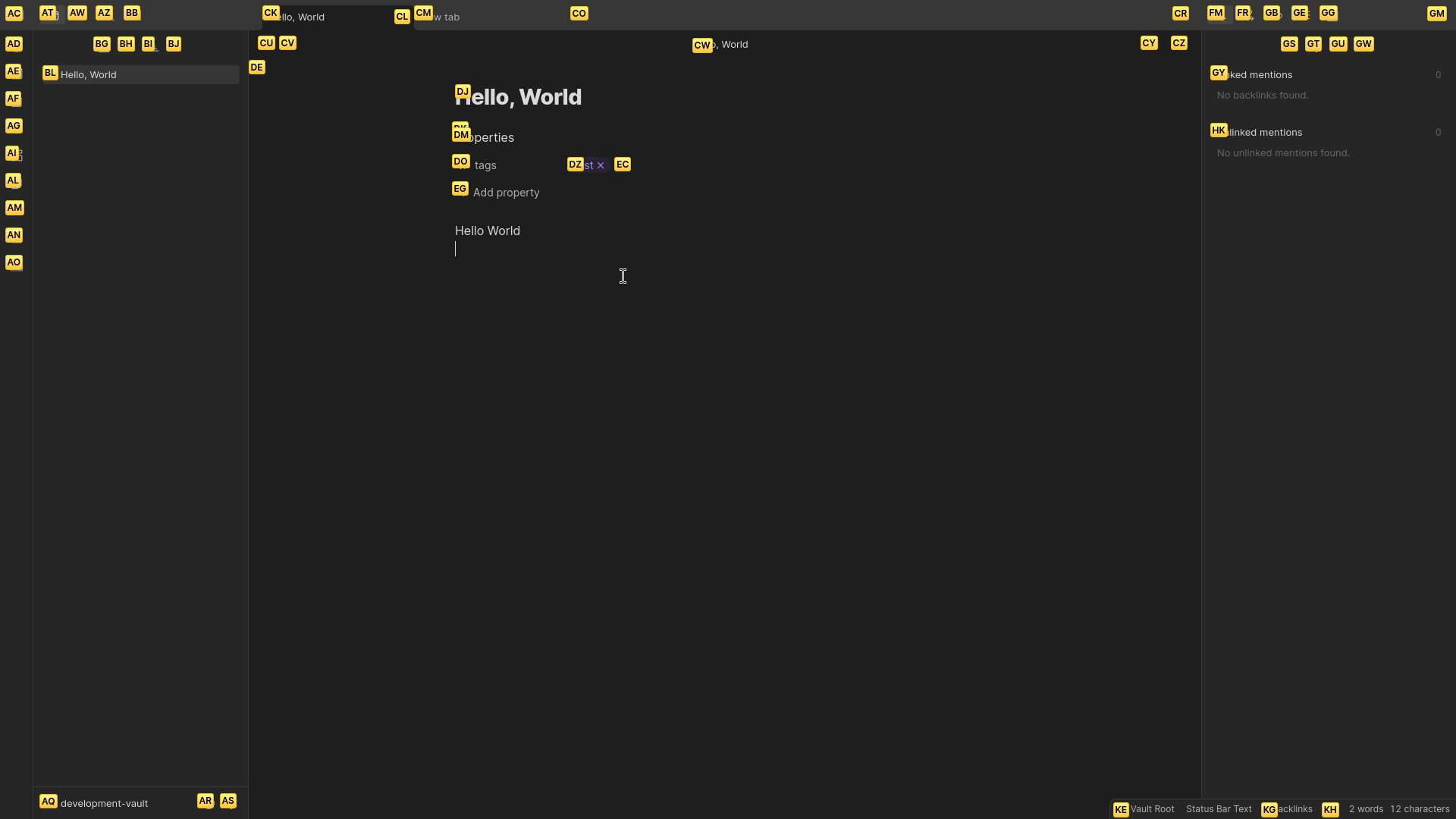
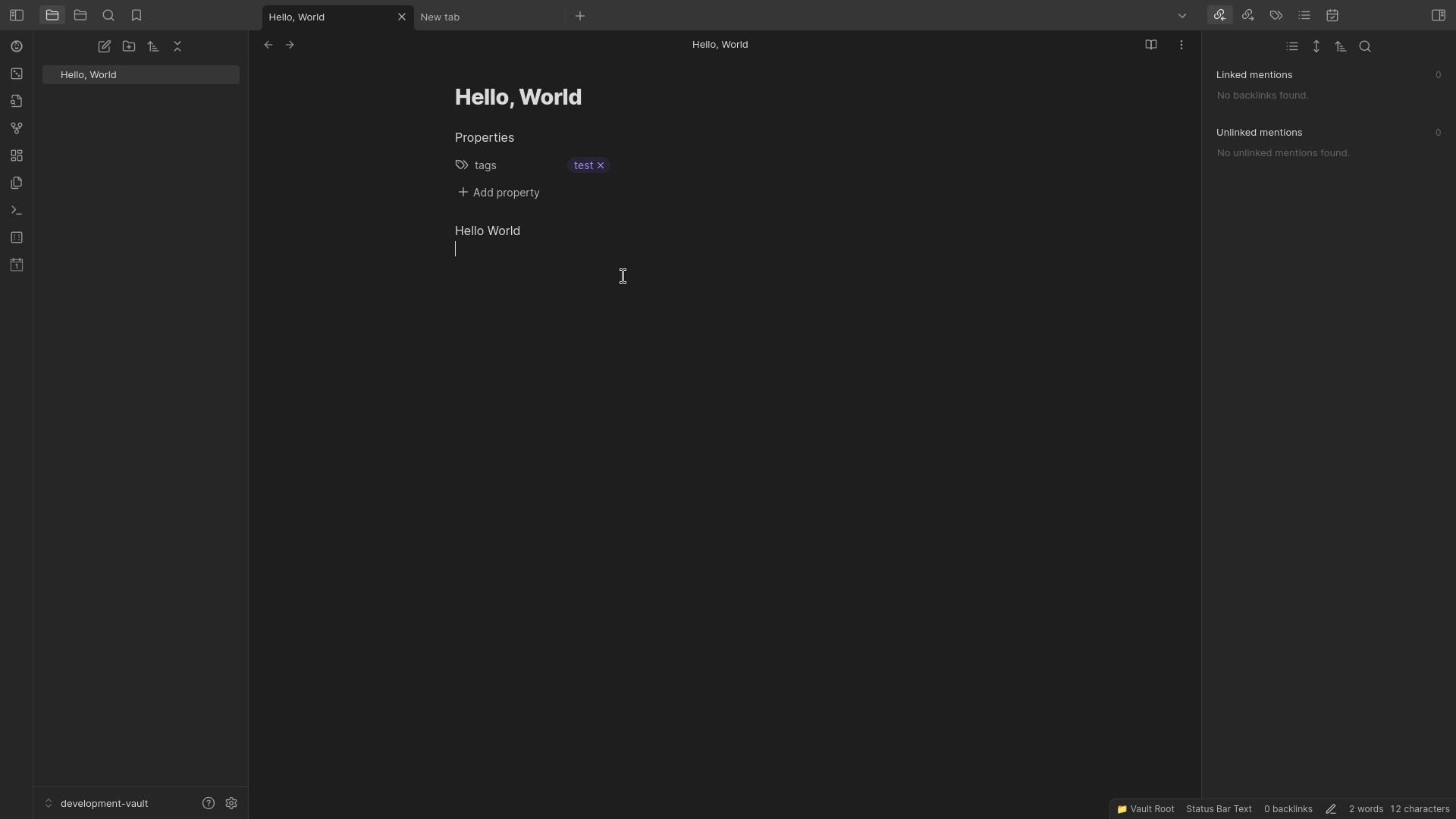
without markers

with markers

Installation

Obsidian

  1. Open Settings.
  2. Go to "Community Plugins".
  3. Enable community plugins by pressing "Turn on community plugins".
  4. Click "Browse" to browse available community plugins.
  5. Search for "Vimium".
  6. Click Install and enable the plugin.
  7. Close the community plugins window.

Version History

1.0.0

  • Add Vimium: Show markers command to show Vimium markers on clickable elements.
70%
HealthGood
ReviewSatisfactory
About
Show Vimium-style markers on clickable elements and press the corresponding keys to activate links and buttons. Customize the CSS selectors scanned and change marker font size for better readability.
Vim
Details
Current version
1.0.0
Last updated
2 years ago
Created
2 years ago
Updates
1 release
Downloads
8k
Compatible with
Obsidian 0.15.0+
License
MIT
Report bugRequest featureReport plugin
Author
karstenpedersenkarstenpedersen
github.com/karstenpedersen
GitHubkarstenpedersen
  1. Community
  2. Plugins
  3. Vim
  4. Vimium

Related plugins

Creases

Tools for effectively folding Markdown sections.

Quiet Outline

Make outline quiet and more powerful, including no-auto-expand, rendering heading as Markdown, and search support.

Vimrc Support

Auto-load a startup file with Vim commands.

Helix Keybindings

Use Helix key bindings when editing.

Word Splitting for Simplified Chinese in Edit Mode and Vim Mode

A patch for Obsidian's built-in CodeMirror editor to support Simplified Chinese word splitting.

Vim Toggle

Toggle Vim on/off and customize toggling behavior.

Vim IM Select

Support auto select the apposite input method in different vim mode.

Edit in Neovim

Open a Neovim buffer for the currently open file

Jump to link

Quickly navigate between links, or jump to any word on the page using hotkeys.

Vim IM Control

Switch input method when `InsertLeave` and `InsertEnter`. Supports macOS, Windows, and Linux.