Search...Search plugins and themes...
⌘K
Sign in
  • Get started
  • Download
  • Pricing
  • Enterprise
  • Account
  • Obsidian
  • Overview
  • Sync
  • Publish
  • Canvas
  • Mobile
  • Web Clipper
  • CLI
  • Learn
  • Help
  • Developers
  • Changelog
  • About
  • Roadmap
  • Blog
  • Resources
  • System status
  • License overview
  • Terms of service
  • Privacy policy
  • Security
  • Community
  • Plugins
  • Themes
  • Discord
  • Forum / 中文论坛
  • Merch store
  • Brand guidelines
Follow us
DiscordTwitterBlueskyThreadsMastodonYouTubeGitHub
© 2026 Obsidian

Transfer LaTeX from GPT

xixia123xixia1232k downloads

This plugin allows you to transfer LaTeX equations generated by GPT.

Add to Obsidian
  • Overview
  • Scorecard
  • Updates1

本项目的目标是将ChatGPT回答中的LaTeX公式转换为Obsidian能够识别且正确渲染的Markdown格式。此工具帮助用户在Obsidian笔记中便捷地使用数学公式,提高学习效率与科研质量。

2. 安装

  1. 通过应用市场直接安装Transfer Latex from GPT插件。
  2. 或者从GitHub仓库下载插件包并手动安装。

3. 使用说明

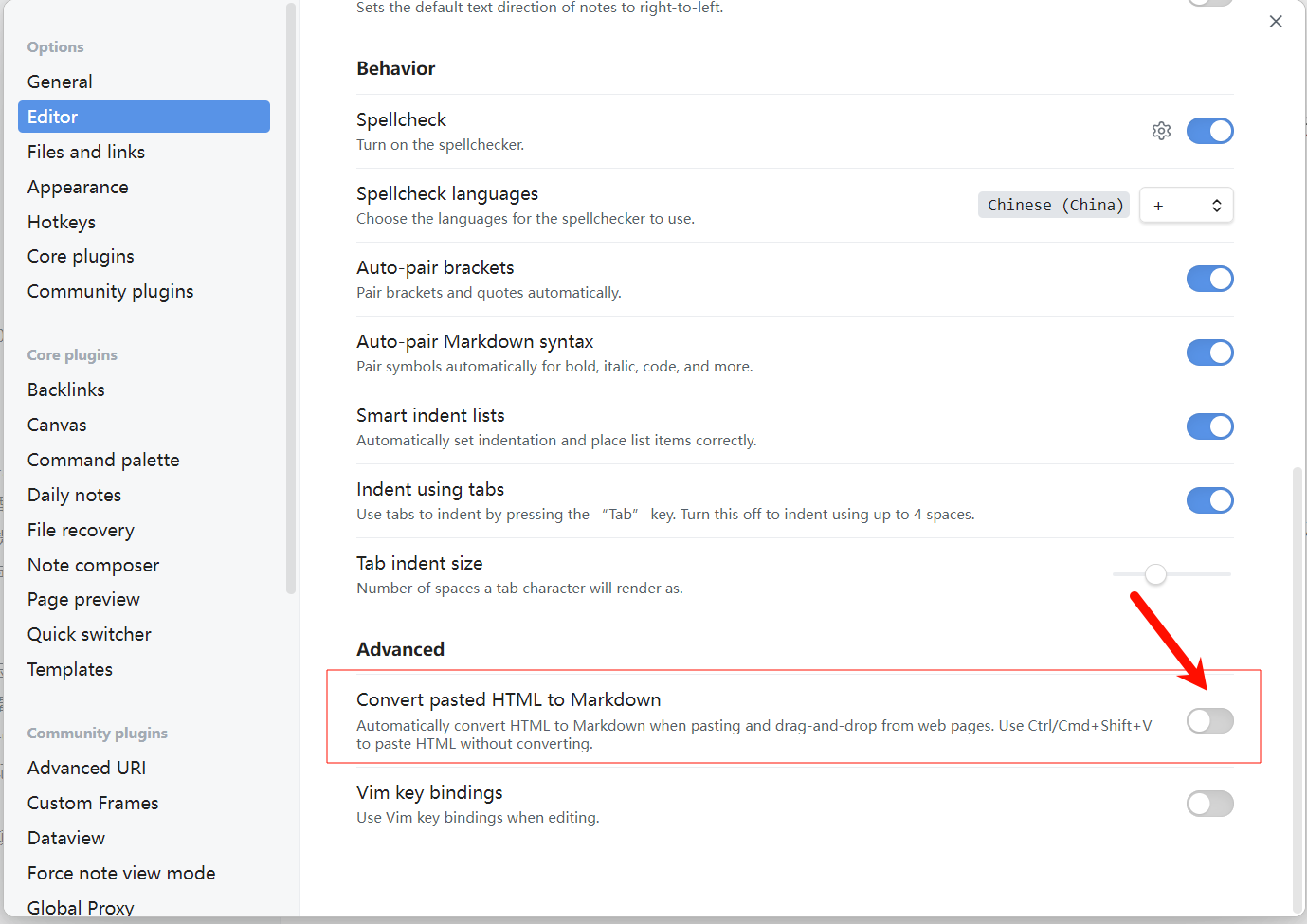
注意:使用前,请确保在Obsidian编辑器设置中关闭“自动转换HTML”选项。否则,粘贴ChatGPT的答案时,应使用纯文本格式。
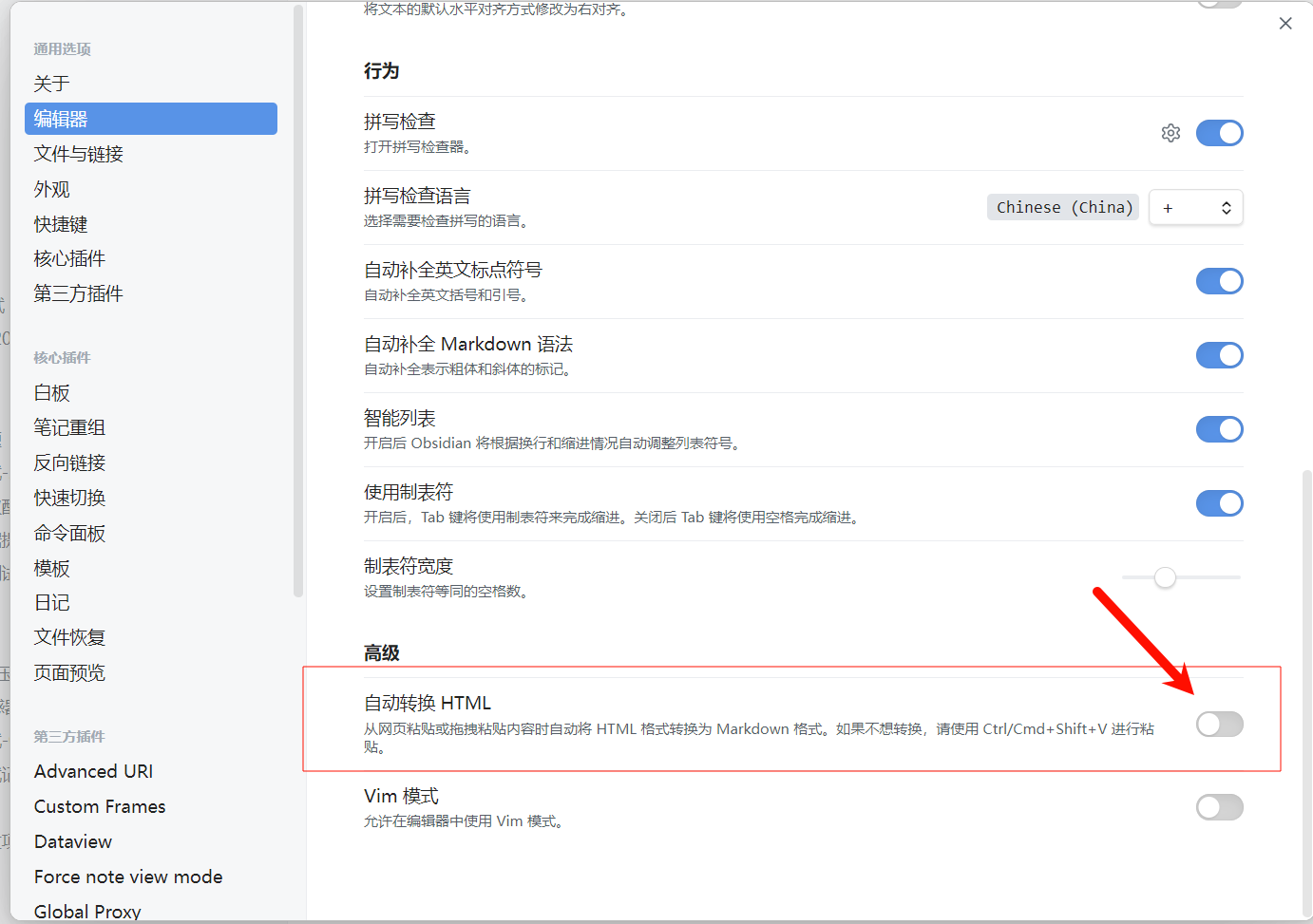
Obsidian设置
关闭HTML转换

使用方式

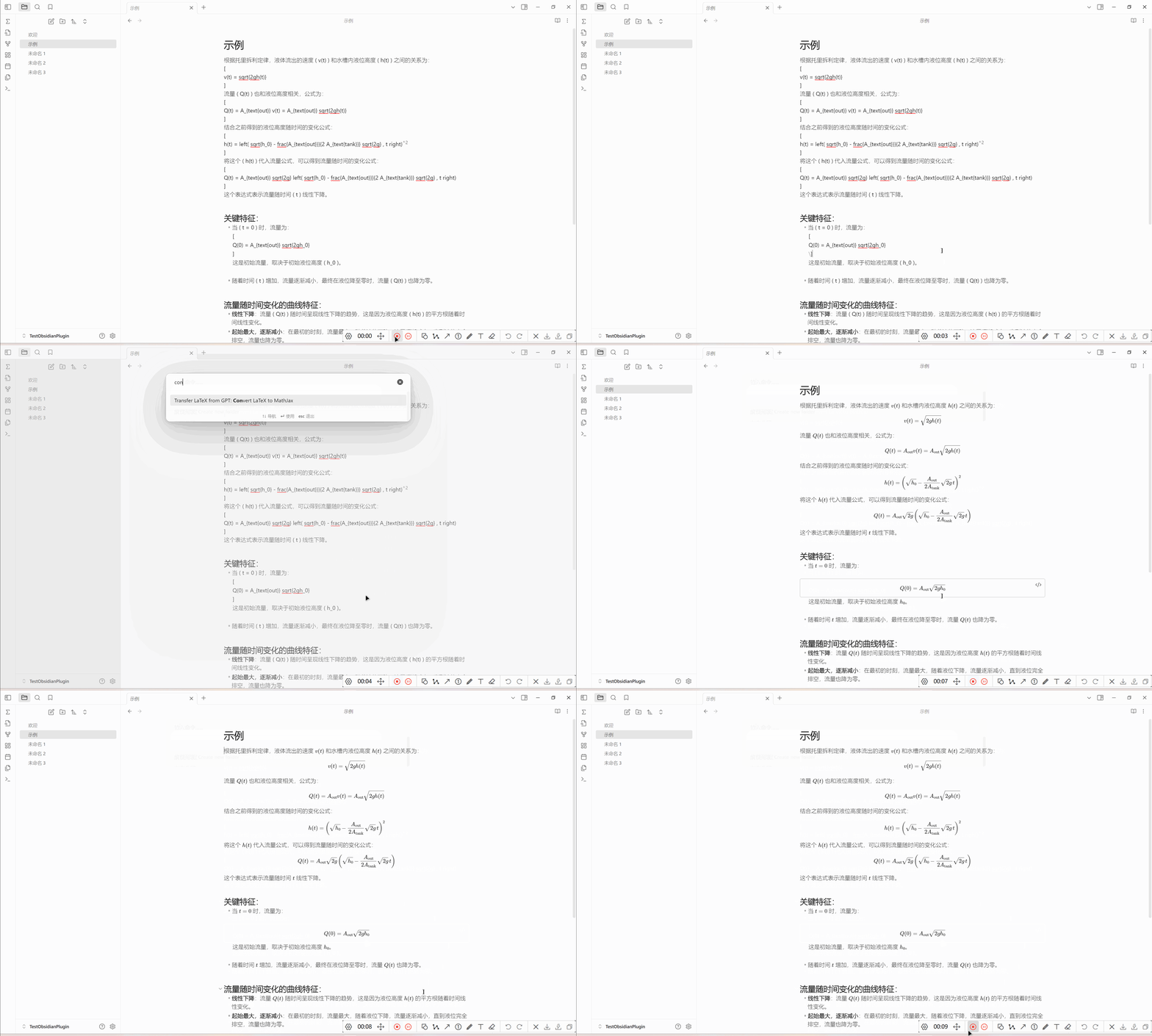
  1. 通过命令使用
    命令使用示例

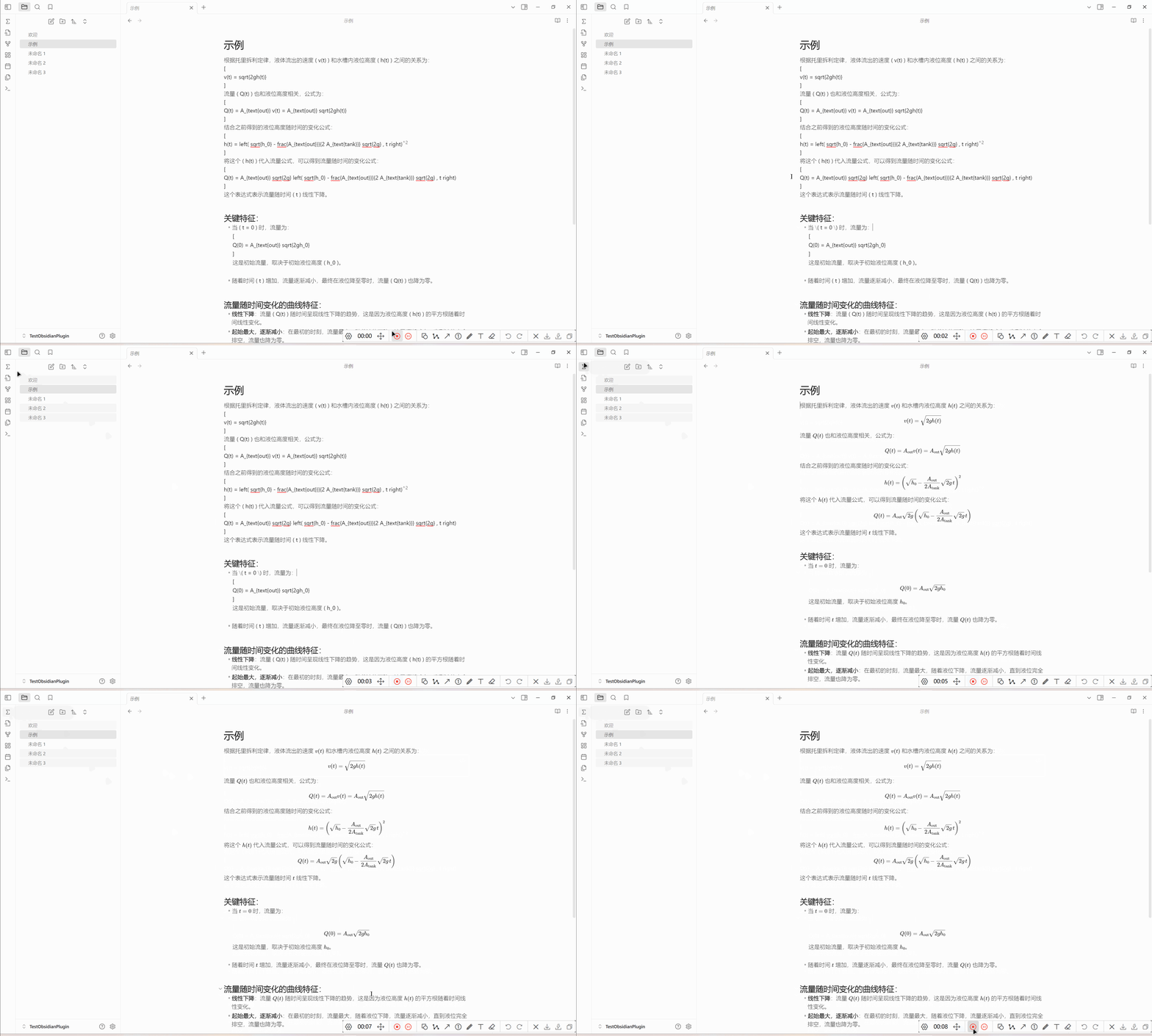
  2. 通过点击左侧按钮使用
    按钮使用示例

63%
HealthGood
ReviewRisks
About
Convert LaTeX formulas from ChatGPT answers into Obsidian-compatible Markdown so math renders correctly in your notes. Use the command or sidebar button to transform pasted ChatGPT output into inline and block LaTeX ready for rendering.
LaTeXFormattingSidebar
Details
Current version
1.0.1
Last updated
2 years ago
Created
2 years ago
Updates
1 release
Downloads
2k
Compatible with
Obsidian 0.15.0+
Platforms
Desktop, Mobile
License
MIT
Report bugRequest featureReport plugin
Author
xixia123xixia123
github.com/xixia123
GitHubxixia123
  1. Community
  2. Plugins
  3. LaTeX
  4. Transfer LaTeX from GPT

Related plugins

Notebook Navigator

A better file browser and calendar inspired by Apple Notes, Bear, Evernote and Day One.

Recent Files

Display a list of recently opened files.

Longform

Helps you write and edit novels, screenplays, and other long projects.

Linter

Format and style your notes. Linter can be used to format YAML tags, aliases, arrays, and metadata; footnotes; headings; spacing; math blocks; regular Markdown contents like list, italics, and bold styles; and more with the use of custom rule options.

Flexplorer

Enhance the file explorer with custom sorting, pinning, and hiding.

HiNote

Add comments to highlighted notes, use AI for thinking, and flashcards for memory.

Easy Typing

Auto format when typing.

Admonition

Admonition block-styled content.

TagFolder

Show tags as folder.

Checklist

Consolidate checklists across all files into a single view.