Trace
 swiSwift24 downloads
outline navigation synced with minimap hover, vault-wide match highlighting with pin markers, and cached full-vault search.(Formerly SwiftMatch)
- Overview
- Scorecard
- Updates1
Outline navigation, minimap hover, match highlighting, and vault-wide search for Obsidian.
大纲导航 · Minimap 悬停 · Match 匹配高亮 · 全库搜索。Trace 为长文档阅读提供可视化定位与知识标记能力。
Outline navigation · Minimap hover · Match highlighting · Vault-wide search. Trace provides visual positioning and knowledge marking for long-document reading.
功能演示
Demo
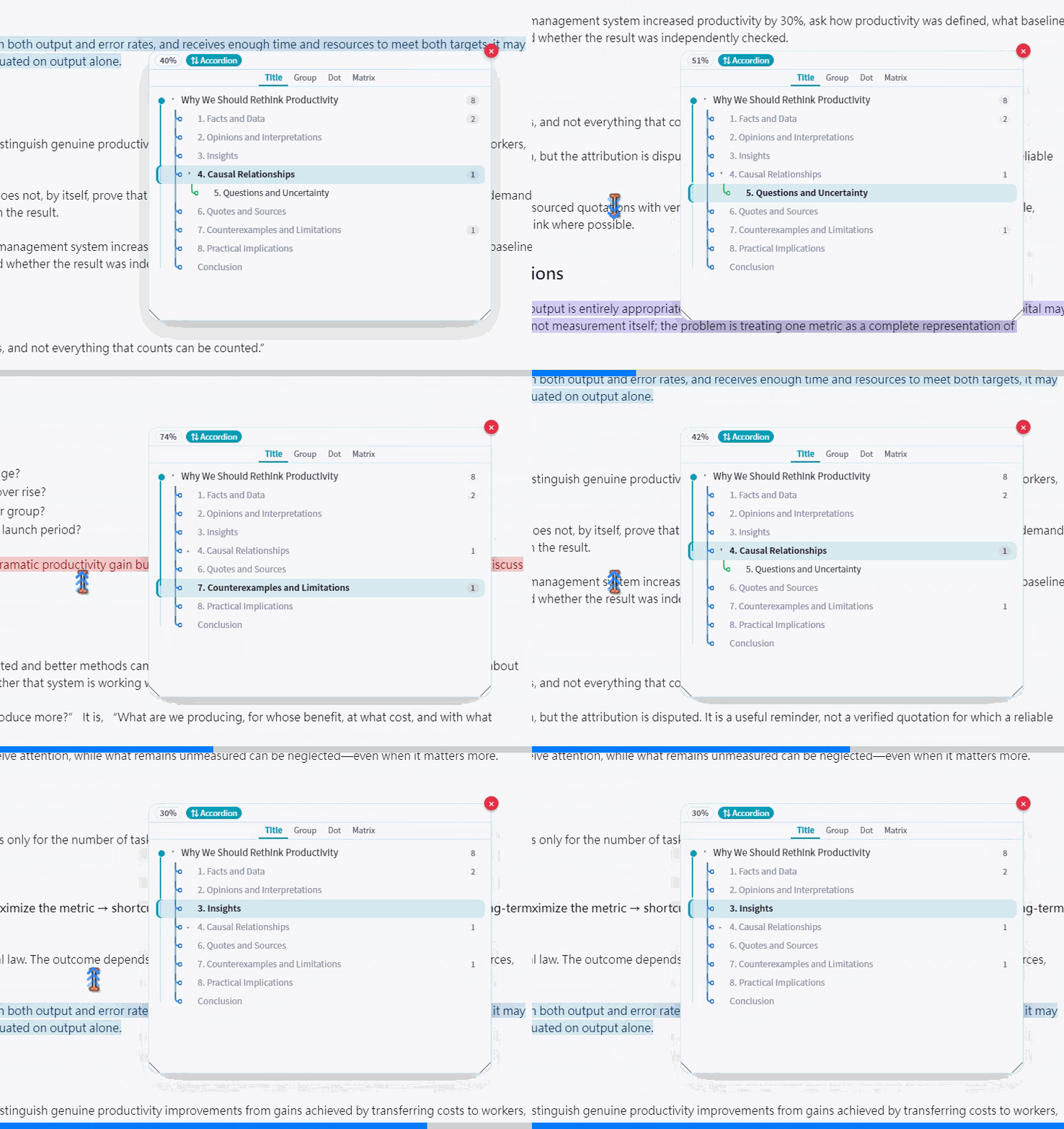
Minimap × 大纲
悬停 minimap 自动展开大纲面板,文档滚动与大纲高亮实时联动。
Hover the minimap to auto-expand the outline panel; document scroll and outline highlighting are synced in real time.
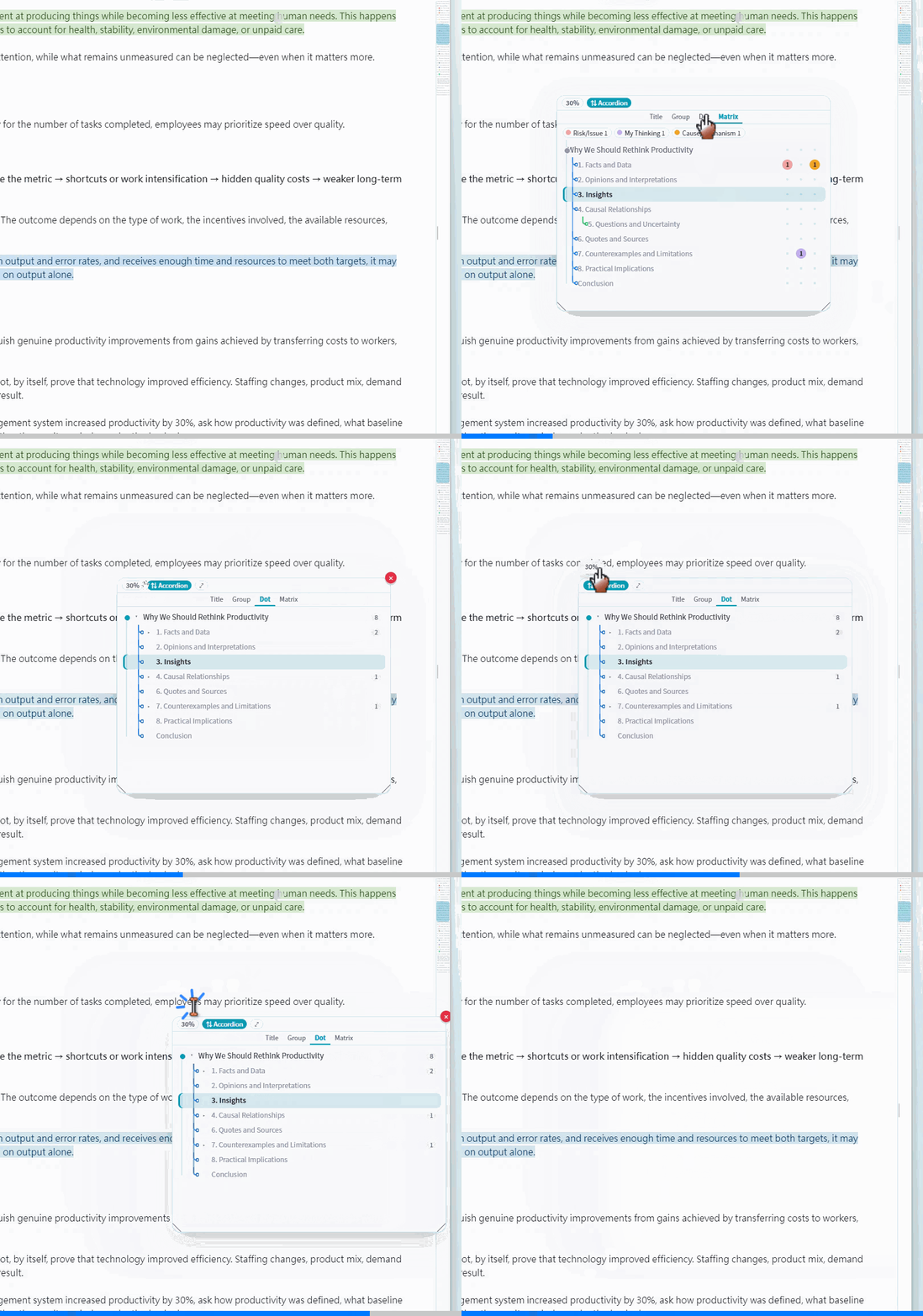
Select text to search the entire vault; results appear in a floating list with caching and manual refresh.
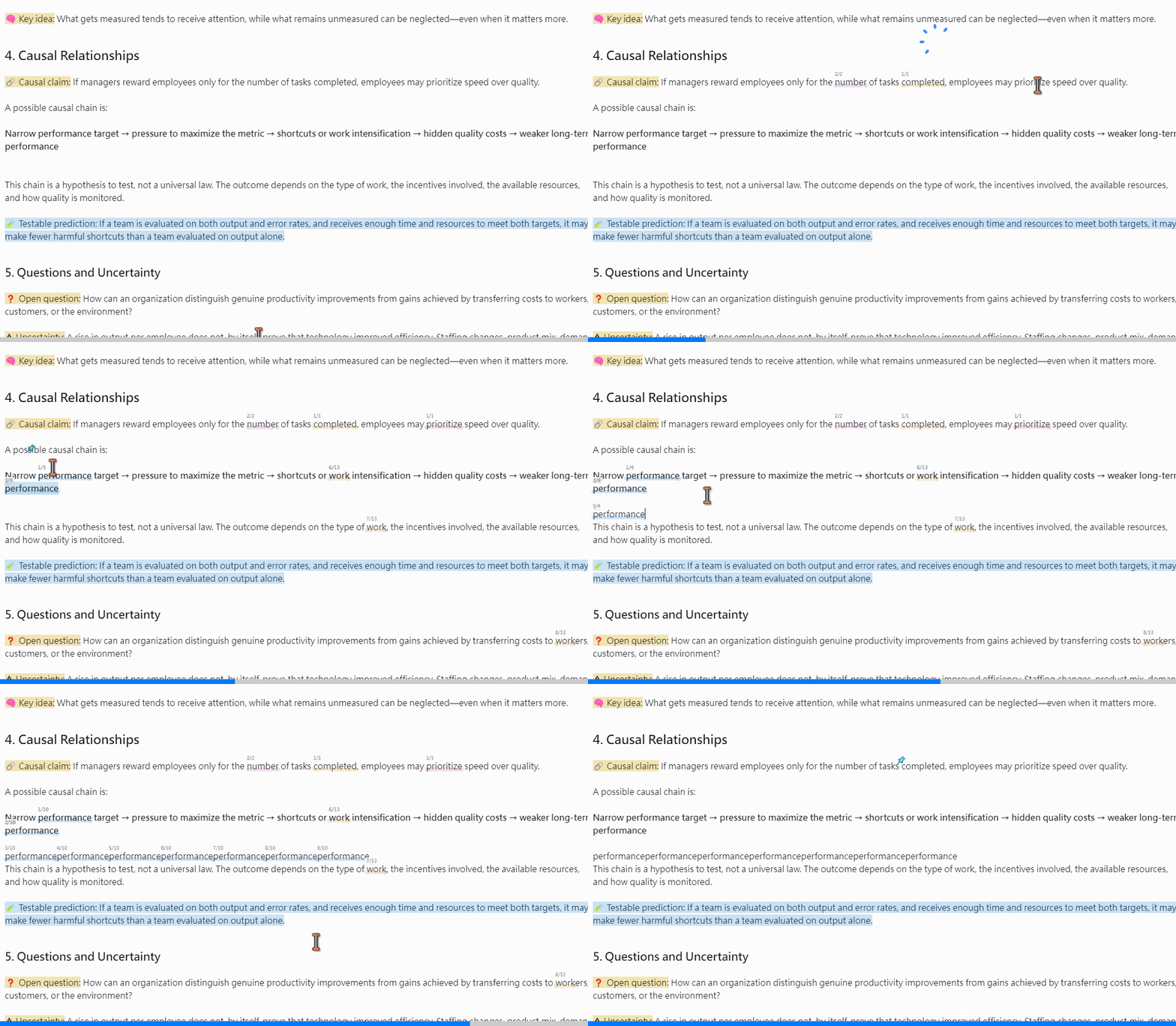
Match 匹配高亮
选中文本全库匹配并高亮标注,Pin 图标标记关键位置。
Selected text is matched and highlighted across the vault; pin icons mark key locations.
大纲视图
大纲面板支持 Title / Group / Dot / Matrix 四种视图切换。
The outline panel supports four views: Title / Group / Dot / Matrix.
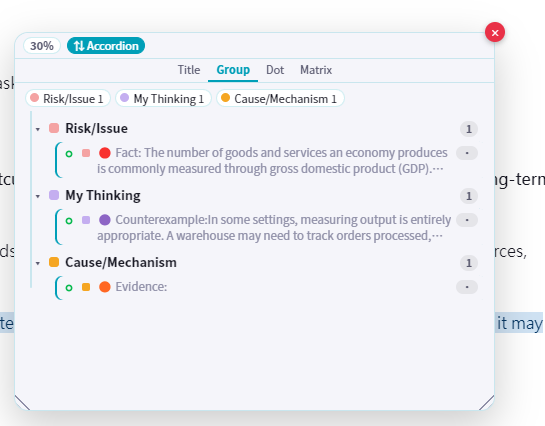
Group 分组视图 — 按颜色分类分组浏览标记内容:
Group view — Browse marked content grouped by color category:
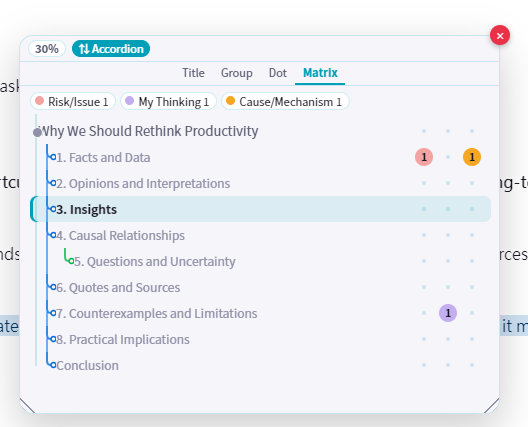
Matrix 矩阵视图 — 大纲结构与分类标记的交叉矩阵:
Matrix view — Cross-matrix of outline structure and category markers:
核心功能
Features
大纲 — 悬停 minimap 自动展开,Title / Group / Dot / Matrix 四种视图;文档滚动与大纲高亮双向联动
Outline — Auto-expand on minimap hover; four views (Title / Group / Dot / Matrix); bidirectional sync between document scroll and outline highlight.
Minimap — 编辑器右侧缩略条,悬停触发大纲 / 搜索窗口,4 条独立可拖边界分区
Minimap — Thumbnail bar on the editor right edge; hover triggers outline / search windows; 4 independent draggable zone boundaries.
Match — 划词全库匹配高亮,Pin 图标标记关键位置,多色分类标记(圆点 / 方块),计数气泡
Match — Selection triggers vault-wide match highlighting; pin icons mark key positions; multi-color category markers (dots / squares); counter bubble.
搜索 — 划词即后台全库搜索,内存 + 磁盘双层缓存,有缓存时悬停不自动重搜,手动刷新按钮
Search — Selection triggers background vault-wide search; two-tier memory + disk cache; hovering with cache won't re-search; manual refresh button.
设置
Settings
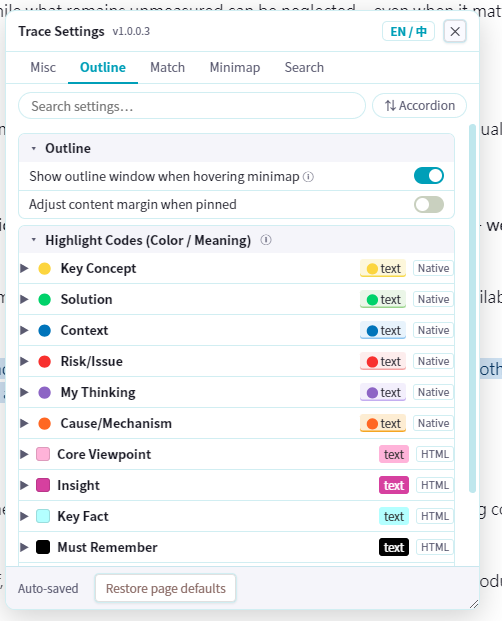
Outline — 悬停触发开关、高亮颜色代码配置(10 种预设颜色标记):
Outline — Hover trigger toggle, highlight color code config (10 preset color markers):
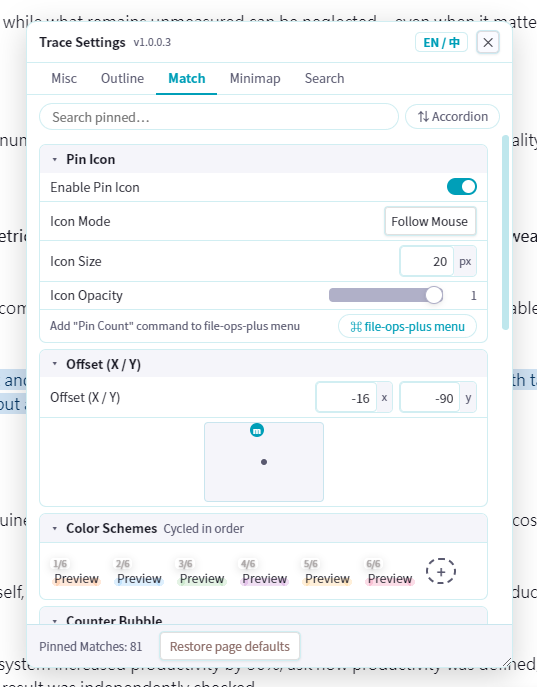
Match — Pin 图标模式 / 大小 / 透明度 / 偏移、6 种循环配色方案、计数气泡:
Match — Pin icon mode / size / opacity / offset, 6 cycling color schemes, counter bubble:
安装
Installation
从 GitHub Release 下载 main.js、manifest.json、styles.css,放入 .obsidian/plugins/trace/ 目录,然后在 Obsidian 设置中启用插件。
Download
main.js,manifest.json,styles.cssfrom the GitHub Release, place them in.obsidian/plugins/trace/, then enable the plugin in Obsidian settings.
许可
MIT
License
MIT