3D Codeblocks
 Johannes Kaindl235 downloads
Render 3D artifacts (GLB, glTF, STL) inline from a code block — orbit, zoom and pan without leaving your note.
- Overview
- Scorecard
- Updates15
View 3D artifacts (GLB, glTF, STL) inside Obsidian — orbit, zoom and pan without
leaving your note. 3D files behave like PDFs: click to open, ![[…]] to embed.
Auch auf Deutsch verfügbar: README.de.md.
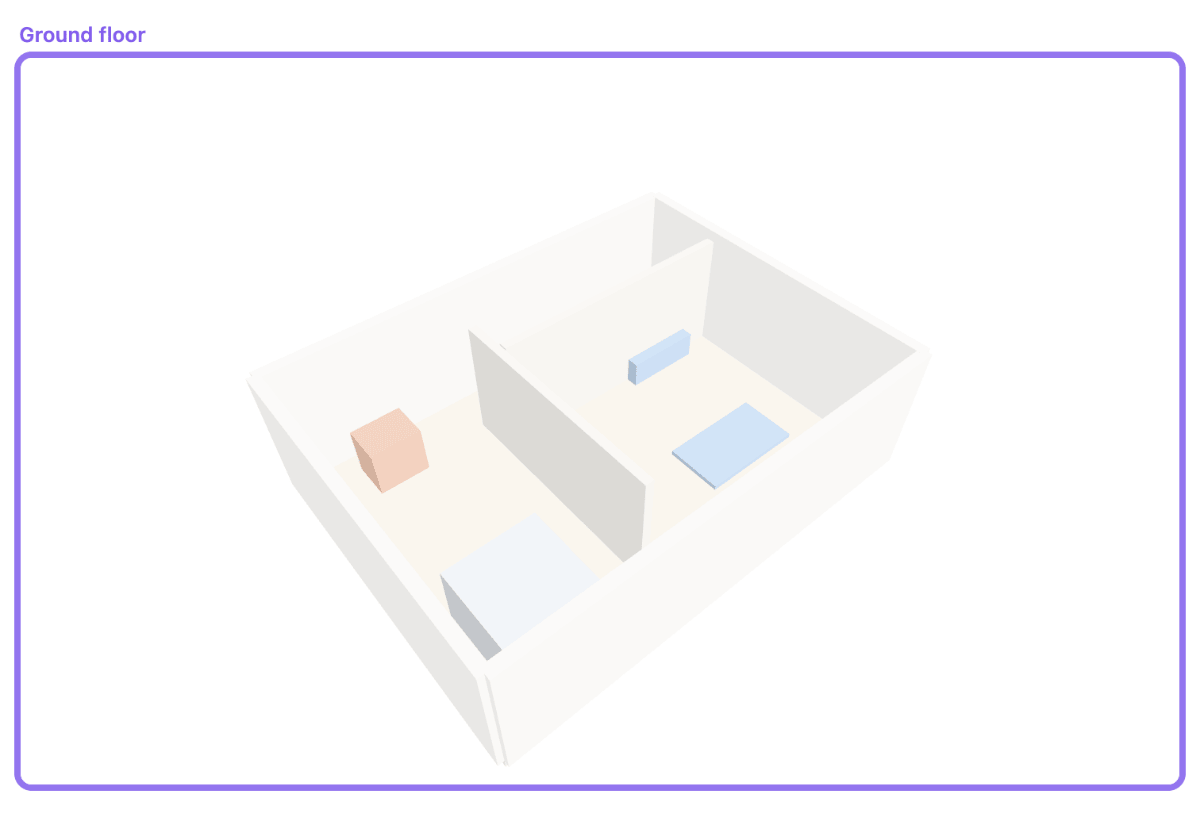
Features
- Open
.glb,.gltfand.stlfiles in their own pane, or embed them with![[…]]the way you would embed a PDF. - Two code blocks:
3dfor a file reference with an optional title and height,gltffor glTF JSON written straight into the note. - Orbit, zoom and pan; save a camera angle into the block, so the view travels with the note and shows up in git diffs — or start from a camera the model file carries itself.
- Edit mode: move and scale the top-level nodes of a glTF/GLB model. Edits go to a
separate
.edit.gltffile — the original is never modified. - Model by prompt: describe a model in words, or ask for a change to an existing shapes model, in a side panel; check the preview and apply it as a code block or a file. How it works.
- Theme-aware default material for STL, which carries none of its own.
- No continuous render loop: a frame is drawn only when something changes.
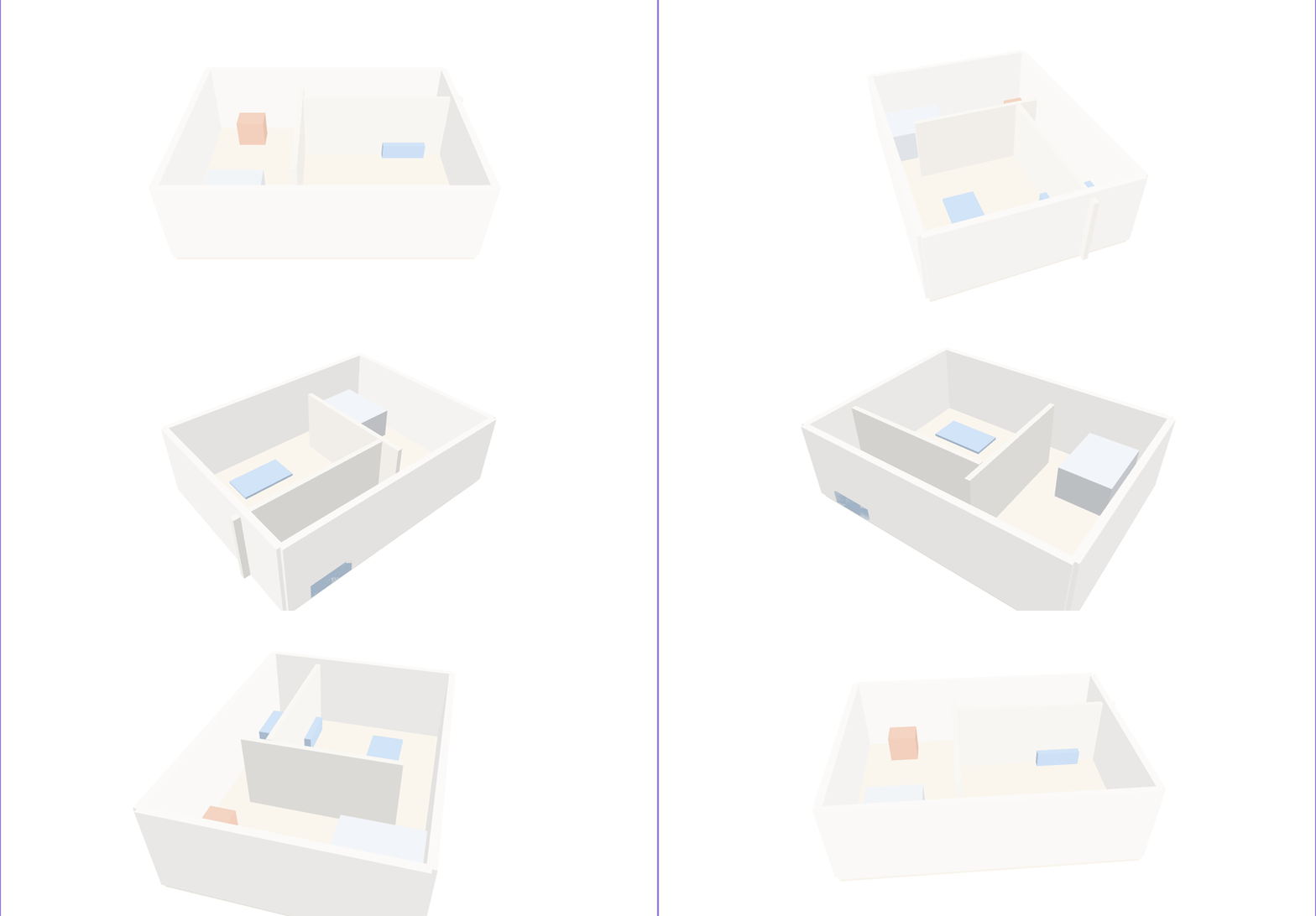
Click the preview for the full-size loop
Requirements
- Obsidian 1.11.4 or newer.
- Optional, for Model by prompt: an OpenAI-compatible language model endpoint (see the setup guide). Nothing else needs one.
- WebGL support in the renderer — standard on desktop. Mobile works, but large models are slow and the browser's limit on simultaneous 3D views is reached sooner.
- No Draco compression. Meshopt-compressed files work; Draco-compressed ones cannot be read (see Supported formats).
Installation
From Obsidian. Settings → Community plugins → Browse → search for 3D Codeblocks → Install, then Enable.
From source, for the current development state: npm install && npm run build, then copy
main.js, manifest.json and styles.css into
<vault>/.obsidian/plugins/three-d-codeblocks/.
Usage
Ways to show a model
1. Open a file. Click a .gltf, .glb or .stl in the file explorer — it opens
in its own pane, full size, fully interactive.
2. Embed a file with the normal wiki-embed syntax. Add |<height> for a fixed height:
![[weltmodell/3d/eg.gltf]]
![[weltmodell/3d/eg.gltf|300]]
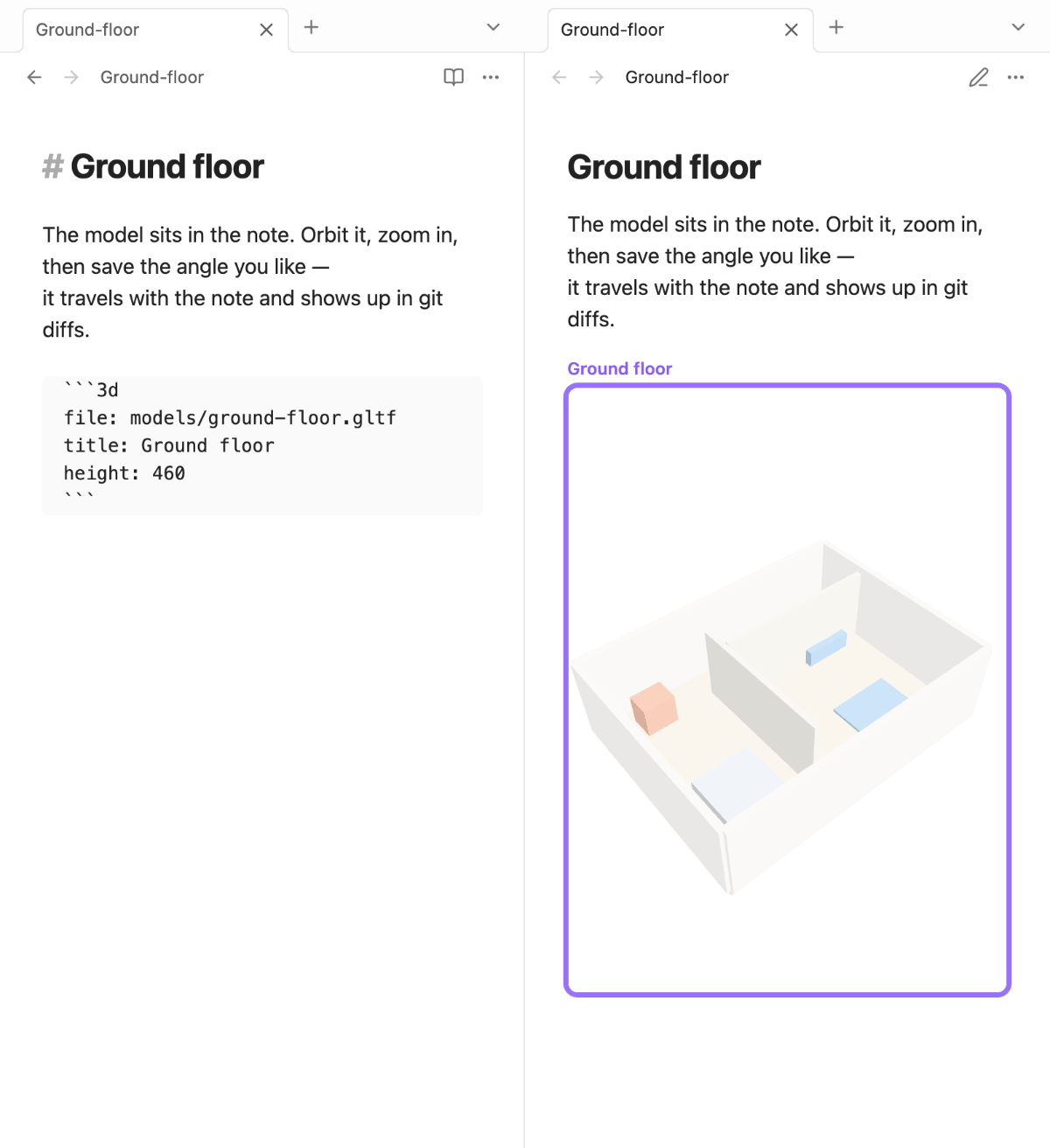
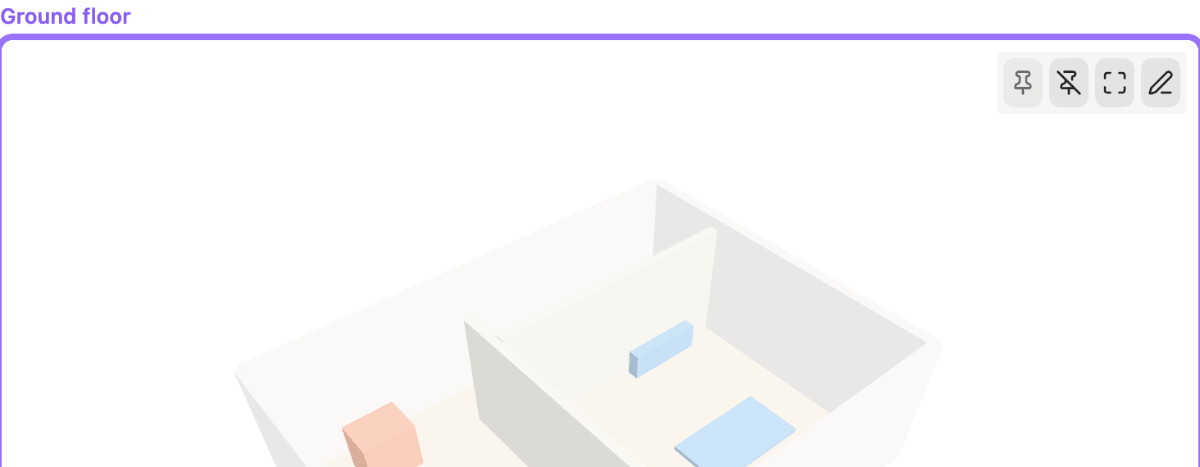
3. The 3d code block — a file reference with an optional title and height. Best
when you want several models in one note (e.g. every floor of a building), each labelled:
```3d
file: weltmodell/3d/eg.glb
height: 420
title: Ground floor
```
Only file: is required; a block with nothing but a path works too.
4. The gltf code block — glTF JSON written straight into the note, for small
hand-written or sketch models. (Binary GLB does not fit in a text block; use a file for that.)
```gltf
{ "asset": { "version": "2.0" }, "scenes": [], "nodes": [] }
```
5. The shapes code block — a model described as one part per line (box, cylinder, sphere, cone), no JSON and no file. A broken line only drops its own part and is reported with its line number. The same text in a .shapes file works like any model file and opens in its own view with Model | Text | Split: edit the text, the model redraws, and broken lines are marked. Two commands move a model between a block and a file.
```shapes
title: Table
box Top size 1.2 0.05 0.7 at 0 0.725 0 color #8b5a2b
box Leg-1 size 0.05 0.7 0.05 at -0.55 0.35 -0.3
```
Guides
- Modelling with shapes — describe a model as one part per line and export it as glTF.
- Writing a 3D model by hand — build a model as text
inside a note, and learn to read any
.gltffile along the way. Every example is verified on every commit.
Supported formats
| Extension | Notes |
|---|---|
.glb, .gltf |
Materials and colours come from the file |
.shapes |
Text, one part per line (box, cylinder, sphere, cone); see Modelling with shapes |
.stl |
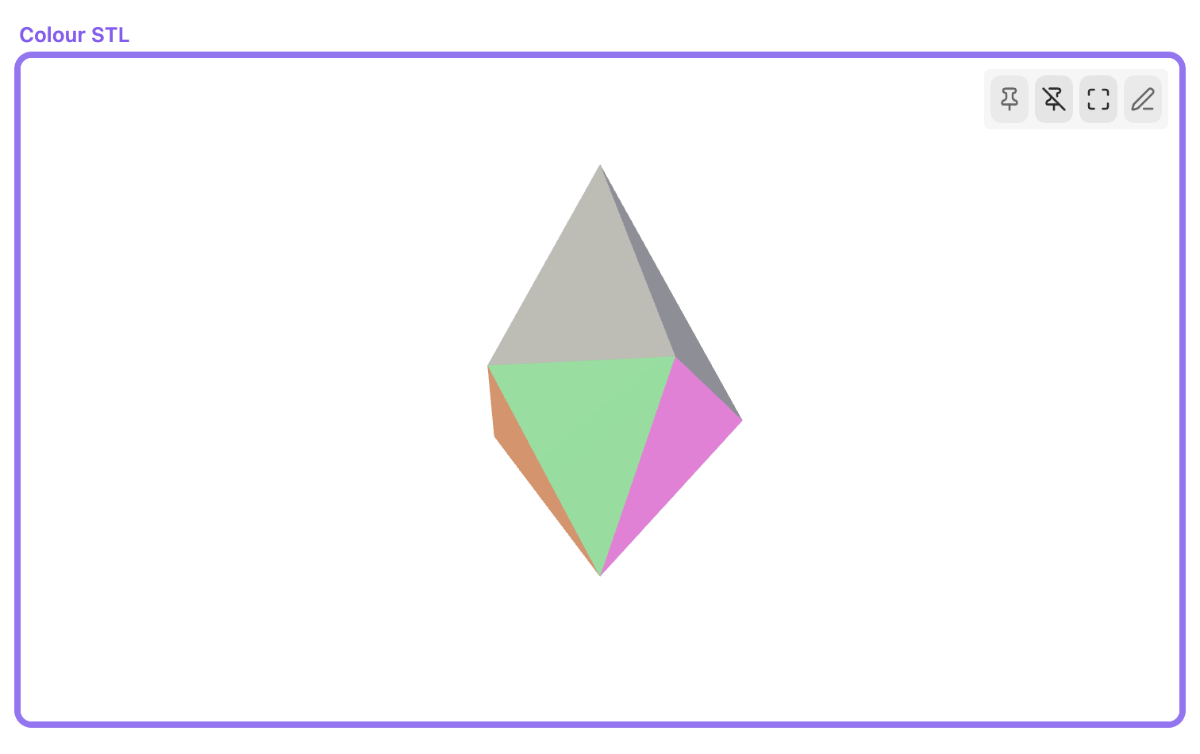
No materials in the format; the plugin applies a theme-aware default, unless the file carries per-facet colours |
A .gltf often does not stand alone: the geometry lives in a .bin next to it, textures
in a folder beside them. Those files are loaded from your vault, resolved relative to the
model — so a Blender export works when you drop the whole folder in. Anything the file
asks for that is not in your vault is skipped and named below the viewport, rather than
silently missing. Addresses on the web are only fetched if you turn on Allow external
resources.
Meshopt compression works; Draco does not. The Meshopt decoder can run in the main
thread, so EXT_meshopt_compression files load like any other — useful, because meshopt
often cuts a model to a fraction of its size. Draco's decoder is hard-wired to a web
worker, which Obsidian's renderer forbids; those files are detected and reported in plain
language instead of failing with a parser error. gltfpack -cc produces meshopt files.
Lighting
Metallic surfaces need an environment to reflect — without one there is nothing to see, and a material that only sets a base colour still defaults to fully metallic in glTF. The Lighting setting decides what the viewport provides: Faithful colors (the default; reflections on, your theme's colours stay intact), High contrast (punchier, shifts theme colours somewhat), or Off (no environment — the old behaviour).
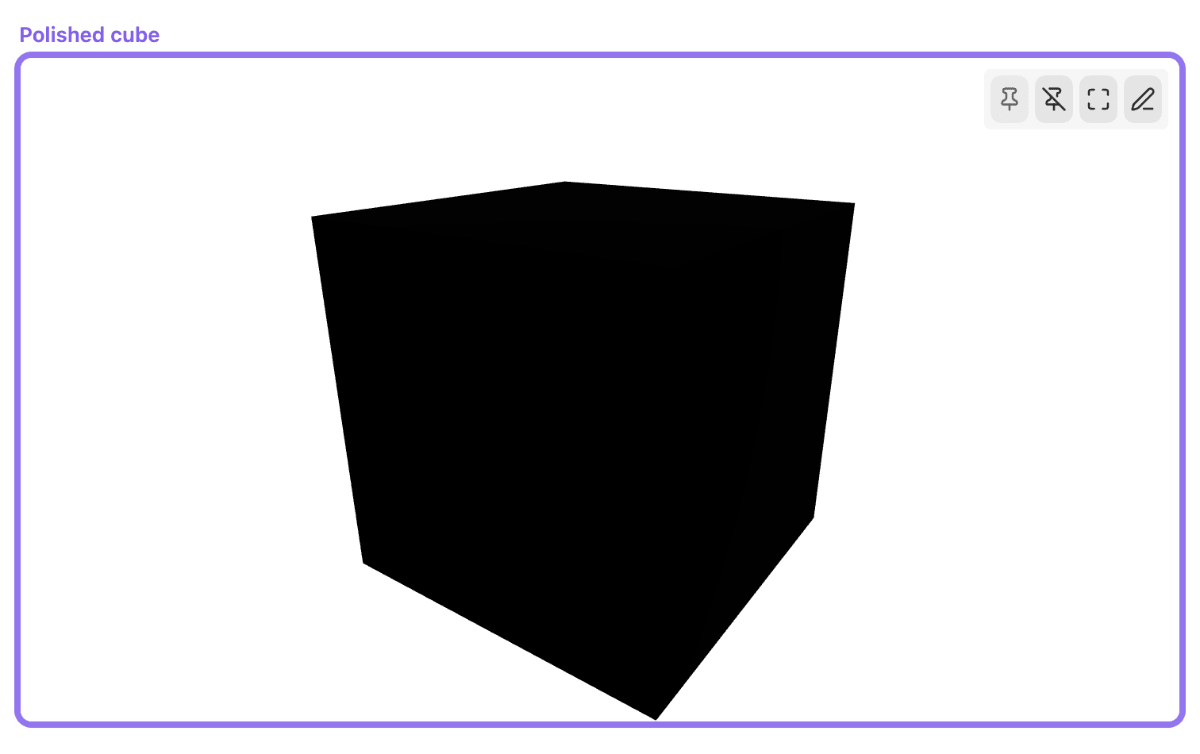
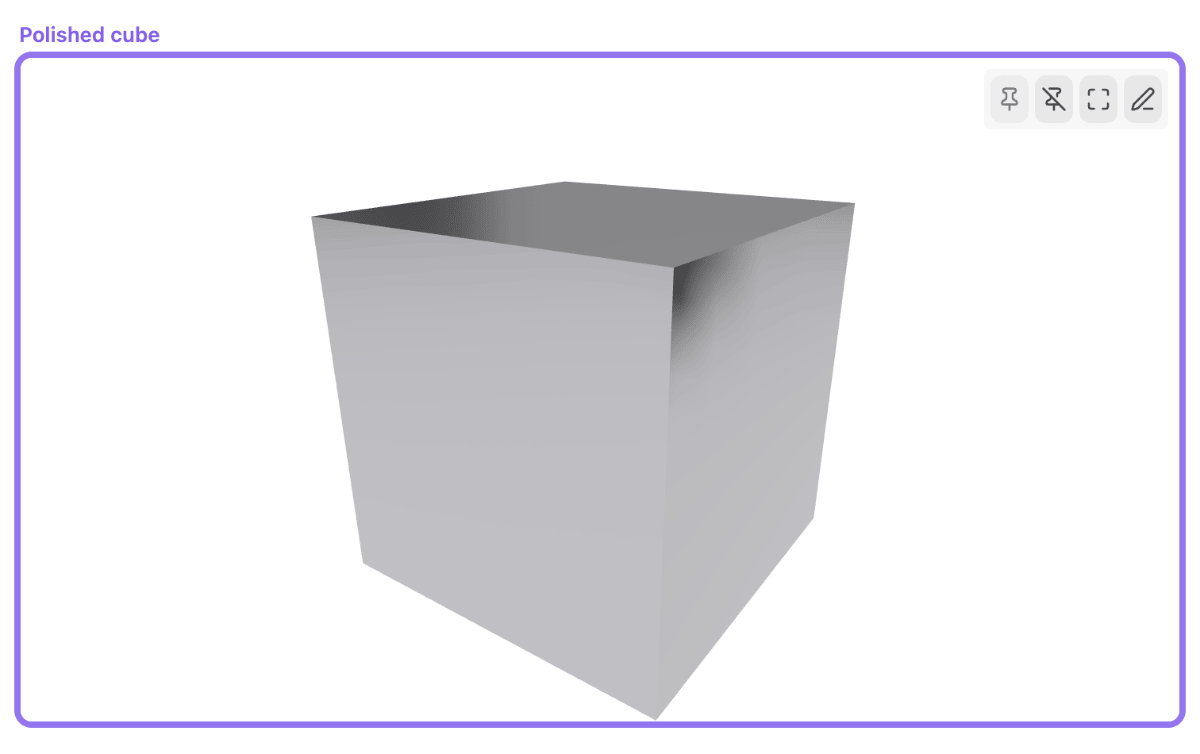
Lighting: Off (left) vs. Faithful colors, the default since 0.4.0 (right)
A second setting, Model's own lights, steps back when a file brings its own lighting — set it to Ignore them for files whose lights are exported at unusable brightness.
Block keys
| Key | Required | Meaning |
|---|---|---|
file: |
yes | Path to the model. Resolved like a wikilink (relative, vault-absolute or short form) |
height: |
no | Viewport height in pixels; falls back to the setting |
title: |
no | Caption above the viewport |
view: |
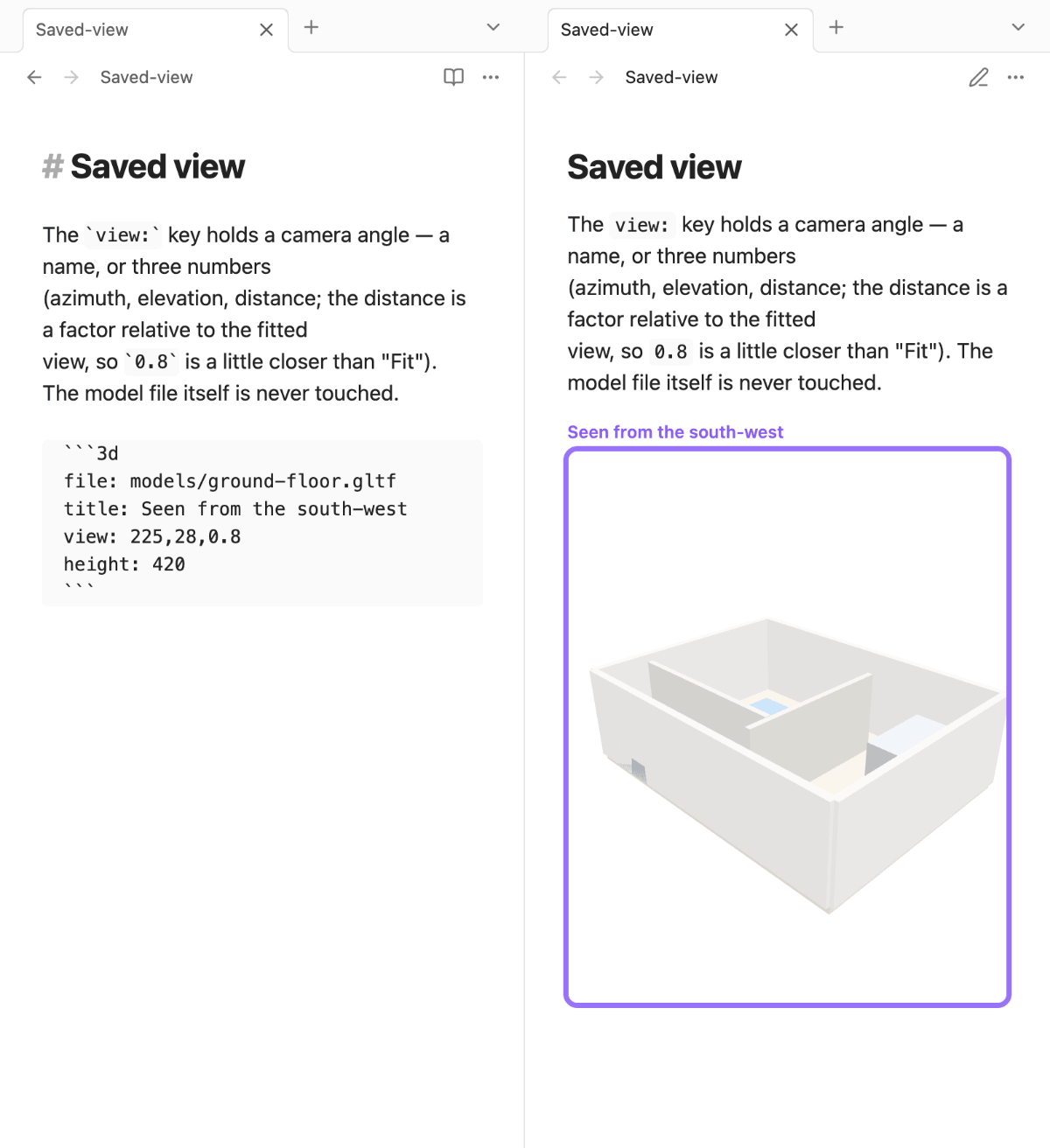
no | Saved camera angle — a name (front, back, left, right, top, bottom, iso), three numbers azimuth,elevation,distance, or camera:<name> for a camera the file itself carries |
Unknown keys are reported below the viewport rather than silently ignored — a typo like
heigth: should not look like a plugin bug.
Aiming a camera from the file
A .gltf or .glb may bring its own cameras — the angle whoever built the model
considered the right one. view: camera:<name> starts there:
file: house.gltf
view: camera:Section
Position, direction and field of view come straight from the file. From there you orbit, zoom and pan as usual, turning around the point that camera looks at rather than the middle of the model — so a camera that frames a detail keeps its detail.
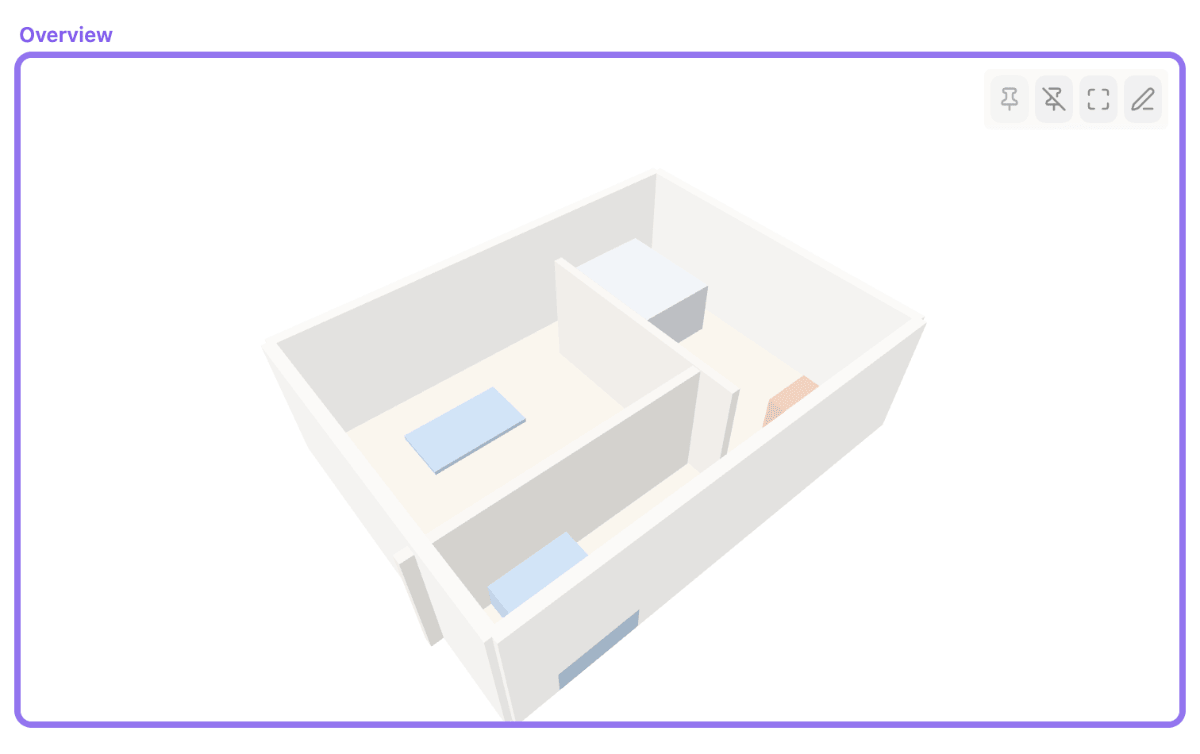
The name is the one in the file, matched without regard to case: first the names of the
camera nodes (in Blender, the object name in the outliner), then the names of the camera
definitions. Names with spaces work — view: camera:Section A — even though three.js
rewrites them to Section_A while loading; the plugin reads the file, not the loaded scene.
Orthographic cameras are found but not used, since the viewport is perspective.
A name that isn't there is reported below the viewport — together with the names the file does offer — and the model is fitted instead, so it stays visible.
Saving a camera angle
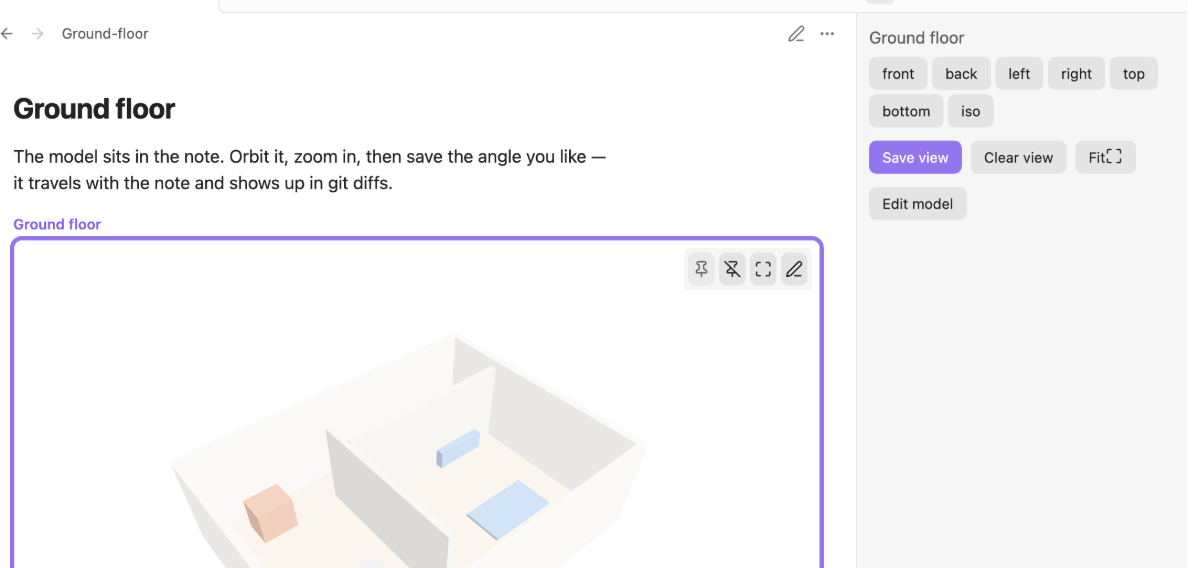
Turn the model to the angle you want, then press Save view — in the sidebar (open it
with the Open 3D view controls command) or the pin button that appears when you hover
the model. The angle is stored in the code block as view:, so it travels with your note
and shows up in git diffs. The model file itself is never modified.
Save view always writes numbers: press it on a block that used camera: and the
reference is replaced by the angle you are looking from right now. Clear view removes
the view: key again; Fit resets the camera without touching
it. The same three actions are also available as commands (Save current view to
block, Clear saved view, Fit camera to model) for whichever model you last
interacted with. Embeds and opened files can be aimed and fitted the same way, but have
no code block to save into.
The Controls placement setting decides where the buttons show up: the sidebar when it is open, the hover toolbar otherwise (default), or always just one of the two.
Edit mode
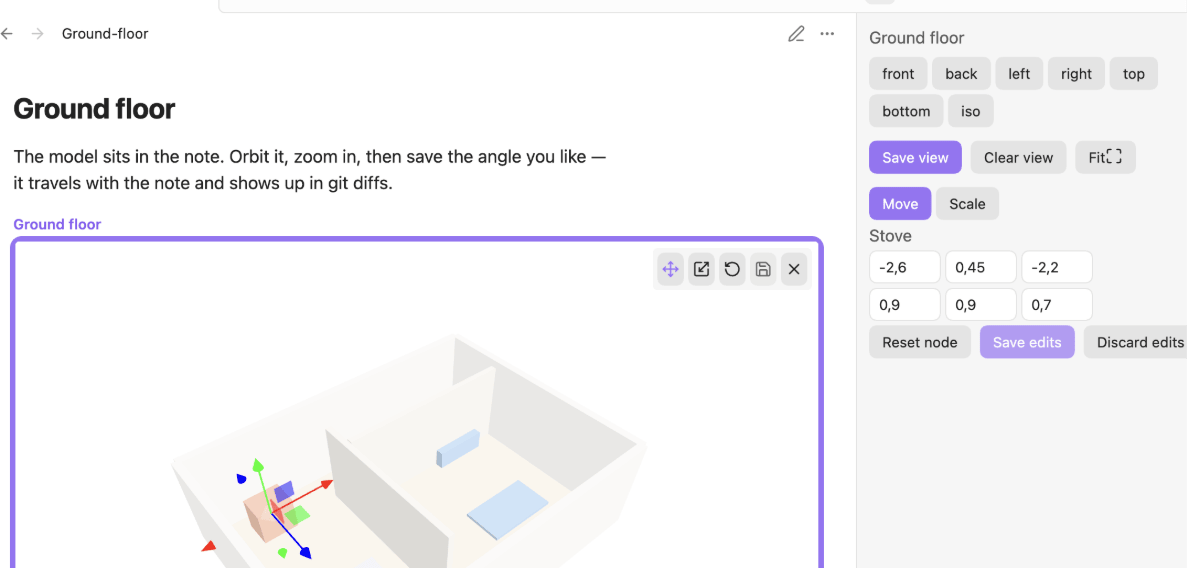
Move and scale the top-level nodes of a .gltf or .glb model — a floor, a wall, a
prop — without leaving Obsidian. Not available for gltf code blocks (JSON-in-note) or
STL, since both lack the node structure the editor works on.
Enter edit mode with the pencil button (Edit model) in the hover toolbar, or with the same button in the 3D-view sidebar. Click a node to select it — a gizmo appears — then use Move/Scale to switch what the gizmo does, or type exact numbers into the sidebar's translation/scale fields. Reset node reverts the selected node only; Save edits/Discard edits act on the whole session. While edit mode is active, auto-rotate is paused so the model holds still; it resumes when you leave.
Originals are never modified — edits are saved to a <name>.edit.gltf (or
.edit.glb) next to the file, overwriting an existing edit file of the same name.
Editing a .edit. file itself saves in place — it is already a user edit, not the
generated original.
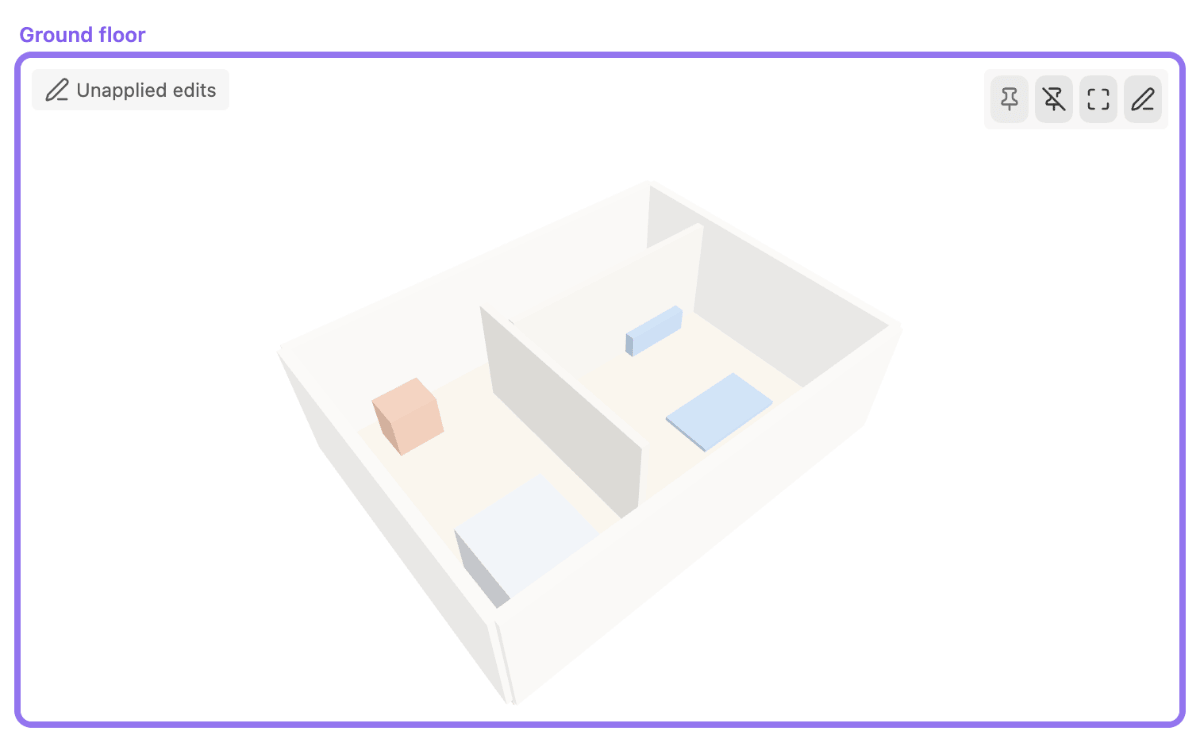
Because of that, the viewer keeps showing the original once you leave edit mode — your saved work is a change request, not the model itself. A small Unapplied edits badge appears in the top-left corner whenever an edit file sits next to the model, so the state is visible rather than surprising. It disappears once the edits are folded back into the original by whatever generates it (or once you delete the edit file).
Re-entering edit mode re-reads the fresh original and re-applies the existing edit file on top of it, matched by node name (a notice reports "Loaded existing edits for N node(s)"). This is what makes edits survive regeneration: rerun whatever produced the original, and the next time you enter edit mode your moves and scales come back — unless a node was renamed or removed, in which case a notice lists which edits no longer match.
Leaving with unsaved changes shows a confirm dialog ("Discard unsaved edits?" — Discard or Keep editing); there is no per-step undo, only Reset node for the current selection and Discard edits for the whole session.
Locked node prefixes (setting, default env__) protects nodes by name — a node whose
name starts with one of the comma-separated prefixes cannot be selected or edited at all.
 Edit mode |
 Unapplied edits |
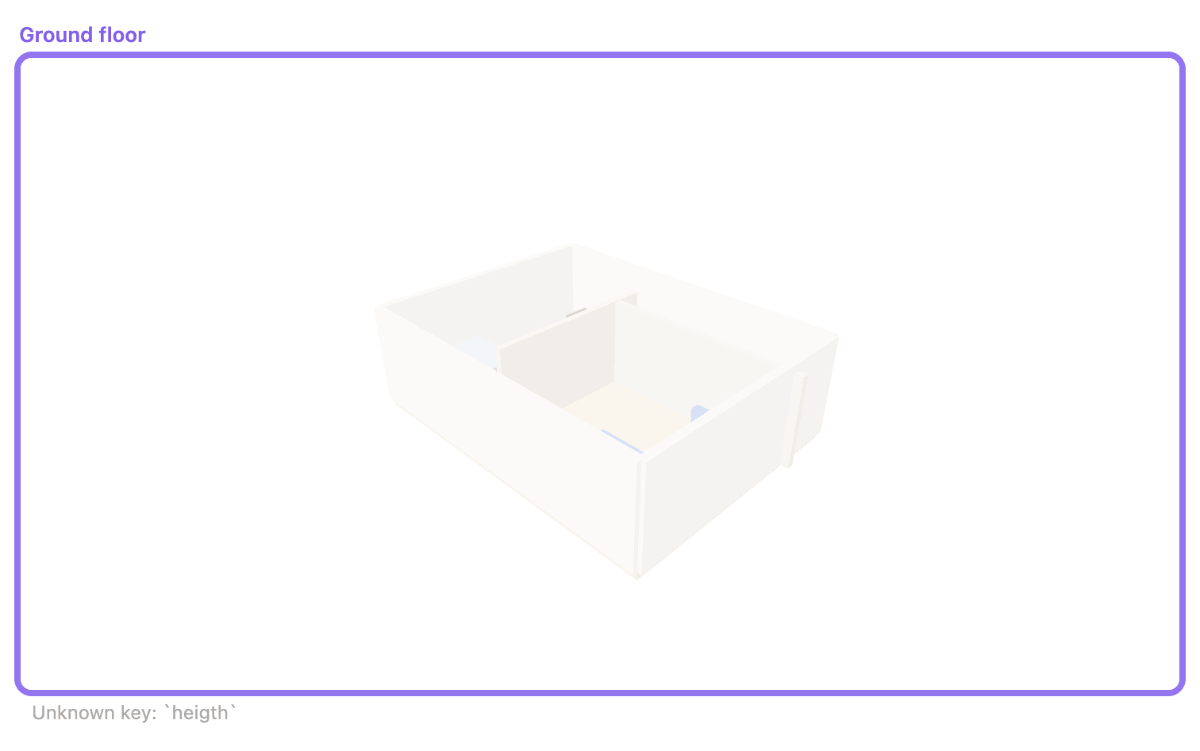 Unknown key reported |
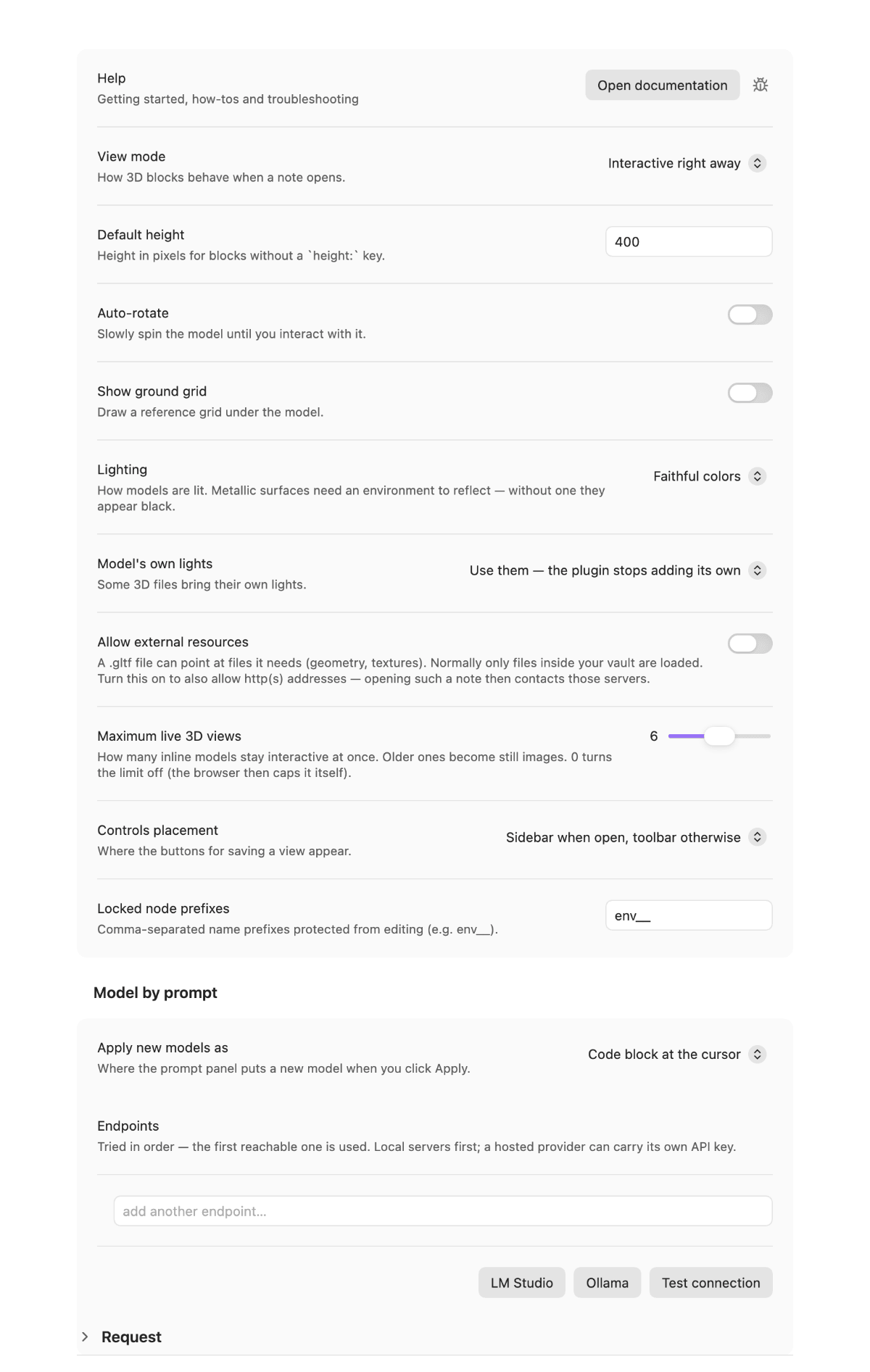 Settings |
Limits
- Translation and scale only — no rotation, by design (the contract this editor follows doesn't need it, and it keeps the gizmo and the file diff simple).
- Top-level nodes only, no multi-select.
- No step-undo; use Discard/Reset instead.
- STL and
gltfcode blocks are not editable.
Known limitation: node identity relies on the glTF node indices three.js's
GLTFLoader reports via parser.associations. In files where several top-level nodes
share a single mesh, that association can become ambiguous — a three.js GLTFLoader
quirk, not something this plugin controls. Mis-selection is now prevented: nodes whose
index is ambiguous simply become unselectable, so a click never moves the wrong room.
Editing files with shared meshes is still unsupported — those nodes cannot be edited at
all. One mesh per node avoids it; most generators (CAD exports, floor-plan scripts)
already produce models this way.
Configuration
| Setting | Default | Meaning |
|---|---|---|
| View mode | Interactive right away | Or: still image, activate on click |
| Default height | 400 px | For blocks without height: |
| Auto-rotate | off | Spin until you interact |
| Show ground grid | off | Reference grid under the model |
| Maximum live 3D views | 6 (slider 0–12) | Older inline views become still images beyond this; 0 turns the limit off |
| Controls placement | Sidebar when open, toolbar otherwise | Where the Save/Clear/Fit buttons appear |
| Locked node prefixes | env__ |
Comma-separated name prefixes protected from editing |
| Allow external resources | off | Let a model load files from http(s) addresses, not just from your vault |
The last setting exists because browsers cap simultaneous WebGL contexts (around 8–16) and silently kill the oldest ones. Rather than let that happen at random, the plugin decides which inline viewport turns into a still image. Opened files (way 1) are always fully interactive and never counted against this limit.
How it works
Generated 3D output — a floor plan, a scan, a CAD export — usually lives next to the note that discusses it, but you have to leave Obsidian to look at it. This plugin keeps it in place: regenerate the file, and the view updates without a restart.
There is no continuous render loop. A frame is drawn only when something changes — an open note with several 3D blocks costs no GPU time while you read it. Blocks build their viewport when they scroll into view and release it again when they leave.
The code is split so that each layer can be tested on its own: src/core/ holds the pure
logic (config parsing, format detection, camera fitting, context budget) and imports
neither obsidian nor three — enforced by check:pure. src/viewer/ wraps three.js
and knows nothing about Obsidian. src/obsidian/ connects the two and owns the lifecycle.
Documentation
- Documentation index — all guides in one place.
- Getting started — from the install to your first model in a note.
- Troubleshooting — the exact message, its cause and the fix.
Development
npm install
npm run dev     # watch build
npm run gate    # lint + typecheck + tests + purity + bundle size
Design and plan: docs/superpowers/specs/ and docs/superpowers/plans/.
Manual test checklist: docs/SMOKE.md.
License
AGPL-3.0-or-later