Search...Search plugins and themes...
⌘K
Sign in
  • Get started
  • Download
  • Pricing
  • Enterprise
  • Account
  • Obsidian
  • Overview
  • Sync
  • Publish
  • Canvas
  • Mobile
  • Web Clipper
  • CLI
  • Learn
  • Help
  • Developers
  • Changelog
  • About
  • Roadmap
  • Blog
  • Resources
  • System status
  • License overview
  • Terms of service
  • Privacy policy
  • Security
  • Community
  • Plugins
  • Join the community
  • Discord
  • Forum / 中文论坛
  • Merch store
  • Brand guidelines
Follow us
DiscordTwitterBlueskyThreadsMastodonYouTubeGitHub
© 2026 Obsidian

Theme toggle

gapmissgapmiss2k downloads

Dark/light theme toggle via ribbon icon or command.

Add to Obsidian
  • Overview
  • Scorecard
  • Updates6

An Obsidian.md plugin which adds a ribbon icon and command for toggling between dark & light theme modes.
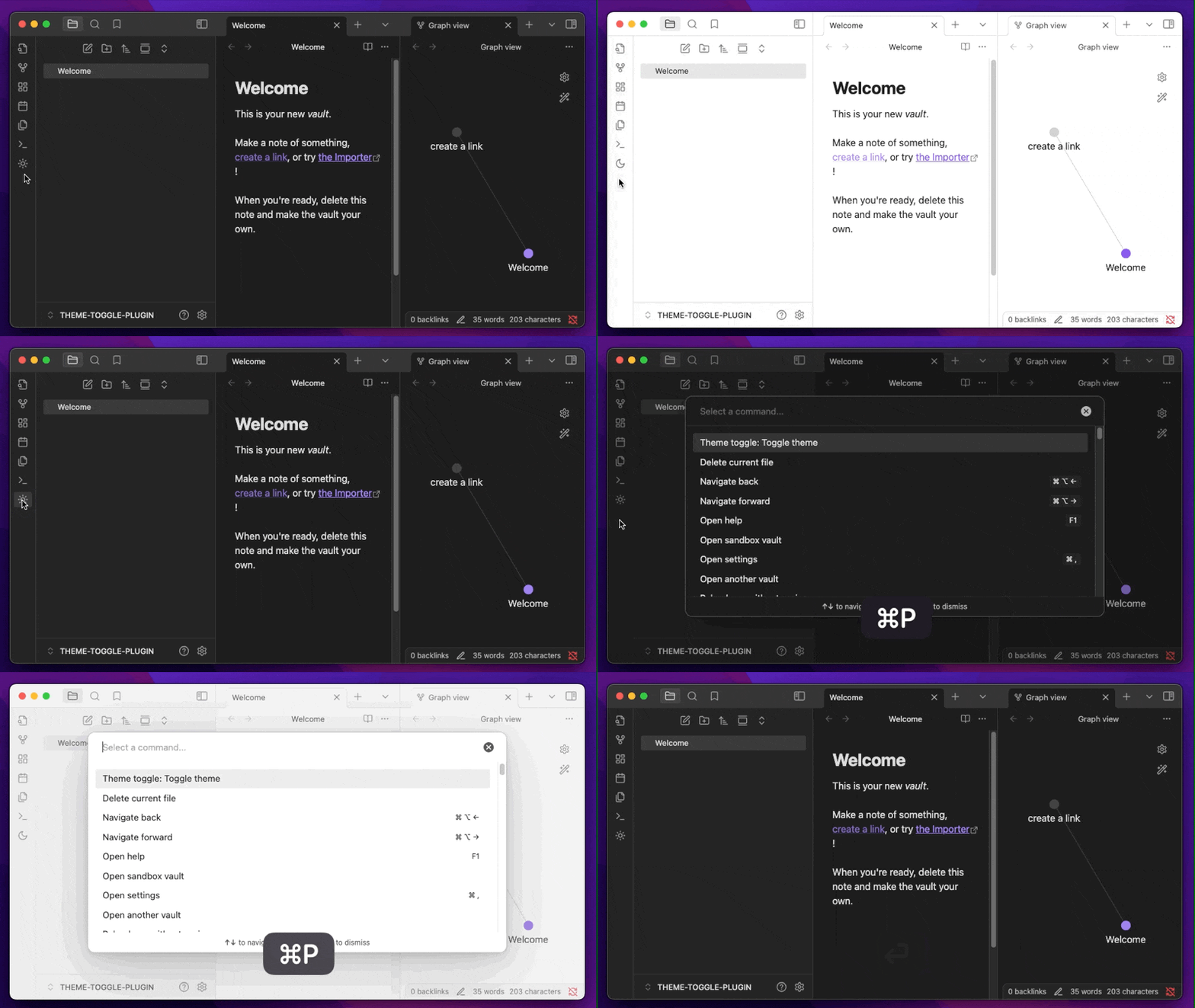
Screenshot of theme-toggle plugin

Installation

Find at http://obsidian.md/plugins/

or in the Obsidian.app:

  1. Settings > Community Plugins > Browse
  2. Search for "Theme toggle"

Manually:

  1. download main.js & manifest.json from the latest release
  2. create a new folder /path/to/vault/.obsidian/plugins/theme-toggle
  3. move both files to /path/to/vault/.obsidian/plugins/theme-toggle
  4. Settings > Community plugins > reload Installed plugins
  5. enable plugin
73%
HealthGood
ReviewSatisfactory
About
Toggle between dark and light theme modes with a ribbon icon or command. Switch themes instantly from the ribbon icon or command palette.
ThemingCommands
Details
Current version
0.1.6
Last updated
12 months ago
Created
Last year
Updates
6 releases
Downloads
2k
Compatible with
Obsidian 0.15.0+
License
MIT
Report bugRequest featureReport plugin
Author
gapmissgapmiss
github.com/gapmiss
GitHubgapmiss
  1. Community
  2. Plugins
  3. Theming
  4. Theme toggle

Related plugins

Minimal Theme Settings

Control the colors and fonts in Minimal Theme.

Hider

Hide interface elements such as tooltips, status bar, titlebar, and more.

Commander

Customize your workspace by adding commands everywhere, create macros and supercharge your mobile toolbar.

Style Settings

Adjust theme, plugin, and snippet CSS variables.

Task Collector (TC)

Change task status and collect tasks within a document using hotkeys and context menus.

Paste URL into selection

Paste URL "into" selected text.

Tray

Run Obsidian from the system tray for customisable window management and global quick notes.

Shell commands

Define system commands that you want to execute via command palette, hotkeys, URI links or automated events. E.g. open external applications or perform automated file modifications.

Vimrc Support

Auto-load a startup file with Vim commands.

Find orphaned files and broken links

Find files that are not linked anywhere and would otherwise be lost in your vault. In other words: files with no backlinks.