Search...Search plugins and themes...
⌘K
Sign in
  • Get started
  • Download
  • Pricing
  • Enterprise
  • Account
  • Obsidian
  • Overview
  • Sync
  • Publish
  • Canvas
  • Mobile
  • Web Clipper
  • CLI
  • Learn
  • Help
  • Developers
  • Changelog
  • About
  • Roadmap
  • Blog
  • Resources
  • System status
  • License overview
  • Terms of service
  • Privacy policy
  • Security
  • Community
  • Plugins
  • Themes
  • Discord
  • Forum / 中文论坛
  • Merch store
  • Brand guidelines
Follow us
DiscordTwitterBlueskyThreadsMastodonYouTubeGitHub
© 2026 Obsidian

Textgrams

akopdevakopdev1k downloads

Store and visualise ASCII graphics and charts

Add to Obsidian
  • Overview
  • Scorecard
  • Updates3

Obsidian plug-in that allows you to create and store ASCII graphics in your notes. It can be used to to define diagrams, flowcharts, complex tables, Gantt charts and more in technical documentation, that will be rendered as a nice SVG graphics in the preview mode.

This plug-in is based on typograms library, originally developed by Sam Goto.
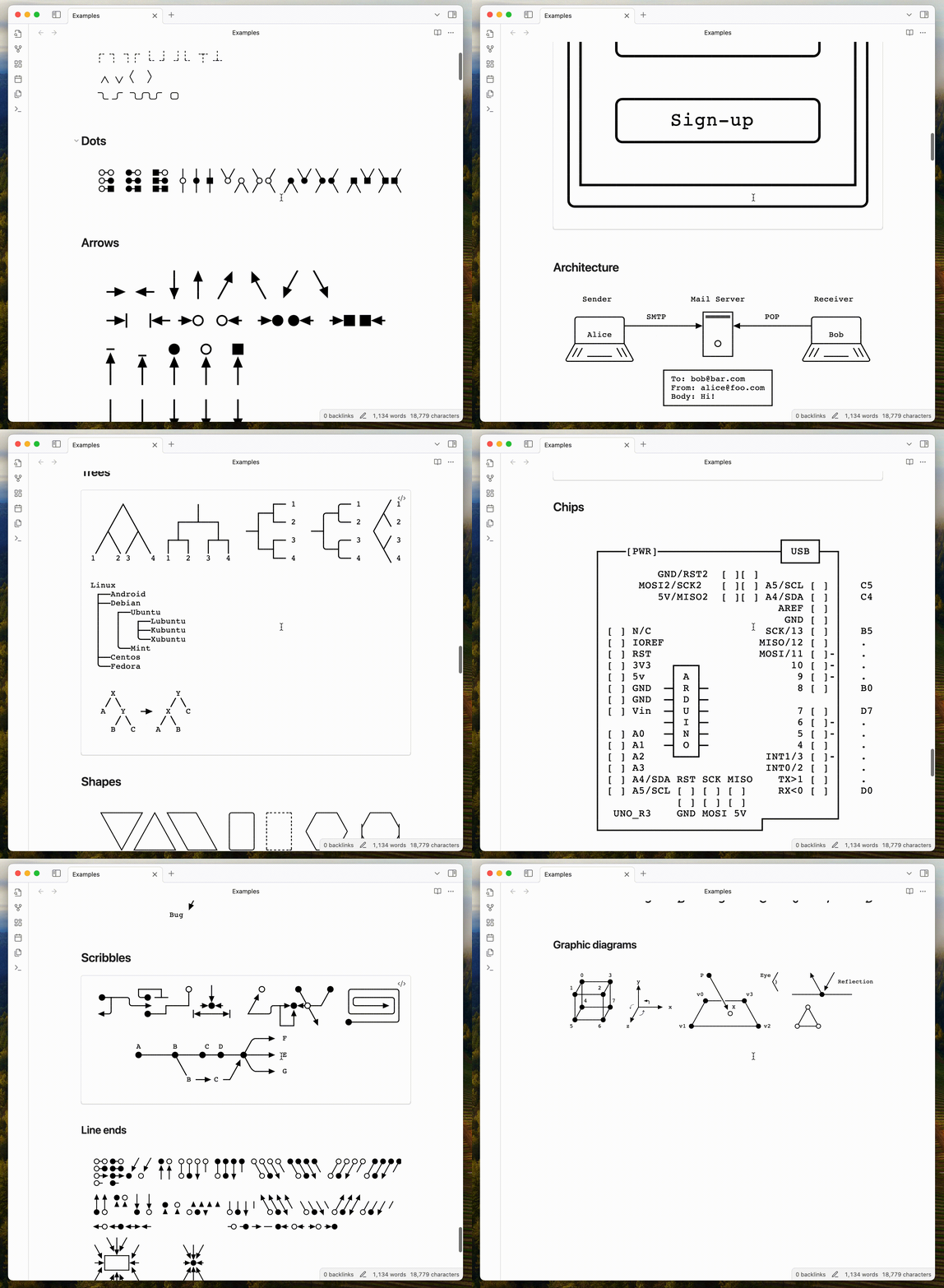
Obsidian Textgrams plugin example

Motivation

I'm a software engineer and I use Obsidian to document my projects, as long as support my continuous learning process. I often need to create diagrams, flowcharts, tables and other graphics, that are not locked in a specific tool, but can be easily shared and versioned in my notes.

Using ASCII graphics allows to create a very flexible and portable content, that can be easily edited and versioned in a text file, without loosing benefits of a visual representation.

Features

  • Store ASCII graphics in notes and render them as SVG graphics in the preview mode.
  • Use build-in editor to create and modify ASCII graphics without leaving Obsidian.

Installation

Install the plugin via the Obsidian third-party plugin browser.

  1. Open the Obsidian settings.
  2. In the sidebar, select Community plugins.
  3. Search for Textgrams in available plugins.
  4. Click Install.
  5. Enable the plugin in the Obsidian settings.

Usage

Just create a code block with textgram language and write your ASCII graphics inside it.

Example:

```textgram
+-----+            +-----+
|  A  |            |  B  |
+--+--+            +--+--+
   | foo              |
   |----------------->|
   | hello            |
   |----------------->|--+
   |           world  |  | prompts the user
   |<-----------------|--+
   |                  |
 --+--              --+--
```

You can find more examples here.

Development

If you have any suggestions, issues or feature requests, please open an issue in the GitHub repository.

Support this project

You can support this project by starring the repository, sharing it with your friends or contributing to the code.

You can also support the author by buying him a coffee. Click sponsor button on the top of the page.

70%
HealthGood
ReviewCaution
About
Create and store ASCII graphics directly in notes and render them as clean SVGs in preview. Use the built-in editor to author diagrams, flowcharts, tables, Gantt charts and other text-based visuals without leaving Obsidian.
DrawingVisualizationTables
Details
Current version
0.6.0
Last updated
Last year
Created
2 years ago
Updates
3 releases
Downloads
1k
Compatible with
Obsidian 1.5.0+
Platforms
Desktop, Mobile
License
MIT
Report bugRequest featureReport plugin
Author
akopdevakopdev
github.com/akopdev
GitHubakopdev
  1. Community
  2. Plugins
  3. Drawing
  4. Textgrams

Related plugins

Excalidraw

Visual PKM powerhouse. Create and edit Excalidraw drawings.

Mermaid Tools

Improved Mermaid.js experience: visual toolbar with common elements and more.

Kroki

Render Kroki diagrams.

tldraw

Integration with tldraw, allowing users to draw and edit content on a virtual whiteboard.

Advanced Tables

Improved table navigation, formatting, and manipulation.

Advanced Canvas

Supercharge your canvas experience. Create presentations, flowcharts and more.

Maps

Adds a map layout to bases so you can display notes as an interactive map view.

Life Tracker

Capture and visualize the data that matters in your life.

Datacore

An even faster reactive query engine for the data obsessed.

Ink

Hand write or draw directly between paragraphs using a digital pen, stylus, or Apple pencil.