
- Overview
- Scorecard
- Updates5
A local-first, plain-text money tracker for Obsidian.
A plain-text accounting (PTA) plugin for Obsidian. Your transactions live as plain markdown files in your vault. No cloud. No account. No subscription.
- Local-first. Transactions are markdown files in your vault. You control how (or if) your vault gets synced.
- No new apps to install or maintain. Lives inside Obsidian.
- Cross-platform. Works anywhere Obsidian works — desktop, iOS, Android — and syncs however you sync your vault (Obsidian Sync, iCloud, Syncthing, Git, whatever).
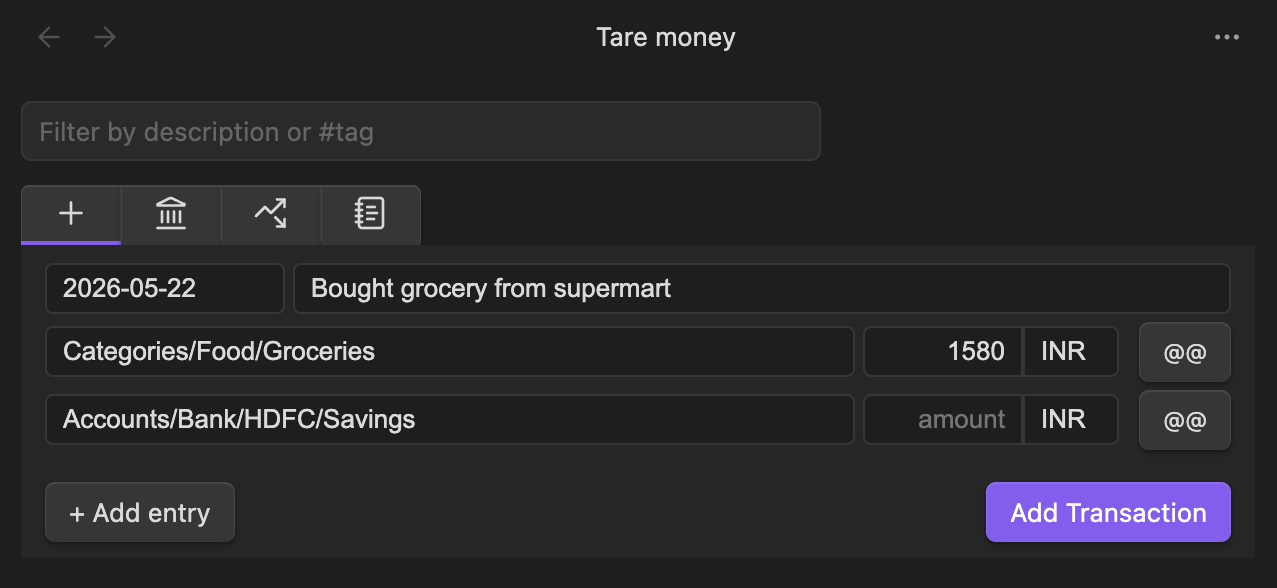
- UI-first. Add transactions through a form – stored in your Obsidian vault as plain-text.
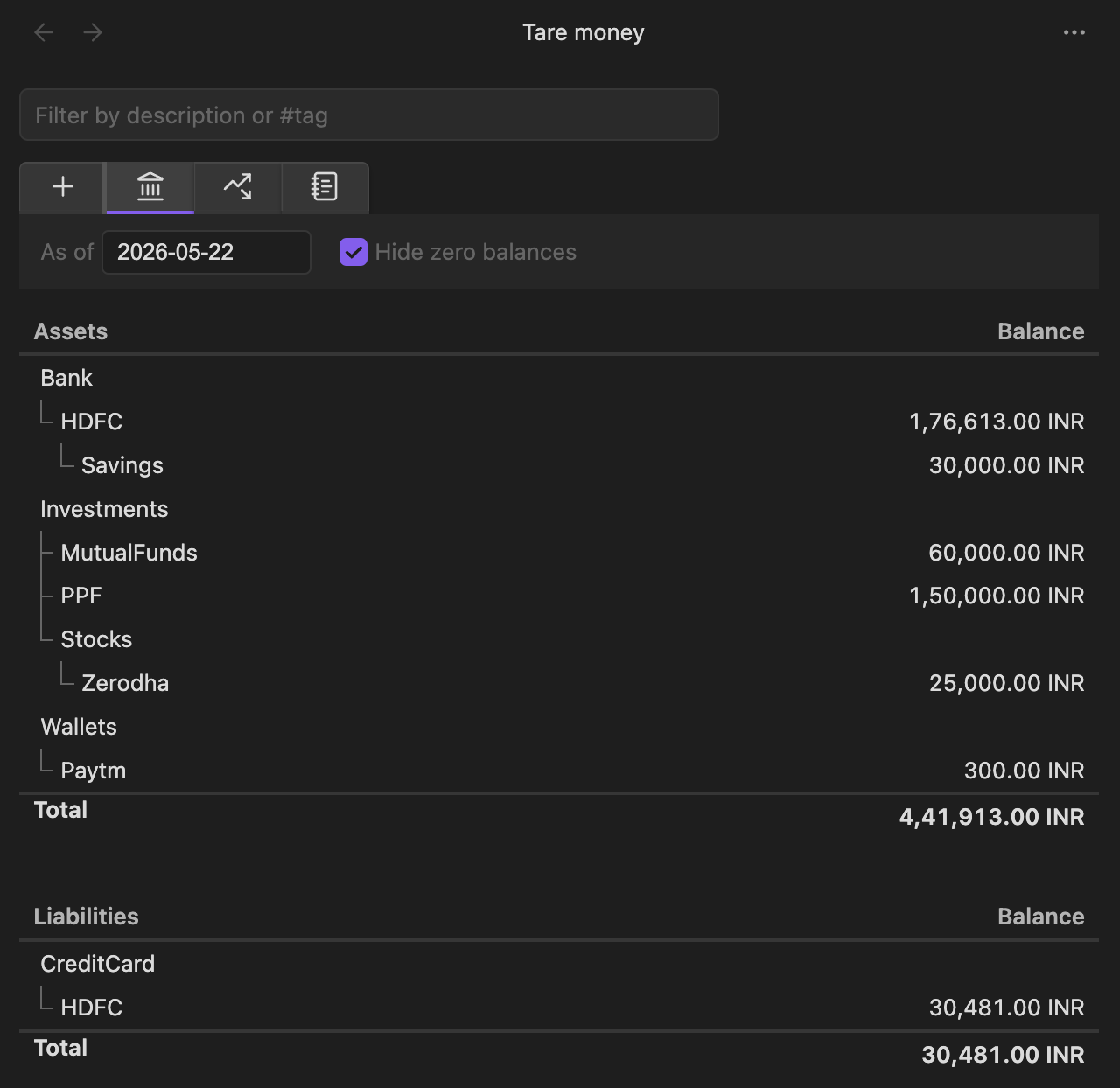
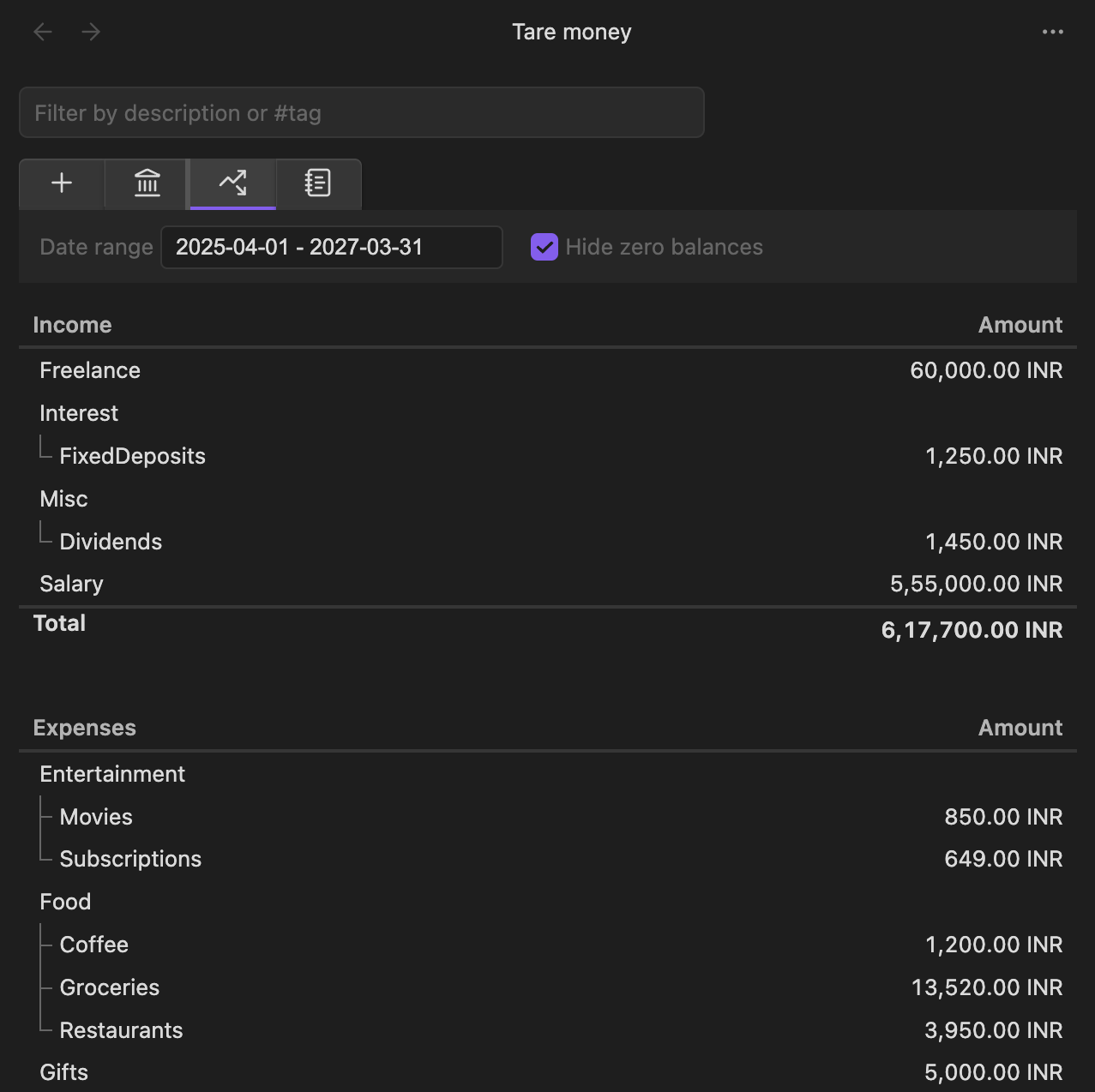
- Built-in views. Balances and Income & Expenses, at a glance.
Features
- Add transactions through a form — no hand-editing required
- Balances view – all your accounts
- Income & Expenses view
- Multi-currency with explicit conversion
- Double-entry validation (zero-sum enforced)
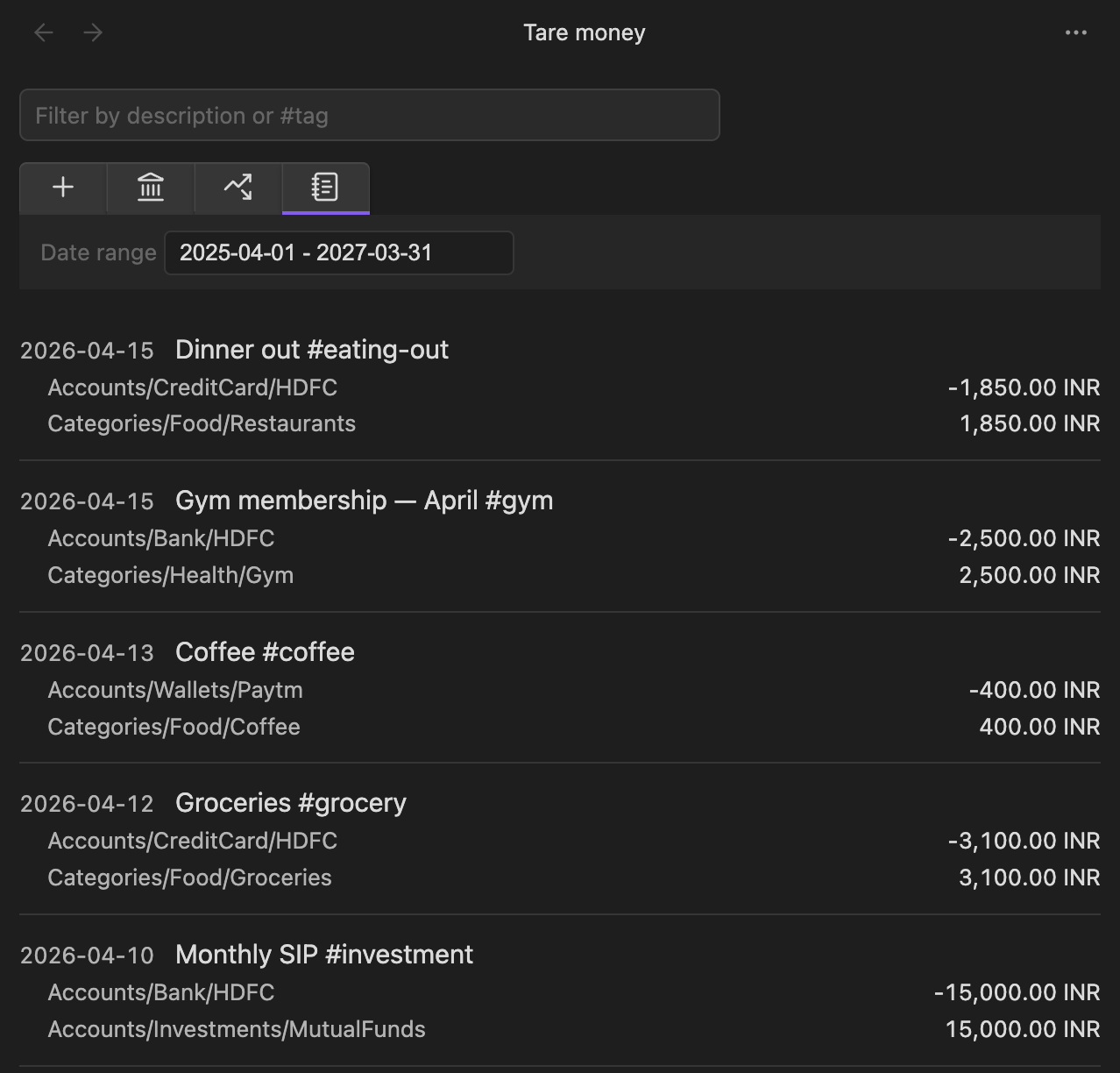
- Hashtag support for categorization
- Date range and text filters
- Stale-data detection with reload (Obsidian Sync friendly)
- Localized number formatting (
en-US,en-IN,de-DE,fr-FR,de-CH) - Runs and syncs wherever Obsidian runs
Install
From within Obsidian (recommended)
- Open Settings → Community plugins → Browse
- Search for "Tare Money"
- Install and enable
Alternatively, go to the Obsidian plugin directory and click "Add to Obsidian".
Manual
- Download
main.js,manifest.json, andstyles.cssfrom the latest release. - Place these files in
<VaultFolder>/.obsidian/plugins/tare-money/. - Restart Obsidian.
- Enable Tare Money in Settings → Community plugins.
Quickstart
- Open the view via the ribbon wallet icon, or run Tare Money: Open view from the command palette.
- In settings, set your transactions directory (default:
transactions). - Open the Add Transaction tab in the view to record a new transaction.
- Your transaction is saved to
<transactions-dir>/<year>.mdas plain text.
Transaction format
A transaction is a date line followed by two or more indented entry lines. Every transaction must balance to zero.
2026-04-15 Groceries at supermarket #grocery
  Accounts/Bank/HDFC             -1500 INR
  Categories/Food/Groceries       1500 INR
Multi-currency (use @@ for the total conversion amount):
2026-04-15 Dinner in Berlin
  Accounts/Bank/HDFC            -10000 INR  @@ 110 EUR
  Categories/Food/Eating-out       110 EUR
Amount inference — for single-currency transactions, you can omit one amount and it will be computed:
2026-04-15 Groceries
  Accounts/Bank/HDFC             -1500 INR
  Categories/Food/Groceries
Rules
- Zero-sum: every transaction must balance (per currency in multi-currency transactions).
- Inference: single-currency transactions may omit one amount. Multi-currency transactions must have all amounts explicit.
- Comments: anything after
;on a line is ignored. - Hashtags:
#tagsin descriptions are extracted as metadata.
Development
npm install       # install deps
npm run dev       # watch mode
npm run build     # production build
npm run test      # vitest
npm run lint      # eslint
Contributing
Contributions welcome. A CONTRIBUTING.md is coming. For now, open an issue before starting non-trivial changes so we can align on approach.
Screenshots
License
MIT.
HealthExcellent
ReviewPassed
About
Stores transactions as plain Markdown files in your vault for local-first finance tracking without cloud accounts or subscriptions. Add transactions via an intuitive UI, view balances and income & expenses, use multi-currency conversion, tag with hashtags, filter by date/text, and more.Details
Current version
1.0.1
Last updated
4 months ago
Created
6 months ago
Updates
5 releases
Downloads
705
Compatible with
Obsidian 1.8.0+
Platforms
Desktop, Mobile
License
MIT