Talking Cards
 Josh5 downloads
Study flashcards written in your notes, with FSRS scheduling, swipe grading, image occlusion and voices that read cards aloud.
- Overview
- Scorecard
- Updates5
Flashcards written inline in your notes, scheduled with FSRS, and read aloud. Works on desktop and mobile, with no other plugins needed.
- Cards live in your notes. Write them in plain Markdown, RemNote or Anki style. Decks are folders.
- Spaced repetition with FSRS, the scheduler modern Anki uses.
- Read aloud. Natural voices run on your device and work offline once downloaded. Hands-free audio mode for walks and commutes.
- Swipe to grade on phones, or use buttons and keyboard shortcuts.
- Dashboard with decks, a card browser, and stats (heatmap, forecast, retention).
- Your notes are never changed unless you opt in to card IDs. Edited cards keep their progress.
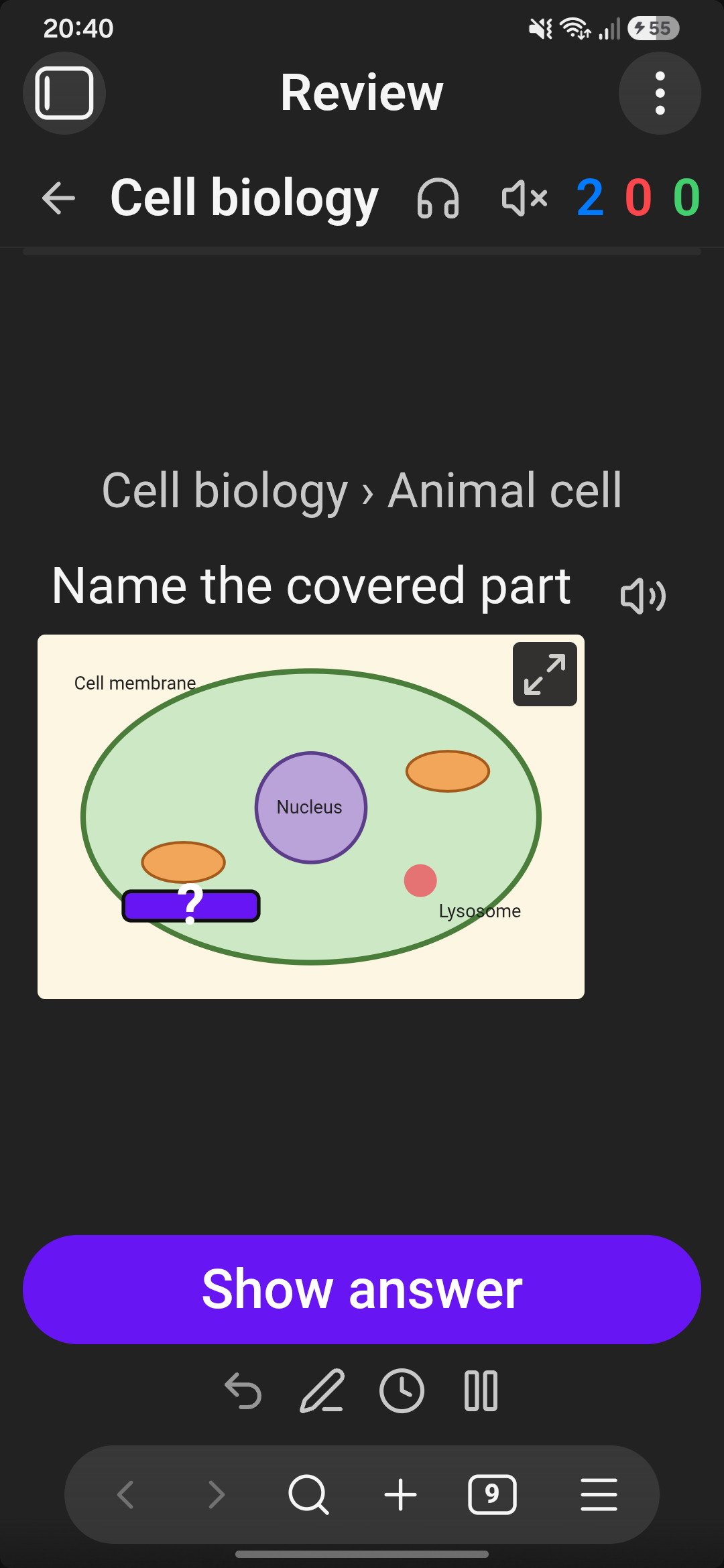
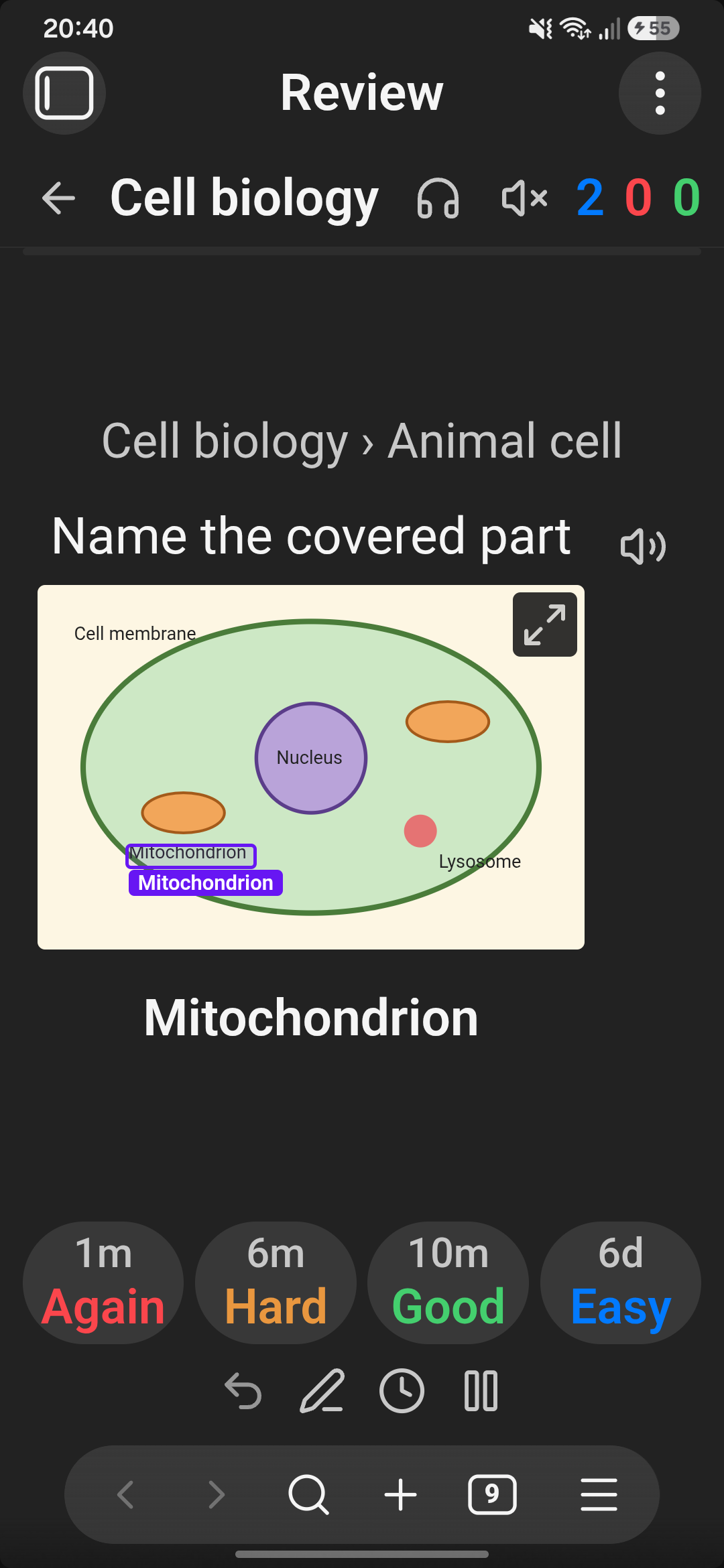
- Images and image occlusion. Put pictures on cards, or cover parts of a diagram and learn them one by one.
Writing cards
| Card | Write | Reviews |
|---|---|---|
| Basic | Question ;; Answer or Question :: Answer |
Q → A |
| Both ways | Term ::: Definition |
Q → A and A → Q |
| Multi-line | question lines, a line with just ?, answer lines |
Q → A |
| Multi-line, both ways | the same with ?? |
both ways |
| List answer | Question ;; then tab-indented lines, or Question >>> then a bullet list |
Q → list |
| Cloze | The {{mitochondria}} makes ATP or {{c1::…::hint}} |
one card per gap |
| Highlight cloze (off by default) | The ==mitochondria== makes ATP |
one card per highlight |
| Image occlusion | right-click an image → Add image occlusion, then draw boxes | one card per box |
Images work anywhere in a card (What is this? ;; ![[heart.png]]); a ⤢ button opens them full screen.
Image occlusion: put the cursor on a line with an image embed and run Add image occlusion (or right-click → Add image occlusion). Drag boxes over the parts to hide and type what's under each. Choose whether a card covers only the asked part or every part. The boxes are saved in the note as a small ```occlusion block under the image — plain text, synced like everything else — and the note shows the image with its boxes and an Edit boxes button.
- Code blocks with a language and
%% comments %%are skipped.;;cards inside plain```blocks are read; you can turn this off. - Frontmatter
cards: falseskips a note. deck: Some/Deckoverrides the folder deck.tts-front: es/tts-back: en-GBpicks a voice language per note.%%say: …%%on a card line changes how it is read aloud.- The same card in several notes is studied once. This is a setting.
Editing cards
By default a card is recognised by its text, so nothing is written into your notes. When you edit a card, Talking Cards matches it to the card it was, and its progress carries over. A matched edit can be:
- a fixed typo,
- a reworded answer,
- a changed question with the same answer.
A card rewritten from scratch starts over. Removing ;; or :: removes the card. If a match
is missed, use Browse → select the card → Take progress from….
If you prefer exact IDs, turn on Settings → Write card IDs into notes. A ^tc-… ID is then
added to each card the first time you study it.
Voices
The first time you ask for speech, open Settings → Voice store and download a voice:
- Voices come from Piper, with 40+ languages.
- Each is 20–60 MB.
- They run on your device, offline once downloaded.
On desktop, your system voices are offered too, where the platform provides them.
Android: Obsidian's Android app has no speech engine a plugin can reach. To use the phone's own voices (Google, Samsung…), a companion app can share them over a local voice server; see docs/voice-server.md. This is optional: the downloaded voices work without it.
Your data
Talking Cards reads every Markdown note in your vault, because cards can be written in any note; folders you list under Settings → Ignore are skipped. It writes only its own review logs (and, if you turn it on, card IDs into notes). It doesn't access files outside the vault.
- Review history goes in
Talking Cards/reviews-<device>-<year>.mdinside your vault, one file per device. Logs from several devices merge cleanly when synced, with no conflicts. You can move the folder in settings.- Tip: add that folder to Settings → Files and links → Excluded files.
- Settings are stored in the plugin's
data.json. - On each device only:
- downloaded voices and spoken-audio cache in IndexedDB,
edit-snapshot.jsonin the plugin folder, used to follow edits made while Obsidian was closed.
Network use
Talking Cards only goes online when you download a voice or open the voice store. It sends no
telemetry and has no accounts. Everything it downloads is data, not code: the speech engine
(onnxruntime-web 1.22.0) ships inside main.js. It downloads:
| What | From | When |
|---|---|---|
| Voice list and voice models | huggingface.co/rhasspy/piper-voices |
Voice store, when you install a voice |
| Pronunciation data (espeak-ng) | huggingface.co/csukuangfj/vits-piper-en_GB-alba-medium |
When you install a voice for a new language |
Phone voices: the optional companion-app connection only talks to 127.0.0.1 on your
phone.
Licence
GPL-3.0-or-later. The phonemizer bundled in main.js includes espeak-ng (GPL-3.0), so the
plugin as a whole is GPL. Bundled components keep their own licences:
- piper-phonemize: MIT
- sherpa-onnx: Apache-2.0
- onnxruntime-web: MIT
- ts-fsrs: MIT
Each Piper voice has its own licence, listed on its model card. Some are for non-commercial use only.
Development
npm install
npm run build   # main.js
npm test        # unit tests (node --test)
- The UI harness runs the plugin in a browser against a fake Obsidian API; see
test/harness/README.md. - Obsidian's review lint rules run from
lint/(it needs TypeScript 6):
(cd lint && npm i) && lint/node_modules/.bin/eslint -c lint/eslint.config.mjs src