Tab Flow
 liubinfighter1k downloads
Play, render and create interactive guitar tabs. Your tablature toolkit that supports popular formats like Guitar Pro (.gp3-.gpx) and writing your own in plain text (alphaTex).
- Overview
- Scorecard
- Updates33

Tab Flow
Render, play and write guitar tabs in Obsidian. Powered by alphaTab.
Features
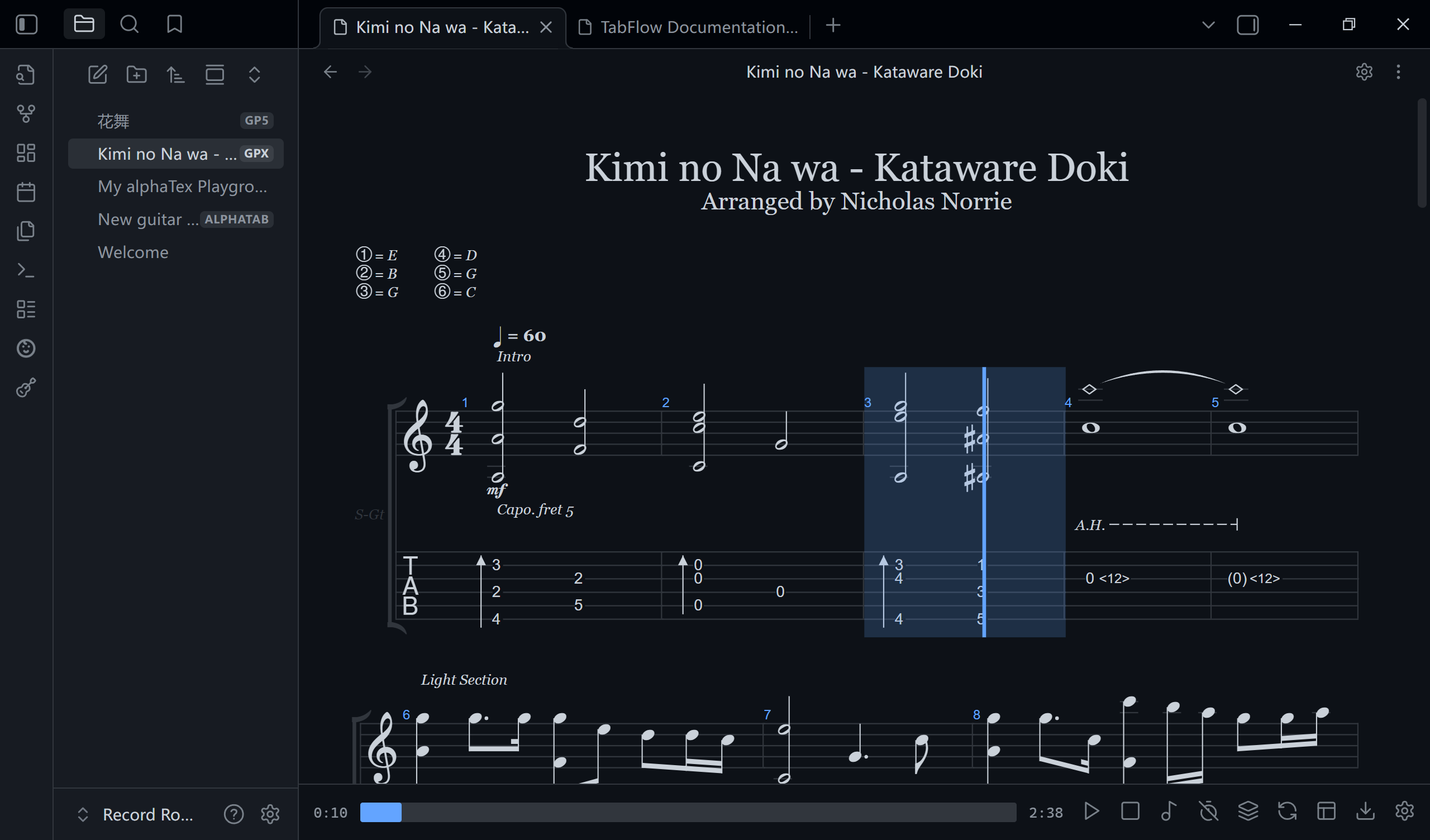
- Render and play Guitar Pro files (
.gp,.gp3,.gp4,.gp5,.gpx).- Tab rendering, play/pause/stop, playback cursor, auto-scroll, dark mode.
- Control components: tracks, layout, zoom, speed, count-in, metronome.
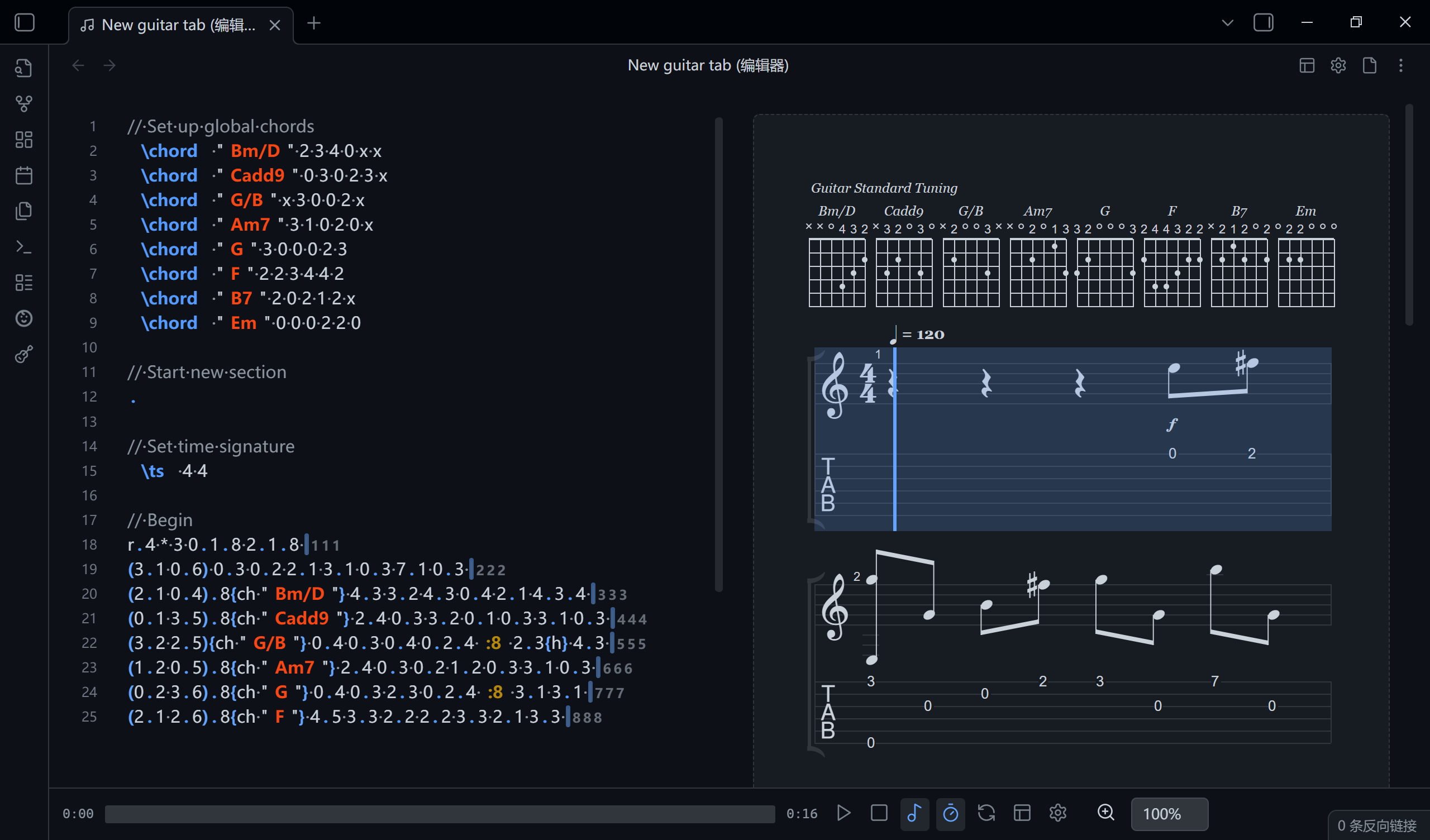
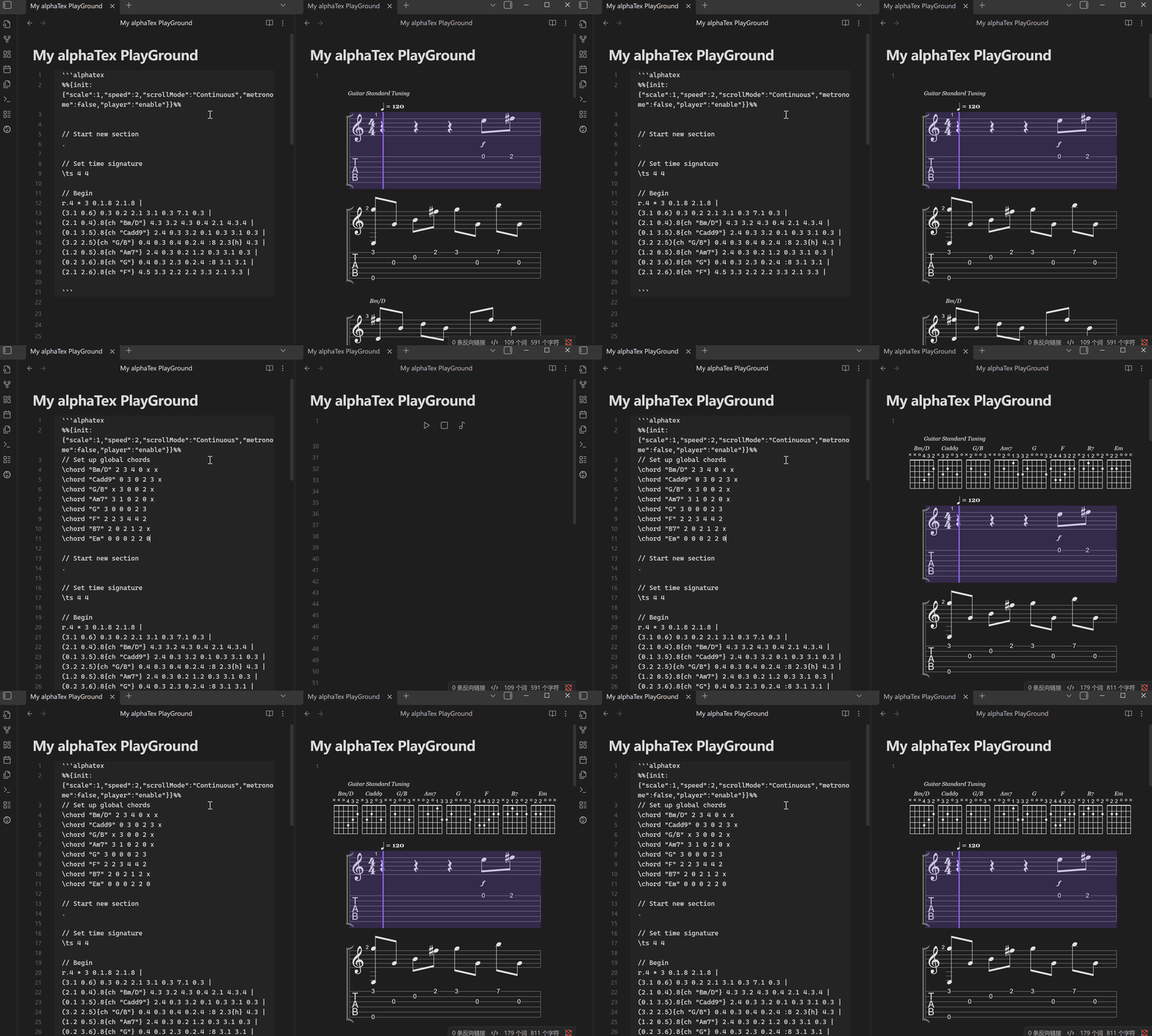
- Write scores in
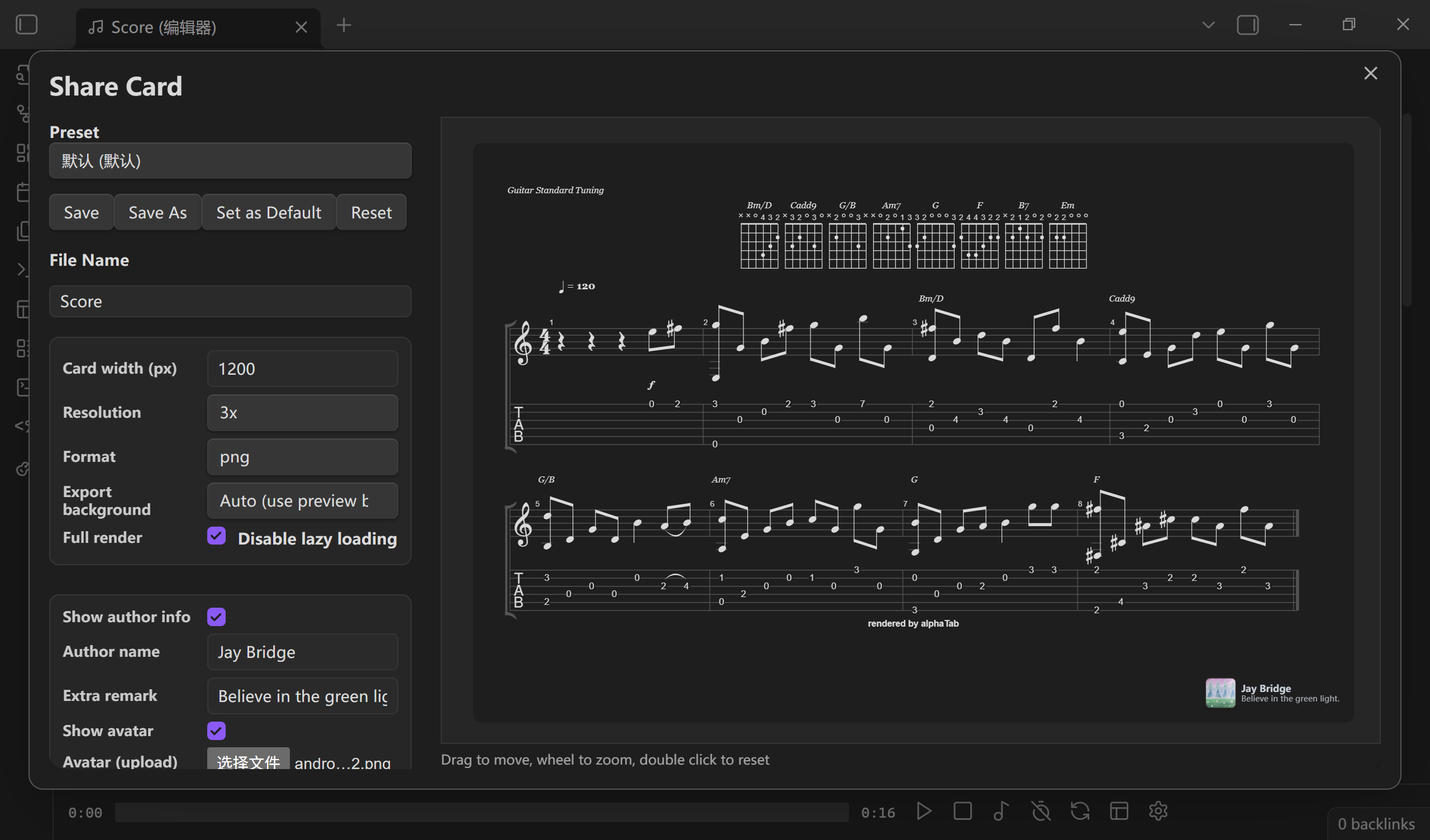
alphaTex(.atexfiles, oralphatexcode blocks in notes) and share them.- Syntax highlighting (CodeMirror), Guitar Pro export, PNG share card, PDF export (work in progress).
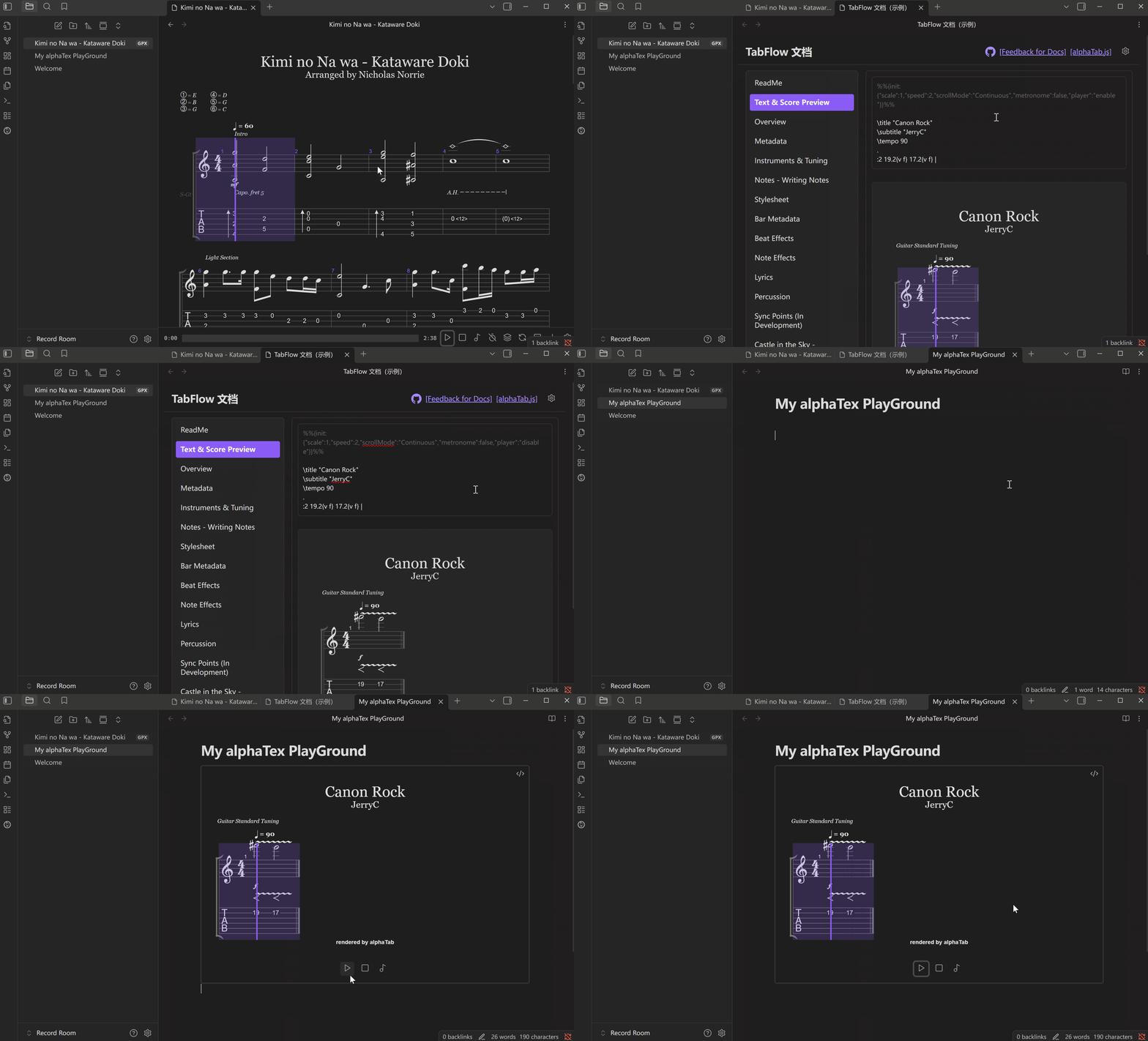
- Built-in interactive documentation to learn and enjoy alphaTex.
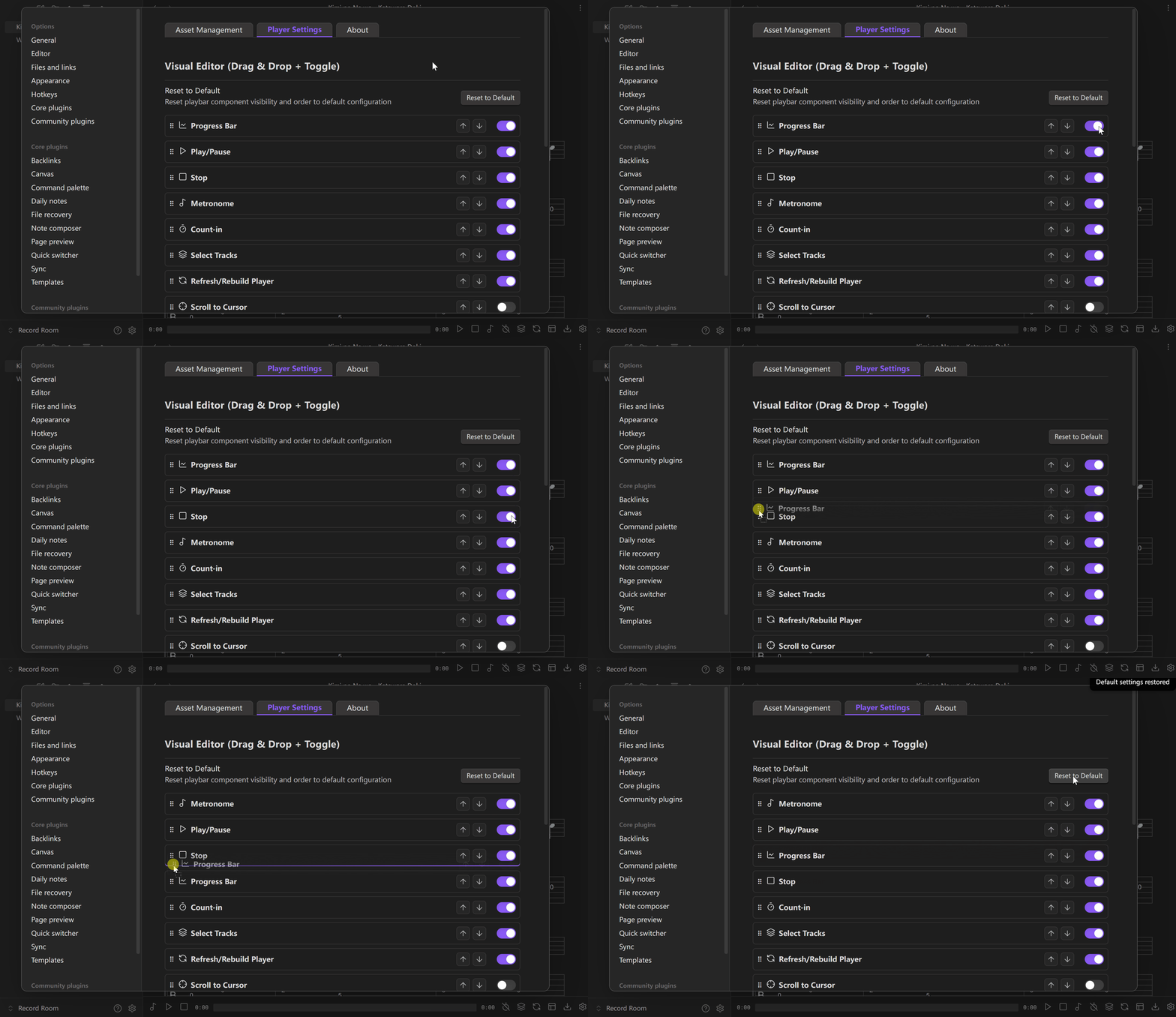
Custom playback experience
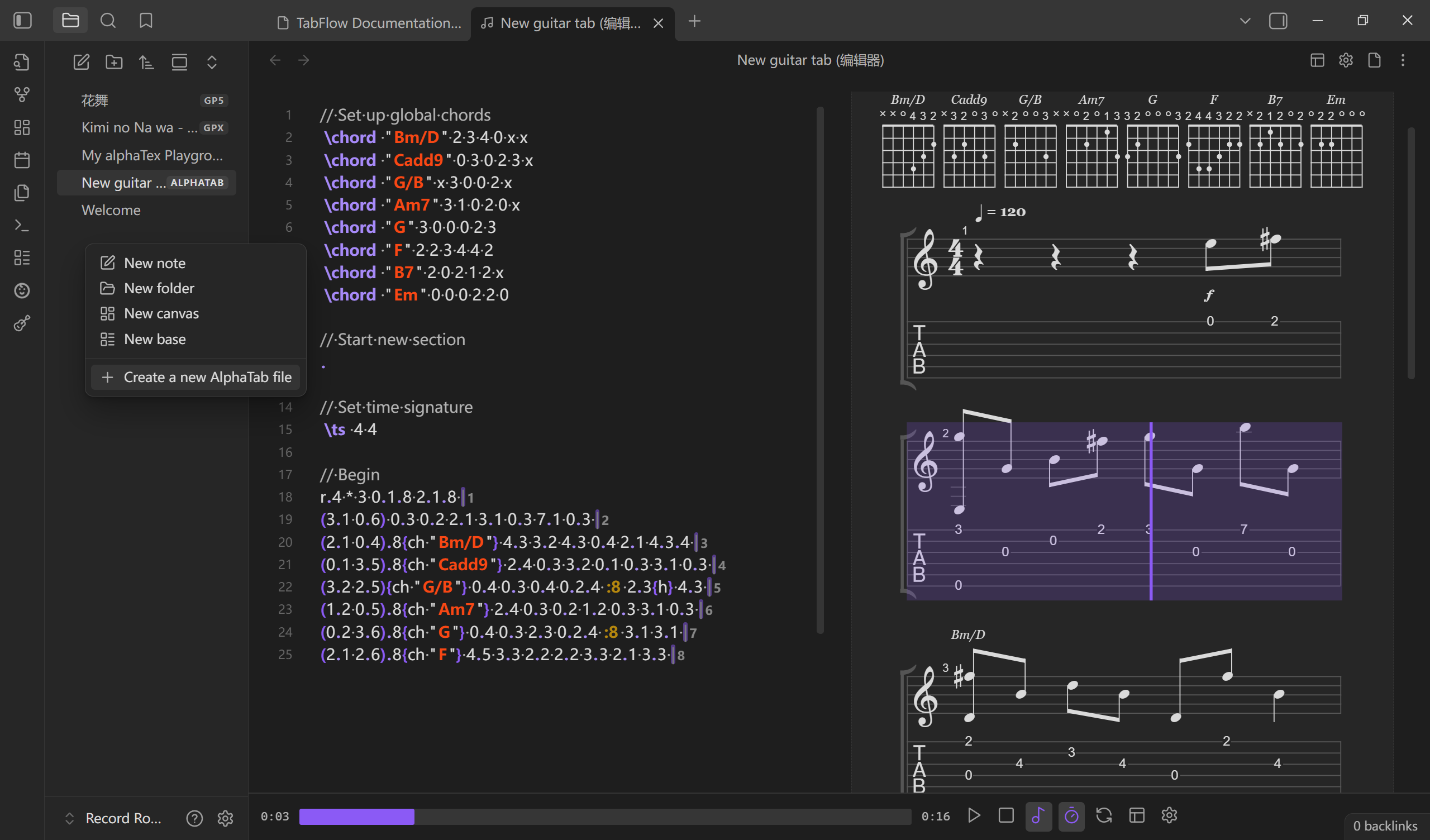
Write guitar tabs like Markdown
.atex files:
alphatex code blocks in .md notes:
Share your riff (beta)
Learn alphaTex in the built-in playground
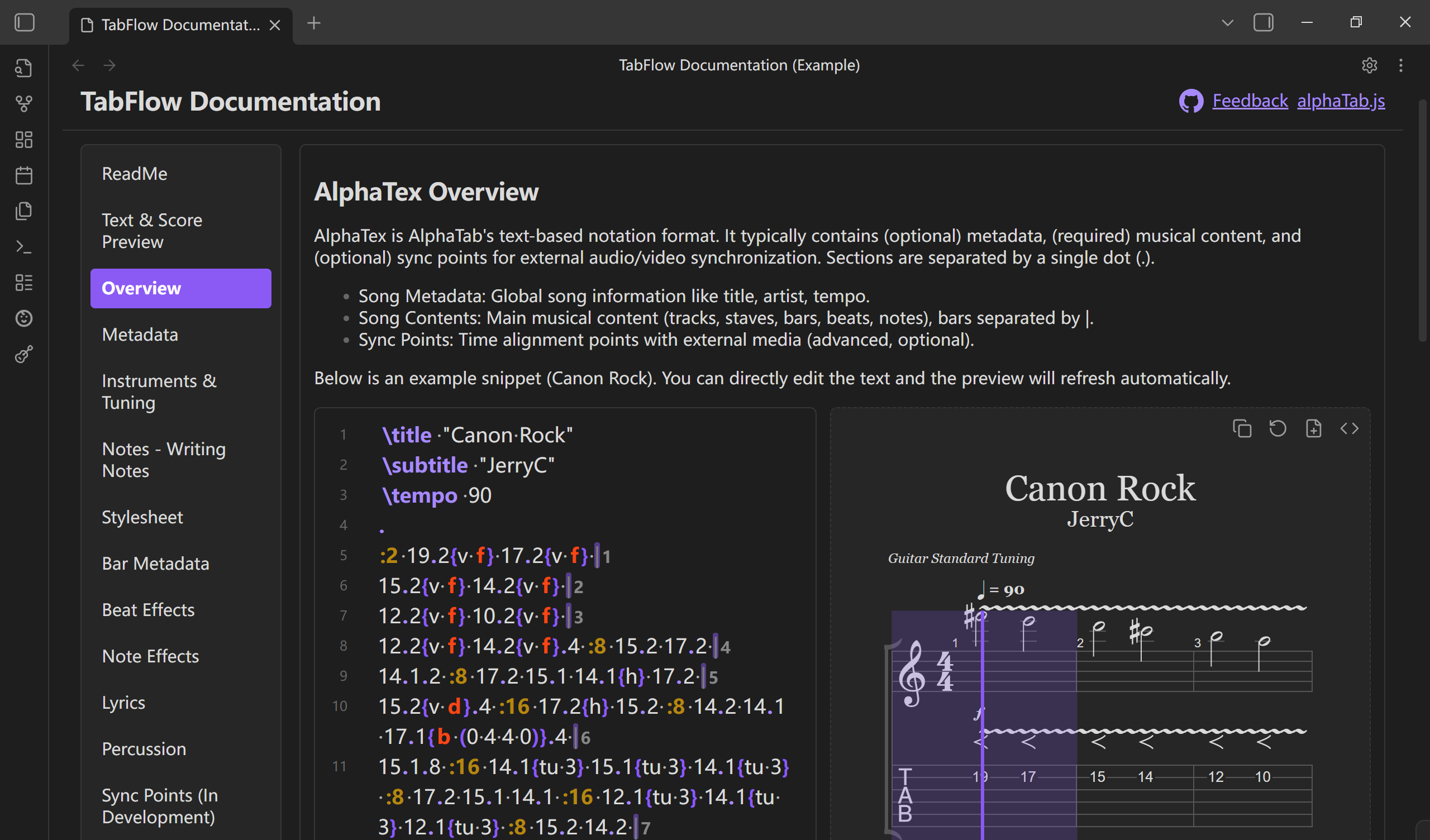
Open the documentation view from the command palette or the guitar ribbon icon:
Requirements
- Obsidian 1.8.0 or later.
- Desktop only. The plugin bundles a web worker and uses Node APIs to load its local assets.
Install
1. Obsidian community plugins
Once Tab Flow is available in the community directory: Settings → Community plugins → Browse, search for Tab Flow, then install and enable it.
2. BRAT (recommended while in review)
- Install and enable the BRAT plugin.
- In BRAT, choose Add beta plugin and enter:
https://github.com/LIUBINfighter/Obsidian-Tab-Flow - Select a version and add the plugin.
- Continue with First run below.
3. Manual install
- Download
tab-flow.zip(ormain.js,manifest.json,styles.css) from the latest release. - Extract it into
<your vault>/.obsidian/plugins/tab-flow/. - Reload Obsidian and enable Tab Flow in Settings → Community plugins.
First run: download the playback assets
For security reasons, community plugins can't download files automatically. Tab Flow ships without the music font, soundfont and web worker; download them once from Settings → Tab Flow → Asset management:
- Open Settings → Tab Flow.
- In the Asset management tab, click Download missing asset files and wait for the download to finish.
- Reload the plugin (or restart Obsidian).
The assets are fetched from the plugin's GitHub release, are stored inside the plugin folder, and are only used locally. See Security and assets below.
Usage
- Play a Guitar Pro file: open any
.gp/.gp3/.gp4/.gp5/.gpxfile. Tab Flow renders the score and opens the player view. - Write a score: create a
.atexfile, or add analphatexcode block to any note:```alphatex \title "My riff" . :4 0.6 2.5 2.4 2.3 | 3.2 2.2 0.1 3.1 ``` - Learn alphaTex: open the documentation view from the
guitarribbon icon (or the command palette) and edit the samples in the built-in playground. - Editor: open the alphaTex editor from the command palette to write and preview side by side.
- Print / PDF: open the print preview from the player toolbar and use your system print dialog.
Roadmap
- 0.5.x: player and editor polish (React + Zustand), alphaTab 1.8 support.
- 1.0.0: multimodal OCR for alphaTex and deeper score tooling.
More experiments live at alphatab-vue.
Contributing
Thanks for using Tab Flow! Contributions are welcome:
- Feature requests and bugs: please open an issue.
- Pull requests: start a discussion or issue first so we can align on the approach.
Inspired by
alphaTab.js, Bocchi the Rock!, Girls' Band Cry.
Security and assets
Tab Flow downloads its runtime assets (music font, soundfont, web worker) from the plugin's GitHub release only when you ask it to, and keeps them inside the plugin folder. No telemetry, no remote code execution, no network access at runtime beyond loading those local files.
Disclaimer
Please keep backups of your Guitar Pro files. Tab Flow doesn't rewrite your .gp files, but some scores render imperfectly because of CJK text encoding differences.
Copyright & Credit
Copyright (c) 2025 Jay Bridge and other contributors. All rights reserved.
Licensed under the MPL 2.0 License.
Special thanks to