Search...Search plugins and themes...
⌘K
Sign in
  • Get started
  • Download
  • Pricing
  • Enterprise
  • Account
  • Obsidian
  • Overview
  • Sync
  • Publish
  • Canvas
  • Mobile
  • Web Clipper
  • CLI
  • Learn
  • Help
  • Developers
  • Changelog
  • About
  • Roadmap
  • Blog
  • Resources
  • System status
  • License overview
  • Terms of service
  • Privacy policy
  • Security
  • Community
  • Plugins
  • Themes
  • Discord
  • Forum / 中文论坛
  • Merch store
  • Brand guidelines
Follow us
DiscordTwitterBlueskyThreadsMastodonYouTubeGitHub
© 2026 Obsidian

Style Text

juanjoarranzjuanjoarranz14k downloads

Apply custom CSS styles to selected text in your notes.

Add to Obsidian
  • Overview
  • Scorecard
  • Updates1

Apply custom CSS styles to selected text in your Obsidian Notes.

Instructions

The Style Text Obsidian plugin allows to create as many CSS Styles as you wish:
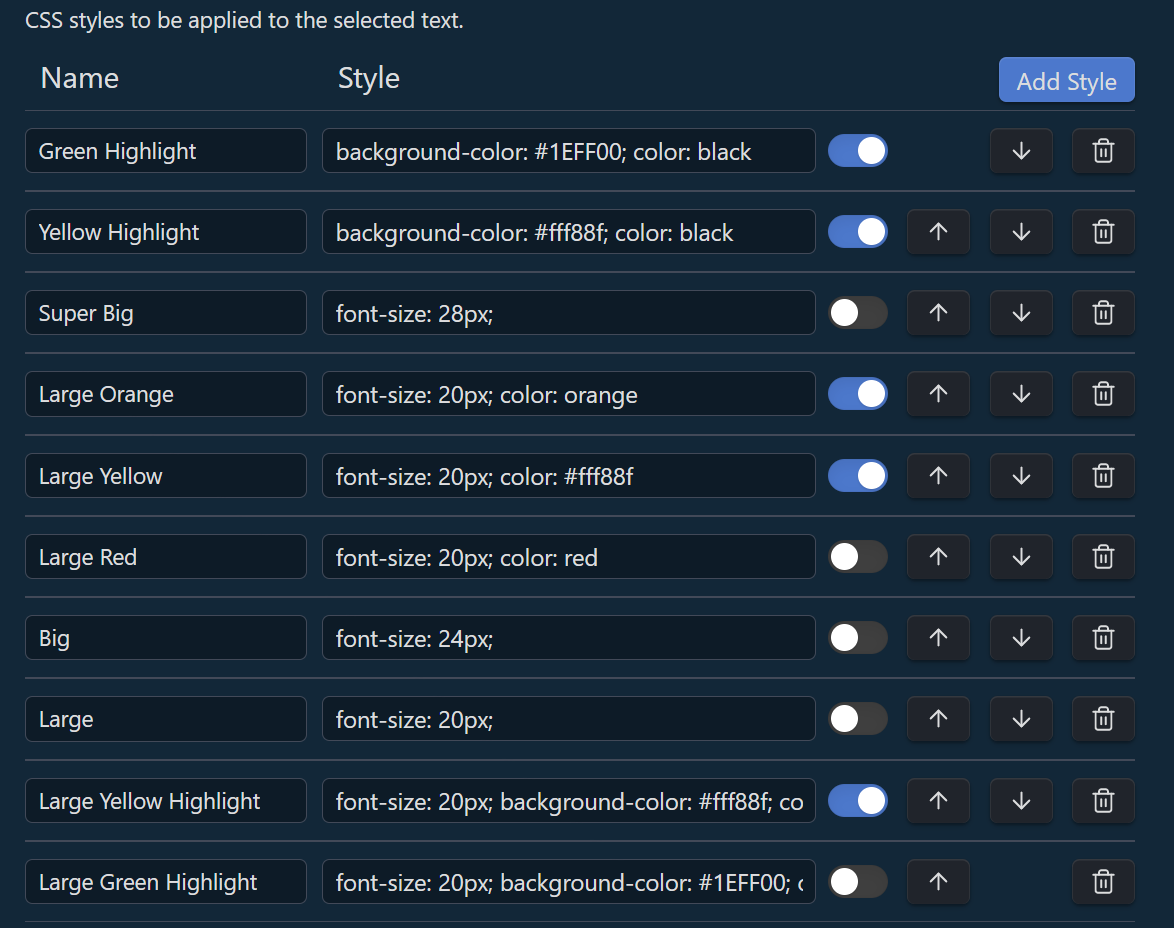
Alt text

Then, they will be available to be applied to the selected text in the editor via Commands (Command Palette):
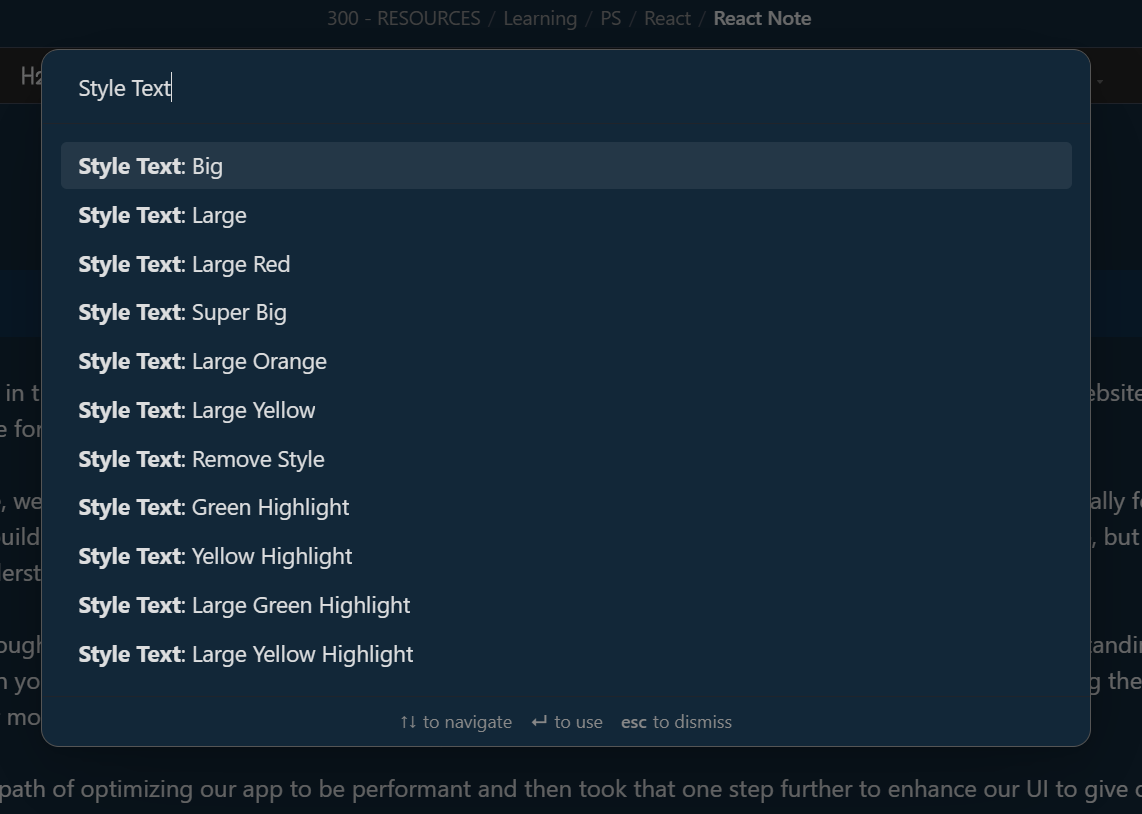
Alt text

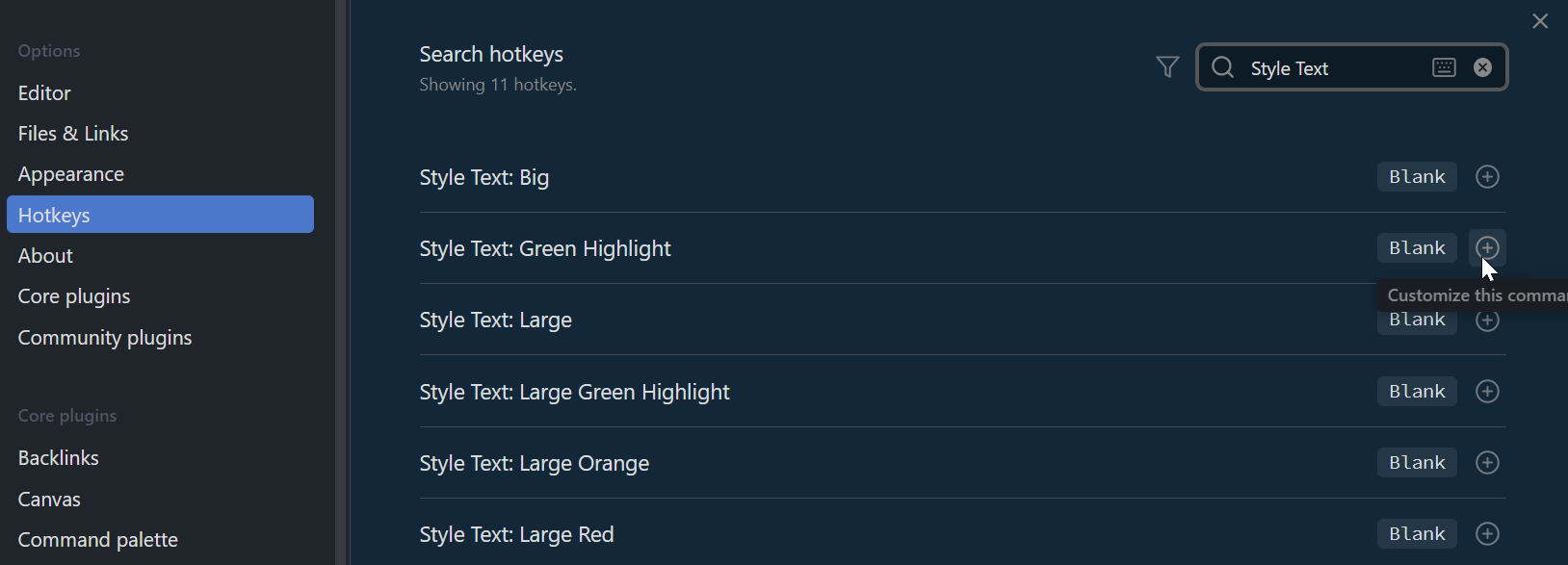
Each command can optionally be assigned to Obsidian Hotkeys for quick access: Alt text
The styles are also available in contextual menu in the editor. You first need to enable them in the plugin settings:
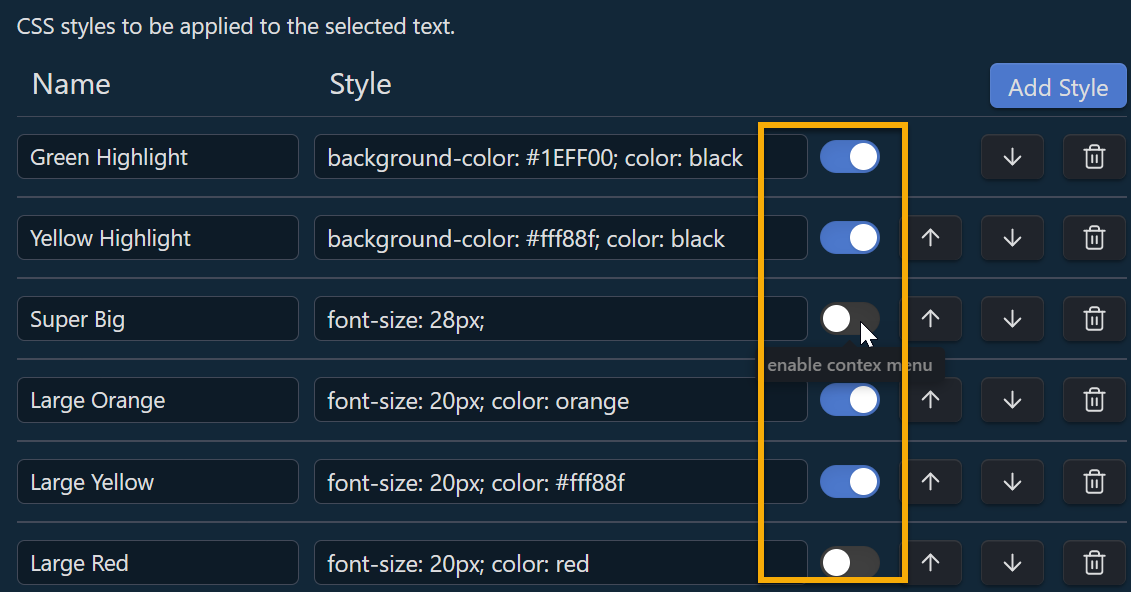
Alt text

So the enable styles will be available in the context-menu to be applied to the selected text after right-clicking: Alt text
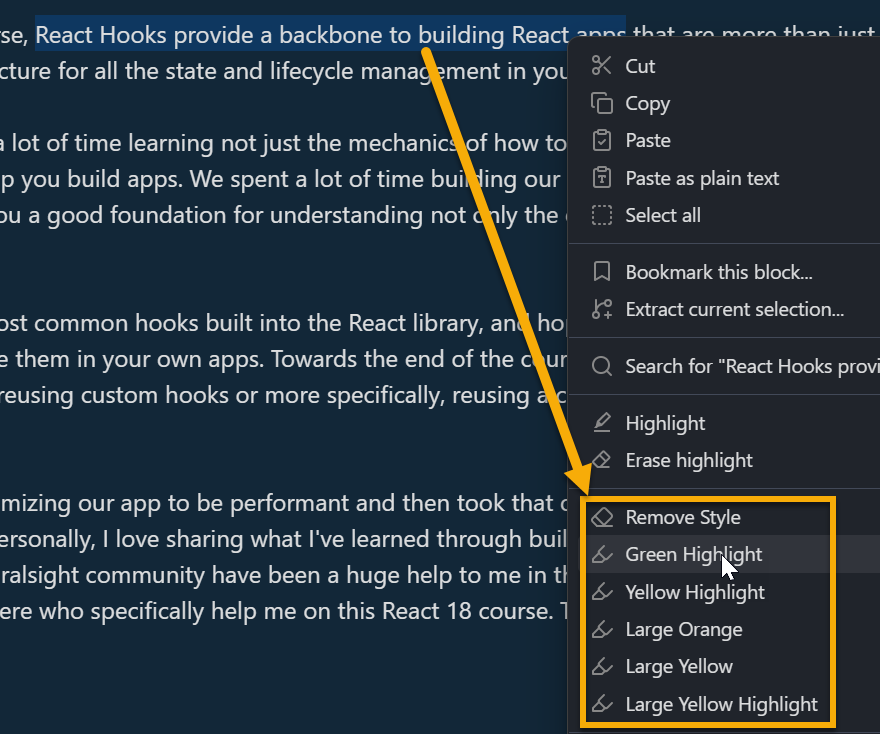
To get the pretended result: Alt text

The plugin also offers an aditional command "Remove Style" to get rid of the unwanted styles. You only need to select the paragraph, or text or place the cursor in front of a style text and choose the command from the context menu or command palette:
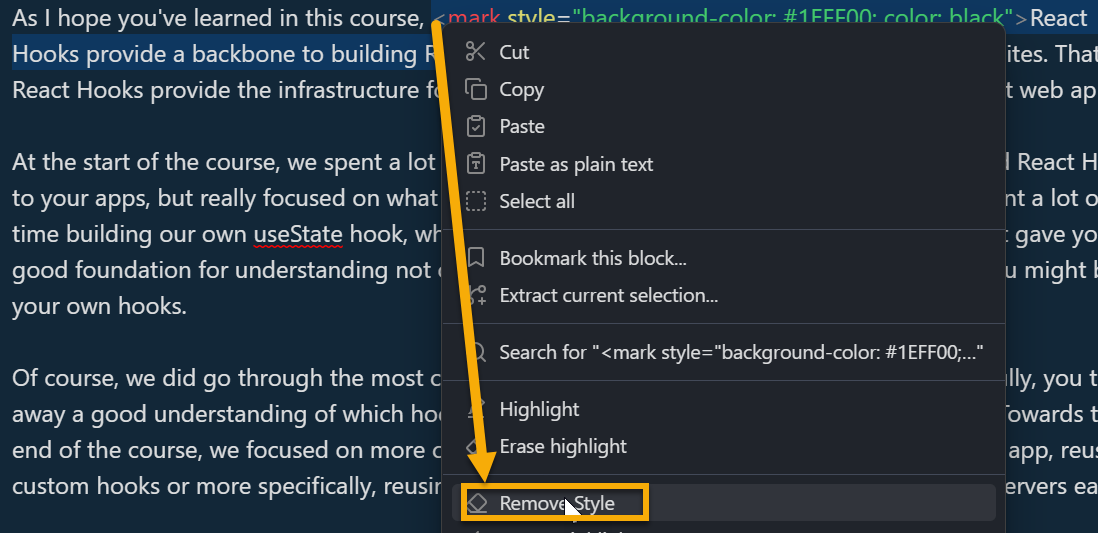
Alt text

The order of the context menu items follows the order in the settings. You can move up or down the styles as desired:
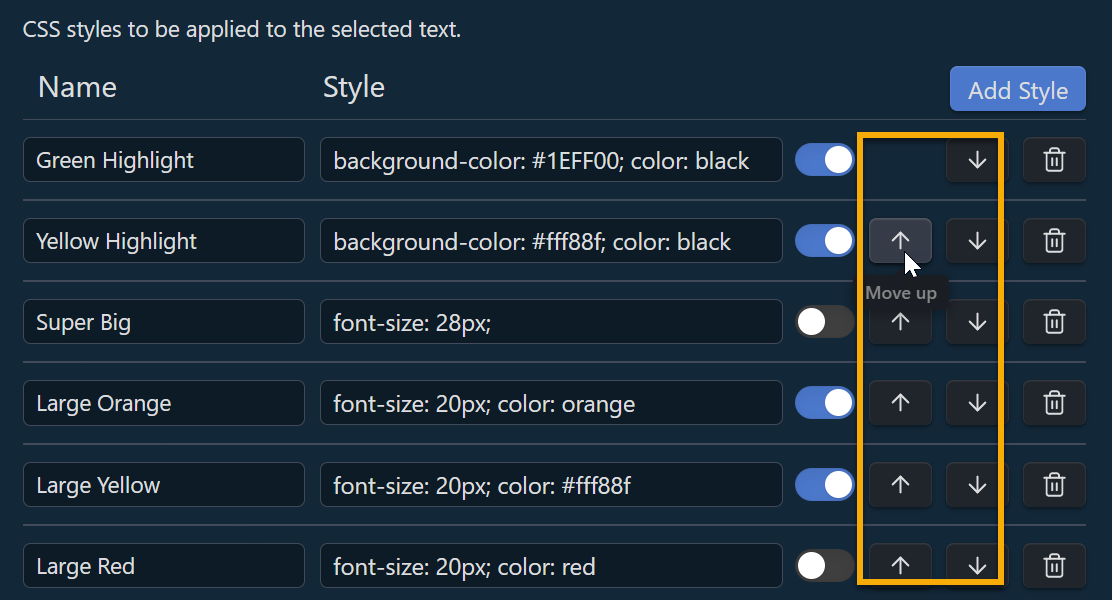
Alt text

Say Thank You

If you enjoy Style Text Obsidian Plugin then please support my work by buying me a coffee on https://ko-fi.com/F1F6H4TAR

42%
HealthGood
ReviewRisks
About
Apply custom CSS styles to selected text in your Obsidian notes. Create and manage multiple styles, then apply or remove them from the editor via the command palette or context menu.
CSSFormattingEditing
Details
Current version
0.1.0
Last updated
3 years ago
Created
3 years ago
Updates
1 release
Downloads
14k
Compatible with
Obsidian 0.1.0+
Platforms
Desktop, Mobile
License
MIT
Report bugRequest featureReport plugin
Sponsor
Ko-fi
Author
juanjoarranzjuanjoarranz
github.com/juanjoarranz
GitHubjuanjoarranz
  1. Community
  2. Plugins
  3. CSS
  4. Style Text

Related plugins

Easy Typing

Auto format when typing.

Lapel

Show the heading levels in the gutter of the editor.

CSS Editor

Edit CSS snippet files.

Admonition

Admonition block-styled content.

Blur

Create obfuscated blocks of text.

List Callouts

Create simple callouts in lists.

Show Whitespace

CSS styles and CM6 extensions to highlight whitespace in Source and Live Preview modes.

Columns

Create columns in Markdown.

Symbols Prettifier

Prettify the symbols with actual symbols you commonly type, like arrows.

Smart Typography

Convert quotes to curly quotes, dashes to em dashes, and periods to ellipses.
