StoryScore
 SrPernax135 downloads
Turn your soundtrack into a worldbuilding tool. Manage OSTs, track leitmotifs, and weave musical lore into your vault.
- Overview
- Scorecard
- Updates3
StoryScore
StoryScore is an Obsidian plugin designed for composers, audio directors, writers, and creators who need to organize and manage soundtracks, tracks, and leitmotifs directly in their vault, bridging the narrative process with the musical one.
Keeping an organized log of musical ideas, mix versions, and recurring motifs (leitmotifs) usually requires multiple external apps or messy spreadsheets. StoryScore solves this by letting you link audio files, lyrics, and notes directly to your Obsidian projects. Keep all conceptual and technical information in the same place where you write your story or design document.
Current Version Features
- Main Manager: A unified view to see, play, and filter all your soundtracks and tracks.
- Track Cards: Integrated audio player with a quick display of metadata.
- Soundtrack Creation: Define albums or general musical projects.
- Track Management: Add tracks with customizable attributes like status, type, lyrics, and selection of local audio files.
- Leitmotif System: Log and connect musical motifs to characters, objects, or places, detailing musical annotations.
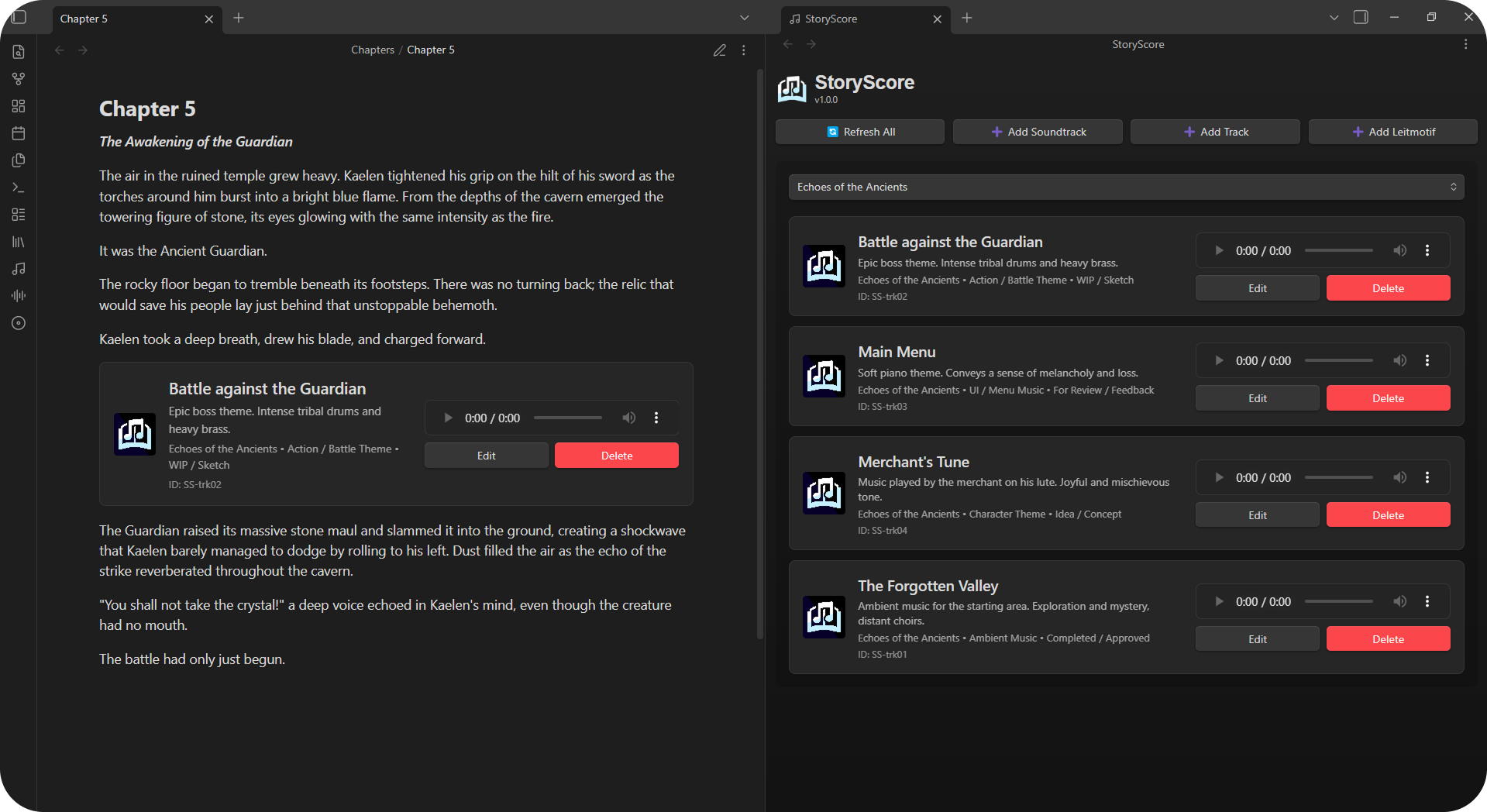
- Interactive Codeblocks: Embed track cards directly into any note using a
storyscorecodeblock. Perfect for character sheets or scene notes!
Manager
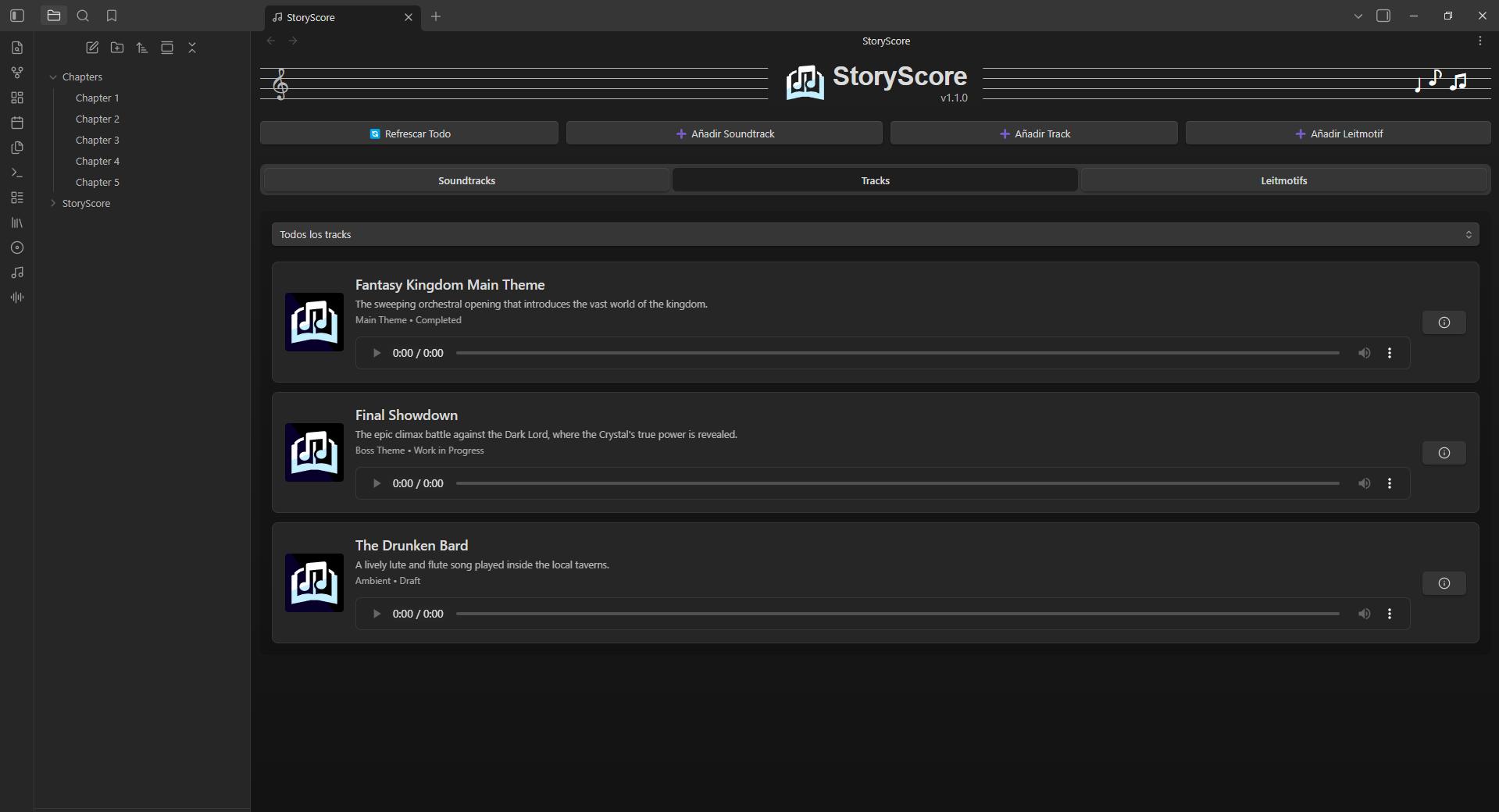
A centralized view accessible from the Ribbon. Filter your tracks by soundtrack, listen to progress, and manage everything at a glance.
Creation
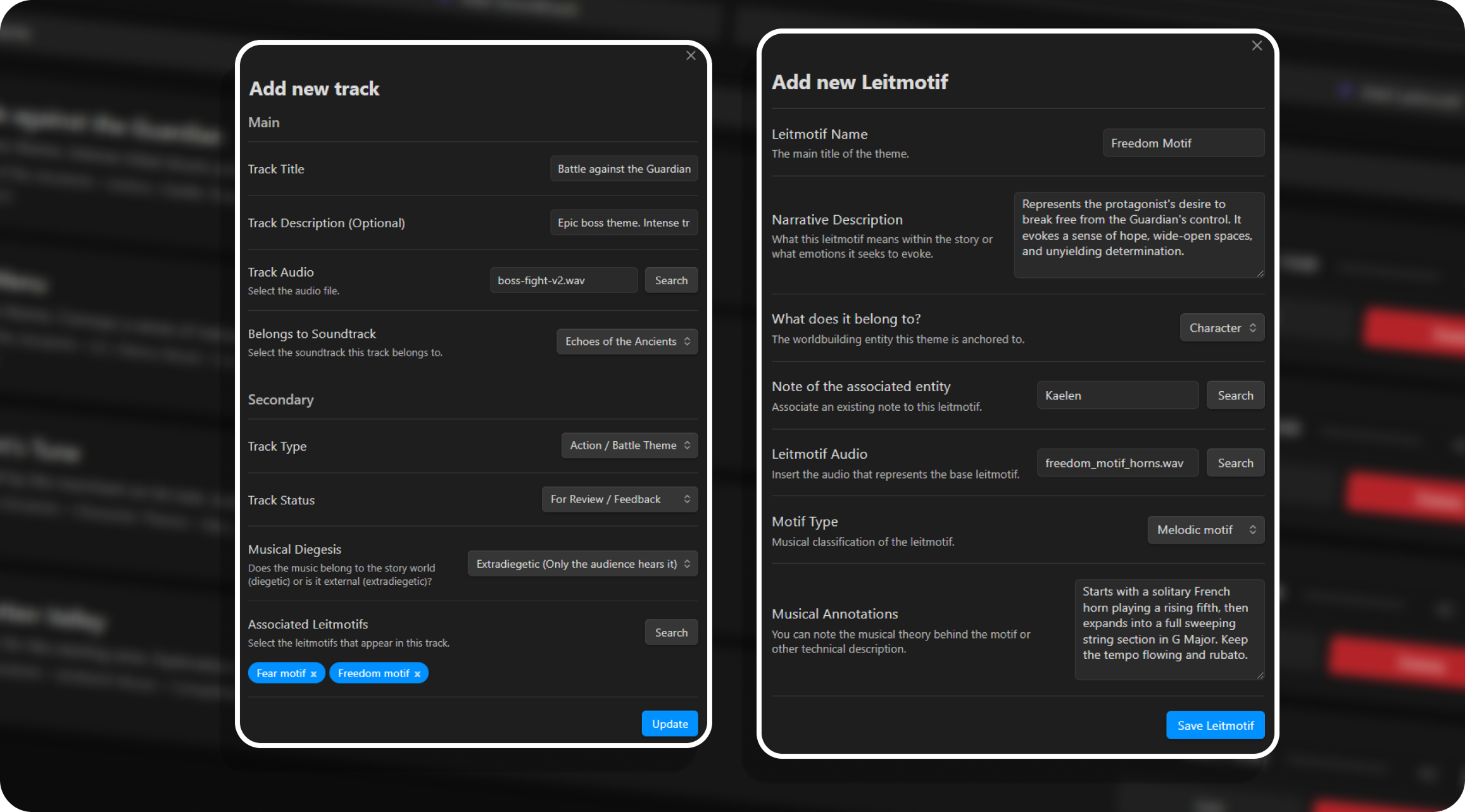
Easily create tracks and leitmotifs, assign statuses and types, and link audio files from your vault without having to write any code.
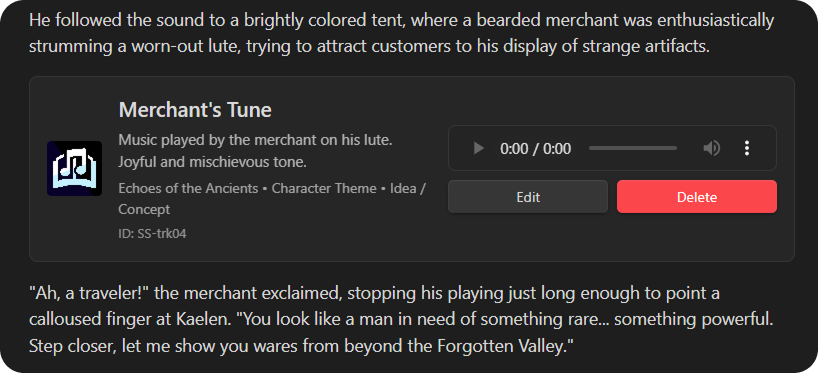
Embedded Cards (Codeblocks)
Insert track, soundtrack, or leitmotif cards directly into the flow of your text. Open the Command Palette while on the desired note and use the Insert track player here command. If you prefer to do it manually, create a codeblock like this:
```storyscore
id: SS-rnf8e
```
You can insert 3 types of cards depending on the ID prefix you use:
SS-: To insert a Track card.ST-: To insert a Soundtrack (Album) card.LM-: To insert a Leitmotif card.
This will give your notes a much more immersive musical and narrative dimension, allowing you to play the exact music for a scene, character, or event without leaving the text.
Folder Structure
In the plugin settings, you can choose your Base Folder (default is StoryScore). To maintain order and ensure proper plugin functionality, StoryScore internally manages the following structure:
📁 Your Base Folder (StoryScore)
 ├── 📁 soundtracks  (Soundtrack notes)
 ├── 📁 tracks       (Individual track notes)
 └── 📁 leitmotifs   (Musical motif notes)
What's Next?
StoryScore's development has just begun. Future updates plan to build comprehensive documentation interfaces and interactive views to connect tracks, motifs, and scenes much more visually, allowing you to map out all the music with the narrative at a glance. Additionally, cooperative workflow tools will be developed with features specifically designed to facilitate collaboration between teams of writers, narrative designers, and composers, making the synchronization of your musical vault a natural and even more intuitive process.
Translations
Currently, StoryScore supports the following languages:
- 🇬🇧 English
- 🇪🇸 Spanish
Support Me
If you find this plugin useful for your projects and want to support its development, consider buying me a coffee! :]

SrPernax
Other Projects
Check out my other plugins for Obsidian:

Easy File Replace - Effortlessly replace your attachments' contents without breaking links.